Partner with us

Grow with ShopDigest. Programs for experts, developers and store owners.

Top 96 Historical reports Shopify Apps in October 2026

Check out all Historical reports apps tailor-made for your Shopify store. Whether you are seeking free or paid solutions, Shopify offers a diverse range of 96 top-notch apps catering to businesses of all sizes. These apps are designed to boost your Shopify store's performance and make managing your business a breeze. Explore the collection and discover how these Historical reports apps can take your Shopify store to the next level! We meticulously handpicked these top Historical reports apps by evaluating various parameters, including ratings, reviews, price, popularity, launch date, and best matches, to ensure they offer the best value and experience to our users. Read full information here. Check out all Historical reports apps tailor-made for your Shopify store. Whether you're seeking free plans or premium solutions, Shopify offers a diverse range of 96 top-notch apps catering to businesses of all sizes. Discover the perfect tools to elevate your' e-commerce experience today!

CedCommerce Amazon Channel leads Historical reports apps with 58.0% market share, ahead of syncX: Stock Inventory Sync at 34.0%. A concentrated field — one app holds most of the tracked installs.

96 apps trackedUpdated 25 October 2026

Find the right app for your store

Sign in and we shortlist the Historical reports apps that fit your setup.

Continue with Google

Top ranked · #1 of 96
CedCommerce Amazon Channel

CedCommerce Amazon Channel by CedCommerce

Selling on Amazon is simple using the Amazon sales channel.

Pricing Plans: Free, $19/month, $49/month, $99/month
Pros
  • The app is consistently praised for its highly responsive, knowledgeable, and patient support team, which provides effective guidance and problem resolution.
  • Reliable integration between Shopify and Amazon enables streamlined product listing, inventory sync, and order management, saving users significant time and effort.
  • The application is widely described as easy to use, intuitive, and accessible, even for new sellers or those without technical expertise.
Cons
  • Some users find the initial setup process challenging or unintuitive without assistance from customer support.

What merchants said

“Ótimo suporte! Muito atencioso, paciente e disponível para esclarecer minhas dúvidas. Agradeço pela ajuda e pelo cuidado no atendimento. Recomendo!”
GARDENIA · Portugal · ★ 5.0 · 10/19/2026

Summary

Starting PriceFree
Free TrialFree plan
Launch Date18 Jun 2021
DeveloperCedCommerce
Ratings4.6 ★ (1,172)
View on ShopifyView charts
About the App

CedCommerce Amazon Channel, a Historical reports Shopify app, has achieved 1163 reviews and an average rating of 4.6 stars since its launch 5 years ago. Designed to assist Shopify merchants with - "Manage and organize sales operations both in your store and on Amazon." it is a valuable addition to the Historical reports app lineup.

Top Features:

Historical reports Shopify apps can help elevate your e-commerce game. CedCommerce Amazon Channel offers a host of key features, including:

  • Multiple Amazon Account Integration:Link several Amazon accounts to a single Shopify store.
  • Product Synchronization:Connect existing products on Shopify and Amazon using SKUs, barcodes, etc.
  • Bulk product management:Use bulk upload and edit features for products.
  • Amazon Handmade Support:Support for all product categories on Amazon, including Amazon Handmade.
  • Order Management System:Easy management for orders and shipments with alerts for unsuccessful orders.
Pricing Details

CedCommerce Amazon Channel offers 1 free plan and 3 paid plans.

Considering installing this Historical reports Shopify app? Explore the pricing details and discover if they align with your budget and needs.

  1. Free · $0/month

    Included features: Connect one Amazon Account, List or Manage up to 100 Products, Real-time Product and Inventory Sync, Limited Features

  2. Beginner · $19/month

    Included features: Unlimited Product Import, List or Manage up to 5000 Products, Real-Time Order Syncing (Both FBA & FBM), Automated Price Sync Rules, Basic Support

  3. Beginner · $49/month

    Included features: Unlimited Product Import, List or Manage up to 5000 Products, Real-Time Order Syncing (Both FBA & FBM), Automated Price Sync Rules, Basic Support

  4. Growth · $99/month

    Included features: Unlimited Product Import, List or Manage up to 10000 Products, Shopify Metafield Support, Product Optimizer Tool, Basic Support

Pros and Cons

Delve into ShopDigest's expert insights on CedCommerce Amazon Channel - a Historical reports Shopify app. Our analysis of Shopify app store reviews presents unique pros and cons, allowing you to make informed decisions for your business.

Pros
  • The app is consistently praised for its highly responsive, knowledgeable, and patient support team, which provides effective guidance and problem resolution.
  • Reliable integration between Shopify and Amazon enables streamlined product listing, inventory sync, and order management, saving users significant time and effort.
  • The application is widely described as easy to use, intuitive, and accessible, even for new sellers or those without technical expertise.
  • Users benefit from detailed onboarding support, including walkthroughs and training that simplify the often complex integration and setup process.
  • Support staff demonstrate a track record of quickly resolving technical issues and errors, with persistent follow-up until problems are solved.
  • Customer support is frequently available around the clock, ensuring prompt help regardless of user location or time zone.
  • The support team provides not just technical assistance but also professional advice on optimizing product listings, choosing the right categories, and maximizing sales potential on Amazon.
  • Bulk upload and template features facilitate easy and fast uploading of multiple products to Amazon.
  • The app caters well to both new Amazon sellers and experienced users seeking a reliable integration solution.
  • Users are often offered ongoing assistance through multiple channels including chat, email, and video calls, fostering a supportive experience.
Cons
  • Some users find the initial setup process challenging or unintuitive without assistance from customer support.
  • There is a noticeable learning curve for new users due to the inherent complexity of Amazon integration processes.
  • Intermittent bugs or technical problems, especially with listing products or app reliability, can disrupt operations until resolved.
  • Full utilization of features or resolution of errors often requires intervention from the support team, rather than being fully self-service.
  • A few users report difficulties with support call audio quality or language barriers during live communication.
Talk to the developer

Install in Your Store Now

Your request goes to the team that built CedCommerce Amazon Channel, not a support queue.

#2 of 96
syncX: Stock Inventory Sync

syncX: Stock Inventory Sync by SyncX

Set up automatic synchronization for current and new inventory products.

Pricing Plans: Free, $7/month, $10/month, $300/month
Free Trial: 3 days
Pros
  • Automates and simplifies coordination of large inventories, saving significant time for users.
  • Highly responsive and problem-solving support team, frequently praised for quick resolutions.
  • Seamlessly syncs inventory across multiple marketplaces and physical stores.
Cons
  • New users may find initial configuration challenging without expert assistance.

What merchants said

“This is an extremely powerful tool that, in addition to predefined categories, also allows for custom settings via meta fields.For example: product descriptions for DHL / customs clearance, additional descriptions, etc.However, despite the app’s simple setup, I had issues with synchronization for bundles.Support responded immediately and was able to resolve the issue within two! (2!) days. With other providers, you don’t even get a response that quickly.The tool and support are in a league of their own compared to other providers.I highly recommend it—A+++ ”
Kodiak Gear · Germany · ★ 5.0 · 10/23/2026

Summary

Starting PriceFree
Free Trial3 days
Launch Date15 May 2014
DeveloperSyncX
Ratings4.7 ★ (936)
View on ShopifyView charts
About the App

syncX: Stock Inventory Sync, a Historical reports Shopify app, has achieved 926 reviews and an average rating of 4.7 stars since its launch 12 years ago. Designed to assist Shopify merchants with - "Automate the process of importing new products and updating inventory levels from several suppliers." it is a valuable addition to the Historical reports app lineup.

Top Features:

Historical reports Shopify apps can help elevate your e-commerce game. syncX: Stock Inventory Sync offers a host of key features, including:

  • Automated Inventory Updating:Save time by automating the inventory update process safely.
  • Inventory Management:Don't oversell: Quantity rules help users to manage their inventory levels appropriately.
  • Product Cleanup:Take out any products from the store that are no longer needed or no longer available.
  • Inventory Export for Tracking Stock:Send inventory list to supplier or vendor to monitor store stock.
  • Dropshipping Collaboration:Become a dropshipper with Stock Sync and share your product list with other sellers.
Pricing Details

syncX: Stock Inventory Sync offers 1 free plan and 3 paid plans.

Considering installing this Historical reports Shopify app? Explore the pricing details and discover if they align with your budget and needs.

  1. Free Plan · $0/month

    Included features: Unlimited user trigger updates, Limit 2,000 products, 1 update feed/supplier, Only manual update, Duplicate SKU sync, Low stock alert, Support, Import new products

  2. Starter · $7/month

    Included features: 60+ connection method, Limit 500 - 2,500 products, 1 to 5 update feed/supplier, Schedule 1 times daily (24 hr min), Duplicate SKU sync, Low stock alert, Support, Import new products

  3. Expert · $10/month

    Included features: 60+ connection method, Limit 5,000 - 100,000 products, 1 - 25 update feeds/suppliers, Schedule 24 times daily (1 hr min), Duplicate SKU sync, AI generated content, Advance pricing rules, Metafields

  4. Scale · $300/month

    Included features: 60+ connection method, Unlimited products sync, Unlimited update feeds/suppliers, Unlimited Real-time sync priority, Up to every 10 min, Custom API integration & setup, Full-stack ERP sync tailored, 300,000 import new products

Pros and Cons

Delve into ShopDigest's expert insights on syncX: Stock Inventory Sync - a Historical reports Shopify app. Our analysis of Shopify app store reviews presents unique pros and cons, allowing you to make informed decisions for your business.

Pros
  • Automates and simplifies coordination of large inventories, saving significant time for users.
  • Highly responsive and problem-solving support team, frequently praised for quick resolutions.
  • Seamlessly syncs inventory across multiple marketplaces and physical stores.
  • Easy to configure with helpful tutorials and live support for initial setup.
  • Offers features like automated uploads, price rounding, and feed customization.
  • Consistently works as expected with minimal issues reported.
  • Affordable pricing compared to competitors, providing good value.
  • Handles multiple feeds and large inventories effectively for growing businesses.
  • Users report significant time savings and operational efficiency improvements.
Cons
  • New users may find initial configuration challenging without expert assistance.
  • A few users experienced stock update delays leading to out-of-stock orders.
  • Customer service responsiveness drops during weekends.
  • Rare cases of data loss or unresolved bugs affecting functionality.
Talk to the developer

Install in Your Store Now

Your request goes to the team that built syncX: Stock Inventory Sync, not a support queue.

#3 of 96
eCommix ‑ Google Sheets Sync

eCommix ‑ Google Sheets Sync by eCommix

Sync Google Sheets, bulk edit products, orders and inventory

Free Trial: 7 days
Pros
  • The app excels in handling large SKU volumes through seamless spreadsheet interaction.
  • Timely updates and improvements are made based on user feedback.
  • The app offers a wide range of features suitable for diverse business needs.
Cons
  • Frequent changes to fields and permissions disrupt ongoing operations.

What merchants said

“サポート体制が非常に充実しており、必要としていたシステムも迅速に構築していただけました。問い合わせへのレスポンスも早く、安心して利用できます。また、アプリ自体も大量の商品カタログにしっかり対応しており、操作性も良く、とても使いやすいです。”
SAKURABAZAAR TCG STORE · Japan · ★ 5.0 · 9/22/2026

Summary

Starting PriceFree
Free Trial7 days
Launch Date01 Mar 2024
DevelopereCommix
Ratings4.9 ★ (29)
View on ShopifyView charts
About the App

eCommix ‑ Google Sheets Sync, a Historical reports Shopify app, has achieved 28 reviews and an average rating of 4.9 stars since its launch 2 years ago. Designed to assist Shopify merchants with - "Google Sheets spreadsheets to sync and bulk import, export, update inventory, orders, and more!" it is a valuable addition to the Historical reports app lineup.

Top Features:

Historical reports Shopify apps can help elevate your e-commerce game. eCommix ‑ Google Sheets Sync offers a host of key features, including:

  • Bulk edit prices, inventory, and orders from a spreadsheet and sync back
  • Export in real-time to notify third parties instantly when new orders arrive.
  • Auto-fulfill orders and notify customers from a Google Sheets spreadsheet.
  • Import your supplier’s product spreadsheet as-is: no reformatting needed.
  • Use ShopifyQL to write your own queries and fetch the data you need.
Pricing Details

eCommix ‑ Google Sheets Sync offers 1 free plan and 3 paid plans.

Considering installing this Historical reports Shopify app? Explore the pricing details and discover if they align with your budget and needs.

  1. Free · $0/month

    Included features: Export up to 20 rows per spreadsheet, Import up to 20 rows per spreadsheet

  2. Bronze · $9.99/month

    Included features: Export up to 1000 rows per spreadsheet, Import up to 200 rows per spreadsheet, Automatically synced every hour

  3. Silver · $29.99/month

    Included features: Export up to 5000 rows per spreadsheet, Import up to 1000 rows per spreadsheet, Automatically synced every hour

  4. Gold · $49.99/month

    Included features: Export unlimited rows per spreadsheet, Import unlimited rows per spreadsheet, Automatically synced every 10 minutes

Pros and Cons

Delve into ShopDigest's expert insights on eCommix ‑ Google Sheets Sync - a Historical reports Shopify app. Our analysis of Shopify app store reviews presents unique pros and cons, allowing you to make informed decisions for your business.

Pros
  • The app excels in handling large SKU volumes through seamless spreadsheet interaction.
  • Timely updates and improvements are made based on user feedback.
  • The app offers a wide range of features suitable for diverse business needs.
  • Users highlight the effectiveness and responsiveness of technical assistance.
Cons
  • Frequent changes to fields and permissions disrupt ongoing operations.
  • Some users experience crashes and login failures, hindering access to their accounts.
Talk to the developer

Install in Your Store Now

Your request goes to the team that built eCommix ‑ Google Sheets Sync, not a support queue.

Keyword ranking

Top three ranked in Shopify App Store

CedCommerce Amazon Channel

Manage and organize sales operations both in your store and on Amazon.

4.6 ★ (1,172)$19/mo onwards
View app data →
syncX: Stock Inventory Sync

Automate the process of importing new products and updating inventory levels from several suppliers.

4.7 ★ (936)$7/mo onwards
View app data →
eCommix ‑ Google Sheets Sync

Google Sheets spreadsheets to sync and bulk import, export, update inventory, orders, and more!

4.9 ★ (29)$9.99/mo onwards
View app data →
#4 of 96
Easify Inventory Sync

Easify Inventory Sync by Invento

One/ Multi store sync with Real-time product sync & stock sync

Pros
  • Seamlessly manages master SKUs, variants, and bundles with reliable background operation.
  • Quick, clear, and helpful assistance from the support team, often praised for responsiveness and expertise.
  • The app is easy to use and simplifies complex inventory management tasks.
Cons
  • Some users struggled with unclear or missing instructions for setup and features.

What merchants said

“Audrey helped me and connected me with the tech team to fix the issue”
Barlass Apparel · Canada · ★ 5.0 · 10/15/2026

Summary

Starting PriceFree
Free TrialFree plan
Launch Date09 Aug 2024
DeveloperInvento
Ratings4.5 ★ (73)
View on ShopifyView charts
About the App

Easify Inventory Sync, a Historical reports Shopify app, has achieved 71 reviews and an average rating of 4.5 stars since its launch 2 years ago. Designed to assist Shopify merchants with - "Connected inventory made easy with Real-time inventory sync, Multi store sync & Accurate stock sync" it is a valuable addition to the Historical reports app lineup.

Top Features:

Historical reports Shopify apps can help elevate your e-commerce game. Easify Inventory Sync offers a host of key features, including:

  • Single-store Sync for duplicate product, material, product variant, pack, bundle
  • Multi-store Sync for product, collection, inventory, order, page blog, metafield
  • Custom price rules to auto-adjust or mark up product prices during sync
  • Low-stock alerts to prevent overselling and keep inventory always accurate
  • Simple setup, clear sync logs, and friendly 24/7 chat support you can rely on
Pricing Details

Easify Inventory Sync offers 1 free plan and 3 paid plans.

Considering installing this Historical reports Shopify app? Explore the pricing details and discover if they align with your budget and needs.

  1. Free · $0/month

    Included features: Single-store sync: First 150 syncs free, Multi-store sync: Up to 50 products, Unlimited store connections, Real-time Inventory & Order sync, Page, Blog, Metafield sync, Material, Bundle, Variant, SKU sync, Sync history & low stock alerts, 24/7 Live chat support

  2. Pro · $9.99/month

    Included features: Single-store sync: Unlimited syncs, Multi-store sync: Up to 500 products, Unlimited store connections, Real-time Inventory & Order sync, Page, Blog, Metafield sync, Material, Bundle, Variant, SKU sync, Sync history & low stock alerts, 24/7 Live chat support

  3. Premium · $29.99/month

    Included features: Single-store sync: Unlimited syncs, Multi-store sync: Up to 5,000 products, Unlimited store connections, Real-time Inventory & Order sync, Page, Blog, Metafield sync, Material, Bundle, Variant, SKU sync, Sync history & low stock alerts, 24/7 Live chat support

  4. Enterprise · $59.99/month

    Included features: Single-store sync: Unlimited syncs, Multi-store sync: Unlimited products, Unlimited store connections, Real-time Inventory & Order sync, Page, Blog, Metafield sync, Material, Bundle, Variant, SKU sync, Sync history & low stock alerts, 24/7 Live chat support

Pros and Cons

Delve into ShopDigest's expert insights on Easify Inventory Sync - a Historical reports Shopify app. Our analysis of Shopify app store reviews presents unique pros and cons, allowing you to make informed decisions for your business.

Pros
  • Seamlessly manages master SKUs, variants, and bundles with reliable background operation.
  • Quick, clear, and helpful assistance from the support team, often praised for responsiveness and expertise.
  • The app is easy to use and simplifies complex inventory management tasks.
  • Operates reliably without noticeable issues, enhancing workflow efficiency.
Cons
  • Some users struggled with unclear or missing instructions for setup and features.
  • A few users found the app difficult to configure without direct support assistance.
Talk to the developer

Install in Your Store Now

Your request goes to the team that built Easify Inventory Sync, not a support queue.

#5 of 96
MyWorks Sync for QuickBooks

MyWorks Sync for QuickBooks by MyWorks

Pricing Plans: Free, $24/month, $49/month, $89/month
Key Features
  • Have peace of mind with up-to-date, accurate data in both Shopify and QuickBooks
  • Sync individual orders or summaries, payouts, inventory, purchase orders & more
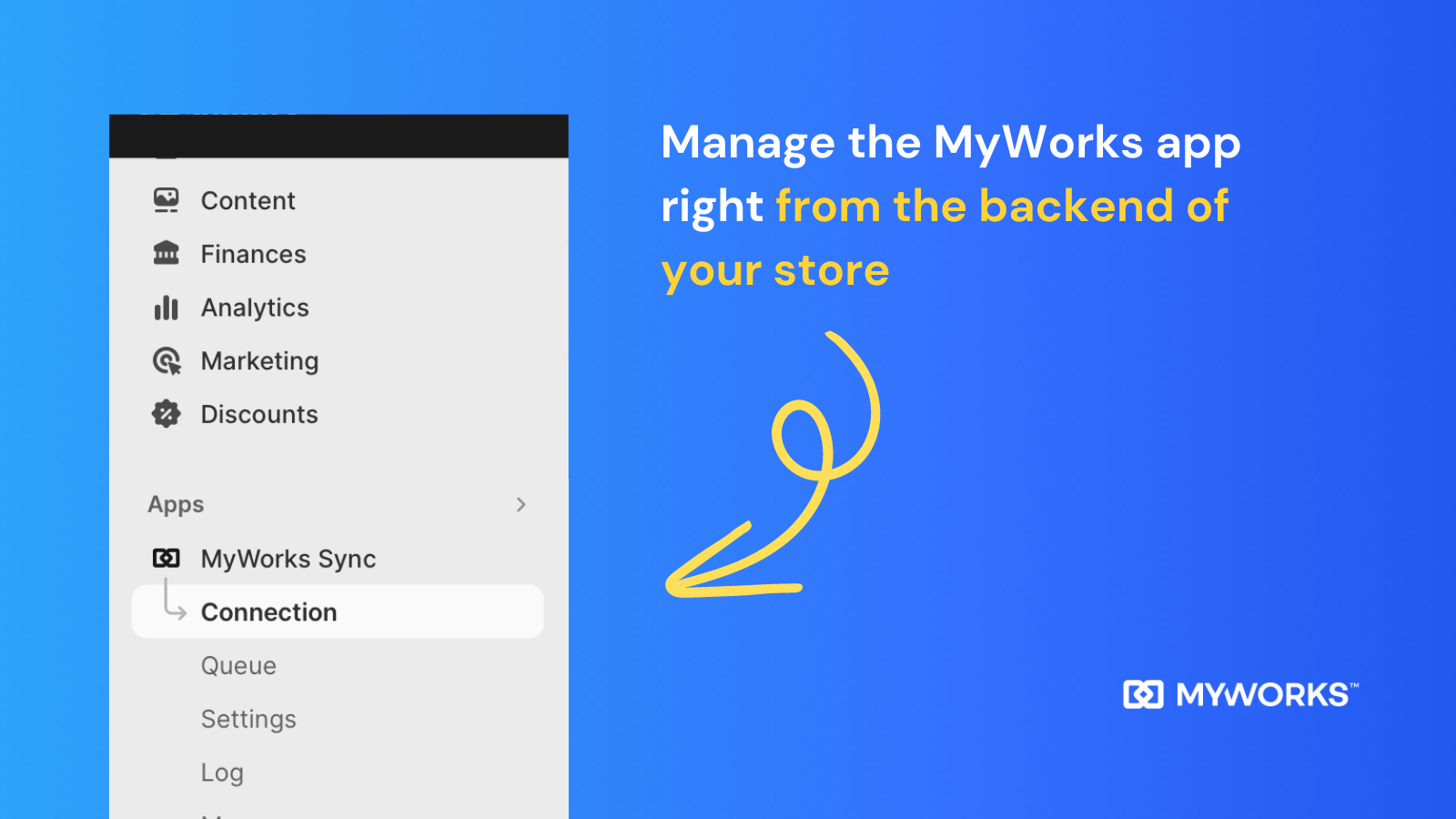
  • Built for Shopify! Manage the sync directly from within your Shopify store
  • Advanced features like custom field mapping, purchase order syncing, and more
  • Get started in minutes and enjoy amazing, friendly support - and 1:1 setup calls

What merchants said

“After our previous Shopify to QuickBooks connector stopped working following an update, we needed to find an alternative solution and decided to try MyWorks. The app has been a huge help and has significantly improved our workflow.We did encounter a few VAT-related issues specific to our business setup, but what really stood out was the support. The MyWorks team responded quickly, took the time to understand our individual requirements, investigated the issues thoroughly, and even implemented a tailored solution to ensure the integration worked the way we needed it to.It's rare to find both a great product and such proactive, customer-focused support. We're very glad we chose MyWorks and would highly recommend it to businesses looking for a reliable Shopify and QuickBooks integration.”
Flyte so Fancy · United Kingdom · ★ 5.0 · 9/23/2026

Summary

Starting PriceFree
Free TrialFree plan
Launch Date24 Nov 2023
DeveloperMyWorks
Ratings4.8 ★ (57)
View on ShopifyView charts
About the App

MyWorks Sync for QuickBooks, a Historical reports Shopify app, has achieved 57 reviews and an average rating of 4.8 stars since its launch 3 years ago. Designed to assist Shopify merchants with - "Effortlessly automate ecommerce accounting. Sync data accurately, both ways with QuickBooks Online." it is a valuable addition to the Historical reports app lineup.

Top Features:

Historical reports Shopify apps can help elevate your e-commerce game. MyWorks Sync for QuickBooks offers a host of key features, including:

  • Have peace of mind with up-to-date, accurate data in both Shopify and QuickBooks
  • Sync individual orders or summaries, payouts, inventory, purchase orders & more
  • Built for Shopify! Manage the sync directly from within your Shopify store
  • Advanced features like custom field mapping, purchase order syncing, and more
  • Get started in minutes and enjoy amazing, friendly support - and 1:1 setup calls
Pricing Details

MyWorks Sync for QuickBooks offers 1 free plan and 3 paid plans.

Considering installing this Historical reports Shopify app? Explore the pricing details and discover if they align with your budget and needs.

  1. Launch · $0/month

    Included features: Sync up to 20 orders / month, Sync Products, Inventory, Price, Cost, Sync every hour, Sync Historical Data, Sync Orders as Invoices or Sales Receipt, Email Support

  2. Rise · $24/month

    Included features: Sync up to 100 orders / month, Everything in Launch, plus:, Sync every 30 minutes, Advanced Settings & Features, Email Support, Free Setup Call/Screenshare

  3. Grow · $49/month

    Included features: Sync up to 300 orders / month, Everything in Rise, plus:, Sync Orders individually or as a Summary, Sync Inventory, Price & Cost both ways, Sync Shopify Payouts & Refunds, Sync Payments from QuickBooks to Shopify, Custom Field Mapping, Priority Email Support

  4. Scale · $89/month

    Included features: Sync up to 1000 orders / month, Syncing 1000+ orders? See our Soar plan!, Everything in Grow, plus:, Sync Purchase Orders from Stocky, Display QB Invoices in Shopify store, Advanced Settings & Features, Sync Historical Data, Shopify Plus B2B Features

Talk to the developer

Install in Your Store Now

Your request goes to the team that built MyWorks Sync for QuickBooks, not a support queue.

#6 of 96
Veeqo: An Amazon Company

Veeqo: An Amazon Company by Veeqo

Multichannel shipping software for free that also manages inventory.

Pricing Plans: Free
Pros
  • Seamless integration with platforms like Amazon, eBay, and Shopify for real-time stock management.
  • Competitive shipping rates and credits reduce operational expenses.
Cons
  • Frequent bugs with order edits and stock sync, leading to fulfillment errors.

What merchants said

“We run The Bean Coffee Company and San Diego Coffee's daily fulfillment through Veeqo and it's become the backbone of our shipping. It pulls our Shopify, Amazon, and Walmart orders into one queue, rate-shops every package across USPS/UPS/FedEx so we're always on the cheapest service, and prints the packing slip and label together. The API has been solid enough that we've been able to automate our whole box-and-carrier workflow on top of it, and support has been genuinely responsive whenever we've had questions. Highly recommend for any multi-channel store shipping real volume.”
The Bean Coffee Company · United States · ★ 5.0 · 8/17/2026

Summary

Starting PriceFree
Free TrialFree plan
Launch Date07 Aug 2013
DeveloperVeeqo
Ratings4.0 ★ (128)
View on ShopifyView charts
About the App

Veeqo: An Amazon Company, a Historical reports Shopify app, has achieved 128 reviews and an average rating of 4 stars since its launch 13 years ago. Designed to assist Shopify merchants with - "A no-cost shipping software offering discount rates, automatic functions, and inventory management across various channels." it is a valuable addition to the Historical reports app lineup.

Top Features:

Historical reports Shopify apps can help elevate your e-commerce game. Veeqo: An Amazon Company offers a host of key features, including:

  • Carrier Discounts:Instant reduced prices with all four main carriers.
  • Efficient Shipping:Searching for best prices, using automatic rules, and shipping in bulk to save time.
  • Efficient Shipping Solutions:Advanced control over inventory, easy selection process and efficient reporting to improve your shipping operations.
Pricing Details

Veeqo: An Amazon Company offers 1 free plan and 0 paid plans.

Considering installing this Historical reports Shopify app? Explore the pricing details and discover if they align with your budget and needs.

  1. Free · $0/month

Pros and Cons

Delve into ShopDigest's expert insights on Veeqo: An Amazon Company - a Historical reports Shopify app. Our analysis of Shopify app store reviews presents unique pros and cons, allowing you to make informed decisions for your business.

Pros
  • Seamless integration with platforms like Amazon, eBay, and Shopify for real-time stock management.
  • Competitive shipping rates and credits reduce operational expenses.
  • Intuitive design simplifies order and inventory management.
  • Batch printing labels and consolidated order processing save significant time.
  • Offers robust features without upfront costs, ideal for small businesses.
  • Supports multiple carriers (USPS, UPS, DHL) with rate comparisons.
  • Updates tracking numbers across sales channels automatically.
  • Continuous feature improvements based on user feedback.
  • Effective for both small businesses and high-volume operations.
Cons
  • Frequent bugs with order edits and stock sync, leading to fulfillment errors.
  • Crashes and sync failures, especially on older devices.
  • Basic dashboards lack advanced analytics or customization.
  • Missing functionalities like bulk shipments or FedEx rate glitches.
  • Removed from both lists due to mixed sentiment (strongly positive and negative reviews).
Talk to the developer

Install in Your Store Now

Your request goes to the team that built Veeqo: An Amazon Company, not a support queue.

#7 of 96
EasyEcom Inventory Management

EasyEcom Inventory Management by Edgewise Technologies Pvt Ltd

Multi Channel Inventory, Order & Shipping Management App

Pricing Plans: Free
Key Features
  • Real-time inventory sync to prevent stockouts and overselling.
  • Centralized order management to automate routing and fulfillment.
  • Advanced warehouse management system to streamline picking and packing.
  • Video recording of packing processes to dispute return claims.
  • Automated reconciliation to detect marketplace overcharges.

What merchants said

“Easy to use and has made our operations much smoother.”
Mamamiac · India · ★ 5.0 · 10/16/2026

Summary

Starting PriceFree
Free TrialFree plan
Launch Date08 Jul 2020
Ratings4.9 ★ (77)
View on ShopifyView charts
About the App

EasyEcom Inventory Management, a Historical reports Shopify app, has achieved 76 reviews and an average rating of 4.9 stars since its launch 6 years ago. Designed to assist Shopify merchants with - "Centralize orders, inventory, and WMS. Automate operations to boost sales." it is a valuable addition to the Historical reports app lineup.

Top Features:

Historical reports Shopify apps can help elevate your e-commerce game. EasyEcom Inventory Management offers a host of key features, including:

  • Real-time inventory sync to prevent stockouts and overselling.
  • Centralized order management to automate routing and fulfillment.
  • Advanced warehouse management system to streamline picking and packing.
  • Video recording of packing processes to dispute return claims.
  • Automated reconciliation to detect marketplace overcharges.
Pricing Details

EasyEcom Inventory Management offers 1 free plan and 0 paid plans.

Considering installing this Historical reports Shopify app? Explore the pricing details and discover if they align with your budget and needs.

  1. Free · $0/month

Talk to the developer

Install in Your Store Now

Your request goes to the team that built EasyEcom Inventory Management, not a support queue.

#8 of 96
M2E Multichannel Connect

M2E Multichannel Connect by M2E Cloud

Sell on Amazon, TikTok Shop,eBay, Temu, Mirakl, Walmart & more

Free Trial: 30 days
Pros
  • The support team is frequently praised for responsiveness, helpfulness, and proactive problem-solving.
  • Users highlight the app's speed, especially when handling large inventories or syncing data in real-time.
  • The intuitive design and ease of setup are consistently appreciated by both small and large retailers.
Cons
  • Some users reported minor teething problems during migration or initial integration, requiring support assistance.

What merchants said

“Anastasia was great to work with. She kept me updated and continued to monitor things to make sure everything was running smoothly after the change. She as very informative and took care of everything we needed to complete this change. ”
SWFA · United States · ★ 5.0 · 8/13/2026

Summary

Starting Price$49/mo
Free Trial30 days
Launch Date31 Mar 2023
DeveloperM2E Cloud
Ratings4.8 ★ (31)
View on ShopifyView charts
About the App

M2E Multichannel Connect, a Historical reports Shopify app, has achieved 31 reviews and an average rating of 4.8 stars since its launch 3 years ago. Designed to assist Shopify merchants with - "Sell on leading online shopping sites. Streamline your sales process to expand your business." it is a valuable addition to the Historical reports app lineup.

Top Features:

Historical reports Shopify apps can help elevate your e-commerce game. M2E Multichannel Connect offers a host of key features, including:

  • Instant marketplace integration:Make listings and connect your stock to the biggest marketplaces quickly.
  • Real-Time Updates:Automatically update price and quantity on all linked channels in real time.
  • Inventory Synchronization:Products ordered are instantly updated across all places to prevent overselling.
  • Global Expansion:Grow your business worldwide to reach new customers and increase your sales.
  • Premium Assistance:High-quality customized help.
Pricing Details

M2E Multichannel Connect offers 0 free plans and 4 paid plans.

Considering installing this Historical reports Shopify app? Explore the pricing details and discover if they align with your budget and needs.

  1. Starter 5K · $49/month

    Included features: Up to $5K marketplace GMV/month, Up to 3 marketplace integrations:, eBay, Amazon, Walmart, TikTok Shop, Temu, Shein, Kaufland, OTTO, OnBuy, Mirakl-powered marketplaces not included, Recommended catalog: up to 5K items

  2. Starter 15K · $89/month

    Included features: Up to $15K marketplace GMV/month, Up to 3 marketplace integrations:, eBay, Amazon, Walmart, TikTok Shop, Temu, Shein, Kaufland, OTTO, OnBuy, Mirakl-powered marketplaces not included, Recommended catalog: up to 15K items

  3. Business 50K · $199/month

    Included features: Up to $50K marketplace GMV/month, Up to 8 marketplace integrations:, eBay, Amazon, Walmart, TikTok Shop, Temu, Shein, Kaufland, OTTO, OnBuy, Access to 450+ Mirakl-based marketplaces, Recommended catalog: up to 50K items

  4. Business 100K · $399/month

    Included features: Up to $100K marketplace GMV/month, Up to 8 marketplace integrations:, eBay, Amazon, Walmart, TikTok Shop, Temu, Shein, Kaufland, OTTO, OnBuy, Access to 450+ Mirakl-based marketplaces, Recommended catalog: up to 100K items

Pros and Cons

Delve into ShopDigest's expert insights on M2E Multichannel Connect - a Historical reports Shopify app. Our analysis of Shopify app store reviews presents unique pros and cons, allowing you to make informed decisions for your business.

Pros
  • The support team is frequently praised for responsiveness, helpfulness, and proactive problem-solving.
  • Users highlight the app's speed, especially when handling large inventories or syncing data in real-time.
  • The intuitive design and ease of setup are consistently appreciated by both small and large retailers.
  • The app offers robust functionality, including automation, dynamic filtering, and adaptability to user-suggested improvements.
Cons
  • Some users reported minor teething problems during migration or initial integration, requiring support assistance.
Talk to the developer

Install in Your Store Now

Your request goes to the team that built M2E Multichannel Connect, not a support queue.

#9 of 96
CedCommerce eBay Integration

CedCommerce eBay Integration by CedCommerce

Easily boost sales by selling on eBay.

Pricing Plans: Free, $19/month, $49/month, $89/month
Pros
  • Consistently praised for responsiveness, knowledge, and willingness to assist with setup and troubleshooting.
  • Smooth synchronization between Shopify and eBay for inventory, orders, and fulfillment.
  • Bulk product listing, automatic inventory sync, and real-time order management streamline operations.
Cons
  • Spelling, punctuation errors, and missing letters in the UI create a poor first impression.

What merchants said

“They are precise and answer quickly, solving my issues”
shopcelebritystyle · United States · ★ 5.0 · 10/21/2026

Summary

Starting PriceFree
Free TrialFree plan
Launch Date11 Jul 2019
DeveloperCedCommerce
Ratings4.7 ★ (925)
View on ShopifyView charts
About the App

CedCommerce eBay Integration, a Historical reports Shopify app, has achieved 920 reviews and an average rating of 4.7 stars since its launch 7 years ago. Designed to assist Shopify merchants with - "Use this bulk listing tool to sell on eBay. You can list, edit, and manage products, inventory, and orders." it is a valuable addition to the Historical reports app lineup.

Top Features:

Historical reports Shopify apps can help elevate your e-commerce game. CedCommerce eBay Integration offers a host of key features, including:

  • Real-time eBay listing management:Handle eBay listings with near-instant updates of product details.
  • Automated order management:Manage orders easily with automatic syncing of orders, shipments, and cancellations.
  • Bulk eBay Listings:Make many eBay listings at once using various custom settings.
  • Flexible eBay Templates:Personalize eBay listings by adjusting prices, managing stock, and creating title templates.
  • eBay-Shopify Integration:Manage many eBay accounts from one Shopify store.
Pricing Details

CedCommerce eBay Integration offers 1 free plan and 3 paid plans.

Considering installing this Historical reports Shopify app? Explore the pricing details and discover if they align with your budget and needs.

  1. Free · $0/month

    Included features: List up to 10 products (one-time), Manage & sync up to 100 products, Manage up to 2 eBay accounts

  2. Bronze · $19/month

    Included features: List up to 100 products every month, Sync up to 10 orders every month, Manage & sync up to 2000 products, Manage unlimited eBay accounts

  3. Silver · $49/month

    Included features: List up to 1000 products every month, Sync up to 100 orders every month, Manage & sync up to 20000 products, Manage unlimited eBay accounts

  4. Gold · $89/month

    Included features: List up to 5000 products every month, Sync up to 1000 orders every month, Manage & sync up to 100000 products, Manage unlimited eBay accounts

Pros and Cons

Delve into ShopDigest's expert insights on CedCommerce eBay Integration - a Historical reports Shopify app. Our analysis of Shopify app store reviews presents unique pros and cons, allowing you to make informed decisions for your business.

Pros
  • Consistently praised for responsiveness, knowledge, and willingness to assist with setup and troubleshooting.
  • Smooth synchronization between Shopify and eBay for inventory, orders, and fulfillment.
  • Bulk product listing, automatic inventory sync, and real-time order management streamline operations.
  • Clear instructions and intuitive design make initial configuration manageable.
  • Flexible settings for pricing, shipping, and product profiles to meet business needs.
  • Stable functionality with minimal sync errors or disruptions.
  • Extensive tutorials and guides aid in onboarding and troubleshooting.
  • Follow-up assistance and personalized guidance ensure smooth operation.
  • Works well with eBay, Amazon, and other marketplaces.
  • Enhances sales reach and operational efficiency for eCommerce businesses.
Cons
  • Spelling, punctuation errors, and missing letters in the UI create a poor first impression.
  • Restrictive free plan (e.g., 10 orders/month) may not suit growing businesses.
  • Higher cost compared to alternatives, with mixed opinions on value.
  • Removed from Cons as reviews overwhelmingly highlight support mitigating this issue (e.g., "quick to help," "walked me through").
  • Removed due to minimal mentions and overshadowed by praise for reliability.
Talk to the developer

Install in Your Store Now

Your request goes to the team that built CedCommerce eBay Integration, not a support queue.

#10 of 96
Webgility ‑ QuickBooks Online

Webgility ‑ QuickBooks Online by Webgility

Automatically handle accounting, monitor payments, and synchronize stock.

Free Trial: 15 days
Pros
  • Frequent praise for responsive, knowledgeable, and helpful support staff.
  • Smooth and efficient syncing between platforms like Shopify, QuickBooks, and other e-commerce tools.
  • Significant reduction in manual data entry and streamlined accounting processes.
Cons
  • Some users reported intermittent connection or syncing issues.

What merchants said

“Muskaan was a pleasure to work with. We just finished syncing and she was very professional and helpful. Jeenu was also very informative and ensured me that Webgility could accomplish what we were wanting. I highly recommend their team and app. ”
Elegant Design Co. · United States · ★ 5.0 · 10/22/2026

Summary

Starting Price$79/mo
Free Trial15 days
Launch Date17 May 2013
DeveloperWebgility
Ratings4.9 ★ (918)
View on ShopifyView charts
About the App

Webgility ‑ QuickBooks Online, a Historical reports Shopify app, has achieved 915 reviews and an average rating of 4.9 stars since its launch 13 years ago. Designed to assist Shopify merchants with - "Sync all your stores and QuickBooks to automate the processes of accounting, inventory, and other workflows." it is a valuable addition to the Historical reports app lineup.

Top Features:

Historical reports Shopify apps can help elevate your e-commerce game. Webgility ‑ QuickBooks Online offers a host of key features, including:

  • Automate Bookkeeping:Get rid of manual record-keeping for orders, taxes, and fees.
  • Income Tracking:Track income instantly with every transaction or payment.
  • Effortless book closure:Easily close your books - your bank deposits will match your records perfectly.
  • Automated Sales Tax Filing:Make sales tax filing easier by automatically logging sales tax from multiple stores.
  • Performance insights:Useful information to improve the performance and profitability of your product and channel.
Pricing Details

Webgility ‑ QuickBooks Online offers 0 free plans and 4 paid plans.

Considering installing this Historical reports Shopify app? Explore the pricing details and discover if they align with your budget and needs.

  1. Pro · $79/month

    Included features: 300 orders per month, 3 months historical data, 2 sales channels

  2. Advanced · $149/month

    Included features: 800 orders per month, 2 Sales Channels, Sync wholesale orders with PO#s, Quarterly review by, accounting partner, Ecommerce reconciliation audit, Findings report w/ recommendations

  3. Complete · $349/month

    Included features: 1,500 orders per month, 3 Months Historic Data, 3 sales channels, Guaranteed Monthly Reconciliation, Monthly Accountant Review, Monthly Ecommerce Report

  4. CompleteEnterprise · $749/month

    Included features: 5,000 orders per month, 3 months historical data, 5 sales channels, Multi-entity ecommerce accounting, Intuit Enterprise Suite support

Pros and Cons

Delve into ShopDigest's expert insights on Webgility ‑ QuickBooks Online - a Historical reports Shopify app. Our analysis of Shopify app store reviews presents unique pros and cons, allowing you to make informed decisions for your business.

Pros
  • Frequent praise for responsive, knowledgeable, and helpful support staff.
  • Smooth and efficient syncing between platforms like Shopify, QuickBooks, and other e-commerce tools.
  • Significant reduction in manual data entry and streamlined accounting processes.
  • Easy setup and onboarding process with clear guidance from support teams.
  • Consistent and dependable functionality for inventory and order management.
  • Effective integration with various e-commerce platforms (e.g., Amazon, Etsy, eBay).
  • Flexibility to tailor features to specific business needs.
  • Quick and effective troubleshooting by support teams.
  • Positive experiences from long-term users highlighting consistent performance.
  • Precise synchronization of inventory across multiple sales channels.
Cons
  • Some users reported intermittent connection or syncing issues.
  • Challenges with posting PayPal payments to QuickBooks mentioned by a few users.
  • Initial setup required workarounds for specific business models.
  • Isolated reports of technical glitches needing resolution.
  • The theme "Dependency on Support" was removed from CONS as the reviews overwhelmingly praised customer support, indicating it is not a significant negative.
Talk to the developer

Install in Your Store Now

Your request goes to the team that built Webgility ‑ QuickBooks Online, not a support queue.

Showing 1-10 out of 96

Best Historical reports Apps in Shopify

Historical reports apps are designed to address specific needs and challenges faced by Shopify store merchants. Whether you're looking to optimize your store's SEO, improve customer support, enhance product listings, or streamline your inventory management, there's an app for that.

Discover a wealth of cutting-edge tools and features offered by these remarkable Historical reports Shopify apps, including CedCommerce Amazon Channel, syncX: Stock Inventory Sync, eCommix ‑ Google Sheets Sync, and many more. Our app collection provides a comprehensive overview of the top apps in the Historical reports category, enabling you to select the ones that will take your e-commerce venture to new heights.

Empower your Shopify store with the best Historical reports apps the platform has to offer and elevate your online business.

Explore Apps by Criteria:

  1. Most Popular Historical reports Apps
  2. Highest Reviewed Historical reports Apps
  3. Top Rated Historical reports Apps
  4. Newly Launched Historical reports Apps

Overview of the Above Top Historical reports Shopify Apps in October 2026

There are a number of Historical reports apps in the Shopify app store designed to supercharge your e-commerce success. Whether you're a seasoned entrepreneur or just starting your online journey, the right apps can make all the difference. We have listed the top Shopify apps in the Historical reports category, based on their popularity and average rating, to help you make informed decisions.

App NameCategoryDeveloperStarting PriceFree PlanReviews
CedCommerce Amazon ChannelCedCommerce Amazon ChannelBuilt for ShopifyHistorical reportsCedCommerce$0/month● Available4.6 ★ (1163)
syncX: Stock Inventory SyncsyncX: Stock Inventory SyncBuilt for ShopifyHistorical reportsSyncX$0/month● Available4.7 ★ (926)
eCommix ‑ Google Sheets SynceCommix ‑ Google Sheets SyncBuilt for ShopifyHistorical reportseCommix$0/month● Available4.9 ★ (28)
Easify Inventory SyncEasify Inventory SyncBuilt for ShopifyHistorical reportsInvento$0/month● Available4.5 ★ (71)
MyWorks Sync for QuickBooksMyWorks Sync for QuickBooksBuilt for ShopifyHistorical reportsMyWorks$0/month● Available4.8 ★ (57)
Veeqo: An Amazon CompanyVeeqo: An Amazon CompanyHistorical reportsVeeqo$0/month● Available4.0 ★ (128)
EasyEcom Inventory ManagementEasyEcom Inventory ManagementHistorical reportsEdgewise Technologies Pvt Ltd$0/month● Available4.9 ★ (76)
M2E Multichannel ConnectM2E Multichannel ConnectBuilt for ShopifyHistorical reportsM2E Cloud$49/month● Unavailable4.8 ★ (31)
CedCommerce eBay IntegrationCedCommerce eBay IntegrationBuilt for ShopifyHistorical reportsCedCommerce$0/month● Available4.7 ★ (920)
Webgility ‑ QuickBooks OnlineWebgility ‑ QuickBooks OnlineHistorical reportsWebgility$79/month● Unavailable4.9 ★ (915)

Have a Closer Look at the Best Historical reports Apps

Now let us jump in and check out these Top 5 Historical reports Shopify apps.

CedCommerce Amazon Channel

1. CedCommerce Amazon Channel

4.6 ★ (1,172)
CedCommerce Amazon Channel screenshot 1
CedCommerce Amazon Channel screenshot 2
CedCommerce Amazon Channel screenshot 3
CedCommerce Amazon Channel screenshot 4
CedCommerce Amazon Channel screenshot 5
CedCommerce Amazon Channel screenshot 6

Reviews

Most Recent Review

5.0 ★Amazing

Ótimo suporte! Muito atencioso, paciente e disponível para esclarecer minhas dúvidas. Agradeço pela ajuda e pelo cuidado no atendimento. Recomendo!

GARDENIA · Portugal · 19 Oct 2026

Recent Review

5.0 ★Amazing

Rishu was great and was able to assist with everything that was needed today.

Trans Parts Direct · United States · 16 Oct 2026
Why is CedCommerce Amazon Channel a top Historical reports Shopify app?
With an impressive overall rating of 4.6 stars and 1,172 reviews, CedCommerce Amazon Channel stands out as one of the top Historical reports Shopify apps. The main objective of the app is - Manage and organize sales operations both in your store and on Amazon. Its purpose underscores its significance in enhancing your Shopify store experience.

ShopDigest selects the top Shopify apps in the Historical reports category based on various parameters, including the number of installations across Shopify stores, the app's ranking in the Shopify App Store, the number of merchants' reviews, and its overall customer rating, among other factors.
Why integrate CedCommerce Amazon Channel with your Shopify store?
By integrating a Historical reports app with your Shopify store, you unlock a range of benefits. CedCommerce Amazon Channel, a popular Historical reports Shopify app, brings the following functionalities and value to a Shopify store, including:
  • Multiple Amazon Account Integration: Link several Amazon accounts to a single Shopify store.
  • Product Synchronization: Connect existing products on Shopify and Amazon using SKUs, barcodes, etc.
  • Bulk product management: Use bulk upload and edit features for products.
  • Amazon Handmade Support: Support for all product categories on Amazon, including Amazon Handmade.
  • Order Management System: Easy management for orders and shipments with alerts for unsuccessful orders.
Learn more about the CedCommerce Amazon Channel features in detail.

Shopify merchants highlight key advantages, such as Connect multiple Amazon accounts with one Shopify store., Link existing products between Shopify-Amazon based on SKUs, barcodes, etc., and more,
What are some of the top alternatives for CedCommerce Amazon Channel?
Looking for options? Dive into a selection of Historical reports apps that rival CedCommerce Amazon Channel, each offering unique features to enhance your Shopify store. Consider these top alternatives: which can match or even surpass the offerings of CedCommerce Amazon Channel, giving you flexibility and choice.
profile picture 1profile picture 2profile picture 3profile picture 4

Install Now

Our experts are here to help you.

syncX: Stock Inventory Sync

2. syncX: Stock Inventory Sync

4.7 ★ (936)
syncX: Stock Inventory Sync screenshot 1
syncX: Stock Inventory Sync screenshot 2
syncX: Stock Inventory Sync screenshot 3
syncX: Stock Inventory Sync screenshot 4
syncX: Stock Inventory Sync screenshot 5
syncX: Stock Inventory Sync screenshot 6
syncX: Stock Inventory Sync screenshot 7
syncX: Stock Inventory Sync screenshot 8
syncX: Stock Inventory Sync screenshot 9
syncX: Stock Inventory Sync screenshot 10

Reviews

Most Recent Review

5.0 ★Amazing

This is an extremely powerful tool that, in addition to predefined categories, also allows for custom settings via meta fields.For example: product descriptions for DHL / customs clearance, additional descriptions, etc.However, despite the app’s simple setup, I had issues with synchronization for bundles.Support responded immediately and was able to resolve the issue within two! (2!) days. With other providers, you don’t even get a response that quickly.The tool and support are in a league of their own compared to other providers.I highly recommend it—A+++

Kodiak Gear · Germany · 23 Oct 2026

Recent Review

5.0 ★Amazing

“Raj and the syncX technical team helped resolve an issue with our inventory feed. Raj followed up and asked us to verify the results. We checked our inventory, and it’s now correct. I appreciate the support and follow-through!”

Midwest Grow LLC · United States · 20 Oct 2026
Why is syncX: Stock Inventory Sync a top Historical reports Shopify app?
With an impressive overall rating of 4.7 stars and 936 reviews, syncX: Stock Inventory Sync stands out as one of the top Historical reports Shopify apps. The main objective of the app is - Automate the process of importing new products and updating inventory levels from several suppliers. Its purpose underscores its significance in enhancing your Shopify store experience.

ShopDigest selects the top Shopify apps in the Historical reports category based on various parameters, including the number of installations across Shopify stores, the app's ranking in the Shopify App Store, the number of merchants' reviews, and its overall customer rating, among other factors.
Why integrate syncX: Stock Inventory Sync with your Shopify store?
By integrating a Historical reports app with your Shopify store, you unlock a range of benefits. syncX: Stock Inventory Sync, a popular Historical reports Shopify app, brings the following functionalities and value to a Shopify store, including:
  • Automated Inventory Updating: Save time by automating the inventory update process safely.
  • Inventory Management: Don't oversell: Quantity rules help users to manage their inventory levels appropriately.
  • Product Cleanup: Take out any products from the store that are no longer needed or no longer available.
  • Inventory Export for Tracking Stock: Send inventory list to supplier or vendor to monitor store stock.
  • Dropshipping Collaboration: Become a dropshipper with Stock Sync and share your product list with other sellers.
Learn more about the syncX: Stock Inventory Sync features in detail.

Shopify merchants highlight key advantages, such as Time-saving: Automate the process of updating the inventory levels without risk, Avoid overselling: Quantity rules allow user to adjust stock level accordingly, and more,
What are some of the top alternatives for syncX: Stock Inventory Sync?
Looking for options? Dive into a selection of Historical reports apps that rival syncX: Stock Inventory Sync, each offering unique features to enhance your Shopify store. Consider these top alternatives: which can match or even surpass the offerings of syncX: Stock Inventory Sync, giving you flexibility and choice.
profile picture 1profile picture 2profile picture 3profile picture 4

Install Now

Our experts are here to help you.

eCommix ‑ Google Sheets Sync

3. eCommix ‑ Google Sheets Sync

4.9 ★ (29)
eCommix ‑ Google Sheets Sync screenshot 1
eCommix ‑ Google Sheets Sync screenshot 2
eCommix ‑ Google Sheets Sync screenshot 3
eCommix ‑ Google Sheets Sync screenshot 4
eCommix ‑ Google Sheets Sync screenshot 5
eCommix ‑ Google Sheets Sync screenshot 6

Reviews

Most Recent Review

5.0 ★Amazing

サポート体制が非常に充実しており、必要としていたシステムも迅速に構築していただけました。問い合わせへのレスポンスも早く、安心して利用できます。また、アプリ自体も大量の商品カタログにしっかり対応しており、操作性も良く、とても使いやすいです。

SAKURABAZAAR TCG STORE · Japan · 22 Sep 2026

Recent Review

5.0 ★Amazing

Great app and amazing support. If you need to get data in and out of Shopify with Google Sheets then this is the app. Super easy to configure and when needed the support is simply amazing. Couldn't recommend enough. Thanks for all your help Hernan!

Empire Supplies · United Kingdom · 08 Sep 2026
Why is eCommix ‑ Google Sheets Sync a top Historical reports Shopify app?
With an impressive overall rating of 4.9 stars and 29 reviews, eCommix ‑ Google Sheets Sync stands out as one of the top Historical reports Shopify apps. The main objective of the app is - Google Sheets spreadsheets to sync and bulk import, export, update inventory, orders, and more! Its purpose underscores its significance in enhancing your Shopify store experience.

ShopDigest selects the top Shopify apps in the Historical reports category based on various parameters, including the number of installations across Shopify stores, the app's ranking in the Shopify App Store, the number of merchants' reviews, and its overall customer rating, among other factors.
Why integrate eCommix ‑ Google Sheets Sync with your Shopify store?
By integrating a Historical reports app with your Shopify store, you unlock a range of benefits. eCommix ‑ Google Sheets Sync, a popular Historical reports Shopify app, brings the following functionalities and value to a Shopify store, including:
  • Bulk edit prices, inventory, and orders from a spreadsheet and sync back
  • Export in real-time to notify third parties instantly when new orders arrive.
  • Auto-fulfill orders and notify customers from a Google Sheets spreadsheet.
  • Import your supplier’s product spreadsheet as-is: no reformatting needed.
  • Use ShopifyQL to write your own queries and fetch the data you need.
Learn more about the eCommix ‑ Google Sheets Sync features in detail.

Shopify merchants highlight key advantages, such as Bulk edit prices, inventory, and orders from a spreadsheet and sync back, Export in real-time to notify third parties instantly when new orders arrive., and more,
What are some of the top alternatives for eCommix ‑ Google Sheets Sync?
Looking for options? Dive into a selection of Historical reports apps that rival eCommix ‑ Google Sheets Sync, each offering unique features to enhance your Shopify store. Consider these top alternatives: which can match or even surpass the offerings of eCommix ‑ Google Sheets Sync, giving you flexibility and choice.
profile picture 1profile picture 2profile picture 3profile picture 4

Install Now

Our experts are here to help you.

Easify Inventory Sync

4. Easify Inventory Sync

4.5 ★ (73)
Easify Inventory Sync screenshot 1
Easify Inventory Sync screenshot 2
Easify Inventory Sync screenshot 3
Easify Inventory Sync screenshot 4
Easify Inventory Sync screenshot 5
Easify Inventory Sync screenshot 6
Easify Inventory Sync screenshot 7
Easify Inventory Sync screenshot 8
Easify Inventory Sync screenshot 9
Easify Inventory Sync screenshot 10
Easify Inventory Sync screenshot 11
Easify Inventory Sync screenshot 12
Easify Inventory Sync screenshot 13
Easify Inventory Sync screenshot 14
Easify Inventory Sync screenshot 15

Reviews

Most Recent Review

5.0 ★Amazing

Audrey helped me and connected me with the tech team to fix the issue

Barlass Apparel · Canada · 15 Oct 2026

Recent Review

5.0 ★Amazing

Nice app. Customer service really helpful. Special mention to Anna

HIMMELS · Spain · 05 Oct 2026
Why is Easify Inventory Sync a top Historical reports Shopify app?
With an impressive overall rating of 4.5 stars and 73 reviews, Easify Inventory Sync stands out as one of the top Historical reports Shopify apps. The main objective of the app is - Connected inventory made easy with Real-time inventory sync, Multi store sync & Accurate stock sync Its purpose underscores its significance in enhancing your Shopify store experience.

ShopDigest selects the top Shopify apps in the Historical reports category based on various parameters, including the number of installations across Shopify stores, the app's ranking in the Shopify App Store, the number of merchants' reviews, and its overall customer rating, among other factors.
Why integrate Easify Inventory Sync with your Shopify store?
By integrating a Historical reports app with your Shopify store, you unlock a range of benefits. Easify Inventory Sync, a popular Historical reports Shopify app, brings the following functionalities and value to a Shopify store, including:
  • Single-store Sync for duplicate product, material, product variant, pack, bundle
  • Multi-store Sync for product, collection, inventory, order, page blog, metafield
  • Custom price rules to auto-adjust or mark up product prices during sync
  • Low-stock alerts to prevent overselling and keep inventory always accurate
  • Simple setup, clear sync logs, and friendly 24/7 chat support you can rely on
Learn more about the Easify Inventory Sync features in detail.

Shopify merchants highlight key advantages, such as Single-store Sync for duplicate product, material, product variant, pack, bundle, Multi-store Sync for product, collection, inventory, order, page blog, metafield, and more,
What are some of the top alternatives for Easify Inventory Sync?
Looking for options? Dive into a selection of Historical reports apps that rival Easify Inventory Sync, each offering unique features to enhance your Shopify store. Consider these top alternatives: which can match or even surpass the offerings of Easify Inventory Sync, giving you flexibility and choice.
profile picture 1profile picture 2profile picture 3profile picture 4

Install Now

Our experts are here to help you.

MyWorks Sync for QuickBooks

5. MyWorks Sync for QuickBooks

4.8 ★ (57)
MyWorks Sync for QuickBooks screenshot 1
MyWorks Sync for QuickBooks screenshot 2
MyWorks Sync for QuickBooks screenshot 3
MyWorks Sync for QuickBooks screenshot 4
MyWorks Sync for QuickBooks screenshot 5
MyWorks Sync for QuickBooks screenshot 6

Reviews

Most Recent Review

5.0 ★Amazing

After our previous Shopify to QuickBooks connector stopped working following an update, we needed to find an alternative solution and decided to try MyWorks. The app has been a huge help and has significantly improved our workflow.We did encounter a few VAT-related issues specific to our business setup, but what really stood out was the support. The MyWorks team responded quickly, took the time to understand our individual requirements, investigated the issues thoroughly, and even implemented a tailored solution to ensure the integration worked the way we needed it to.It's rare to find both a great product and such proactive, customer-focused support. We're very glad we chose MyWorks and would highly recommend it to businesses looking for a reliable Shopify and QuickBooks integration.

Flyte so Fancy · United Kingdom · 23 Sep 2026

Recent Review

5.0 ★Amazing

Myworks does a great job. I have used several point of sale systems that all post sales to a general journal which is a complete nightmare to match up sales and reconcile the books. I was reluctant to switch to Shopify because their native integration with QBO is the same general journal nightmare. Then I found Myworks and it does exactly what I needed and creates actual sales transactions perfectly. I would not have switch to Shopify without Myworks. The Stockroom app also works very well, there are some changes that I would make but they are receptive and want to make changes that make the product better.

Warp Speed Woodworking Supply, LLC · United States · 15 Sep 2026
Why is MyWorks Sync for QuickBooks a top Historical reports Shopify app?
With an impressive overall rating of 4.8 stars and 57 reviews, MyWorks Sync for QuickBooks stands out as one of the top Historical reports Shopify apps. The main objective of the app is - Effortlessly automate ecommerce accounting. Sync data accurately, both ways with QuickBooks Online. Its purpose underscores its significance in enhancing your Shopify store experience.

ShopDigest selects the top Shopify apps in the Historical reports category based on various parameters, including the number of installations across Shopify stores, the app's ranking in the Shopify App Store, the number of merchants' reviews, and its overall customer rating, among other factors.
Why integrate MyWorks Sync for QuickBooks with your Shopify store?
By integrating a Historical reports app with your Shopify store, you unlock a range of benefits. MyWorks Sync for QuickBooks, a popular Historical reports Shopify app, brings the following functionalities and value to a Shopify store, including:
  • Have peace of mind with up-to-date, accurate data in both Shopify and QuickBooks
  • Sync individual orders or summaries, payouts, inventory, purchase orders & more
  • Built for Shopify! Manage the sync directly from within your Shopify store
  • Advanced features like custom field mapping, purchase order syncing, and more
  • Get started in minutes and enjoy amazing, friendly support - and 1:1 setup calls
Learn more about the MyWorks Sync for QuickBooks features in detail.

Shopify merchants highlight key advantages, such as Have peace of mind with up-to-date, accurate data in both Shopify and QuickBooks, Sync individual orders or summaries, payouts, inventory, purchase orders & more, and more,
What are some of the top alternatives for MyWorks Sync for QuickBooks?
Looking for options? Dive into a selection of Historical reports apps that rival MyWorks Sync for QuickBooks, each offering unique features to enhance your Shopify store. Consider these top alternatives: which can match or even surpass the offerings of MyWorks Sync for QuickBooks, giving you flexibility and choice.
profile picture 1profile picture 2profile picture 3profile picture 4

Install Now

Our experts are here to help you.

How We Selected the Top Shopify Apps in Historical reports

Our team employs a comprehensive evaluation process that takes into account various factors to ensure you are presented with only the best options. Here's how we do it:

  • By Reviews: We understand the value of peer recommendations, and that's why we've sorted these top Shopify apps in Historical reports based on the highest praise received from users, ensuring you get tried-and-tested solutions. The top listed apps here have earned the trust of fellow Shopify merchants. Jump to Highest Reviewed Historical reports Shopify Apps.
  • By Price: Budget consideration is important while choosing a Shopify app for your store. That's why we have also categorized these top Shopify apps in Historical reports by price, enabling you to find the perfect solutions that align with your financial goals without compromising on quality. Jump to Top Paid Historical reports Shopify Apps.
  • By Launch Date: To keep you updated about the latest innovations, we've organized these Shopify apps based on their launch date. You can check the list of recently launched top apps in Historical reports that could bring innovative solutions to your Shopify store. Jump to Newly Launched Historical reports Shopify Apps.
  • By Popularity: We feature the Historical reports apps that are making waves among Shopify store owners, helping you stay ahead of the curve. These apps have captured the attention of ecommerce owners and are listed as the top in the popularity section of the Shopify app store. Jump to Most Popular Historical reports Shopify Apps.
  • By Ratings: We prioritize apps that have consistently earned high ratings, reflecting their impact and user satisfaction. These Historical reports apps with excellent ratings stand out from their competitors, making them a solid choice for your business needs. Jump to Top Rated Historical reports Shopify Apps.
  • By Best Match: We harness the power of Shopify's own recommendations! Our selection considers apps that Shopify suggests as a strong fit for Historical reports, ensuring you access the platform's expert insights. Jump to Best Match Historical reports Shopify Apps.

With these criteria in mind, we strive to present you with a diverse and well-rounded selection of the top Historical reports Shopify apps in 2026. Rest assured, our selection process is designed to assist you in finding the most suitable solutions for your Shopify store needs.

How to Choose the Best Historical reports Shopify App For Your Store

Choosing the right Historical reports Shopify App for your store depends on various factors specific to your business goals. To make an informed decision, follow these steps:

  • Identify Your Requirements: Begin by understanding the specific goals and challenges your store faces. List the key features and functionalities you need in a Historical reports app to address these requirements effectively.
  • Read User Reviews: Explore user reviews and ratings for the Historical reports apps you are considering. Real-hand experiences from other Shopify merchants can provide valuable insights into how each app performs.
  • Compare Features: Use our app comparison page, where you can add the Historical reports apps of your choice and perform a side-by-side comparison. This page allows you to evaluate each app's features, pricing, support, and other essential factors to help you find the best fit for your store.
  • Consider Budget: While some apps offer free plans with basic functionalities, others may require a paid subscription for access to advanced features. You can check out our complete list of Top Paid Historical reports Shopify apps, and choose an app that aligns with your budget and can grow with your store as it expands.
  • Support and Documentation: Check the documentation and customer support resources of the app. A well-supported Historical reports app that offers comprehensive documentation can help you implement and use it more effectively.
  • Integration Compatibity: Ensure that the Historical reports app you choose can seamlessly integrate with your existing apps and theme to avoid compatibility issues.
  • Trial Periods: Some Historical reports apps offer a free trial period that enables you to test the app's capabilities before purchasing a subscription.

Each Shopify store is different, and the best Historical reports app for your store will be one that aligns closely with your specific business requirements.

More Information on Historical reports Shopify Apps

Now let us jump in and check out these Top 10 Historical reports Shopify apps.

In this comprehensive guide, we've provided you with a complete collection of Historical reports Shopify apps that can help streamline your ecommerce journey. These Historical reports Shopify apps cover a wide spectrum of needs to take your store forward. From 96 outstanding apps, we've covered every facet of Historical reports, ensuring you have access to a vast range of tools to enhance your Shopify store.

However, choosing the perfect Historical reports app for your specific requirements is key. Consider your specific goals, read user reviews, and compare features to find the ideal match for your Shopify store. Our Shopify app comparison page simplifies this process by allowing you to create side-by-side comparisons for any Historical reports apps of your choice. ShopDigest guides you through the selection process, making it easier to find and install the perfect Historical reports app that aligns with your goals.

Shopify Historical reports App Installation

There are thousands of Historical reports Shopify apps with different installation instructions, integration complexities, and customization levels. Our team at ShopDigest is here to assist you every step of the way. Installing your chosen app is a breeze with our service, ensuring a seamless integration into your store's ecosystem.

What's included

  • Safely install/uninstall Shopify app of your choice
  • App integration with any theme as per specification
  • Configurations & setup
  • Assured support and guidance
  • Get discount offers (not guaranteed)

What's not included

  • Shopify app subscription cost
Keyword charts

Explore key insights for Historical reports apps

Market share, rank movement, install geography and review pace — tracked across all 96 apps. Open the full charts for history and app-level detail.

Open Historical reports charts

Market share leaders

Oct 2026
CedCommerce Amazon Channel58.0%
syncX: Stock Inventory Sync34.0%
eCommix ‑ Google Sheets Sync2.3%
Easify Inventory Sync1.2%
Veeqo: An Amazon Company1.2%

The top two apps hold 92.0% of tracked installs.

Rank movers, 30 days

Top 10 tracked
eCommix ‑ Google Sheets SynceCommix ‑ Google Sheets Sync▲ 6#3
EasyEcom Inventory ManagementEasyEcom Inventory Management▲ 3#7
M2E Multichannel ConnectM2E Multichannel Connect▼ 3#8
CedCommerce eBay IntegrationCedCommerce eBay Integration▲ 3#9
MyWorks Sync for QuickBooksMyWorks Sync for QuickBooks▼ 2#5

4 apps climbed and 2 dropped among the top 10 tracked.

Where installs come from

Keyword-wide
🇺🇸United States35.7%
🇬🇧United Kingdom17.3%
🇩🇪Germany7.4%
🇦🇺Australia5.0%
🇳🇱Netherlands4.2%

United States and United Kingdom merchants drive 53.1% of installs.

Reviews added, 30 days

Top tracked apps
syncX: Stock Inventory Sync+15
CedCommerce Amazon Channel+12
CedCommerce eBay Integration+8
Webgility ‑ QuickBooks Online+7
EasyEcom Inventory Management+3

47 new reviews across the top 10 tracked apps in the last 30 days.

Key Insights:
  • CedCommerce Amazon Channel commands 58.0% market share, 24.0pp ahead of syncX: Stock Inventory Sync — a concentrated historical reports category.
  • In the last 30 days, 4 apps climbed and 2 dropped in ranking among the top 10 tracked historical reports apps.
  • syncX: Stock Inventory Sync added the most new reviews this month (+15) — strong adoption momentum.

Frequently Asked Questions for Historical reports Shopify Apps

1. What are some of the top Shopify apps under the Historical reports category?

Here are some of the top Shopify apps under the Historical reports category:

  • CedCommerce Amazon Channel
  • syncX: Stock Inventory Sync
  • eCommix ‑ Google Sheets Sync
  • Easify Inventory Sync
  • MyWorks Sync for QuickBooks
  • Veeqo: An Amazon Company
  • EasyEcom Inventory Management
  • M2E Multichannel Connect
  • CedCommerce eBay Integration
  • Webgility ‑ QuickBooks Online

Each of these apps offers unique features and functionalities tailored to boost your Historical reports efforts and optimize your store's performance. Explore these top choices and find the perfect fit for your business needs.

2. How do I install a Historical reports Shopify app?

Installing a Historical reports Shopify app is simple. Navigate to the Shopify App Store, search for the specific app you want to install, and click on the "Install Now" button. Follow the on-screen instructions to integrate the app seamlessly into your Shopify store. If you need our expert guidance to help you install Historical reports apps on your Shopify store, feel free to contact us now.

3. Are there free apps available in the Historical reports category?

Yes, the Historical reports category offers a variety of free apps that can be integrated into your Shopify store at no cost. These free apps come with a range of basic features and functionalities to assist you in managing various aspects of your ecommerce business.

4. Are there any trial options available for paid apps in the Historical reports category?

Many paid apps in the Historical reports category offer free trial periods, allowing you to explore their features and assess their compatibility for your business. Take advantage of these trial periods to determine if the app aligns with your needs before opting for a paid plan.

5. How can I determine which Historical reports Shopify app is best for my store?

Determining the best Historical reports Shopify app for your store requires careful consideration of your business requirements and goals. To make an informed decision, we recommend visiting our App Comparison Page. There, you can easily add the apps of your choice and conduct a side-by-side comparison of their features, functionalities, pricing, and user reviews.

Some popular Historical reports Shopify apps are:

  • CedCommerce Amazon Channel
  • syncX: Stock Inventory Sync
  • eCommix ‑ Google Sheets Sync
  • Easify Inventory Sync
  • MyWorks Sync for QuickBooks
  • Veeqo: An Amazon Company
  • EasyEcom Inventory Management
  • M2E Multichannel Connect
  • CedCommerce eBay Integration
  • Webgility ‑ QuickBooks Online
6. Can I use multiple Historical reports Shopify apps simultaneously?

You can use multiple Historical reports Shopify apps at the same time to create a powerful ecosystem for your store. Just ensure that the apps complement each other and do not conflict in their functionalities.

7. How can I find the latest and trending Shopify apps in the Historical reports category?

To discover the latest and trending Shopify apps in the Historical reports category, visit:

Newly launched Historical reports Shopify apps
Most popular Historical reports Shopify apps

These lists showcase recently added Shopify apps and those gaining popularity among users.

8. Are there any discounts or promotions available for Historical reports Shopify apps?

At times, app developers may offer special promotions or discounts. Keep an eye on the app details and the Shopify app store for any ongoing deals or exclusive offers.

Alternatively, contact our team if you're looking for discounts on Historical reports app pricing plans, we can help secure better deals on the Historical reports app exclusively for you.

*Disclaimer: Please note that ShopDigest doesn't guarantee discounts on the apps as any changes to the pricing plans are ultimately up to the discretion of the developer.

About ShopDigest

The Shopify ecosystem, shown through the work

ShopDigest is an independent directory of Shopify work. Developers, agencies and experts publish the projects they’ve actually shipped — migrations, rebuilds, custom apps, headless storefronts — with the results attached.

For merchants, that means judging a partner on evidence instead of a sales page: browse real builds in your category and budget, then reach out directly. For builders, it means one profile that keeps working after the project ships.

No commissions, no pay-to-rank placements. The best work rises because people save and follow it.

More about ShopDigest
About ShopDigest

Show the work.
Win the work.

A portfolio directory for the Shopify ecosystem — builders publish, merchants browse, nobody buys a better position.

More about ShopDigest