
by Pimsical
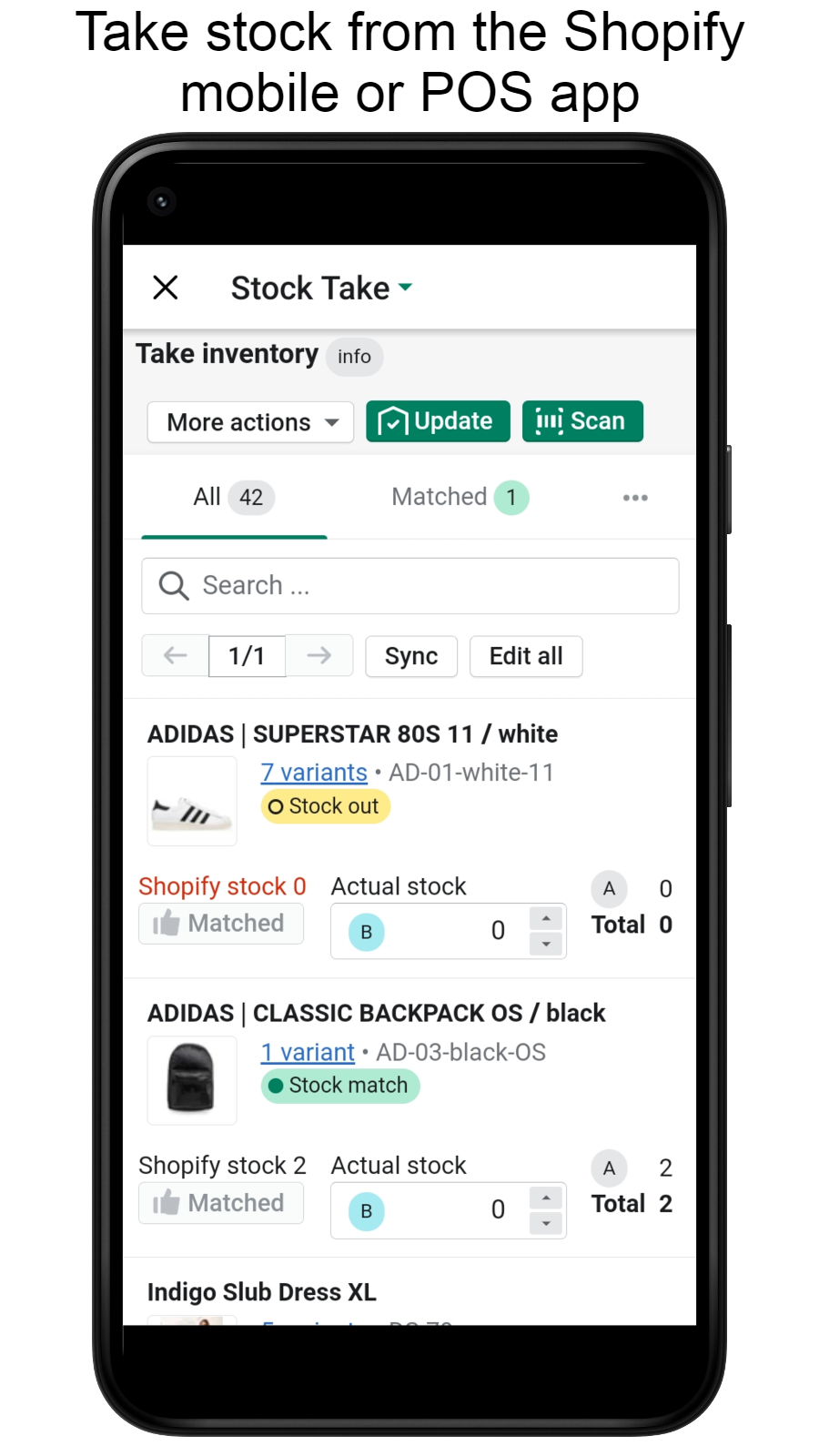
Run stock takes, counts, transfers & purchase orders from POS
From $10.79/mo · 30d trial
Grow with ShopDigest. Programs for experts, developers and store owners.
Check out all inventory count apps tailor-made for your Shopify store. Whether you are seeking free or paid solutions, Shopify offers a diverse range of 96 top-notch apps catering to businesses of all sizes. These apps are designed to boost your Shopify store's performance and make managing your business a breeze. Explore the collection and discover how these inventory count apps can take your Shopify store to the next level! We meticulously handpicked these top inventory count apps by evaluating various parameters, including ratings, reviews, price, popularity, launch date, and best matches, to ensure they offer the best value and experience to our users. Read full information here. Check out all inventory count apps tailor-made for your Shopify store. Whether you're seeking free plans or premium solutions, Shopify offers a diverse range of 96 top-notch apps catering to businesses of all sizes. Discover the perfect tools to elevate your' e-commerce experience today!
PML Stock Take Inventory Count leads inventory count apps with 62.8% market share, ahead of EasyScan Inventory & Barcode at 21.4%. A concentrated field — one app holds most of the tracked installs.
Sign in and we shortlist the inventory count apps that fit your setup.
Continue with GoogleRun stock takes, counts, transfers & purchase orders from POS
What merchants said
“We have been using the App now for coming up 6 months, it's been great and Jordan has been super helpful getting us up and running, highly recommend this suite of apps from Pimsical. It's always moving forward and being developed, getting better every week. ”Superette · New Zealand · ★ 5.0 · 10/26/2026
Summary
PML Stock Take Inventory Count, a Inventory count Shopify app, has achieved 91 reviews and an average rating of 4.7 stars since its launch 3 years ago. Designed to assist Shopify merchants with - "Simplify your retail operations. Inventory Management, Stock Taking & Barcode Scanning using POS." it is a valuable addition to the Inventory count app lineup.
Top Features:
Inventory count Shopify apps can help elevate your e-commerce game. PML Stock Take Inventory Count offers a host of key features, including:
PML Stock Take Inventory Count offers 0 free plans and 3 paid plans.
Considering installing this Inventory count Shopify app? Explore the pricing details and discover if they align with your budget and needs.
Basic · $10.79/month
Included features: Single Location, Unlimited Users, Unlimited Stock Takes, Use your existing devices, Simultaneous multi device scanning, Purchase Orders & Transfers, Support Included
Growth · $21.79/month
Included features: Up to 3 Locations, Unlimited Users, Unlimited Stock Takes, Use your existing devices, Simultaneous multi device scanning, Purchase Orders & Transfers, Support Included
Complete · $37.79/month
Included features: Up to 15 Locations (contact for more), Unlimited Users, Unlimited Stock Takes, Use your existing devices, Simultaneous multi device scanning, Purchase Orders & Transfers, Manage Replenishment Limits, Founder Email Support
Delve into ShopDigest's expert insights on PML Stock Take Inventory Count - a Inventory count Shopify app. Our analysis of Shopify app store reviews presents unique pros and cons, allowing you to make informed decisions for your business. Read our full PML Stock Take Inventory Count Inventory count App review.

Keep selling while you count — your whole team, any device
What merchants said
“Good replacement for Stocky! Super helpful support team to get started ”Heartbreak Hill Running Company · United States · ★ 5.0 · 10/19/2026
Summary
MiMi Stocktake Inventory Count, a Inventory count Shopify app, has achieved 7 reviews and an average rating of 5 stars since its launch this year. Designed to assist Shopify merchants with - "Run stocktakes, inventory counts, purchase orders & transfers on both admin & POS." it is a valuable addition to the Inventory count app lineup.
Top Features:
Inventory count Shopify apps can help elevate your e-commerce game. MiMi Stocktake Inventory Count offers a host of key features, including:
MiMi Stocktake Inventory Count offers 1 free plan and 0 paid plans.
Considering installing this Inventory count Shopify app? Explore the pricing details and discover if they align with your budget and needs.
Free · $0/month

Inventory check - Using several devices to count inventory with barcodes
What merchants said
“Lo hemos usado por un par de años ya y ha sido super útil para hacer nuestro inventario, antes nos tomaba medio día para hacer inventario y ahora solo un par de horas.Me gustaría que se pudiera asignar permiso a alguien que no sea el store owner quien haga la actualización o cualquiera del equipo.”aretina® · Mexico · ★ 5.0 · 11/3/2026
Summary
BR Stock Take: Inventory Count, a Inventory count Shopify app, has achieved 30 reviews and an average rating of 3.5 stars since its launch 6 years ago. Designed to assist Shopify merchants with - "Count products manually or scan barcodes using several devices to take inventory." it is a valuable addition to the Inventory count app lineup.
Top Features:
Inventory count Shopify apps can help elevate your e-commerce game. BR Stock Take: Inventory Count offers a host of key features, including:
BR Stock Take: Inventory Count offers 1 free plan and 2 paid plans.
Considering installing this Inventory count Shopify app? Explore the pricing details and discover if they align with your budget and needs.
Starter · $0/month
Included features: Stock taking at one Shopify location, 50 products / variants per stock take, One device per stocktake, Retains 6 months of completed stocktakes
Standard · $14.99/month
Included features: Stock taking at 10 Shopify locations, No limit on products / variants, No limit on devices per stocktake, Retains 2 years of completed stocktakes
Enterprise · $24.99/month
Included features: Stock taking at 200 Shopify locations, No limit on products / variants, No limit on devices per stocktake, Retains 3 years of completed stocktakes
Delve into ShopDigest's expert insights on BR Stock Take: Inventory Count - a Inventory count Shopify app. Our analysis of Shopify app store reviews presents unique pros and cons, allowing you to make informed decisions for your business. Read our full BR Stock Take: Inventory Count Inventory count App review.
Simplify your retail operations. Inventory Management, Stock Taking & Barcode Scanning using POS.
Run stocktakes, inventory counts, purchase orders & transfers on both admin & POS.
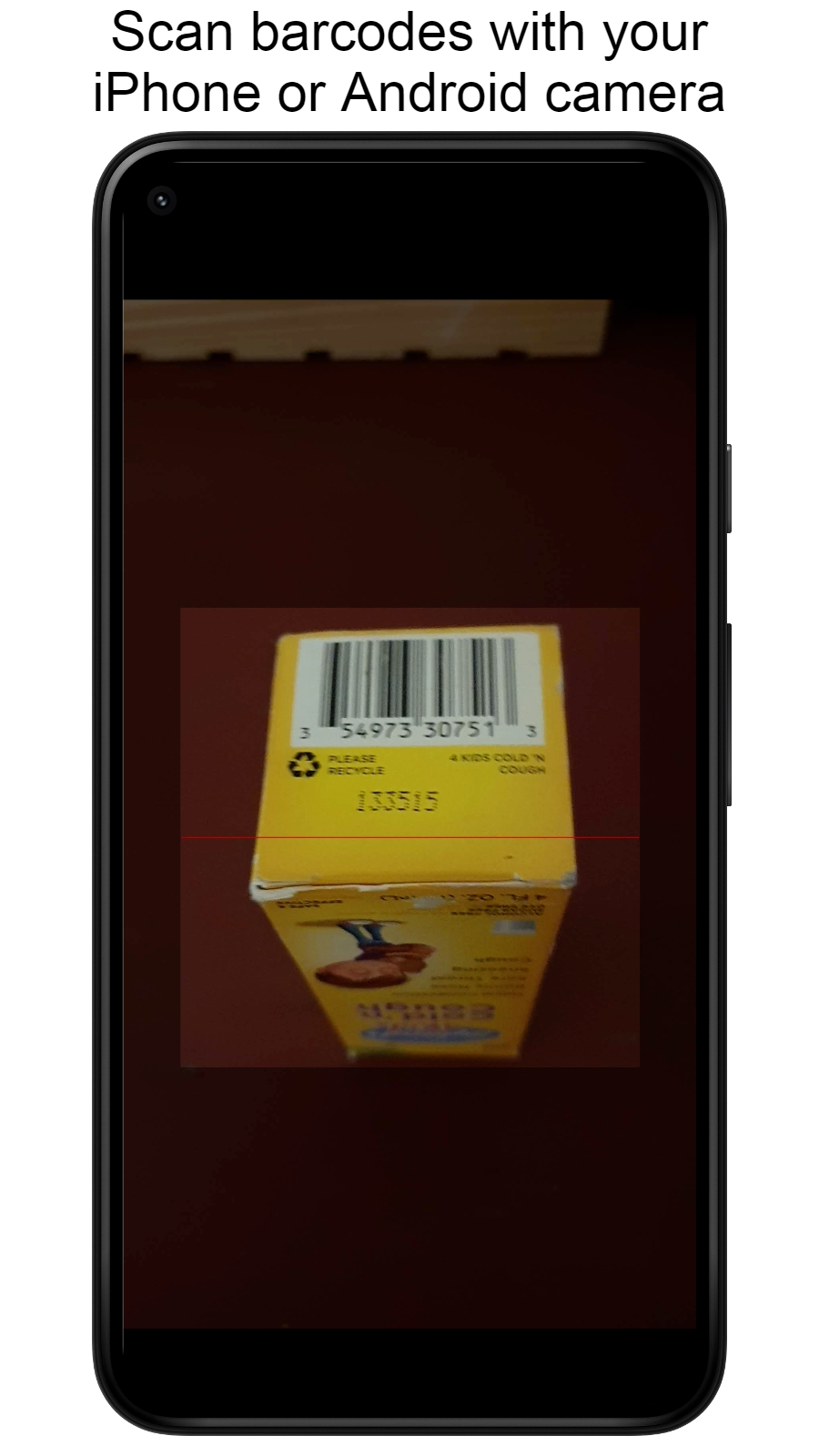
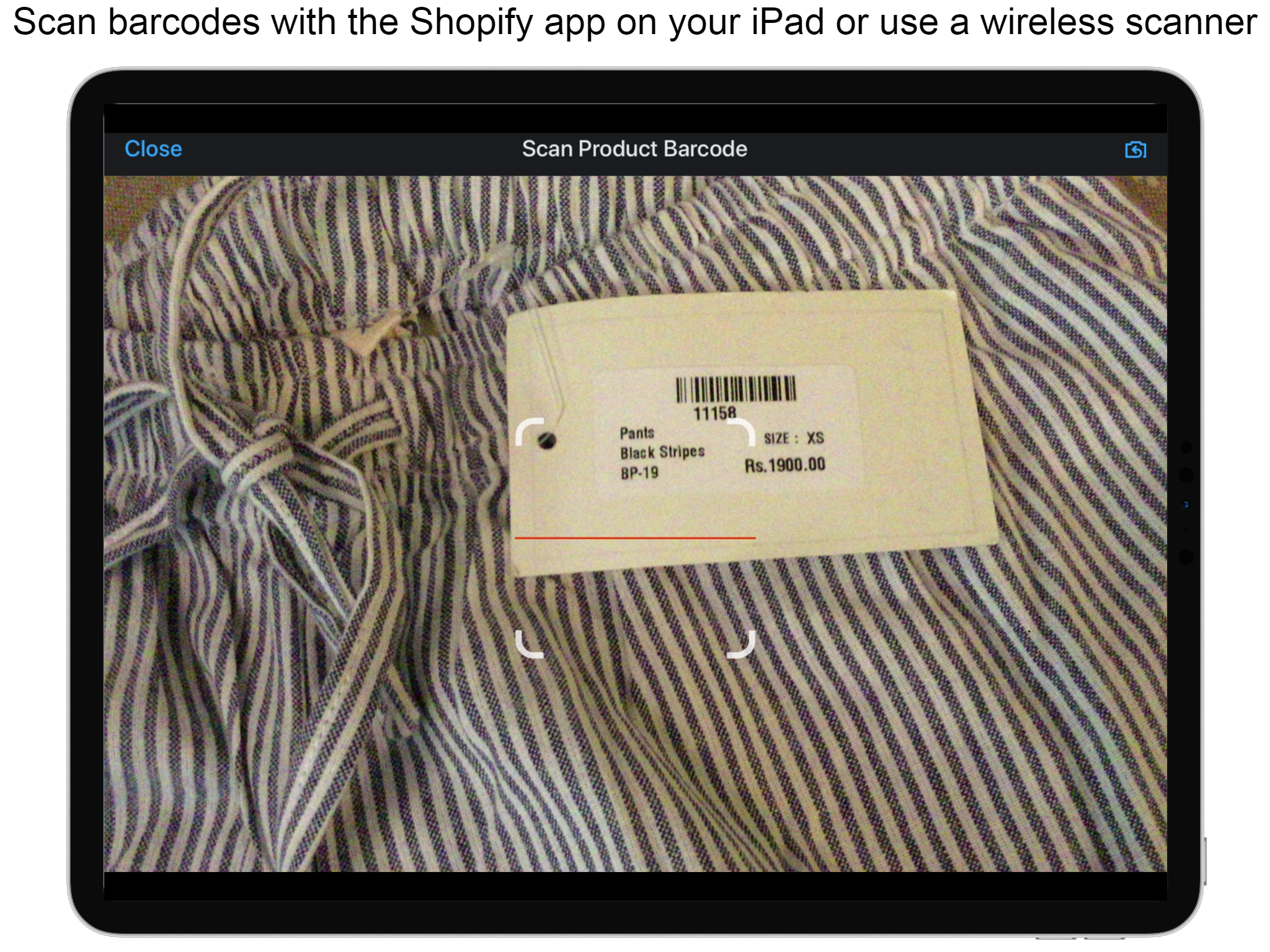
Count products manually or scan barcodes using several devices to take inventory.

Make and complete orders, check inventory, print barcodes and SKUs.
What merchants said
“Only feedback would be that the mobile app sometimes has trouble updating multiple products at once when updating inventory. But this app has streamlined our shop workflow!”Paper Plant Co. · United States · ★ 5.0 · 10/29/2026
Summary
EasyScan Inventory & Barcode, a Inventory count Shopify app, has achieved 374 reviews and an average rating of 5 stars since its launch 6 years ago. Designed to assist Shopify merchants with - "Easily handle your orders and inventory using barcodes and SKUs." it is a valuable addition to the Inventory count app lineup.
Top Features:
Inventory count Shopify apps can help elevate your e-commerce game. EasyScan Inventory & Barcode offers a host of key features, including:
EasyScan Inventory & Barcode offers 0 free plans and 4 paid plans.
Considering installing this Inventory count Shopify app? Explore the pricing details and discover if they align with your budget and needs.
Basic · $9.99/month
Included features: Unlimited barcode & SKU generation, Auto-assign barcodes & SKUs to products, Unlimited barcode label printing, Custom label templates & bulk printing, Online Support
Standard · $39.99/month
Included features: All Basic Features, Pick, Pack, Fulfill & Check Orders, Update/Check Inventory & Stock Transfer, Bin Locations & Put-away flow, Low Stock Alerts
Advanced · $79.99/month
Included features: All Basic & Standard Features, Purchase Orders & Transfer Orders, Demand Forecasting & Smart Generate, AI Insights, Analytics & Order Logs, 6 User Accounts & Priority Support
Pro · $129.99/month
Included features: All Advanced features, Unlimited User Accounts & Location Roles, Unlimited Order Batches, Barcode Aliases & User Analytics, EasyScan API Access, Slack Integration, Premium Support
Delve into ShopDigest's expert insights on EasyScan Inventory & Barcode - a Inventory count Shopify app. Our analysis of Shopify app store reviews presents unique pros and cons, allowing you to make informed decisions for your business. Read our full EasyScan Inventory & Barcode Inventory count App review.

Show multi-location stock status & inventory count
What merchants said
“Fantastic responsive and knowledgable development team that helped us with a specific customization request. ”Vondel Diamonds · Netherlands · ★ 5.0 · 8/12/2026
Summary
Invo: Multi‑Location Inventory, a Inventory count Shopify app, has achieved 11 reviews and an average rating of 5 stars since its launch 1 years ago. Designed to assist Shopify merchants with - "Show stock by location with smart visibility for 3PL, multi-vendor & international markets" it is a valuable addition to the Inventory count app lineup.
Top Features:
Inventory count Shopify apps can help elevate your e-commerce game. Invo: Multi‑Location Inventory offers a host of key features, including:
Invo: Multi‑Location Inventory offers 0 free plans and 3 paid plans.
Considering installing this Inventory count Shopify app? Explore the pricing details and discover if they align with your budget and needs.
Basic · $5.99/month
Included features: Show stock by location, No-code styling controls, Unlimited locations, Multilingual support, Bundle support
Pro · $11.99/month
Included features: Everything in Basic, Extra info text for each location, Advanced location visibility controls, Show locations based on customer country
Plus · $19.99/month
Included features: Everything in Pro, Metafields in dynamic labels, Location-based catalog filters

Quickly count and value inventory using teams and phones.
What merchants said
“Cohub makes our annual physical inventory seamless and easy to perform. The mobile app allows scanning barcodes to be a breeze, and the entire process is very streamlined and easy to follow. The response from the app creators with any issues or questions really makes this app an A+ for us as well.”Mildred Hoit · United States · ★ 5.0 · 8/12/2026
Summary
Cohub Inventory Counting, a Inventory count Shopify app, has achieved 27 reviews and an average rating of 3.7 stars since its launch 6 years ago. Designed to assist Shopify merchants with - "Cohub Inventory makes inventory counting easier with user-friendly web and mobile apps." it is a valuable addition to the Inventory count app lineup.
Top Features:
Inventory count Shopify apps can help elevate your e-commerce game. Cohub Inventory Counting offers a host of key features, including:
Cohub Inventory Counting offers 0 free plans and 4 paid plans.
Considering installing this Inventory count Shopify app? Explore the pricing details and discover if they align with your budget and needs.
Basic · $19/month
Included features: Up to 4 locations, Full and cycle counts, Mid-count adjustments, Par levels, Scheduled counts, And more!
Professional · $29/month
Included features: Up to 5 locations, Full and cycle counts, Mid-count adjustments, Par levels, Scheduled counts, And more!
Advanced · $59/month
Included features: Up to 8 locations, Full and cycle counts, Mid-count adjustments, Par levels, Scheduled counts, And more!
Plus · $99/month
Included features: $99 for 9 locations + $5 per additional location, Full and cycle counts, Mid-count adjustments, Par levels, Scheduled counts, And more!
Delve into ShopDigest's expert insights on Cohub Inventory Counting - a Inventory count Shopify app. Our analysis of Shopify app store reviews presents unique pros and cons, allowing you to make informed decisions for your business. Read our full Cohub Inventory Counting Inventory count App review.

What merchants said
“As a company with several branch locations & a very large inventory of ind products Twist was a great addition to our stock control systems. It allows us to accurate run cycle counts through various filter criteria, shows images as you scan/manually enter products & can handle order commitments while the count is running. The development team are amazing, quickly replying to our messages & taking on feedback in order to improve the app. Highly recommended.”GolfClubs4Cash · United Kingdom · ★ 5.0 · 8/18/2026
Summary
Twist: Stock Take, a Inventory count Shopify app, has achieved 5 reviews and an average rating of 4.6 stars since its launch 1 years ago. Designed to assist Shopify merchants with - "Inventory counting via barcode scanning with filters, reports, and discrepancy detection" it is a valuable addition to the Inventory count app lineup.
Top Features:
Inventory count Shopify apps can help elevate your e-commerce game. Twist: Stock Take offers a host of key features, including:
Twist: Stock Take offers 0 free plans and 2 paid plans.
Considering installing this Inventory count Shopify app? Explore the pricing details and discover if they align with your budget and needs.
Standard · $10/month
Included features: Stock take at up to 2 locations, Cycle counts with advanced filtering, No limit on monthly stock takes
Bulk · $20/month
Included features: Stock take at up to 4 locations, Cycle counts with advanced filtering, No limit on monthly stock takes

Summary
CSC Inventory Count, a Inventory count Shopify app, has achieved 0 reviews and an average rating of 0 stars since its launch this year. Designed to assist Shopify merchants with - "Stop overselling. Scan your shelves, correct inventory counts, and sell at markets safely." it is a valuable addition to the Inventory count app lineup.
Top Features:
Inventory count Shopify apps can help elevate your e-commerce game. CSC Inventory Count offers a host of key features, including:
CSC Inventory Count offers 1 free plan and 4 paid plans.
Considering installing this Inventory count Shopify app? Explore the pricing details and discover if they align with your budget and needs.
Free · $0/month
Included features: Up to 50 products, Every feature, on every plan, Use scanner or keyboard for data entry, Works offline — no scan is lost, Market mode: what sold, and its cost, Add barcodes by scanning a blank label, Count at any of your locations, Bins, labels and CSV count history
Starter · $4.99/month
Included features: Up to 250 products, Every feature, on every plan, Use scanner or keyboard for data entry, Works offline — no scan is lost, Market mode: what sold, and its cost, Add barcodes by scanning a blank label, Count at any of your locations, Bins, labels and CSV count history
Growing · $9.99/month
Included features: Up to 1,000 products, Every feature, on every plan, Use scanner or keyboard for data entry, Works offline — no scan is lost, Market mode: what sold, and its cost, Add barcodes by scanning a blank label, Count at any of your locations, Bins, labels and CSV count history
Established · $19.99/month
Included features: Up to 5,000 products, Every feature, on every plan, Use scanner or keyboard for data entry, Works offline — no scan is lost, Market mode: what sold, and its cost, Add barcodes by scanning a blank label, Count at any of your locations, Bins, labels and CSV count history
Unlimited · $34.99/month
Included features: No limit on products, Every feature, on every plan, Use scanner or keyboard for data entry, Works offline — no scan is lost, Market mode: what sold, and its cost, Add barcodes by scanning a blank label, Count at any of your locations, Bins, labels and CSV count history

Summary
CountKit: Inventory Count, a Inventory count Shopify app, has achieved 0 reviews and an average rating of 0 stars since its launch this year. Designed to assist Shopify merchants with - "Count your stock with a barcode scanner, review what's off, and fix your inventory in one click" it is a valuable addition to the Inventory count app lineup.
Top Features:
Inventory count Shopify apps can help elevate your e-commerce game. CountKit: Inventory Count offers a host of key features, including:
CountKit: Inventory Count offers 1 free plan and 2 paid plans.
Considering installing this Inventory count Shopify app? Explore the pricing details and discover if they align with your budget and needs.
Free · $0/month
Included features: 1 count a month, Up to 100 items per count, Scan by phone, scanner or camera, Review and apply to Shopify
Micro · $3.99/month
Included features: Everything in Free, Unlimited counts, Up to 1,000 items per count, CSV export
Pro · $7.99/month
Included features: Everything in Micro, Up to 5,000 items per count, Blind counts (expected hidden)

Count stock with your team's phones while sales continue.
Summary
Eren Stocktake Inventory Count, a Inventory count Shopify app, has achieved 0 reviews and an average rating of 0 stars since its launch this year. Designed to assist Shopify merchants with - "Count stock with your team's phones. Review differences before updating inventory." it is a valuable addition to the Inventory count app lineup.
Top Features:
Inventory count Shopify apps can help elevate your e-commerce game. Eren Stocktake Inventory Count offers a host of key features, including:
Eren Stocktake Inventory Count offers 1 free plan and 4 paid plans.
Considering installing this Inventory count Shopify app? Explore the pricing details and discover if they align with your budget and needs.
Free · $0/month
Included features: One location, Unlimited items per count, 30 stock line updates per month, 3 counts/month, 1 device per count, 30 days of history
Starter · $9/month
Included features: One location, Unlimited counts, devices and lines, Undo, second blind count, Excel export, Quick stock fix and stock valuation, 3 open counts, 90 days of history
Growth · $29/month
Included features: Everything in Starter, plus:, Up to 5 locations, Permanent branch link per location, Campaigns and a cycle-count planner, Valuation across all locations
Scale · $49/month
Included features: Everything in Growth, plus:, Up to 10 locations, Up to 5 open counts per location
Enterprise · $129/month
Included features: Everything in Scale, plus:, Unlimited locations, Unlimited open counts per location
inventory count apps are designed to address specific needs and challenges faced by Shopify store merchants. Whether you're looking to optimize your store's SEO, improve customer support, enhance product listings, or streamline your inventory management, there's an app for that.
Discover a wealth of cutting-edge tools and features offered by these remarkable inventory count Shopify apps, including PML Stock Take Inventory Count, MiMi Stocktake Inventory Count, BR Stock Take: Inventory Count, and many more. Our app collection provides a comprehensive overview of the top apps in the inventory count category, enabling you to select the ones that will take your e-commerce venture to new heights.
Empower your Shopify store with the best inventory count apps the platform has to offer and elevate your online business.
There are a number of inventory count apps in the Shopify app store designed to supercharge your e-commerce success. Whether you're a seasoned entrepreneur or just starting your online journey, the right apps can make all the difference. We have listed the top Shopify apps in the inventory count category, based on their popularity and average rating, to help you make informed decisions.
| App Name | Category | Developer | Starting Price | Free Plan | Reviews |
|---|---|---|---|---|---|
| PML Stock Take Inventory Count | Inventory count | Pimsical | $10.79/month | ● Unavailable | 4.7 ★ (91) |
| MiMi Stocktake Inventory Count | Inventory count | MiMi | $0/month | ● Available | 5.0 ★ (7) |
| BR Stock Take: Inventory Count | Inventory count | BR Data Solutions | $0/month | ● Available | 3.5 ★ (30) |
| EasyScan Inventory & Barcode | Inventory count | 506 | $9.99/month | ● Unavailable | 5.0 ★ (374) |
| Invo: Multi‑Location Inventory | Inventory count | Gray Blue Apps MB | $5.99/month | ● Unavailable | 5.0 ★ (11) |
| Cohub Inventory Counting | Inventory count | Cohub LLC | $19/month | ● Unavailable | 3.7 ★ (27) |
| Twist: Stock Take | Inventory count | TWISTED TREE (PTY) LTD | $10/month | ● Unavailable | 4.6 ★ (5) |
| CSC Inventory Count | Inventory count | Creative Space Code | $0/month | ● Available | - (0) |
| CountKit: Inventory Count | Inventory count | Nerd Labs | $0/month | ● Available | - (0) |
| Eren Stocktake Inventory Count | Inventory count | Eren Labs | $0/month | ● Available | - (0) |
Now let us jump in and check out these Top 5 Inventory count Shopify apps.


Reviews
Most Recent Review
We have been using the App now for coming up 6 months, it's been great and Jordan has been super helpful getting us up and running, highly recommend this suite of apps from Pimsical. It's always moving forward and being developed, getting better every week.
Recent Review
I love this simple and easy app for taking stock, it has helped us tremendously. I have also reached out to the developer a few times with questions and have had quick responses for my questions. Highly recommend.


Reviews
Most Recent Review
Good replacement for Stocky! Super helpful support team to get started
Recent Review
This app has been great and the customer service level is AMAZING! There has been a few minor features that didn't exist at first but just a simple chat to them provided either an alternative solution or they added the feature. Highly recommend!



Reviews
Most Recent Review
Lo hemos usado por un par de años ya y ha sido super útil para hacer nuestro inventario, antes nos tomaba medio día para hacer inventario y ahora solo un par de horas.Me gustaría que se pudiera asignar permiso a alguien que no sea el store owner quien haga la actualización o cualquiera del equipo.
Recent Review
hay productos que llegaron de bodega con etiquetas con SKU erroneosejemplos toallas esqui, cartera 100% lino


Reviews
Most Recent Review
Only feedback would be that the mobile app sometimes has trouble updating multiple products at once when updating inventory. But this app has streamlined our shop workflow!
Recent Review
We transitioned to EasyScan from Stocky and this app has been incredibly user friendly! Processes are made easy and their team is very responsive and proactive. This was a very easy switch!


Reviews
Most Recent Review
Fantastic responsive and knowledgable development team that helped us with a specific customization request.
Recent Review
Great app with great customer service, Ineta and her team are a pleasure to deal with.
Our team employs a comprehensive evaluation process that takes into account various factors to ensure you are presented with only the best options. Here's how we do it:
With these criteria in mind, we strive to present you with a diverse and well-rounded selection of the top inventory count Shopify apps in 2026. Rest assured, our selection process is designed to assist you in finding the most suitable solutions for your Shopify store needs.
Choosing the right inventory count Shopify App for your store depends on various factors specific to your business goals. To make an informed decision, follow these steps:
Each Shopify store is different, and the best inventory count app for your store will be one that aligns closely with your specific business requirements.
Now let us jump in and check out these Top 10 inventory count Shopify apps.
In this comprehensive guide, we've provided you with a complete collection of inventory count Shopify apps that can help streamline your ecommerce journey. These inventory count Shopify apps cover a wide spectrum of needs to take your store forward. From 96 outstanding apps, we've covered every facet of inventory count, ensuring you have access to a vast range of tools to enhance your Shopify store.
However, choosing the perfect inventory count app for your specific requirements is key. Consider your specific goals, read user reviews, and compare features to find the ideal match for your Shopify store. Our Shopify app comparison page simplifies this process by allowing you to create side-by-side comparisons for any inventory count apps of your choice. ShopDigest guides you through the selection process, making it easier to find and install the perfect inventory count app that aligns with your goals.
There are thousands of inventory count Shopify apps with different installation instructions, integration complexities, and customization levels. Our team at ShopDigest is here to assist you every step of the way. Installing your chosen app is a breeze with our service, ensuring a seamless integration into your store's ecosystem.
Market share, rank movement, install geography and review pace — tracked across all 96 apps. Open the full charts for history and app-level detail.
The top two apps hold 84.3% of tracked installs.
EasyScan Inventory & Barcode▲ 31#4Eren Stocktake Inventory Count▼ 2#10Invo: Multi‑Location Inventory▼ 1#5Cohub Inventory Counting▼ 1#6Twist: Stock Take▼ 1#71 app climbed and 5 dropped among the top 10 tracked.
United States and United Kingdom merchants drive 55.2% of installs.
21 new reviews across the top 10 tracked apps in the last 30 days.
Here are some of the top Shopify apps under the inventory count category:
Each of these apps offers unique features and functionalities tailored to boost your inventory count efforts and optimize your store's performance. Explore these top choices and find the perfect fit for your business needs.
Installing a inventory count Shopify app is simple. Navigate to the Shopify App Store, search for the specific app you want to install, and click on the "Install Now" button. Follow the on-screen instructions to integrate the app seamlessly into your Shopify store. If you need our expert guidance to help you install inventory count apps on your Shopify store, feel free to contact us now.
Yes, the inventory count category offers a variety of free apps that can be integrated into your Shopify store at no cost. These free apps come with a range of basic features and functionalities to assist you in managing various aspects of your ecommerce business.
Many paid apps in the inventory count category offer free trial periods, allowing you to explore their features and assess their compatibility for your business. Take advantage of these trial periods to determine if the app aligns with your needs before opting for a paid plan.
Determining the best inventory count Shopify app for your store requires careful consideration of your business requirements and goals. To make an informed decision, we recommend visiting our App Comparison Page. There, you can easily add the apps of your choice and conduct a side-by-side comparison of their features, functionalities, pricing, and user reviews.
Some popular inventory count Shopify apps are:
You can use multiple inventory count Shopify apps at the same time to create a powerful ecosystem for your store. Just ensure that the apps complement each other and do not conflict in their functionalities.
To discover the latest and trending Shopify apps in the inventory count category, visit:
Newly launched inventory count Shopify apps
Most popular inventory count Shopify apps
These lists showcase recently added Shopify apps and those gaining popularity among users.
At times, app developers may offer special promotions or discounts. Keep an eye on the app details and the Shopify app store for any ongoing deals or exclusive offers.
Alternatively, contact our team if you're looking for discounts on inventory count app pricing plans, we can help secure better deals on the inventory count app exclusively for you.
*Disclaimer: Please note that ShopDigest doesn't guarantee discounts on the apps as any changes to the pricing plans are ultimately up to the discretion of the developer.
In the most popular inventory count Shopify apps section, we highlight apps that have captured the attention and trust of numerous entrepreneurs. With their impressive features and functionalities, they have become favorites in the inventory count category. Explore the power of these highly sought-after apps and elevate your Shopify store to new heights.
Run stock takes, counts, transfers & purchase orders from POS
Keep selling while you count — your whole team, any device
Inventory check - Using several devices to count inventory with barcodes
Make and complete orders, check inventory, print barcodes and SKUs.
ShopDigest is an independent directory of Shopify work. Developers, agencies and experts publish the projects they’ve actually shipped — migrations, rebuilds, custom apps, headless storefronts — with the results attached.
For merchants, that means judging a partner on evidence instead of a sales page: browse real builds in your category and budget, then reach out directly. For builders, it means one profile that keeps working after the project ships.
No commissions, no pay-to-rank placements. The best work rises because people save and follow it.
More about ShopDigestA portfolio directory for the Shopify ecosystem — builders publish, merchants browse, nobody buys a better position.