

Shopify Translate & Adapt
by Shopify
Change your store content so it fits every market.
Free
Grow with ShopDigest. Programs for experts, developers and store owners.
Currency Converter & Switcher changes your store's currency to the local currency automatically. Currency Switcher with Automatic Conversion
Pros and cons of Supernova Currency Converter
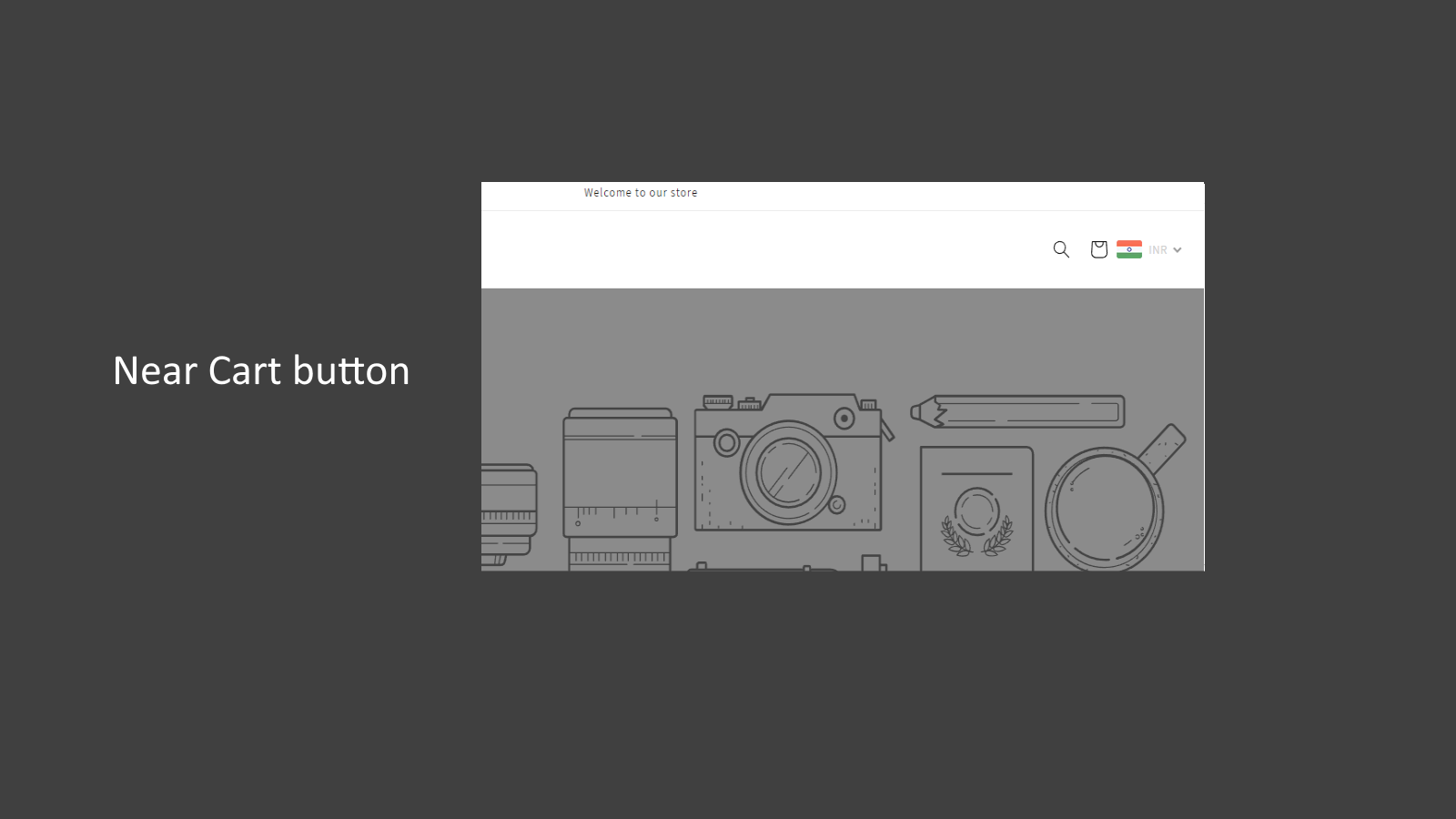
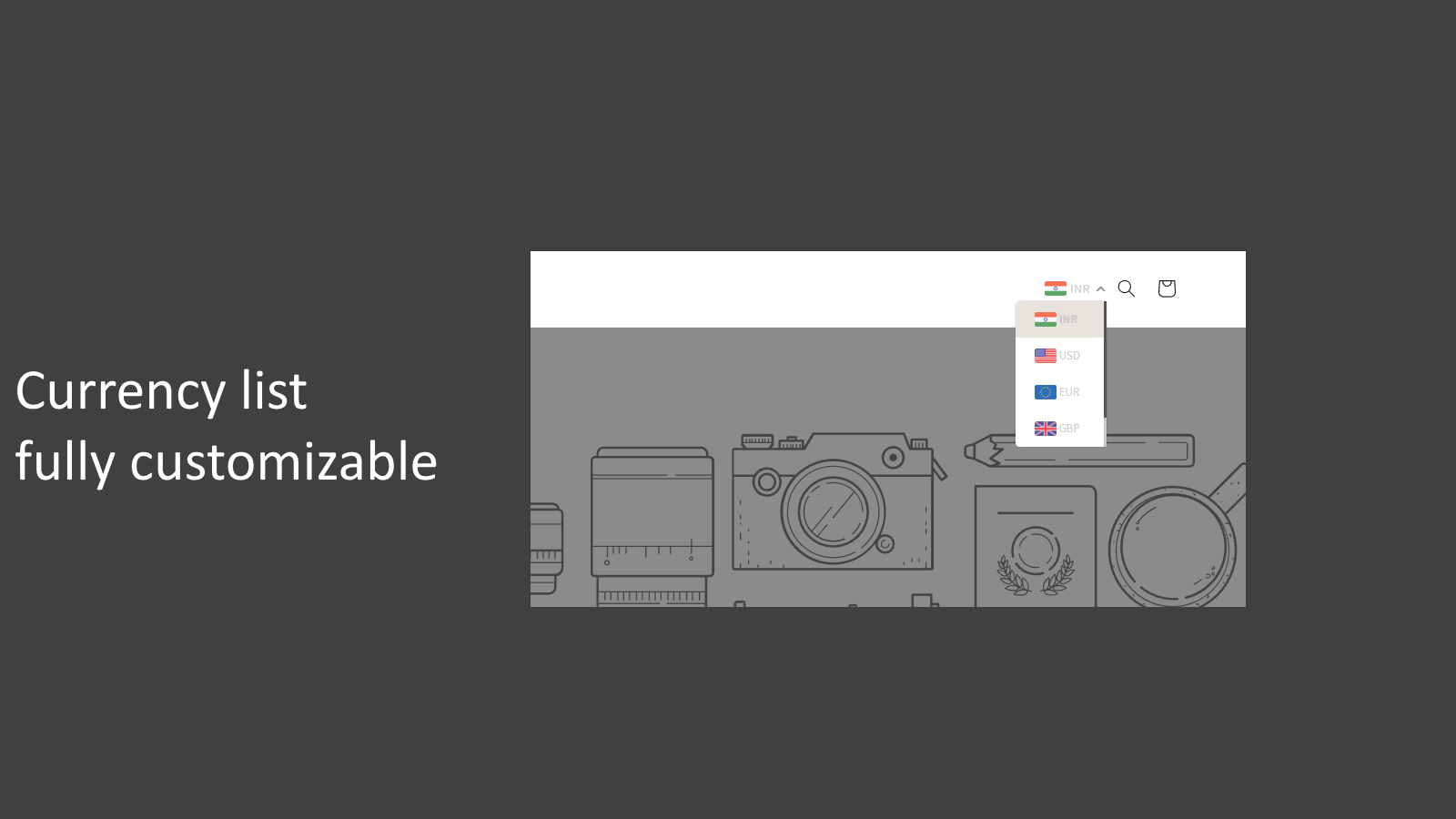
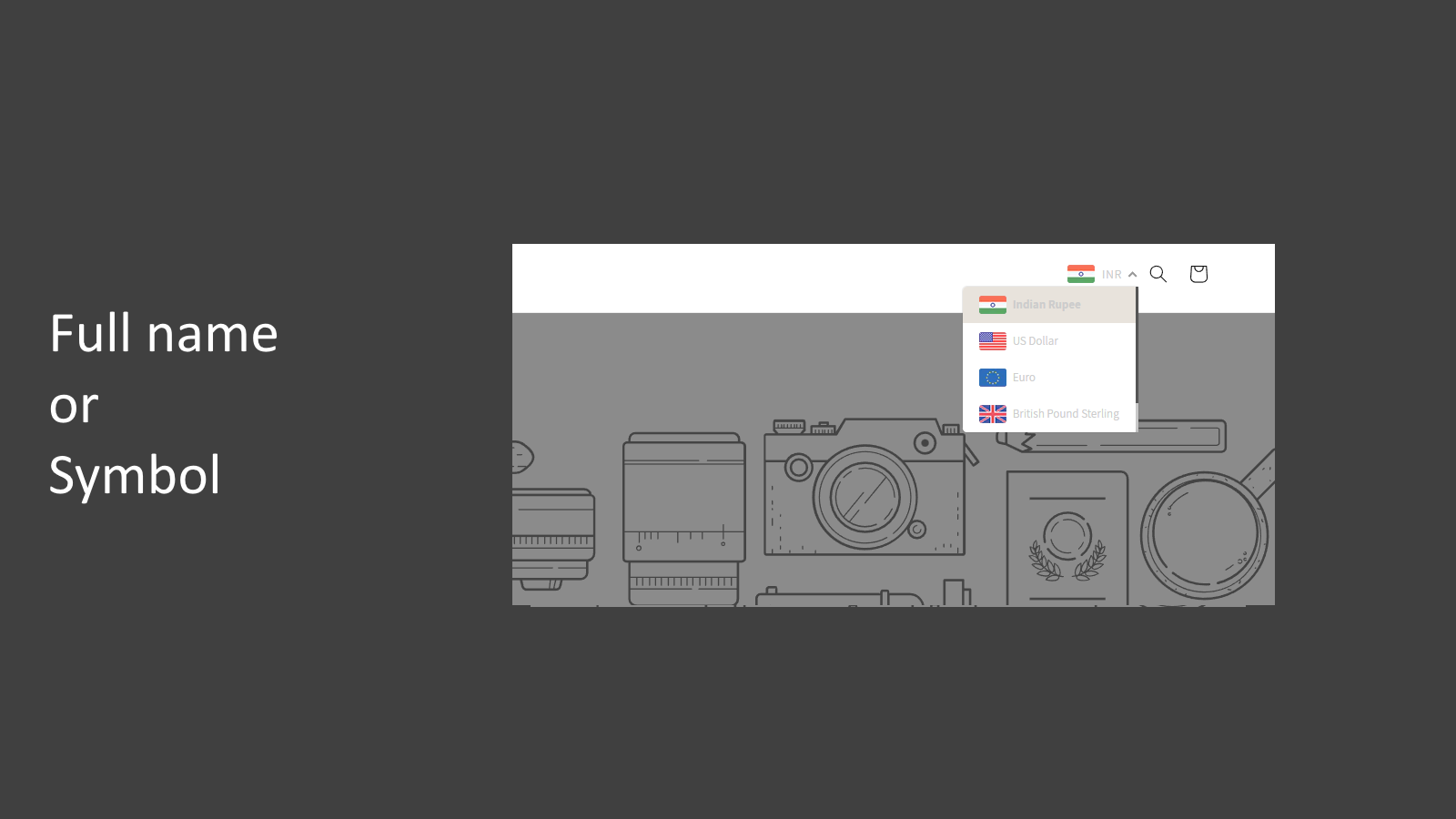
Currency Switcher with Automatic Conversion
Supernova Currency Converter pricing plans
Not sure which plan to pick? Discuss Basic or Pro Plan plans with us, learn about custom pricing, or get a demo.
The app has 2 pricing plans: 1 free and 1 paid. The free plan offered by Supernova Currency Converter is Basic. The paid plan offered by Supernova Currency Converter is Pro Plan.
The details of the plans are outlined below.
| Pricing summary | Free plan available |
| Total pricing plan(s) | 2 |
| Number of free plan(s) | 1 |
| Number of paid plan(s) | 1 |
| Cost of paid plan(s) | $1.99 |
| Free trial available | No |
The table below highlights the crucial differences between Supernova Currency Converter and similar other Shopify apps based on parameters like ratings, reviews, features, pricing, etc.
| Apps | Add app | |||
| General information | ||||
| Ratings | 4.1 ★ (27 reviews) | 4.4 ★ (1,406 reviews) | 5.0 ★ (1,292 reviews) | |
| Developed by | Pushdaddy | Shopify | Helixo | |
| Launch date | 6 March 2020 | 16 August 2022 | 5 March 2020 | |
| Pricing | Free, $1.99/month | Free | Free, $9.99/month, $19.99/month, $7.99/month | |
| Objective | Currency Switcher with Automatic Conversion | Change your store content so it fits every market. | Quick! Automatically changes currency with checkout conversion! | |
| Categories | Currency and translation | Currency and translation | Currency and translation, Geolocation | |
| Key features & highlights | ||||
| Purpose | Currency Converter & Switcher changes your store's currency to the local currency automatically. | Communicate with customers in their language. Easily change your store content for any market. | Increase your international sales with our currency converter, which quickly changes to over 160 currencies. | |
| Features list |
|
|
| |
| Highlights | — |
| — | |
| User reviews and ratings | ||||
| Recommended | 85.2% | 89.2% | 98.8% | |
| Pros |
|
|
| |
| Cons |
|
|
| |
| Pricing and plans | ||||
| Total pricing plans | 2 | 0 | 4 | |
| Free plan | Available | Not available | Available | |
| Free trial | No | No | Yes, for 7 day(s) | |
| Technical information | ||||
| Rating | 4.1 ★ | 4.4 ★ | 5.0 ★ | |
| Total reviews | 27 | 1,412 | 1,295 | |
| Launch date | 6 March 2020 | 16 August 2022 | 5 March 2020 | |
The Auto Currency Converter is a tool that allows quick currency conversion for users, increasing international sales by helping global customers view product prices in their local currency. This not only boosts customer confidence but also enhances sales, with the converter displaying real-time results without the need to refresh the page.
This Shopify app provides automatic currency conversion, enabling stores to display prices in customers' local currencies based on their geographic location. Its key strengths include ease of installation, a free tier with essential functionality, and straightforward customization options. The app supports multiple currencies, improving accessibility for international shoppers and potentially reducing cart abandonment. However, some users report inconsistencies in currency display, particularly during checkout, which may lead to pricing discrepancies. The dashboard interface is noted as somewhat basic, and the free version lacks certain advanced features like automatic conversion. Additionally, the app has faced criticism for prompting users to leave reviews before they can fully test its functionality, which has impacted its rating. While customer support is generally responsive, some users have experienced delays or unhelpful interactions. The app is well-suited for budget-conscious merchants seeking a simple, no-cost solution for basic currency conversion, though businesses requiring more robust or reliable multi-currency support may encounter limitations.
For any questions, concerns, or assistance with Supernova Currency Converter, the dedicated support team is readily available to help. To reach out to the support team, users can send an email to [email protected].
Details of the Supernova Currency Converter are available in various languages on the Shopify app store, including English.
| Support email | binipinki |
| Contact number(s) | Not available |
| FAQ page | Not available |
| Privacy policy | Privacy details |
| Language support | English |
The list of top Shopify apps, features or software tools that Supernova Currency Converter seamlessly integrates with are given below.
No integration details available.
| Name | Pushdaddy |
| Profile | See all apps by Pushdaddy |
| Website | View developer profile |
| Address | Chennai, porur, porur, chennai, TN, 600116 |
How to install Supernova Currency Converter on your Shopify store
Your name, email and store domain go straight to the Pushdaddy team.
Pushdaddy contacts you directly to arrange setup for your store.
Perfect your store’s functionality without the pressure to move on until you’re ready.
Supernova Currency Converter has an overall rating of 4.3 stars from a total of 27 reviews on the Shopify app store. Of these, 23 (85.2%) are positive, 2 (7.4%) are neutral, and 2 (7.4%) are negative*.
*Ratings above four stars fall under positive review, three star reviews fall under neutral, and anything less than two stars falls under negative.
Super helpful team! Always happy to help even in a situation like ours where two separate domains are linked to one store which is quite unusual
Best Currency Converter WIthout a Doubt. It has everything and the price is amazingly reasonable. I use it for all my stores.
It was really good. Did what I needed when I needed it to. Added the conversion as needed for my customers.
THANK YOU FOR NOW FREE AND THAT'S ENOUGH FOR ME, SO THANK YOU, THEN IF THE STORE GOES WELL I WILL CONVERT IT WITH THE MOST COMPLETE VERSION WITH THE AUTOMATIC CURRENCY CHANGE
very goooooooooooooood I Liiiiiiiike it thaaaaaaaaaaaaaaaaaaaank uuuuuuuuuuuuuu soooooooooooo muchhhhhhhhhhhhhhh
Rankings, review momentum and install geography, refreshed weekly. Open the full charts for history, benchmarks and keyword detail.
Position and market share today
| Keywordcurrency converter | #31 | — |
| KeywordLocal currency checkout | #32 | — |
| Keywordcurrency switcher | #38 | — |
| Keywordmulti currency converter | #39 | — |
Cumulative reviews · last 6 months
The key features offered by Supernova Currency Converter to Shopify store owners are:
Yes, Supernova Currency Converter seamlessly integrates with other Shopify apps or tools, such as Show prices in the local currency automatically to increase sales., Customers will feel more confident if they can see prices in their own local currency., Make the price look professional by rounding it. You have three options to choose from..
No, Supernova Currency Converter does not offer any free trial.
The app has 2 pricing plans: 1 free and 1 paid. The paid plan cost $1.99/month and has no free trial period.
Supernova Currency Converter uses USD for billing, with recurring and usage-based charges invoiced usually every 30 days.
Yes, Supernova Currency Converter allows its subscribers to cancel or upgrade their subscription plan at any time.
Yes, Supernova Currency Converter offers a dedicated support team for any kind of app-related assistance. To reach out to the support team, users can send an email to [email protected].
Please reach out to their support team at [email protected] to confirm its compatibility with your specific Shopify theme.
Change your store content so it fits every market.

Quick! Automatically changes currency with checkout conversion!

Translation in multiple languages and various currencies available. Enjoy a 30% discount this Christmas.
Most popular Shopify apps on the market

Product reviews with pictures and videos for credibility and search engine optimization.

Display your products to billions of TikTok users.

Simplify all tasks and focus on your business.

Marketing with Social Proof: Using Product Reviews, Referrals, and Upselling
Writing reviews on ShopDigest is coming soon.
Super helpful team! Always happy to help even in a situation like ours where two separate domains are linked to one store which is quite unusual
Best Currency Converter WIthout a Doubt. It has everything and the price is amazingly reasonable. I use it for all my stores.
It was really good. Did what I needed when I needed it to. Added the conversion as needed for my customers.
THANK YOU FOR NOW FREE AND THAT'S ENOUGH FOR ME, SO THANK YOU, THEN IF THE STORE GOES WELL I WILL CONVERT IT WITH THE MOST COMPLETE VERSION WITH THE AUTOMATIC CURRENCY CHANGE
very goooooooooooooood I Liiiiiiiike it thaaaaaaaaaaaaaaaaaaaank uuuuuuuuuuuuuu soooooooooooo muchhhhhhhhhhhhhhh
Facile d'utilisation, plusieurs options possible pour l'emplacement, large choix de pay et monaie choix des couleurs
I used this app to convert currencies because I´ll be shipping worldwide and I really like how easy it was to install
This is awesome app which everybody should be proud of, i really love it and highly recommended.Thanks
ShopDigest is an independent directory of Shopify work. Developers, agencies and experts publish the projects they’ve actually shipped — migrations, rebuilds, custom apps, headless storefronts — with the results attached.
For merchants, that means judging a partner on evidence instead of a sales page: browse real builds in your category and budget, then reach out directly. For builders, it means one profile that keeps working after the project ships.
No commissions, no pay-to-rank placements. The best work rises because people save and follow it.
More about ShopDigestA portfolio directory for the Shopify ecosystem — builders publish, merchants browse, nobody buys a better position.