Top 96 Bulk edit images Shopify Apps in November 2026

Check out all bulk edit images apps tailor-made for your Shopify store. Whether you are seeking free or paid solutions, Shopify offers a diverse range of 96 top-notch apps catering to businesses of all sizes. These apps are designed to boost your Shopify store's performance and make managing your business a breeze. Explore the collection and discover how these bulk edit images apps can take your Shopify store to the next level! We meticulously handpicked these top bulk edit images apps by evaluating various parameters, including ratings, reviews, price, popularity, launch date, and best matches, to ensure they offer the best value and experience to our users. Read full information here. Check out all bulk edit images apps tailor-made for your Shopify store. Whether you're seeking free plans or premium solutions, Shopify offers a diverse range of 96 top-notch apps catering to businesses of all sizes. Discover the perfect tools to elevate your' e-commerce experience today!

Ablestar Bulk Product Editor leads bulk edit images apps with 47.9% market share, ahead of Hextom: Bulk Product Edit at 17.1%. A concentrated field — one app holds most of the tracked installs.

96 apps trackedUpdated 26 November 2026

Find the right app for your store

Sign in and we shortlist the bulk edit images apps that fit your setup.

Continue with Google
Top ranked · #1 of 96
WEBP: Bulk Image Compress SEO

WEBP: Bulk Image Compress SEO by Escape

Key Features
  • WebP Conversion: Converts your product images in bulk for faster loading times.
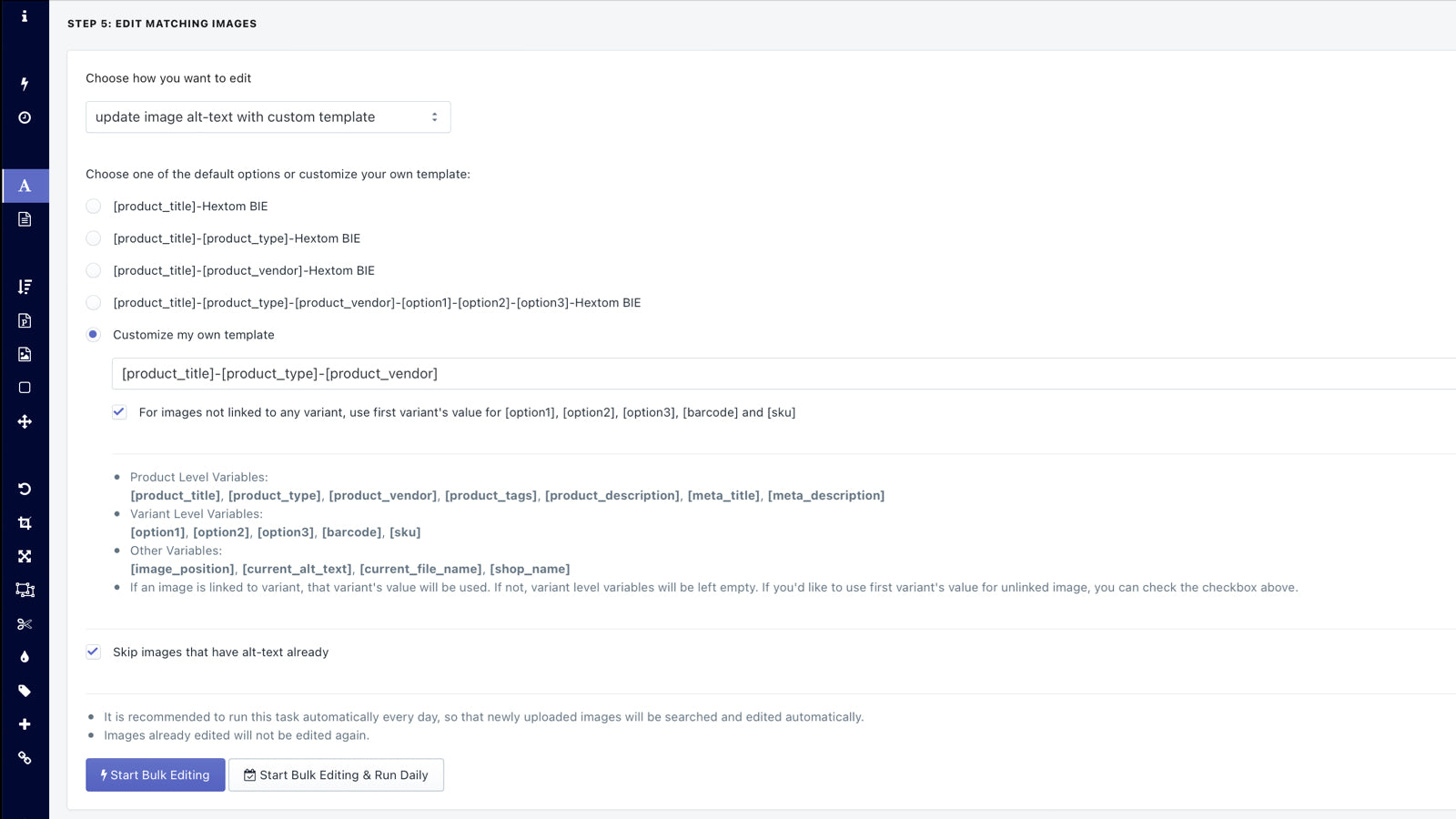
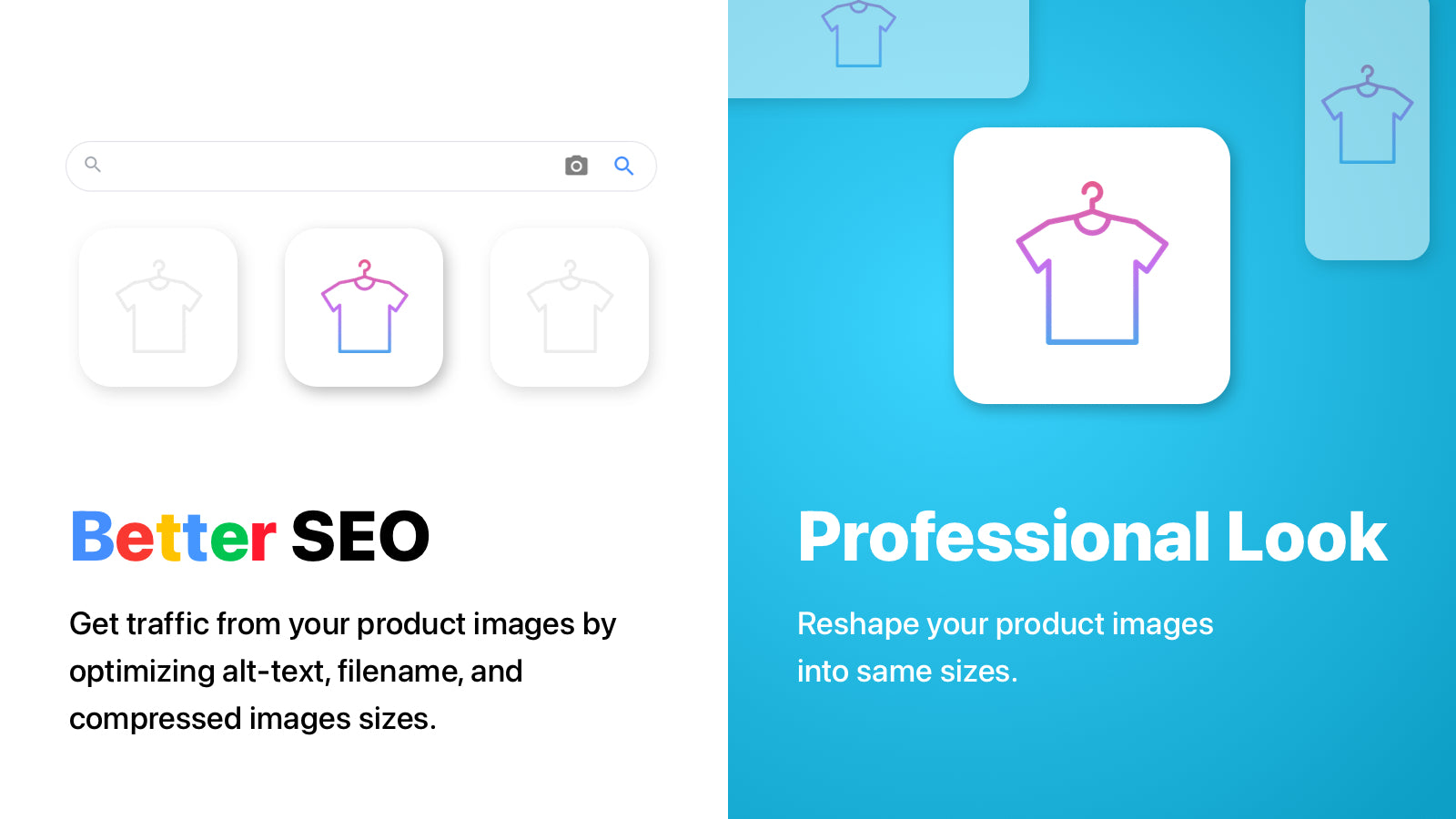
  • SEO Optimization: Customizes alt texts and filenames for improved SEO.
  • Lossless Compression: Reduces image size while preserving visual quality.
  • Bulk Edit Images: The app works in the background once compression started

What merchants said

“Amazing app! my images were optimized in one click”
AromaGardenLB · Lebanon · ★ 5.0 · 7/24/2026

Summary

Starting PriceFree
Free TrialFree plan
Launch Date25 Sep 2025
DeveloperEscape
Ratings5.0 ★ (10)
View on ShopifyView charts
About the App

WEBP: Bulk Image Compress SEO, a Bulk edit images Shopify app, has achieved 10 reviews and an average rating of 5 stars since its launch 1 years ago. Designed to assist Shopify merchants with - "Compress images in WEBP format in bulk + Rename Alt Text and Filename for SEO Optimization" it is a valuable addition to the Bulk edit images app lineup.

Top Features:

Bulk edit images Shopify apps can help elevate your e-commerce game. WEBP: Bulk Image Compress SEO offers a host of key features, including:

  • WebP Conversion: Converts your product images in bulk for faster loading times.
  • SEO Optimization: Customizes alt texts and filenames for improved SEO.
  • Lossless Compression: Reduces image size while preserving visual quality.
  • Bulk Edit Images: The app works in the background once compression started
Pricing Details

WEBP: Bulk Image Compress SEO offers 1 free plan and 3 paid plans.

Considering installing this Bulk edit images Shopify app? Explore the pricing details and discover if they align with your budget and needs.

  1. Free Plan · $0/month

    Included features: 100 Images Quota, Alt Text Features, File Name Optimization, Convert WebP Format, Rollback Features

  2. Basic Plan · $20/month

    Included features: 1,000 Images Quota, Alt Text Features, File Name Optimization, Convert WebP Format, Rollback Features

  3. Medium Plan · $50/month

    Included features: 10,000 Images Quota, Alt Text Features, File Name Optimization, Convert WebP Format, Rollback Features

  4. Expert Plan · $200/month

    Included features: 100,000 Images Quota, Alt Text Features, File Name Optimization, Convert WebP Format, Rollback Features

Talk to the developer

Install in Your Store Now

Your request goes to the team that built WEBP: Bulk Image Compress SEO, not a support queue.

#2 of 96
SEOKart: AI SEO Optimizer

SEOKart: AI SEO Optimizer by Activant Solutions Pvt Ltd

Advanced Audit becomes Simplified Audit, Image Optimizer changes to Picture Enhancer, Rich Snippet is changed to Detailed Excerpt, and Bulk Optimizer becomes Large-Scale Optimizer.

Pricing Plans: Free, $20/month, $30/month, $40/month
Pros
  • The app delivers measurable improvements in SEO scores and page speed.
  • Intuitive design and navigation make it accessible even for beginners.
  • Quick and helpful assistance from the support team.
Cons
  • Some users reported poor quality or corrupted images after compression.

What merchants said

“Excellent app for figuring out how to improve your SEO in the easiest way possible.The service is top notch and really quick as well. Great experience!”
Haunt · Hong Kong SAR · ★ 5.0 · 8/13/2026

Summary

Starting PriceFree
Free TrialFree plan
Launch Date04 Jun 2020
Ratings5.0 ★ (68)
Install NowView charts
About the App

SEOKart: AI SEO Optimizer, a Bulk edit images Shopify app, has achieved 67 reviews and an average rating of 5 stars since its launch 6 years ago. Designed to assist Shopify merchants with - "AI-based SEO Optimizer App featuring advanced auditing, bulk and image optimization (Automatic SEO), JSON-LD, and improved page speed!" it is a valuable addition to the Bulk edit images app lineup.

Top Features:

Bulk edit images Shopify apps can help elevate your e-commerce game. SEOKart: AI SEO Optimizer offers a host of key features, including:

  • AI-Assisted SEO:AI-Assisted SEO Optimizer with Advanced Review
  • Cruise Control SEO:Try the Image Optimizer with Cruise control
  • Automated SEO:Automatic Bulk SEO Optimizer with Cruise Control
  • Rich Snippets:Product, Local, FAQ, and Blog - Rich Snippets
  • Website Error Fixer:Repair Tool for 404 Errors & 301 Redirects
Pricing Details

SEOKart: AI SEO Optimizer offers 1 free plan and 3 paid plans.

Considering installing this Bulk edit images Shopify app? Explore the pricing details and discover if they align with your budget and needs.

  1. Free Plan (Trial) · $0/month

    Included features: One-click AI Optimization - 50 Pages, Rank Tracking – 10 Keywords, Image Optimizer - Limited, Bulk Optimizer - Limited, Schemas/Rich Snippets - Limited

  2. Pro 1000 Products · $20/month

    Included features: One-click AI Optimization 1000 Products, Rank Tracking - 100 Keywords, Unlimited Image Optimization, Unlimited Bulk Optimization - Meta Tags, Schemas/Rich Snippets, 404 Fixer, Auto - SEO [Cruise Control]

  3. Plus 5000 Products · $30/month

    Included features: One-click AI Optimization 5000 Products, Rank Tracking 100 keywords, Unlimited Image Optimization, Unlimited Bulk Optimization - Meta Tags, Schemas/Rich Snippets, 404 Fixer, Auto - SEO [Cruise Control]

  4. Max 10000 Products · $40/month

    Included features: One-click AI Optimization 10000 Products, Rank Tracking - 100 Keywords, Unlimited Image Optimization, Unlimited Bulk Optimization - Meta Tags, Schemas/Rich Snippets, 404 Fixer, Auto - SEO [Cruise Control]

Pros and Cons

Delve into ShopDigest's expert insights on SEOKart: AI SEO Optimizer - a Bulk edit images Shopify app. Our analysis of Shopify app store reviews presents unique pros and cons, allowing you to make informed decisions for your business. Read our full SEOKart: AI SEO Optimizer Bulk edit images App review.

Pros
  • The app delivers measurable improvements in SEO scores and page speed.
  • Intuitive design and navigation make it accessible even for beginners.
  • Quick and helpful assistance from the support team.
  • AI tools automate and enhance SEO tasks without additional costs.
  • The free tier offers substantial functionality without pressure to upgrade.
  • Includes audits, keyword tracking, and bulk editing in one platform.
  • Notable improvements in website loading times post-optimization.
  • Provides clear guidance and actionable insights for SEO improvement.
  • Users report visible, measurable SEO progress.
Cons
  • Some users reported poor quality or corrupted images after compression.
  • Instances of unexpected charges post-uninstallation with unresolved support.
Talk to the developer

Install in Your Store Now

Your request goes to the team that built SEOKart: AI SEO Optimizer, not a support queue.

#3 of 96
Hextom: Bulk Image Edit & SEO

Hextom: Bulk Image Edit & SEO by Hextom

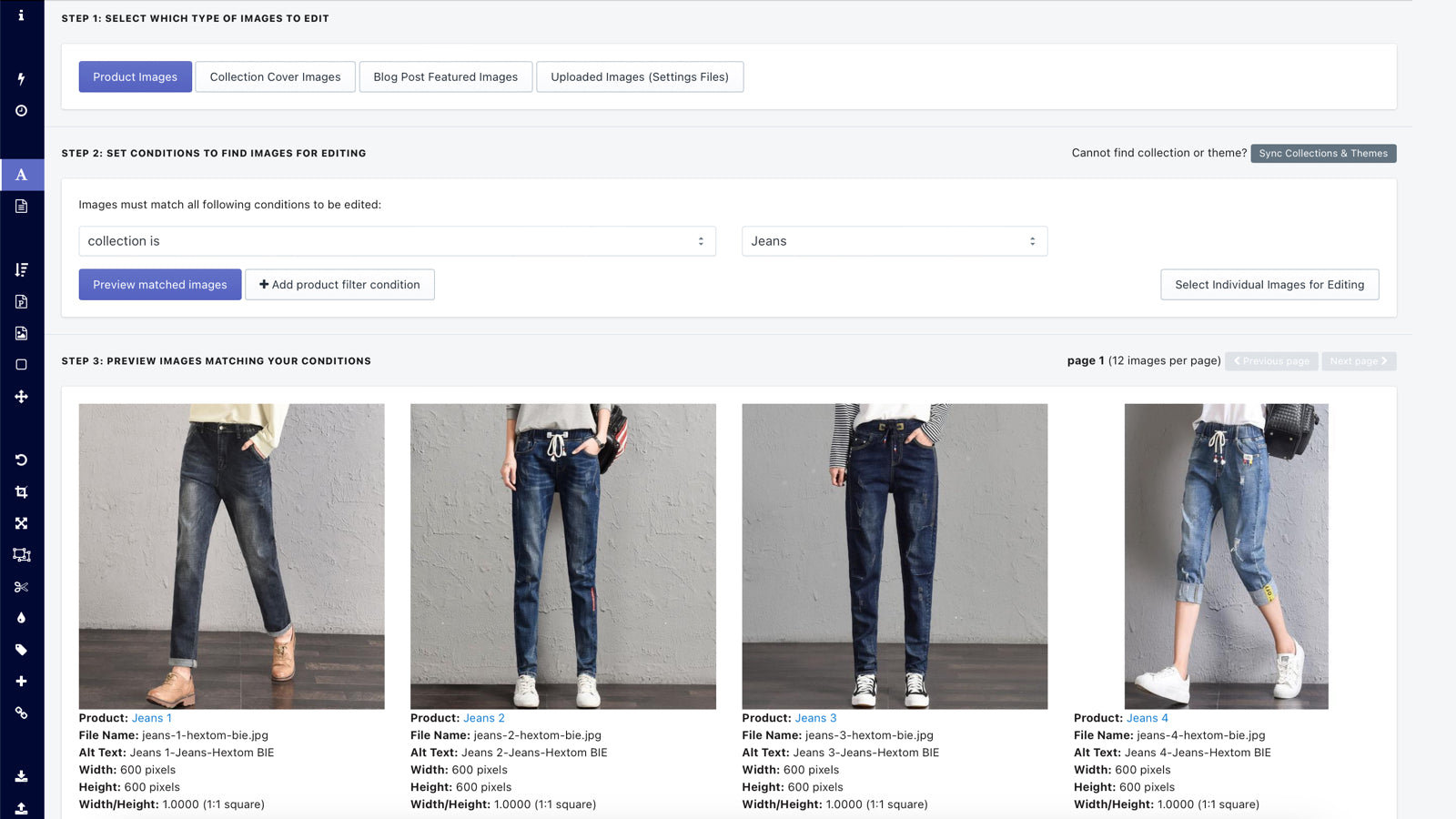
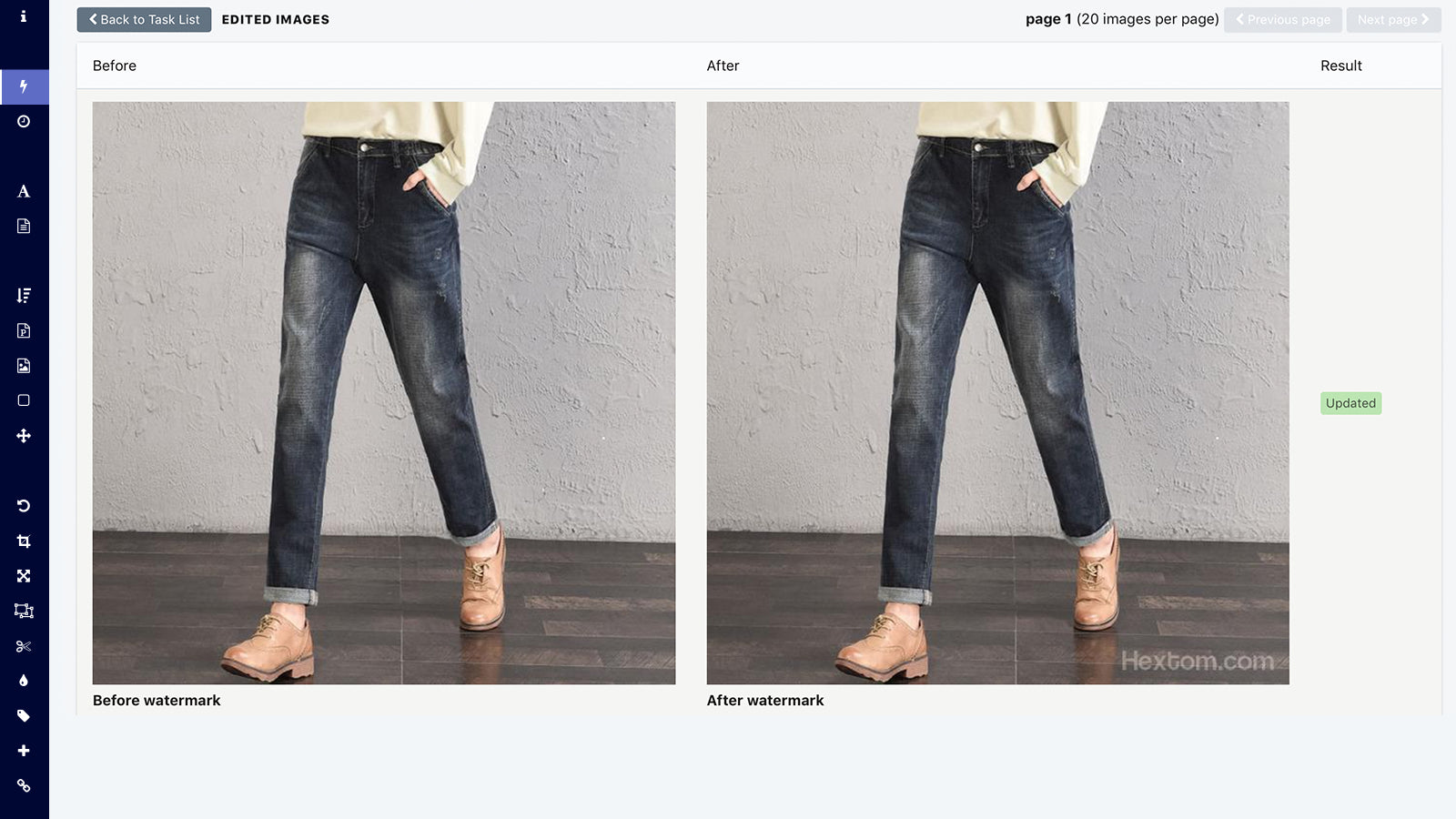
SEO for images, change picture names, adjust size, add watermark, reduce file size.

Pros
  • The app is consistently praised for its intuitive and straightforward interface, making it accessible even for beginners.
  • Users highlight the app's ability to significantly reduce manual effort, particularly for bulk image editing and SEO tasks.
  • Many users appreciate the extensive functionalities available in the free plan, including bulk editing and image optimization.
Cons
  • A recurring issue involves the app malfunctioning, such as breaking image URLs or failing to apply edits correctly.

What merchants said

“Super appli, très facile a utiliser malgré la multitude de possibilités proposées. 5 * au service client qui répond toujours très vite et qui fait des mises a jour en fonction de vos besoins! Incroyable ! !! ! Merci ”
Massilia Surf Shop · France · ★ 5.0 · 11/6/2026

Summary

Starting PriceFree
Free TrialFree plan
Launch Date29 Sep 2016
DeveloperHextom
Ratings4.8 ★ (647)
Install NowView charts
About the App

Hextom: Bulk Image Edit & SEO, a Bulk edit images Shopify app, has achieved 647 reviews and an average rating of 4.8 stars since its launch 10 years ago. Designed to assist Shopify merchants with - "A single app for editing images, optimizing SEO, resizing, compressing, adding watermarks, uploading, and backing up." it is a valuable addition to the Bulk edit images app lineup.

Top Features:

Bulk edit images Shopify apps can help elevate your e-commerce game. Hextom: Bulk Image Edit & SEO offers a host of key features, including:

  • SEO Optimization:Boost SEO by adjusting image sizes (to reduce load time), adding alt-text, and modifying file names.
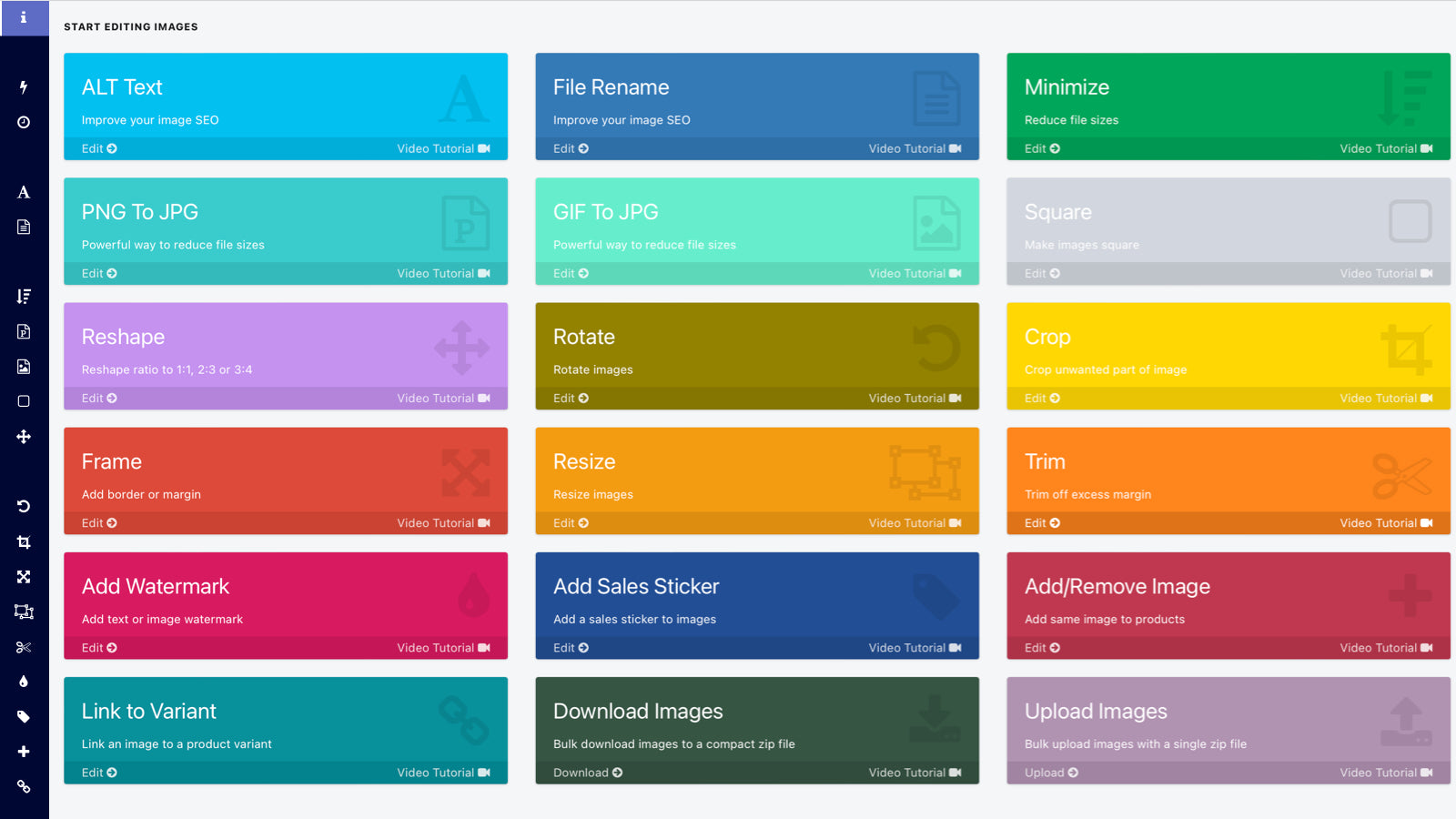
  • Image editing features:Easily bulk edit your images by resizing, cropping, rotating, framing, trimming, and adding watermarks.
  • Image Management:Upload and download images of your store for backup, recovery, or launching a product.
  • Individual Image Selection:Apart from the bulk edit, you can also select individual Images-to-edit.
Pricing Details

Hextom: Bulk Image Edit & SEO offers 1 free plan and 3 paid plans.

Considering installing this Bulk edit images Shopify app? Explore the pricing details and discover if they align with your budget and needs.

  1. Starter Plan · $0/month

    Included features: 50 image edits per month, 1 Active scheduled tasks, Alt Text (unlimited), Minimize, PNG to JPG, Resize to Square, Revert edited images, 30 day backup

  2. Basic Plan · $9.99/month

    Included features: Starter plan features plus..., 1000 image edits per month, 5 scheduled tasks, Image rename (unlimited), Resize, Crop, Watermark, 60 day backup

  3. Professional Plan · $19.99/month

    Included features: Basic plan features plus..., 3000 monthly edits, Unlimited scheduled tasks, 90 day backup

  4. Advanced Plan · $49.99/month

    Included features: Professional plan features plus..., 10000 monthly edits, 180 day backup

Pros and Cons

Delve into ShopDigest's expert insights on Hextom: Bulk Image Edit & SEO - a Bulk edit images Shopify app. Our analysis of Shopify app store reviews presents unique pros and cons, allowing you to make informed decisions for your business. Read our full Hextom: Bulk Image Edit & SEO Bulk edit images App review.

Pros
  • The app is consistently praised for its intuitive and straightforward interface, making it accessible even for beginners.
  • Users highlight the app's ability to significantly reduce manual effort, particularly for bulk image editing and SEO tasks.
  • Many users appreciate the extensive functionalities available in the free plan, including bulk editing and image optimization.
  • The app is frequently commended for its effective tools to enhance image SEO, such as alt-text and file-name updates.
  • Users value the ability to process large volumes of images or products simultaneously, improving efficiency.
  • The app’s tools for resizing, compressing, and standardizing images are widely praised for their effectiveness.
  • Several reviews note improved site speed and professional appearance due to the app’s features.
  • Many users report the app works as expected without major issues, delivering consistent results.
  • The ability to schedule tasks (e.g., alt-text updates) for automation is appreciated for ongoing efficiency.
Cons
  • A recurring issue involves the app malfunctioning, such as breaking image URLs or failing to apply edits correctly.
  • Several users report slow or unresponsive support, with unresolved issues and generic responses.
  • Some users note the app struggles with large batches of images (e.g., over 100), requiring manual splitting.
  • A few reviews mention partial or incomplete edits, where some images are updated while others remain unchanged.
  • Specific complaints cite the watermark function as unreliable or non-functional in recent updates.
Talk to the developer

Install in Your Store Now

Your request goes to the team that built Hextom: Bulk Image Edit & SEO, not a support queue.

Keyword ranking

Top three ranked in Shopify App Store

WEBP: Bulk Image Compress SEO

Compress images in WEBP format in bulk + Rename Alt Text and Filename for SEO Optimization

5.0 ★ (10)$20/mo onwards
View app data →
SEOKart: AI SEO Optimizer

AI-based SEO Optimizer App featuring advanced auditing, bulk and image optimization (Automatic SEO), JSON-LD, and improved page speed!

5.0 ★ (68)$20/mo onwards
View app data →
Hextom: Bulk Image Edit & SEO

A single app for editing images, optimizing SEO, resizing, compressing, adding watermarks, uploading, and backing up.

4.8 ★ (647)$9.99/mo onwards
View app data →
#4 of 96
Plug in SEO ‑ SEO Audit & Fix

Plug in SEO ‑ SEO Audit & Fix by Plug in Useful

SEO Application & Audit, Website Structure Analysis, Site Map, JSON-LD, Image and Meta Tags.

Free Trial: 7 days
Pros
  • The app consistently detects and highlights SEO problems, even those users were unaware of.
  • The app is intuitive and easy to navigate, even for non-technical users.
  • Support teams are responsive, helpful, and often go above expectations to assist users.
Cons
  • Some users note the app lacks deeper SEO strategy recommendations beyond basic fixes.

What merchants said

“I have had an awesome experience with the app and with Plug In SEO's Quick Start Service. So many outstanding issues were addressed, and I was left with a very clear outline of how to proceed regarding keywords and refinements of my SEO. The app is very easy to use. Florencia was AMAZING and I can't recommend Plug In SEO highly enough. Thank you!!!”
Satya · United States · ★ 5.0 · 3/31/2026

Summary

Starting Price$29.99/mo
Free Trial7 days
Launch Date02 Jun 2011
Ratings4.6 ★ (678)
Install NowView charts
About the App

Plug in SEO ‑ SEO Audit & Fix, a Bulk edit images Shopify app, has achieved 673 reviews and an average rating of 4.6 stars since its launch 15 years ago. Designed to assist Shopify merchants with - "Plugin SEO is an app that helps store owners boost their traffic and sales by optimizing SEO." it is a valuable addition to the Bulk edit images app lineup.

Top Features:

Bulk edit images Shopify apps can help elevate your e-commerce game. Plug in SEO ‑ SEO Audit & Fix offers a host of key features, including:

  • SEO Audit and Fixes:Check for SEO issues and correct them using easy-to-follow steps.
  • SEO Templating:Use SEO templates to improve your blog and pages' rankings for specific keywords.
  • SEO Strategies:Try using JSON-LD structured data, fix broken links, and target keywords to improve your ranking.
  • SEO Resources:Watch useful videos, read in-depth SEO articles, or receive assistance from our support team.
Pricing Details

Plug in SEO ‑ SEO Audit & Fix offers 0 free plans and 3 paid plans.

Considering installing this Bulk edit images Shopify app? Explore the pricing details and discover if they align with your budget and needs.

  1. Lite · $29.99/month

    Included features: Scan up to 200 pages, AI Deep Keyword Research for 20 pages, 2 Monthly Comprehensive SEO Audits, Titles & Descriptions Management Tools, JASON LD Structured Data Tools, One-click Broken Link Redirects, Search Trends and Keyword Analytics, Live Chat & Email Support

  2. Standard · $49.99/month

    Included features: Everything in Lite Plan, Scan up to 2,000 pages, AI Deep Keyword Research for 200 pages, 5 Monthly Comprehensive SEO Audits, 5 Monthly Speed & Performance Reports, Free 30-minute call with an SEO Expert, Live Chat & Email Support

  3. Premium · $79.99/month

    Included features: Everything in Standard Plan, Scan unlimited pages, AI Deep Keyword Research for 2,000 pages, 10 Monthly Comprehensive SEO Audits, Unlimited Speed & Performance Reports, Priority Live Chat & Email Support, Free 30-minute call with an SEO Expert

Pros and Cons

Delve into ShopDigest's expert insights on Plug in SEO ‑ SEO Audit & Fix - a Bulk edit images Shopify app. Our analysis of Shopify app store reviews presents unique pros and cons, allowing you to make informed decisions for your business. Read our full Plug in SEO ‑ SEO Audit & Fix Bulk edit images App review.

Pros
  • The app consistently detects and highlights SEO problems, even those users were unaware of.
  • The app is intuitive and easy to navigate, even for non-technical users.
  • Support teams are responsive, helpful, and often go above expectations to assist users.
  • Provides actionable, step-by-step guidance to resolve identified SEO issues.
  • Users report a seamless and fast onboarding process.
  • The free version offers valuable features, making it accessible to beginners.
  • The app simplifies SEO optimization with automated solutions and templates.
  • Offers comprehensive insights into SEO performance, including speed and integration issues.
  • Premium services deliver prompt, high-quality fixes and improvements.
  • Users observe measurable improvements in website performance and visibility.
Cons
  • Some users note the app lacks deeper SEO strategy recommendations beyond basic fixes.
  • A few reports of the app missing problems or providing unclear "worthwhile to fix" alerts.
  • Isolated complaints about paid service timelines not being met.
  • Certain solutions may still require user expertise or external help.
Talk to the developer

Install in Your Store Now

Your request goes to the team that built Plug in SEO ‑ SEO Audit & Fix, not a support queue.

#5 of 96
Ablestar Bulk Product Editor

Ablestar Bulk Product Editor by Ablestar

Edit multiple products at once, import/export with CSV Excel, modify metafields.

Pros
  • The app excels at handling large-scale product edits quickly and accurately, saving significant time.
  • The interface is user-friendly, making it easy to navigate and perform complex tasks without extensive training.
  • Consistently fast and stable operation across various use cases and large product catalogs.
Cons
  • Some users noted slower processing times when handling extremely large product volumes (e.g., 30k+ products).

What merchants said

“Für mich einfach zu bedienen und macht was es soll. Bis jetzt hat für mich alles super geklappt.”
Der Niebler · Germany · ★ 5.0 · 11/18/2026

Summary

Starting PriceFree
Free TrialFree plan
Launch Date31 Jul 2017
DeveloperAblestar
Ratings4.9 ★ (954)
Install NowView charts
About the App

Ablestar Bulk Product Editor, a Bulk edit images Shopify app, has achieved 929 reviews and an average rating of 4.9 stars since its launch 9 years ago. Designed to assist Shopify merchants with - "Edit thousands of products all at once confidently through previews, undos, and personalised spreadsheets." it is a valuable addition to the Bulk edit images app lineup.

Top Features:

Bulk edit images Shopify apps can help elevate your e-commerce game. Ablestar Bulk Product Editor offers a host of key features, including:

  • Bulk Edit Enhancements:The bulk edit previews provide clear viewing and assurance, complete with progress and an option to undo changes.
  • Efficient bulk editing:Edit large amounts with your spreadsheets without having to change the format.
  • Fast data export:Easily convert products to formats such as CSV, Excel, and Matrixify/Excelify.
  • Powerful Product Editor:Bulk editing tool for Shopify products with robust filters and placeholders
  • Inventory Synchronization:Use Inventory Sync to keep your products updated through Google Drive, Dropbox, FTP, or URL.
Pricing Details

Ablestar Bulk Product Editor offers 1 free plan and 3 paid plans.

Considering installing this Bulk edit images Shopify app? Explore the pricing details and discover if they align with your budget and needs.

  1. Starter · $0/month

    Included features: 10 Product Limit -Edits, Export & Import, Unlimited Edits, On a dev store? No limits until launch

  2. Basic · $30/month

    Included features: Unlimited Products per Task, 60-Day Bulk Edit History, 1 Inventory Sync Job, Scheduled Edits, Edit Multiple Fields at Once

  3. Advanced · $60/month

    Included features: 5 Recurring Edits, 90-Day Bulk Edit History, 5 Inventory Sync Jobs, 5 Scheduled Exports, 5 Automatic Product Rules, 1 Code Snippet

  4. Professional · $120/month

    Included features: 20 Recurring Edits, 180-Day Bulk Edit History, 10 Inventory Sync Jobs, 20 Scheduled Exports, 20 Automatic Product Rules, 5 Code Snippets

Pros and Cons

Delve into ShopDigest's expert insights on Ablestar Bulk Product Editor - a Bulk edit images Shopify app. Our analysis of Shopify app store reviews presents unique pros and cons, allowing you to make informed decisions for your business. Read our full Ablestar Bulk Product Editor Bulk edit images App review.
Pros
  • The app excels at handling large-scale product edits quickly and accurately, saving significant time.
  • The interface is user-friendly, making it easy to navigate and perform complex tasks without extensive training.
  • Consistently fast and stable operation across various use cases and large product catalogs.
  • Responsive and helpful support team, often praised for quick resolutions and proactive assistance.
  • Offers a wide range of editing capabilities, including filtering, scheduling, and handling variants.
  • Reduces manual effort with features like bulk updates, CSV imports/exports, and live editing.
  • The free version provides substantial functionality, making it accessible for small stores.
  • Allows tailored edits to meet specific business needs, such as rounding prices or updating inventory.
  • Works flawlessly with Shopify, avoiding issues common with native import/export tools.
  • Advanced filtering options enable precise edits and error detection in large inventories.
Cons
  • Some users noted slower processing times when handling extremely large product volumes (e.g., 30k+ products).
Talk to the developer

Install in Your Store Now

Your request goes to the team that built Ablestar Bulk Product Editor, not a support queue.

#6 of 96
PicManager Bulk Image Upload

PicManager Bulk Image Upload by Amasty

Boost upload image process with picture upload & optimization

Pricing Plans: Free, $4.99/month
Pros
  • The app significantly reduces time and effort for bulk image uploads, especially for large inventories.
  • The interface is user-friendly and easy to navigate, requiring minimal setup.
  • Users report quick processing and seamless matching of images to SKUs.
Cons
  • Some users report mismatches or failures in automatic SKU-to-image pairing.

What merchants said

“I have been using PicManager to help upload batches of pictures for the last couple weeks. So far it has worked flawlessly. It's made my life a lot easier to just upload a bunch of pictures at once and have it assigned to the proper product. I haven't subscribed to use the optimization yet, but I will likely try it.”
Cartoon Kingdom & Cedar Creek Hobbies · Canada · ★ 5.0 · 9/11/2026

Summary

Starting PriceFree
Free TrialFree plan
Launch Date21 Feb 2024
DeveloperAmasty
Ratings4.6 ★ (47)
Install NowView charts
About the App

PicManager Bulk Image Upload, a Bulk edit images Shopify app, has achieved 45 reviews and an average rating of 4.6 stars since its launch 2 years ago. Designed to assist Shopify merchants with - "Enjoy effortless bulk upload of product images and videos using a user-friendly image uploader" it is a valuable addition to the Bulk edit images app lineup.

Top Features:

Bulk edit images Shopify apps can help elevate your e-commerce game. PicManager Bulk Image Upload offers a host of key features, including:

  • Bulk upload images and videos. Add individually or as a ZIP, RAR or CSV file
  • Use image manager to assign images to specific products and validate matching
  • Manage bulk image import by matching images to products by SKU, barcode, or AI
  • Add image slider to product image gallery with zoom & looping. Remove background
  • After image upload, use image optimizer: compress, resize, crop, convert to WebP
Pricing Details

PicManager Bulk Image Upload offers 1 free plan and 1 paid plan.

Considering installing this Bulk edit images Shopify app? Explore the pricing details and discover if they align with your budget and needs.

  1. Free · $0/month

    Included features: Unlimited image upload, Up to 1000 img/batch (max 1GB per batch), Automatic matching by SKU, Title, Manual matching, Alt text generation, Google Drive & Dropbox integration, 7-day revert

  2. Standard · $4.99/month

    Included features: All included in Free, Up to 5000 img/batch (max 5GB per batch), Video uploads; Images AI matching, Optimize 500 images/month:, Compress, Resize, Crop images, Convert PNG to JPG, WebP; JPG to WebP, Image slider: arrows, bullets, zoom, 30-day revert & restore

Pros and Cons

Delve into ShopDigest's expert insights on PicManager Bulk Image Upload - a Bulk edit images Shopify app. Our analysis of Shopify app store reviews presents unique pros and cons, allowing you to make informed decisions for your business. Read our full PicManager Bulk Image Upload Bulk edit images App review.

Pros
  • The app significantly reduces time and effort for bulk image uploads, especially for large inventories.
  • The interface is user-friendly and easy to navigate, requiring minimal setup.
  • Users report quick processing and seamless matching of images to SKUs.
  • Many users appreciate the app’s free tier, considering its high utility.
  • Customer support is noted for being responsive and helpful.
  • Automates repetitive tasks like image assignment, eliminating manual work.
Cons
  • Some users report mismatches or failures in automatic SKU-to-image pairing.
  • Issues include limits on manual uploads (e.g., 5 images) and incompatibility with special characters in filenames.
  • Occasional slow loading or failures when handling large batches or screenshots.
Talk to the developer

Install in Your Store Now

Your request goes to the team that built PicManager Bulk Image Upload, not a support queue.

#7 of 96
Hextom: Bulk Product Edit

Hextom: Bulk Product Edit by Hextom

Edit thousands of products at once, import and export bulk edits using CSV.

Pros
  • The app significantly reduces manual effort by enabling quick bulk edits and updates.
  • Intuitive design and ease of use make navigation and task execution straightforward.
  • Responsive and knowledgeable support team resolves issues promptly.
Cons
  • Some users report delays when processing extensive product variations.

What merchants said

“Phenomenal app. Saves me hours of work. Easy to use.”
The Haunted Game Cafe · United States · ★ 5.0 · 11/23/2026

Summary

Starting PriceFree
Free TrialFree plan
Launch Date05 Oct 2015
DeveloperHextom
Ratings4.9 ★ (1,217)
Install NowView charts
About the App

Hextom: Bulk Product Edit, a Bulk edit images Shopify app, has achieved 1164 reviews and an average rating of 4.9 stars since its launch 11 years ago. Designed to assist Shopify merchants with - "Edit large amounts of Products, Collections, Customers & Metafields all at once. Plan sales. Import and Export CSV files." it is a valuable addition to the Bulk edit images app lineup.

Top Features:

Bulk edit images Shopify apps can help elevate your e-commerce game. Hextom: Bulk Product Edit offers a host of key features, including:

  • Efficient Bulk Editing:Easily edit multiple products and other store data accurately and quickly with just a few clicks.
  • Inventory Management:Plan bulk updates, import/export sales via CSV, synchronize inventory, and product release.
  • Secure Editing: All modifications will be backed up, and bulk edits can be easily undone without any downtime.
  • User-Friendly:Simple to use for both tech-savvy and non-tech-savvy individuals.
  • No Obligation Demo Plan:You can try the app for free with our no-obligation demo plan.
Pricing Details

Hextom: Bulk Product Edit offers 1 free plan and 3 paid plans.

Considering installing this Bulk edit images Shopify app? Explore the pricing details and discover if they align with your budget and needs.

  1. Demo Plan · $0/month

    Included features: Unlimited bulk & CSV import tasks, 10 Products per task, Revert any product edit, Edit all product details, 30 day backup

  2. Basic Plan · $9.99/month

    Included features: Unlimited bulk & CSV import tasks, 500 Products per task, Revert any product edit, Edit all product details, 60 day backup

  3. Professional Plan · $19.99/month

    Included features: Unlimited bulk & CSV import tasks, 5,000 Products per task, 10 active scheduled tasks, 90 day backup

  4. Advanced Plan · $49.99/month

    Included features: Unlimited bulk & CSV import tasks, 50,000 Products per task, 100 active scheduled tasks, 180 day backup

Pros and Cons

Delve into ShopDigest's expert insights on Hextom: Bulk Product Edit - a Bulk edit images Shopify app. Our analysis of Shopify app store reviews presents unique pros and cons, allowing you to make informed decisions for your business. Read our full Hextom: Bulk Product Edit Bulk edit images App review.

Pros
  • The app significantly reduces manual effort by enabling quick bulk edits and updates.
  • Intuitive design and ease of use make navigation and task execution straightforward.
  • Responsive and knowledgeable support team resolves issues promptly.
  • Indispensable for managing extensive product catalogs efficiently.
  • Offers a wide range of features for bulk editing products, variants, and metadata.
  • Consistently delivers fast and accurate results without technical issues.
  • Users find the subscription price justified by the time and effort saved.
  • Powerful features for optimizing product listings and metadata in bulk.
  • Effectively handles growing product counts and complex inventory needs.
  • Allows users to test functionality before committing to a subscription.
Cons
  • Some users report delays when processing extensive product variations.
  • A few users find the pricing steep despite the app’s benefits.
  • Initial setup and feature discovery can be challenging for beginners.
  • The free version restricts the volume of edits, prompting upgrades.
Talk to the developer

Install in Your Store Now

Your request goes to the team that built Hextom: Bulk Product Edit, not a support queue.

#8 of 96
ByteInfy ‑ Alt Text Bulk Edit

ByteInfy ‑ Alt Text Bulk Edit by ByteInfy

Pricing Plans: Free
Key Features
  • Bulk alt text editing with smart templates and automation rules
  • Smart targeting by collection, vendor, tags, or product picker
  • JSON-LD schema — Product, FAQ, Video, LocalBusiness, Breadcrumb
  • Image compression to WebP or AVIF plus SEO-friendly file renaming
  • SEO health scoring, undo snapshots and broken image detection

What merchants said

“Its pretty helpful, It helped me to do bulk compress image, and alt text for seo”
COMFORT CLUB · India · ★ 5.0 · 10/17/2026

Summary

Starting PriceFree
Free TrialFree plan
Launch Date18 Aug 2025
DeveloperByteInfy
Ratings1.6 ★ (4)
View on ShopifyView charts
About the App

ByteInfy ‑ Alt Text Bulk Edit, a Bulk edit images Shopify app, has achieved 2 reviews and an average rating of 1.6 stars since its launch 1 years ago. Designed to assist Shopify merchants with - "Bulk edit image alt text, compress images, rename files and add JSON-LD schema markup" it is a valuable addition to the Bulk edit images app lineup.

Top Features:

Bulk edit images Shopify apps can help elevate your e-commerce game. ByteInfy ‑ Alt Text Bulk Edit offers a host of key features, including:

  • Bulk alt text editing with smart templates and automation rules
  • Smart targeting by collection, vendor, tags, or product picker
  • JSON-LD schema — Product, FAQ, Video, LocalBusiness, Breadcrumb
  • Image compression to WebP or AVIF plus SEO-friendly file renaming
  • SEO health scoring, undo snapshots and broken image detection
Pricing Details

ByteInfy ‑ Alt Text Bulk Edit offers 0 free plans and 0 paid plans.

Considering installing this Bulk edit images Shopify app? Explore the pricing details and discover if they align with your budget and needs.

  1. · $0/month

Talk to the developer

Install in Your Store Now

Your request goes to the team that built ByteInfy ‑ Alt Text Bulk Edit, not a support queue.

#9 of 96
QuickEdit: Bulk Product Edit

QuickEdit: Bulk Product Edit by QuickBulkEdit

Edit descriptions, prices, metafields, SEO, etc., all at once.

Pricing Plans: Free, $9/month, $19/month, $39/month
Pros
  • Enables rapid and large-scale product updates, saving significant time for users with extensive inventories.
  • Intuitive design and straightforward navigation make the app easy to use.
  • Prompt, knowledgeable, and personalized assistance, often highlighted by users.
Cons
  • Restrictions on editing more than 50 products at once frustrate some users.

What merchants said

“Awesome app. We use for a lot of editing after my EPOS sends to Shopify. Saves us no end of time.”
Dipples · United Kingdom · ★ 5.0 · 8/29/2026

Summary

Starting PriceFree
Free TrialFree plan
Launch Date07 Feb 2022
DeveloperQuickBulkEdit
Ratings4.9 ★ (106)
Install NowView charts
About the App

QuickEdit: Bulk Product Edit, a Bulk edit images Shopify app, has achieved 105 reviews and an average rating of 4.9 stars since its launch 4 years ago. Designed to assist Shopify merchants with - "Don't spend hours editing your products and variants. Use our simple bulk editor to save time!" it is a valuable addition to the Bulk edit images app lineup.

Top Features:

Bulk edit images Shopify apps can help elevate your e-commerce game. QuickEdit: Bulk Product Edit offers a host of key features, including:

  • Mass Product Edit:Easily make edits to thousands of products or variants at once.
  • Product Editing:Modify various fields of products and variants using different actions.
  • Task Management:Plan large-scale edits and reversions, or set up regular tasks.
  • Product Filtering:Filter products or versions easily with clear conditions.
  • Advanced Bulk Edits:Use liquidlike variables and filters within any field to perform complicated mass edits.
Pricing Details

QuickEdit: Bulk Product Edit offers 1 free plan and 3 paid plans.

Considering installing this Bulk edit images Shopify app? Explore the pricing details and discover if they align with your budget and needs.

  1. Demo · $0/month

    Included features: 10 bulk edits per month, 50 products / 500 variants per task, 10 collections per task, 30 orders / customers per task, 30-day task history and backup

  2. Basic · $9/month

    Included features: Unlimited bulk edits, 500 products / 5,000 variants per task, 100 collections per task, 300 orders / customers per task, 60-day task history and backup, Save tasks

  3. Advanced · $19/month

    Included features: Unlimited bulk edits, 5000 products / 50,000 variants per task, 1000 collections per task, 3000 orders / customers per task, 90-day task history and backup, Save tasks, Schedule bulk edits

  4. Professional · $39/month

    Included features: Unlimited bulk edits, Unlimited products and variants per task, Unlimited collections per task, Unlimited orders / customers per task, 180-day task history and backup, Save tasks, Schedule bulk edits, Recurring tasks

Pros and Cons

Delve into ShopDigest's expert insights on QuickEdit: Bulk Product Edit - a Bulk edit images Shopify app. Our analysis of Shopify app store reviews presents unique pros and cons, allowing you to make informed decisions for your business. Read our full QuickEdit: Bulk Product Edit Bulk edit images App review.

Pros
  • Enables rapid and large-scale product updates, saving significant time for users with extensive inventories.
  • Intuitive design and straightforward navigation make the app easy to use.
  • Prompt, knowledgeable, and personalized assistance, often highlighted by users.
  • Offers advanced capabilities like conditional rules, metafield editing, and simultaneous actions.
  • Converts hours of manual work into quick, automated tasks.
  • Supports a wide range of product attributes and tailored editing scenarios.
  • Fast execution of edits without noticeable lag.
  • Users find the pricing reasonable given the app’s capabilities.
  • Effectively handles stores with thousands of products.
  • Frequently described as a "game-changer" for e-commerce operations.
Cons
  • Restrictions on editing more than 50 products at once frustrate some users.
  • Occasional reports of glitches, such as settings not saving or SEO score drops.
  • Absence of specific functionalities like shipping profile manipulation noted by a few users.
Talk to the developer

Install in Your Store Now

Your request goes to the team that built QuickEdit: Bulk Product Edit, not a support queue.

#10 of 96
Piks AI Image, Bulk Image Edit

Piks AI Image, Bulk Image Edit by Codeimo

Key Features
  • Shoppable Videos: Boost sales with interactive UGC and shoppable video content.
  • AI Try-On Models: Use realistic AI models to increase trust and reduce returns.
  • AI Video Generator: Create viral product videos and AI photos from one image.
  • Marketing Banners: Design high-converting banners and ads with AI image tools.
  • AI Photo Studio: Generate studio-quality product photos with AI in seconds.

What merchants said

“very good app. i was able to easly improve the product images in my collection. faster and easy to use. thanks”
Kamil Kuyumculuk · Türkiye · ★ 5.0 · 10/21/2026

Summary

Starting PriceFree
Free TrialFree plan
Launch Date21 Jul 2025
DeveloperCodeimo
Ratings4.3 ★ (10)
View on ShopifyView charts
About the App

Piks AI Image, Bulk Image Edit, a Bulk edit images Shopify app, has achieved 9 reviews and an average rating of 4.3 stars since its launch 1 years ago. Designed to assist Shopify merchants with - "Shoppable UGC & AI Video: Try-On Models, Product Video Generator & Marketing Banner Image Generator" it is a valuable addition to the Bulk edit images app lineup.

Top Features:

Bulk edit images Shopify apps can help elevate your e-commerce game. Piks AI Image, Bulk Image Edit offers a host of key features, including:

  • Shoppable Videos: Boost sales with interactive UGC and shoppable video content.
  • AI Try-On Models: Use realistic AI models to increase trust and reduce returns.
  • AI Video Generator: Create viral product videos and AI photos from one image.
  • Marketing Banners: Design high-converting banners and ads with AI image tools.
  • AI Photo Studio: Generate studio-quality product photos with AI in seconds.
Pricing Details

Piks AI Image, Bulk Image Edit offers 1 free plan and 3 paid plans.

Considering installing this Bulk edit images Shopify app? Explore the pricing details and discover if they align with your budget and needs.

  1. Free · $0/month

    Included features: Free 18 credits, Try all image AI tools

  2. Starter · $17.99/month

    Included features: 100 credits (renewed every month), High quality generations, UGC video, Email support

  3. Pro · $34.99/month

    Included features: 300 credits (renewed every month), Bulk generation, Shoppable videos, UGC video, High quality generations, Email & live chat support

  4. Business · $74.99/month

    Included features: 750 credits (renewed every month), Bulk generation, UGC video, Shoppable videos, Model selection, High quality generations, First access to all new AI tools, Priority email & live chat support

Talk to the developer

Install in Your Store Now

Your request goes to the team that built Piks AI Image, Bulk Image Edit, not a support queue.

Showing 1-10 out of 96

Best bulk edit images Apps in Shopify

bulk edit images apps are designed to address specific needs and challenges faced by Shopify store merchants. Whether you're looking to optimize your store's SEO, improve customer support, enhance product listings, or streamline your inventory management, there's an app for that.

Discover a wealth of cutting-edge tools and features offered by these remarkable bulk edit images Shopify apps, including WEBP: Bulk Image Compress SEO, SEOKart: AI SEO Optimizer, Hextom: Bulk Image Edit & SEO, and many more. Our app collection provides a comprehensive overview of the top apps in the bulk edit images category, enabling you to select the ones that will take your e-commerce venture to new heights.

Empower your Shopify store with the best bulk edit images apps the platform has to offer and elevate your online business.

Explore Apps by Criteria:

  1. Most Popular bulk edit images Apps
  2. Highest Reviewed bulk edit images Apps
  3. Top Rated bulk edit images Apps
  4. Newly Launched bulk edit images Apps

Overview of the Above Top Bulk edit images Shopify Apps in November 2026

There are a number of bulk edit images apps in the Shopify app store designed to supercharge your e-commerce success. Whether you're a seasoned entrepreneur or just starting your online journey, the right apps can make all the difference. We have listed the top Shopify apps in the bulk edit images category, based on their popularity and average rating, to help you make informed decisions.

App NameCategoryDeveloperStarting PriceFree PlanReviews
WEBP: Bulk Image Compress SEOWEBP: Bulk Image Compress SEOBuilt for ShopifyBulk edit imagesEscape$0/month● Available5.0 ★ (10)
SEOKart: AI SEO OptimizerSEOKart: AI SEO OptimizerBuilt for ShopifyBulk edit imagesActivant Solutions Pvt Ltd$0/month● Available5.0 ★ (67)
Hextom: Bulk Image Edit & SEOHextom: Bulk Image Edit & SEOBulk edit imagesHextom$0/month● Available4.8 ★ (647)
Plug in SEO ‑ SEO Audit & FixPlug in SEO ‑ SEO Audit & FixBuilt for ShopifyBulk edit imagesPlug in Useful$29.99/month● Unavailable4.6 ★ (673)
Ablestar Bulk Product EditorAblestar Bulk Product EditorBuilt for ShopifyBulk edit imagesAblestar$0/month● Available4.9 ★ (929)
PicManager Bulk Image UploadPicManager Bulk Image UploadBuilt for ShopifyBulk edit imagesAmasty$0/month● Available4.6 ★ (45)
Hextom: Bulk Product EditHextom: Bulk Product EditBulk edit imagesHextom$0/month● Available4.9 ★ (1164)
ByteInfy ‑ Alt Text Bulk EditByteInfy ‑ Alt Text Bulk EditBulk edit imagesByteInfy$0/month● Unavailable1.6 ★ (2)
QuickEdit: Bulk Product EditQuickEdit: Bulk Product EditBuilt for ShopifyBulk edit imagesQuickBulkEdit$0/month● Available4.9 ★ (105)
Piks AI Image, Bulk Image EditPiks AI Image, Bulk Image EditBuilt for ShopifyBulk edit imagesCodeimo$0/month● Available4.3 ★ (9)

Have a Closer Look at the Best Bulk edit images Apps

Now let us jump in and check out these Top 5 Bulk edit images Shopify apps.

WEBP: Bulk Image Compress SEO

1. WEBP: Bulk Image Compress SEO

5.0 ★ (10)
WEBP: Bulk Image Compress SEO screenshot 1
WEBP: Bulk Image Compress SEO screenshot 2
WEBP: Bulk Image Compress SEO screenshot 3
WEBP: Bulk Image Compress SEO screenshot 4
WEBP: Bulk Image Compress SEO screenshot 5

Reviews

Most Recent Review

5.0 ★Amazing

Amazing app! my images were optimized in one click

AromaGardenLB · Lebanon · 24 Jul 2026

Recent Review

5.0 ★Amazing

App parfaite et efficace pour optimiser les images grâce au format Webp et ameliorer le seo

Maison de la cuisine · France · 08 Jul 2026
Why is WEBP: Bulk Image Compress SEO a top Bulk edit images Shopify app?
With an impressive overall rating of 5 stars and 10 reviews, WEBP: Bulk Image Compress SEO stands out as one of the top Bulk edit images Shopify apps. The main objective of the app is - Compress images in WEBP format in bulk + Rename Alt Text and Filename for SEO Optimization Its purpose underscores its significance in enhancing your Shopify store experience.

ShopDigest selects the top Shopify apps in the Bulk edit images category based on various parameters, including the number of installations across Shopify stores, the app's ranking in the Shopify App Store, the number of merchants' reviews, and its overall customer rating, among other factors.
Why integrate WEBP: Bulk Image Compress SEO with your Shopify store?
By integrating a Bulk edit images app with your Shopify store, you unlock a range of benefits. WEBP: Bulk Image Compress SEO, a popular Bulk edit images Shopify app, brings the following functionalities and value to a Shopify store, including:
  • WebP Conversion: Converts your product images in bulk for faster loading times.
  • SEO Optimization: Customizes alt texts and filenames for improved SEO.
  • Lossless Compression: Reduces image size while preserving visual quality.
  • Bulk Edit Images: The app works in the background once compression started
Learn more about the WEBP: Bulk Image Compress SEO features in detail.

Shopify merchants highlight key advantages, such as WebP Conversion: Converts your product images in bulk for faster loading times., SEO Optimization: Customizes alt texts and filenames for improved SEO., and more,
What are some of the top alternatives for WEBP: Bulk Image Compress SEO?
Looking for options? Dive into a selection of Bulk edit images apps that rival WEBP: Bulk Image Compress SEO, each offering unique features to enhance your Shopify store. Consider these top alternatives: which can match or even surpass the offerings of WEBP: Bulk Image Compress SEO, giving you flexibility and choice.
profile picture 1profile picture 2profile picture 3profile picture 4

Install Now

Our experts are here to help you.

SEOKart: AI SEO Optimizer screenshot 1
SEOKart: AI SEO Optimizer screenshot 2
SEOKart: AI SEO Optimizer screenshot 3
SEOKart: AI SEO Optimizer screenshot 4
SEOKart: AI SEO Optimizer screenshot 5
SEOKart: AI SEO Optimizer screenshot 6
SEOKart: AI SEO Optimizer screenshot 7

Reviews

Most Recent Review

5.0 ★Amazing

Excellent app for figuring out how to improve your SEO in the easiest way possible.The service is top notch and really quick as well. Great experience!

Haunt · Hong Kong SAR · 13 Aug 2026

Recent Review

5.0 ★Amazing

SEOKart has some useful ideas and features for improving visibility across Google and LLMs, and the team was generous in offering extended access and extra optimization support.I uninstalled this app only because our diagnostic centre business needed more in-depth features and a more specialized workflow. It was not because the app is not good. For any online store selling products, the app and the direct support from the founder are excellent, responsive, and valuable.
healthcare nt sickcare · India · 07 Jul 2026
Why is SEOKart: AI SEO Optimizer a top Bulk edit images Shopify app?
With an impressive overall rating of 5 stars and 68 reviews, SEOKart: AI SEO Optimizer stands out as one of the top Bulk edit images Shopify apps. The main objective of the app is - AI-based SEO Optimizer App featuring advanced auditing, bulk and image optimization (Automatic SEO), JSON-LD, and improved page speed! Its purpose underscores its significance in enhancing your Shopify store experience.

ShopDigest selects the top Shopify apps in the Bulk edit images category based on various parameters, including the number of installations across Shopify stores, the app's ranking in the Shopify App Store, the number of merchants' reviews, and its overall customer rating, among other factors.
Why integrate SEOKart: AI SEO Optimizer with your Shopify store?
By integrating a Bulk edit images app with your Shopify store, you unlock a range of benefits. SEOKart: AI SEO Optimizer, a popular Bulk edit images Shopify app, brings the following functionalities and value to a Shopify store, including:
  • AI-Assisted SEO: AI-Assisted SEO Optimizer with Advanced Review
  • Cruise Control SEO: Try the Image Optimizer with Cruise control
  • Automated SEO: Automatic Bulk SEO Optimizer with Cruise Control
  • Rich Snippets: Product, Local, FAQ, and Blog - Rich Snippets
  • Website Error Fixer: Repair Tool for 404 Errors & 301 Redirects
Learn more about the SEOKart: AI SEO Optimizer features in detail.

Shopify merchants highlight key advantages, such as SEO Optimizer with AI Assist & Advanced Audit, Image Optimizer with Cruise Control (Auto SEO), and more,
What are some of the top alternatives for SEOKart: AI SEO Optimizer?
Looking for options? Dive into a selection of Bulk edit images apps that rival SEOKart: AI SEO Optimizer, each offering unique features to enhance your Shopify store. Consider these top alternatives: which can match or even surpass the offerings of SEOKart: AI SEO Optimizer, giving you flexibility and choice.
profile picture 1profile picture 2profile picture 3profile picture 4

Install Now

Our experts are here to help you.

Hextom: Bulk Image Edit & SEO screenshot 1
Hextom: Bulk Image Edit & SEO screenshot 2
Hextom: Bulk Image Edit & SEO screenshot 3
Hextom: Bulk Image Edit & SEO screenshot 4
Hextom: Bulk Image Edit & SEO screenshot 5
Hextom: Bulk Image Edit & SEO screenshot 6

Reviews

Most Recent Review

5.0 ★Amazing

Super appli, très facile a utiliser malgré la multitude de possibilités proposées. 5 * au service client qui répond toujours très vite et qui fait des mises a jour en fonction de vos besoins! Incroyable ! !! ! Merci

Massilia Surf Shop · France · 06 Nov 2026

Recent Review

5.0 ★Amazing

I am really enjoying this app. It helps me find where images do not have alt text or are named incorrectly. This app finds things I didn't even know I needed to fix.

Flourish Love Shop · United States · 22 Sep 2026
Why is Hextom: Bulk Image Edit & SEO a top Bulk edit images Shopify app?
With an impressive overall rating of 4.8 stars and 647 reviews, Hextom: Bulk Image Edit & SEO stands out as one of the top Bulk edit images Shopify apps. The main objective of the app is - A single app for editing images, optimizing SEO, resizing, compressing, adding watermarks, uploading, and backing up. Its purpose underscores its significance in enhancing your Shopify store experience.

ShopDigest selects the top Shopify apps in the Bulk edit images category based on various parameters, including the number of installations across Shopify stores, the app's ranking in the Shopify App Store, the number of merchants' reviews, and its overall customer rating, among other factors.
Why integrate Hextom: Bulk Image Edit & SEO with your Shopify store?
By integrating a Bulk edit images app with your Shopify store, you unlock a range of benefits. Hextom: Bulk Image Edit & SEO, a popular Bulk edit images Shopify app, brings the following functionalities and value to a Shopify store, including:
  • SEO Optimization: Boost SEO by adjusting image sizes (to reduce load time), adding alt-text, and modifying file names.
  • Image editing features: Easily bulk edit your images by resizing, cropping, rotating, framing, trimming, and adding watermarks.
  • Image Management: Upload and download images of your store for backup, recovery, or launching a product.
  • Individual Image Selection: Apart from the bulk edit, you can also select individual Images-to-edit.
Learn more about the Hextom: Bulk Image Edit & SEO features in detail.

Shopify merchants highlight key advantages, such as Improve SEO by optimizing image sizes (loading time), alt-text and file names, Bulk square, resize, crop, rotate, frame, trim, watermark your images with ease, and more,
What are some of the top alternatives for Hextom: Bulk Image Edit & SEO?
Looking for options? Dive into a selection of Bulk edit images apps that rival Hextom: Bulk Image Edit & SEO, each offering unique features to enhance your Shopify store. Consider these top alternatives: which can match or even surpass the offerings of Hextom: Bulk Image Edit & SEO, giving you flexibility and choice.
profile picture 1profile picture 2profile picture 3profile picture 4

Install Now

Our experts are here to help you.

Plug in SEO ‑ SEO Audit & Fix screenshot 1
Plug in SEO ‑ SEO Audit & Fix screenshot 2
Plug in SEO ‑ SEO Audit & Fix screenshot 3
Plug in SEO ‑ SEO Audit & Fix screenshot 4
Plug in SEO ‑ SEO Audit & Fix screenshot 5
Plug in SEO ‑ SEO Audit & Fix screenshot 6

Reviews

Most Recent Review

5.0 ★Amazing

I have had an awesome experience with the app and with Plug In SEO's Quick Start Service. So many outstanding issues were addressed, and I was left with a very clear outline of how to proceed regarding keywords and refinements of my SEO. The app is very easy to use. Florencia was AMAZING and I can't recommend Plug In SEO highly enough. Thank you!!!

Satya · United States · 31 Mar 2026

Recent Review

5.0 ★Amazing

Needed help with duplicating things on my website and the help was amazing.

WireWeavedUniques · United States · 07 Aug 2025
Why is Plug in SEO ‑ SEO Audit & Fix a top Bulk edit images Shopify app?
With an impressive overall rating of 4.6 stars and 678 reviews, Plug in SEO ‑ SEO Audit & Fix stands out as one of the top Bulk edit images Shopify apps. The main objective of the app is - Plugin SEO is an app that helps store owners boost their traffic and sales by optimizing SEO. Its purpose underscores its significance in enhancing your Shopify store experience.

ShopDigest selects the top Shopify apps in the Bulk edit images category based on various parameters, including the number of installations across Shopify stores, the app's ranking in the Shopify App Store, the number of merchants' reviews, and its overall customer rating, among other factors.
Why integrate Plug in SEO ‑ SEO Audit & Fix with your Shopify store?
By integrating a Bulk edit images app with your Shopify store, you unlock a range of benefits. Plug in SEO ‑ SEO Audit & Fix, a popular Bulk edit images Shopify app, brings the following functionalities and value to a Shopify store, including:
  • SEO Audit and Fixes: Check for SEO issues and correct them using easy-to-follow steps.
  • SEO Templating: Use SEO templates to improve your blog and pages' rankings for specific keywords.
  • SEO Strategies: Try using JSON-LD structured data, fix broken links, and target keywords to improve your ranking.
  • SEO Resources: Watch useful videos, read in-depth SEO articles, or receive assistance from our support team.
Learn more about the Plug in SEO ‑ SEO Audit & Fix features in detail.

Shopify merchants highlight key advantages, such as Run an audit for SEO problems and fix them with simple step by step instructions, Use SEO templating to rank for your targeted keywords on your blog and pages, and more,
What are some of the top alternatives for Plug in SEO ‑ SEO Audit & Fix?
Looking for options? Dive into a selection of Bulk edit images apps that rival Plug in SEO ‑ SEO Audit & Fix, each offering unique features to enhance your Shopify store. Consider these top alternatives: which can match or even surpass the offerings of Plug in SEO ‑ SEO Audit & Fix, giving you flexibility and choice.
profile picture 1profile picture 2profile picture 3profile picture 4

Install Now

Our experts are here to help you.

Ablestar Bulk Product Editor screenshot 1
Ablestar Bulk Product Editor screenshot 2
Ablestar Bulk Product Editor screenshot 3
Ablestar Bulk Product Editor screenshot 4
Ablestar Bulk Product Editor screenshot 5
Ablestar Bulk Product Editor screenshot 6
Ablestar Bulk Product Editor screenshot 7

Reviews

Most Recent Review

5.0 ★Amazing

Für mich einfach zu bedienen und macht was es soll. Bis jetzt hat für mich alles super geklappt.

Der Niebler · Germany · 18 Nov 2026

Recent Review

5.0 ★Amazing

J'adore cette application. Non seulement elle fait exactement ce qu'on lui demande, mais le support est rapide, efficace et sympathique.

Lothaire · France · 13 Oct 2026
Why is Ablestar Bulk Product Editor a top Bulk edit images Shopify app?
With an impressive overall rating of 4.9 stars and 954 reviews, Ablestar Bulk Product Editor stands out as one of the top Bulk edit images Shopify apps. The main objective of the app is - Edit thousands of products all at once confidently through previews, undos, and personalised spreadsheets. Its purpose underscores its significance in enhancing your Shopify store experience.

ShopDigest selects the top Shopify apps in the Bulk edit images category based on various parameters, including the number of installations across Shopify stores, the app's ranking in the Shopify App Store, the number of merchants' reviews, and its overall customer rating, among other factors.
Why integrate Ablestar Bulk Product Editor with your Shopify store?
By integrating a Bulk edit images app with your Shopify store, you unlock a range of benefits. Ablestar Bulk Product Editor, a popular Bulk edit images Shopify app, brings the following functionalities and value to a Shopify store, including:
  • Bulk Edit Enhancements: The bulk edit previews provide clear viewing and assurance, complete with progress and an option to undo changes.
  • Efficient bulk editing: Edit large amounts with your spreadsheets without having to change the format.
  • Fast data export: Easily convert products to formats such as CSV, Excel, and Matrixify/Excelify.
  • Powerful Product Editor: Bulk editing tool for Shopify products with robust filters and placeholders
  • Inventory Synchronization: Use Inventory Sync to keep your products updated through Google Drive, Dropbox, FTP, or URL.
Learn more about the Ablestar Bulk Product Editor features in detail.

Shopify merchants highlight key advantages, such as Visibility and confidence with bulk edit previews, progress and an undo option, Bulk edit with your own spreadsheets, no need to reformat, and more,
What are some of the top alternatives for Ablestar Bulk Product Editor?
Looking for options? Dive into a selection of Bulk edit images apps that rival Ablestar Bulk Product Editor, each offering unique features to enhance your Shopify store. Consider these top alternatives: which can match or even surpass the offerings of Ablestar Bulk Product Editor, giving you flexibility and choice.
profile picture 1profile picture 2profile picture 3profile picture 4

Install Now

Our experts are here to help you.

How We Selected the Top Shopify Apps in bulk edit images

Our team employs a comprehensive evaluation process that takes into account various factors to ensure you are presented with only the best options. Here's how we do it:

  • By Reviews: We understand the value of peer recommendations, and that's why we've sorted these top Shopify apps in bulk edit images based on the highest praise received from users, ensuring you get tried-and-tested solutions. The top listed apps here have earned the trust of fellow Shopify merchants. Jump to Highest Reviewed bulk edit images Shopify Apps.
  • By Price: Budget consideration is important while choosing a Shopify app for your store. That's why we have also categorized these top Shopify apps in bulk edit images by price, enabling you to find the perfect solutions that align with your financial goals without compromising on quality. Jump to Top Paid bulk edit images Shopify Apps.
  • By Launch Date: To keep you updated about the latest innovations, we've organized these Shopify apps based on their launch date. You can check the list of recently launched top apps in bulk edit images that could bring innovative solutions to your Shopify store. Jump to Newly Launched bulk edit images Shopify Apps.
  • By Popularity: We feature the bulk edit images apps that are making waves among Shopify store owners, helping you stay ahead of the curve. These apps have captured the attention of ecommerce owners and are listed as the top in the popularity section of the Shopify app store. Jump to Most Popular bulk edit images Shopify Apps.
  • By Ratings: We prioritize apps that have consistently earned high ratings, reflecting their impact and user satisfaction. These bulk edit images apps with excellent ratings stand out from their competitors, making them a solid choice for your business needs. Jump to Top Rated bulk edit images Shopify Apps.
  • By Best Match: We harness the power of Shopify's own recommendations! Our selection considers apps that Shopify suggests as a strong fit for bulk edit images, ensuring you access the platform's expert insights. Jump to Best Match bulk edit images Shopify Apps.

With these criteria in mind, we strive to present you with a diverse and well-rounded selection of the top bulk edit images Shopify apps in 2026. Rest assured, our selection process is designed to assist you in finding the most suitable solutions for your Shopify store needs.

How to Choose the Best bulk edit images Shopify App For Your Store

Choosing the right bulk edit images Shopify App for your store depends on various factors specific to your business goals. To make an informed decision, follow these steps:

  • Identify Your Requirements: Begin by understanding the specific goals and challenges your store faces. List the key features and functionalities you need in a bulk edit images app to address these requirements effectively.
  • Read User Reviews: Explore user reviews and ratings for the bulk edit images apps you are considering. Real-hand experiences from other Shopify merchants can provide valuable insights into how each app performs.
  • Compare Features: Use our app comparison page, where you can add the bulk edit images apps of your choice and perform a side-by-side comparison. This page allows you to evaluate each app's features, pricing, support, and other essential factors to help you find the best fit for your store.
  • Consider Budget: While some apps offer free plans with basic functionalities, others may require a paid subscription for access to advanced features. You can check out our complete list of Top Paid bulk edit images Shopify apps, and choose an app that aligns with your budget and can grow with your store as it expands.
  • Support and Documentation: Check the documentation and customer support resources of the app. A well-supported bulk edit images app that offers comprehensive documentation can help you implement and use it more effectively.
  • Integration Compatibity: Ensure that the bulk edit images app you choose can seamlessly integrate with your existing apps and theme to avoid compatibility issues.
  • Trial Periods: Some bulk edit images apps offer a free trial period that enables you to test the app's capabilities before purchasing a subscription.

Each Shopify store is different, and the best bulk edit images app for your store will be one that aligns closely with your specific business requirements.

More Information on bulk edit images Shopify Apps

Now let us jump in and check out these Top 10 bulk edit images Shopify apps.

In this comprehensive guide, we've provided you with a complete collection of bulk edit images Shopify apps that can help streamline your ecommerce journey. These bulk edit images Shopify apps cover a wide spectrum of needs to take your store forward. From 96 outstanding apps, we've covered every facet of bulk edit images, ensuring you have access to a vast range of tools to enhance your Shopify store.

However, choosing the perfect bulk edit images app for your specific requirements is key. Consider your specific goals, read user reviews, and compare features to find the ideal match for your Shopify store. Our Shopify app comparison page simplifies this process by allowing you to create side-by-side comparisons for any bulk edit images apps of your choice. ShopDigest guides you through the selection process, making it easier to find and install the perfect bulk edit images app that aligns with your goals.

Shopify bulk edit images App Installation

There are thousands of bulk edit images Shopify apps with different installation instructions, integration complexities, and customization levels. Our team at ShopDigest is here to assist you every step of the way. Installing your chosen app is a breeze with our service, ensuring a seamless integration into your store's ecosystem.

What's included

  • Safely install/uninstall Shopify app of your choice
  • App integration with any theme as per specification
  • Configurations & setup
  • Assured support and guidance
  • Get discount offers (not guaranteed)

What's not included

  • Shopify app subscription cost
Keyword charts

Explore key insights for bulk edit images apps

Market share, rank movement, install geography and review pace — tracked across all 96 apps. Open the full charts for history and app-level detail.

Open bulk edit images charts

Market share leaders

Nov 2026
Ablestar Bulk Product Editor47.9%
Hextom: Bulk Product Edit17.1%
WEBP: Bulk Image Compress SEO11.6%
Hextom: Bulk Image Edit & SEO10.6%
SEOKart: AI SEO Optimizer5.1%

The top two apps hold 65.0% of tracked installs.

Rank movers, 30 days

Top 10 tracked
PicManager Bulk Image UploadPicManager Bulk Image Upload▲ 3#6
ByteInfy ‑ Alt Text Bulk EditByteInfy ‑ Alt Text Bulk Edit▼ 2#8
QuickEdit: Bulk Product EditQuickEdit: Bulk Product Edit▼ 2#9
Hextom: Bulk Product EditHextom: Bulk Product Edit▲ 1#7
Piks AI Image, Bulk Image EditPiks AI Image, Bulk Image Edit▲ 1#10

3 apps climbed and 2 dropped among the top 10 tracked.

Where installs come from

Keyword-wide
🇺🇸United States35.3%
🇫🇷France9.6%
🇦🇺Australia6.2%
🇬🇧United Kingdom6.0%
🇩🇪Germany5.6%

United States and France merchants drive 45.0% of installs.

Reviews added, 30 days

Top tracked apps
Hextom: Bulk Product Edit+43
Ablestar Bulk Product Editor+21
Hextom: Bulk Image Edit & SEO+1
PicManager Bulk Image Upload+1

66 new reviews across the top 10 tracked apps in the last 30 days.

Key Insights:
  • WEBP: Bulk Image Compress SEO commands 11.6% market share, 6.5pp ahead of SEOKart: AI SEO Optimizer — a fragmented bulk edit images category.
  • In the last 30 days, 3 apps climbed and 2 dropped in ranking among the top 10 tracked bulk edit images apps.
  • Hextom: Bulk Product Edit added the most new reviews this month (+43) — strong adoption momentum.

Frequently Asked Questions for bulk edit images Shopify Apps

1. What are some of the top Shopify apps under the bulk edit images category?

Here are some of the top Shopify apps under the bulk edit images category:

Each of these apps offers unique features and functionalities tailored to boost your bulk edit images efforts and optimize your store's performance. Explore these top choices and find the perfect fit for your business needs.

2. How do I install a bulk edit images Shopify app?

Installing a bulk edit images Shopify app is simple. Navigate to the Shopify App Store, search for the specific app you want to install, and click on the "Install Now" button. Follow the on-screen instructions to integrate the app seamlessly into your Shopify store. If you need our expert guidance to help you install bulk edit images apps on your Shopify store, feel free to contact us now.

3. Are there free apps available in the bulk edit images category?

Yes, the bulk edit images category offers a variety of free apps that can be integrated into your Shopify store at no cost. These free apps come with a range of basic features and functionalities to assist you in managing various aspects of your ecommerce business.

4. Are there any trial options available for paid apps in the bulk edit images category?

Many paid apps in the bulk edit images category offer free trial periods, allowing you to explore their features and assess their compatibility for your business. Take advantage of these trial periods to determine if the app aligns with your needs before opting for a paid plan.

5. How can I determine which bulk edit images Shopify app is best for my store?

Determining the best bulk edit images Shopify app for your store requires careful consideration of your business requirements and goals. To make an informed decision, we recommend visiting our App Comparison Page. There, you can easily add the apps of your choice and conduct a side-by-side comparison of their features, functionalities, pricing, and user reviews.

Some popular bulk edit images Shopify apps are:

6. Can I use multiple bulk edit images Shopify apps simultaneously?

You can use multiple bulk edit images Shopify apps at the same time to create a powerful ecosystem for your store. Just ensure that the apps complement each other and do not conflict in their functionalities.

7. How can I find the latest and trending Shopify apps in the bulk edit images category?

To discover the latest and trending Shopify apps in the bulk edit images category, visit:

Newly launched bulk edit images Shopify apps
Most popular bulk edit images Shopify apps

These lists showcase recently added Shopify apps and those gaining popularity among users.

8. Are there any discounts or promotions available for bulk edit images Shopify apps?

At times, app developers may offer special promotions or discounts. Keep an eye on the app details and the Shopify app store for any ongoing deals or exclusive offers.

Alternatively, contact our team if you're looking for discounts on bulk edit images app pricing plans, we can help secure better deals on the bulk edit images app exclusively for you.

*Disclaimer: Please note that ShopDigest doesn't guarantee discounts on the apps as any changes to the pricing plans are ultimately up to the discretion of the developer.

WEBP: Bulk Image Compress SEOBuilt for Shopify
by Escape

Compress images in WEBP format in bulk + Rename Alt Text and Filename for SEO Optimization

Free plan · From $20/mo
★ 5.0 (10)
About ShopDigest

The Shopify ecosystem, shown through the work

ShopDigest is an independent directory of Shopify work. Developers, agencies and experts publish the projects they’ve actually shipped — migrations, rebuilds, custom apps, headless storefronts — with the results attached.

For merchants, that means judging a partner on evidence instead of a sales page: browse real builds in your category and budget, then reach out directly. For builders, it means one profile that keeps working after the project ships.

No commissions, no pay-to-rank placements. The best work rises because people save and follow it.

More about ShopDigest
About ShopDigest

Show the work.
Win the work.

A portfolio directory for the Shopify ecosystem — builders publish, merchants browse, nobody buys a better position.

More about ShopDigest