Top 96 Canva Shopify Apps in November 2026

Check out all canva apps tailor-made for your Shopify store. Whether you are seeking free or paid solutions, Shopify offers a diverse range of 96 top-notch apps catering to businesses of all sizes. These apps are designed to boost your Shopify store's performance and make managing your business a breeze. Explore the collection and discover how these canva apps can take your Shopify store to the next level! We meticulously handpicked these top canva apps by evaluating various parameters, including ratings, reviews, price, popularity, launch date, and best matches, to ensure they offer the best value and experience to our users. Read full information here. Check out all canva apps tailor-made for your Shopify store. Whether you're seeking free plans or premium solutions, Shopify offers a diverse range of 96 top-notch apps catering to businesses of all sizes. Discover the perfect tools to elevate your' e-commerce experience today!

Seguno Email Marketing leads canva apps with 31.8% market share, ahead of Canva Connect at 31.0%. A top-heavy field — three apps account for 80.9% of tracked installs.

96 apps trackedUpdated 3 November 2026

Find the right app for your store

Sign in and we shortlist the canva apps that fit your setup.

Continue with Google
Top ranked · #1 of 96
Canva Connect

Canva Connect by Seguno

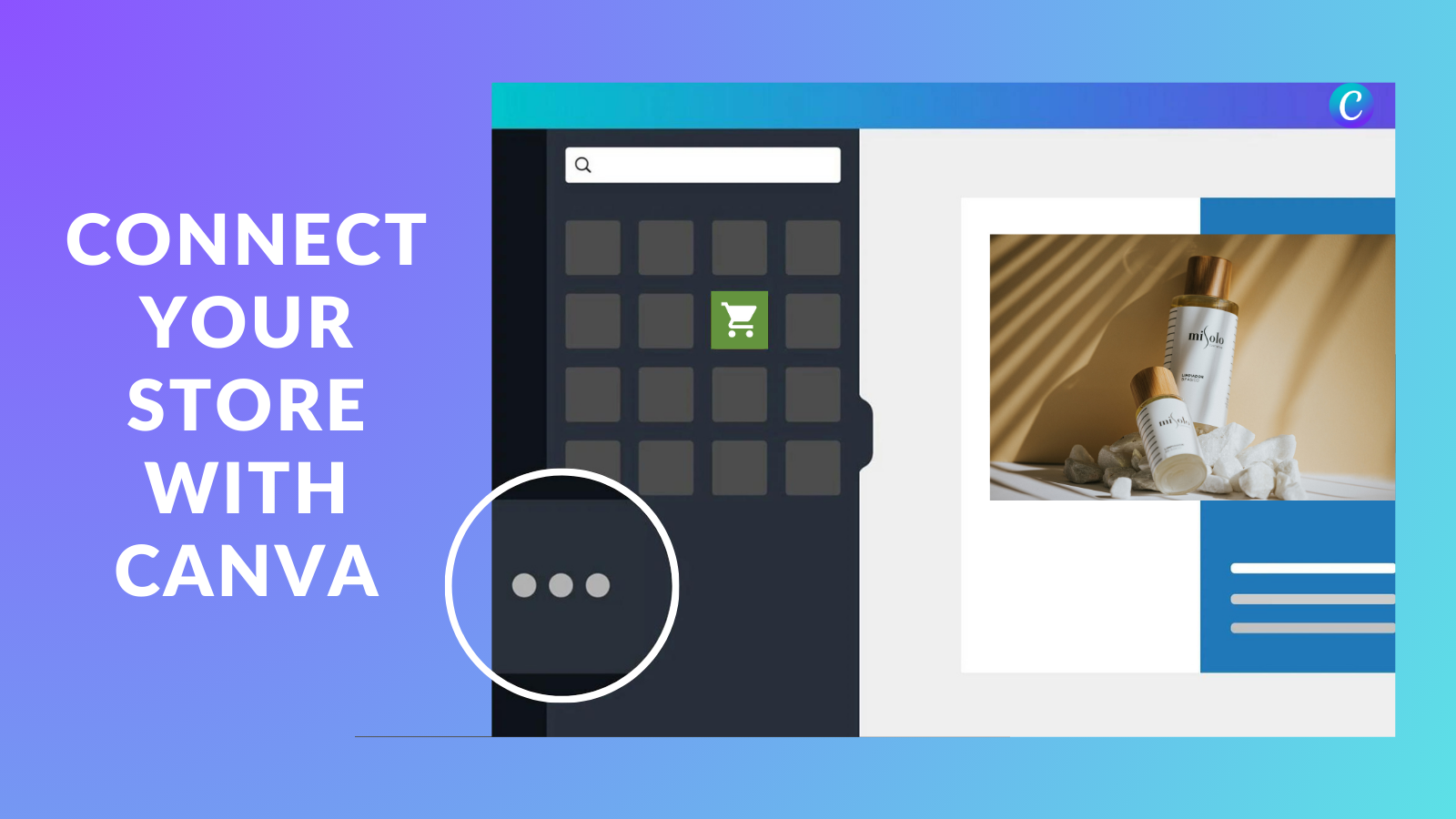
Access your product images and files directly inside Canva

Pricing Plans: Free
Pros
  • Streamlines workflows by eliminating manual downloads/uploads between Canva and Shopify.
  • Easy and quick setup with no technical hurdles for most users.
  • Direct access to Shopify product images in Canva accelerates design processes.
Cons
  • Some users report delays when loading Shopify files in Canva.

What merchants said

“This has made our Shopify design workflow much easier. Being able to access product images and videos directly in Canva means we no longer have to keep downloading and re-uploading files. I can quickly create polished visuals, make updates, and send the designs back to Shopify without disrupting the workflow. Such a simple integration, but a huge time saver for our store.”
Tidepoolkids Online · United States · ★ 5.0 · 8/25/2026

Summary

Starting PriceFree
Free TrialFree plan
Launch Date06 Sep 2024
DeveloperSeguno
Ratings4.8 ★ (400)
Install NowView charts
About the App

Canva Connect, a Canva Shopify app, has achieved 399 reviews and an average rating of 4.8 stars since its launch 2 years ago. Designed to assist Shopify merchants with - "Access your product images in Canva and seamlessly send designs between platforms." it is a valuable addition to the Canva app lineup.

Top Features:

Canva Shopify apps can help elevate your e-commerce game. Canva Connect offers a host of key features, including:

  • Easily search your catalog to find the product, collection, or file you want.
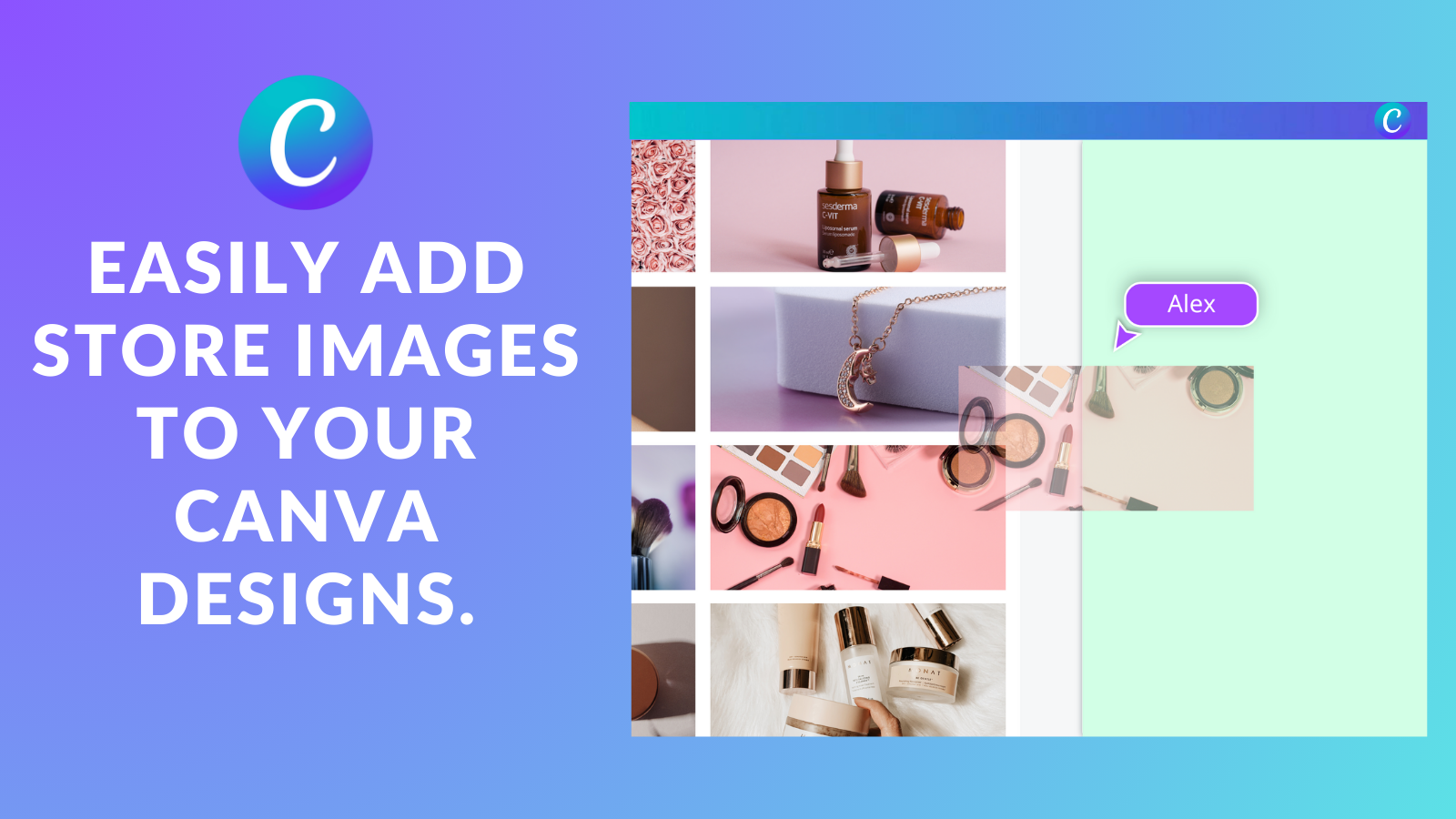
  • Drag product titles, images, and videos directly into your Canva designs.
  • Export or import designs from Canva to a Product or Collection page in Shopify.
  • Open Canva from inside Shopify to edit product images.
  • Access and add your Canva designs to emails when using Seguno Email Marketing.
Pricing Details

Canva Connect offers 0 free plans and 0 paid plans.

Considering installing this Canva Shopify app? Explore the pricing details and discover if they align with your budget and needs.

  1. · $0/month

Pros and Cons

Delve into ShopDigest's expert insights on Canva Connect - a Canva Shopify app. Our analysis of Shopify app store reviews presents unique pros and cons, allowing you to make informed decisions for your business. Read our full Canva Connect Canva App review.

Pros
  • Streamlines workflows by eliminating manual downloads/uploads between Canva and Shopify.
  • Easy and quick setup with no technical hurdles for most users.
  • Direct access to Shopify product images in Canva accelerates design processes.
  • Intuitive navigation and clear instructions cater to non-technical users.
  • Simplifies creating and updating marketing materials with real-time sync.
  • Smooth performance across devices and operating systems.
  • No cost for core features, making it accessible to small businesses.
  • Enables quick edits, resizing, and branding directly within Canva.
  • Improves visual consistency and reduces operational bottlenecks.
  • Helpful guides aid onboarding and feature discovery.
Cons
  • Some users report delays when loading Shopify files in Canva.
  • Power users noted unmet needs for complex design workflows.
  • Exporting designs back to Shopify can be slow for larger files.
Talk to the developer

Install in Your Store Now

Your request goes to the team that built Canva Connect, not a support queue.

#2 of 96
Canvify: Canva AI Page Builder

Canvify: Canva AI Page Builder by Nofuss

Design in Canva. Import as Landing Page or section with SEO.

Pricing Plans: $3.70/month, $14.70/month
Free Trial: 14 days
Pros
  • Consistently fast, attentive, and effective problem resolution with direct, helpful communication.
  • Direct, efficient connection between Canva designs and Shopify, facilitating easy transfer and publishing of content.
  • Intuitive setup and workflow enabling both beginners and non-technical users to create and publish pages without coding skills.
Cons
  • Restrictions such as allowing only a single Canva design per Shopify page and limited ability to mix Shopify and Canva sections.

What merchants said

“Great app. Love being able to design in Canva and how easy it is to make updates. ”
WRLDCTZNS · United States · ★ 5.0 · 8/10/2026

Summary

Starting Price$3.70/mo
Free Trial14 days
Launch Date19 Dec 2023
DeveloperNofuss
Ratings4.8 ★ (98)
Install NowView charts
About the App

Canvify: Canva AI Page Builder, a Canva Shopify app, has achieved 97 reviews and an average rating of 4.8 stars since its launch 3 years ago. Designed to assist Shopify merchants with - "Landing page builder, less hassle more power, your Canva power. Import with AI, links, videos, SEO." it is a valuable addition to the Canva app lineup.

Top Features:

Canva Shopify apps can help elevate your e-commerce game. Canvify: Canva AI Page Builder offers a host of key features, including:

  • Keep the simplicity you love about Canva and build your landing pages there
  • Mobile friendly pages, work with any theme. Add to homepage etc. as section.
  • SEO friendly landing pages that reside in your store as Shopify pages
  • Keep Canva videos, animations, images, responsive design. All with zero code.
  • Made in and support based in Britain 🇬🇧
Pricing Details

Canvify: Canva AI Page Builder offers 0 free plans and 2 paid plans.

Considering installing this Canva Shopify app? Explore the pricing details and discover if they align with your budget and needs.

  1. Basic · $3.70/month

    Included features: 1 live page, No branding, Unlimited page views, Our own Canva landing page templates

  2. Premium · $14.70/month

    Included features: Unlimited pages, No branding, Unlimited page views, Our own Canva landing page templates, Fan-making support

Pros and Cons

Delve into ShopDigest's expert insights on Canvify: Canva AI Page Builder - a Canva Shopify app. Our analysis of Shopify app store reviews presents unique pros and cons, allowing you to make informed decisions for your business. Read our full Canvify: Canva AI Page Builder Canva App review.

Pros
  • Consistently fast, attentive, and effective problem resolution with direct, helpful communication.
  • Direct, efficient connection between Canva designs and Shopify, facilitating easy transfer and publishing of content.
  • Intuitive setup and workflow enabling both beginners and non-technical users to create and publish pages without coding skills.
  • Reduces need for external page builders and developers, allowing quick page creation at a lower cost.
  • Enables original, visually attractive, and highly customized store pages, bypassing the limitations of standard Shopify themes.
  • Clear, frequently updated instructions to assist users throughout the process.
  • Supports building professional-looking, branded landing and collection pages, contributing to a positive business impact.
  • Recognized as cost-effective, especially compared to competing page builder apps.
  • Works effectively with a range of store types and meets the needs of creators, small business owners, and larger brands alike.
Cons
  • Restrictions such as allowing only a single Canva design per Shopify page and limited ability to mix Shopify and Canva sections.
  • Occasional incompatibility with certain Shopify themes or templates, particularly with advanced custom setups.
  • Sporadic technical issues affecting installation, page visibility, or design layout that require support intervention.
  • Some users encounter challenges using designed pages in Shopify or with initial setup; requires troubleshooting.
  • A minority of users find the feature set insufficient relative to the subscription cost, especially when seeking more advanced functionality.
Talk to the developer

Install in Your Store Now

Your request goes to the team that built Canvify: Canva AI Page Builder, not a support queue.

#3 of 96
Canva AutoSync Integration

Canva AutoSync Integration by Autopilot

Find & use your product images in Canva.

Pricing Plans: Free
Pros
  • The app is frequently praised for its quick and straightforward setup process.
  • Users highlight the smooth synchronization between Canva and Shopify.
  • Many reviews mention the app significantly reduces manual effort and saves time.
Cons
  • Some users report intermittent problems with synchronization.

What merchants said

“awesome just love the way work but 1 think i dont like eveythink is lock in some plan otherwise awesome :)”
𝕄𝕮 𝕋𝕙𝕖 𝔹𝕝𝕒𝕔𝕜 𝔻𝕚𝕒𝕞𝕠𝕟𝕕 · Canada · ★ 5.0 · 1/19/2026

Summary

Starting PriceFree
Free TrialFree plan
Launch Date28 Apr 2023
DeveloperAutopilot
Ratings4.4 ★ (130)
Install NowView charts
About the App

Canva AutoSync Integration, a Canva Shopify app, has achieved 131 reviews and an average rating of 4.4 stars since its launch 3 years ago. Designed to assist Shopify merchants with - "Add product images to your Canva designs directly from Canva itself." it is a valuable addition to the Canva app lineup.

Top Features:

Canva Shopify apps can help elevate your e-commerce game. Canva AutoSync Integration offers a host of key features, including:

  • Marketing Access:Let your marketing team use the newest product photos.
  • Product Search:Just look up the product name in Canva.
  • Seamless Integration:Simple one-step integration.
Pricing Details

Canva AutoSync Integration offers 0 free plans and 0 paid plans.

Considering installing this Canva Shopify app? Explore the pricing details and discover if they align with your budget and needs.

  1. · $0/month

Pros and Cons

Delve into ShopDigest's expert insights on Canva AutoSync Integration - a Canva Shopify app. Our analysis of Shopify app store reviews presents unique pros and cons, allowing you to make informed decisions for your business. Read our full Canva AutoSync Integration Canva App review.

Pros
  • The app is frequently praised for its quick and straightforward setup process.
  • Users highlight the smooth synchronization between Canva and Shopify.
  • Many reviews mention the app significantly reduces manual effort and saves time.
  • The intuitive design and ease of use are consistently appreciated.
  • The app’s free availability and affordability are noted as major advantages.
  • Positive experiences with responsive and helpful customer support are mentioned.
  • Users report improved workflow and creative efficiency.
Cons
  • Some users report intermittent problems with synchronization.
  • A few reviews mention unclear setup guidance or insufficient support materials.
Talk to the developer

Install in Your Store Now

Your request goes to the team that built Canva AutoSync Integration, not a support queue.

Keyword ranking

Top three ranked in Shopify App Store

Canva Connect
Canva Connect

Access your product images in Canva and seamlessly send designs between platforms.

4.8 ★ (400)Free
View app data →
Canvify: Canva AI Page Builder

Landing page builder, less hassle more power, your Canva power. Import with AI, links, videos, SEO.

4.8 ★ (98)$3.7/mo onwards
View app data →
Canva AutoSync Integration

Add product images to your Canva designs directly from Canva itself.

4.4 ★ (130)Free
View app data →
#4 of 96
Seguno Email Marketing

Seguno Email Marketing by Seguno

Simple email marketing through newsletters, automated responses & pre-made templates.

Pricing Plans: Free, $35/month, $215/month
Free Trial: 10 days
Pros
  • Consistently praised for responsiveness, knowledge, and willingness to go above and beyond.
  • Effortless synchronization with Shopify, streamlining email marketing workflows.
  • Intuitive design and ease of use, even for beginners.
Cons
  • Lack of detailed analytics like A/B testing or click-through rate comparisons.

What merchants said

“I always second guess myseld when setting up automations and trying to connect the dots, and now... no second guessing! Josh walked me through everything in a very timely and polite manner, with video or pictures to assist. Very helpful and very happy with Seguno.”
Maison Khloe · Canada · ★ 5.0 · 10/30/2026

Summary

Starting PriceFree
Free Trial10 days
Launch Date13 Dec 2018
DeveloperSeguno
Ratings4.8 ★ (739)
Install NowView charts
About the App

Seguno Email Marketing, a Canva Shopify app, has achieved 733 reviews and an average rating of 4.8 stars since its launch 8 years ago. Designed to assist Shopify merchants with - "Save money and time by setting up and automating emails from your shop's Admin." it is a valuable addition to the Canva app lineup.

Top Features:

Canva Shopify apps can help elevate your e-commerce game. Seguno Email Marketing offers a host of key features, including:

  • Shopify Dashboard:Access your segments, discounts, products, and blogs within Shopify.
  • Automation series and restock alerts:Use a collection of ready-made automation sequences and get alerts when items are back in stock!
  • Canva Email Designer:Create stunning emails quickly with a full-screen Canva editor.
  • Secure Delivery:Safely send messages with integrated deliverability support and spam protection for added security.
  • Custom Email Support:Receive quick help from actual email specialists, regardless of your store size.
Pricing Details

Seguno Email Marketing offers 1 free plan and 2 paid plans.

Considering installing this Canva Shopify app? Explore the pricing details and discover if they align with your budget and needs.

  1. Starter · $0/month

    Included features: Unlimited sending, Pre-built automations, 200+ templates available, Unique discount codes, Design with Canva, Email and chat support

  2. Standard · $35/month

    Included features: Everything in Starter, plus:, Popups, Reviews, and Banners, Enhanced reporting, Back-in-stock alerts, Multi-email, custom automations, Browse and cart abandonment, Remail non-openers, Free access to 200+ templates

  3. Pro · $215/month

    Included features: Everything in Standard, plus:, One-on-one onboarding support, Deliverability audit and support, Customer Success Manager

Pros and Cons

Delve into ShopDigest's expert insights on Seguno Email Marketing - a Canva Shopify app. Our analysis of Shopify app store reviews presents unique pros and cons, allowing you to make informed decisions for your business. Read our full Seguno Email Marketing Canva App review.

Pros
  • Consistently praised for responsiveness, knowledge, and willingness to go above and beyond.
  • Effortless synchronization with Shopify, streamlining email marketing workflows.
  • Intuitive design and ease of use, even for beginners.
  • Powerful yet simple automations for welcome emails, abandoned carts, and more.
  • Professionally designed templates that enhance branding and conversion rates.
  • Competitive pricing with scalable plans based on subscriber growth.
  • Helpful webinars, tutorials, and one-on-one consultations for marketing guidance.
  • Fast and straightforward onboarding, enabling users to launch campaigns promptly.
  • Notable improvements in customer engagement and conversion rates.
  • Stable and consistent functionality with minimal technical issues.
Cons
  • Lack of detailed analytics like A/B testing or click-through rate comparisons.
  • Inability to upload or use custom-designed email templates.
  • Absence of niche functionalities like automated review requests or bulk subscriber management.
Talk to the developer

Install in Your Store Now

Your request goes to the team that built Seguno Email Marketing, not a support queue.

#5 of 96
Canvaloom Canva Landing Pages

Canvaloom Canva Landing Pages by Profitonium

Pricing Plans: Free, $2.99/month, $5.49/month
Free Trial: 30 days
Key Features
  • Create stunning pages in Canva and turn them into live Shopify pages
  • Use on any theme as landing pages or homepage sections
  • Pages are mobile responsive and SEO optimized by default
  • Supports Canva links, videos, animations, and buttons
  • Built for Shopify users with reliable and responsive support

What merchants said

“They were a great help and spent over an hour fixing my problem. The page would not show after uploading. They are easy to work with. ”
KristenDahms · United States · ★ 5.0 · 6/22/2026

Summary

Starting PriceFree
Free Trial30 days
Launch Date28 Mar 2025
DeveloperProfitonium
Ratings3.9 ★ (3)
View on ShopifyView charts
About the App

Canvaloom Canva Landing Pages, a Canva Shopify app, has achieved 3 reviews and an average rating of 3.9 stars since its launch 1 years ago. Designed to assist Shopify merchants with - "Convert Canva Websites into your Landing page, Blogs or Sections in just a few clicks. Fast & Simple" it is a valuable addition to the Canva app lineup.

Top Features:

Canva Shopify apps can help elevate your e-commerce game. Canvaloom Canva Landing Pages offers a host of key features, including:

  • Create stunning pages in Canva and turn them into live Shopify pages
  • Use on any theme as landing pages or homepage sections
  • Pages are mobile responsive and SEO optimized by default
  • Supports Canva links, videos, animations, and buttons
  • Built for Shopify users with reliable and responsive support
Pricing Details

Canvaloom Canva Landing Pages offers 1 free plan and 2 paid plans.

Considering installing this Canva Shopify app? Explore the pricing details and discover if they align with your budget and needs.

  1. Free · $0/month

    Included features: Convert only 1 Canva page, Generate unlimited cart actions, Featured templates

  2. Basic · $2.99/month

    Included features: Convert up to 5 Canva pages, Generate unlimited cart actions, Chat support

  3. Pro · $5.49/month

    Included features: Convert Unlimited Canva pages, Generate unlimited cart actions, Priority chat/call support, Featured templates

Pros and Cons

Delve into ShopDigest's expert insights on Canvaloom Canva Landing Pages - a Canva Shopify app. Our analysis of Shopify app store reviews presents unique pros and cons, allowing you to make informed decisions for your business.

Pros
  • The app is straightforward and user-friendly, with a simple interface.
  • Pages load quickly and function smoothly across devices.
  • Effortlessly converts Canva designs into Shopify pages with high fidelity.
  • Users appreciate the free or cost-effective nature of the service.
Talk to the developer

Install in Your Store Now

Your request goes to the team that built Canvaloom Canva Landing Pages, not a support queue.

#6 of 96
Canvas Product Design Studio

Canvas Product Design Studio by Lubbe Labs

Pricing Plans: Free, $1/month, $19/month, $49/month
Free Trial: 14 days
Key Features
  • Product designer and personaliser built into your product pages
  • Nine text effects plus curved text for round labels and stamps
  • AI background removal that runs in the customer's browser
  • Print-ready PNG, PDF and SVG cut-path files attached to every order
  • Billing tied to completed orders, with abandoned carts excluded

Summary

Starting PriceFree
Free Trial14 days
Launch Date17 Jun 2026
DeveloperLubbe Labs
Ratings- (0)
View on ShopifyView charts
About the App

Canvas Product Design Studio, a Canva Shopify app, has achieved 0 reviews and an average rating of 0 stars since its launch this year. Designed to assist Shopify merchants with - "A product designer on your product pages. Customers personalise items and you get print-ready files." it is a valuable addition to the Canva app lineup.

Top Features:

Canva Shopify apps can help elevate your e-commerce game. Canvas Product Design Studio offers a host of key features, including:

  • Product designer and personaliser built into your product pages
  • Nine text effects plus curved text for round labels and stamps
  • AI background removal that runs in the customer's browser
  • Print-ready PNG, PDF and SVG cut-path files attached to every order
  • Billing tied to completed orders, with abandoned carts excluded
Pricing Details

Canvas Product Design Studio offers 1 free plan and 3 paid plans.

Considering installing this Canva Shopify app? Explore the pricing details and discover if they align with your budget and needs.

  1. Free · $0/month

    Included features: Full editor, 9 text + image effects, 1 template, Build and preview only, No print files - upgrade to sell, Watermark on previews

  2. Pay as you go · $1/month

    Included features: $1 per custom order, no commitment, Never more than $49 / month, Best for up to 50 orders / month, 20 published templates, Print-ready PDF, PNG + SVG cut paths, Unsplash photo library, Unlimited AI background removal, No watermark

  3. Starter · $19/month

    Included features: 20 published templates, 100 custom orders / month included, $0.20 per order over 100, Print-ready PDF, PNG + SVG cut paths, Unsplash photo library, Unlimited AI background removal, No watermark

  4. Growth · $49/month

    Included features: Everything in Starter, 50 published templates, 500 custom orders / month included, $0.15 per order over 500, Unlimited AI background removal, Build your own artwork packs, 14-day free trial

Talk to the developer

Install in Your Store Now

Your request goes to the team that built Canvas Product Design Studio, not a support queue.

#7 of 96
Canva AI Landing Page Builder

Canva AI Landing Page Builder by Autopilot

Pricing Plans: Free
Key Features
  • Easily customize your store pages in one-click with Canva.
  • Create beautiful pages without coding with easy Canva designer.
  • Dynamic, mobile-friendly pages for a seamless experience on any device.

What merchants said

“Thanks was having a hard time trying to figure out ”
Ex Beauty Day · United States · ★ 5.0 · 5/9/2026

Summary

Starting PriceFree
Free TrialFree plan
Launch Date16 Apr 2025
DeveloperAutopilot
Ratings2.5 ★ (4)
View on ShopifyView charts
About the App

Canva AI Landing Page Builder, a Canva Shopify app, has achieved 4 reviews and an average rating of 2.5 stars since its launch 1 years ago. Designed to assist Shopify merchants with - "Link your Canva websites to your store in one click" it is a valuable addition to the Canva app lineup.

Top Features:

Canva Shopify apps can help elevate your e-commerce game. Canva AI Landing Page Builder offers a host of key features, including:

  • Easily customize your store pages in one-click with Canva.
  • Create beautiful pages without coding with easy Canva designer.
  • Dynamic, mobile-friendly pages for a seamless experience on any device.
Pricing Details

Canva AI Landing Page Builder offers 0 free plans and 0 paid plans.

Considering installing this Canva Shopify app? Explore the pricing details and discover if they align with your budget and needs.

  1. · $0/month

Pros and Cons

Delve into ShopDigest's expert insights on Canva AI Landing Page Builder - a Canva Shopify app. Our analysis of Shopify app store reviews presents unique pros and cons, allowing you to make informed decisions for your business.

Pros
  • The app simplifies tasks like importing content, making it accessible for quick setup.
  • Quick resolution of issues by the support team enhances user satisfaction.
Talk to the developer

Install in Your Store Now

Your request goes to the team that built Canva AI Landing Page Builder, not a support queue.

#8 of 96
Customily Product Personalizer

Customily Product Personalizer by Customily

#1 Ranked Customizer, Interactive Preview, Print-Ready File, Print on Demand.

Pricing Plans: Free, $49/month
Free Trial: 9 days
Pros
  • Consistently praised for prompt, knowledgeable, and dedicated assistance, often going above and beyond.
  • Offers extensive tools for product personalization, enabling unique and detailed designs.
  • Intuitive navigation and straightforward setup, especially for non-tech-savvy users.
Cons
  • Many users find the app complex and time-consuming to master initially.

What merchants said

“Max is so helpful. He is very knowledgeable and patient. He knows his way around the product to help you get you online fast. I recommend this product for anyone needing customization.”
DC Laser Designs · United States · ★ 5.0 · 10/27/2026

Summary

Starting PriceFree
Free Trial9 days
Launch Date29 Apr 2020
DeveloperCustomily
Ratings4.9 ★ (281)
Install NowView charts
About the App

Customily Product Personalizer, a Canva Shopify app, has achieved 276 reviews and an average rating of 4.9 stars since its launch 6 years ago. Designed to assist Shopify merchants with - "Design and sell custom print-on-demand products! Automate your delivery process!" it is a valuable addition to the Canva app lineup.

Top Features:

Canva Shopify apps can help elevate your e-commerce game. Customily Product Personalizer offers a host of key features, including:

  • Endless customization:Endless choices: words, text style, colors, surfaces, pictures, star diagrams, animations!
  • Free graphic resources:Free clipart collections and design templates ready for use and sale!
  • Effortless Exporting:Export files ready to print, engrave, or laser-cut! No additional manual work required!
  • Automated Fulfillment:Link up with various Print-on-Demand providers to simplify order fulfillment!
  • Stunning product support:Worldwide team support to make your products look amazing. Includes live chat!
Pricing Details

Customily Product Personalizer offers 1 free plan and 1 paid plan.

Considering installing this Canva Shopify app? Explore the pricing details and discover if they align with your budget and needs.

  1. DEVELOPMENT STORES · $0/month

    Included features: Available for development stores only., All features included., Not a development store?, Try it FREE for 9 DAYS with Basic Plan!

  2. CUSTOMILY PLAN · $49/month

    Included features: Unlimited Stores, Options & Products, Unlimited Ready to Print File Exports, Full Automation with the Best PODs, Automatic File Generation (multi format), One click Import Designs from Canva, FREE Clipart & Designs Ready to Use, FREE AI Effects & Filters Included, Outstanding Support and Live Training

Pros and Cons

Delve into ShopDigest's expert insights on Customily Product Personalizer - a Canva Shopify app. Our analysis of Shopify app store reviews presents unique pros and cons, allowing you to make informed decisions for your business. Read our full Customily Product Personalizer Canva App review.

Pros
  • Consistently praised for prompt, knowledgeable, and dedicated assistance, often going above and beyond.
  • Offers extensive tools for product personalization, enabling unique and detailed designs.
  • Intuitive navigation and straightforward setup, especially for non-tech-savvy users.
  • Works well with popular platforms like Shopify and POD services, streamlining workflows.
  • Includes tutorials, videos, and live sessions to help users master the app.
  • Stable and robust functionality, with minimal downtime reported.
  • Produces professional, print-ready files that meet customer expectations.
  • User suggestions are considered and often implemented in updates.
  • Offers personalized Zoom calls and live classes for troubleshooting and guidance.
  • Users report continuous improvements and feature additions over time.
Cons
  • Many users find the app complex and time-consuming to master initially.
  • Frequent complaints about pricing, including transaction fees and monthly charges.
  • Occasional reports of unresolved technical issues affecting user experience.
  • Manual adjustments required for tasks like background color changes, increasing workload.
Talk to the developer

Install in Your Store Now

Your request goes to the team that built Customily Product Personalizer, not a support queue.

#9 of 96
Canfy: Canva Website Converter

Canfy: Canva Website Converter by Devluxx

Design landing page in Canva, Convert them to your store page.

Pricing Plans: Free, $7.99/month
Free Trial: 14 days
Key Features
  • Convert any Canva website into a real Shopify landing page
  • Re-import from Canva whenever the design changes, with zero downtime
  • Buy now and Add to cart links for Canva buttons, so a design can sell
  • Hide your theme header or footer per page, or add your own custom CSS

Summary

Starting PriceFree
Free Trial14 days
Launch Date18 Aug 2026
DeveloperDevluxx
Ratings- (0)
View on ShopifyView charts
About the App

Canfy: Canva Website Converter, a Canva Shopify app, has achieved 0 reviews and an average rating of 0 stars since its launch this year. Designed to assist Shopify merchants with - "Design landing pages in Canva and publish them on your store in minutes. Update any time, no code." it is a valuable addition to the Canva app lineup.

Top Features:

Canva Shopify apps can help elevate your e-commerce game. Canfy: Canva Website Converter offers a host of key features, including:

  • Convert any Canva website into a real Shopify landing page
  • Re-import from Canva whenever the design changes, with zero downtime
  • Buy now and Add to cart links for Canva buttons, so a design can sell
  • Hide your theme header or footer per page, or add your own custom CSS
Pricing Details

Canfy: Canva Website Converter offers 1 free plan and 1 paid plan.

Considering installing this Canva Shopify app? Explore the pricing details and discover if they align with your budget and needs.

  1. Free · $0/month

    Included features: 1 published page, Unlimited page views, Update from Canva any timefrom, No Canva watermark, Email support

  2. Premium · $7.99/month

    Included features: Unlimited published pages, Unlimited page views, Update from Canva any timefrom, No Canva watermark, Priority support

Talk to the developer

Install in Your Store Now

Your request goes to the team that built Canfy: Canva Website Converter, not a support queue.

#10 of 96
Teeinblue Product Personalizer

Teeinblue Product Personalizer by Teeinblue

Top Product Customizer, Real-Time Preview, Over 21 Print-On-Demand Partners

Pricing Plans: Free, $49/month
Free Trial: 14 days
Pros
  • Rapid, knowledgeable, and friendly assistance with prompt issue resolution.
  • Wide range of customizable options for diverse product types.
  • Intuitive design and easy navigation, even for beginners.
Cons
  • Charges per extra order on top of monthly subscription costs.

What merchants said

“App has helped so much and is easy to use. Customer support has been amazing whenever I had questions.”
Southern Made Customs · United States · ★ 5.0 · 10/29/2026

Summary

Starting PriceFree
Free Trial14 days
Launch Date30 Apr 2020
DeveloperTeeinblue
Ratings4.9 ★ (389)
Install NowView charts
About the App

Teeinblue Product Personalizer, a Canva Shopify app, has achieved 380 reviews and an average rating of 4.9 stars since its launch 6 years ago. Designed to assist Shopify merchants with - "Sell personalized print-on-demand products. Link with print-on-demand services to ensure fast order fulfilment." it is a valuable addition to the Canva app lineup.

Top Features:

Canva Shopify apps can help elevate your e-commerce game. Teeinblue Product Personalizer offers a host of key features, including:

  • Personalization Options:Customize your product with options like text, photos, star and street maps, and clipart.
  • Image Enhancement:Add text effects to a customer's image and allow background removal.
  • Print On Demand Integration:Link with various Print On Demand services and sell limitless personalized items.
  • Automated Print-on-Demand Processing:Create ready-to-print files automatically and reliably send orders to print-on-demand providers.
  • Multi-store POD integration:Sell on various Print On Demand shops and use the same information.
Pricing Details

Teeinblue Product Personalizer offers 1 free plan and 1 paid plan.

Considering installing this Canva Shopify app? Explore the pricing details and discover if they align with your budget and needs.

  1. Development stores · $0/month

    Included features: All features, Only free for Development Stores, Other Shopify plans, enjoy 14-day trial

  2. Blue · $49/month

    Included features: No transaction fee first 100 orders/mo, Unlimited stores in one account, Unlimited customized options & products, Auto-generate print-ready file, Connect to POD providers + API access, Import your designs from Canva & PSD, Free ready-to-use designs and mockups, Free live training, dedicated support

Pros and Cons

Delve into ShopDigest's expert insights on Teeinblue Product Personalizer - a Canva Shopify app. Our analysis of Shopify app store reviews presents unique pros and cons, allowing you to make informed decisions for your business. Read our full Teeinblue Product Personalizer Canva App review.

Pros
  • Rapid, knowledgeable, and friendly assistance with prompt issue resolution.
  • Wide range of customizable options for diverse product types.
  • Intuitive design and easy navigation, even for beginners.
  • Smooth connectivity with Shopify and print-on-demand providers.
  • Live mockup generator enhances customer experience and reduces returns.
  • Continuous improvements and new features based on user feedback.
  • Automated workflows for streamlined fulfillment.
  • Clear tutorials and guides for setup and troubleshooting.
  • Quick implementation of user-requested enhancements.
  • Adaptable to unique business needs and creative demands.
Cons
  • Charges per extra order on top of monthly subscription costs.
  • Exclusively for Shopify, lacking support for other platforms like WordPress.
  • Some users report slower load times in the admin dashboard.
Talk to the developer

Install in Your Store Now

Your request goes to the team that built Teeinblue Product Personalizer, not a support queue.

Showing 1-10 out of 96

Best canva Apps in Shopify

canva apps are designed to address specific needs and challenges faced by Shopify store merchants. Whether you're looking to optimize your store's SEO, improve customer support, enhance product listings, or streamline your inventory management, there's an app for that.

Discover a wealth of cutting-edge tools and features offered by these remarkable canva Shopify apps, including Canva Connect, Canvify: Canva AI Page Builder, Canva AutoSync Integration, and many more. Our app collection provides a comprehensive overview of the top apps in the canva category, enabling you to select the ones that will take your e-commerce venture to new heights.

Empower your Shopify store with the best canva apps the platform has to offer and elevate your online business.

Explore Apps by Criteria:

  1. Most Popular canva Apps
  2. Highest Reviewed canva Apps
  3. Top Rated canva Apps
  4. Newly Launched canva Apps

Overview of the Above Top Canva Shopify Apps in November 2026

There are a number of canva apps in the Shopify app store designed to supercharge your e-commerce success. Whether you're a seasoned entrepreneur or just starting your online journey, the right apps can make all the difference. We have listed the top Shopify apps in the canva category, based on their popularity and average rating, to help you make informed decisions.

App NameCategoryDeveloperStarting PriceFree PlanReviews
Canva ConnectCanva ConnectBuilt for ShopifyCanvaSeguno$0/month● Unavailable4.8 ★ (399)
Canvify: Canva AI Page BuilderCanvify: Canva AI Page BuilderBuilt for ShopifyCanvaNofuss$3.70/month● Unavailable4.8 ★ (97)
Canva AutoSync IntegrationCanva AutoSync IntegrationCanvaAutopilot$0/month● Unavailable4.4 ★ (131)
Seguno Email MarketingSeguno Email MarketingBuilt for ShopifyCanvaSeguno$0/month● Available4.8 ★ (733)
Canvaloom Canva Landing PagesCanvaloom Canva Landing PagesCanvaProfitonium$0/month● Available3.9 ★ (3)
Canvas Product Design StudioCanvas Product Design StudioCanvaLubbe Labs$0/month● Available- (0)
Canva AI Landing Page BuilderCanva AI Landing Page BuilderCanvaAutopilot$0/month● Unavailable2.5 ★ (4)
Customily Product PersonalizerCustomily Product PersonalizerCanvaCustomily$0/month● Available4.9 ★ (276)
Canfy: Canva Website ConverterCanfy: Canva Website ConverterCanvaDevluxx$0/month● Available- (0)
Teeinblue Product PersonalizerTeeinblue Product PersonalizerCanvaTeeinblue$0/month● Available4.9 ★ (380)

Have a Closer Look at the Best Canva Apps

Now let us jump in and check out these Top 5 Canva Shopify apps.

Canva Connect

1. Canva Connect

4.8 ★ (400)
Canva Connect screenshot 1
Canva Connect screenshot 2
Canva Connect screenshot 3
Canva Connect screenshot 4
Canva Connect screenshot 5

Reviews

Most Recent Review

5.0 ★Amazing

This has made our Shopify design workflow much easier. Being able to access product images and videos directly in Canva means we no longer have to keep downloading and re-uploading files. I can quickly create polished visuals, make updates, and send the designs back to Shopify without disrupting the workflow. Such a simple integration, but a huge time saver for our store.

Tidepoolkids Online · United States · 25 Aug 2026

Recent Review

5.0 ★Amazing

Canva Connect has been a huge productivity boost for creating high-quality product images and keeping our design workflow streamlined. While there is definitely a learning curve when first setting things up, the app generates detailed logs and makes pushing assets between Canva and Shopify much smoother once you master it. Highly recommend it to any merchant looking to elevate their store's visual content!

Savannah Lane Jewelry · United States · 23 Aug 2026
Why is Canva Connect a top Canva Shopify app?
With an impressive overall rating of 4.8 stars and 400 reviews, Canva Connect stands out as one of the top Canva Shopify apps. The main objective of the app is - Access your product images in Canva and seamlessly send designs between platforms. Its purpose underscores its significance in enhancing your Shopify store experience.

ShopDigest selects the top Shopify apps in the Canva category based on various parameters, including the number of installations across Shopify stores, the app's ranking in the Shopify App Store, the number of merchants' reviews, and its overall customer rating, among other factors.
Why integrate Canva Connect with your Shopify store?
By integrating a Canva app with your Shopify store, you unlock a range of benefits. Canva Connect, a popular Canva Shopify app, brings the following functionalities and value to a Shopify store, including:
  • Easily search your catalog to find the product, collection, or file you want.
  • Drag product titles, images, and videos directly into your Canva designs.
  • Export or import designs from Canva to a Product or Collection page in Shopify.
  • Open Canva from inside Shopify to edit product images.
  • Access and add your Canva designs to emails when using Seguno Email Marketing.
Learn more about the Canva Connect features in detail.

Shopify merchants highlight key advantages, such as Easily search your catalog to find the product, collection, or file you want., Drag product titles, images, and videos directly into your Canva designs., and more,
What are some of the top alternatives for Canva Connect?
Looking for options? Dive into a selection of Canva apps that rival Canva Connect, each offering unique features to enhance your Shopify store. Consider these top alternatives: which can match or even surpass the offerings of Canva Connect, giving you flexibility and choice.
profile picture 1profile picture 2profile picture 3profile picture 4

Install Now

Our experts are here to help you.

Canvify: Canva AI Page Builder screenshot 1
Canvify: Canva AI Page Builder screenshot 2
Canvify: Canva AI Page Builder screenshot 3
Canvify: Canva AI Page Builder screenshot 4
Canvify: Canva AI Page Builder screenshot 5
Canvify: Canva AI Page Builder screenshot 6
Canvify: Canva AI Page Builder screenshot 7

Reviews

Most Recent Review

5.0 ★Amazing

Great app. Love being able to design in Canva and how easy it is to make updates.

WRLDCTZNS · United States · 10 Aug 2026

Recent Review

5.0 ★Amazing

I have been using this app for almost 2 weeks now. Much better than other apps I tried. I am a Canva designer myself and this just fit right into my workflow.

Templates Digger · United States · 02 Aug 2026
Why is Canvify: Canva AI Page Builder a top Canva Shopify app?
With an impressive overall rating of 4.8 stars and 98 reviews, Canvify: Canva AI Page Builder stands out as one of the top Canva Shopify apps. The main objective of the app is - Landing page builder, less hassle more power, your Canva power. Import with AI, links, videos, SEO. Its purpose underscores its significance in enhancing your Shopify store experience.

ShopDigest selects the top Shopify apps in the Canva category based on various parameters, including the number of installations across Shopify stores, the app's ranking in the Shopify App Store, the number of merchants' reviews, and its overall customer rating, among other factors.
Why integrate Canvify: Canva AI Page Builder with your Shopify store?
By integrating a Canva app with your Shopify store, you unlock a range of benefits. Canvify: Canva AI Page Builder, a popular Canva Shopify app, brings the following functionalities and value to a Shopify store, including:
  • Keep the simplicity you love about Canva and build your landing pages there
  • Mobile friendly pages, work with any theme. Add to homepage etc. as section.
  • SEO friendly landing pages that reside in your store as Shopify pages
  • Keep Canva videos, animations, images, responsive design. All with zero code.
  • Made in and support based in Britain 🇬🇧
Learn more about the Canvify: Canva AI Page Builder features in detail.

Shopify merchants highlight key advantages, such as Keep the simplicity you love about Canva and build your landing pages there, Mobile friendly pages, work with any theme. Add to homepage etc. as section., and more,
What are some of the top alternatives for Canvify: Canva AI Page Builder?
Looking for options? Dive into a selection of Canva apps that rival Canvify: Canva AI Page Builder, each offering unique features to enhance your Shopify store. Consider these top alternatives: which can match or even surpass the offerings of Canvify: Canva AI Page Builder, giving you flexibility and choice.
profile picture 1profile picture 2profile picture 3profile picture 4

Install Now

Our experts are here to help you.

Canva AutoSync Integration screenshot 1
Canva AutoSync Integration screenshot 2
Canva AutoSync Integration screenshot 3
Canva AutoSync Integration screenshot 4
Canva AutoSync Integration screenshot 5

Reviews

Most Recent Review

5.0 ★Amazing

awesome just love the way work but 1 think i dont like eveythink is lock in some plan otherwise awesome :)

𝕄𝕮 𝕋𝕙𝕖 𝔹𝕝𝕒𝕔𝕜 𝔻𝕚𝕒𝕞𝕠𝕟𝕕 · Canada · 19 Jan 2026

Recent Review

5.0 ★Amazing

Seamless integration that takes less than a minute to get setup! Love it!

VXN Lab & VXN Den Wellness · United States · 07 Jan 2026
Why is Canva AutoSync Integration a top Canva Shopify app?
With an impressive overall rating of 4.4 stars and 130 reviews, Canva AutoSync Integration stands out as one of the top Canva Shopify apps. The main objective of the app is - Add product images to your Canva designs directly from Canva itself. Its purpose underscores its significance in enhancing your Shopify store experience.

ShopDigest selects the top Shopify apps in the Canva category based on various parameters, including the number of installations across Shopify stores, the app's ranking in the Shopify App Store, the number of merchants' reviews, and its overall customer rating, among other factors.
Why integrate Canva AutoSync Integration with your Shopify store?
By integrating a Canva app with your Shopify store, you unlock a range of benefits. Canva AutoSync Integration, a popular Canva Shopify app, brings the following functionalities and value to a Shopify store, including:
  • Marketing Access: Let your marketing team use the newest product photos.
  • Product Search: Just look up the product name in Canva.
  • Seamless Integration: Simple one-step integration.
Learn more about the Canva AutoSync Integration features in detail.

Shopify merchants highlight key advantages, such as Give your marketing team access to the latest product images., Simply search by product name in Canva., and more,
What are some of the top alternatives for Canva AutoSync Integration?
Looking for options? Dive into a selection of Canva apps that rival Canva AutoSync Integration, each offering unique features to enhance your Shopify store. Consider these top alternatives: which can match or even surpass the offerings of Canva AutoSync Integration, giving you flexibility and choice.
profile picture 1profile picture 2profile picture 3profile picture 4

Install Now

Our experts are here to help you.

Seguno Email Marketing screenshot 1
Seguno Email Marketing screenshot 2
Seguno Email Marketing screenshot 3
Seguno Email Marketing screenshot 4
Seguno Email Marketing screenshot 5
Seguno Email Marketing screenshot 6
Seguno Email Marketing screenshot 7

Reviews

Most Recent Review

5.0 ★Amazing

I always second guess myseld when setting up automations and trying to connect the dots, and now... no second guessing! Josh walked me through everything in a very timely and polite manner, with video or pictures to assist. Very helpful and very happy with Seguno.

Maison Khloe · Canada · 30 Oct 2026

Recent Review

5.0 ★Amazing

I've been using this app for years. It's a great asset. The customer service is excellent, and they respond immediately when you need them!

VERGE Lifestyle & Urban Culture Magazine · United States · 26 Oct 2026
Why is Seguno Email Marketing a top Canva Shopify app?
With an impressive overall rating of 4.8 stars and 739 reviews, Seguno Email Marketing stands out as one of the top Canva Shopify apps. The main objective of the app is - Save money and time by setting up and automating emails from your shop's Admin. Its purpose underscores its significance in enhancing your Shopify store experience.

ShopDigest selects the top Shopify apps in the Canva category based on various parameters, including the number of installations across Shopify stores, the app's ranking in the Shopify App Store, the number of merchants' reviews, and its overall customer rating, among other factors.
Why integrate Seguno Email Marketing with your Shopify store?
By integrating a Canva app with your Shopify store, you unlock a range of benefits. Seguno Email Marketing, a popular Canva Shopify app, brings the following functionalities and value to a Shopify store, including:
  • Shopify Dashboard: Access your segments, discounts, products, and blogs within Shopify.
  • Automation series and restock alerts: Use a collection of ready-made automation sequences and get alerts when items are back in stock!
  • Canva Email Designer: Create stunning emails quickly with a full-screen Canva editor.
  • Secure Delivery: Safely send messages with integrated deliverability support and spam protection for added security.
  • Custom Email Support: Receive quick help from actual email specialists, regardless of your store size.
Learn more about the Seguno Email Marketing features in detail.

Shopify merchants highlight key advantages, such as Stay inside Shopify; access your segments, discounts, products, blogs, and more., Use a library of pre-built automation series and Back in Stock restock alerts!, and more,
What are some of the top alternatives for Seguno Email Marketing?
Looking for options? Dive into a selection of Canva apps that rival Seguno Email Marketing, each offering unique features to enhance your Shopify store. Consider these top alternatives: which can match or even surpass the offerings of Seguno Email Marketing, giving you flexibility and choice.
profile picture 1profile picture 2profile picture 3profile picture 4

Install Now

Our experts are here to help you.

Canvaloom Canva Landing Pages

5. Canvaloom Canva Landing Pages

3.9 ★ (3)
Canvaloom Canva Landing Pages screenshot 1
Canvaloom Canva Landing Pages screenshot 2
Canvaloom Canva Landing Pages screenshot 3
Canvaloom Canva Landing Pages screenshot 4
Canvaloom Canva Landing Pages screenshot 5

Reviews

Most Recent Review

5.0 ★Amazing

They were a great help and spent over an hour fixing my problem. The page would not show after uploading. They are easy to work with.

KristenDahms · United States · 22 Jun 2026

Recent Review

5.0 ★Amazing

Abhinav was an absolute gem!!!! amazing help guiding me through set up!!Thank you Abhinav!!!

Coco + Coast · Canada · 25 Jul 2025
Why is Canvaloom Canva Landing Pages a top Canva Shopify app?
With an impressive overall rating of 3.9 stars and 3 reviews, Canvaloom Canva Landing Pages stands out as one of the top Canva Shopify apps. The main objective of the app is - Convert Canva Websites into your Landing page, Blogs or Sections in just a few clicks. Fast & Simple Its purpose underscores its significance in enhancing your Shopify store experience.

ShopDigest selects the top Shopify apps in the Canva category based on various parameters, including the number of installations across Shopify stores, the app's ranking in the Shopify App Store, the number of merchants' reviews, and its overall customer rating, among other factors.
Why integrate Canvaloom Canva Landing Pages with your Shopify store?
By integrating a Canva app with your Shopify store, you unlock a range of benefits. Canvaloom Canva Landing Pages, a popular Canva Shopify app, brings the following functionalities and value to a Shopify store, including:
  • Create stunning pages in Canva and turn them into live Shopify pages
  • Use on any theme as landing pages or homepage sections
  • Pages are mobile responsive and SEO optimized by default
  • Supports Canva links, videos, animations, and buttons
  • Built for Shopify users with reliable and responsive support
Learn more about the Canvaloom Canva Landing Pages features in detail.

Shopify merchants highlight key advantages, such as Create stunning pages in Canva and turn them into live Shopify pages, Use on any theme as landing pages or homepage sections, and more,
What are some of the top alternatives for Canvaloom Canva Landing Pages?
Looking for options? Dive into a selection of Canva apps that rival Canvaloom Canva Landing Pages, each offering unique features to enhance your Shopify store. Consider these top alternatives: which can match or even surpass the offerings of Canvaloom Canva Landing Pages, giving you flexibility and choice.
profile picture 1profile picture 2profile picture 3profile picture 4

Install Now

Our experts are here to help you.

How We Selected the Top Shopify Apps in canva

Our team employs a comprehensive evaluation process that takes into account various factors to ensure you are presented with only the best options. Here's how we do it:

  • By Reviews: We understand the value of peer recommendations, and that's why we've sorted these top Shopify apps in canva based on the highest praise received from users, ensuring you get tried-and-tested solutions. The top listed apps here have earned the trust of fellow Shopify merchants. Jump to Highest Reviewed canva Shopify Apps.
  • By Price: Budget consideration is important while choosing a Shopify app for your store. That's why we have also categorized these top Shopify apps in canva by price, enabling you to find the perfect solutions that align with your financial goals without compromising on quality. Jump to Top Paid canva Shopify Apps.
  • By Launch Date: To keep you updated about the latest innovations, we've organized these Shopify apps based on their launch date. You can check the list of recently launched top apps in canva that could bring innovative solutions to your Shopify store. Jump to Newly Launched canva Shopify Apps.
  • By Popularity: We feature the canva apps that are making waves among Shopify store owners, helping you stay ahead of the curve. These apps have captured the attention of ecommerce owners and are listed as the top in the popularity section of the Shopify app store. Jump to Most Popular canva Shopify Apps.
  • By Ratings: We prioritize apps that have consistently earned high ratings, reflecting their impact and user satisfaction. These canva apps with excellent ratings stand out from their competitors, making them a solid choice for your business needs. Jump to Top Rated canva Shopify Apps.
  • By Best Match: We harness the power of Shopify's own recommendations! Our selection considers apps that Shopify suggests as a strong fit for canva, ensuring you access the platform's expert insights. Jump to Best Match canva Shopify Apps.

With these criteria in mind, we strive to present you with a diverse and well-rounded selection of the top canva Shopify apps in 2026. Rest assured, our selection process is designed to assist you in finding the most suitable solutions for your Shopify store needs.

How to Choose the Best canva Shopify App For Your Store

Choosing the right canva Shopify App for your store depends on various factors specific to your business goals. To make an informed decision, follow these steps:

  • Identify Your Requirements: Begin by understanding the specific goals and challenges your store faces. List the key features and functionalities you need in a canva app to address these requirements effectively.
  • Read User Reviews: Explore user reviews and ratings for the canva apps you are considering. Real-hand experiences from other Shopify merchants can provide valuable insights into how each app performs.
  • Compare Features: Use our app comparison page, where you can add the canva apps of your choice and perform a side-by-side comparison. This page allows you to evaluate each app's features, pricing, support, and other essential factors to help you find the best fit for your store.
  • Consider Budget: While some apps offer free plans with basic functionalities, others may require a paid subscription for access to advanced features. You can check out our complete list of Top Paid canva Shopify apps, and choose an app that aligns with your budget and can grow with your store as it expands.
  • Support and Documentation: Check the documentation and customer support resources of the app. A well-supported canva app that offers comprehensive documentation can help you implement and use it more effectively.
  • Integration Compatibity: Ensure that the canva app you choose can seamlessly integrate with your existing apps and theme to avoid compatibility issues.
  • Trial Periods: Some canva apps offer a free trial period that enables you to test the app's capabilities before purchasing a subscription.

Each Shopify store is different, and the best canva app for your store will be one that aligns closely with your specific business requirements.

More Information on canva Shopify Apps

Now let us jump in and check out these Top 10 canva Shopify apps.

In this comprehensive guide, we've provided you with a complete collection of canva Shopify apps that can help streamline your ecommerce journey. These canva Shopify apps cover a wide spectrum of needs to take your store forward. From 96 outstanding apps, we've covered every facet of canva, ensuring you have access to a vast range of tools to enhance your Shopify store.

However, choosing the perfect canva app for your specific requirements is key. Consider your specific goals, read user reviews, and compare features to find the ideal match for your Shopify store. Our Shopify app comparison page simplifies this process by allowing you to create side-by-side comparisons for any canva apps of your choice. ShopDigest guides you through the selection process, making it easier to find and install the perfect canva app that aligns with your goals.

Shopify canva App Installation

There are thousands of canva Shopify apps with different installation instructions, integration complexities, and customization levels. Our team at ShopDigest is here to assist you every step of the way. Installing your chosen app is a breeze with our service, ensuring a seamless integration into your store's ecosystem.

What's included

  • Safely install/uninstall Shopify app of your choice
  • App integration with any theme as per specification
  • Configurations & setup
  • Assured support and guidance
  • Get discount offers (not guaranteed)

What's not included

  • Shopify app subscription cost
Keyword charts

Explore key insights for canva apps

Market share, rank movement, install geography and review pace — tracked across all 96 apps. Open the full charts for history and app-level detail.

Open canva charts

Market share leaders

Nov 2026
Seguno Email Marketing31.8%
Canva Connect31.0%
Canvify: Canva AI Page Builder18.2%
Customily Product Personalizer8.0%
Teeinblue Product Personalizer4.8%

The top two apps hold 62.7% of tracked installs.

Rank movers, 30 days

Top 10 tracked
Canvas Product Design StudioCanvas Product Design Studio▲ 6#7
Customily Product PersonalizerCustomily Product Personalizer▲ 4#6
Massively: DM Canvas & AI ChatMassively: DM Canvas & AI Chat▲ 3#9
Seguno Email MarketingSeguno Email Marketing▲ 2#3
Canvaloom Canva Landing PagesCanvaloom Canva Landing Pages▲ 2#4

7 apps climbed and 1 dropped among the top 10 tracked.

Where installs come from

Keyword-wide
🇺🇸United States54.3%
🇬🇧United Kingdom10.5%
🇨🇦Canada7.4%
🇩🇪Germany3.0%
🇭🇰Hong Kong3.0%

United States and United Kingdom merchants drive 64.7% of installs.

Reviews added, 30 days

Top tracked apps
Teeinblue Product Personalizer+14
Customily Product Personalizer+8
Seguno Email Marketing+3
Canvify: Canva AI Page Builder+1
Printumo: Print on Demand Art+1

27 new reviews across the top 10 tracked apps in the last 30 days.

Key Insights:
  • Canva Connect commands 31.0% market share, 12.8pp ahead of Canvify: Canva AI Page Builder — a competitive canva category.
  • In the last 30 days, 7 apps climbed and 1 dropped in ranking among the top 10 tracked canva apps.
  • Teeinblue Product Personalizer added the most new reviews this month (+14) — strong adoption momentum.

Frequently Asked Questions for canva Shopify Apps

1. What are some of the top Shopify apps under the canva category?

Here are some of the top Shopify apps under the canva category:

Each of these apps offers unique features and functionalities tailored to boost your canva efforts and optimize your store's performance. Explore these top choices and find the perfect fit for your business needs.

2. How do I install a canva Shopify app?

Installing a canva Shopify app is simple. Navigate to the Shopify App Store, search for the specific app you want to install, and click on the "Install Now" button. Follow the on-screen instructions to integrate the app seamlessly into your Shopify store. If you need our expert guidance to help you install canva apps on your Shopify store, feel free to contact us now.

3. Are there free apps available in the canva category?

Yes, the canva category offers a variety of free apps that can be integrated into your Shopify store at no cost. These free apps come with a range of basic features and functionalities to assist you in managing various aspects of your ecommerce business.

4. Are there any trial options available for paid apps in the canva category?

Many paid apps in the canva category offer free trial periods, allowing you to explore their features and assess their compatibility for your business. Take advantage of these trial periods to determine if the app aligns with your needs before opting for a paid plan.

5. How can I determine which canva Shopify app is best for my store?

Determining the best canva Shopify app for your store requires careful consideration of your business requirements and goals. To make an informed decision, we recommend visiting our App Comparison Page. There, you can easily add the apps of your choice and conduct a side-by-side comparison of their features, functionalities, pricing, and user reviews.

Some popular canva Shopify apps are:

6. Can I use multiple canva Shopify apps simultaneously?

You can use multiple canva Shopify apps at the same time to create a powerful ecosystem for your store. Just ensure that the apps complement each other and do not conflict in their functionalities.

7. How can I find the latest and trending Shopify apps in the canva category?

To discover the latest and trending Shopify apps in the canva category, visit:

Newly launched canva Shopify apps
Most popular canva Shopify apps

These lists showcase recently added Shopify apps and those gaining popularity among users.

8. Are there any discounts or promotions available for canva Shopify apps?

At times, app developers may offer special promotions or discounts. Keep an eye on the app details and the Shopify app store for any ongoing deals or exclusive offers.

Alternatively, contact our team if you're looking for discounts on canva app pricing plans, we can help secure better deals on the canva app exclusively for you.

*Disclaimer: Please note that ShopDigest doesn't guarantee discounts on the apps as any changes to the pricing plans are ultimately up to the discretion of the developer.

About ShopDigest

The Shopify ecosystem, shown through the work

ShopDigest is an independent directory of Shopify work. Developers, agencies and experts publish the projects they’ve actually shipped — migrations, rebuilds, custom apps, headless storefronts — with the results attached.

For merchants, that means judging a partner on evidence instead of a sales page: browse real builds in your category and budget, then reach out directly. For builders, it means one profile that keeps working after the project ships.

No commissions, no pay-to-rank placements. The best work rises because people save and follow it.

More about ShopDigest
About ShopDigest

Show the work.
Win the work.

A portfolio directory for the Shopify ecosystem — builders publish, merchants browse, nobody buys a better position.

More about ShopDigest