Partner with us

Grow with ShopDigest. Programs for experts, developers and store owners.

Top 96 Export your store Shopify Apps in October 2026

Check out all export your store apps tailor-made for your Shopify store. Whether you are seeking free or paid solutions, Shopify offers a diverse range of 96 top-notch apps catering to businesses of all sizes. These apps are designed to boost your Shopify store's performance and make managing your business a breeze. Explore the collection and discover how these export your store apps can take your Shopify store to the next level! We meticulously handpicked these top export your store apps by evaluating various parameters, including ratings, reviews, price, popularity, launch date, and best matches, to ensure they offer the best value and experience to our users. Read full information here. Check out all export your store apps tailor-made for your Shopify store. Whether you're seeking free plans or premium solutions, Shopify offers a diverse range of 96 top-notch apps catering to businesses of all sizes. Discover the perfect tools to elevate your' e-commerce experience today!

Matrixify: Data Export Import leads export your store apps with 64.9% market share, ahead of Altera ‑ Export and Import at 20.7%. A concentrated field — one app holds most of the tracked installs.

96 apps trackedUpdated 17 October 2026

Find the right app for your store

Sign in and we shortlist the export your store apps that fit your setup.

Continue with Google

Top ranked · #1 of 96
CS ‑ Export Product Images

CS ‑ Export Product Images by Craftshift

Pricing Plans: Free, $29/month, $69/month, $99/month
Key Features
  • Bulk product variant photo exporter. Files backup migration download & exporter
  • Filter media asset exporter; status, collection & vendors to image downloader
  • Image exporter has real-time monitoring of image download progress & export
  • Customized image & folder names, image download as product based subfolders
  • Download images by SKU, Barcode names & image position with image downloader

What merchants said

“Really helped, but would be even better if I could choose/pick which images I'd like to download, instead of selecting only by products creation date range.”
woodsea.studio · Lithuania · ★ 5.0 · 8/27/2026

Summary

Starting PriceFree
Free TrialFree plan
Launch Date13 Mar 2024
DeveloperCraftshift
Ratings4.7 ★ (32)
View on ShopifyView charts
About the App

CS ‑ Export Product Images, a Export your store Shopify app, has achieved 32 reviews and an average rating of 4.7 stars since its launch 2 years ago. Designed to assist Shopify merchants with - "Bulk export product images & store media export. Easy product image download & bulk image exporter." it is a valuable addition to the Export your store app lineup.

Top Features:

Export your store Shopify apps can help elevate your e-commerce game. CS ‑ Export Product Images offers a host of key features, including:

  • Bulk product variant photo exporter. Files backup migration download & exporter
  • Filter media asset exporter; status, collection & vendors to image downloader
  • Image exporter has real-time monitoring of image download progress & export
  • Customized image & folder names, image download as product based subfolders
  • Download images by SKU, Barcode names & image position with image downloader
Pricing Details

CS ‑ Export Product Images offers 1 free plan and 3 paid plans.

Considering installing this Export your store Shopify app? Explore the pricing details and discover if they align with your budget and needs.

  1. Demo · $0/month

    Included features: Export 100 Images, No Priority in media exporter queue, Highest Quality Images, Customer Support

  2. Starter · $29/month

    Included features: Export 1000 Images, Priority in media exporter queue, Highest Quality Images, Customer Support

  3. Advanced · $69/month

    Included features: Export 10000 Images, Priority in media exporter queue, Highest Quality Images, Customer Support

  4. Premium · $99/month

    Included features: Export unlimited Images, Priority in media exporter queue, Highest Quality Images, Customer Support

Pros and Cons

Delve into ShopDigest's expert insights on CS ‑ Export Product Images - a Export your store Shopify app. Our analysis of Shopify app store reviews presents unique pros and cons, allowing you to make informed decisions for your business.

Pros
  • The app is consistently described as simple and intuitive, with a user-friendly interface.
  • Users highlight the app's ability to significantly reduce manual effort and save hours of work.
  • Customer service is praised for being responsive, helpful, and quick to address requests.
  • The app performs as expected, with no reported issues in core functionality.
  • Features like bulk export and folder/image naming options are valued for streamlining workflows.
Talk to the developer

Install in Your Store Now

Your request goes to the team that built CS ‑ Export Product Images, not a support queue.

#2 of 96
Firebear Import & Export Tool

Firebear Import & Export Tool by Firebear Studio

Transfer products, customers, orders using CSV, XML, XLSX files.

Pricing Plans: Free, $20/month, $100/month
Pros
  • The app accurately maps and imports CSV files, saving time for users unfamiliar with Shopify's system fields.
  • Support team is responsive and friendly, assisting with workflow planning and issue resolution.
  • Effective for managing fast-moving inventory and integrating with dropshipping workflows.
Cons
  • The app frequently creates duplicate products during imports, causing significant manual cleanup and inventory mismanagement.

What merchants said

“They did EVERYTHING they could to help me. I had an xml from my provider which was not readable by the shopify. The Firebear team solved the xml problem and imported all the files with my own preferences. Andrey Thank you so much for your help.”
Pedimi · Greece · ★ 5.0 · 10/15/2025

Summary

Starting PriceFree
Free TrialFree plan
Launch Date05 Apr 2021
Ratings2.9 ★ (8)
View on ShopifyView charts
About the App

Firebear Import & Export Tool, a Export your store Shopify app, has achieved 8 reviews and an average rating of 2.9 stars since its launch 5 years ago. Designed to assist Shopify merchants with - "The app lets you import and export products, customers, and orders using CSV, XML, XLSX files." it is a valuable addition to the Export your store app lineup.

Top Features:

Export your store Shopify apps can help elevate your e-commerce game. Firebear Import & Export Tool offers a host of key features, including:

  • File Organization:Product details in one row, multiple pictures in one cell.
  • File Compatibility:Use any file format like CSV, XML, or Excel XLSX.
  • Automation Scheduling:Set a timetable for when and how frequently you want to import or export using automation.
  • Database Automation:Column mapping - link columns to system features for additional automation.
  • Automated FTP/FTPS Upload:Upload new files automatically from FTP/FTPS to the store.
Pricing Details

Firebear Import & Export Tool offers 1 free plan and 2 paid plans.

Considering installing this Export your store Shopify app? Explore the pricing details and discover if they align with your budget and needs.

  1. Free forever · $0/month

    Included features: Max import rows 100, Max export rows 100, Import/export products, Import/export customers, Export orders, Files (csv, xml, xlsx), Import from Url

  2. Basic · $20/month

    Included features: Max import rows 5,000, Max export rows 5,000, all free features plus:, + Google Drive & Sheet, + Cron, + Email notifications, + Export filters

  3. Advanced · $100/month

    Included features: Max import rows 100,000, Max export rows 100,000, all basic features plus:, + Orders Delta Export, + 5 Parallel jobs

Pros and Cons

Delve into ShopDigest's expert insights on Firebear Import & Export Tool - a Export your store Shopify app. Our analysis of Shopify app store reviews presents unique pros and cons, allowing you to make informed decisions for your business.

Pros
  • The app accurately maps and imports CSV files, saving time for users unfamiliar with Shopify's system fields.
  • Support team is responsive and friendly, assisting with workflow planning and issue resolution.
  • Effective for managing fast-moving inventory and integrating with dropshipping workflows.
  • Works well for scheduled imports and updating stock levels automatically.
Cons
  • The app frequently creates duplicate products during imports, causing significant manual cleanup and inventory mismanagement.
Talk to the developer

Install in Your Store Now

Your request goes to the team that built Firebear Import & Export Tool, not a support queue.

#3 of 96
Altera ‑ Export and Import

Altera ‑ Export and Import by Altera

Import & export data with Excel or CSV. Matrixify compatible

Pricing Plans: Free, Free, $15/month
Key Features
  • Import and export your Matrixify Excel or CSV files as-is, zero changes
  • Translations, New Collection Sources, Metafield & Metaobject definitions
  • Automate imports and exports by Google Sheets, Google Drive, SFTP, WebDAV & FTP
  • Clone Shopify stores or migrate from WooCommerce, Magento, Etsy & more
  • Works with AI agents like ChatGPT & Claude Cowork with an MCP server or CLI

What merchants said

“J'apprécie vraiment cette app, très utile et rapide. C'est un must à mon avis lorsque l'on construit nos produits”
WymWolf · Canada · ★ 5.0 · 10/9/2026

Summary

Starting PriceFree
Free TrialFree plan
Launch Date21 Feb 2025
DeveloperAltera
Ratings5.0 ★ (256)
View on ShopifyView charts
About the App

Altera ‑ Export and Import, a Export your store Shopify app, has achieved 254 reviews and an average rating of 5 stars since its launch 1 years ago. Designed to assist Shopify merchants with - "A modern bulk export & import tool for all store data, compatible with Matrixify files." it is a valuable addition to the Export your store app lineup.

Top Features:

Export your store Shopify apps can help elevate your e-commerce game. Altera ‑ Export and Import offers a host of key features, including:

  • Import and export your Matrixify Excel or CSV files as-is, zero changes
  • Translations, New Collection Sources, Metafield & Metaobject definitions
  • Automate imports and exports by Google Sheets, Google Drive, SFTP, WebDAV & FTP
  • Clone Shopify stores or migrate from WooCommerce, Magento, Etsy & more
  • Works with AI agents like ChatGPT & Claude Cowork with an MCP server or CLI
Pricing Details

Altera ‑ Export and Import offers 2 free plans and 1 paid plan.

Considering installing this Export your store Shopify app? Explore the pricing details and discover if they align with your budget and needs.

  1. Community · $0/month

    Included features: Import and export your data spreadsheets, 100 rows per file, Run 1 job at a time, Unlimited manual imports and exports, Standard data transformations, Parallel threads to speed up jobs, MCP access to reference materials

  2. Developer · $0/month

    Included features: Free for non-paying Shopify plans, Unlimited rows per file, Run 2 jobs at the same time, Command-line tool (CLI), Parallel threads to speed up jobs, Full access to MCP server

  3. Pro · $15/month

    Included features: Scheduled jobs, Unlimited rows per file, Run 4 jobs at the same time, Command-line tool (CLI), Custom data transformations, Parallel threads to speed up jobs, Full access to MCP server

Pros and Cons

Delve into ShopDigest's expert insights on Altera ‑ Export and Import - a Export your store Shopify app. Our analysis of Shopify app store reviews presents unique pros and cons, allowing you to make informed decisions for your business.

Pros
  • The app provides straightforward and effective tools for exporting large volumes of data.
  • Timely and helpful responses from the support team.
Talk to the developer

Install in Your Store Now

Your request goes to the team that built Altera ‑ Export and Import, not a support queue.

Keyword ranking

Top three ranked in Shopify App Store

CS ‑ Export Product Images

Bulk export product images & store media export. Easy product image download & bulk image exporter.

4.7 ★ (32)$29/mo onwards
View app data →
Firebear Import & Export Tool

The app lets you import and export products, customers, and orders using CSV, XML, XLSX files.

2.9 ★ (8)$20/mo onwards
View app data →
Altera ‑ Export and Import

A modern bulk export & import tool for all store data, compatible with Matrixify files.

5.0 ★ (256)$15/mo onwards
View app data →
#4 of 96
Matrixify: Data Export Import

Matrixify: Data Export Import by ITissible

Easily transfer, update or move large data amounts.

Pros
  • Enables quick and seamless bulk updates for large product catalogs.
  • Highly responsive and helpful support team, often praised for quick resolutions.
  • Significantly reduces manual work, saving hours or even days on tasks.
Cons
  • Basic tier may be slow for extensive data, requiring a pricier plan.

What merchants said

“Easy to use, saves a ton of time. When you're a one-person boutique, every minute you can save on a tedious manual task is priceless. ”
Ethel & Ivy · United States · ★ 5.0 · 10/11/2026

Summary

Starting PriceFree
Free TrialFree plan
Launch Date07 Jul 2017
DeveloperITissible
Ratings4.9 ★ (1,769)
View on ShopifyView charts
About the App

Matrixify: Data Export Import, a Export your store Shopify app, has achieved 1775 reviews and an average rating of 4.9 stars since its launch 9 years ago. Designed to assist Shopify merchants with - "The Matrixify app lets you handle large amounts of store data by allowing you to import, export, update, and transfer it." it is a valuable addition to the Export your store app lineup.

Top Features:

Export your store Shopify apps can help elevate your e-commerce game. Matrixify: Data Export Import offers a host of key features, including:

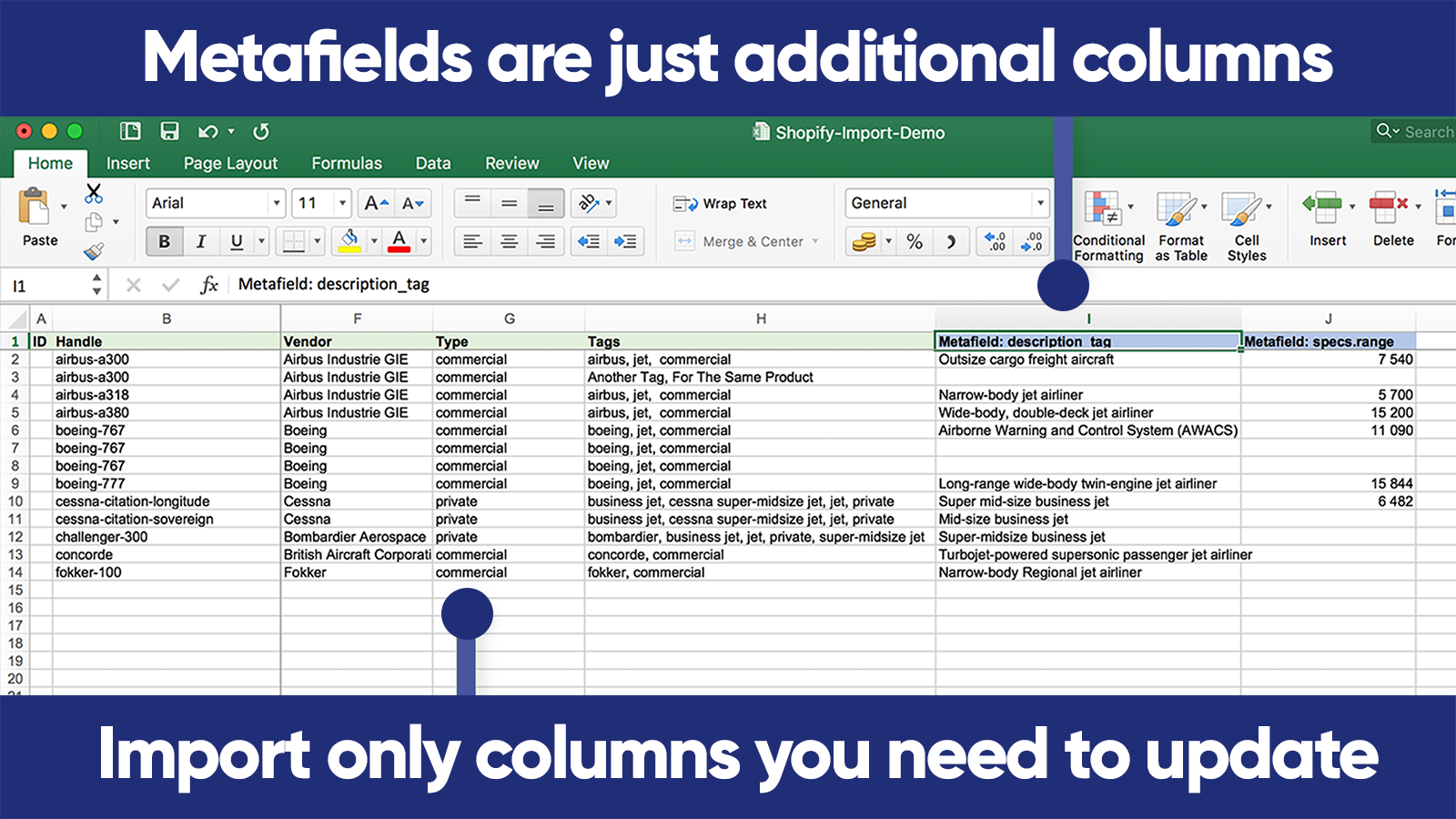
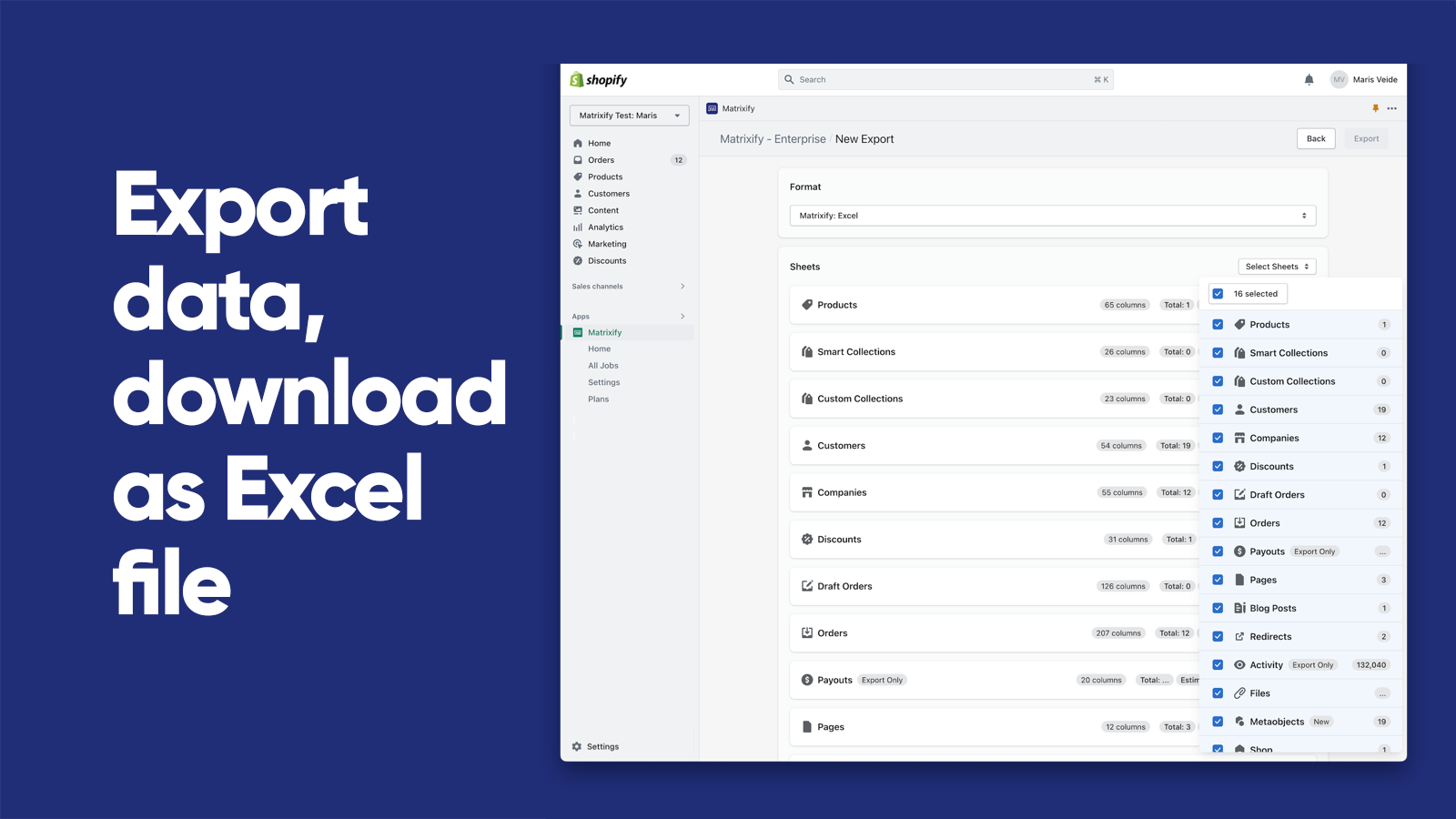
  • Data Import/Export:Use Excel, Google Sheets or CSV files to import and export data.
  • E-commerce platform migration:Switch from platforms like Magento, WordPress/WooCommerce, BigCommerce, Lightspeed etc.
  • Data Recovery:Save and retrieve your information.
  • Automated data transfer:Set up automatic recurring import and export jobs.
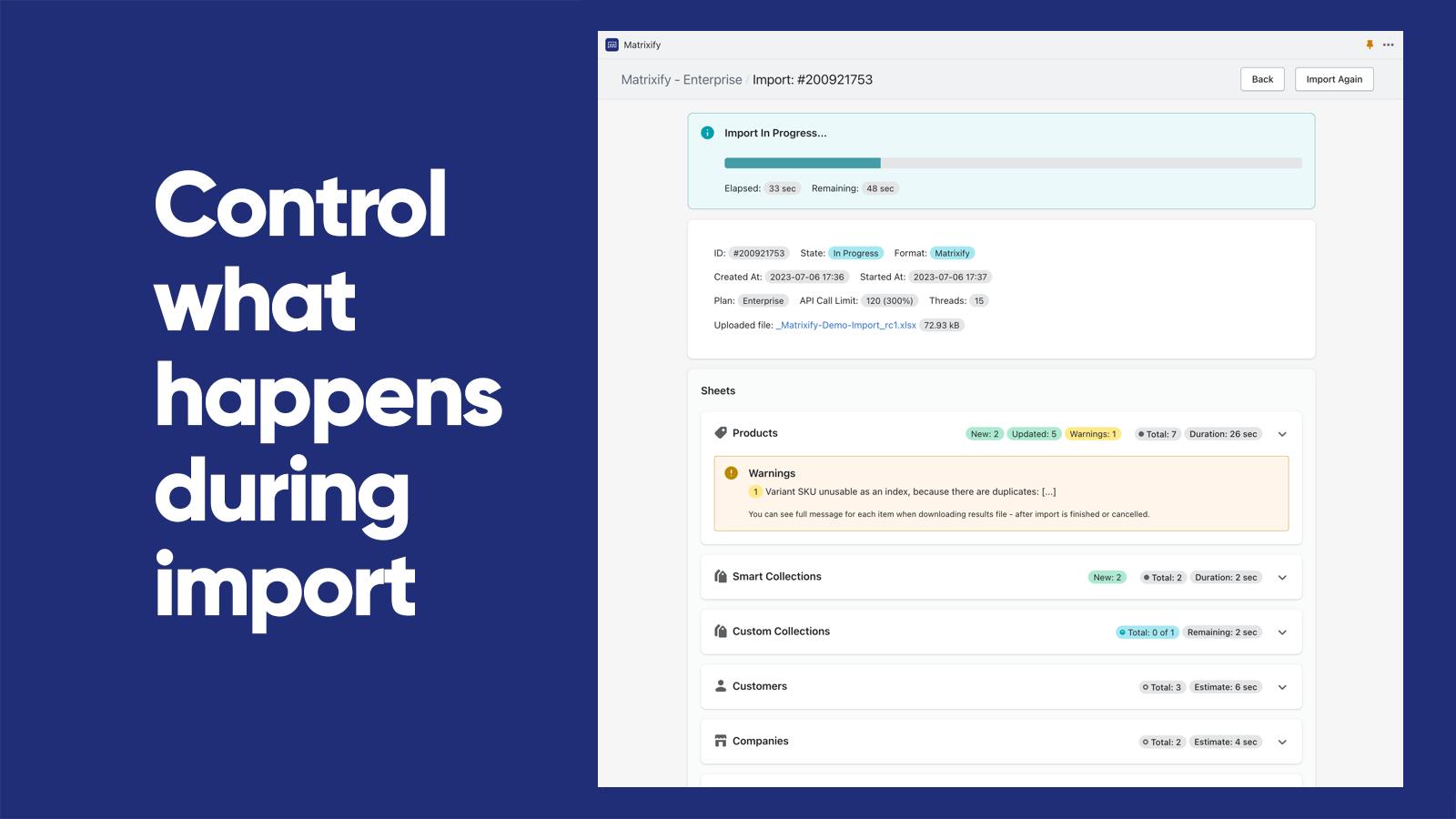
  • Export/Import Management:Track and manage export and import jobs in real-time and view their history.
Pricing Details

Matrixify: Data Export Import offers 1 free plan and 3 paid plans.

Considering installing this Export your store Shopify app? Explore the pricing details and discover if they align with your budget and needs.

  1. Demo · $0/month

    Included features: Per file:, 10 Products, 10 Collections, 10 Customers, 10 Companies, 10 Discounts, 10 Translations, 10 Orders & Draft Orders, 10 Payouts, 10 Pages, 10 Blog Posts, 10 Redirects, 2 Menus, 10 Activity, 10 Files, 10 Metaobjects, ∞ Metafields

  2. Basic · $20/month

    Included features: Per file:, 5K Products, 300 Collections, 2K Customers, 50 Companies, 300 Discounts, 10k Translations, 1K Orders & Draft Orders, 366 Payouts, 50 Pages, 50 Blog Posts, 10K Redirects, ∞ Menus, 10K Activity, 10K Files, 50 Metaobjects, ∞ Metafields

  3. Big · $50/month

    Included features: Per file:, 50K Products, 3K Collections, 20K Customers, 500 Companies, 3K Discounts, 100k Translations, 10K Orders & Draft Orders, 3660 Payouts, 500 Pages, 500 Blog Posts, 100K Redirects, ∞ Menus, 100K Activity, 100K Files, 500 Metaobjects,∞ Metafields

  4. Enterprise · $200/month

    Included features: Everything Unlimited, Batch import, Parallel threads in each job: 10+, Parallel manual jobs: 2

Pros and Cons

Delve into ShopDigest's expert insights on Matrixify: Data Export Import - a Export your store Shopify app. Our analysis of Shopify app store reviews presents unique pros and cons, allowing you to make informed decisions for your business.

Pros
  • Enables quick and seamless bulk updates for large product catalogs.
  • Highly responsive and helpful support team, often praised for quick resolutions.
  • Significantly reduces manual work, saving hours or even days on tasks.
  • Clear tutorials and guides that assist users in navigating the app’s features.
  • Simplifies complex migrations from other platforms to Shopify.
  • Intuitive design that makes bulk operations straightforward.
  • Consistently delivers fast and error-free imports/exports.
  • Supports a wide range of data manipulations, including metafields and custom exports.
  • Regular improvements and new features added without price hikes.
  • Convenient communication channel for real-time support.
Cons
  • Basic tier may be slow for extensive data, requiring a pricier plan.
  • Initial setup and feature mastery can be overwhelming for new users.
Talk to the developer

Install in Your Store Now

Your request goes to the team that built Matrixify: Data Export Import, not a support queue.

#5 of 96
FeedFix | XML Import & Export

FeedFix | XML Import & Export by Entafix

Product XML Import & Custom XML Feed Export for Marketplaces

Free Trial: 7 days
Pros
  • The app is consistently praised for its intuitive and straightforward interface.
  • Fast, responsive, and helpful customer service, often highlighted by name (e.g., Engin).
  • Users appreciate the ability to create tailored XML feeds to meet specific needs.
Cons
  • Some users noted that advanced features lack detailed guides.

What merchants said

“Simply the best app for custom feeds and metafield mapping. I tested over 15 apps before settling on Feedfix, and it was an easy choice. It’s intuitive, easy to use, and the ability to map custom fields exactly as we need them makes a real difference in optimizing product catalogues.Support is fantastic, too. The team helped us identify a couple of tweaks to further improve performance.Highly recommended! 5*”
LightsStory Chandeliers & Crystal Lighting - USA · Hong Kong SAR · ★ 5.0 · 10/9/2026

Summary

Starting PriceFree
Free Trial7 days
Launch Date21 Sep 2023
DeveloperEntafix
Ratings5.0 ★ (283)
View on ShopifyView charts
About the App

FeedFix | XML Import & Export, a Export your store Shopify app, has achieved 281 reviews and an average rating of 5 stars since its launch 3 years ago. Designed to assist Shopify merchants with - "Export product feeds to Google, Meta and marketplaces. Import products from XML feeds or CSV files." it is a valuable addition to the Export your store app lineup.

Top Features:

Export your store Shopify apps can help elevate your e-commerce game. FeedFix | XML Import & Export offers a host of key features, including:

  • Build a custom product feed for any marketplace, not just the big channels.
  • Export a Google feed, Meta feed or TikTok feed from one product catalog.
  • Import CSV or XML feeds from your suppliers and keep the catalog in sync.
  • Set your own price rules and filters on every product import and export.
  • Export products in multiple languages, markets and currencies at once.
Pricing Details

FeedFix | XML Import & Export offers 1 free plan and 3 paid plans.

Considering installing this Export your store Shopify app? Explore the pricing details and discover if they align with your budget and needs.

  1. Export - Free · $0/month

    Included features: 1 Export Feed - 1 Import Feed, Available for stores for <500 variants, Minimum Update Frequency is 15 hours, 1-Click Update, Support with Live Chat

  2. Export - Plus · $7.99/month

    Included features: 5 Export Feeds - 3 Import Feeds, Available for stores for <5000 products, Minimum Update Frequency is 8 hours, 1-Click Update, Support with Live Chat

  3. Export - Advanced · $17.99/month

    Included features: 10 Export Feeds - 5 Import Feeds, Available for stores for <10000 products, Minimum Update Frequency is 3 hours, 1-Click Update, Personalized support

  4. Export - Unlimited · $49.99/month

    Included features: Unlimited Export & Import Feeds, Unlimited Products, Minimum Update Frequency is 2 hours, 1-Click Update, Personalized support

Pros and Cons

Delve into ShopDigest's expert insights on FeedFix | XML Import & Export - a Export your store Shopify app. Our analysis of Shopify app store reviews presents unique pros and cons, allowing you to make informed decisions for your business.

Pros
  • The app is consistently praised for its intuitive and straightforward interface.
  • Fast, responsive, and helpful customer service, often highlighted by name (e.g., Engin).
  • Users appreciate the ability to create tailored XML feeds to meet specific needs.
  • The app performs as expected, with minimal errors or disruptions.
  • Quick setup and fast feed generation, even with large product catalogs.
  • Competitive pricing and value for money compared to similar apps.
  • Capable of handling complex feed configurations beyond basic options.
  • Clean layout and simple navigation enhance the overall experience.
  • Bugs and feature requests are addressed promptly by the development team.
  • Availability of a free version or trial period is well-received.
Cons
  • Some users noted that advanced features lack detailed guides.
  • A few reviewers mentioned missing functionalities (e.g., merging fields).
Talk to the developer

Install in Your Store Now

Your request goes to the team that built FeedFix | XML Import & Export, not a support queue.

#6 of 96
Mixtable Export: Excel & CSV

Mixtable Export: Excel & CSV by Daipari EOOD

Export exactly the data you need from a live spreadsheet

Pricing Plans: Free
Key Features
  • Upload a workbook with products, different versions, pictures, additional fields, stock levels and more!
  • Amazing Excel file export - includes all sheets, formatting, and formulas
  • Export any worksheet to a CSV file with a single click.

What merchants said

“Great efective a simple use app. very intuitive and very helpfully. Recomended 100%”
wefuel. Endurance Sports Nutrition · Colombia · ★ 5.0 · 2/12/2026

Summary

Starting PriceFree
Free TrialFree plan
Launch Date25 Jul 2023
DeveloperDaipari EOOD
Ratings5.0 ★ (2)
View on ShopifyView charts
About the App

Mixtable Export: Excel & CSV, a Export your store Shopify app, has achieved 2 reviews and an average rating of 5 stars since its launch 3 years ago. Designed to assist Shopify merchants with - "Online spreadsheet that constantly updates for quick export to Excel (XLSX) and CSV." it is a valuable addition to the Export your store app lineup.

Top Features:

Export your store Shopify apps can help elevate your e-commerce game. Mixtable Export: Excel & CSV offers a host of key features, including:

  • Workbook setup:Upload a workbook with products, different versions, pictures, additional fields, stock levels and more!
  • Complete Excel Export:Amazing Excel file export - includes all sheets, formatting, and formulas
  • CSV Export Feature:Export any worksheet to a CSV file with a single click.
Pricing Details

Mixtable Export: Excel & CSV offers 0 free plans and 0 paid plans.

Considering installing this Export your store Shopify app? Explore the pricing details and discover if they align with your budget and needs.

  1. · $0/month

Talk to the developer

Install in Your Store Now

Your request goes to the team that built Mixtable Export: Excel & CSV, not a support queue.

#7 of 96
Detrics Google Sheets & Looker

Detrics Google Sheets & Looker by Detrics

Save time with automated dashboards for your Store

Key Features
  • Build custom & updated business reports
  • Fully integrated with Shopify, Facebook (meta) ads, Google ads & more
  • Customize dimensions, metrics, filters & schedule automatic data refresh
  • Combine multiple Data Sources in one place
  • Set up in less than 1 minute

What merchants said

“Excelente para descargar la información que necesitas, y lo mejor puedes programar la frecuencia de actualización, en mi caso todos las mañanas entro y ya esta actualizada la info para poder analizar!Excelente!”
gvsusa · United States · ★ 5.0 · 1/22/2025

Summary

Starting Price$24.99/mo
Free TrialNot Available
Launch Date18 Dec 2024
DeveloperDetrics
Ratings5.0 ★ (1)
View on ShopifyView charts
About the App

Detrics Google Sheets & Looker, a Export your store Shopify app, has achieved 1 reviews and an average rating of 5 stars since its launch 2 years ago. Designed to assist Shopify merchants with - "Export your Store’s data automatically and create custom reports in Google Sheets & Looker Studio" it is a valuable addition to the Export your store app lineup.

Top Features:

Export your store Shopify apps can help elevate your e-commerce game. Detrics Google Sheets & Looker offers a host of key features, including:

  • Build custom & updated business reports
  • Fully integrated with Shopify, Facebook (meta) ads, Google ads & more
  • Customize dimensions, metrics, filters & schedule automatic data refresh
  • Combine multiple Data Sources in one place
  • Set up in less than 1 minute
Pricing Details

Detrics Google Sheets & Looker offers 0 free plans and 4 paid plans.

Considering installing this Export your store Shopify app? Explore the pricing details and discover if they align with your budget and needs.

  1. Starter · $24.99/month

    Included features: All our Data Sources for Google Sheets, 250 Monthly Data Refreshes, Single User

  2. Growth · $49.99/month

    Included features: All our Data Sources for Google Sheets, 1250 Monthly Data Refreshes, Single User

  3. Pro · $99.99/month

    Included features: All our Data Sources for Google Sheets, 5.000 Monthly Data Refreshes, Single User

  4. Business · $149.99/month

    Included features: All our Data Sources for Google Sheets, Unlimited Data Refreshes, Multi User

Talk to the developer

Install in Your Store Now

Your request goes to the team that built Detrics Google Sheets & Looker, not a support queue.

#8 of 96
Mega Media and Image Exporter

Mega Media and Image Exporter by Architechpro OÜ

Bulk download product images and videos.

Pros
  • Quick response times and effective resolution of technical issues.
  • Automates bulk image downloads and organization, significantly reducing manual effort.
  • Consistently delivers as advertised with smooth operation.
Cons
  • Some users reported incomplete downloads and had to request refunds.

What merchants said

“Very quick response and polite people to work with! Whenever I had an issue, we communicated via email, and they responded always within minutes. Whatever technical issue that had occurred within the software was fully resolved within hours. Overall, the customer service is top! I look forward to continued business with them.”
Labels Resale Boutique · United States · ★ 5.0 · 1/19/2025

Summary

Starting PriceFree
Free TrialFree plan
Launch Date10 Jul 2019
Ratings5.0 ★ (7)
View on ShopifyView charts
About the App

Mega Media and Image Exporter, a Export your store Shopify app, has achieved 7 reviews and an average rating of 5 stars since its launch 7 years ago. Designed to assist Shopify merchants with - "Instead of downloading pictures one by one, export your store's media." it is a valuable addition to the Export your store app lineup.

Top Features:

Export your store Shopify apps can help elevate your e-commerce game. Mega Media and Image Exporter offers a host of key features, including:

  • Bulk Media Download:Automatically download all media (pictures, videos) from your store.
  • Export parameters customization:Choose all or certain settings for pictures and clips you wish to export.
  • Automate export process:Save time and minimize mistakes by automating the export process.
  • Inventory Backup:Create a dependable backup plan for your stock.
  • Migration Operations:Simplify your process for moving large inventory and product catalogs.
Pricing Details

Mega Media and Image Exporter offers 1 free plan and 3 paid plans.

Considering installing this Export your store Shopify app? Explore the pricing details and discover if they align with your budget and needs.

  1. Demo · $0/month

    Included features: Export images for up to 10 products, Export videos for 2 products, High quality, Large image data sets supported, FREE customer support

  2. Basic · $29.99/month

    Included features: Export images for up to 100 products, Export videos for 20 products, High quality, Large image data sets supported, FREE customer support

  3. Professional · $49.99/month

    Included features: Export images for up to 1000 products, Export videos for 200 products, Highest quality, Large image data sets supported, FREE customer support

  4. Enterprise · $199.99/month

    Included features: Export unlimited product images, Export unlimited product videos, Highest quality, large image data sets supported, FREE customer support

Pros and Cons

Delve into ShopDigest's expert insights on Mega Media and Image Exporter - a Export your store Shopify app. Our analysis of Shopify app store reviews presents unique pros and cons, allowing you to make informed decisions for your business.
Pros
  • Quick response times and effective resolution of technical issues.
  • Automates bulk image downloads and organization, significantly reducing manual effort.
  • Consistently delivers as advertised with smooth operation.
  • Flexibility in file naming and format adjustments to meet user needs.
Cons
  • Some users reported incomplete downloads and had to request refunds.
Talk to the developer

Install in Your Store Now

Your request goes to the team that built Mega Media and Image Exporter, not a support queue.

#9 of 96
Skroutz XML Feed

Skroutz XML Feed by Think Plus

Automatically generates your store's product feed for Skroutz.

Pricing Plans: Free
Pros
  • The app simplifies the process of creating feed XML with an intuitive interface.
  • Fast, responsive, and helpful assistance for troubleshooting and queries.
  • The premium version offers additional valuable functionality for advanced needs.
Cons
  • Some users reported a restriction on the number of products/SKUs (e.g., 201) in feeds.

What merchants said

“This app just made my life so much easier when it comes to creating feed XML . It is so easy to use , and if you have any problem the customer support is simply amazing.Fast, responsive, and incredibly helpful.”
MyGossy · Greece · ★ 5.0 · 10/19/2023

Summary

Starting PriceFree
Free TrialFree plan
Launch Date01 Mar 2019
DeveloperThink Plus
Ratings4.6 ★ (9)
View on ShopifyView charts
About the App

Skroutz XML Feed, a Export your store Shopify app, has achieved 9 reviews and an average rating of 4.6 stars since its launch 7 years ago. Designed to assist Shopify merchants with - "We generate and manage your XML product feed. Get your personalized XML feed with a single click!" it is a valuable addition to the Export your store app lineup.

Top Features:

Export your store Shopify apps can help elevate your e-commerce game. Skroutz XML Feed offers a host of key features, including:

  • XML Feed Monitoring:Live tracking of your XML feed, including product count and skipped products.
  • Automatic Updates:Automatically refreshes every 2 hours or can be manually updated with a single click.
  • Product Categorization:Match your products with their corresponding categories by using the Category Tree.
  • Customization Options:Various customization choices for all your requirements.
Pricing Details

Skroutz XML Feed offers 0 free plans and 0 paid plans.

Considering installing this Export your store Shopify app? Explore the pricing details and discover if they align with your budget and needs.

  1. · $0/month

Pros and Cons

Delve into ShopDigest's expert insights on Skroutz XML Feed - a Export your store Shopify app. Our analysis of Shopify app store reviews presents unique pros and cons, allowing you to make informed decisions for your business.

Pros
  • The app simplifies the process of creating feed XML with an intuitive interface.
  • Fast, responsive, and helpful assistance for troubleshooting and queries.
  • The premium version offers additional valuable functionality for advanced needs.
  • Seamless connection to platforms like skroutz.gr and bestprice.gr.
Cons
  • Some users reported a restriction on the number of products/SKUs (e.g., 201) in feeds.
Talk to the developer

Install in Your Store Now

Your request goes to the team that built Skroutz XML Feed, not a support queue.

#10 of 96
Misk Store Export

Misk Store Export by Misk Logics

Pricing Plans: Free
Key Features
  • Bulk Import & Export — Products, Collections, Orders, Discounts, Page, etc.
  • CSV & Excel Support — Download and upload in both formats, Excel.
  • Job History & Error Reports — Track every import/export with real-time progress.

Summary

Starting PriceFree
Free TrialFree plan
Launch Date09 Jul 2026
DeveloperMisk Logics
Ratings- (0)
View on ShopifyView charts
About the App

Misk Store Export, a Export your store Shopify app, has achieved 0 reviews and an average rating of 0 stars since its launch this year. Designed to assist Shopify merchants with - "Bulk import & export your store data - CSV & Excel ready." it is a valuable addition to the Export your store app lineup.

Top Features:

Export your store Shopify apps can help elevate your e-commerce game. Misk Store Export offers a host of key features, including:

  • Bulk Import & Export — Products, Collections, Orders, Discounts, Page, etc.
  • CSV & Excel Support — Download and upload in both formats, Excel.
  • Job History & Error Reports — Track every import/export with real-time progress.
Pricing Details

Misk Store Export offers 0 free plans and 0 paid plans.

Considering installing this Export your store Shopify app? Explore the pricing details and discover if they align with your budget and needs.

  1. · $0/month

Talk to the developer

Install in Your Store Now

Your request goes to the team that built Misk Store Export, not a support queue.

Showing 1-10 out of 96

Best export your store Apps in Shopify

export your store apps are designed to address specific needs and challenges faced by Shopify store merchants. Whether you're looking to optimize your store's SEO, improve customer support, enhance product listings, or streamline your inventory management, there's an app for that.

Discover a wealth of cutting-edge tools and features offered by these remarkable export your store Shopify apps, including CS ‑ Export Product Images, Firebear Import & Export Tool, Altera ‑ Export and Import, and many more. Our app collection provides a comprehensive overview of the top apps in the export your store category, enabling you to select the ones that will take your e-commerce venture to new heights.

Empower your Shopify store with the best export your store apps the platform has to offer and elevate your online business.

Explore Apps by Criteria:

  1. Most Popular export your store Apps
  2. Highest Reviewed export your store Apps
  3. Top Rated export your store Apps
  4. Newly Launched export your store Apps

Overview of the Above Top Export your store Shopify Apps in October 2026

There are a number of export your store apps in the Shopify app store designed to supercharge your e-commerce success. Whether you're a seasoned entrepreneur or just starting your online journey, the right apps can make all the difference. We have listed the top Shopify apps in the export your store category, based on their popularity and average rating, to help you make informed decisions.

App NameCategoryDeveloperStarting PriceFree PlanReviews
CS ‑ Export Product ImagesCS ‑ Export Product ImagesBuilt for ShopifyExport your storeCraftshift$0/month● Available4.7 ★ (32)
Firebear Import & Export ToolFirebear Import & Export ToolExport your storeFirebear Studio$0/month● Available2.9 ★ (8)
Altera ‑ Export and ImportAltera ‑ Export and ImportBuilt for ShopifyExport your storeAltera$0/month● Available5.0 ★ (254)
Matrixify: Data Export ImportMatrixify: Data Export ImportBuilt for ShopifyExport your storeITissible$0/month● Available4.9 ★ (1775)
FeedFix | XML Import & ExportFeedFix | XML Import & ExportBuilt for ShopifyExport your storeEntafix$0/month● Available5.0 ★ (281)
Mixtable Export: Excel & CSVMixtable Export: Excel & CSVExport your storeDaipari EOOD$0/month● Unavailable5.0 ★ (2)
Detrics Google Sheets & LookerDetrics Google Sheets & LookerExport your storeDetrics$24.99/month● Unavailable5.0 ★ (1)
Mega Media and Image ExporterMega Media and Image ExporterBuilt for ShopifyExport your storeArchitechpro OÜ$0/month● Available5.0 ★ (7)
Skroutz XML FeedSkroutz XML FeedExport your storeThink Plus$0/month● Unavailable4.6 ★ (9)
Misk Store ExportMisk Store ExportExport your storeMisk Logics$0/month● Unavailable- (0)

Have a Closer Look at the Best Export your store Apps

Now let us jump in and check out these Top 5 Export your store Shopify apps.

CS ‑ Export Product Images

1. CS ‑ Export Product Images

4.7 ★ (32)
CS ‑ Export Product Images screenshot 1
CS ‑ Export Product Images screenshot 2
CS ‑ Export Product Images screenshot 3
CS ‑ Export Product Images screenshot 4
CS ‑ Export Product Images screenshot 5
CS ‑ Export Product Images screenshot 6
CS ‑ Export Product Images screenshot 7

Reviews

Most Recent Review

5.0 ★Amazing

Really helped, but would be even better if I could choose/pick which images I'd like to download, instead of selecting only by products creation date range.

woodsea.studio · Lithuania · 27 Aug 2026

Recent Review

5.0 ★Amazing

Gostei a qualidade da imagem poderia ser um pouco melhor, mas faz o que promete.

PRIME TITAM SUPPLY · United States · 09 Sep 2025
Why is CS ‑ Export Product Images a top Export your store Shopify app?
With an impressive overall rating of 4.7 stars and 32 reviews, CS ‑ Export Product Images stands out as one of the top Export your store Shopify apps. The main objective of the app is - Bulk export product images & store media export. Easy product image download & bulk image exporter. Its purpose underscores its significance in enhancing your Shopify store experience.

ShopDigest selects the top Shopify apps in the Export your store category based on various parameters, including the number of installations across Shopify stores, the app's ranking in the Shopify App Store, the number of merchants' reviews, and its overall customer rating, among other factors.
Why integrate CS ‑ Export Product Images with your Shopify store?
By integrating a Export your store app with your Shopify store, you unlock a range of benefits. CS ‑ Export Product Images, a popular Export your store Shopify app, brings the following functionalities and value to a Shopify store, including:
  • Bulk product variant photo exporter. Files backup migration download & exporter
  • Filter media asset exporter; status, collection & vendors to image downloader
  • Image exporter has real-time monitoring of image download progress & export
  • Customized image & folder names, image download as product based subfolders
  • Download images by SKU, Barcode names & image position with image downloader
Learn more about the CS ‑ Export Product Images features in detail.

Shopify merchants highlight key advantages, such as Bulk product variant photo exporter. Files backup migration download & exporter, Filter media asset exporter; status, collection & vendors to image downloader, and more,
What are some of the top alternatives for CS ‑ Export Product Images?
Looking for options? Dive into a selection of Export your store apps that rival CS ‑ Export Product Images, each offering unique features to enhance your Shopify store. Consider these top alternatives: which can match or even surpass the offerings of CS ‑ Export Product Images, giving you flexibility and choice.
profile picture 1profile picture 2profile picture 3profile picture 4

Install Now

Our experts are here to help you.

Firebear Import & Export Tool

2. Firebear Import & Export Tool

2.9 ★ (8)
Firebear Import & Export Tool screenshot 1
Firebear Import & Export Tool screenshot 2
Firebear Import & Export Tool screenshot 3
Firebear Import & Export Tool screenshot 4
Firebear Import & Export Tool screenshot 5
Firebear Import & Export Tool screenshot 6
Firebear Import & Export Tool screenshot 7

Reviews

Most Recent Review

5.0 ★Amazing

They did EVERYTHING they could to help me. I had an xml from my provider which was not readable by the shopify. The Firebear team solved the xml problem and imported all the files with my own preferences. Andrey Thank you so much for your help.

Pedimi · Greece · 15 Oct 2025

Recent Review

5.0 ★Amazing

What can I say? Well, I have been absolutely amazed at the support in setting up the feed for my stores. The work put in by Andrey and team in making sure my sites xml feeds worked with my store was professional and timely. Its with this kind of support that gives me no hesitation in recommending the Firebear App

Barefoot Shoe Store · Ireland · 15 Oct 2025
Why is Firebear Import & Export Tool a top Export your store Shopify app?
With an impressive overall rating of 2.9 stars and 8 reviews, Firebear Import & Export Tool stands out as one of the top Export your store Shopify apps. The main objective of the app is - The app lets you import and export products, customers, and orders using CSV, XML, XLSX files. Its purpose underscores its significance in enhancing your Shopify store experience.

ShopDigest selects the top Shopify apps in the Export your store category based on various parameters, including the number of installations across Shopify stores, the app's ranking in the Shopify App Store, the number of merchants' reviews, and its overall customer rating, among other factors.
Why integrate Firebear Import & Export Tool with your Shopify store?
By integrating a Export your store app with your Shopify store, you unlock a range of benefits. Firebear Import & Export Tool, a popular Export your store Shopify app, brings the following functionalities and value to a Shopify store, including:
  • File Organization: Product details in one row, multiple pictures in one cell.
  • File Compatibility: Use any file format like CSV, XML, or Excel XLSX.
  • Automation Scheduling: Set a timetable for when and how frequently you want to import or export using automation.
  • Database Automation: Column mapping - link columns to system features for additional automation.
  • Automated FTP/FTPS Upload: Upload new files automatically from FTP/FTPS to the store.
Learn more about the Firebear Import & Export Tool features in detail.

Shopify merchants highlight key advantages, such as Simple file format - products in a single row, multiple images in single cell., Any file format - use CSV, XML, and Excel XLSX file types., and more,
What are some of the top alternatives for Firebear Import & Export Tool?
Looking for options? Dive into a selection of Export your store apps that rival Firebear Import & Export Tool, each offering unique features to enhance your Shopify store. Consider these top alternatives: which can match or even surpass the offerings of Firebear Import & Export Tool, giving you flexibility and choice.
profile picture 1profile picture 2profile picture 3profile picture 4

Install Now

Our experts are here to help you.

Altera ‑ Export and Import

3. Altera ‑ Export and Import

5.0 ★ (256)
Altera ‑ Export and Import screenshot 1
Altera ‑ Export and Import screenshot 2
Altera ‑ Export and Import screenshot 3
Altera ‑ Export and Import screenshot 4
Altera ‑ Export and Import screenshot 5
Altera ‑ Export and Import screenshot 6

Reviews

Most Recent Review

5.0 ★Amazing

J'apprécie vraiment cette app, très utile et rapide. C'est un must à mon avis lorsque l'on construit nos produits

WymWolf · Canada · 09 Oct 2026

Recent Review

5.0 ★Amazing

The support for Altera is excellent. I have contacted support via the live chat feature a couple of times and have received a prompt response / resolution within minutes each time.
UPVC Spares4Repairs · United Kingdom · 14 Sep 2026
Why is Altera ‑ Export and Import a top Export your store Shopify app?
With an impressive overall rating of 5 stars and 256 reviews, Altera ‑ Export and Import stands out as one of the top Export your store Shopify apps. The main objective of the app is - A modern bulk export & import tool for all store data, compatible with Matrixify files. Its purpose underscores its significance in enhancing your Shopify store experience.

ShopDigest selects the top Shopify apps in the Export your store category based on various parameters, including the number of installations across Shopify stores, the app's ranking in the Shopify App Store, the number of merchants' reviews, and its overall customer rating, among other factors.
Why integrate Altera ‑ Export and Import with your Shopify store?
By integrating a Export your store app with your Shopify store, you unlock a range of benefits. Altera ‑ Export and Import, a popular Export your store Shopify app, brings the following functionalities and value to a Shopify store, including:
  • Import and export your Matrixify Excel or CSV files as-is, zero changes
  • Translations, New Collection Sources, Metafield & Metaobject definitions
  • Automate imports and exports by Google Sheets, Google Drive, SFTP, WebDAV & FTP
  • Clone Shopify stores or migrate from WooCommerce, Magento, Etsy & more
  • Works with AI agents like ChatGPT & Claude Cowork with an MCP server or CLI
Learn more about the Altera ‑ Export and Import features in detail.

Shopify merchants highlight key advantages, such as Import and export your Matrixify Excel or CSV files as-is, zero changes, Translations, New Collection Sources, Metafield & Metaobject definitions, and more,
What are some of the top alternatives for Altera ‑ Export and Import?
Looking for options? Dive into a selection of Export your store apps that rival Altera ‑ Export and Import, each offering unique features to enhance your Shopify store. Consider these top alternatives: which can match or even surpass the offerings of Altera ‑ Export and Import, giving you flexibility and choice.
profile picture 1profile picture 2profile picture 3profile picture 4

Install Now

Our experts are here to help you.

Matrixify: Data Export Import

4. Matrixify: Data Export Import

4.9 ★ (1,769)
Matrixify: Data Export Import screenshot 1
Matrixify: Data Export Import screenshot 2
Matrixify: Data Export Import screenshot 3
Matrixify: Data Export Import screenshot 4

Reviews

Most Recent Review

5.0 ★Amazing

Easy to use, saves a ton of time. When you're a one-person boutique, every minute you can save on a tedious manual task is priceless.

Ethel & Ivy · United States · 11 Oct 2026

Recent Review

5.0 ★Amazing

Fantastic. I'm a developer and this is exactly how I would build something. Exposes just the right features, and "hides" just the right ones. Everything is well laid out, organized, and named correctly. Honestly, one of the best plugin/add-ons I've ever used. To the developers: well done!

2XU Development · Australia · 08 Oct 2026
Why is Matrixify: Data Export Import a top Export your store Shopify app?
With an impressive overall rating of 4.9 stars and 1,769 reviews, Matrixify: Data Export Import stands out as one of the top Export your store Shopify apps. The main objective of the app is - The Matrixify app lets you handle large amounts of store data by allowing you to import, export, update, and transfer it. Its purpose underscores its significance in enhancing your Shopify store experience.

ShopDigest selects the top Shopify apps in the Export your store category based on various parameters, including the number of installations across Shopify stores, the app's ranking in the Shopify App Store, the number of merchants' reviews, and its overall customer rating, among other factors.
Why integrate Matrixify: Data Export Import with your Shopify store?
By integrating a Export your store app with your Shopify store, you unlock a range of benefits. Matrixify: Data Export Import, a popular Export your store Shopify app, brings the following functionalities and value to a Shopify store, including:
  • Data Import/Export: Use Excel, Google Sheets or CSV files to import and export data.
  • E-commerce platform migration: Switch from platforms like Magento, WordPress/WooCommerce, BigCommerce, Lightspeed etc.
  • Data Recovery: Save and retrieve your information.
  • Automated data transfer: Set up automatic recurring import and export jobs.
  • Export/Import Management: Track and manage export and import jobs in real-time and view their history.
Learn more about the Matrixify: Data Export Import features in detail.

Shopify merchants highlight key advantages, such as Import and Export data using Excel, Google Sheets or CSV files., Migrate from Magento, WordPress/WooCommerce, BigCommerce, Lightspeed and others., and more,
What are some of the top alternatives for Matrixify: Data Export Import?
Looking for options? Dive into a selection of Export your store apps that rival Matrixify: Data Export Import, each offering unique features to enhance your Shopify store. Consider these top alternatives: which can match or even surpass the offerings of Matrixify: Data Export Import, giving you flexibility and choice.
profile picture 1profile picture 2profile picture 3profile picture 4

Install Now

Our experts are here to help you.

FeedFix | XML Import & Export

5. FeedFix | XML Import & Export

5.0 ★ (283)
FeedFix | XML Import & Export screenshot 1
FeedFix | XML Import & Export screenshot 2
FeedFix | XML Import & Export screenshot 3
FeedFix | XML Import & Export screenshot 4
FeedFix | XML Import & Export screenshot 5
FeedFix | XML Import & Export screenshot 6
FeedFix | XML Import & Export screenshot 7

Reviews

Most Recent Review

5.0 ★Amazing

Simply the best app for custom feeds and metafield mapping. I tested over 15 apps before settling on Feedfix, and it was an easy choice. It’s intuitive, easy to use, and the ability to map custom fields exactly as we need them makes a real difference in optimizing product catalogues.Support is fantastic, too. The team helped us identify a couple of tweaks to further improve performance.Highly recommended! 5*

LightsStory Chandeliers & Crystal Lighting - USA · Hong Kong SAR · 09 Oct 2026

Recent Review

5.0 ★Amazing

Thanks to this app, I was able to transfer my products directly to another sales platform quickly and smoothly. The whole process was much easier than I expected — product details, images and descriptions came through without any issues, and I didn't have to do anything extra or re-enter information manually. It saved me a lot of time and effort.I'd also like to thank Engin for all his support. He was very helpful, responsive and patient throughout the process, and answered all my questions promptly. It's great to see such attentive customer support.

The Clique Artworks · Türkiye · 08 Oct 2026
Why is FeedFix | XML Import & Export a top Export your store Shopify app?
With an impressive overall rating of 5 stars and 283 reviews, FeedFix | XML Import & Export stands out as one of the top Export your store Shopify apps. The main objective of the app is - Export product feeds to Google, Meta and marketplaces. Import products from XML feeds or CSV files. Its purpose underscores its significance in enhancing your Shopify store experience.

ShopDigest selects the top Shopify apps in the Export your store category based on various parameters, including the number of installations across Shopify stores, the app's ranking in the Shopify App Store, the number of merchants' reviews, and its overall customer rating, among other factors.
Why integrate FeedFix | XML Import & Export with your Shopify store?
By integrating a Export your store app with your Shopify store, you unlock a range of benefits. FeedFix | XML Import & Export, a popular Export your store Shopify app, brings the following functionalities and value to a Shopify store, including:
  • Build a custom product feed for any marketplace, not just the big channels.
  • Export a Google feed, Meta feed or TikTok feed from one product catalog.
  • Import CSV or XML feeds from your suppliers and keep the catalog in sync.
  • Set your own price rules and filters on every product import and export.
  • Export products in multiple languages, markets and currencies at once.
Learn more about the FeedFix | XML Import & Export features in detail.

Shopify merchants highlight key advantages, such as Build a custom product feed for any marketplace, not just the big channels., Export a Google feed, Meta feed or TikTok feed from one product catalog., and more,
What are some of the top alternatives for FeedFix | XML Import & Export?
Looking for options? Dive into a selection of Export your store apps that rival FeedFix | XML Import & Export, each offering unique features to enhance your Shopify store. Consider these top alternatives: which can match or even surpass the offerings of FeedFix | XML Import & Export, giving you flexibility and choice.
profile picture 1profile picture 2profile picture 3profile picture 4

Install Now

Our experts are here to help you.

How We Selected the Top Shopify Apps in export your store

Our team employs a comprehensive evaluation process that takes into account various factors to ensure you are presented with only the best options. Here's how we do it:

  • By Reviews: We understand the value of peer recommendations, and that's why we've sorted these top Shopify apps in export your store based on the highest praise received from users, ensuring you get tried-and-tested solutions. The top listed apps here have earned the trust of fellow Shopify merchants. Jump to Highest Reviewed export your store Shopify Apps.
  • By Price: Budget consideration is important while choosing a Shopify app for your store. That's why we have also categorized these top Shopify apps in export your store by price, enabling you to find the perfect solutions that align with your financial goals without compromising on quality. Jump to Top Paid export your store Shopify Apps.
  • By Launch Date: To keep you updated about the latest innovations, we've organized these Shopify apps based on their launch date. You can check the list of recently launched top apps in export your store that could bring innovative solutions to your Shopify store. Jump to Newly Launched export your store Shopify Apps.
  • By Popularity: We feature the export your store apps that are making waves among Shopify store owners, helping you stay ahead of the curve. These apps have captured the attention of ecommerce owners and are listed as the top in the popularity section of the Shopify app store. Jump to Most Popular export your store Shopify Apps.
  • By Ratings: We prioritize apps that have consistently earned high ratings, reflecting their impact and user satisfaction. These export your store apps with excellent ratings stand out from their competitors, making them a solid choice for your business needs. Jump to Top Rated export your store Shopify Apps.
  • By Best Match: We harness the power of Shopify's own recommendations! Our selection considers apps that Shopify suggests as a strong fit for export your store, ensuring you access the platform's expert insights. Jump to Best Match export your store Shopify Apps.

With these criteria in mind, we strive to present you with a diverse and well-rounded selection of the top export your store Shopify apps in 2026. Rest assured, our selection process is designed to assist you in finding the most suitable solutions for your Shopify store needs.

How to Choose the Best export your store Shopify App For Your Store

Choosing the right export your store Shopify App for your store depends on various factors specific to your business goals. To make an informed decision, follow these steps:

  • Identify Your Requirements: Begin by understanding the specific goals and challenges your store faces. List the key features and functionalities you need in a export your store app to address these requirements effectively.
  • Read User Reviews: Explore user reviews and ratings for the export your store apps you are considering. Real-hand experiences from other Shopify merchants can provide valuable insights into how each app performs.
  • Compare Features: Use our app comparison page, where you can add the export your store apps of your choice and perform a side-by-side comparison. This page allows you to evaluate each app's features, pricing, support, and other essential factors to help you find the best fit for your store.
  • Consider Budget: While some apps offer free plans with basic functionalities, others may require a paid subscription for access to advanced features. You can check out our complete list of Top Paid export your store Shopify apps, and choose an app that aligns with your budget and can grow with your store as it expands.
  • Support and Documentation: Check the documentation and customer support resources of the app. A well-supported export your store app that offers comprehensive documentation can help you implement and use it more effectively.
  • Integration Compatibity: Ensure that the export your store app you choose can seamlessly integrate with your existing apps and theme to avoid compatibility issues.
  • Trial Periods: Some export your store apps offer a free trial period that enables you to test the app's capabilities before purchasing a subscription.

Each Shopify store is different, and the best export your store app for your store will be one that aligns closely with your specific business requirements.

More Information on export your store Shopify Apps

Now let us jump in and check out these Top 10 export your store Shopify apps.

In this comprehensive guide, we've provided you with a complete collection of export your store Shopify apps that can help streamline your ecommerce journey. These export your store Shopify apps cover a wide spectrum of needs to take your store forward. From 96 outstanding apps, we've covered every facet of export your store, ensuring you have access to a vast range of tools to enhance your Shopify store.

However, choosing the perfect export your store app for your specific requirements is key. Consider your specific goals, read user reviews, and compare features to find the ideal match for your Shopify store. Our Shopify app comparison page simplifies this process by allowing you to create side-by-side comparisons for any export your store apps of your choice. ShopDigest guides you through the selection process, making it easier to find and install the perfect export your store app that aligns with your goals.

Shopify export your store App Installation

There are thousands of export your store Shopify apps with different installation instructions, integration complexities, and customization levels. Our team at ShopDigest is here to assist you every step of the way. Installing your chosen app is a breeze with our service, ensuring a seamless integration into your store's ecosystem.

What's included

  • Safely install/uninstall Shopify app of your choice
  • App integration with any theme as per specification
  • Configurations & setup
  • Assured support and guidance
  • Get discount offers (not guaranteed)

What's not included

  • Shopify app subscription cost
Keyword charts

Explore key insights for export your store apps

Market share, rank movement, install geography and review pace — tracked across all 96 apps. Open the full charts for history and app-level detail.

Open export your store charts

Market share leaders

Oct 2026
Matrixify: Data Export Import64.9%
Altera ‑ Export and Import20.7%
FeedFix | XML Import & Export7.0%
CS ‑ Export Product Images6.9%
Mixtable Export: Excel & CSV0.0%

The top two apps hold 85.6% of tracked installs.

Rank movers, 30 days

Top 10 tracked
Matrixify: Data Export ImportMatrixify: Data Export Import▲ 27#4
Mixtable Export: Excel & CSVMixtable Export: Excel & CSV▲ 21#6
Misk Store ExportMisk Store Export▲ 7#10
Detrics Google Sheets & LookerDetrics Google Sheets & Looker▲ 3#7
Mega Media and Image ExporterMega Media and Image Exporter▼ 3#8

6 apps climbed and 3 dropped among the top 10 tracked.

Where installs come from

Keyword-wide
🇺🇸United States40.5%
🇬🇧United Kingdom9.6%
🇦🇺Australia6.2%
🇨🇦Canada5.0%
🇩🇪Germany4.3%

United States and United Kingdom merchants drive 50.1% of installs.

Reviews added, 30 days

Top tracked apps
Matrixify: Data Export Import+111
Altera ‑ Export and Import+15
FeedFix | XML Import & Export+4
CS ‑ Export Product Images+2

132 new reviews across the top 10 tracked apps in the last 30 days.

Key Insights:
  • CS ‑ Export Product Images commands 6.9% market share, 6.9pp ahead of Firebear Import & Export Tool — a fragmented export your store category.
  • In the last 30 days, 6 apps climbed and 3 dropped in ranking among the top 10 tracked export your store apps.
  • Matrixify: Data Export Import added the most new reviews this month (+111) — strong adoption momentum.

Frequently Asked Questions for export your store Shopify Apps

1. What are some of the top Shopify apps under the export your store category?

Here are some of the top Shopify apps under the export your store category:

  • CS ‑ Export Product Images
  • Firebear Import & Export Tool
  • Altera ‑ Export and Import
  • Matrixify: Data Export Import
  • FeedFix | XML Import & Export
  • Mixtable Export: Excel & CSV
  • Detrics Google Sheets & Looker
  • Mega Media and Image Exporter
  • Skroutz XML Feed
  • Misk Store Export

Each of these apps offers unique features and functionalities tailored to boost your export your store efforts and optimize your store's performance. Explore these top choices and find the perfect fit for your business needs.

2. How do I install a export your store Shopify app?

Installing a export your store Shopify app is simple. Navigate to the Shopify App Store, search for the specific app you want to install, and click on the "Install Now" button. Follow the on-screen instructions to integrate the app seamlessly into your Shopify store. If you need our expert guidance to help you install export your store apps on your Shopify store, feel free to contact us now.

3. Are there free apps available in the export your store category?

Unfortunately, there are no free apps available in the export your store category at the moment. However, you can explore affordable options that will provide value to your investment.

4. Are there any trial options available for paid apps in the export your store category?

Many paid apps in the export your store category offer free trial periods, allowing you to explore their features and assess their compatibility for your business. Take advantage of these trial periods to determine if the app aligns with your needs before opting for a paid plan.

5. How can I determine which export your store Shopify app is best for my store?

Determining the best export your store Shopify app for your store requires careful consideration of your business requirements and goals. To make an informed decision, we recommend visiting our App Comparison Page. There, you can easily add the apps of your choice and conduct a side-by-side comparison of their features, functionalities, pricing, and user reviews.

Some popular export your store Shopify apps are:

  • CS ‑ Export Product Images
  • Firebear Import & Export Tool
  • Altera ‑ Export and Import
  • Matrixify: Data Export Import
  • FeedFix | XML Import & Export
  • Mixtable Export: Excel & CSV
  • Detrics Google Sheets & Looker
  • Mega Media and Image Exporter
  • Skroutz XML Feed
  • Misk Store Export
6. Can I use multiple export your store Shopify apps simultaneously?

You can use multiple export your store Shopify apps at the same time to create a powerful ecosystem for your store. Just ensure that the apps complement each other and do not conflict in their functionalities.

7. How can I find the latest and trending Shopify apps in the export your store category?

To discover the latest and trending Shopify apps in the export your store category, visit:

Newly launched export your store Shopify apps
Most popular export your store Shopify apps

These lists showcase recently added Shopify apps and those gaining popularity among users.

8. Are there any discounts or promotions available for export your store Shopify apps?

At times, app developers may offer special promotions or discounts. Keep an eye on the app details and the Shopify app store for any ongoing deals or exclusive offers.

Alternatively, contact our team if you're looking for discounts on export your store app pricing plans, we can help secure better deals on the export your store app exclusively for you.

*Disclaimer: Please note that ShopDigest doesn't guarantee discounts on the apps as any changes to the pricing plans are ultimately up to the discretion of the developer.

About ShopDigest

The Shopify ecosystem, shown through the work

ShopDigest is an independent directory of Shopify work. Developers, agencies and experts publish the projects they’ve actually shipped — migrations, rebuilds, custom apps, headless storefronts — with the results attached.

For merchants, that means judging a partner on evidence instead of a sales page: browse real builds in your category and budget, then reach out directly. For builders, it means one profile that keeps working after the project ships.

No commissions, no pay-to-rank placements. The best work rises because people save and follow it.

More about ShopDigest
About ShopDigest

Show the work.
Win the work.

A portfolio directory for the Shopify ecosystem — builders publish, merchants browse, nobody buys a better position.

More about ShopDigest