
K: Floating Buttons
by Kaktus
Create floating navigation buttons that stay visible and turn customer attention into action.
Free
Grow with ShopDigest. Programs for experts, developers and store owners.
Check out all Floating button apps tailor-made for your Shopify store. Whether you are seeking free or paid solutions, Shopify offers a diverse range of 96 top-notch apps catering to businesses of all sizes. These apps are designed to boost your Shopify store's performance and make managing your business a breeze. Explore the collection and discover how these Floating button apps can take your Shopify store to the next level! We meticulously handpicked these top Floating button apps by evaluating various parameters, including ratings, reviews, price, popularity, launch date, and best matches, to ensure they offer the best value and experience to our users. Read full information here. Check out all Floating button apps tailor-made for your Shopify store. Whether you're seeking free plans or premium solutions, Shopify offers a diverse range of 96 top-notch apps catering to businesses of all sizes. Discover the perfect tools to elevate your' e-commerce experience today!
Scrolly Infinite Scroll To Top leads Floating button apps with 29.1% market share, ahead of K: Floating Buttons at 25.3%. A top-heavy field — three apps account for 68.4% of tracked installs.
Sign in and we shortlist the Floating button apps that fit your setup.
Continue with GoogleWhat merchants said
“Finally, an app that works straight out of the box. It's simple, without unnecessary add-ons that overcomplicate integration and cause issues. I'd suggest offering some documentation on how to set it up for people who don't have experience customizing apps. Overall, a refreshing change after dealing with apps that make simple things difficult. I just needed a floating button that I can add a link to, and this worked perfectly. Plus, the price was perfect.”TeeStitch Apparel LLC · United States · ★ 5.0 · 7/12/2026
Summary
K: Floating Buttons, a Floating button Shopify app, has achieved 3 reviews and an average rating of 5 stars since its launch this year. Designed to assist Shopify merchants with - "Create floating navigation buttons that stay visible and turn customer attention into action." it is a valuable addition to the Floating button app lineup.
Top Features:
Floating button Shopify apps can help elevate your e-commerce game. K: Floating Buttons offers a host of key features, including:
K: Floating Buttons offers 0 free plans and 0 paid plans.
Considering installing this Floating button Shopify app? Explore the pricing details and discover if they align with your budget and needs.
· $0/month

Add link buttons that float on your store page.
What merchants said
“Macht genau das, was wir brauchen, völlig unkompliziert!”Trapezprofile Deutschland · Germany · ★ 5.0 · 11/14/2025
Summary
Floatton ‑ Floating Buttons, a Floating button Shopify app, has achieved 19 reviews and an average rating of 4.5 stars since its launch 7 years ago. Designed to assist Shopify merchants with - "Helps guide users to important content, making shopping experience more intelligent for customers." it is a valuable addition to the Floating button app lineup.
Top Features:
Floating button Shopify apps can help elevate your e-commerce game. Floatton ‑ Floating Buttons offers a host of key features, including:
Floatton ‑ Floating Buttons offers 1 free plan and 1 paid plan.
Considering installing this Floating button Shopify app? Explore the pricing details and discover if they align with your budget and needs.
FREE VERSION · $0/month
Included features: Creating sticky floating link buttons, Arrange icons, Sticky Add to cart
PRO VERSION · $1.49/month
Included features: Creating sticky floating link buttons, Upload & arrange icons, Sticky Add to cart, Custom cursor, Browser title notification, Smooth scrolling
Delve into ShopDigest's expert insights on Floatton ‑ Floating Buttons - a Floating button Shopify app. Our analysis of Shopify app store reviews presents unique pros and cons, allowing you to make informed decisions for your business.

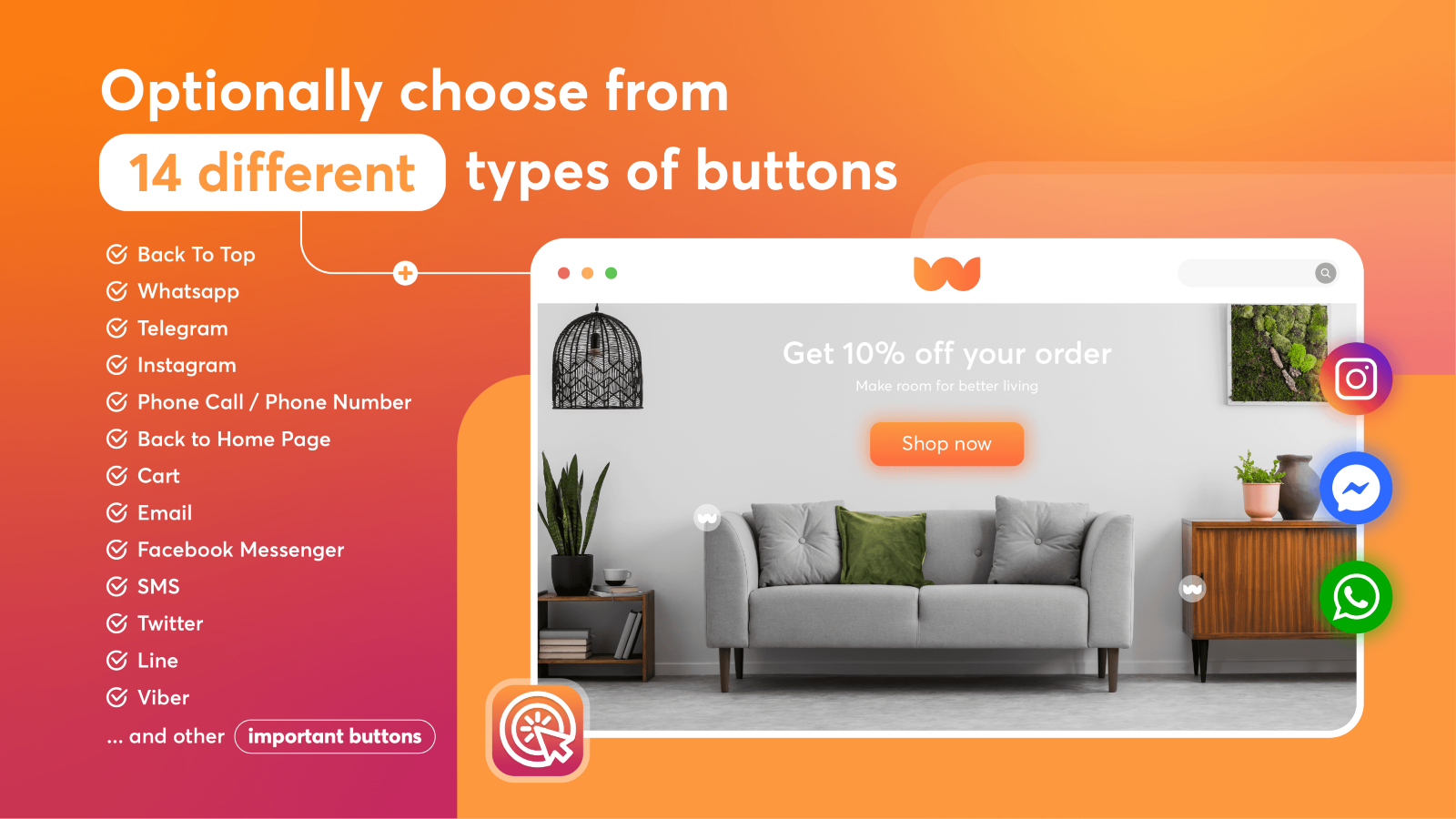
Floating button to boost sale: call, whatsapp, chat, social...
What merchants said
“very good and quick answers from Vincent . the app seems very nice and could satasfie anyone ”matol jersey · Israel · ★ 5.0 · 3/15/2026
Summary
Floatify: WhatsApp Chat & CTA, a Floating button Shopify app, has achieved 68 reviews and an average rating of 5 stars since its launch 7 years ago. Designed to assist Shopify merchants with - "Floating buttons: Phone, Chat, SMS, WhatsApp live chat. 1 click for better experience on your store!" it is a valuable addition to the Floating button app lineup.
Top Features:
Floating button Shopify apps can help elevate your e-commerce game. Floatify: WhatsApp Chat & CTA offers a host of key features, including:
Floatify: WhatsApp Chat & CTA offers 1 free plan and 1 paid plan.
Considering installing this Floating button Shopify app? Explore the pricing details and discover if they align with your budget and needs.
Free · $0/month
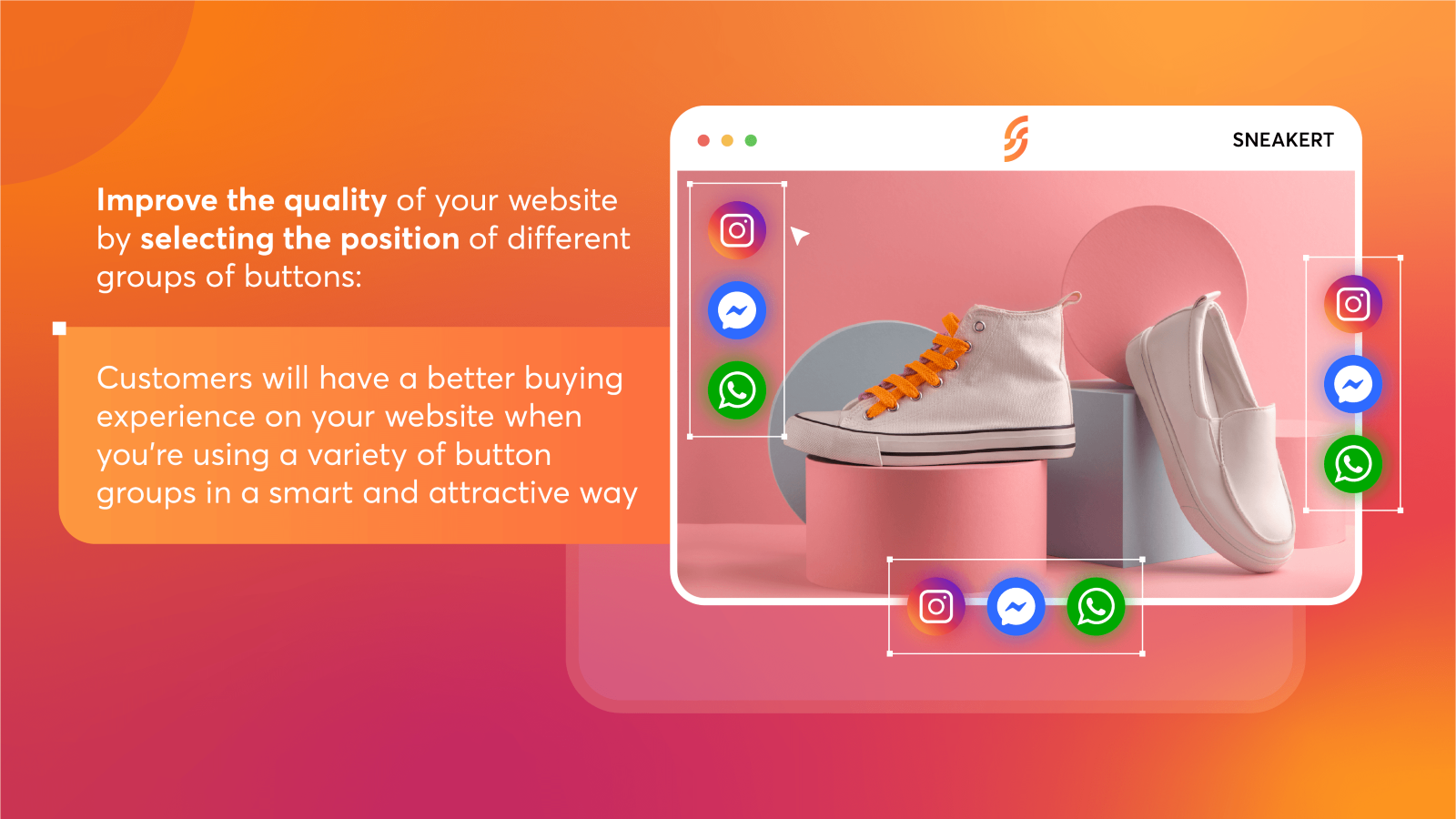
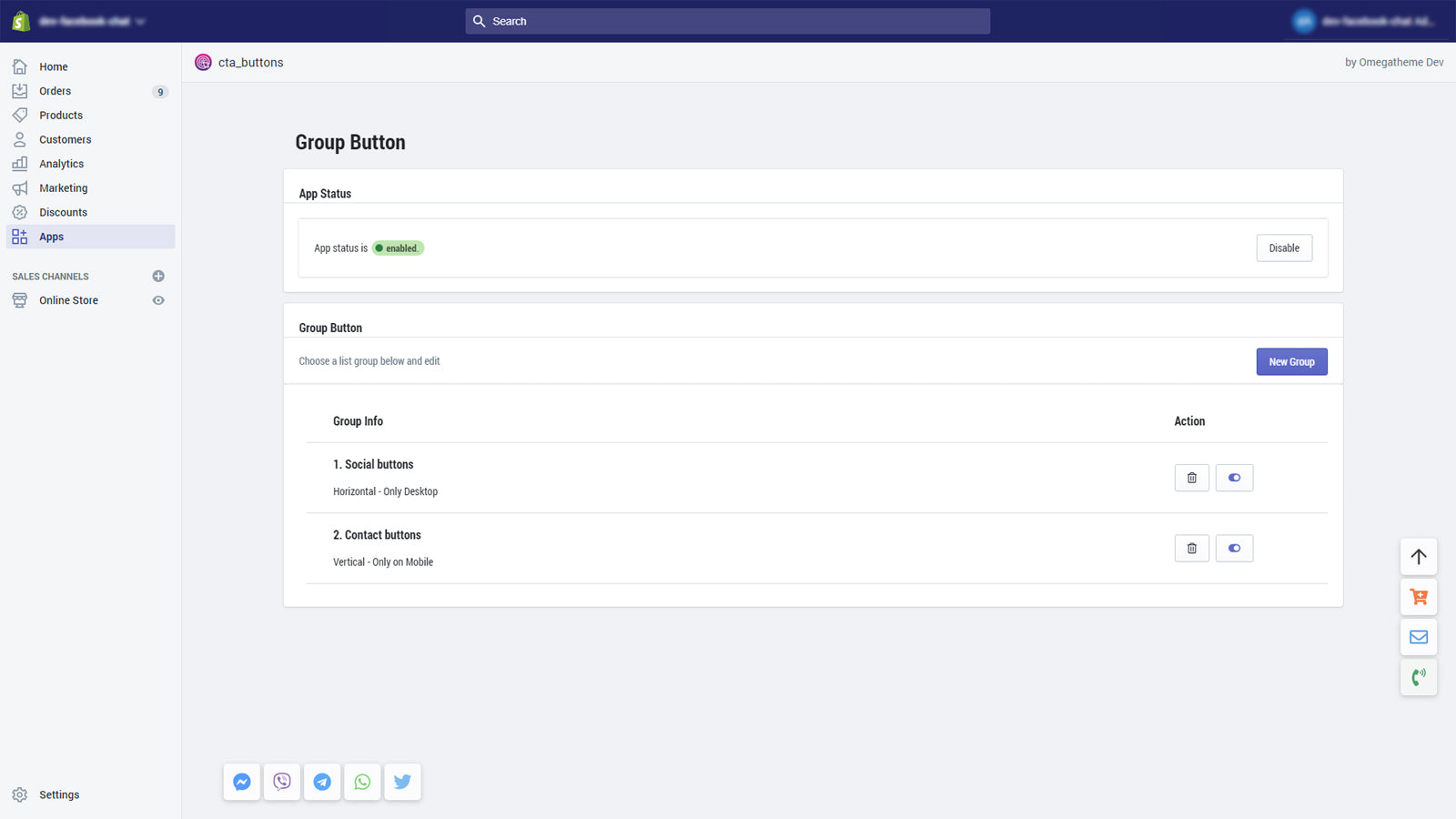
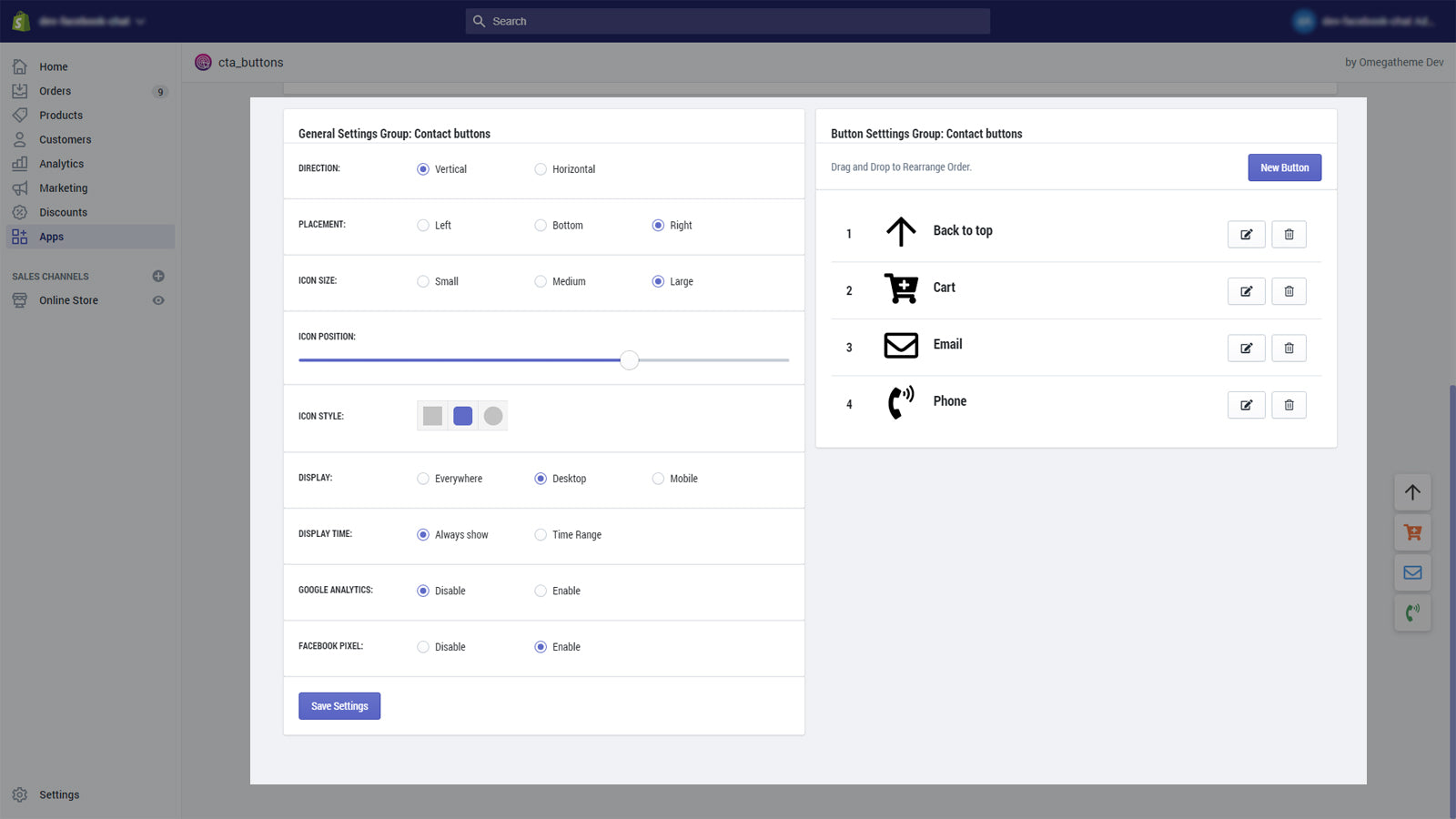
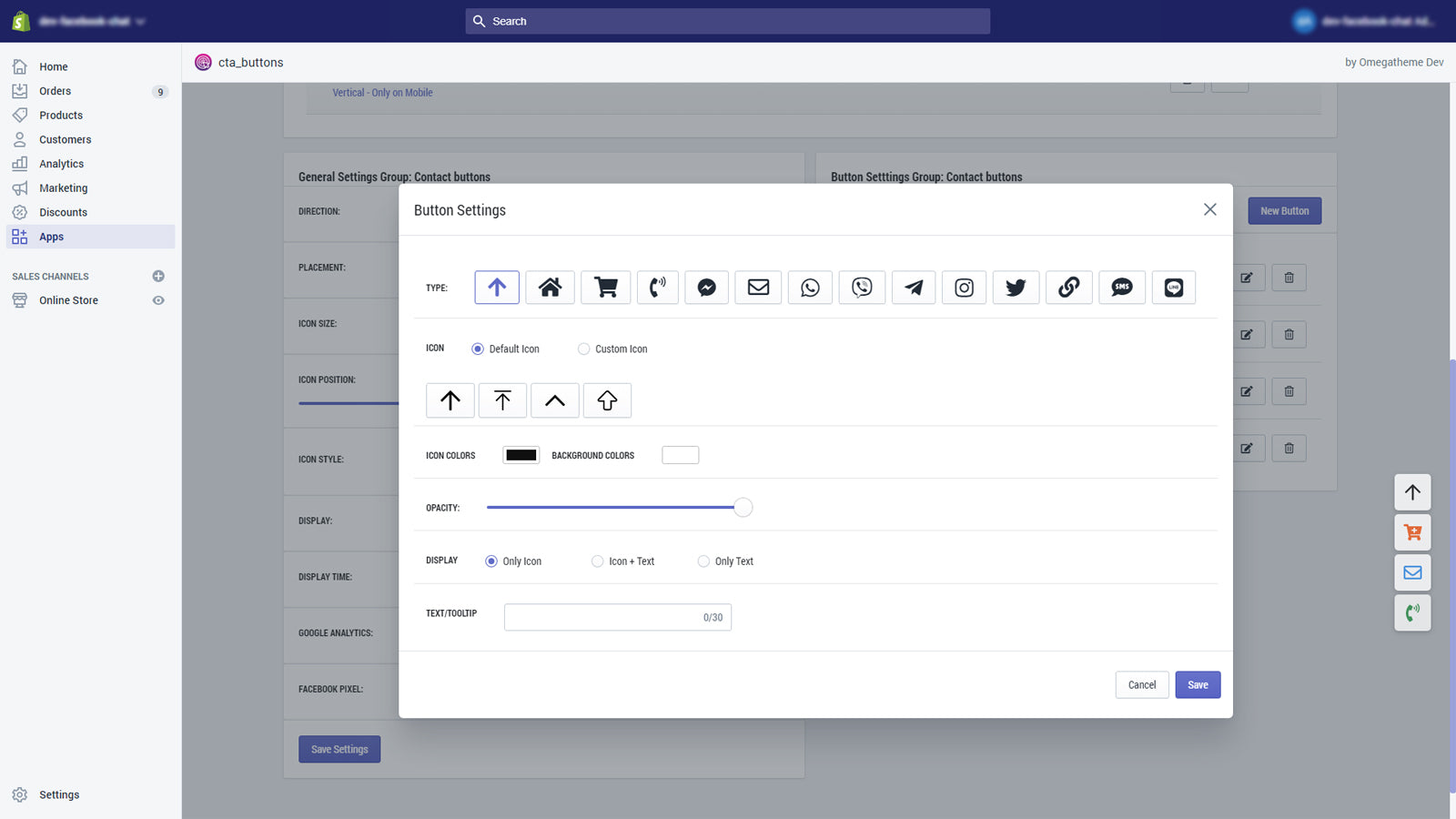
Included features: 1 group of buttons, 5 free buttons, Customizing buttons directions, Customizing icons sizes and styles
Premium · $4.99/month
Included features: Unlimited groups of buttons, Unlimited buttons, Data of clicks, Showing buttons after scrolling, Setting display time, Fb Pixels + GA tracking
Delve into ShopDigest's expert insights on Floatify: WhatsApp Chat & CTA - a Floating button Shopify app. Our analysis of Shopify app store reviews presents unique pros and cons, allowing you to make informed decisions for your business. Read our full Floatify: WhatsApp Chat & CTA Floating button App review.
Create floating navigation buttons that stay visible and turn customer attention into action.
Helps guide users to important content, making shopping experience more intelligent for customers.
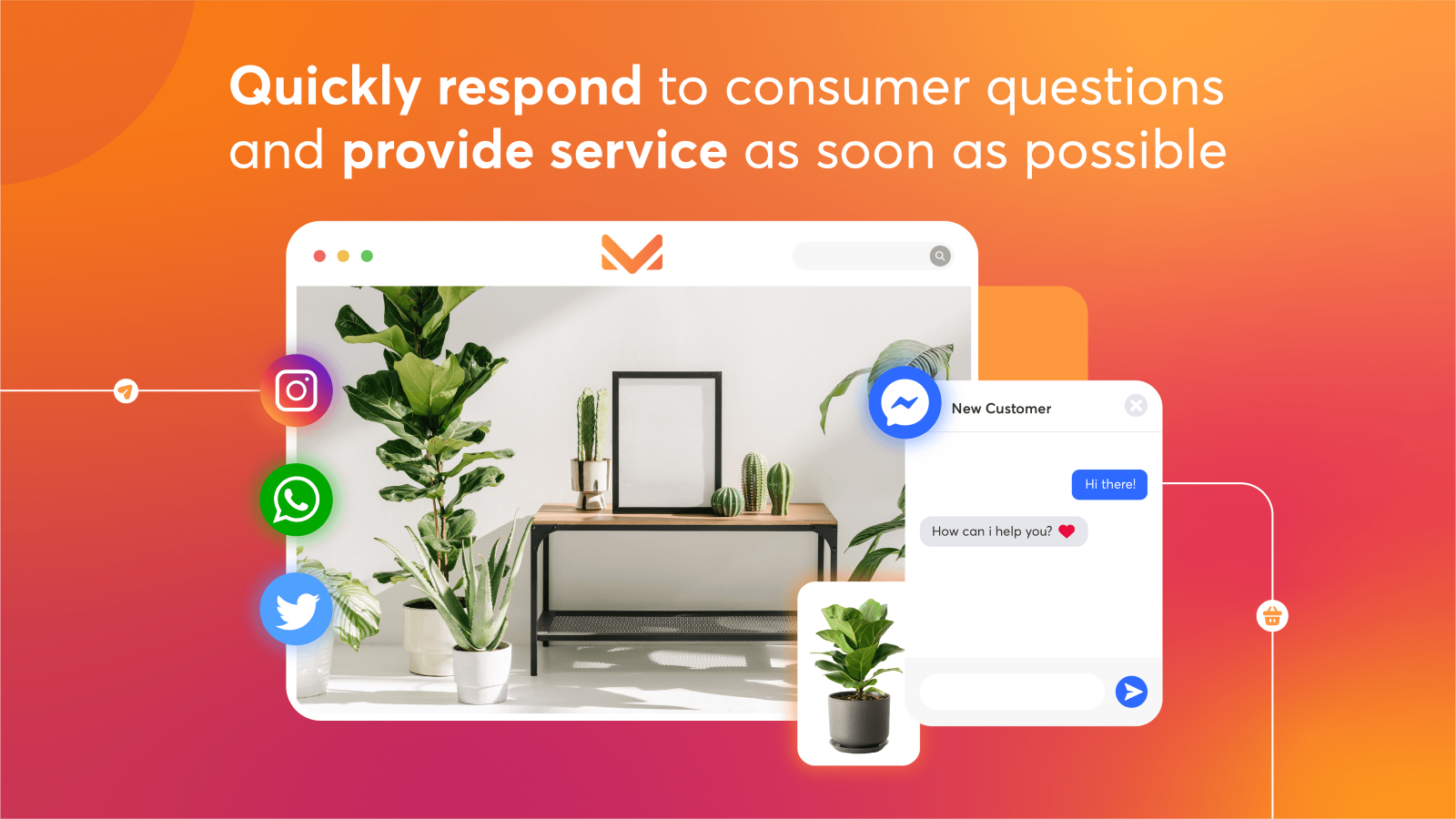
Floating buttons: Phone, Chat, SMS, WhatsApp live chat. 1 click for better experience on your store!

Add floating chat buttons like WhatsApp and messaging apps
Summary
Linkmate: Floating Buttons, a Floating button Shopify app, has achieved 0 reviews and an average rating of 0 stars since its launch 1 years ago. Designed to assist Shopify merchants with - "Add external buttons like WhatsApp, Instagram, and Amazon to improve customer access and trust." it is a valuable addition to the Floating button app lineup.
Top Features:
Floating button Shopify apps can help elevate your e-commerce game. Linkmate: Floating Buttons offers a host of key features, including:
Linkmate: Floating Buttons offers 0 free plans and 0 paid plans.
Considering installing this Floating button Shopify app? Explore the pricing details and discover if they align with your budget and needs.
· $0/month

Add a continuous 'back to top' button with a single click.
What merchants said
“Super smooth, crazily easy to set up. I've compared them all (pretty much) and this is likely the best for speed and simplicity. It just works!”3rd Day · United Kingdom · ★ 5.0 · 10/23/2026
Summary
Scrolly Infinite Scroll To Top, a Floating button Shopify app, has achieved 234 reviews and an average rating of 4.9 stars since its launch 6 years ago. Designed to assist Shopify merchants with - "Add a trendy 'scroll to top' button to your store that fits your look. Install it with a single click." it is a valuable addition to the Floating button app lineup.
Top Features:
Floating button Shopify apps can help elevate your e-commerce game. Scrolly Infinite Scroll To Top offers a host of key features, including:
Scrolly Infinite Scroll To Top offers 1 free plan and 1 paid plan.
Considering installing this Floating button Shopify app? Explore the pricing details and discover if they align with your budget and needs.
Free Plan · $0/month
Included features: Add a scroll to top/back to top button, Highly customizable design of the button, Multiple scroll to top button presets, Control the button color and hover color, Can be hidden in mobile store version, Fast & professional online support
Unlimited Plan · $2.99/month
Included features: Infinite Scrolling & Load More Button, Add a scroll to top/back to top button, Upload your own scroll to top button SVG, Highly customizable design of the button, Multiple scroll to top button presets, Control the button color and hover color, Can be hidden in mobile store version, Fast & professional online support
Delve into ShopDigest's expert insights on Scrolly Infinite Scroll To Top - a Floating button Shopify app. Our analysis of Shopify app store reviews presents unique pros and cons, allowing you to make informed decisions for your business. Read our full Scrolly Infinite Scroll To Top Floating button App review.

Search multiple dropdowns. Look up by Model. Find car parts.
What merchants said
“EasySearch has worked very well for us for multiple years. In the very few cases of needed support, their team has been very responsive and quick in finding a solution. Manages our large database with ease and make it easy for customer to use the tools. ”Niche Industries · United States · ★ 5.0 · 10/30/2026
Summary
EasySearch YMM Year Make Model, a Floating button Shopify app, has achieved 169 reviews and an average rating of 4.9 stars since its launch 10 years ago. Designed to assist Shopify merchants with - "Search for parts by multiple dropdowns. Look up by car model. Search for auto parts. Search by the car's year, make, and model." it is a valuable addition to the Floating button app lineup.
Top Features:
Floating button Shopify apps can help elevate your e-commerce game. EasySearch YMM Year Make Model offers a host of key features, including:
EasySearch YMM Year Make Model offers 0 free plans and 2 paid plans.
Considering installing this Floating button Shopify app? Explore the pricing details and discover if they align with your budget and needs.
BASIC PLAN · $19/month
Included features: Year Make Model search form, Fitment widget for product page, Unlimited: fields, rows, users & product, Import & Export of YMM database, Basic layout customization, 24/7 support
PREMIUM PLAN · $75/month
Included features: Everything in Basic, plus:, Fitment table, Universal products, My Garage feature, Personalized app layout customization, Priority 24/7 support
Delve into ShopDigest's expert insights on EasySearch YMM Year Make Model - a Floating button Shopify app. Our analysis of Shopify app store reviews presents unique pros and cons, allowing you to make informed decisions for your business. Read our full EasySearch YMM Year Make Model Floating button App review.

Summary
Powerful Floating Buttons, a Floating button Shopify app, has achieved 0 reviews and an average rating of 0 stars since its launch 1 years ago. Designed to assist Shopify merchants with - "Organise widgets, declutter store, enhance branding with a customisable widget panel" it is a valuable addition to the Floating button app lineup.
Top Features:
Floating button Shopify apps can help elevate your e-commerce game. Powerful Floating Buttons offers a host of key features, including:
Powerful Floating Buttons offers 0 free plans and 1 paid plan.
Considering installing this Floating button Shopify app? Explore the pricing details and discover if they align with your budget and needs.
Early access · $1.99/month
Included features: All future features, Primary widget, Expandable widget, Page widget, App widget, Function widget

Search for auto parts fitment to boost your store's performance
What merchants said
“The app works well and does more than expected. It is worth the cost just for the Year/Make/Model look up and the garage feature, but Convermax is also able to upgrade the filters in collections to better direct customers to products when there are pages of results to sort through. Support is fast to respond and very knowledgeable. Usually when I contact support I feel like I know more about the app than the person trying to help, but not with Convermax. ”House of Harley® · United States · ★ 5.0 · 10/22/2026
Summary
Convermax: Year Make Model, a Floating button Shopify app, has achieved 15 reviews and an average rating of 5 stars since its launch 4 years ago. Designed to assist Shopify merchants with - "Search for auto parts fitment includes more features than just the standard Year-Make-Model tool." it is a valuable addition to the Floating button app lineup.
Top Features:
Floating button Shopify apps can help elevate your e-commerce game. Convermax: Year Make Model offers a host of key features, including:
Convermax: Year Make Model offers 0 free plans and 3 paid plans.
Considering installing this Floating button Shopify app? Explore the pricing details and discover if they align with your budget and needs.
Stage 1 · $250/month
Included features: up to 50,000 users/mo, 250,000 products, all features included, email support
Stage 2 · $450/month
Included features: up to 100,000 users/mo, 500,000 products, all features included, email & phone support
Stage 3 · $850/month
Included features: up to 1,000,000 users/mo, 1,000,000 products, dedicated account manager, all features + VIN Search, on-premise installation available, priority email & phone support
Delve into ShopDigest's expert insights on Convermax: Year Make Model - a Floating button Shopify app. Our analysis of Shopify app store reviews presents unique pros and cons, allowing you to make informed decisions for your business.

Make mobile browsing faster with tab bars and mega menus
What merchants said
“Navi+ is a great app for improving Shopify store navigation. It makes it easy to create stylish menus, mobile tab bars, and mega menus without coding. I especially like the drag-and-drop editor and customization options. It helps customers find products quickly and makes browsing smoother.”pavortyy · United Kingdom · ★ 5.0 · 10/28/2026
Summary
Navi+ Tab Bar & Mega Menu, a Floating button Shopify app, has achieved 38 reviews and an average rating of 5 stars since its launch 3 years ago. Designed to assist Shopify merchants with - "Create app-like mobile navigation and flexible mega menus to help shoppers find products faster." it is a valuable addition to the Floating button app lineup.
Top Features:
Floating button Shopify apps can help elevate your e-commerce game. Navi+ Tab Bar & Mega Menu offers a host of key features, including:
Navi+ Tab Bar & Mega Menu offers 1 free plan and 3 paid plans.
Considering installing this Floating button Shopify app? Explore the pricing details and discover if they align with your budget and needs.
Starter · $0/month
Included features: Free forever, 1 menu, Up to 20K menu views/month, Ready-made templates, No coding required, Works with every Shopify theme, Built-in icons included, Email support
Business · $6.25/month
Included features: Everything in Starter, Up to 4 menus, Use your own images & icons, Replace theme menu icons, SEO-friendly menu links, Multi-language menus, 12 months of analytics, Up to 500K views/month
Elite · $15/month
Included features: Everything in Business, Unlimited menus, Unlimited menu views, Done-for-you expert setup, Free old menu migration, Advanced customization, Full analytics history, Priority support
Navi+ Care · $39/month
Included features: Everything in Elite, Done-for-you menu management, We migrate your existing menus, Menu structure & UX consulting, Up to 5 edit requests/month, Ongoing menu maintenance, Reply within 24 hours, Your own menu consultant
Delve into ShopDigest's expert insights on Navi+ Tab Bar & Mega Menu - a Floating button Shopify app. Our analysis of Shopify app store reviews presents unique pros and cons, allowing you to make informed decisions for your business. Read our full Navi+ Tab Bar & Mega Menu Floating button App review.

Mega Menu: stylish layout, simple to make a dropdown menu.
What merchants said
“Un service exceptionnel et une application remarquable!Ça fait plusieurs années que je travaille avec Budha Mega Menu et je suis toujours aussi satisfait de leur service! Une équipe professionnelle, efficace, rapide et toujours disponible pour répondre à mes questions ou régler les petits problèmes.Et que dire de l'application elle-même! Elle est tout simplement excellente, complète, facile à utiliser et offre énormément de possibilités pour personnaliser et améliorer la navigation d'une boutique Shopify. C'est vraiment un outil que j'apprécie au quotidien.Le service est impeccable, les suivis sont toujours excellents et c'est un vrai plaisir de travailler avec une équipe aussi compétente et fiable.Voilà!”Balance Bike · Canada · ★ 5.0 · 10/15/2026
Summary
Buddha Mega Menu & Navigation, a Floating button Shopify app, has achieved 616 reviews and an average rating of 4.8 stars since its launch 10 years ago. Designed to assist Shopify merchants with - "Create a stunning dropdown menu quickly. Easily browse through Products, Collections, and Pages." it is a valuable addition to the Floating button app lineup.
Top Features:
Floating button Shopify apps can help elevate your e-commerce game. Buddha Mega Menu & Navigation offers a host of key features, including:
Buddha Mega Menu & Navigation offers 1 free plan and 1 paid plan.
Considering installing this Floating button Shopify app? Explore the pricing details and discover if they align with your budget and needs.
Free · $0/month
Included features: 2 Mega Menu types Tree (Flyout) · Simple, Unlimited Mega Menus, Unlimited menu items & Link Lists, 5 Featured Collections, 5 Featured Products, Icons Library, Customizable Mobile / Desktop Design, No watermark & FREE Tech Support
Mega Zen · $9.95/month
Included features: Everything in Free + Tabbed · Contact, Featured Images & Add-to-cart buttons, FREE for dev. stores, Embed videos directly in menus, Animated Icons Library + Labels / Badges, Sales Banners & Promotional blocks, Countdown timers for promotions, 1-Click Menu translation
Delve into ShopDigest's expert insights on Buddha Mega Menu & Navigation - a Floating button Shopify app. Our analysis of Shopify app store reviews presents unique pros and cons, allowing you to make informed decisions for your business. Read our full Buddha Mega Menu & Navigation Floating button App review.
Floating button apps are designed to address specific needs and challenges faced by Shopify store merchants. Whether you're looking to optimize your store's SEO, improve customer support, enhance product listings, or streamline your inventory management, there's an app for that.
Discover a wealth of cutting-edge tools and features offered by these remarkable Floating button Shopify apps, including K: Floating Buttons, Floatton ‑ Floating Buttons, Floatify: WhatsApp Chat & CTA, and many more. Our app collection provides a comprehensive overview of the top apps in the Floating button category, enabling you to select the ones that will take your e-commerce venture to new heights.
Empower your Shopify store with the best Floating button apps the platform has to offer and elevate your online business.
There are a number of Floating button apps in the Shopify app store designed to supercharge your e-commerce success. Whether you're a seasoned entrepreneur or just starting your online journey, the right apps can make all the difference. We have listed the top Shopify apps in the Floating button category, based on their popularity and average rating, to help you make informed decisions.
| App Name | Category | Developer | Starting Price | Free Plan | Reviews |
|---|---|---|---|---|---|
| K: Floating Buttons | Floating button | Kaktus | $0/month | ● Unavailable | 5.0 ★ (3) |
| Floatton ‑ Floating Buttons | Floating button | Hura Apps | $0/month | ● Available | 4.5 ★ (19) |
| Floatify: WhatsApp Chat & CTA | Floating button | Garketing (Omega) | $0/month | ● Available | 5.0 ★ (68) |
| Linkmate: Floating Buttons | Floating button | Sahna | $0/month | ● Unavailable | - (0) |
| Scrolly Infinite Scroll To Top | Floating button | Effective Apps | $0/month | ● Available | 4.9 ★ (234) |
| EasySearch YMM Year Make Model | Floating button | NexusMedia | $19/month | ● Unavailable | 4.9 ★ (169) |
| Powerful Floating Buttons | Floating button | Not A Side Project | $1.99/month | ● Unavailable | - (0) |
| Convermax: Year Make Model | Floating button | Convermax | $250/month | ● Unavailable | 5.0 ★ (15) |
| Navi+ Tab Bar & Mega Menu | Floating button | Navi+ | $0/month | ● Available | 5.0 ★ (38) |
| Buddha Mega Menu & Navigation | Floating button | Buddha Apps (Zero Carbon) | $0/month | ● Available | 4.8 ★ (616) |
Now let us jump in and check out these Top 5 Floating button Shopify apps.


Reviews
Most Recent Review
Finally, an app that works straight out of the box. It's simple, without unnecessary add-ons that overcomplicate integration and cause issues. I'd suggest offering some documentation on how to set it up for people who don't have experience customizing apps. Overall, a refreshing change after dealing with apps that make simple things difficult. I just needed a floating button that I can add a link to, and this worked perfectly. Plus, the price was perfect.


Reviews
Most Recent Review
Macht genau das, was wir brauchen, völlig unkompliziert!
Recent Review
Exactly what I need it to be. I requested some help with brand colors in the coding and received a joyful response within 24 hours that 100% solved the issue.
Reviews
Most Recent Review
very good and quick answers from Vincent . the app seems very nice and could satasfie anyone
Recent Review
The support was absolutely amazing! They helped me resolve my issues incredibly fast. The attitude was professional and the service was top-notch. A problem that had been bothering me for a long time was fixed in no time. Highly recommended!


Reviews
No reviews available for this app.


Reviews
Most Recent Review
Super smooth, crazily easy to set up. I've compared them all (pretty much) and this is likely the best for speed and simplicity. It just works!
Recent Review
It gives me an infinite scroll, and I don't have to worry about coding anything. The dev team also responded really quickly to make sure everything was running smoothly.
Our team employs a comprehensive evaluation process that takes into account various factors to ensure you are presented with only the best options. Here's how we do it:
With these criteria in mind, we strive to present you with a diverse and well-rounded selection of the top Floating button Shopify apps in 2026. Rest assured, our selection process is designed to assist you in finding the most suitable solutions for your Shopify store needs.
Choosing the right Floating button Shopify App for your store depends on various factors specific to your business goals. To make an informed decision, follow these steps:
Each Shopify store is different, and the best Floating button app for your store will be one that aligns closely with your specific business requirements.
Now let us jump in and check out these Top 10 Floating button Shopify apps.
In this comprehensive guide, we've provided you with a complete collection of Floating button Shopify apps that can help streamline your ecommerce journey. These Floating button Shopify apps cover a wide spectrum of needs to take your store forward. From 96 outstanding apps, we've covered every facet of Floating button, ensuring you have access to a vast range of tools to enhance your Shopify store.
However, choosing the perfect Floating button app for your specific requirements is key. Consider your specific goals, read user reviews, and compare features to find the ideal match for your Shopify store. Our Shopify app comparison page simplifies this process by allowing you to create side-by-side comparisons for any Floating button apps of your choice. ShopDigest guides you through the selection process, making it easier to find and install the perfect Floating button app that aligns with your goals.
There are thousands of Floating button Shopify apps with different installation instructions, integration complexities, and customization levels. Our team at ShopDigest is here to assist you every step of the way. Installing your chosen app is a breeze with our service, ensuring a seamless integration into your store's ecosystem.
Market share, rank movement, install geography and review pace — tracked across all 96 apps. Open the full charts for history and app-level detail.
The top two apps hold 54.4% of tracked installs.
Convermax: Year Make Model▲ 10#10Navi+ Tab Bar & Mega Menu▲ 2#5Linkmate: Floating Buttons▲ 1#3Floatify: WhatsApp Chat & CTA▼ 1#4Scrolly Infinite Scroll To Top▼ 1#64 apps climbed and 4 dropped among the top 10 tracked.
United States and China merchants drive 52.2% of installs.
22 new reviews across the top 10 tracked apps in the last 30 days.
Here are some of the top Shopify apps under the Floating button category:
Each of these apps offers unique features and functionalities tailored to boost your Floating button efforts and optimize your store's performance. Explore these top choices and find the perfect fit for your business needs.
Installing a Floating button Shopify app is simple. Navigate to the Shopify App Store, search for the specific app you want to install, and click on the "Install Now" button. Follow the on-screen instructions to integrate the app seamlessly into your Shopify store. If you need our expert guidance to help you install Floating button apps on your Shopify store, feel free to contact us now.
Yes, the Floating button category offers a variety of free apps that can be integrated into your Shopify store at no cost. These free apps come with a range of basic features and functionalities to assist you in managing various aspects of your ecommerce business.
Many paid apps in the Floating button category offer free trial periods, allowing you to explore their features and assess their compatibility for your business. Take advantage of these trial periods to determine if the app aligns with your needs before opting for a paid plan.
Determining the best Floating button Shopify app for your store requires careful consideration of your business requirements and goals. To make an informed decision, we recommend visiting our App Comparison Page. There, you can easily add the apps of your choice and conduct a side-by-side comparison of their features, functionalities, pricing, and user reviews.
Some popular Floating button Shopify apps are:
You can use multiple Floating button Shopify apps at the same time to create a powerful ecosystem for your store. Just ensure that the apps complement each other and do not conflict in their functionalities.
To discover the latest and trending Shopify apps in the Floating button category, visit:
Newly launched Floating button Shopify apps
Most popular Floating button Shopify apps
These lists showcase recently added Shopify apps and those gaining popularity among users.
At times, app developers may offer special promotions or discounts. Keep an eye on the app details and the Shopify app store for any ongoing deals or exclusive offers.
Alternatively, contact our team if you're looking for discounts on Floating button app pricing plans, we can help secure better deals on the Floating button app exclusively for you.
*Disclaimer: Please note that ShopDigest doesn't guarantee discounts on the apps as any changes to the pricing plans are ultimately up to the discretion of the developer.
In the most popular Floating button Shopify apps section, we highlight apps that have captured the attention and trust of numerous entrepreneurs. With their impressive features and functionalities, they have become favorites in the Floating button category. Explore the power of these highly sought-after apps and elevate your Shopify store to new heights.
Create floating navigation buttons that stay visible and turn customer attention into action.
Add link buttons that float on your store page.
Floating button to boost sale: call, whatsapp, chat, social...
Add floating chat buttons like WhatsApp and messaging apps
ShopDigest is an independent directory of Shopify work. Developers, agencies and experts publish the projects they’ve actually shipped — migrations, rebuilds, custom apps, headless storefronts — with the results attached.
For merchants, that means judging a partner on evidence instead of a sales page: browse real builds in your category and budget, then reach out directly. For builders, it means one profile that keeps working after the project ships.
No commissions, no pay-to-rank placements. The best work rises because people save and follow it.
More about ShopDigestA portfolio directory for the Shopify ecosystem — builders publish, merchants browse, nobody buys a better position.