Partner with us

Grow with ShopDigest. Programs for experts, developers and store owners.

Top 95 Notification rules Shopify Apps in October 2026

Check out all Notification rules apps tailor-made for your Shopify store. Whether you are seeking free or paid solutions, Shopify offers a diverse range of 95 top-notch apps catering to businesses of all sizes. These apps are designed to boost your Shopify store's performance and make managing your business a breeze. Explore the collection and discover how these Notification rules apps can take your Shopify store to the next level! We meticulously handpicked these top Notification rules apps by evaluating various parameters, including ratings, reviews, price, popularity, launch date, and best matches, to ensure they offer the best value and experience to our users. Read full information here. Check out all Notification rules apps tailor-made for your Shopify store. Whether you're seeking free plans or premium solutions, Shopify offers a diverse range of 95 top-notch apps catering to businesses of all sizes. Discover the perfect tools to elevate your' e-commerce experience today!

Easyteam POS Time Clock In leads Notification rules apps with 75.5% market share, ahead of Zon Staff POS Time Clock In at 19.2%. A concentrated field — one app holds most of the tracked installs.

95 apps trackedUpdated 24 October 2026

Find the right app for your store

Sign in and we shortlist the Notification rules apps that fit your setup.

Continue with Google
Top ranked · #1 of 95
Easyteam POS Time Clock In

Easyteam POS Time Clock In by Easyteam®

Time tracking for payroll, point of sale sales commission, and scheduling.

Pricing Plans: Free, $30/month, $490/month
Free Trial: 14 days
Pros
  • Consistently praised for responsiveness, efficiency, and personalized assistance.
  • Integrates payroll, scheduling, tasks, and commissions into a single platform.
  • Intuitive design makes navigation and setup straightforward for both admins and employees.
Cons
  • Some users noted missing functionalities like extended schedule views or detailed activity tracking.

What merchants said

“Mark was very helpful. Each time I have had a question the response time has been quick, friendly and helpful. I am very happy I chose Easyteam for our company.”
Recess Games® · United States · ★ 5.0 · 10/20/2026

Summary

Starting PriceFree
Free Trial14 days
Launch Date10 Oct 2019
DeveloperEasyteam®
Ratings5.0 ★ (329)
View on ShopifyView charts
About the App

Easyteam POS Time Clock In, a Notification rules Shopify app, has achieved 327 reviews and an average rating of 5 stars since its launch 7 years ago. Designed to assist Shopify merchants with - "Management tools for retail employees. Includes time clock for payroll, schedule creation, and sales commission tracking." it is a valuable addition to the Notification rules app lineup.

Top Features:

Notification rules Shopify apps can help elevate your e-commerce game. Easyteam POS Time Clock In offers a host of key features, including:

  • Convenient Time Tracking:Clock in/out anywhere using your Shopify POS or mobile phone.
  • Efficient Scheduling:Quickly and efficiently plan your schedule from any device, even directly from Shopify POS.
  • Sales Commission Calculation:Track the sales of your retail employees and compute their commissions.
  • Store checklist management:You can handle your store's checklists like opening a store directly from the POS.
  • Payroll Flexibility:Supports all kinds of payroll and is ready to process using your preferred method.
Pricing Details

Easyteam POS Time Clock In offers 1 free plan and 2 paid plans.

Considering installing this Notification rules Shopify app? Explore the pricing details and discover if they align with your budget and needs.

  1. Payroll US/CA Only · $0/month

    Included features: Payroll add-on: $45/mo + $6 per employee, FREE time tracking + basic scheduling, Automated tax filing & direct deposit, Generate paystubs, W-2s, 1099s, US & Canada only

  2. Easyteam Core · $30/month

    Included features: Time tracking with anti-fraud control, Scheduling management, Checklists task management (+templates), Automated commission calculations, PTO, break policies and labor compliance, HR & sales performance reports, Payroll add-on available (US & CA), Live chat & personal onboarding rep

  3. Enterprise · $490/month

    Included features: All features included, Location managers training sessions, Customized reporting & analytics, Dedicated account manager, Data migrations and API access, SLA, Payroll add-on available (US & CA), Priority support

Pros and Cons

Delve into ShopDigest's expert insights on Easyteam POS Time Clock In - a Notification rules Shopify app. Our analysis of Shopify app store reviews presents unique pros and cons, allowing you to make informed decisions for your business.

Pros
  • Consistently praised for responsiveness, efficiency, and personalized assistance.
  • Integrates payroll, scheduling, tasks, and commissions into a single platform.
  • Intuitive design makes navigation and setup straightforward for both admins and employees.
  • Smoothly syncs with Shopify POS for in-store employee management.
  • Accurate and easy-to-use clock-in/out features reduce manual work.
  • Adapts to specific business needs, including commission calculations and multi-location support.
  • Technical or setup problems are resolved promptly by the support team.
  • Employees appreciate remote access to schedules and hours via personal devices.
Cons
  • Some users noted missing functionalities like extended schedule views or detailed activity tracking.
  • Minor issues like clock-in failures or update-related disruptions were reported.
Talk to the developer

Install in Your Store Now

Your request goes to the team that built Easyteam POS Time Clock In, not a support queue.

#2 of 95
Zon Staff POS Time Clock In

Zon Staff POS Time Clock In by Zonstaff.com

Easily track staff time with clock-ins, commissions & payroll.

Free Trial: 7 days
Pros
  • Multiple users highlight the helpfulness, patience, and professionalism of support agents like March and Lauren.
  • Users report seamless onboarding, scheduling, and time-tracking features that replace manual systems.
  • The app is praised for being easy to set up and integrate into business operations.
Cons
  • Some users feel the app falsely advertises payroll management or integration capabilities.

What merchants said

“I enjoy using the app thus far. Malik did an excellent job walking me through the process. The app in itself gives me exactly what i need to handle my staffs.”
THE FYSH POT · Bahamas · ★ 5.0 · 10/9/2026

Summary

Starting PriceFree
Free Trial7 days
Launch Date07 Mar 2025
DeveloperZonstaff.com
Ratings4.9 ★ (51)
View on ShopifyView charts
About the App

Zon Staff POS Time Clock In, a Notification rules Shopify app, has achieved 51 reviews and an average rating of 4.9 stars since its launch 1 years ago. Designed to assist Shopify merchants with - "Manage shifts, scheduling, track hours & payroll effortlessly.Your homebase for POS teams." it is a valuable addition to the Notification rules app lineup.

Top Features:

Notification rules Shopify apps can help elevate your e-commerce game. Zon Staff POS Time Clock In offers a host of key features, including:

  • Create, manage, and update shifts from any device, including Shopify POS
  • Monitor team performance and build flexible commission plans that reward staff
  • Let employees clock in and out seamlessly from any device or location
  • Staff access to schedules, shifts, tasks, time tracking and time-off requests
  • Track employee sales performance & automate commission calculations
Pricing Details

Zon Staff POS Time Clock In offers 1 free plan and 3 paid plans.

Considering installing this Notification rules Shopify app? Explore the pricing details and discover if they align with your budget and needs.

  1. Starter · $0/month

    Included features: Up to 1 Staff Member, POS Clock-In/Out Events, Scheduling Shifts, Email Support

  2. Small Business · $24.99/month

    Included features: Up to 5 Staff Members, Time Tracking with Anti-Fraud Protection, Scheduling Shifts, Breaks & Overtime, Payroll Management, Tasklist Management, Detailed Reporting, Live Chat Support

  3. Workforce · $39.99/month

    Included features: Up to 10 Staff Members, Scheduling Shifts, Automated Commissions Calculations, PTO, Break Policies & Labor Compliance, Payroll Management, Time-Off & Task List Management, Advanced Compliance, Advanced Security Features

  4. Enterprise · $199.99/month

    Included features: Up to 100 Staff Members, Time Tracking & Selfie Attendance, Add Unlimited Scheduling Shifts, HR, PTO, Break and Labor Compliance, Commission Calc & Payroll Management, Time-Off & Task List Management, Adaptive Reporting & Insights (ADP), Personalized Support Agent

Pros and Cons

Delve into ShopDigest's expert insights on Zon Staff POS Time Clock In - a Notification rules Shopify app. Our analysis of Shopify app store reviews presents unique pros and cons, allowing you to make informed decisions for your business.

Pros
  • Multiple users highlight the helpfulness, patience, and professionalism of support agents like March and Lauren.
  • Users report seamless onboarding, scheduling, and time-tracking features that replace manual systems.
  • The app is praised for being easy to set up and integrate into business operations.
Cons
  • Some users feel the app falsely advertises payroll management or integration capabilities.
  • A significant concern raised about the app injecting code into users' websites without clear justification.
Talk to the developer

Install in Your Store Now

Your request goes to the team that built Zon Staff POS Time Clock In, not a support queue.

#3 of 95
MESA: Workflow Automation

MESA: Workflow Automation by ShopPad Inc.

The simple solution to automate your store

Pricing Plans: Free, $12/month, $29/month, $99/month
Free Trial: 7 days
Pros
  • Highly responsive and knowledgeable support team, frequently praised for quick resolutions and personalized assistance.
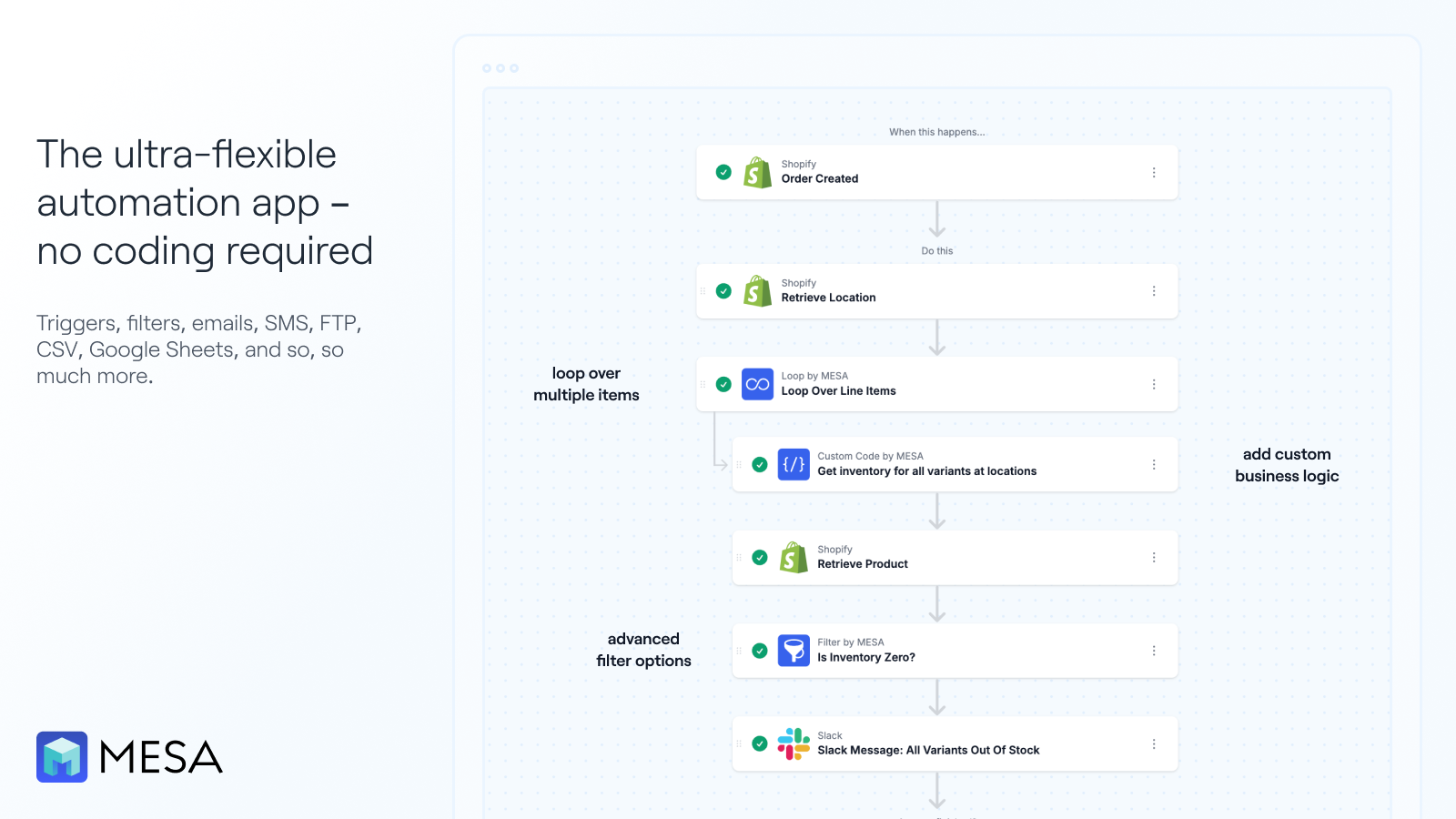
  • Enables complex workflows without requiring advanced programming skills, saving significant time for users.
  • Intuitive design and ease of use, especially for non-technical users, with helpful setup guides.
Cons
  • Some users reported unexpected charges or confusion over billing structures, particularly for high-volume stores.

What merchants said

“The support that I had from Customer Success was second to none. Daniel was super supportive and extremely patient with me. I feel like he went over and above to help me through the setup with MESA. He was really great to work with and really responsive. Thank you Daniel!”
Bullfrog Nature · Canada · ★ 5.0 · 9/4/2026

Summary

Starting PriceFree
Free Trial7 days
Launch Date24 Jul 2019
DeveloperShopPad Inc.
Ratings4.9 ★ (166)
View on ShopifyView charts
About the App

MESA: Workflow Automation, a Notification rules Shopify app, has achieved 165 reviews and an average rating of 4.9 stars since its launch 7 years ago. Designed to assist Shopify merchants with - "Manage daily store operations by automating manual tasks." it is a valuable addition to the Notification rules app lineup.

Top Features:

Notification rules Shopify apps can help elevate your e-commerce game. MESA: Workflow Automation offers a host of key features, including:

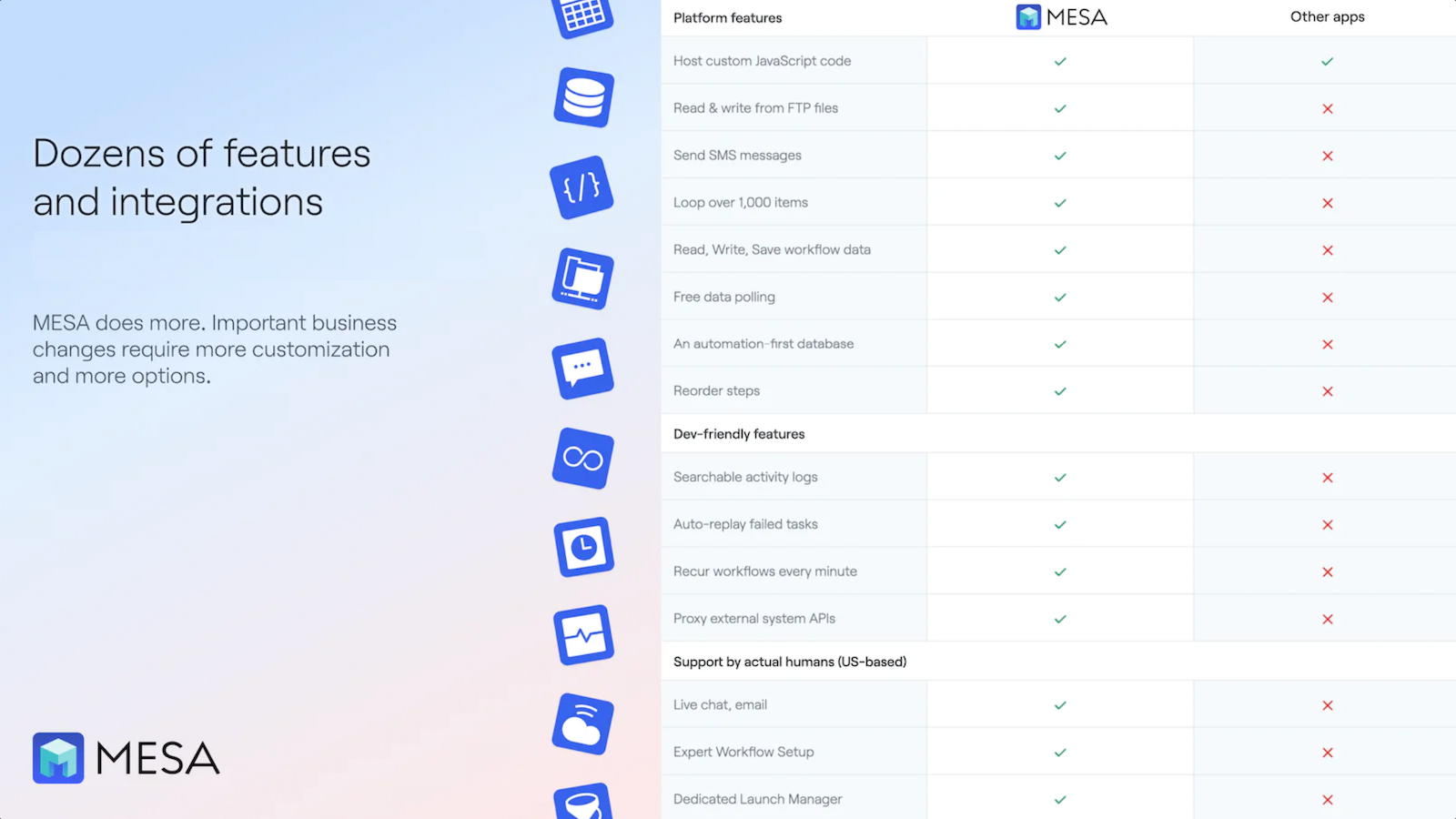
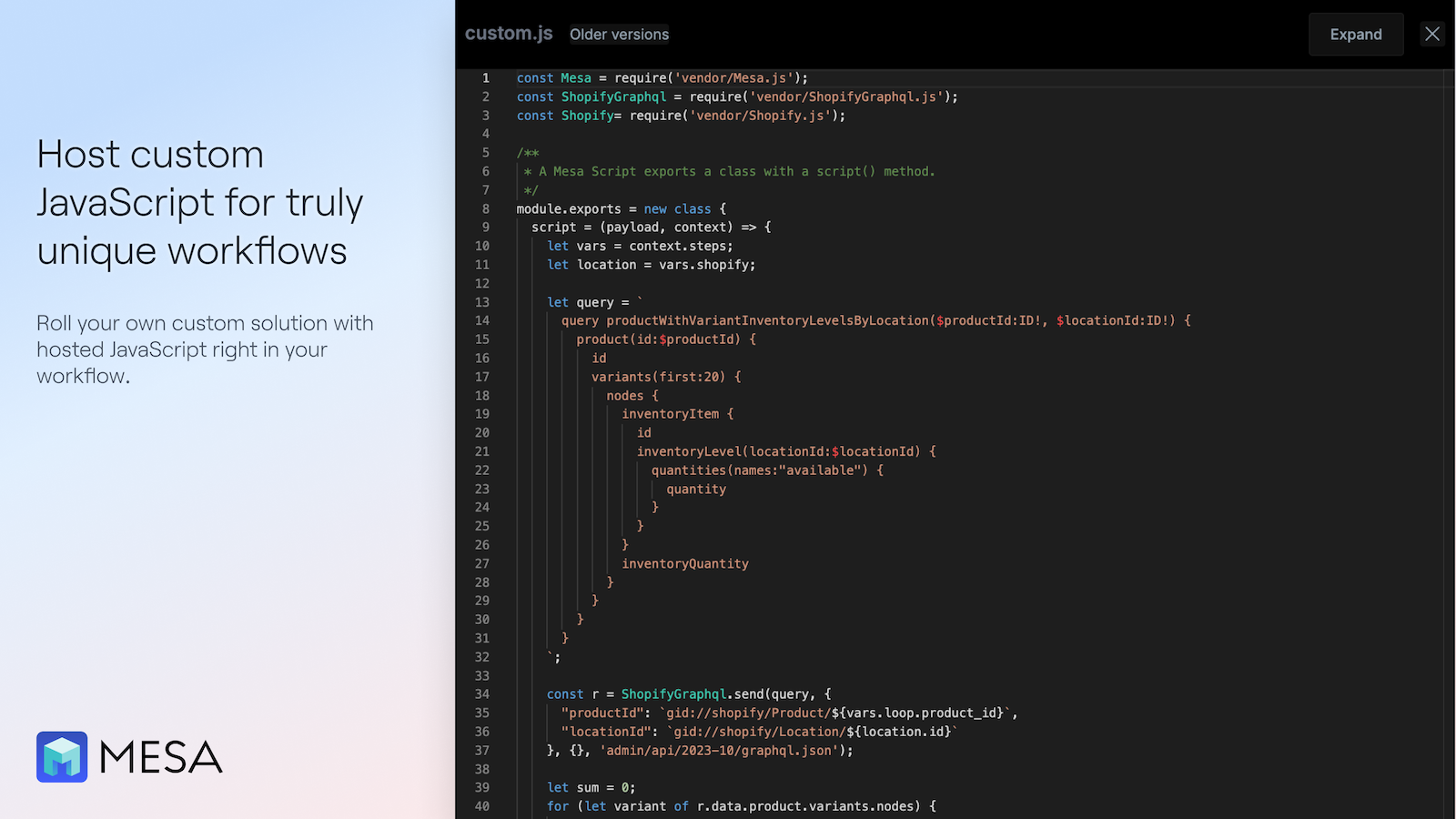
  • Shopify API Integration:Link to Shopify's entire API to manage payload requests without coding.
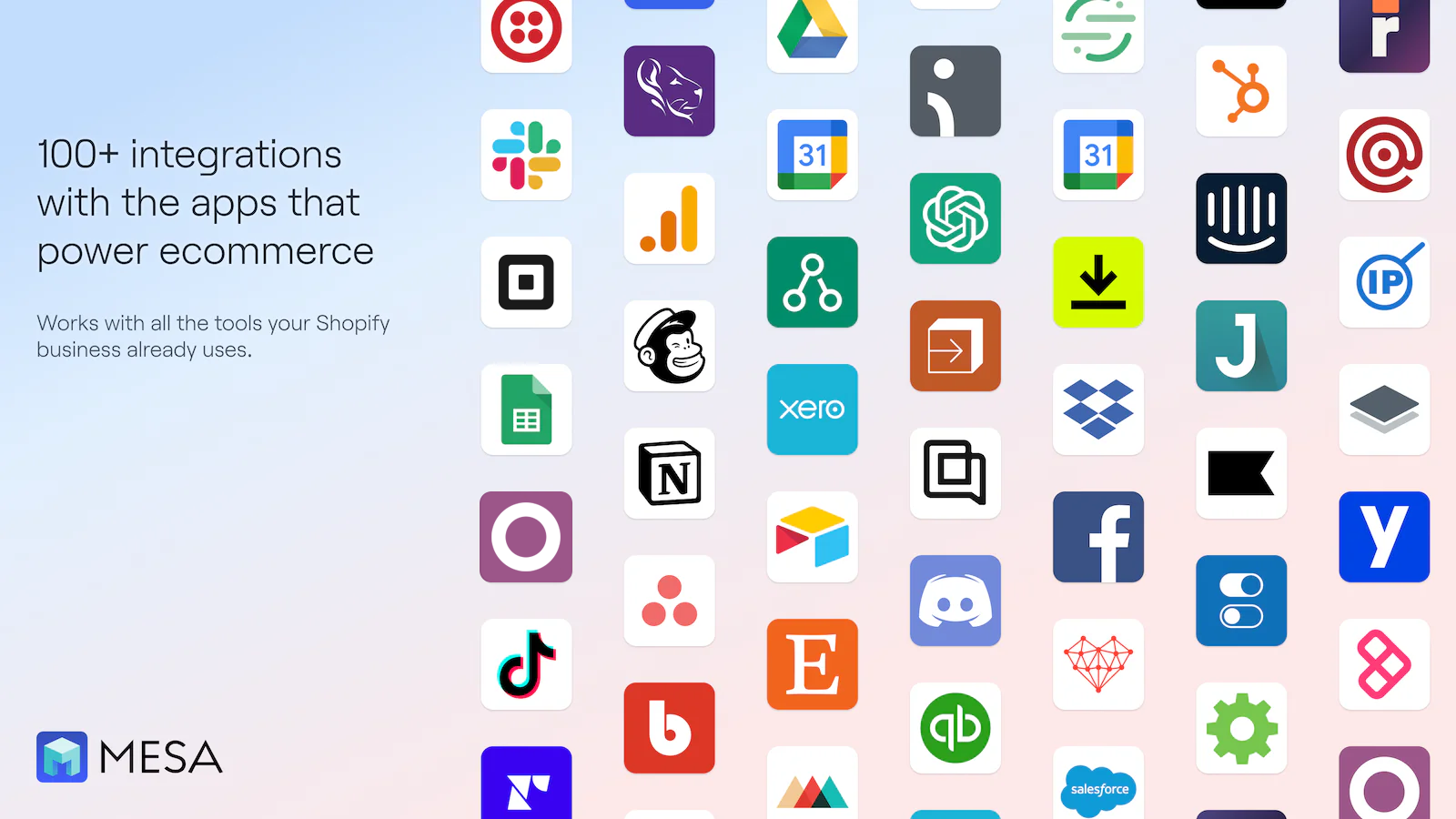
  • Multi-functional app suite:Includes 17 pre-installed apps for managing tasks like emailing, texting, and reporting.
  • Free Automation Setup:Setup is completely included. We'll create your automations for free.
  • Importing Product Options:Transfer product choices to external databases like Google Sheets and Airtable.
  • Automated order tagging:Easy order auto-tagging on Shopify for smoother operations and delivery.
Pricing Details

MESA: Workflow Automation offers 1 free plan and 3 paid plans.

Considering installing this Notification rules Shopify app? Explore the pricing details and discover if they align with your budget and needs.

  1. Starter · $0/month

    Included features: Get started for free, Automate 50 tasks a month

  2. Basic · $12/month

    Included features: Stores new to automation, Automate 500 tasks a month

  3. Flex · $29/month

    Included features: When you're automating critical work, Automate 10,000 tasks a month

  4. Pro · $99/month

    Included features: For running a business at scale, Automate 50,000+ tasks a month, Priority support

Pros and Cons

Delve into ShopDigest's expert insights on MESA: Workflow Automation - a Notification rules Shopify app. Our analysis of Shopify app store reviews presents unique pros and cons, allowing you to make informed decisions for your business.

Pros
  • Highly responsive and knowledgeable support team, frequently praised for quick resolutions and personalized assistance.
  • Enables complex workflows without requiring advanced programming skills, saving significant time for users.
  • Intuitive design and ease of use, especially for non-technical users, with helpful setup guides.
  • Flexible features allow tailored solutions to meet unique business needs, often exceeding expectations.
  • Seamlessly connects with various platforms (e.g., Google Sheets, Shopify, Infinite Options) to streamline operations.
  • Automates repetitive tasks, reducing manual effort and improving productivity.
  • Continuously enhances functionality and addresses user-specific requests promptly.
  • Stable and consistent operation of workflows, with minimal disruptions.
  • Cost-effective compared to hiring developers or using pricier alternatives for similar automation needs.
  • Transforms operations, enabling scalability and improved customer experiences.
Cons
  • Some users reported unexpected charges or confusion over billing structures, particularly for high-volume stores.
  • Initial setup can be challenging for beginners, requiring reliance on support for complex workflows.
  • Lack of robust guides or tutorials for advanced features, leading to trial-and-error usage.
  • A few users experienced errors or inconsistencies in automation execution, requiring manual checks.
  • Per-order pricing can become expensive for stores needing only simple functionalities.
Talk to the developer

Install in Your Store Now

Your request goes to the team that built MESA: Workflow Automation, not a support queue.

Keyword ranking

Top three ranked in Shopify App Store

Easyteam POS Time Clock In

Management tools for retail employees. Includes time clock for payroll, schedule creation, and sales commission tracking.

5.0 ★ (329)$30/mo onwards
View app data →
Zon Staff POS Time Clock In

Manage shifts, scheduling, track hours & payroll effortlessly.Your homebase for POS teams.

4.9 ★ (51)$24.99/mo onwards
View app data →
MESA: Workflow Automation

Manage daily store operations by automating manual tasks.

4.9 ★ (166)$12/mo onwards
View app data →
#4 of 95
StaffPing Order Notifications

StaffPing Order Notifications by Exlrate

WhatsApp staff order alerts & admin order notifications

Pricing Plans: $9/month, $29/month, $49/month
Free Trial: 7 days
Key Features
  • WhatsApp order alerts for new orders, payments, fulfillments & cancellations
  • Filter order notifications by order value, shipping country, tags or COD payment
  • Route staff notifications and team alerts to different admin and team members
  • Order alert with order total, destination, payment method & link to admin panel
  • Track WhatsApp notification delivery for every staff alert & order notification

What merchants said

“ StaffPing m'a vraiment facilité la gestion et la répartition de mes commandes. Grâce aux personnalisations adaptées à mes besoins et à la possibilité d'utiliser le système en français, mon travail est devenu beaucoup plus simple et efficace. Un grand merci à l'équipe pour son accompagnement, sa disponibilité et son professionnalisme. Je recommande vivement StaffPing !”
Houmenz Buz Mali · Mali · ★ 5.0 · 10/9/2026

Summary

Starting Price$9/mo
Free Trial7 days
Launch Date19 Mar 2026
DeveloperExlrate
Ratings5.0 ★ (4)
View on ShopifyView charts
About the App

StaffPing Order Notifications, a Notification rules Shopify app, has achieved 4 reviews and an average rating of 5 stars since its launch this year. Designed to assist Shopify merchants with - "WhatsApp order alerts for your staff and admin team. Filter by value, country, tags, or payment." it is a valuable addition to the Notification rules app lineup.

Top Features:

Notification rules Shopify apps can help elevate your e-commerce game. StaffPing Order Notifications offers a host of key features, including:

  • WhatsApp order alerts for new orders, payments, fulfillments & cancellations
  • Filter order notifications by order value, shipping country, tags or COD payment
  • Route staff notifications and team alerts to different admin and team members
  • Order alert with order total, destination, payment method & link to admin panel
  • Track WhatsApp notification delivery for every staff alert & order notification
Pricing Details

StaffPing Order Notifications offers 0 free plans and 3 paid plans.

Considering installing this Notification rules Shopify app? Explore the pricing details and discover if they align with your budget and needs.

  1. Starter · $9/month

    Included features: 5 WhatsApp staff recipients, 1 Shopify fulfillment location, Standard message templates, Message language translations, All triggers & filters, 7-day trial includes 50 free messages

  2. Growth · $29/month

    Included features: Unlimited WhatsApp staff recipients, 5 Shopify fulfillment location, Custom message templates, Unlimited notification rules, All triggers & filters, 7-day trial includes 50 free messages

  3. Scale · $49/month

    Included features: Unlimited WhatsApp staff recipients, 15 Shopify fulfillment locations, Custom message templates, Unlimited notification rules, All triggers & filters, Priority Support, 7-day trial includes 50 free messages

Talk to the developer

Install in Your Store Now

Your request goes to the team that built StaffPing Order Notifications, not a support queue.

#5 of 95
Track by Loop

Track by Loop by Wonderment

The customer experience continues even after payment.

Pros
  • The app significantly reduces customer inquiries by providing real-time updates and proactive notifications about order status.
  • Effortless integration with Klaviyo enables automated email flows and enhanced customer segmentation.
  • The team is highly responsive, knowledgeable, and goes above and beyond to assist with onboarding and customization.
Cons
  • Some users find the dashboard visually appealing but less intuitive for managing orders without exporting CSV files.

What merchants said

“A really great way to provide transparency to customers while also reducing the amount of emails people send asking 'where's my order??”
VaultFinds · United States · ★ 5.0 · 4/7/2025

Summary

Starting Price$99/mo
Free TrialNot Available
Launch Date05 Oct 2020
DeveloperWonderment
Ratings4.3 ★ (76)
View on ShopifyView charts
About the App

Track by Loop, a Notification rules Shopify app, has achieved 75 reviews and an average rating of 4.3 stars since its launch 6 years ago. Designed to assist Shopify merchants with - "Wonderment Post-Purchase lets brands share updates and improve their customer's experience." it is a valuable addition to the Notification rules app lineup.

Top Features:

Notification rules Shopify apps can help elevate your e-commerce game. Track by Loop offers a host of key features, including:

  • Shipping Transparency:Eliminate All Blindspots in Shipping
  • Order Tracking:Avoid 'Where's My Order?'
  • Customer Retention:Attract Returning Customers
Pricing Details

Track by Loop offers 0 free plans and 3 paid plans.

Considering installing this Notification rules Shopify app? Explore the pricing details and discover if they align with your budget and needs.

  1. Starter Plan · $99/month

    Included features: Klaviyo, Postscript, Attentive, Up to 2,500 shipments/month, Branded Tracking Page, Best for self-service

  2. Premium Plan · $189/month

    Included features: Everything in Starter, plus:, Included Onboarding, Advanced Reporting, Shopify Flow, Gorgias Integration, Automation Integrations

  3. Plus Plan · $449/month

    Included features: Everything in Premium, plus:, Delivery Promise, Webhooks and API, Split Shipment Support

Pros and Cons

Delve into ShopDigest's expert insights on Track by Loop - a Notification rules Shopify app. Our analysis of Shopify app store reviews presents unique pros and cons, allowing you to make informed decisions for your business.

Pros
  • The app significantly reduces customer inquiries by providing real-time updates and proactive notifications about order status.
  • Effortless integration with Klaviyo enables automated email flows and enhanced customer segmentation.
  • The team is highly responsive, knowledgeable, and goes above and beyond to assist with onboarding and customization.
  • Customizable tracking pages and transactional emails enhance brand consistency and customer engagement.
  • Advanced reporting and dashboards provide valuable data on carrier performance and fulfillment analytics.
  • The app drives incremental revenue through improved post-purchase communication and reduced support tickets.
  • Quick and intuitive setup process with minimal technical effort required.
  • Works seamlessly with various shipping carriers, including USPS, UPS, and FedEx.
  • Effective across international markets, including Canada, Australia, and the UK.
  • Identifies and addresses shipping delays before customers are aware, improving satisfaction.
Cons
  • Some users find the dashboard visually appealing but less intuitive for managing orders without exporting CSV files.
Talk to the developer

Install in Your Store Now

Your request goes to the team that built Track by Loop, not a support queue.

#6 of 95
Fraud Falcon ‑ Block Blacklist

Fraud Falcon ‑ Block Blacklist by Jannik Wempe und Alessandro Volpicella GbR

Free Trial: 14 days
Key Features
  • Block a customer or blacklist repeat offenders by email, name, address, ZIP, IP
  • Build fraud rules with 35+ conditions: risk level, email, shipping country
  • Choose actions: cancel orders, auto-refund, restock inventory, or hold review
  • Setup wizard analyzes your store and suggests rules tailored to your business
  • Allowlist trusted customers so their orders skip fraud checks automatically

What merchants said

“Best app to avoid Frauds and Fake orders must try for everyone ”
The Catchglow · Pakistan · ★ 5.0 · 3/14/2026

Summary

Starting Price$29.99/mo
Free Trial14 days
Launch Date09 Dec 2024
Ratings5.0 ★ (9)
View on ShopifyView charts
About the App

Fraud Falcon ‑ Block Blacklist, a Notification rules Shopify app, has achieved 9 reviews and an average rating of 5 stars since its launch 2 years ago. Designed to assist Shopify merchants with - "Block customers who cause chargebacks. Blacklist by email, IP or address. Auto-cancel and refund." it is a valuable addition to the Notification rules app lineup.

Top Features:

Notification rules Shopify apps can help elevate your e-commerce game. Fraud Falcon ‑ Block Blacklist offers a host of key features, including:

  • Block a customer or blacklist repeat offenders by email, name, address, ZIP, IP
  • Build fraud rules with 35+ conditions: risk level, email, shipping country
  • Choose actions: cancel orders, auto-refund, restock inventory, or hold review
  • Setup wizard analyzes your store and suggests rules tailored to your business
  • Allowlist trusted customers so their orders skip fraud checks automatically
Pricing Details

Fraud Falcon ‑ Block Blacklist offers 0 free plans and 4 paid plans.

Considering installing this Notification rules Shopify app? Explore the pricing details and discover if they align with your budget and needs.

  1. Starter · $29.99/month

    Included features: All features, Up to 500 orders per month

  2. Advanced · $49.99/month

    Included features: All features, Up to 1,000 orders per month

  3. Professional · $149.99/month

    Included features: All features, Up to 5,000 orders per month

  4. Business · $399.99/month

    Included features: All features, Up to 20,000 orders per month

Pros and Cons

Delve into ShopDigest's expert insights on Fraud Falcon ‑ Block Blacklist - a Notification rules Shopify app. Our analysis of Shopify app store reviews presents unique pros and cons, allowing you to make informed decisions for your business.

Pros
  • The app successfully identifies and handles suspicious orders, reducing chargebacks.
  • Installation and configuration are straightforward, with minimal effort required.
  • The support team is consistently praised for being helpful and proactive.
Talk to the developer

Install in Your Store Now

Your request goes to the team that built Fraud Falcon ‑ Block Blacklist, not a support queue.

#7 of 95
Cha‑Ching: Order Notifications

Cha‑Ching: Order Notifications by Keel Labs

Real-time order sounds for your browser or Sonos speakers.

Pricing Plans: $3.99/month, $9.99/month
Free Trial: 7 days
Key Features
  • Hear every sale instantly — works in any open browser tab. No setup.
  • Fill your office or shop floor with a chime on every new order.
  • Pick from built-in chimes or upload your own custom sound.
  • Big order? Play a different sound. Filter by value, product, or tag.
  • Your whole team hears every sale — simultaneously, on every device.

What merchants said

“Fantastic App! Best feeling when you hear the cha ching go off signaling another order.”
Aqua Caddie · United States · ★ 5.0 · 6/7/2026

Summary

Starting Price$3.99/mo
Free Trial7 days
Launch Date06 Jan 2025
DeveloperKeel Labs
Ratings- (1)
View on ShopifyView charts
About the App

Cha‑Ching: Order Notifications, a Notification rules Shopify app, has achieved 0 reviews and an average rating of 0 stars since its launch 1 years ago. Designed to assist Shopify merchants with - "Hear every sale the moment it happens — in your browser or on speakers." it is a valuable addition to the Notification rules app lineup.

Top Features:

Notification rules Shopify apps can help elevate your e-commerce game. Cha‑Ching: Order Notifications offers a host of key features, including:

  • Hear every sale instantly — works in any open browser tab. No setup.
  • Fill your office or shop floor with a chime on every new order.
  • Pick from built-in chimes or upload your own custom sound.
  • Big order? Play a different sound. Filter by value, product, or tag.
  • Your whole team hears every sale — simultaneously, on every device.
Pricing Details

Cha‑Ching: Order Notifications offers 0 free plans and 2 paid plans.

Considering installing this Notification rules Shopify app? Explore the pricing details and discover if they align with your budget and needs.

  1. Basic · $3.99/month

    Included features: Play sounds in your browser tab, 1 notification rule, Built-in audio clips included

  2. Premium · $9.99/month

    Included features: Unlimited notification rules, Upload your own audio clips, Sonos speaker support included, Advanced filters — amount, product, tag

Talk to the developer

Install in Your Store Now

Your request goes to the team that built Cha‑Ching: Order Notifications, not a support queue.

#8 of 95
Workfeed

Workfeed by Workfeed ApS

Schedule, manage, and engage your staff with one app

Pricing Plans: Free
Pros
  • The app is intuitive and easy to navigate, both on desktop and mobile devices.
  • The availability of a trial period allows users to test functionality before committing.
Cons
  • The lack of transparent pricing details on the app page led to frustration and distrust.

What merchants said

“Use it in all my 10 Outlets and it's great for improving and controling salary spend inside workfeed”
La Cabra Kampanilen · Denmark · ★ 5.0 · 6/3/2026

Summary

Starting PriceFree
Free TrialFree plan
Launch Date21 Dec 2023
DeveloperWorkfeed ApS
Ratings4.7 ★ (3)
View on ShopifyView charts
About the App

Workfeed, a Notification rules Shopify app, has achieved 3 reviews and an average rating of 4.7 stars since its launch 3 years ago. Designed to assist Shopify merchants with - "Schedule, manage, and engage your staff in one place." it is a valuable addition to the Notification rules app lineup.

Top Features:

Notification rules Shopify apps can help elevate your e-commerce game. Workfeed offers a host of key features, including:

  • Employee Scheduling - Create schedules in minutes based on sales & labor targets
  • Time & Attendance - Keep track of working hours, PTO, and absences
  • Communication - Centralize work-related communication with your own company chat
  • Tip pooling - Import tips from Shopify and distribute them among your staff
  • Employee App - Easily share schedules and updates in the app
Pricing Details

Workfeed offers 1 free plan and 0 paid plans.

Considering installing this Notification rules Shopify app? Explore the pricing details and discover if they align with your budget and needs.

  1. Free · $0/month

Pros and Cons

Delve into ShopDigest's expert insights on Workfeed - a Notification rules Shopify app. Our analysis of Shopify app store reviews presents unique pros and cons, allowing you to make informed decisions for your business.

Pros
  • The app is intuitive and easy to navigate, both on desktop and mobile devices.
  • The availability of a trial period allows users to test functionality before committing.
Cons
  • The lack of transparent pricing details on the app page led to frustration and distrust.
  • Absence of non-English language options, such as French, was a notable drawback.
Talk to the developer

Install in Your Store Now

Your request goes to the team that built Workfeed, not a support queue.

#9 of 95
Dingio ‑ Telegram Order Alerts

Dingio ‑ Telegram Order Alerts by EpicPilot Labs

Telegram order notifications & low stock alerts for your team

Pricing Plans: Free, $4.99/month, $14.99/month
Key Features
  • Instant order notifications in Telegram - the second checkout completes
  • Cancellation alerts, so nothing slips past you
  • Low-stock notifications with a threshold you choose, plus anti-spam
  • Send to a team group - no extra Shopify staff accounts needed
  • Detailed alerts with shipping, discounts and payment - or write your own

Summary

Starting PriceFree
Free TrialFree plan
Launch Date07 Aug 2026
Ratings- (0)
View on ShopifyView charts
About the App

Dingio ‑ Telegram Order Alerts, a Notification rules Shopify app, has achieved 0 reviews and an average rating of 0 stars since its launch this year. Designed to assist Shopify merchants with - "Get a Telegram message the moment an order comes in - no dashboard refreshing, no extra staff seats." it is a valuable addition to the Notification rules app lineup.

Top Features:

Notification rules Shopify apps can help elevate your e-commerce game. Dingio ‑ Telegram Order Alerts offers a host of key features, including:

  • Instant order notifications in Telegram - the second checkout completes
  • Cancellation alerts, so nothing slips past you
  • Low-stock notifications with a threshold you choose, plus anti-spam
  • Send to a team group - no extra Shopify staff accounts needed
  • Detailed alerts with shipping, discounts and payment - or write your own
Pricing Details

Dingio ‑ Telegram Order Alerts offers 1 free plan and 2 paid plans.

Considering installing this Notification rules Shopify app? Explore the pricing details and discover if they align with your budget and needs.

  1. Free · $0/month

    Included features: 50 order and cancellation alerts a month, 50 low-stock alerts a month, Open in Shopify link on every alert, Send to a private chat or a team group, Order messages with or without items

  2. Pro · $4.99/month

    Included features: 10 000 alerts a month in total, One limit for orders and low stock, Open in Shopify link on every alert, Send to a private chat or a team group, Order messages with or without items, Short, detailed or SKU-first messages, Write your own custom alert messages

  3. Business · $14.99/month

    Included features: 100 000 alerts a month in total, One limit for orders and low stock, Open in Shopify link on every alert, Send to a private chat or a team group, Order messages with or without items, Short, detailed or SKU-first messages, Write your own custom alert messages, Higher limits available on request

Talk to the developer

Install in Your Store Now

Your request goes to the team that built Dingio ‑ Telegram Order Alerts, not a support queue.

#10 of 95
Heads Up: POS Customer Alerts

Heads Up: POS Customer Alerts by dinkbit

Pop-up POS alerts the instant a customer matches your rule

Pricing Plans: Free, $12/month, $18/month
Key Features
  • Alert when a flagged or blocked customer starts a transaction
  • Pop-up when a cart reaches an amount you set, for promos and free gifts
  • Birthday and anniversary rules fire every year on the date, automatically
  • Set your own rules by tag, purchase history, name/email, or customer metafields
  • Ask Shopify Sidekick for help to set up your rules and check their activity

What merchants said

“Easy to use and helpful for our workflow. The team was also very proactive and supportive. ”
Merz b. Schwanen NYC Store · United States · ★ 5.0 · 9/24/2026

Summary

Starting PriceFree
Free TrialFree plan
Launch Date13 Aug 2026
Developerdinkbit
Ratings5.0 ★ (2)
View on ShopifyView charts
About the App

Heads Up: POS Customer Alerts, a Notification rules Shopify app, has achieved 2 reviews and an average rating of 5 stars since its launch this year. Designed to assist Shopify merchants with - "Flag VIPs, wholesale buyers, birthdays. Staff see a pop-up the instant the sale starts." it is a valuable addition to the Notification rules app lineup.

Top Features:

Notification rules Shopify apps can help elevate your e-commerce game. Heads Up: POS Customer Alerts offers a host of key features, including:

  • Alert when a flagged or blocked customer starts a transaction
  • Pop-up when a cart reaches an amount you set, for promos and free gifts
  • Birthday and anniversary rules fire every year on the date, automatically
  • Set your own rules by tag, purchase history, name/email, or customer metafields
  • Ask Shopify Sidekick for help to set up your rules and check their activity
Pricing Details

Heads Up: POS Customer Alerts offers 1 free plan and 2 paid plans.

Considering installing this Notification rules Shopify app? Explore the pricing details and discover if they align with your budget and needs.

  1. Free · $0/month

    Included features: 1 active notice rule, Tag-based rules only, All 3 POS alert surfaces included

  2. Standard · $12/month

    Included features: 5 active notice rules, Recurring dates: birthdays, renewals, Customer metafield rules, Tag based rules, Purchase history rules, Customer name and email rules, Cart total alerts for promotions

  3. Plus · $18/month

    Included features: Unlimited active notice rules, For multi-location stores running rules, Every condition type, no rule budget

Talk to the developer

Install in Your Store Now

Your request goes to the team that built Heads Up: POS Customer Alerts, not a support queue.

Showing 1-10 out of 95

Best Notification rules Apps in Shopify

Notification rules apps are designed to address specific needs and challenges faced by Shopify store merchants. Whether you're looking to optimize your store's SEO, improve customer support, enhance product listings, or streamline your inventory management, there's an app for that.

Discover a wealth of cutting-edge tools and features offered by these remarkable Notification rules Shopify apps, including Easyteam POS Time Clock In, Zon Staff POS Time Clock In, MESA: Workflow Automation, and many more. Our app collection provides a comprehensive overview of the top apps in the Notification rules category, enabling you to select the ones that will take your e-commerce venture to new heights.

Empower your Shopify store with the best Notification rules apps the platform has to offer and elevate your online business.

Explore Apps by Criteria:

  1. Most Popular Notification rules Apps
  2. Highest Reviewed Notification rules Apps
  3. Top Rated Notification rules Apps
  4. Newly Launched Notification rules Apps

Overview of the Above Top Notification rules Shopify Apps in October 2026

There are a number of Notification rules apps in the Shopify app store designed to supercharge your e-commerce success. Whether you're a seasoned entrepreneur or just starting your online journey, the right apps can make all the difference. We have listed the top Shopify apps in the Notification rules category, based on their popularity and average rating, to help you make informed decisions.

App NameCategoryDeveloperStarting PriceFree PlanReviews
Easyteam POS Time Clock InEasyteam POS Time Clock InBuilt for ShopifyNotification rulesEasyteam®$0/month● Available5.0 ★ (327)
Zon Staff POS Time Clock InZon Staff POS Time Clock InBuilt for ShopifyNotification rulesZonstaff.com$0/month● Available4.9 ★ (51)
MESA: Workflow AutomationMESA: Workflow AutomationNotification rulesShopPad Inc.$0/month● Available4.9 ★ (165)
StaffPing Order NotificationsStaffPing Order NotificationsNotification rulesExlrate$9/month● Unavailable5.0 ★ (4)
Track by LoopTrack by LoopNotification rulesWonderment$99/month● Unavailable4.3 ★ (75)
Fraud Falcon ‑ Block BlacklistFraud Falcon ‑ Block BlacklistBuilt for ShopifyNotification rulesJannik Wempe und Alessandro Volpicella GbR$29.99/month● Unavailable5.0 ★ (9)
Cha‑Ching: Order NotificationsCha‑Ching: Order NotificationsNotification rulesKeel Labs$3.99/month● Unavailable- (0)
WorkfeedWorkfeedNotification rulesWorkfeed ApS$0/month● Available4.7 ★ (3)
Dingio ‑ Telegram Order AlertsDingio ‑ Telegram Order AlertsNotification rulesEpicPilot Labs$0/month● Available- (0)
Heads Up: POS Customer AlertsHeads Up: POS Customer AlertsNotification rulesdinkbit$0/month● Available5.0 ★ (2)

Have a Closer Look at the Best Notification rules Apps

Now let us jump in and check out these Top 5 Notification rules Shopify apps.

Easyteam POS Time Clock In

1. Easyteam POS Time Clock In

5.0 ★ (329)
Easyteam POS Time Clock In screenshot 1
Easyteam POS Time Clock In screenshot 2
Easyteam POS Time Clock In screenshot 3
Easyteam POS Time Clock In screenshot 4
Easyteam POS Time Clock In screenshot 5
Easyteam POS Time Clock In screenshot 6
Easyteam POS Time Clock In screenshot 7
Easyteam POS Time Clock In screenshot 8
Easyteam POS Time Clock In screenshot 9
Easyteam POS Time Clock In screenshot 10
Easyteam POS Time Clock In screenshot 11

Reviews

Most Recent Review

5.0 ★Amazing

Mark was very helpful. Each time I have had a question the response time has been quick, friendly and helpful. I am very happy I chose Easyteam for our company.

Recess Games® · United States · 20 Oct 2026

Recent Review

5.0 ★Amazing

We’ve had an excellent experience with EasyTeam! The entire employee onboarding process was incredibly simple and straightforward, making it easy to get everything set up for our business. I had a question during the process, and their customer support team (Ann) responded almost immediately and was extremely helpful. It’s refreshing to work with a company that makes things easy and truly values customer service. We’re extremely happy with the platform and the service we’ve received so far. Highly recommend!

BrieflyFunny · United States · 13 Oct 2026
Why is Easyteam POS Time Clock In a top Notification rules Shopify app?
With an impressive overall rating of 5 stars and 329 reviews, Easyteam POS Time Clock In stands out as one of the top Notification rules Shopify apps. The main objective of the app is - Management tools for retail employees. Includes time clock for payroll, schedule creation, and sales commission tracking. Its purpose underscores its significance in enhancing your Shopify store experience.

ShopDigest selects the top Shopify apps in the Notification rules category based on various parameters, including the number of installations across Shopify stores, the app's ranking in the Shopify App Store, the number of merchants' reviews, and its overall customer rating, among other factors.
Why integrate Easyteam POS Time Clock In with your Shopify store?
By integrating a Notification rules app with your Shopify store, you unlock a range of benefits. Easyteam POS Time Clock In, a popular Notification rules Shopify app, brings the following functionalities and value to a Shopify store, including:
  • Convenient Time Tracking: Clock in/out anywhere using your Shopify POS or mobile phone.
  • Efficient Scheduling: Quickly and efficiently plan your schedule from any device, even directly from Shopify POS.
  • Sales Commission Calculation: Track the sales of your retail employees and compute their commissions.
  • Store checklist management: You can handle your store's checklists like opening a store directly from the POS.
  • Payroll Flexibility: Supports all kinds of payroll and is ready to process using your preferred method.
Learn more about the Easyteam POS Time Clock In features in detail.

Shopify merchants highlight key advantages, such as Easily clock in/out from any location with your Shopify POS, or mobile phone., Schedule faster and smarter from any device, including the Shopify POS itself., and more,
What are some of the top alternatives for Easyteam POS Time Clock In?
Looking for options? Dive into a selection of Notification rules apps that rival Easyteam POS Time Clock In, each offering unique features to enhance your Shopify store. Consider these top alternatives: which can match or even surpass the offerings of Easyteam POS Time Clock In, giving you flexibility and choice.
profile picture 1profile picture 2profile picture 3profile picture 4

Install Now

Our experts are here to help you.

Zon Staff POS Time Clock In

2. Zon Staff POS Time Clock In

4.9 ★ (51)
Zon Staff POS Time Clock In screenshot 1
Zon Staff POS Time Clock In screenshot 2
Zon Staff POS Time Clock In screenshot 3
Zon Staff POS Time Clock In screenshot 4
Zon Staff POS Time Clock In screenshot 5

Reviews

Most Recent Review

5.0 ★Amazing

I enjoy using the app thus far. Malik did an excellent job walking me through the process. The app in itself gives me exactly what i need to handle my staffs.

THE FYSH POT · Bahamas · 09 Oct 2026

Recent Review

5.0 ★Amazing

The app has been easy to use and the support has been prompt.
Resolutionskin · St. Kitts & Nevis · 29 Sep 2026
Why is Zon Staff POS Time Clock In a top Notification rules Shopify app?
With an impressive overall rating of 4.9 stars and 51 reviews, Zon Staff POS Time Clock In stands out as one of the top Notification rules Shopify apps. The main objective of the app is - Manage shifts, scheduling, track hours & payroll effortlessly.Your homebase for POS teams. Its purpose underscores its significance in enhancing your Shopify store experience.

ShopDigest selects the top Shopify apps in the Notification rules category based on various parameters, including the number of installations across Shopify stores, the app's ranking in the Shopify App Store, the number of merchants' reviews, and its overall customer rating, among other factors.
Why integrate Zon Staff POS Time Clock In with your Shopify store?
By integrating a Notification rules app with your Shopify store, you unlock a range of benefits. Zon Staff POS Time Clock In, a popular Notification rules Shopify app, brings the following functionalities and value to a Shopify store, including:
  • Create, manage, and update shifts from any device, including Shopify POS
  • Monitor team performance and build flexible commission plans that reward staff
  • Let employees clock in and out seamlessly from any device or location
  • Staff access to schedules, shifts, tasks, time tracking and time-off requests
  • Track employee sales performance & automate commission calculations
Learn more about the Zon Staff POS Time Clock In features in detail.

Shopify merchants highlight key advantages, such as Create, manage, and update shifts from any device, including Shopify POS, Monitor team performance and build flexible commission plans that reward staff, and more,
What are some of the top alternatives for Zon Staff POS Time Clock In?
Looking for options? Dive into a selection of Notification rules apps that rival Zon Staff POS Time Clock In, each offering unique features to enhance your Shopify store. Consider these top alternatives: which can match or even surpass the offerings of Zon Staff POS Time Clock In, giving you flexibility and choice.
profile picture 1profile picture 2profile picture 3profile picture 4

Install Now

Our experts are here to help you.

MESA: Workflow Automation

3. MESA: Workflow Automation

4.9 ★ (166)
MESA: Workflow Automation screenshot 1
MESA: Workflow Automation screenshot 2
MESA: Workflow Automation screenshot 3
MESA: Workflow Automation screenshot 4
MESA: Workflow Automation screenshot 5
MESA: Workflow Automation screenshot 6

Reviews

Most Recent Review

5.0 ★Amazing

The support that I had from Customer Success was second to none. Daniel was super supportive and extremely patient with me. I feel like he went over and above to help me through the setup with MESA. He was really great to work with and really responsive. Thank you Daniel!

Bullfrog Nature · Canada · 04 Sep 2026

Recent Review

5.0 ★Amazing

After downloading the Mesa app, Jordin stayed online with me until everything was set up exactly the way I wanted. He even stayed over an hour past closing time to make sure everything was working perfectly.I really appreciate the time, patience, and effort he put into helping me. It's rare to receive customer service like this these days. Jordin went above and beyond, and I couldn't be happier with the support I received.Thanks again, Jordin S. Your customer service is absolutely top-notch!

Ribbons & Things · Australia · 21 Jul 2026
Why is MESA: Workflow Automation a top Notification rules Shopify app?
With an impressive overall rating of 4.9 stars and 166 reviews, MESA: Workflow Automation stands out as one of the top Notification rules Shopify apps. The main objective of the app is - Manage daily store operations by automating manual tasks. Its purpose underscores its significance in enhancing your Shopify store experience.

ShopDigest selects the top Shopify apps in the Notification rules category based on various parameters, including the number of installations across Shopify stores, the app's ranking in the Shopify App Store, the number of merchants' reviews, and its overall customer rating, among other factors.
Why integrate MESA: Workflow Automation with your Shopify store?
By integrating a Notification rules app with your Shopify store, you unlock a range of benefits. MESA: Workflow Automation, a popular Notification rules Shopify app, brings the following functionalities and value to a Shopify store, including:
  • Shopify API Integration: Link to Shopify's entire API to manage payload requests without coding.
  • Multi-functional app suite: Includes 17 pre-installed apps for managing tasks like emailing, texting, and reporting.
  • Free Automation Setup: Setup is completely included. We'll create your automations for free.
  • Importing Product Options: Transfer product choices to external databases like Google Sheets and Airtable.
  • Automated order tagging: Easy order auto-tagging on Shopify for smoother operations and delivery.
Learn more about the MESA: Workflow Automation features in detail.

Shopify merchants highlight key advantages, such as Connect to Shopify's entire API to handle payload requests without writing code, Comes with 17 built-in apps to handle everything from email/SMS to reporting, and more,
What are some of the top alternatives for MESA: Workflow Automation?
Looking for options? Dive into a selection of Notification rules apps that rival MESA: Workflow Automation, each offering unique features to enhance your Shopify store. Consider these top alternatives: which can match or even surpass the offerings of MESA: Workflow Automation, giving you flexibility and choice.
profile picture 1profile picture 2profile picture 3profile picture 4

Install Now

Our experts are here to help you.

StaffPing Order Notifications

4. StaffPing Order Notifications

5.0 ★ (4)
StaffPing Order Notifications screenshot 1
StaffPing Order Notifications screenshot 2
StaffPing Order Notifications screenshot 3
StaffPing Order Notifications screenshot 4
StaffPing Order Notifications screenshot 5

Reviews

Most Recent Review

5.0 ★Amazing

StaffPing m'a vraiment facilité la gestion et la répartition de mes commandes. Grâce aux personnalisations adaptées à mes besoins et à la possibilité d'utiliser le système en français, mon travail est devenu beaucoup plus simple et efficace. Un grand merci à l'équipe pour son accompagnement, sa disponibilité et son professionnalisme. Je recommande vivement StaffPing !

Houmenz Buz Mali · Mali · 09 Oct 2026

Recent Review

5.0 ★Amazing

Amazing app, easy to access and use! StaffPing has genuinely helped us reduce cancelled/unnecessary orders being dispatched, saving us both time and money. Highly recommend for anyone running a Shopify store, big or small.

Springbok Official · South Africa · 06 Aug 2026
Why is StaffPing Order Notifications a top Notification rules Shopify app?
With an impressive overall rating of 5 stars and 4 reviews, StaffPing Order Notifications stands out as one of the top Notification rules Shopify apps. The main objective of the app is - WhatsApp order alerts for your staff and admin team. Filter by value, country, tags, or payment. Its purpose underscores its significance in enhancing your Shopify store experience.

ShopDigest selects the top Shopify apps in the Notification rules category based on various parameters, including the number of installations across Shopify stores, the app's ranking in the Shopify App Store, the number of merchants' reviews, and its overall customer rating, among other factors.
Why integrate StaffPing Order Notifications with your Shopify store?
By integrating a Notification rules app with your Shopify store, you unlock a range of benefits. StaffPing Order Notifications, a popular Notification rules Shopify app, brings the following functionalities and value to a Shopify store, including:
  • WhatsApp order alerts for new orders, payments, fulfillments & cancellations
  • Filter order notifications by order value, shipping country, tags or COD payment
  • Route staff notifications and team alerts to different admin and team members
  • Order alert with order total, destination, payment method & link to admin panel
  • Track WhatsApp notification delivery for every staff alert & order notification
Learn more about the StaffPing Order Notifications features in detail.

Shopify merchants highlight key advantages, such as WhatsApp order alerts for new orders, payments, fulfillments & cancellations, Filter order notifications by order value, shipping country, tags or COD payment, and more,
What are some of the top alternatives for StaffPing Order Notifications?
Looking for options? Dive into a selection of Notification rules apps that rival StaffPing Order Notifications, each offering unique features to enhance your Shopify store. Consider these top alternatives: which can match or even surpass the offerings of StaffPing Order Notifications, giving you flexibility and choice.
profile picture 1profile picture 2profile picture 3profile picture 4

Install Now

Our experts are here to help you.

Track by Loop

5. Track by Loop

4.3 ★ (76)
Track by Loop screenshot 1
Track by Loop screenshot 2
Track by Loop screenshot 3
Track by Loop screenshot 4
Track by Loop screenshot 5

Reviews

Most Recent Review

5.0 ★Amazing

A really great way to provide transparency to customers while also reducing the amount of emails people send asking 'where's my order??

VaultFinds · United States · 07 Apr 2025

Recent Review

5.0 ★Amazing

Wonderment is now our go-to Shopify app, an absolute essential for any store. Thousands of shipments later, and we've yet to receive a single customer support ticket for order updates, thanks to Wonderment's proactive triggers.Special kudos to Sivan for going above and beyond during our integration. Her expertise ensured a seamless and tailored success. Wonderment's features, combined with Sivan's exceptional support, make it a five-star, must-have solution for any Shopify store!

Pendrell · United States · 12 Dec 2023
Why is Track by Loop a top Notification rules Shopify app?
With an impressive overall rating of 4.3 stars and 76 reviews, Track by Loop stands out as one of the top Notification rules Shopify apps. The main objective of the app is - Wonderment Post-Purchase lets brands share updates and improve their customer's experience. Its purpose underscores its significance in enhancing your Shopify store experience.

ShopDigest selects the top Shopify apps in the Notification rules category based on various parameters, including the number of installations across Shopify stores, the app's ranking in the Shopify App Store, the number of merchants' reviews, and its overall customer rating, among other factors.
Why integrate Track by Loop with your Shopify store?
By integrating a Notification rules app with your Shopify store, you unlock a range of benefits. Track by Loop, a popular Notification rules Shopify app, brings the following functionalities and value to a Shopify store, including:
  • Shipping Transparency: Eliminate All Blindspots in Shipping
  • Order Tracking: Avoid 'Where's My Order?'
  • Customer Retention: Attract Returning Customers
Learn more about the Track by Loop features in detail.

Shopify merchants highlight key advantages, such as No More Shipping Blindspots, Prevent 'Where's My Order?', and more,
What are some of the top alternatives for Track by Loop?
Looking for options? Dive into a selection of Notification rules apps that rival Track by Loop, each offering unique features to enhance your Shopify store. Consider these top alternatives: which can match or even surpass the offerings of Track by Loop, giving you flexibility and choice.
profile picture 1profile picture 2profile picture 3profile picture 4

Install Now

Our experts are here to help you.

How We Selected the Top Shopify Apps in Notification rules

Our team employs a comprehensive evaluation process that takes into account various factors to ensure you are presented with only the best options. Here's how we do it:

  • By Reviews: We understand the value of peer recommendations, and that's why we've sorted these top Shopify apps in Notification rules based on the highest praise received from users, ensuring you get tried-and-tested solutions. The top listed apps here have earned the trust of fellow Shopify merchants. Jump to Highest Reviewed Notification rules Shopify Apps.
  • By Price: Budget consideration is important while choosing a Shopify app for your store. That's why we have also categorized these top Shopify apps in Notification rules by price, enabling you to find the perfect solutions that align with your financial goals without compromising on quality. Jump to Top Paid Notification rules Shopify Apps.
  • By Launch Date: To keep you updated about the latest innovations, we've organized these Shopify apps based on their launch date. You can check the list of recently launched top apps in Notification rules that could bring innovative solutions to your Shopify store. Jump to Newly Launched Notification rules Shopify Apps.
  • By Popularity: We feature the Notification rules apps that are making waves among Shopify store owners, helping you stay ahead of the curve. These apps have captured the attention of ecommerce owners and are listed as the top in the popularity section of the Shopify app store. Jump to Most Popular Notification rules Shopify Apps.
  • By Ratings: We prioritize apps that have consistently earned high ratings, reflecting their impact and user satisfaction. These Notification rules apps with excellent ratings stand out from their competitors, making them a solid choice for your business needs. Jump to Top Rated Notification rules Shopify Apps.
  • By Best Match: We harness the power of Shopify's own recommendations! Our selection considers apps that Shopify suggests as a strong fit for Notification rules, ensuring you access the platform's expert insights. Jump to Best Match Notification rules Shopify Apps.

With these criteria in mind, we strive to present you with a diverse and well-rounded selection of the top Notification rules Shopify apps in 2026. Rest assured, our selection process is designed to assist you in finding the most suitable solutions for your Shopify store needs.

How to Choose the Best Notification rules Shopify App For Your Store

Choosing the right Notification rules Shopify App for your store depends on various factors specific to your business goals. To make an informed decision, follow these steps:

  • Identify Your Requirements: Begin by understanding the specific goals and challenges your store faces. List the key features and functionalities you need in a Notification rules app to address these requirements effectively.
  • Read User Reviews: Explore user reviews and ratings for the Notification rules apps you are considering. Real-hand experiences from other Shopify merchants can provide valuable insights into how each app performs.
  • Compare Features: Use our app comparison page, where you can add the Notification rules apps of your choice and perform a side-by-side comparison. This page allows you to evaluate each app's features, pricing, support, and other essential factors to help you find the best fit for your store.
  • Consider Budget: While some apps offer free plans with basic functionalities, others may require a paid subscription for access to advanced features. You can check out our complete list of Top Paid Notification rules Shopify apps, and choose an app that aligns with your budget and can grow with your store as it expands.
  • Support and Documentation: Check the documentation and customer support resources of the app. A well-supported Notification rules app that offers comprehensive documentation can help you implement and use it more effectively.
  • Integration Compatibity: Ensure that the Notification rules app you choose can seamlessly integrate with your existing apps and theme to avoid compatibility issues.
  • Trial Periods: Some Notification rules apps offer a free trial period that enables you to test the app's capabilities before purchasing a subscription.

Each Shopify store is different, and the best Notification rules app for your store will be one that aligns closely with your specific business requirements.

More Information on Notification rules Shopify Apps

Now let us jump in and check out these Top 10 Notification rules Shopify apps.

In this comprehensive guide, we've provided you with a complete collection of Notification rules Shopify apps that can help streamline your ecommerce journey. These Notification rules Shopify apps cover a wide spectrum of needs to take your store forward. From 95 outstanding apps, we've covered every facet of Notification rules, ensuring you have access to a vast range of tools to enhance your Shopify store.

However, choosing the perfect Notification rules app for your specific requirements is key. Consider your specific goals, read user reviews, and compare features to find the ideal match for your Shopify store. Our Shopify app comparison page simplifies this process by allowing you to create side-by-side comparisons for any Notification rules apps of your choice. ShopDigest guides you through the selection process, making it easier to find and install the perfect Notification rules app that aligns with your goals.

Shopify Notification rules App Installation

There are thousands of Notification rules Shopify apps with different installation instructions, integration complexities, and customization levels. Our team at ShopDigest is here to assist you every step of the way. Installing your chosen app is a breeze with our service, ensuring a seamless integration into your store's ecosystem.

What's included

  • Safely install/uninstall Shopify app of your choice
  • App integration with any theme as per specification
  • Configurations & setup
  • Assured support and guidance
  • Get discount offers (not guaranteed)

What's not included

  • Shopify app subscription cost
Keyword charts

Explore key insights for Notification rules apps

Market share, rank movement, install geography and review pace — tracked across all 95 apps. Open the full charts for history and app-level detail.

Open Notification rules charts

Market share leaders

Oct 2026
Easyteam POS Time Clock In75.5%
Zon Staff POS Time Clock In19.2%
MESA: Workflow Automation3.2%
StaffPing Order Notifications1.5%
Track by Loop0.3%

The top two apps hold 94.8% of tracked installs.

Rank movers, 30 days

Top 10 tracked
WorkfeedWorkfeed▲ 5#8
StaffPing Order NotificationsStaffPing Order Notifications▲ 2#4
Track by LoopTrack by Loop▲ 2#5
Dingio ‑ Telegram Order AlertsDingio ‑ Telegram Order Alerts▲ 2#9
Fraud Falcon ‑ Block BlacklistFraud Falcon ‑ Block Blacklist▼ 1#6

5 apps climbed and 2 dropped among the top 10 tracked.

Where installs come from

Keyword-wide
🇺🇸United States84.4%
🇨🇦Canada5.3%
🇮🇱Israel1.8%
🇨🇷Costa Rica1.8%
🇿🇦South Africa1.0%

United States and Canada merchants drive 89.8% of installs.

Reviews added, 30 days

Top tracked apps
Easyteam POS Time Clock In+3
Zon Staff POS Time Clock In+3
StaffPing Order Notifications+1

7 new reviews across the top 10 tracked apps in the last 30 days.

Key Insights:
  • Easyteam POS Time Clock In commands 75.5% market share, 56.3pp ahead of Zon Staff POS Time Clock In — a concentrated notification rules category.
  • In the last 30 days, 5 apps climbed and 2 dropped in ranking among the top 10 tracked notification rules apps.
  • Easyteam POS Time Clock In added the most new reviews this month (+3) — strong adoption momentum.

Frequently Asked Questions for Notification rules Shopify Apps

1. What are some of the top Shopify apps under the Notification rules category?

Here are some of the top Shopify apps under the Notification rules category:

  • Easyteam POS Time Clock In
  • Zon Staff POS Time Clock In
  • MESA: Workflow Automation
  • StaffPing Order Notifications
  • Track by Loop
  • Fraud Falcon ‑ Block Blacklist
  • Cha‑Ching: Order Notifications
  • Workfeed
  • Dingio ‑ Telegram Order Alerts
  • Heads Up: POS Customer Alerts

Each of these apps offers unique features and functionalities tailored to boost your Notification rules efforts and optimize your store's performance. Explore these top choices and find the perfect fit for your business needs.

2. How do I install a Notification rules Shopify app?

Installing a Notification rules Shopify app is simple. Navigate to the Shopify App Store, search for the specific app you want to install, and click on the "Install Now" button. Follow the on-screen instructions to integrate the app seamlessly into your Shopify store. If you need our expert guidance to help you install Notification rules apps on your Shopify store, feel free to contact us now.

3. Are there free apps available in the Notification rules category?

Yes, the Notification rules category offers a variety of free apps that can be integrated into your Shopify store at no cost. These free apps come with a range of basic features and functionalities to assist you in managing various aspects of your ecommerce business.

4. Are there any trial options available for paid apps in the Notification rules category?

Many paid apps in the Notification rules category offer free trial periods, allowing you to explore their features and assess their compatibility for your business. Take advantage of these trial periods to determine if the app aligns with your needs before opting for a paid plan.

5. How can I determine which Notification rules Shopify app is best for my store?

Determining the best Notification rules Shopify app for your store requires careful consideration of your business requirements and goals. To make an informed decision, we recommend visiting our App Comparison Page. There, you can easily add the apps of your choice and conduct a side-by-side comparison of their features, functionalities, pricing, and user reviews.

Some popular Notification rules Shopify apps are:

  • Easyteam POS Time Clock In
  • Zon Staff POS Time Clock In
  • MESA: Workflow Automation
  • StaffPing Order Notifications
  • Track by Loop
  • Fraud Falcon ‑ Block Blacklist
  • Cha‑Ching: Order Notifications
  • Workfeed
  • Dingio ‑ Telegram Order Alerts
  • Heads Up: POS Customer Alerts
6. Can I use multiple Notification rules Shopify apps simultaneously?

You can use multiple Notification rules Shopify apps at the same time to create a powerful ecosystem for your store. Just ensure that the apps complement each other and do not conflict in their functionalities.

7. How can I find the latest and trending Shopify apps in the Notification rules category?

To discover the latest and trending Shopify apps in the Notification rules category, visit:

Newly launched Notification rules Shopify apps
Most popular Notification rules Shopify apps

These lists showcase recently added Shopify apps and those gaining popularity among users.

8. Are there any discounts or promotions available for Notification rules Shopify apps?

At times, app developers may offer special promotions or discounts. Keep an eye on the app details and the Shopify app store for any ongoing deals or exclusive offers.

Alternatively, contact our team if you're looking for discounts on Notification rules app pricing plans, we can help secure better deals on the Notification rules app exclusively for you.

*Disclaimer: Please note that ShopDigest doesn't guarantee discounts on the apps as any changes to the pricing plans are ultimately up to the discretion of the developer.

About ShopDigest

The Shopify ecosystem, shown through the work

ShopDigest is an independent directory of Shopify work. Developers, agencies and experts publish the projects they’ve actually shipped — migrations, rebuilds, custom apps, headless storefronts — with the results attached.

For merchants, that means judging a partner on evidence instead of a sales page: browse real builds in your category and budget, then reach out directly. For builders, it means one profile that keeps working after the project ships.

No commissions, no pay-to-rank placements. The best work rises because people save and follow it.

More about ShopDigest
About ShopDigest

Show the work.
Win the work.

A portfolio directory for the Shopify ecosystem — builders publish, merchants browse, nobody buys a better position.

More about ShopDigest