Top 96 Tap to pay Shopify Apps in October 2026

Check out all tap to pay apps tailor-made for your Shopify store. Whether you are seeking free or paid solutions, Shopify offers a diverse range of 96 top-notch apps catering to businesses of all sizes. These apps are designed to boost your Shopify store's performance and make managing your business a breeze. Explore the collection and discover how these tap to pay apps can take your Shopify store to the next level! We meticulously handpicked these top tap to pay apps by evaluating various parameters, including ratings, reviews, price, popularity, launch date, and best matches, to ensure they offer the best value and experience to our users. Read full information here. Check out all tap to pay apps tailor-made for your Shopify store. Whether you're seeking free plans or premium solutions, Shopify offers a diverse range of 96 top-notch apps catering to businesses of all sizes. Discover the perfect tools to elevate your' e-commerce experience today!

TA MAPPY: Store Locator & Maps leads tap to pay apps with 52.2% market share, ahead of Downpay: Partial Pay & Deposit at 19.1%. A concentrated field — one app holds most of the tracked installs.

96 apps trackedUpdated 29 October 2026

Find the right app for your store

Sign in and we shortlist the tap to pay apps that fit your setup.

Continue with Google
Top ranked · #1 of 96
Downpay: Partial Pay & Deposit

Downpay: Partial Pay & Deposit by Downpay

Offer deposit & partial payment for custom and pre-order sales

Free Trial: 7 days
Pros
  • The app integrates effortlessly with Shopify, requiring minimal setup and configuration.
  • Rapid, personalized assistance from the team, particularly Diana, is frequently highlighted.
  • Enables deposits, pre-orders, and split payments, catering to diverse business needs.
Cons
  • Pre-order functionality is restricted to individual products, not cart-wide.

What merchants said

“Downpay is great! It has allowed my customers ordering made to order items and pay just 50% deposit until their items are manufactured.When I set this up originally the team were really great in writing code to get it working as I needed it to.My business produces made to order designer radiators which are mid to high end in price - so Downpay gives my customers a choice whether to pay up front or not. Even if they don't the choice was still there.”
the heat is on · United Kingdom · ★ 5.0 · 9/23/2026

Summary

Starting Price$29/mo
Free Trial7 days
Launch Date20 Mar 2023
DeveloperDownpay
Ratings5.0 ★ (96)
Install NowView charts
About the App

Downpay: Partial Pay & Deposit, a Tap to pay Shopify app, has achieved 98 reviews and an average rating of 5 stars since its launch 3 years ago. Designed to assist Shopify merchants with - "Let customers pay partially or delay payment and boost average order value by up to 20%!" it is a valuable addition to the Tap to pay app lineup.

Top Features:

Tap to pay Shopify apps can help elevate your e-commerce game. Downpay: Partial Pay & Deposit offers a host of key features, including:

  • Secure partial payments:Provide customers with secure options for partial payments and secure payment storage.
  • Efficient Payments:Collect payments smoothly without an additional checkout process for customers.
  • Website Customization:Change the theme and cancellation policy messages on product, cart and checkout areas.
  • Bulk purchase options:Quickly create buying options using a bulk editor.
  • Account Management:Easy-to-use customer account for updating payments or cancelling if needed.
Pricing Details

Downpay: Partial Pay & Deposit offers 0 free plans and 4 paid plans.

Considering installing this Tap to pay Shopify app? Explore the pricing details and discover if they align with your budget and needs.

  1. Essentials · $29/month

    Included features: Access to all features:, Product page block and buy button, Stored credit card on file per order, Bulk balance collect and authorize, All 15+ Shopify Flow integrations, Customer order portal, All cross-app integrations

  2. Standard · $49/month

    Included features: Access to all features:, Product page block and buy button, Stored credit card on file per order, Bulk balance collect and authorize, All 15+ Shopify Flow integrations, Customer order portal, All cross-app integrations

  3. Pro · $99/month

    Included features: Access to all features:, Product page block and buy button, Stored credit card on file per order, Bulk balance collect and authorize, All 15+ Shopify Flow integrations, Customer order portal, All cross-app integrations, Priority support

  4. Scale · $249/month

    Included features: All features from previous plan plus:, API & Sandbox/Development subscription, Beta feature access, --- Grow faster with a custom plan ---, Contact us for managed plans with:, - Extended trial periods, - Founder-led onboarding and strategy, - Dedicated account manager

Pros and Cons

Delve into ShopDigest's expert insights on Downpay: Partial Pay & Deposit - a Tap to pay Shopify app. Our analysis of Shopify app store reviews presents unique pros and cons, allowing you to make informed decisions for your business. Read our full Downpay: Partial Pay & Deposit Tap to pay App review.
Pros
  • The app integrates effortlessly with Shopify, requiring minimal setup and configuration.
  • Rapid, personalized assistance from the team, particularly Diana, is frequently highlighted.
  • Enables deposits, pre-orders, and split payments, catering to diverse business needs.
  • Offers tailored adjustments to fit unique store requirements and themes.
  • Facilitates higher conversion rates by easing payment barriers for high-ticket items.
  • Intuitive design simplifies setup and usage for both merchants and customers.
  • Consistently functions as advertised without technical hiccups.
  • Comprehensive guides and resources aid in troubleshooting and customization.
  • Secures future payments, reducing risks associated with partial payments.
  • Actively incorporates user feedback to enhance app functionality.
Cons
  • Pre-order functionality is restricted to individual products, not cart-wide.
  • Pre-authorization for payments expires after 7 days, which may not suit all business models.
Talk to the developer

Install in Your Store Now

Your request goes to the team that built Downpay: Partial Pay & Deposit, not a support queue.

#2 of 96
Shopify Bill Pay

Shopify Bill Pay by Shopify

Pricing Plans: Free
Pros
  • The app simplifies bill payment processes with features like automated invoice uploads and pre-filled vendor forms.
  • Users appreciate the free or low-cost service, including reasonable fees for paper checks.
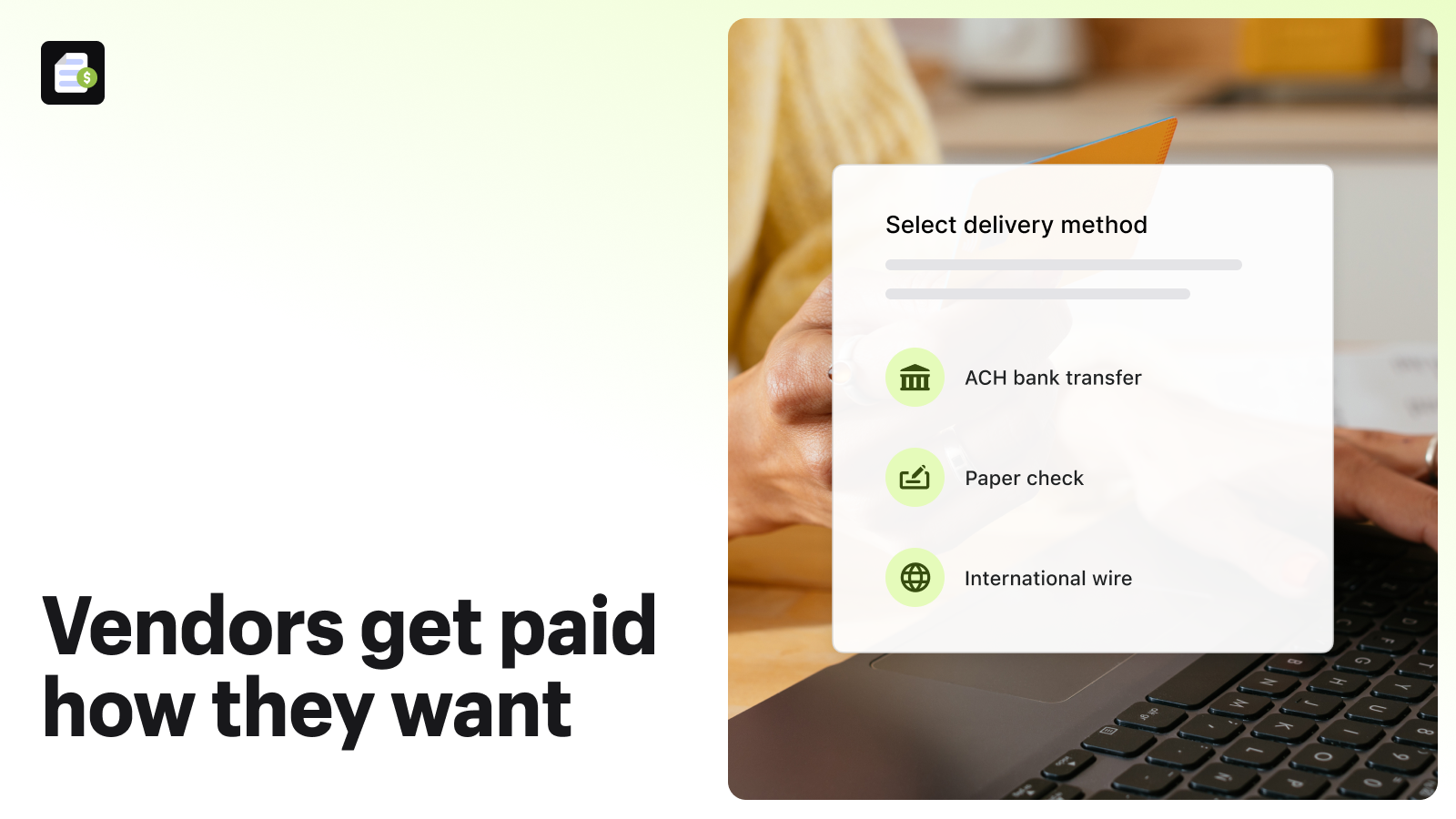
  • Seamless integration with Shopify’s admin interface and support for multiple payment methods (ACH, checks, wire transfers).
Cons
  • Frequent complaints about unresponsive or ineffective support, with delays spanning weeks.

What merchants said

“While rudimentary, we appreciate having a fee-free way (using Shopify Balance as our account) to pay our vendors. It takes awhile to process, but it does the job. The only real critique is that I have to coach some vendors to try using a different browser to set up their bank details the first time. We hear fairly often that they couldn't complete the initial set up. That is usually solved when we suggest they use a different browser. Edit to add: We have used this service for several years and continue to use it. ”
Full Circle Sustainability · United States · ★ 5.0 · 2/15/2026

Summary

Starting PriceFree
Free TrialFree plan
Launch Date03 Apr 2023
DeveloperShopify
Ratings2.5 ★ (19)
View on ShopifyView charts
About the App

Shopify Bill Pay, a Tap to pay Shopify app, has achieved 19 reviews and an average rating of 2.5 stars since its launch 3 years ago. Designed to assist Shopify merchants with - "Pay any company, anywhere, however you prefer." it is a valuable addition to the Tap to pay app lineup.

Top Features:

Tap to pay Shopify apps can help elevate your e-commerce game. Shopify Bill Pay offers a host of key features, including:

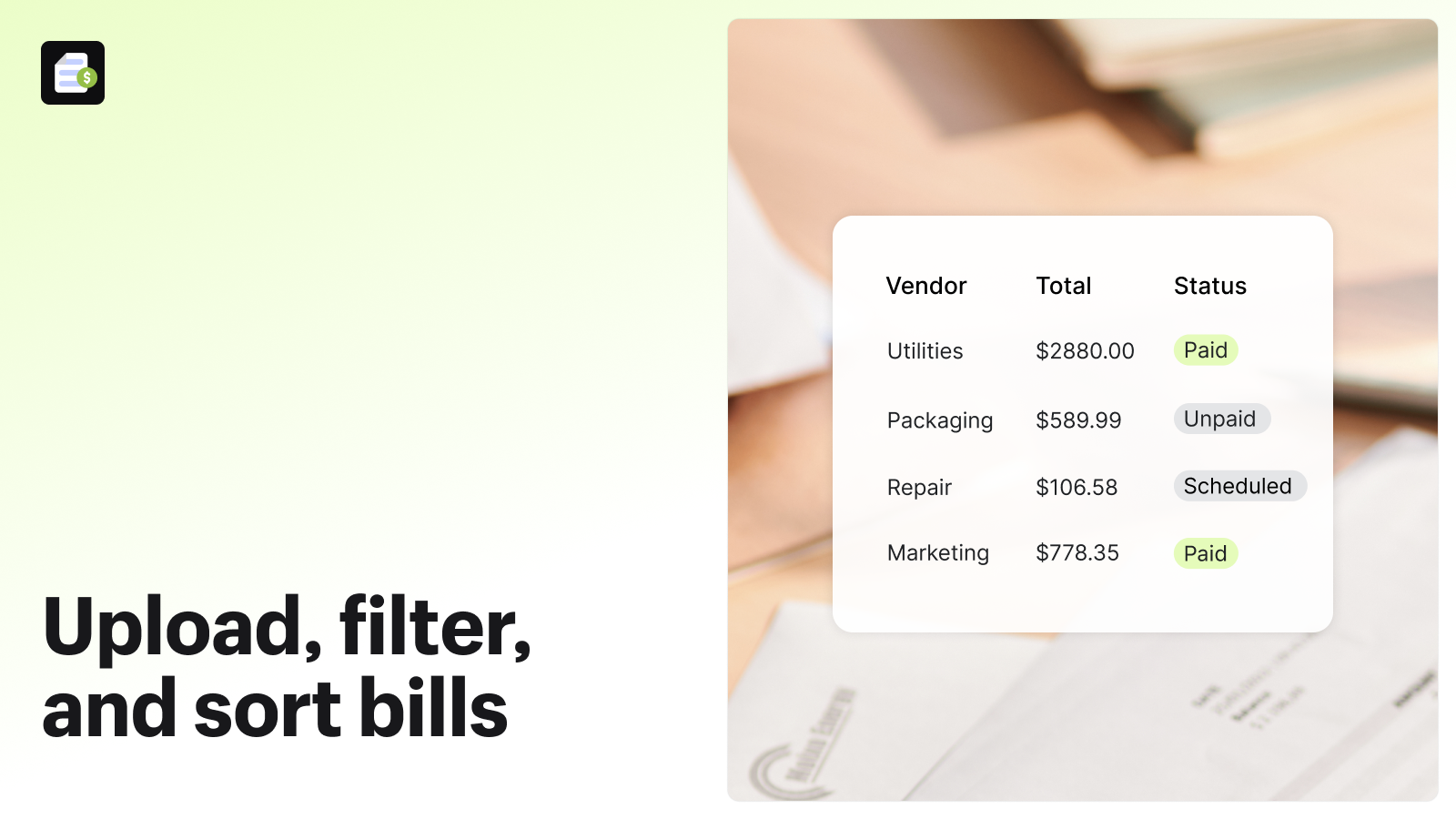
  • Bill Management:Upload, add manually, or email bills to fill your account.
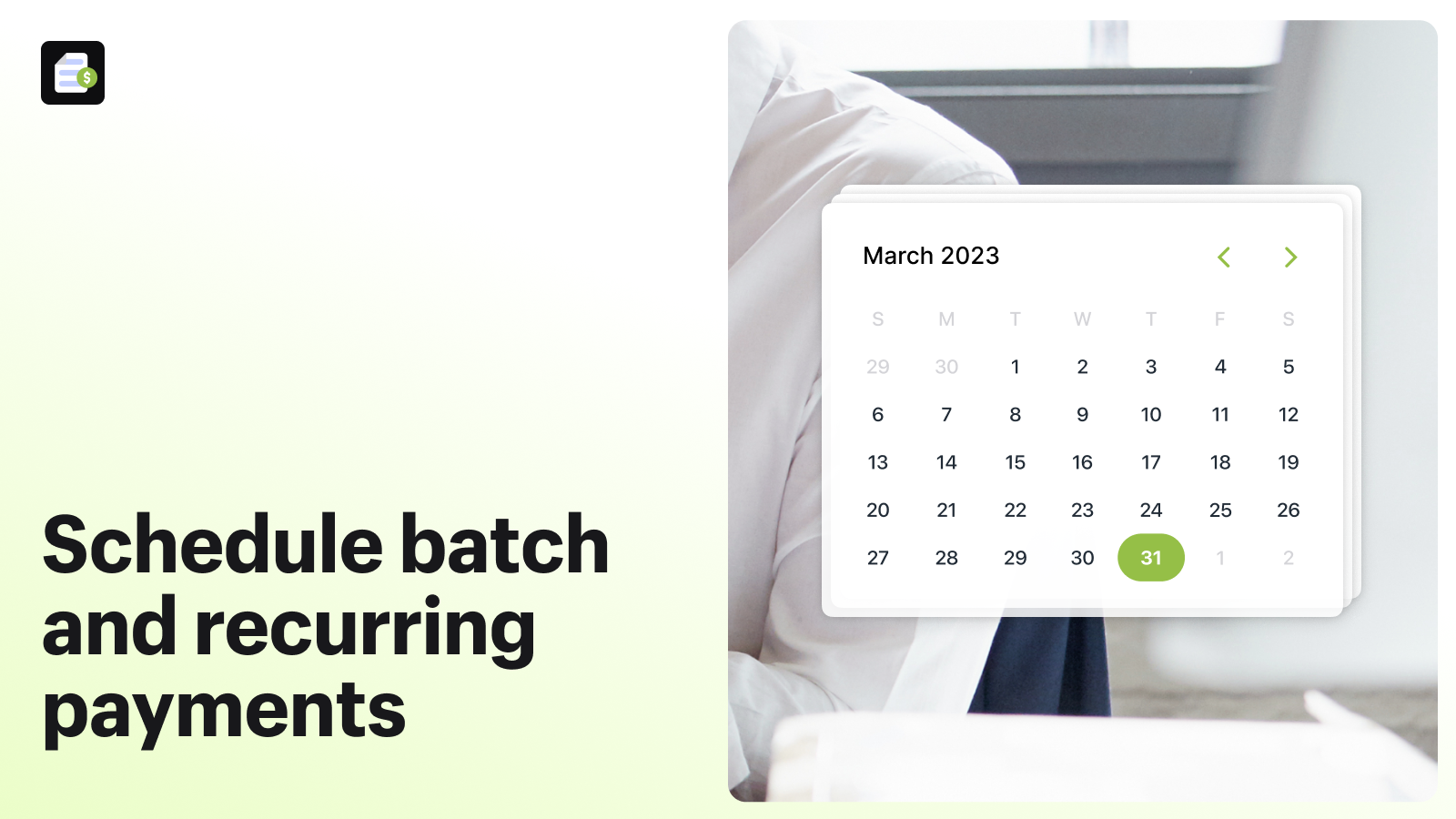
  • Payment Management Dashboard:Organize, categorize, and plan future payments from a single dashboard.
  • QuickBooks Integration:Connect with QuickBooks Online to consolidate all your financial data in one place.
Pricing Details

Shopify Bill Pay offers 1 free plan and 0 paid plans.

Considering installing this Tap to pay Shopify app? Explore the pricing details and discover if they align with your budget and needs.

  1. Free · $0/month

Pros and Cons

Delve into ShopDigest's expert insights on Shopify Bill Pay - a Tap to pay Shopify app. Our analysis of Shopify app store reviews presents unique pros and cons, allowing you to make informed decisions for your business.

Pros
  • The app simplifies bill payment processes with features like automated invoice uploads and pre-filled vendor forms.
  • Users appreciate the free or low-cost service, including reasonable fees for paper checks.
  • Seamless integration with Shopify’s admin interface and support for multiple payment methods (ACH, checks, wire transfers).
Cons
  • Frequent complaints about unresponsive or ineffective support, with delays spanning weeks.
  • Recurring problems like failed email verification, broken features (e.g., download reports), and payment denials.
Talk to the developer

Install in Your Store Now

Your request goes to the team that built Shopify Bill Pay, not a support queue.

#3 of 96
TA MAPPY: Store Locator & Maps

TA MAPPY: Store Locator & Maps by Tech Arms MAPPY

Unlimited free dealer store locator, find a store on Google Maps.

Free Trial: 7 days
Pros
  • Responsive, friendly, and highly effective assistance from support staff, often resolving issues quickly.
  • Competitive pricing compared to similar apps, frequently mentioned as a strong value proposition.
  • Simple and intuitive installation process, with clear instructions and minimal technical hurdles.
Cons
  • Some users struggled with setting up Google API keys, leading to billing confusion or technical issues.

What merchants said

“Was having issues connecting the map and retailers to my website, then asked for support. Tessa got back to me within 2 minutes. Within 10 minutes everything was perfect. Highly recommended.”
Static FR · United States · ★ 5.0 · 10/23/2026

Summary

Starting PriceFree
Free Trial7 days
Launch Date16 Nov 2020
Ratings5.0 ★ (460)
Install NowView charts
About the App

TA MAPPY: Store Locator & Maps, a Tap to pay Shopify app, has achieved 445 reviews and an average rating of 5 stars since its launch 6 years ago. Designed to assist Shopify merchants with - "Assist customers in locating your stores and offer directions using Google Maps." it is a valuable addition to the Tap to pay app lineup.

Top Features:

Tap to pay Shopify apps can help elevate your e-commerce game. TA MAPPY: Store Locator & Maps offers a host of key features, including:

  • Store Expansion:Multiple Stores: Include more than 5000 store locations and show them on your online shop.
  • Store Locator:Directions: Customers can quickly locate your stores.
  • Search History:Customer Search History: Review all customers' search histories.
  • Store Locator:Display Nearby Stores: Show nearby shop locations based on your IP Address.
  • CSV Bulk Import:CSV Bulk Import: Quickly upload a CSV file to add multiple stores at once.
Pricing Details

TA MAPPY: Store Locator & Maps offers 1 free plan and 3 paid plans.

Considering installing this Tap to pay Shopify app? Explore the pricing details and discover if they align with your budget and needs.

  1. FREE · $0/month

    Included features: 2 locations, OpenStreetMap - no API key required, Google Maps - 12 styles, Mapbox - 9 styles, Multiple map styles, layouts & markers., Default fields: Phone, Email, Website, Bulk locations import & export

  2. Startup Plan · $9.99/month

    Included features: Up to 50 locations, Search by store name/ location/ phone, Additional Custom Fields, Search Record for Insightful Analysis, Dealer Form & Automated Emails, Map Widget Popup, Cloud-based map styling

  3. Pro · $19.99/month

    Included features: Up to 500 locations, ALL in Startup plan

  4. Advanced · $39.99/month

    Included features: Up to 1000 locations, ALL in Pro plan

Pros and Cons

Delve into ShopDigest's expert insights on TA MAPPY: Store Locator & Maps - a Tap to pay Shopify app. Our analysis of Shopify app store reviews presents unique pros and cons, allowing you to make informed decisions for your business. Read our full TA MAPPY: Store Locator & Maps Tap to pay App review.

Pros
  • Responsive, friendly, and highly effective assistance from support staff, often resolving issues quickly.
  • Competitive pricing compared to similar apps, frequently mentioned as a strong value proposition.
  • Simple and intuitive installation process, with clear instructions and minimal technical hurdles.
  • Flexible customization features, including theme matching and styling adjustments, often provided free by the support team.
  • Smooth operation with minimal lag, praised for its speed and efficiency.
  • Intuitive navigation and straightforward design, making it accessible for both beginners and advanced users.
  • Seamless integration with Google Maps, including directions and location tagging.
  • Efficient handling of bulk imports for store locations, with helpful support for troubleshooting.
  • Robust functionality even in the free version, with many users satisfied without needing to upgrade.
  • Clear and comprehensive guides provided for setup and troubleshooting.
Cons
  • Some users struggled with setting up Google API keys, leading to billing confusion or technical issues.
  • Bulk imports sometimes resulted in duplicate entries or location display issues.
  • Some users desired more control over frontend styling without needing developer assistance.
  • Minor performance issues reported when integrating with certain older or custom Shopify themes.
Talk to the developer

Install in Your Store Now

Your request goes to the team that built TA MAPPY: Store Locator & Maps, not a support queue.

Keyword ranking

Top three ranked in Shopify App Store

Downpay: Partial Pay & Deposit

Let customers pay partially or delay payment and boost average order value by up to 20%!

5.0 ★ (96)$29/mo onwards
View app data →
Shopify Bill Pay
Shopify Bill Pay

Pay any company, anywhere, however you prefer.

2.5 ★ (19)Free
View app data →
TA MAPPY: Store Locator & Maps

Assist customers in locating your stores and offer directions using Google Maps.

5.0 ★ (460)$9.99/mo onwards
View app data →
#4 of 96
Way: Google Maps Store Locator

Way: Google Maps Store Locator by Effective Apps

Add a movable Waze/Google Map of your store location.

Free Trial: 7 days
Pros
  • The app is frequently praised for its quick and straightforward setup process.
  • Users highlight the app's precise and reliable location mapping functionality.
  • Many reviews commend the prompt and effective assistance from the support team.
Cons
  • Some users note the icon appears disproportionately large on mobile devices.

What merchants said

“service was great, needed help doing a custom adjustment and their team responded quickly”
Diablo Huma BBQ Sauce · United States · ★ 5.0 · 10/15/2026

Summary

Starting PriceFree
Free Trial7 days
Launch Date24 Apr 2020
Ratings4.7 ★ (136)
Install NowView charts
About the App

Way: Google Maps Store Locator, a Tap to pay Shopify app, has achieved 135 reviews and an average rating of 4.7 stars since its launch 6 years ago. Designed to assist Shopify merchants with - "Include a store locator that floats on your webpage and guide customers to your store or dealer using Google Maps or Waze." it is a valuable addition to the Tap to pay app lineup.

Top Features:

Tap to pay Shopify apps can help elevate your e-commerce game. Way: Google Maps Store Locator offers a host of key features, including:

  • Store Locator Navigation:Include a store locator button that begins giving directions to your store when pressed.
  • Design Customization:Customizable design: You can change the color, size, look, location and more.
  • Navigation App Support:Supports two popular navigation apps: Waze and Google Maps.
  • Curbside Pickup & Warehouse Guide:Provide a curbside pickup service and direct customers to your warehouse.
  • Effortless Installation with universal theme support:Supports all themes and installs with one click - no coding needed.
Pricing Details

Way: Google Maps Store Locator offers 1 free plan and 3 paid plans.

Considering installing this Tap to pay Shopify app? Explore the pricing details and discover if they align with your budget and needs.

  1. Free Plan · $0/month

    Included features: Add 1 store location, Floating Google Maps store locator, Customize the store locator appearance, No API key required, In-Store App Branding, Online support

  2. Basic Plan · $6.99/month

    Included features: No App Branding, Up to 50 store locations, Floating map & Map Widget (App Block), Pop up modal for multiple locations, Fully customizable & Custom CSS, No API key required, Bulk import/export store locations, Online support

  3. Advanced Plan · $14.99/month

    Included features: No App Branding, Up to 500 store locations, Floating map & Map Widget (App Block), Pop up modal for multiple locations, Fully customizable & Custom CSS, No API key required, Bulk import/export store locations, Online support

  4. Pro Plan · $29.99/month

    Included features: No App Branding, Up to 2000 store locations, Floating map & Map Widget (App Block), Pop up modal for multiple locations, Fully customizable & Custom CSS, No API key required, Bulk import/export store locations, Online support

Pros and Cons

Delve into ShopDigest's expert insights on Way: Google Maps Store Locator - a Tap to pay Shopify app. Our analysis of Shopify app store reviews presents unique pros and cons, allowing you to make informed decisions for your business. Read our full Way: Google Maps Store Locator Tap to pay App review.

Pros
  • The app is frequently praised for its quick and straightforward setup process.
  • Users highlight the app's precise and reliable location mapping functionality.
  • Many reviews commend the prompt and effective assistance from the support team.
  • The app's no-cost offering is repeatedly appreciated by users.
  • The intuitive design makes navigation and usage effortless for customers.
  • Users report smooth compatibility with Shopify and other platforms.
  • The app enhances website aesthetics with a modern and clean look.
  • Problems are often addressed and fixed in a timely manner by the support team.
  • The app is valued for bridging online and offline customer experiences.
  • The app consistently works as intended without major technical issues.
Cons
  • Some users note the icon appears disproportionately large on mobile devices.
  • A few reviewers mention the inability to add multiple business locations.
  • Users express a desire for more flexibility in positioning the map icon on their site.
Talk to the developer

Install in Your Store Now

Your request goes to the team that built Way: Google Maps Store Locator, not a support queue.

#5 of 96
PayPal Pay Later Messaging

PayPal Pay Later Messaging by PayPal, Inc.

Help convert more customers by adding Pay Later messaging.

Pricing Plans: Free
Key Features
  • Fast setup: Quickly add messaging to show shoppers PayPal’s Pay Later options.
  • Easy customization: Choose the right placement and style for messaging.
  • Full payment upfront: Get paid in full right away when customers use Pay Later.

What merchants said

“This was super easy to install, which makes me question if I've done everything I needed to because numerous people have written 1 star reviews about how hard it was. I am a bit confused though as I have a custom theme yet did not get the prompts shown in the video. All I had to do was press Save and the messaging appeared like magic! I guess time will tell if it's working as its meant to, but so far on the products I've checked the messaging is there and the pricing breakdown is correct. Thanks for this fabulous app and I hope it helps boost sales :)”
Pinch River · Australia · ★ 5.0 · 6/25/2026

Summary

Starting PriceFree
Free TrialFree plan
Launch Date11 Apr 2025
DeveloperPayPal, Inc.
Ratings2.9 ★ (22)
View on ShopifyView charts
About the App

PayPal Pay Later Messaging, a Tap to pay Shopify app, has achieved 21 reviews and an average rating of 2.9 stars since its launch 1 years ago. Designed to assist Shopify merchants with - "Help Boost Sales with Pay Later Messaging" it is a valuable addition to the Tap to pay app lineup.

Top Features:

Tap to pay Shopify apps can help elevate your e-commerce game. PayPal Pay Later Messaging offers a host of key features, including:

  • Fast setup: Quickly add messaging to show shoppers PayPal’s Pay Later options.
  • Easy customization: Choose the right placement and style for messaging.
  • Full payment upfront: Get paid in full right away when customers use Pay Later.
Pricing Details

PayPal Pay Later Messaging offers 0 free plans and 0 paid plans.

Considering installing this Tap to pay Shopify app? Explore the pricing details and discover if they align with your budget and needs.

  1. · $0/month

Talk to the developer

Install in Your Store Now

Your request goes to the team that built PayPal Pay Later Messaging, not a support queue.

#6 of 96
Pay What You Want

Pay What You Want by Extendons

Choose Your Price, Better Deal, Set Your Price, Ask for Price

Pricing Plans: Free, $4.99/month, $8.99/month
Free Trial: 7 days
Pros
  • Quick, responsive, and helpful assistance with issues and customizations.
  • Seamlessly handles manual invoice payments for custom services.
  • Adapts to unique business needs with tailored solutions.
Cons
  • Some users report significant delays in app responsiveness.

What merchants said

“Very helpful in assisting us in making custom changes and updates to the app to suit our business needs. Update Sept 2026: Tech support is still super helpful in making this tool easy to understand and use, which gives us a unique advantage to stay competitive”
Biotouch · United States · ★ 5.0 · 9/17/2026

Summary

Starting PriceFree
Free Trial7 days
Launch Date01 Sep 2020
DeveloperExtendons
Ratings4.6 ★ (54)
Install NowView charts
About the App

Pay What You Want, a Tap to pay Shopify app, has achieved 54 reviews and an average rating of 4.6 stars since its launch 6 years ago. Designed to assist Shopify merchants with - "With the Pay What You Want app, your customers can reconsider their buying choice based on price." it is a valuable addition to the Tap to pay app lineup.

Top Features:

Tap to pay Shopify apps can help elevate your e-commerce game. Pay What You Want offers a host of key features, including:

  • PWYW Pricing:Turn on PWYW so customers can set their own price.
  • Budgeting Strategy:Set up a price limit range.
  • Price Negotiation:You may add an “Ask Your Price/Make an Offer” button.
  • Notification Personalization:Customize alert messages for users.
  • Direct Redirection:Add buttons that take users straight from the catalog to the Cart or Checkout page.
Pricing Details

Pay What You Want offers 1 free plan and 2 paid plans.

Considering installing this Tap to pay Shopify app? Explore the pricing details and discover if they align with your budget and needs.

  1. 30-Days Free Trial · $0/month

    Included features: Free for all store plans, Apply to 1 Product, Access all core plan features, Support via Whatsapp Chat

  2. Core · $4.99/month

    Included features: Apply on unlimited products & collection, 1 widget customization for offer display, 1 button animation for make an offer, Redirect user to cart & checkout page, Easy storewide rule-based management, Show or hide min, max & suggested prices, Custom message alert for min & max price, All customers to checkout with max price

  3. Spark · $8.99/month

    Included features: All Core plan included, Multiple widget customizations, 3+ widget customization for offer displa, Multiple make an offer button animation, Show Make an Offer PWYW by Country, Custom message alert for min & max price, Redirect user to cart & checkout page, One-on-one onboarding Support

Pros and Cons

Delve into ShopDigest's expert insights on Pay What You Want - a Tap to pay Shopify app. Our analysis of Shopify app store reviews presents unique pros and cons, allowing you to make informed decisions for your business. Read our full Pay What You Want Tap to pay App review.

Pros
  • Quick, responsive, and helpful assistance with issues and customizations.
  • Seamlessly handles manual invoice payments for custom services.
  • Adapts to unique business needs with tailored solutions.
  • Technical problems are addressed promptly, often within hours.
  • Easy installation and straightforward configuration for most users.
  • Effectively supports pay-what-you-want campaigns and custom pricing.
  • Enhances customer trust through flexible payment options.
Cons
  • Some users report significant delays in app responsiveness.
  • Occasional problems with automatic inventory updates during purchases.
  • Creates duplicate product entries for custom payments, complicating inventory.
Talk to the developer

Install in Your Store Now

Your request goes to the team that built Pay What You Want, not a support queue.

#7 of 96
Affirm pay‑over‑time messaging

Affirm pay‑over‑time messaging by Affirm

Increase your sales by using Affirm.

Pricing Plans: Free
Pros
  • The app effectively shows dynamic financing options based on product prices, aiding customer engagement.
  • Once configured, the app works well even with custom themes, as noted by some users.
  • A few users highlighted helpful onboarding sessions and responsive integration specialists.
Cons
  • Numerous complaints about unresponsive or ineffective email-only support, with no phone assistance for merchants.

What merchants said

“After a couple attempts of struggling to find the solution to add this feature. I was able to fix and add the messaging app to my store. It does take small steps to be able to add this. If you need assistance intergrading this to you store I will be glad to help ”
Direct Discount Furniture & Mattress · United States · ★ 5.0 · 4/27/2025

Summary

Starting PriceFree
Free TrialFree plan
Launch Date25 Mar 2020
DeveloperAffirm
Ratings1.5 ★ (35)
Install NowView charts
About the App

Affirm pay‑over‑time messaging, a Tap to pay Shopify app, has achieved 35 reviews and an average rating of 1.5 stars since its launch 6 years ago. Designed to assist Shopify merchants with - "Present prices as affordable options with special offers." it is a valuable addition to the Tap to pay app lineup.

Top Features:

Tap to pay Shopify apps can help elevate your e-commerce game. Affirm pay‑over‑time messaging offers a host of key features, including:

  • Budget-friendly pricing:Show an affordable monthly or every two weeks payment cost for every product.
  • Optimize Messaging:Use Affirm messages on your product and checkout pages, among others.
  • Cart size and AOV support:Affirm accepts a wide variety of cart sizes and helps increase the average order values.
Pricing Details

Affirm pay‑over‑time messaging offers 0 free plans and 0 paid plans.

Considering installing this Tap to pay Shopify app? Explore the pricing details and discover if they align with your budget and needs.

  1. · $0/month

Pros and Cons

Delve into ShopDigest's expert insights on Affirm pay‑over‑time messaging - a Tap to pay Shopify app. Our analysis of Shopify app store reviews presents unique pros and cons, allowing you to make informed decisions for your business. Read our full Affirm pay‑over‑time messaging Tap to pay App review.

Pros
  • The app effectively shows dynamic financing options based on product prices, aiding customer engagement.
  • Once configured, the app works well even with custom themes, as noted by some users.
  • A few users highlighted helpful onboarding sessions and responsive integration specialists.
Cons
  • Numerous complaints about unresponsive or ineffective email-only support, with no phone assistance for merchants.
  • Many users faced difficulties due to unclear instructions and the need for coding expertise.
  • Frequent reports of bugs, freezing, and failure to display as a payment option during checkout.
Talk to the developer

Install in Your Store Now

Your request goes to the team that built Affirm pay‑over‑time messaging, not a support queue.

#8 of 96
Tabs Studio

Tabs Studio by Wellmade

Simply include professional tabs or accordions in your products.

Pricing Plans: Free, $3/month, $6/month
Free Trial: 3 days
Pros
  • The app is quick to install and configure, often requiring minimal effort.
  • Tabs help structure lengthy product descriptions into manageable, tidy sections.
  • The free version meets the needs of many users, offering essential features without cost.
Cons
  • Some users report tabs malfunctioning or not opening properly on mobile devices.

What merchants said

“useful app for our store. we have several shared tabs. support from meghan is also competent and responsive.”
KokosPalme.ch · Switzerland · ★ 5.0 · 8/18/2026

Summary

Starting PriceFree
Free Trial3 days
Launch Date23 Jan 2018
DeveloperWellmade
Ratings5.0 ★ (176)
Install NowView charts
About the App

Tabs Studio, a Tap to pay Shopify app, has achieved 175 reviews and an average rating of 5 stars since its launch 8 years ago. Designed to assist Shopify merchants with - "Make tabs for your product details. This kind of organization can boost sales." it is a valuable addition to the Tap to pay app lineup.

Top Features:

Tap to pay Shopify apps can help elevate your e-commerce game. Tabs Studio offers a host of key features, including:

  • Code-free installation and usage:Install and use it without modifying any theme code.
  • Tabbed product descriptions:Just use headings to split product descriptions into tabs.
  • Efficient Group Assignments:Save time by grouping ProTabs using collections, tags, and other methods.
  • Design Customization:Use ready-made professional designs or make your own to suit your store.
  • Responsive Accordions:Tabs and accordions are completely adaptable and meet WCAG 2.1 standards.
Pricing Details

Tabs Studio offers 1 free plan and 2 paid plans.

Considering installing this Tap to pay Shopify app? Explore the pricing details and discover if they align with your budget and needs.

  1. Free · $0/month

    Included features: Unlimited tabs from headings, 1 shared tab, 5 tab icons, Basic support

  2. Essential · $3/month

    Included features: Unlimited tabs from headings, 10 shared tabs, 50 tab icons, Priority support

  3. Plus · $6/month

    Included features: Unlimited tabs from headings, Unlimited shared tabs, 250 tab icons, Priority support

Pros and Cons

Delve into ShopDigest's expert insights on Tabs Studio - a Tap to pay Shopify app. Our analysis of Shopify app store reviews presents unique pros and cons, allowing you to make informed decisions for your business. Read our full Tabs Studio Tap to pay App review.

Pros
  • The app is quick to install and configure, often requiring minimal effort.
  • Tabs help structure lengthy product descriptions into manageable, tidy sections.
  • The free version meets the needs of many users, offering essential features without cost.
  • Users can personalize tab styles and layouts to match their store’s theme.
  • Works well with various themes and other apps, including review platforms.
  • Supports bulk tab creation via CSV files, saving time for users with large inventories.
  • Support team, especially Meghan, is praised for quick, helpful, and personalized assistance.
  • Customers find the tabbed layout intuitive and easier to navigate.
  • The app runs smoothly without slowing down the website.
  • Paid plans are considered affordable with robust features.
Cons
  • Some users report tabs malfunctioning or not opening properly on mobile devices.
  • The free plan restricts the number of shared tabs, requiring an upgrade for broader use.
  • Minor display issues arise with certain themes, like spacing problems in reviews.
  • While a few users mentioned initial difficulty, the overwhelming sentiment was ease of use, so this was removed from Cons.
  • Only a minor mention with no strong negative sentiment, so removed.
  • Dominantly positive in reviews, so removed from Cons (was not explicitly listed but implied in sentiment analysis).
Talk to the developer

Install in Your Store Now

Your request goes to the team that built Tabs Studio, not a support queue.

#9 of 96
MAPMIGO: Store Locator & Maps

MAPMIGO: Store Locator & Maps by Tim Wessels UG (haftungsbeschränkt)

Store locator maps to help customers find nearby locations

Pricing Plans: Free
Key Features
  • Unlimited stores: Bulk import stores from Excel/Sheets or add manually
  • No API key required: Simple setup without external services
  • Geolocation: Help customers quickly find nearby stores using their location
  • Customization: Customize the map, list, and markers to match your brand
  • Search: Visitors can search for stores by name or address (e.g. city, postcode)

What merchants said

“Excellent appEasy to bulk import info Quick troubleshooting from the chat option Highly recommended”
Bushies Co · Australia · ★ 5.0 · 10/27/2026

Summary

Starting PriceFree
Free TrialFree plan
Launch Date20 May 2026
Ratings5.0 ★ (118)
View on ShopifyView charts
About the App

MAPMIGO: Store Locator & Maps, a Tap to pay Shopify app, has achieved 109 reviews and an average rating of 5 stars since its launch this year. Designed to assist Shopify merchants with - "Easily add a map of your locations so customers can find nearby stores or dealers" it is a valuable addition to the Tap to pay app lineup.

Top Features:

Tap to pay Shopify apps can help elevate your e-commerce game. MAPMIGO: Store Locator & Maps offers a host of key features, including:

  • Unlimited stores: Bulk import stores from Excel/Sheets or add manually
  • No API key required: Simple setup without external services
  • Geolocation: Help customers quickly find nearby stores using their location
  • Customization: Customize the map, list, and markers to match your brand
  • Search: Visitors can search for stores by name or address (e.g. city, postcode)
Pricing Details

MAPMIGO: Store Locator & Maps offers 0 free plans and 0 paid plans.

Considering installing this Tap to pay Shopify app? Explore the pricing details and discover if they align with your budget and needs.

  1. · $0/month

Talk to the developer

Install in Your Store Now

Your request goes to the team that built MAPMIGO: Store Locator & Maps, not a support queue.

#10 of 96
GetJacked ‑ Loyalty that pays

GetJacked ‑ Loyalty that pays by Anchor Demand, Inc.

We fund your customer's rewards and increase your allowable.

Pricing Plans: Free
Key Features
  • Let partner brands fund the rewards in your loyalty program
  • Give shoppers bigger rewards so they keep coming back to spend them
  • Recover abandoned carts with rewards that pull shoppers back to checkout
  • Win back dormant customers before they drift away

What merchants said

“Absolutely love this app, super easy to set up and use have noticed and increase in LTV from our customers as well. Nice and clean interface with super helpful support.”
Glowbites · United States · ★ 5.0 · 7/1/2026

Summary

Starting PriceFree
Free TrialFree plan
Launch Date29 Apr 2026
Ratings5.0 ★ (5)
View on ShopifyView charts
About the App

GetJacked ‑ Loyalty that pays, a Tap to pay Shopify app, has achieved 5 reviews and an average rating of 5 stars since its launch this year. Designed to assist Shopify merchants with - "GetJacked pays you to reward your shoppers." it is a valuable addition to the Tap to pay app lineup.

Top Features:

Tap to pay Shopify apps can help elevate your e-commerce game. GetJacked ‑ Loyalty that pays offers a host of key features, including:

  • Let partner brands fund the rewards in your loyalty program
  • Give shoppers bigger rewards so they keep coming back to spend them
  • Recover abandoned carts with rewards that pull shoppers back to checkout
  • Win back dormant customers before they drift away
Pricing Details

GetJacked ‑ Loyalty that pays offers 0 free plans and 0 paid plans.

Considering installing this Tap to pay Shopify app? Explore the pricing details and discover if they align with your budget and needs.

  1. · $0/month

Talk to the developer

Install in Your Store Now

Your request goes to the team that built GetJacked ‑ Loyalty that pays, not a support queue.

Showing 1-10 out of 96

Best tap to pay Apps in Shopify

tap to pay apps are designed to address specific needs and challenges faced by Shopify store merchants. Whether you're looking to optimize your store's SEO, improve customer support, enhance product listings, or streamline your inventory management, there's an app for that.

Discover a wealth of cutting-edge tools and features offered by these remarkable tap to pay Shopify apps, including Downpay: Partial Pay & Deposit, Shopify Bill Pay, TA MAPPY: Store Locator & Maps, and many more. Our app collection provides a comprehensive overview of the top apps in the tap to pay category, enabling you to select the ones that will take your e-commerce venture to new heights.

Empower your Shopify store with the best tap to pay apps the platform has to offer and elevate your online business.

Explore Apps by Criteria:

  1. Most Popular tap to pay Apps
  2. Highest Reviewed tap to pay Apps
  3. Top Rated tap to pay Apps
  4. Newly Launched tap to pay Apps

Overview of the Above Top Tap to pay Shopify Apps in October 2026

There are a number of tap to pay apps in the Shopify app store designed to supercharge your e-commerce success. Whether you're a seasoned entrepreneur or just starting your online journey, the right apps can make all the difference. We have listed the top Shopify apps in the tap to pay category, based on their popularity and average rating, to help you make informed decisions.

App NameCategoryDeveloperStarting PriceFree PlanReviews
Downpay: Partial Pay & DepositDownpay: Partial Pay & DepositBuilt for ShopifyTap to payDownpay$29/month● Unavailable5.0 ★ (98)
Shopify Bill PayShopify Bill PayTap to payShopify$0/month● Available2.5 ★ (19)
TA MAPPY: Store Locator & MapsTA MAPPY: Store Locator & MapsBuilt for ShopifyTap to payTech Arms MAPPY$0/month● Available5.0 ★ (445)
Way: Google Maps Store LocatorWay: Google Maps Store LocatorBuilt for ShopifyTap to payEffective Apps$0/month● Available4.7 ★ (135)
PayPal Pay Later MessagingPayPal Pay Later MessagingTap to payPayPal, Inc.$0/month● Unavailable2.9 ★ (21)
Pay What You WantPay What You WantBuilt for ShopifyTap to payExtendons$0/month● Available4.6 ★ (54)
Affirm pay‑over‑time messagingAffirm pay‑over‑time messagingTap to payAffirm$0/month● Unavailable1.5 ★ (35)
Tabs StudioTabs StudioBuilt for ShopifyTap to payWellmade$0/month● Available5.0 ★ (175)
MAPMIGO: Store Locator & MapsMAPMIGO: Store Locator & MapsBuilt for ShopifyTap to payTim Wessels UG (haftungsbeschränkt)$0/month● Unavailable5.0 ★ (109)
GetJacked ‑ Loyalty that paysGetJacked ‑ Loyalty that paysTap to payAnchor Demand, Inc.$0/month● Unavailable5.0 ★ (5)

Have a Closer Look at the Best Tap to pay Apps

Now let us jump in and check out these Top 5 Tap to pay Shopify apps.

Downpay: Partial Pay & Deposit screenshot 1
Downpay: Partial Pay & Deposit screenshot 2
Downpay: Partial Pay & Deposit screenshot 3
Downpay: Partial Pay & Deposit screenshot 4

Reviews

Most Recent Review

5.0 ★Amazing

Downpay is great! It has allowed my customers ordering made to order items and pay just 50% deposit until their items are manufactured.When I set this up originally the team were really great in writing code to get it working as I needed it to.My business produces made to order designer radiators which are mid to high end in price - so Downpay gives my customers a choice whether to pay up front or not. Even if they don't the choice was still there.

the heat is on · United Kingdom · 23 Sep 2026

Recent Review

5.0 ★Amazing

Downpay has exceptional service! Diana has been extremely helpful in answering my questions. This app has been instrumental in helping our customers secure pre-ordered items without having to pay full price upfront.

Wig Studio 1 · United States · 18 Sep 2026
Why is Downpay: Partial Pay & Deposit a top Tap to pay Shopify app?
With an impressive overall rating of 5 stars and 96 reviews, Downpay: Partial Pay & Deposit stands out as one of the top Tap to pay Shopify apps. The main objective of the app is - Let customers pay partially or delay payment and boost average order value by up to 20%! Its purpose underscores its significance in enhancing your Shopify store experience.

ShopDigest selects the top Shopify apps in the Tap to pay category based on various parameters, including the number of installations across Shopify stores, the app's ranking in the Shopify App Store, the number of merchants' reviews, and its overall customer rating, among other factors.
Why integrate Downpay: Partial Pay & Deposit with your Shopify store?
By integrating a Tap to pay app with your Shopify store, you unlock a range of benefits. Downpay: Partial Pay & Deposit, a popular Tap to pay Shopify app, brings the following functionalities and value to a Shopify store, including:
  • Secure partial payments: Provide customers with secure options for partial payments and secure payment storage.
  • Efficient Payments: Collect payments smoothly without an additional checkout process for customers.
  • Website Customization: Change the theme and cancellation policy messages on product, cart and checkout areas.
  • Bulk purchase options: Quickly create buying options using a bulk editor.
  • Account Management: Easy-to-use customer account for updating payments or cancelling if needed.
Learn more about the Downpay: Partial Pay & Deposit features in detail.

Shopify merchants highlight key advantages, such as Offer customers true partial payment options with secure payment vaulting, Collect payment seamlessly without requiring a second checkout for customers, and more,
What are some of the top alternatives for Downpay: Partial Pay & Deposit?
Looking for options? Dive into a selection of Tap to pay apps that rival Downpay: Partial Pay & Deposit, each offering unique features to enhance your Shopify store. Consider these top alternatives: which can match or even surpass the offerings of Downpay: Partial Pay & Deposit, giving you flexibility and choice.
profile picture 1profile picture 2profile picture 3profile picture 4

Install Now

Our experts are here to help you.

Shopify Bill Pay

2. Shopify Bill Pay

2.5 ★ (19)
Shopify Bill Pay screenshot 1
Shopify Bill Pay screenshot 2
Shopify Bill Pay screenshot 3
Shopify Bill Pay screenshot 4
Shopify Bill Pay screenshot 5

Reviews

Most Recent Review

5.0 ★Amazing

While rudimentary, we appreciate having a fee-free way (using Shopify Balance as our account) to pay our vendors. It takes awhile to process, but it does the job. The only real critique is that I have to coach some vendors to try using a different browser to set up their bank details the first time. We hear fairly often that they couldn't complete the initial set up. That is usually solved when we suggest they use a different browser. Edit to add: We have used this service for several years and continue to use it.

Full Circle Sustainability · United States · 15 Feb 2026

Recent Review

5.0 ★Amazing

We use Shopify Bill Pay for all of our payment processes, this app makes it so easy to keep the backend automated, I highly recommend this application.

MyTopKitchen · United States · 03 Jan 2024
Why is Shopify Bill Pay a top Tap to pay Shopify app?
With an impressive overall rating of 2.5 stars and 19 reviews, Shopify Bill Pay stands out as one of the top Tap to pay Shopify apps. The main objective of the app is - Pay any company, anywhere, however you prefer. Its purpose underscores its significance in enhancing your Shopify store experience.

ShopDigest selects the top Shopify apps in the Tap to pay category based on various parameters, including the number of installations across Shopify stores, the app's ranking in the Shopify App Store, the number of merchants' reviews, and its overall customer rating, among other factors.
Why integrate Shopify Bill Pay with your Shopify store?
By integrating a Tap to pay app with your Shopify store, you unlock a range of benefits. Shopify Bill Pay, a popular Tap to pay Shopify app, brings the following functionalities and value to a Shopify store, including:
  • Bill Management: Upload, add manually, or email bills to fill your account.
  • Payment Management Dashboard: Organize, categorize, and plan future payments from a single dashboard.
  • QuickBooks Integration: Connect with QuickBooks Online to consolidate all your financial data in one place.
Learn more about the Shopify Bill Pay features in detail.

Shopify merchants highlight key advantages, such as Upload, manually add, or forward bills from your email to populate your account., Sort, filter, and schedule upcoming payments from one dedicated dashboard., and more,
What are some of the top alternatives for Shopify Bill Pay?
Looking for options? Dive into a selection of Tap to pay apps that rival Shopify Bill Pay, each offering unique features to enhance your Shopify store. Consider these top alternatives: which can match or even surpass the offerings of Shopify Bill Pay, giving you flexibility and choice.
profile picture 1profile picture 2profile picture 3profile picture 4

Install Now

Our experts are here to help you.

TA MAPPY: Store Locator & Maps screenshot 1
TA MAPPY: Store Locator & Maps screenshot 2
TA MAPPY: Store Locator & Maps screenshot 3
TA MAPPY: Store Locator & Maps screenshot 4
TA MAPPY: Store Locator & Maps screenshot 5
TA MAPPY: Store Locator & Maps screenshot 6
TA MAPPY: Store Locator & Maps screenshot 7
TA MAPPY: Store Locator & Maps screenshot 8
TA MAPPY: Store Locator & Maps screenshot 9
TA MAPPY: Store Locator & Maps screenshot 10
TA MAPPY: Store Locator & Maps screenshot 11
TA MAPPY: Store Locator & Maps screenshot 12

Reviews

Most Recent Review

5.0 ★Amazing

Was having issues connecting the map and retailers to my website, then asked for support. Tessa got back to me within 2 minutes. Within 10 minutes everything was perfect. Highly recommended.

Static FR · United States · 23 Oct 2026

Recent Review

5.0 ★Amazing

Extremely easy to use app that does exactly what it advertises. The map looks great, has customization options, and even a priority-listing order. The support team is very helpful too, they helped us get the map integrated into our overly-customized theme. Great app.

Ocean and San · United States · 20 Oct 2026
Why is TA MAPPY: Store Locator & Maps a top Tap to pay Shopify app?
With an impressive overall rating of 5 stars and 460 reviews, TA MAPPY: Store Locator & Maps stands out as one of the top Tap to pay Shopify apps. The main objective of the app is - Assist customers in locating your stores and offer directions using Google Maps. Its purpose underscores its significance in enhancing your Shopify store experience.

ShopDigest selects the top Shopify apps in the Tap to pay category based on various parameters, including the number of installations across Shopify stores, the app's ranking in the Shopify App Store, the number of merchants' reviews, and its overall customer rating, among other factors.
Why integrate TA MAPPY: Store Locator & Maps with your Shopify store?
By integrating a Tap to pay app with your Shopify store, you unlock a range of benefits. TA MAPPY: Store Locator & Maps, a popular Tap to pay Shopify app, brings the following functionalities and value to a Shopify store, including:
  • Store Expansion: Multiple Stores: Include more than 5000 store locations and show them on your online shop.
  • Store Locator: Directions: Customers can quickly locate your stores.
  • Search History: Customer Search History: Review all customers' search histories.
  • Store Locator: Display Nearby Stores: Show nearby shop locations based on your IP Address.
  • CSV Bulk Import: CSV Bulk Import: Quickly upload a CSV file to add multiple stores at once.
Learn more about the TA MAPPY: Store Locator & Maps features in detail.

Shopify merchants highlight key advantages, such as Multiple Stores: Add over 5000+ store locations & display on your online store, Display Directions: Customers can easily find the directions to your stores, and more,
What are some of the top alternatives for TA MAPPY: Store Locator & Maps?
Looking for options? Dive into a selection of Tap to pay apps that rival TA MAPPY: Store Locator & Maps, each offering unique features to enhance your Shopify store. Consider these top alternatives: which can match or even surpass the offerings of TA MAPPY: Store Locator & Maps, giving you flexibility and choice.
profile picture 1profile picture 2profile picture 3profile picture 4

Install Now

Our experts are here to help you.

Way: Google Maps Store Locator screenshot 1
Way: Google Maps Store Locator screenshot 2
Way: Google Maps Store Locator screenshot 3
Way: Google Maps Store Locator screenshot 4
Way: Google Maps Store Locator screenshot 5
Way: Google Maps Store Locator screenshot 6
Way: Google Maps Store Locator screenshot 7
Way: Google Maps Store Locator screenshot 8

Reviews

Most Recent Review

5.0 ★Amazing

service was great, needed help doing a custom adjustment and their team responded quickly

Diablo Huma BBQ Sauce · United States · 15 Oct 2026

Recent Review

5.0 ★Amazing

The customer service has been great, and we are finding the app is easy to use and is a great addition to our website.

Papernest Cards · Australia · 29 Sep 2026
Why is Way: Google Maps Store Locator a top Tap to pay Shopify app?
With an impressive overall rating of 4.7 stars and 136 reviews, Way: Google Maps Store Locator stands out as one of the top Tap to pay Shopify apps. The main objective of the app is - Include a store locator that floats on your webpage and guide customers to your store or dealer using Google Maps or Waze. Its purpose underscores its significance in enhancing your Shopify store experience.

ShopDigest selects the top Shopify apps in the Tap to pay category based on various parameters, including the number of installations across Shopify stores, the app's ranking in the Shopify App Store, the number of merchants' reviews, and its overall customer rating, among other factors.
Why integrate Way: Google Maps Store Locator with your Shopify store?
By integrating a Tap to pay app with your Shopify store, you unlock a range of benefits. Way: Google Maps Store Locator, a popular Tap to pay Shopify app, brings the following functionalities and value to a Shopify store, including:
  • Store Locator Navigation: Include a store locator button that begins giving directions to your store when pressed.
  • Design Customization: Customizable design: You can change the color, size, look, location and more.
  • Navigation App Support: Supports two popular navigation apps: Waze and Google Maps.
  • Curbside Pickup & Warehouse Guide: Provide a curbside pickup service and direct customers to your warehouse.
  • Effortless Installation with universal theme support: Supports all themes and installs with one click - no coding needed.
Learn more about the Way: Google Maps Store Locator features in detail.

Shopify merchants highlight key advantages, such as Add a floating store locator that starts navigation to your store when clicked., Fully customizable design: Control the color, size, appearance location and more, and more,
What are some of the top alternatives for Way: Google Maps Store Locator?
Looking for options? Dive into a selection of Tap to pay apps that rival Way: Google Maps Store Locator, each offering unique features to enhance your Shopify store. Consider these top alternatives: which can match or even surpass the offerings of Way: Google Maps Store Locator, giving you flexibility and choice.
profile picture 1profile picture 2profile picture 3profile picture 4

Install Now

Our experts are here to help you.

PayPal Pay Later Messaging

5. PayPal Pay Later Messaging

2.9 ★ (22)
PayPal Pay Later Messaging screenshot 1
PayPal Pay Later Messaging screenshot 2
PayPal Pay Later Messaging screenshot 3
PayPal Pay Later Messaging screenshot 4

Reviews

Most Recent Review

5.0 ★Amazing

This was super easy to install, which makes me question if I've done everything I needed to because numerous people have written 1 star reviews about how hard it was. I am a bit confused though as I have a custom theme yet did not get the prompts shown in the video. All I had to do was press Save and the messaging appeared like magic! I guess time will tell if it's working as its meant to, but so far on the products I've checked the messaging is there and the pricing breakdown is correct. Thanks for this fabulous app and I hope it helps boost sales :)

Pinch River · Australia · 25 Jun 2026

Recent Review

5.0 ★Amazing

To be honest i don't know why people are having trouble with the app, Its quick and easy, no hassle at all. Don't even need to be technologically adept. A couple clicks and thats it.

Reliked · United Kingdom · 23 Apr 2026
Why is PayPal Pay Later Messaging a top Tap to pay Shopify app?
With an impressive overall rating of 2.9 stars and 22 reviews, PayPal Pay Later Messaging stands out as one of the top Tap to pay Shopify apps. The main objective of the app is - Help Boost Sales with Pay Later Messaging Its purpose underscores its significance in enhancing your Shopify store experience.

ShopDigest selects the top Shopify apps in the Tap to pay category based on various parameters, including the number of installations across Shopify stores, the app's ranking in the Shopify App Store, the number of merchants' reviews, and its overall customer rating, among other factors.
Why integrate PayPal Pay Later Messaging with your Shopify store?
By integrating a Tap to pay app with your Shopify store, you unlock a range of benefits. PayPal Pay Later Messaging, a popular Tap to pay Shopify app, brings the following functionalities and value to a Shopify store, including:
  • Fast setup: Quickly add messaging to show shoppers PayPal’s Pay Later options.
  • Easy customization: Choose the right placement and style for messaging.
  • Full payment upfront: Get paid in full right away when customers use Pay Later.
Learn more about the PayPal Pay Later Messaging features in detail.

Shopify merchants highlight key advantages, such as Fast setup: Quickly add messaging to show shoppers PayPal’s Pay Later options., Easy customization: Choose the right placement and style for messaging., and more,
What are some of the top alternatives for PayPal Pay Later Messaging?
Looking for options? Dive into a selection of Tap to pay apps that rival PayPal Pay Later Messaging, each offering unique features to enhance your Shopify store. Consider these top alternatives: which can match or even surpass the offerings of PayPal Pay Later Messaging, giving you flexibility and choice.
profile picture 1profile picture 2profile picture 3profile picture 4

Install Now

Our experts are here to help you.

How We Selected the Top Shopify Apps in tap to pay

Our team employs a comprehensive evaluation process that takes into account various factors to ensure you are presented with only the best options. Here's how we do it:

  • By Reviews: We understand the value of peer recommendations, and that's why we've sorted these top Shopify apps in tap to pay based on the highest praise received from users, ensuring you get tried-and-tested solutions. The top listed apps here have earned the trust of fellow Shopify merchants. Jump to Highest Reviewed tap to pay Shopify Apps.
  • By Price: Budget consideration is important while choosing a Shopify app for your store. That's why we have also categorized these top Shopify apps in tap to pay by price, enabling you to find the perfect solutions that align with your financial goals without compromising on quality. Jump to Top Paid tap to pay Shopify Apps.
  • By Launch Date: To keep you updated about the latest innovations, we've organized these Shopify apps based on their launch date. You can check the list of recently launched top apps in tap to pay that could bring innovative solutions to your Shopify store. Jump to Newly Launched tap to pay Shopify Apps.
  • By Popularity: We feature the tap to pay apps that are making waves among Shopify store owners, helping you stay ahead of the curve. These apps have captured the attention of ecommerce owners and are listed as the top in the popularity section of the Shopify app store. Jump to Most Popular tap to pay Shopify Apps.
  • By Ratings: We prioritize apps that have consistently earned high ratings, reflecting their impact and user satisfaction. These tap to pay apps with excellent ratings stand out from their competitors, making them a solid choice for your business needs. Jump to Top Rated tap to pay Shopify Apps.
  • By Best Match: We harness the power of Shopify's own recommendations! Our selection considers apps that Shopify suggests as a strong fit for tap to pay, ensuring you access the platform's expert insights. Jump to Best Match tap to pay Shopify Apps.

With these criteria in mind, we strive to present you with a diverse and well-rounded selection of the top tap to pay Shopify apps in 2026. Rest assured, our selection process is designed to assist you in finding the most suitable solutions for your Shopify store needs.

How to Choose the Best tap to pay Shopify App For Your Store

Choosing the right tap to pay Shopify App for your store depends on various factors specific to your business goals. To make an informed decision, follow these steps:

  • Identify Your Requirements: Begin by understanding the specific goals and challenges your store faces. List the key features and functionalities you need in a tap to pay app to address these requirements effectively.
  • Read User Reviews: Explore user reviews and ratings for the tap to pay apps you are considering. Real-hand experiences from other Shopify merchants can provide valuable insights into how each app performs.
  • Compare Features: Use our app comparison page, where you can add the tap to pay apps of your choice and perform a side-by-side comparison. This page allows you to evaluate each app's features, pricing, support, and other essential factors to help you find the best fit for your store.
  • Consider Budget: While some apps offer free plans with basic functionalities, others may require a paid subscription for access to advanced features. You can check out our complete list of Top Paid tap to pay Shopify apps, and choose an app that aligns with your budget and can grow with your store as it expands.
  • Support and Documentation: Check the documentation and customer support resources of the app. A well-supported tap to pay app that offers comprehensive documentation can help you implement and use it more effectively.
  • Integration Compatibity: Ensure that the tap to pay app you choose can seamlessly integrate with your existing apps and theme to avoid compatibility issues.
  • Trial Periods: Some tap to pay apps offer a free trial period that enables you to test the app's capabilities before purchasing a subscription.

Each Shopify store is different, and the best tap to pay app for your store will be one that aligns closely with your specific business requirements.

More Information on tap to pay Shopify Apps

Now let us jump in and check out these Top 10 tap to pay Shopify apps.

In this comprehensive guide, we've provided you with a complete collection of tap to pay Shopify apps that can help streamline your ecommerce journey. These tap to pay Shopify apps cover a wide spectrum of needs to take your store forward. From 96 outstanding apps, we've covered every facet of tap to pay, ensuring you have access to a vast range of tools to enhance your Shopify store.

However, choosing the perfect tap to pay app for your specific requirements is key. Consider your specific goals, read user reviews, and compare features to find the ideal match for your Shopify store. Our Shopify app comparison page simplifies this process by allowing you to create side-by-side comparisons for any tap to pay apps of your choice. ShopDigest guides you through the selection process, making it easier to find and install the perfect tap to pay app that aligns with your goals.

Shopify tap to pay App Installation

There are thousands of tap to pay Shopify apps with different installation instructions, integration complexities, and customization levels. Our team at ShopDigest is here to assist you every step of the way. Installing your chosen app is a breeze with our service, ensuring a seamless integration into your store's ecosystem.

What's included

  • Safely install/uninstall Shopify app of your choice
  • App integration with any theme as per specification
  • Configurations & setup
  • Assured support and guidance
  • Get discount offers (not guaranteed)

What's not included

  • Shopify app subscription cost
Keyword charts

Explore key insights for tap to pay apps

Market share, rank movement, install geography and review pace — tracked across all 96 apps. Open the full charts for history and app-level detail.

Open tap to pay charts

Market share leaders

Oct 2026
TA MAPPY: Store Locator & Maps52.2%
Downpay: Partial Pay & Deposit19.1%
Way: Google Maps Store Locator16.3%
Shopify Bill Pay4.8%
MAPMIGO: Store Locator & Maps4.1%

The top two apps hold 71.3% of tracked installs.

Rank movers, 30 days

Top 10 tracked
GetJacked ‑ Loyalty that paysGetJacked ‑ Loyalty that pays▲ 4#10
TA MAPPY: Store Locator & MapsTA MAPPY: Store Locator & Maps▲ 1#3
Way: Google Maps Store LocatorWay: Google Maps Store Locator▼ 1#4
Affirm pay‑over‑time messagingAffirm pay‑over‑time messaging▲ 1#7
Tabs StudioTabs Studio▼ 1#8

3 apps climbed and 2 dropped among the top 10 tracked.

Where installs come from

Keyword-wide
🇺🇸United States44.8%
🇬🇧United Kingdom7.7%
🇨🇦Canada7.5%
🇦🇺Australia5.8%
🇳🇱Netherlands3.4%

United States and United Kingdom merchants drive 52.5% of installs.

Reviews added, 30 days

Top tracked apps
MAPMIGO: Store Locator & Maps+35
TA MAPPY: Store Locator & Maps+15
Way: Google Maps Store Locator+2
Tabs Studio+2
Pay What You Want+1

56 new reviews across the top 10 tracked apps in the last 30 days.

Key Insights:
  • Downpay: Partial Pay & Deposit commands 19.1% market share, 14.3pp ahead of Shopify Bill Pay — a fragmented tap to pay category.
  • In the last 30 days, 3 apps climbed and 2 dropped in ranking among the top 10 tracked tap to pay apps.
  • MAPMIGO: Store Locator & Maps added the most new reviews this month (+35) — strong adoption momentum.

Frequently Asked Questions for tap to pay Shopify Apps

1. What are some of the top Shopify apps under the tap to pay category?

Here are some of the top Shopify apps under the tap to pay category:

Each of these apps offers unique features and functionalities tailored to boost your tap to pay efforts and optimize your store's performance. Explore these top choices and find the perfect fit for your business needs.

2. How do I install a tap to pay Shopify app?

Installing a tap to pay Shopify app is simple. Navigate to the Shopify App Store, search for the specific app you want to install, and click on the "Install Now" button. Follow the on-screen instructions to integrate the app seamlessly into your Shopify store. If you need our expert guidance to help you install tap to pay apps on your Shopify store, feel free to contact us now.

3. Are there free apps available in the tap to pay category?

Unfortunately, there are no free apps available in the tap to pay category at the moment. However, you can explore affordable options that will provide value to your investment.

4. Are there any trial options available for paid apps in the tap to pay category?

Many paid apps in the tap to pay category offer free trial periods, allowing you to explore their features and assess their compatibility for your business. Take advantage of these trial periods to determine if the app aligns with your needs before opting for a paid plan.

5. How can I determine which tap to pay Shopify app is best for my store?

Determining the best tap to pay Shopify app for your store requires careful consideration of your business requirements and goals. To make an informed decision, we recommend visiting our App Comparison Page. There, you can easily add the apps of your choice and conduct a side-by-side comparison of their features, functionalities, pricing, and user reviews.

Some popular tap to pay Shopify apps are:

6. Can I use multiple tap to pay Shopify apps simultaneously?

You can use multiple tap to pay Shopify apps at the same time to create a powerful ecosystem for your store. Just ensure that the apps complement each other and do not conflict in their functionalities.

7. How can I find the latest and trending Shopify apps in the tap to pay category?

To discover the latest and trending Shopify apps in the tap to pay category, visit:

Newly launched tap to pay Shopify apps
Most popular tap to pay Shopify apps

These lists showcase recently added Shopify apps and those gaining popularity among users.

8. Are there any discounts or promotions available for tap to pay Shopify apps?

At times, app developers may offer special promotions or discounts. Keep an eye on the app details and the Shopify app store for any ongoing deals or exclusive offers.

Alternatively, contact our team if you're looking for discounts on tap to pay app pricing plans, we can help secure better deals on the tap to pay app exclusively for you.

*Disclaimer: Please note that ShopDigest doesn't guarantee discounts on the apps as any changes to the pricing plans are ultimately up to the discretion of the developer.

Shopify Bill Pay
by Shopify

Pay any company, anywhere, however you prefer.

Free
★ 2.5 (19)
About ShopDigest

The Shopify ecosystem, shown through the work

ShopDigest is an independent directory of Shopify work. Developers, agencies and experts publish the projects they’ve actually shipped — migrations, rebuilds, custom apps, headless storefronts — with the results attached.

For merchants, that means judging a partner on evidence instead of a sales page: browse real builds in your category and budget, then reach out directly. For builders, it means one profile that keeps working after the project ships.

No commissions, no pay-to-rank placements. The best work rises because people save and follow it.

More about ShopDigest
About ShopDigest

Show the work.
Win the work.

A portfolio directory for the Shopify ecosystem — builders publish, merchants browse, nobody buys a better position.

More about ShopDigest