Top 6 Upload‑Lift Image Upload Shopify App Alternatives & Similar Apps
Are you currently using Upload‑Lift Image Upload for your Shopify store, but you're curious about other options available in the market? Look no further! We present you with 6 outstanding alternatives to Upload‑Lift Image Upload, carefully selected to meet a variety of e-commerce needs.
Find the right app for your store
Sign in and we shortlist the Upload‑Lift Image Upload alternatives that fit your setup.
Continue with Google
Textly: Product Custom Fields by CodeMate Apps
Custom fields, textbox and options for product personalization
- Highly responsive and knowledgeable support team, often resolving issues within hours.
- Simple and quick installation process with intuitive setup.
- Consistently works as intended without major issues.
- One user reported delayed responses during an app outage.
Summary
About the App
Textly: Product Custom Fields, a Upload‑Lift Image Upload alternatives Shopify app, has achieved 62 reviews and an average rating of 4.7 stars since its launch 2 years ago. Designed to assist Shopify merchants with - "Add custom fields, customization, customizer, personalization, image upload, checkout fields" it is a valuable addition to the Upload‑Lift Image Upload alternatives app lineup.
Top Features:
Upload‑Lift Image Upload alternatives Shopify apps can help elevate your e-commerce game. Textly: Product Custom Fields offers a host of key features, including:
- Add text box,textfield, dropdown,checkbox, date picker, upload to product pages
- Add notes, datepicker, upload file, image swatch, custom fields in order form
- Custom product, custom notes, engraving, customization, customizer, personalizer
- Customers input for customization, product customizer, upload image, uploadery
- Surcharge image upload, file upload,text field, upload image, upload file
Pricing Details
Textly: Product Custom Fields offers 1 free plan and 2 paid plans.
Considering installing this Upload‑Lift Image Upload alternatives Shopify app? Explore the pricing details and discover if they align with your budget and needs.
DEVELOPMENT STORES · $0/month
Included features: Available for development stores only., Textbox, Checkbox, Radio Button,Dropdown, Upload Image/File field type, Advanced styling options, Datepicker field type, Conditional logic for fields, Additional charges (Product Add On), Try it FREE for 7 DAYS UNLIMITED Plan
YEARLY UNLIMITED · $3.99/month
Included features: All field types (Textbox, Dropdown etc.), Upload Image/File field type, Textbox, Textfield, Conditional logic for fields, File and Image upload, Additional charges (Product Add On), Personalization, Product Customizer, Live Chat
MONTHLY UNLIMITED · $4.99/month
Included features: All field types (Textbox, Dropdown etc.), Order notes, Datepicker field type, Advanced styling options, Tooltip and required validation, Additional charges (Product Add On), Personalization, Product Customizer, Conditional logic for fields
Pros and Cons
Delve into ShopDigest's expert insights on Textly: Product Custom Fields - a Upload‑Lift Image Upload alternatives Shopify app. Our analysis of Shopify app store reviews presents unique pros and cons, allowing you to make informed decisions for your business. Read our full Textly: Product Custom Fields Upload‑Lift Image Upload alternatives App review.
- Highly responsive and knowledgeable support team, often resolving issues within hours.
- Simple and quick installation process with intuitive setup.
- Consistently works as intended without major issues.
- Provides effective tools for adding custom fields and personalizing products.
- Developers promptly address and fix reported problems.
- Completely free with a smooth, intuitive interface.
- Support team quickly adds requested features based on user feedback.
- Many users report significant improvements in their store functionality.
- One user reported delayed responses during an app outage.

Upload Center: File Upload by Quaflow
Break upload limitation - Calculate price based on custom unit
- The app streamlines file uploads with intuitive features like automatic size verification and seamless multiple upload management.
- Automatic pricing adjustments based on file uploads and conditions are highly valued, especially in DTF printing businesses.
- The support team is praised for quick, helpful responses and effective problem resolution.
- A few users mention needing assistance during installation, though no major issues are reported.
Summary
About the App
Upload Center: File Upload, a Upload‑Lift Image Upload alternatives Shopify app, has achieved 17 reviews and an average rating of 5 stars since its launch 2 years ago. Designed to assist Shopify merchants with - "Automatically price your customers' multiple uploaded files, images with various conditions." it is a valuable addition to the Upload‑Lift Image Upload alternatives app lineup.
Top Features:
Upload‑Lift Image Upload alternatives Shopify apps can help elevate your e-commerce game. Upload Center: File Upload offers a host of key features, including:
- Create upload fields with strict rules for file types, dimension (e.g DPI Check)
- Charge dynamic fees based on file sizes(e.g height) or custom form selections
- Automate file renaming and bulk downloads via built-in File Manager
- Track production with custom order statuses and auto email alerts (Shopify Flow)
- Charge dynamically based on inch square dimensions or PDF page counts etc.
Pricing Details
Upload Center: File Upload offers 0 free plans and 4 paid plans.
Considering installing this Upload‑Lift Image Upload alternatives Shopify app? Explore the pricing details and discover if they align with your budget and needs.
BASIC · $9/month
Included features: Regular upload fields, Unlimited Orders, Uploads, Fields, 300MB per file, Dimension Control, Custom File Renaming, Files are stored for 30 days
BASIC+ · $19/month
Included features: Everything in BASIC plan, Custom price calculations (PNG,PDF), 300MB per file
PRO · $29/month
Included features: Everything in BASIC plan, 5GB per file
PRO+ · $59/month
Included features: Everything in PRO plan, No Upload Center branding, Custom price calculations (PNG,PDF), New Feature Unlocked: File Tagging, 10GB per file
Pros and Cons
Delve into ShopDigest's expert insights on Upload Center: File Upload - a Upload‑Lift Image Upload alternatives Shopify app. Our analysis of Shopify app store reviews presents unique pros and cons, allowing you to make informed decisions for your business.
- The app streamlines file uploads with intuitive features like automatic size verification and seamless multiple upload management.
- Automatic pricing adjustments based on file uploads and conditions are highly valued, especially in DTF printing businesses.
- The support team is praised for quick, helpful responses and effective problem resolution.
- The app combines multiple tools into one seamless solution, enhancing workflow and user experience in specialized industries.
- A few users mention needing assistance during installation, though no major issues are reported.

Customized: Print Automation by Custom Product App
Customization available. Customers can include photos, text and more.
- Offers extensive design options, allowing users and their customers to personalize products in detail.
- Features easy setup and navigation, making it accessible for both merchants and end customers.
- Most experiences highlight timely and helpful assistance when issues arise.
- Does not offer language customization for non-English users, restricting usability for international customers.
Summary
About the App
Customized: Print Automation, a Upload‑Lift Image Upload alternatives Shopify app, has achieved 1 reviews and an average rating of 5 stars since its launch 7 years ago. Designed to assist Shopify merchants with - "A visual product customizer lets customers make personalized items easily." it is a valuable addition to the Upload‑Lift Image Upload alternatives app lineup.
Top Features:
Upload‑Lift Image Upload alternatives Shopify apps can help elevate your e-commerce game. Customized: Print Automation offers a host of key features, including:
- Customization Feature:Built-in feature lets your customer create their ideal custom product.
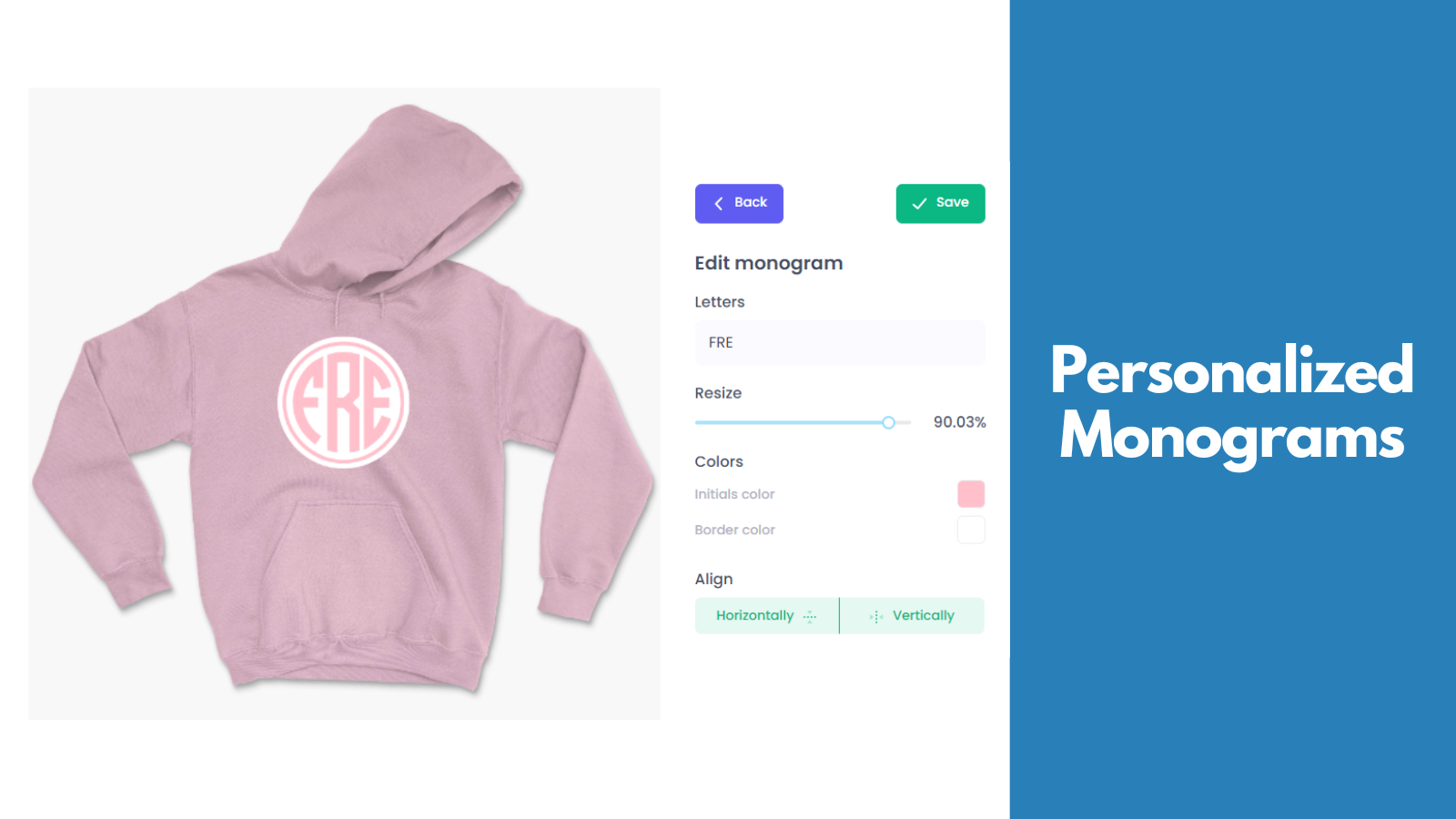
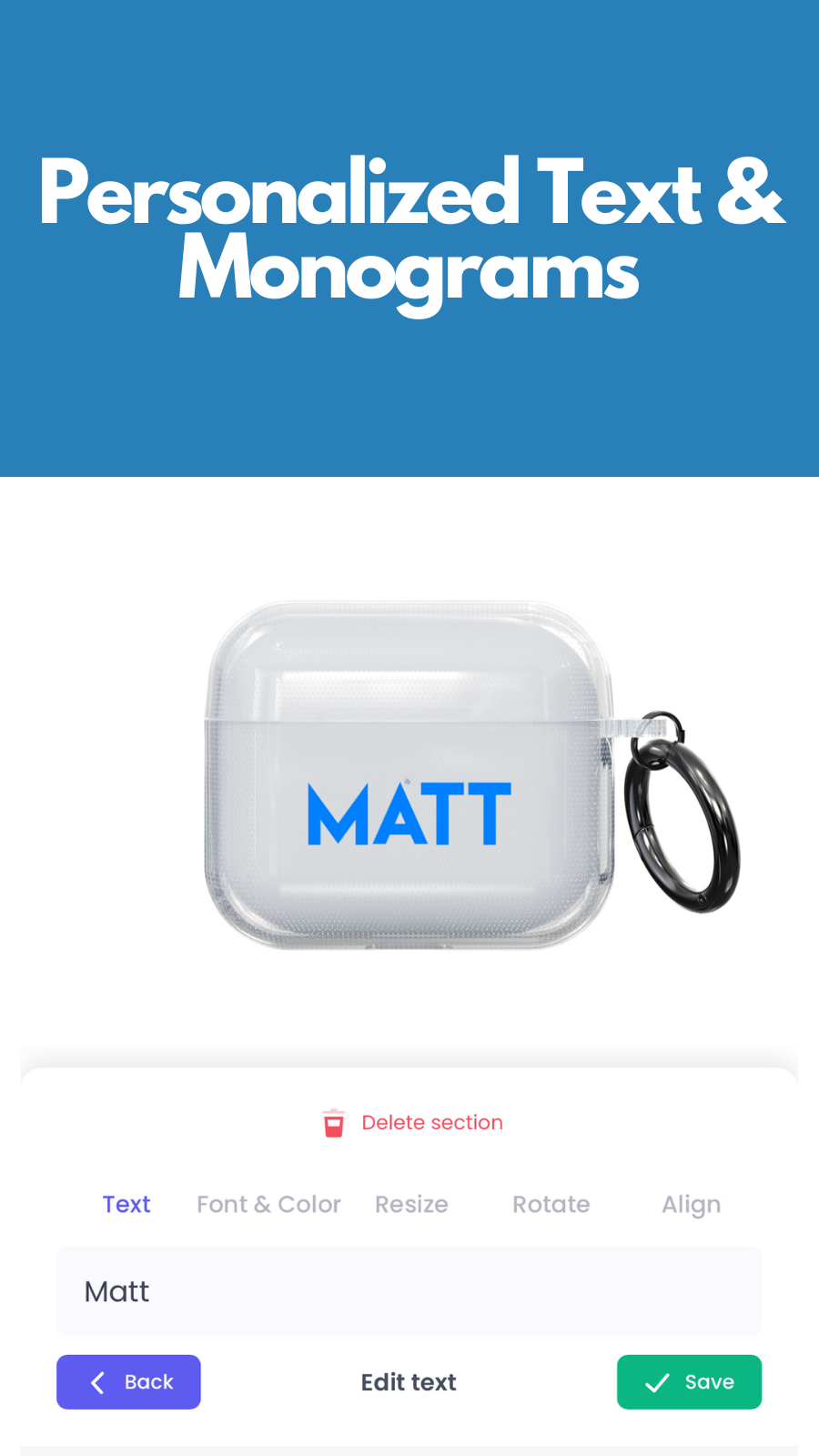
- Customize visuals:Upload pictures, add words, initials, and images. View in 3D and AR.
- Product Customization:Add your own items, or pick from thousands of ready-to-print products.
- Automated Art Creation:Artwork is created according to your specific sizes and requirements.
- Ready-made designs:Ability to sell ready-made designs that don't require customization.
Pricing Details
Customized: Print Automation offers 1 free plan and 2 paid plans.
Considering installing this Upload‑Lift Image Upload alternatives Shopify app? Explore the pricing details and discover if they align with your budget and needs.
Free · $0/month
Included features: Unlimited Designs, Unlimited Products, Unlimited Sales, Built in Customizer, Thousands of Print-On-Demand Products
Pro · $29/month
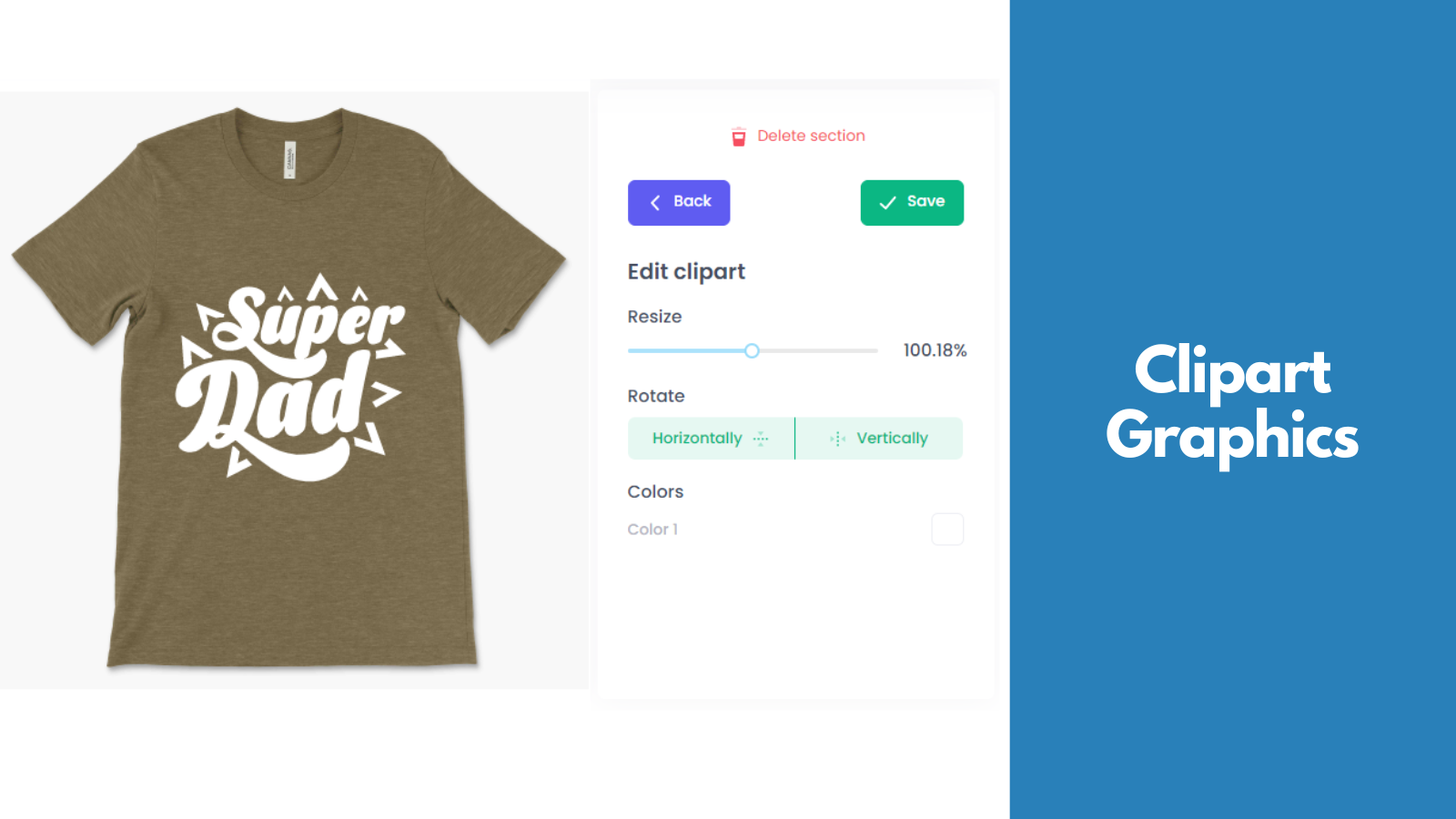
Included features: Everything in Free, 3D & Augmented Reality Previews, Add Your Own Fonts, Clipart and Patterns, Branded Customizer, Removed Customized Branding
Self Printer · $39/month
Included features: Everything in Pro, Add Your Own Products that you print, Create Your Own Layouts, Automatic Artwork Generation
Pros and Cons
Delve into ShopDigest's expert insights on Customized: Print Automation - a Upload‑Lift Image Upload alternatives Shopify app. Our analysis of Shopify app store reviews presents unique pros and cons, allowing you to make informed decisions for your business.
- Offers extensive design options, allowing users and their customers to personalize products in detail.
- Features easy setup and navigation, making it accessible for both merchants and end customers.
- Most experiences highlight timely and helpful assistance when issues arise.
- Provides product pricing that is favorable compared to similar print-on-demand (POD) apps.
- Does not offer language customization for non-English users, restricting usability for international customers.
- Displays only USD, lacking support for other currencies and causing inconvenience during checkout for international stores.
Three alternatives to look at first
Add custom fields, customization, customizer, personalization, image upload, checkout fields
Automatically price your customers' multiple uploaded files, images with various conditions.
A visual product customizer lets customers make personalized items easily.

PixPro Image Uploader by Flaviendev
- Social media-style editing : filters, cropping, and fine-tuning made easy.
- Customizable, seamless integration directly on your product page.
- Prevent no-image orders by locking the ATC button.
- One-click CSV export and image download for easy order handling.
- Sticky Add to Cart, fully compatible, with a dynamic image selection button.
Summary
About the App
PixPro Image Uploader, a Upload‑Lift Image Upload alternatives Shopify app, has achieved 1 reviews and an average rating of 5 stars since its launch 2 years ago. Designed to assist Shopify merchants with - "Make custom products easy with PixPro’s advanced image uploading and editing features !" it is a valuable addition to the Upload‑Lift Image Upload alternatives app lineup.
Top Features:
Upload‑Lift Image Upload alternatives Shopify apps can help elevate your e-commerce game. PixPro Image Uploader offers a host of key features, including:
- Social media-style editing : filters, cropping, and fine-tuning made easy.
- Customizable, seamless integration directly on your product page.
- Prevent no-image orders by locking the ATC button.
- One-click CSV export and image download for easy order handling.
- Sticky Add to Cart, fully compatible, with a dynamic image selection button.
Pricing Details
PixPro Image Uploader offers 0 free plans and 2 paid plans.
Considering installing this Upload‑Lift Image Upload alternatives Shopify app? Explore the pricing details and discover if they align with your budget and needs.
Essential · $9.90/month
Included features: - Up to 2,000 image uploads per month, - Detailed stats with export, - Sticky add-to-cart fully compatible, - Preview overlay on product
Premium · $39.90/month
Included features: - Up to 10,000 images uploads per month, - All features
Pros and Cons
Delve into ShopDigest's expert insights on PixPro Image Uploader - a Upload‑Lift Image Upload alternatives Shopify app. Our analysis of Shopify app store reviews presents unique pros and cons, allowing you to make informed decisions for your business.
- The app offers Instagram-style editing tools, including cropping, which stand out among competitors.
- The backend interface is straightforward and user-friendly for managing product images.

Uploadfly ‑ File Upload by Uploadfly
Upload file, upload image for your store
- Supported upload from your local files, social media, drive, and many more
- Upload anywhere from collection, homepage, product and support buy button
- Built in image editor, Conditional logic, Additional pricing and many more
- Synchronize and back up your data using google drive
- Multiple file upload on the same time, unlimited upload field, up to 5 GB files
Summary
About the App
Uploadfly ‑ File Upload, a Upload‑Lift Image Upload alternatives Shopify app, has achieved 2 reviews and an average rating of 5 stars since its launch 2 years ago. Designed to assist Shopify merchants with - "Allow your customers to upload files from any source easily." it is a valuable addition to the Upload‑Lift Image Upload alternatives app lineup.
Top Features:
Upload‑Lift Image Upload alternatives Shopify apps can help elevate your e-commerce game. Uploadfly ‑ File Upload offers a host of key features, including:
- Supported upload from your local files, social media, drive, and many more
- Upload anywhere from collection, homepage, product and support buy button
- Built in image editor, Conditional logic, Additional pricing and many more
- Synchronize and back up your data using google drive
- Multiple file upload on the same time, unlimited upload field, up to 5 GB files
Pricing Details
Uploadfly ‑ File Upload offers 1 free plan and 3 paid plans.
Considering installing this Upload‑Lift Image Upload alternatives Shopify app? Explore the pricing details and discover if they align with your budget and needs.
Free · $0/month
Included features: - Orders: Unlimited, - File size limit upload: 5 MB, - Products : Unlimited, - Capacity: 100 MB, - Full feature, - Conditional Logic : NA, - Additional Pricing : NA
Starter · $7/month
Included features: - Orders: Unlimited, - File size limit upload: 250 MB, - Products : Unlimited, - Capacity: 5GB, - Full feature, - Conditional Logic : NA, - Additional Pricing : NA
Basic · $14/month
Included features: - Orders: Unlimited, - File size limit upload: 500 MB, - Products : Unlimited, - Capacity: 15GB, - Full feature, - Conditional Logic : Yes, - Additional Pricing : Yes
Professional · $28/month
Included features: - Orders: Unlimited, - File size limit upload: 1 GB, - Products: Unlimited, - Capacity: 30 GB, - Full feature, - Conditional Logic : Yes, - Additional Pricing : Yes

Akeans Upload Hike by Akeans LLC
Unlimited File Upload, Check File Type & Size
- Check the type and size of the file.
- Uploads with no limit
- Handle uploads
Summary
About the App
Akeans Upload Hike, a Upload‑Lift Image Upload alternatives Shopify app, has achieved 0 reviews and an average rating of 0 stars since its launch 4 years ago. Designed to assist Shopify merchants with - "It allows your store customers to upload files directly on Product, Contact, Cart, and Registration." it is a valuable addition to the Upload‑Lift Image Upload alternatives app lineup.
Top Features:
Upload‑Lift Image Upload alternatives Shopify apps can help elevate your e-commerce game. Akeans Upload Hike offers a host of key features, including:
- Document Verification:Check the type and size of the file.
- Unrestricted Sharing:Uploads with no limit
- Upload Management:Handle uploads
Pricing Details
Akeans Upload Hike offers 1 free plan and 3 paid plans.
Considering installing this Upload‑Lift Image Upload alternatives Shopify app? Explore the pricing details and discover if they align with your budget and needs.
Free Trial · $0/month
Included features: 25 uploads linked to orders, Max. 10MB upload file size, No support, 2GB storage space, File uploads stored for 7 days
Basic Plan · $19/month
Included features: 500 uploads linked to orders, Max. 50MB upload file size, Theme support, 10GB storage space, Anytime we provide all uploads zip
Standard Plan · $29/month
Included features: 2000 uploads linked to orders, Max. 200MB upload file size, Theme support, 50GB storage space, Anytime we provide all uploads zip
Premium Plan · $59/month
Included features: Unlimited uploads linked to orders, Max. 1000MB upload file size, Theme support, 100GB storage space, Anytime we provide all uploads zip
About Upload‑Lift Image Upload
Upload‑Lift Image Upload is a versatile Shopify app designed to help achieve the purpose: “Let customers upload files with their orders and empower them to edit images to make custom products.”. This Shopify app is listed under Product variants category. It has garnered over 170 reviews with an average rating of 4.8 stars from Shopify merchants.
Some of its key features include:
- High-speed file upload: You can quickly upload any kind of file up to 5GB.
- Predefined Crop Options: Photo editing tool that lets you crop pictures with set ratios and shapes.
- Image Preview: Display of the uploaded image in the upload area and shopping cart page.
- File Validations: Set up file checks. Set minimum/maximum file size and picture size.
- Advanced File Conversion: Converting complex files like PDF/AI into images.
Besides, Upload‑Lift Image Upload is known for its The app functions smoothly and efficiently, meeting user needs without significant issues., Support team is highly responsive, helpful, and often resolves issues quickly, even for free plan users., The app is intuitive and easy to set up, with a clean design that integrates well with store themes., Offers extensive customization for branding and functionality, including color adjustments and field types., The free tier provides substantial value, making it accessible for small businesses or beginners., Works well with Shopify and other apps, enhancing workflow without disrupting store performance., Allows customers to upload multiple files, streamlining the process for custom orders., Suitable for various industries, from personalized products to document-heavy services..
Why Consider Upload‑Lift Image Upload Alternatives for Shopify?
While Upload‑Lift Image Upload may have its unique features and benefits, it's essential to periodically reevaluate your options to ensure that you're using the best tools to optimize your online store. Here are some reasons why you should explore Upload‑Lift Image Upload alternatives:
- Diverse Needs: What worked initially with Upload‑Lift Image Upload may not fully address your current needs. By considering Upload‑Lift Image Upload alternatives, you can find apps that are better suited to your changing objectives.
- Budget Constraints: While considering alternatives to Upload‑Lift Image Upload can impact your budget significantly. Some alternatives offer similar functionality at the same or reduced pricing level, while others may provide increased pricing but with added features that justify the investment.
- Compatibility Issues: If you have encountered compatibility issues with Upload‑Lift Image Upload or have concerns about its integration with other essential tools and themes, exploring Upload‑Lift Image Upload alternatives can help you find apps that offer better compatibility and ease of use.
- Feature Enhancement: Alternatives to Upload‑Lift Image Upload may offer innovative features that can give your Shopify store a competitive edge. By exploring these alternatives, you can tap into new capabilities and stay ahead in the dynamic e-commerce landscape.
In the following sections, we'll introduce you to some of the top alternatives to Upload‑Lift Image Upload.
Overview of the Best Upload‑Lift Image Upload Shopify Alternatives
There are several alternatives in the Shopify app store that can seamlessly replace or complement Upload‑Lift Image Upload. Whether you are looking for a change or just exploring your options, you are bound to find the perfect fit for your Shopify store. We have listed the top Shopify Upload‑Lift Image Upload alternatives based on their popularity and average rating.
| App Name | Category | Developer | Starting Price | Free Plan | Reviews |
|---|---|---|---|---|---|
| Textly: Product Custom Fields | Upload‑Lift Image Upload alternatives | CodeMate Apps | $0/month | ● Available | 4.7 ★ (62) |
| Upload Center: File Upload | Upload‑Lift Image Upload alternatives | Quaflow | $9/month | ● Unavailable | 5.0 ★ (17) |
| Customized: Print Automation | Upload‑Lift Image Upload alternatives | Custom Product App | $0/month | ● Available | 5.0 ★ (1) |
| PixPro Image Uploader | Upload‑Lift Image Upload alternatives | Flaviendev | $9.90/month | ● Unavailable | 5.0 ★ (1) |
| Uploadfly ‑ File Upload | Upload‑Lift Image Upload alternatives | Uploadfly | $0/month | ● Available | 5.0 ★ (2) |
| Akeans Upload Hike | Upload‑Lift Image Upload alternatives | Akeans LLC | $0/month | ● Available | - (0) |
Have a Closer Look at the Best Alternatives to Upload‑Lift Image Upload
Now let us jump in and check out these top Upload‑Lift Image Upload alternatives.


Reviews
No reviews available for this app.
Why is Textly: Product Custom Fields a top Upload‑Lift Image Upload alternatives Shopify app?
ShopDigest selects the top Shopify apps in the Upload‑Lift Image Upload alternatives category based on various parameters, including the number of installations across Shopify stores, the app's ranking in the Shopify App Store, the number of merchants' reviews, and its overall customer rating, among other factors.
Why integrate Textly: Product Custom Fields with your Shopify store?
- Add text box,textfield, dropdown,checkbox, date picker, upload to product pages
- Add notes, datepicker, upload file, image swatch, custom fields in order form
- Custom product, custom notes, engraving, customization, customizer, personalizer
- Customers input for customization, product customizer, upload image, uploadery
- Surcharge image upload, file upload,text field, upload image, upload file
Shopify merchants highlight key advantages, such as Add text box,textfield, dropdown,checkbox, date picker, upload to product pages, Add notes, datepicker, upload file, image swatch, custom fields in order form, and more,
What are some of the top alternatives for Textly: Product Custom Fields?
2. Upload Center: File Upload
5.0 ★ (17)


Reviews
No reviews available for this app.
Why is Upload Center: File Upload a top Upload‑Lift Image Upload alternatives Shopify app?
ShopDigest selects the top Shopify apps in the Upload‑Lift Image Upload alternatives category based on various parameters, including the number of installations across Shopify stores, the app's ranking in the Shopify App Store, the number of merchants' reviews, and its overall customer rating, among other factors.
Why integrate Upload Center: File Upload with your Shopify store?
- Create upload fields with strict rules for file types, dimension (e.g DPI Check)
- Charge dynamic fees based on file sizes(e.g height) or custom form selections
- Automate file renaming and bulk downloads via built-in File Manager
- Track production with custom order statuses and auto email alerts (Shopify Flow)
- Charge dynamically based on inch square dimensions or PDF page counts etc.
Shopify merchants highlight key advantages, such as Create upload fields with strict rules for file types, dimension (e.g DPI Check), Charge dynamic fees based on file sizes(e.g height) or custom form selections, and more,
What are some of the top alternatives for Upload Center: File Upload?
3. Customized: Print Automation
5.0 ★ (1)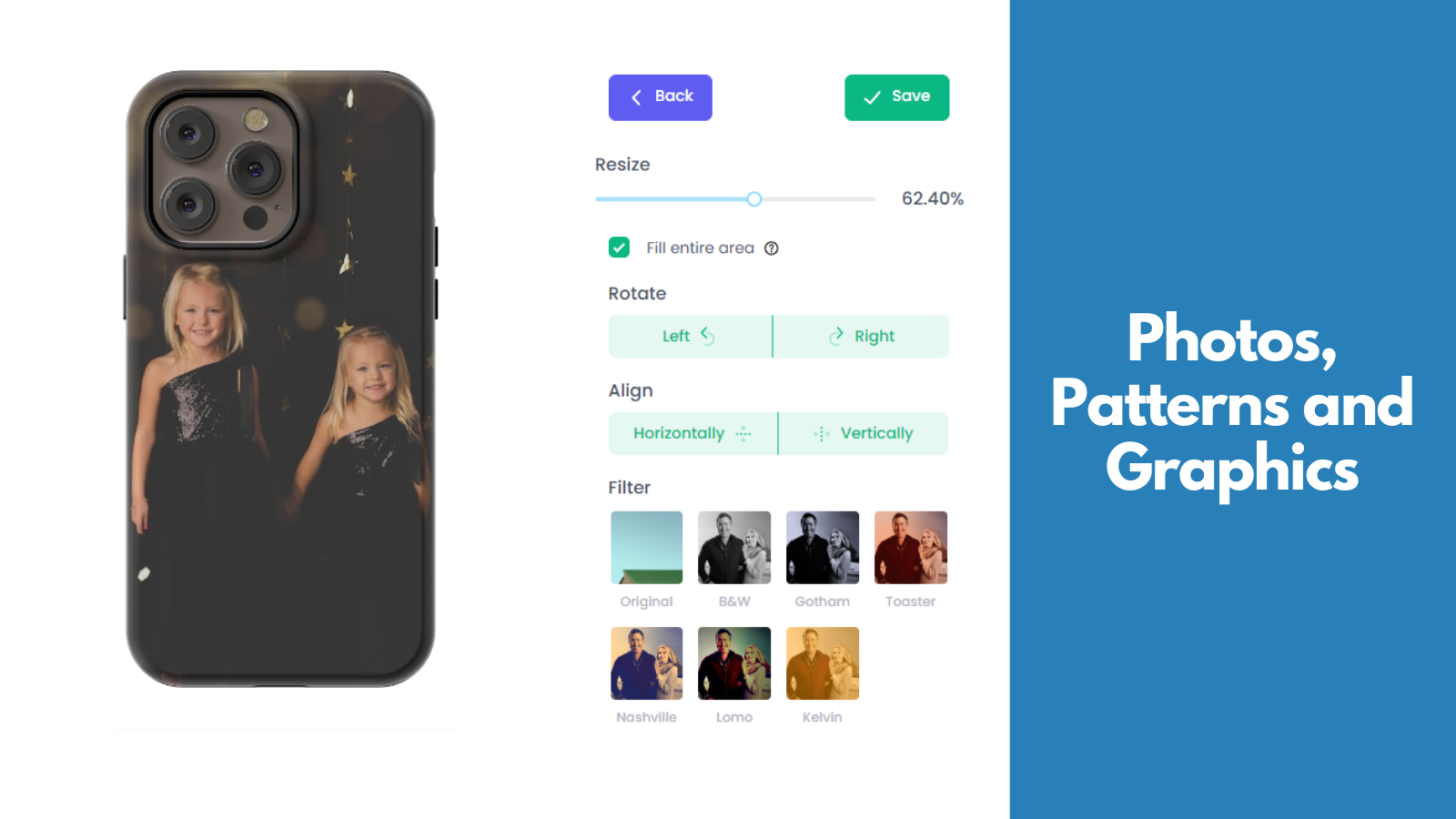



Reviews
No reviews available for this app.
Why is Customized: Print Automation a top Upload‑Lift Image Upload alternatives Shopify app?
ShopDigest selects the top Shopify apps in the Upload‑Lift Image Upload alternatives category based on various parameters, including the number of installations across Shopify stores, the app's ranking in the Shopify App Store, the number of merchants' reviews, and its overall customer rating, among other factors.
Why integrate Customized: Print Automation with your Shopify store?
- Customization Feature: Built-in feature lets your customer create their ideal custom product.
- Customize visuals: Upload pictures, add words, initials, and images. View in 3D and AR.
- Product Customization: Add your own items, or pick from thousands of ready-to-print products.
- Automated Art Creation: Artwork is created according to your specific sizes and requirements.
- Ready-made designs: Ability to sell ready-made designs that don't require customization.
Shopify merchants highlight key advantages, such as Built in Customizer allowing your customer to design the perfect custom product., Upload photos, add text, monograms and clipart. Preview in 3D and AR., and more,
What are some of the top alternatives for Customized: Print Automation?
4. PixPro Image Uploader
5.0 ★ (1)


Reviews
No reviews available for this app.
Why is PixPro Image Uploader a top Upload‑Lift Image Upload alternatives Shopify app?
ShopDigest selects the top Shopify apps in the Upload‑Lift Image Upload alternatives category based on various parameters, including the number of installations across Shopify stores, the app's ranking in the Shopify App Store, the number of merchants' reviews, and its overall customer rating, among other factors.
Why integrate PixPro Image Uploader with your Shopify store?
- Social media-style editing : filters, cropping, and fine-tuning made easy.
- Customizable, seamless integration directly on your product page.
- Prevent no-image orders by locking the ATC button.
- One-click CSV export and image download for easy order handling.
- Sticky Add to Cart, fully compatible, with a dynamic image selection button.
Shopify merchants highlight key advantages, such as Social media-style editing : filters, cropping, and fine-tuning made easy., Customizable, seamless integration directly on your product page., and more,
What are some of the top alternatives for PixPro Image Uploader?
5. Uploadfly ‑ File Upload
5.0 ★ (2)


Reviews
No reviews available for this app.
Why is Uploadfly ‑ File Upload a top Upload‑Lift Image Upload alternatives Shopify app?
ShopDigest selects the top Shopify apps in the Upload‑Lift Image Upload alternatives category based on various parameters, including the number of installations across Shopify stores, the app's ranking in the Shopify App Store, the number of merchants' reviews, and its overall customer rating, among other factors.
Why integrate Uploadfly ‑ File Upload with your Shopify store?
- Supported upload from your local files, social media, drive, and many more
- Upload anywhere from collection, homepage, product and support buy button
- Built in image editor, Conditional logic, Additional pricing and many more
- Synchronize and back up your data using google drive
- Multiple file upload on the same time, unlimited upload field, up to 5 GB files
Shopify merchants highlight key advantages, such as Supported upload from your local files, social media, drive, and many more, Upload anywhere from collection, homepage, product and support buy button, and more,
What are some of the top alternatives for Uploadfly ‑ File Upload?
How to Choose the Right Upload‑Lift Image Upload Alternative for Your Shopify Store
Choosing the right alternative to Upload‑Lift Image Upload for your Shopify store is a crucial decision that can significantly impact your e-commerce operations. To help you make an informed choice, consider the following factors.
- Identify Your Needs: Make a list of features, integrations, or improvements you seek in a Upload‑Lift Image Upload alternative. Understanding your needs will serve as a guide when evaluating alternatives.
- Compare Features: Compare the features of each alternative to Upload‑Lift Image Upload and see how they align with your needs. Pay attention to unique functionalities that may differentiate one alternative from another.
- Check Reviews and User Feedback: Look for reviews from Shopify store owners who have used the Upload‑Lift Image Upload alternatives you are considering. Pay attention to both positive and negative comments to get a well-rounded view.
- Pricing: Consider your budget and choose a Upload‑Lift Image Upload alternative that fits within your financial constraints. Some alternatives may be cost-effective, while others may be feature-rich but come at a higher price.
- Scalability: Consider the long-term scalability of Upload‑Lift Image Upload alternatives. Choose an alternative that can adapt to your growing store needs.
- Trial Period: If available, take advantage of any trial periods offered by Upload‑Lift Image Upload alternatives. Hands-on experience is invaluable in assessing usability, compatibility with your Shopify setup, and overall user-friendliness.
- Support and Updates: Research the responsiveness of the support team behind each Upload‑Lift Image Upload alternative. Ensure that the alternative you choose has a responsive support team and receives regular updates.
Remember that the best Upload‑Lift Image Upload Shopify alternative will address your current requirements and position your store for future success.
More Information on Upload‑Lift Image Upload Shopify Alternatives
As you embark on your journey to find the perfect Upload‑Lift Image Upload alternative, the right choice can elevate your Shopify store's performance, enhance your customer shopping experience, and position you for growth in the competitive e-commerce landscape.
We've introduced you to a curated list of top Upload‑Lift Image Upload alternatives, each with its own strengths and advantages. Whether you're seeking a cost-effective solution or a feature-rich paid alternative, you have plenty of options to choose from.
Choosing the right Upload‑Lift Image Upload alternative requires careful consideration of your specific requirements, budget, and long-term goals. You can gain deeper insights into your selected apps by visiting our app comparison page. If you need expert guidance, ShopDigest can help you navigate this process effectively, from identifying your needs to assessing compatibility and support.
Upload‑Lift Image Upload Shopify Alternative Installation
There are thousands of Upload‑Lift Image Upload alternatives with different installation instructions, integration complexities, and customization levels. Our team at ShopDigest is here to assist you every step of the way. Installing your chosen app is a breeze with our service, ensuring a seamless integration into your store's ecosystem.
What's included
- Safely install/uninstall Shopify alternative app of your choice
- App integration with any theme as per specification
- Configurations & setup
- Assured support and guidance
- Get discount offers (not guaranteed)
What's not included
- Shopify Upload‑Lift Image Upload alternative app subscription cost
Frequently Asked Questions for Upload‑Lift Image Upload Shopify Alternatives
1. Why should I consider alternatives to Upload‑Lift Image Upload?
Exploring alternatives to Upload‑Lift Image Upload allows you to adapt to your changing business needs, budget constraints, and new feature requirements. It ensures that you're using the best possible tools to optimize your Shopify store's performance.
2. What are the top paid alternatives to Upload‑Lift Image Upload?
Several paid alternatives to Upload‑Lift Image Upload offer a wide range of features and functionalities to enhance your Shopify store's performance. Here are some of the top paid alternatives worth considering:
- Textly: Product Custom Fields
- Upload Center: File Upload
- Customized: Print Automation
3. What are the top free alternatives to Upload‑Lift Image Upload?
Here are some of the top free Upload‑Lift Image Upload alternatives worth considering:
- Textly: Product Custom Fields
- Customized: Print Automation
- Uploadfly ‑ File Upload
While they may have limitations compared to paid options, they provide a solid foundation for small businesses and entrepreneurs to begin their e-commerce journey.
4. How do I choose the right Upload‑Lift Image Upload alternative for my Shopify store?
To choose the right Upload‑Lift Image Upload alternative, you need to start by identifying your specific needs, comparing features, reading user reviews, evaluating pricing, and taking advantage of trial periods. You can read our detailed guide above.
Additionally, you can also reach out to ShopDigest for personalized recommendations based on your specific needs and goals. Contact us now to request assistance.
5. Are these Upload‑Lift Image Upload alternatives compatible with my existing Shopify setup?
Compatibility can vary among alternatives. It's essential to research and, if possible, test the Upload‑Lift Image Upload alternative you're considering to ensure seamless integration with your existing apps, themes, and store configurations.
6. Can I switch back to Upload‑Lift Image Upload if I'm not satisfied with an alternative?
Yes, you can switch back to Upload‑Lift Image Upload or explore other alternatives if you're not satisfied. However, it's essential to consider data migration and any potential impacts on your store's functionality during the transition.
7. Where can I find more information about these Upload‑Lift Image Upload alternatives?
For comprehensive details about the Upload‑Lift Image Upload alternatives featured in this guide, we recommend visiting our app information page. There, you'll find in-depth descriptions, features, pricing information, and direct links to the respective alternatives.
The Shopify ecosystem, shown through the work
ShopDigest is an independent directory of Shopify work. Developers, agencies and experts publish the projects they’ve actually shipped — migrations, rebuilds, custom apps, headless storefronts — with the results attached.
For merchants, that means judging a partner on evidence instead of a sales page: browse real builds in your category and budget, then reach out directly. For builders, it means one profile that keeps working after the project ships.
No commissions, no pay-to-rank placements. The best work rises because people save and follow it.
More about ShopDigestShow the work.
Win the work.
A portfolio directory for the Shopify ecosystem — builders publish, merchants browse, nobody buys a better position.