How To Create Consistent AI Ecommerce Ad Images
- Topic
- Marketing
- Source
- Ecommerce Fastlane
- Published
This summary was written by ShopDigest AI from Ecommerce Fastlane’s report, by Steve Hutt. Read the full story ↗
Create consistent AI ecommerce ad images with reference photos, reusable prompts, and product checks for your next campaign.
Overview
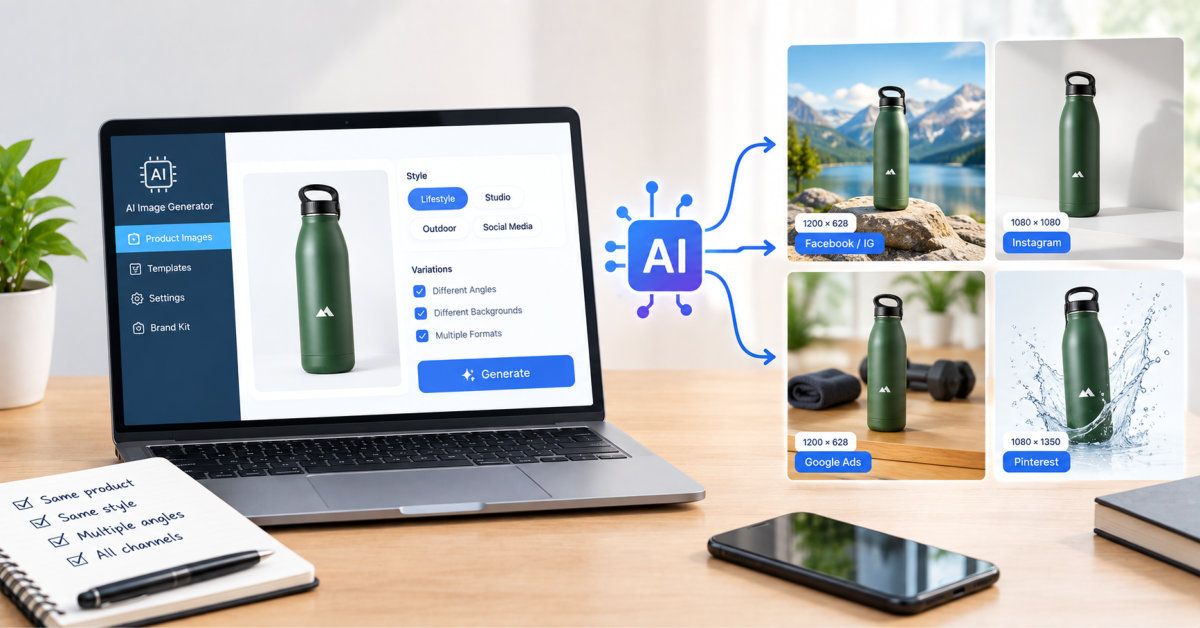
This article provides a practical guide for ecommerce merchants to create consistent AI-generated ad images for their products. It emphasizes using an approved reference photo, documenting fixed product facts, and reviewing each AI variation against the original to avoid unintended changes. The guide uses a ceramic travel mug as a running example.
Key Steps
- Choose a sharp, approved reference photo that shows the entire product, including small details like the lid.
- Create an approval sheet that separates fixed product facts (e.g., color, shape) from allowed variations (e.g., background, props).
- Write a base prompt that references the photo, lists fixed product details, specifies the setting and light, and defines the composition.
- Review each generated image against the original photo before using it in a campaign.
Why It Matters
Inconsistent AI images can create multiple product variations that need review, delaying campaign launches. Keeping product facts fixed and using manual compositing for background swaps gives merchants more control over accuracy. This approach helps maintain brand consistency across different ad formats.
Frequently asked questions
How do I keep AI ecommerce ad images consistent?
Start with an approved reference photo that shows the entire product, including small details. Write down fixed product facts and allowed variations, then use a base prompt that references the photo and specifies the scene. Review each generated image against the original photo before using it.
What should I include in an AI image prompt for product ads?
Include the reference photo, list fixed product details like color and shape, describe the setting and lighting, and define the composition. For example, specify the camera angle and whether the full product must be visible. Keep prompts concrete to reduce unwanted changes.
Why do AI-generated product images look different from the original?
AI generators may alter product features like color, shape, or small details if not constrained. This happens when the prompt allows too much creative freedom or the reference photo is not clear. Using a detailed approval sheet and reviewing outputs can help minimize these differences.
Can I use AI to replace the background of a product photo?
Yes, but consider manual compositing for full control. Cut out the actual product photo and place it on a new background, matching perspective and shadows. This keeps the product pixels intact and avoids AI-induced changes to the product itself.
