

TikFeed ‑ TikTok Feed
by Zegsu Software Solutions LLP
Show your TikTok feed in a beautiful slider and grid format.
From $3.99/mo
Access all your store files from one location. Browse, manage and optimize the SEO of your store's images and assets.
Pros and cons of Filetastic ‑ Image Manager
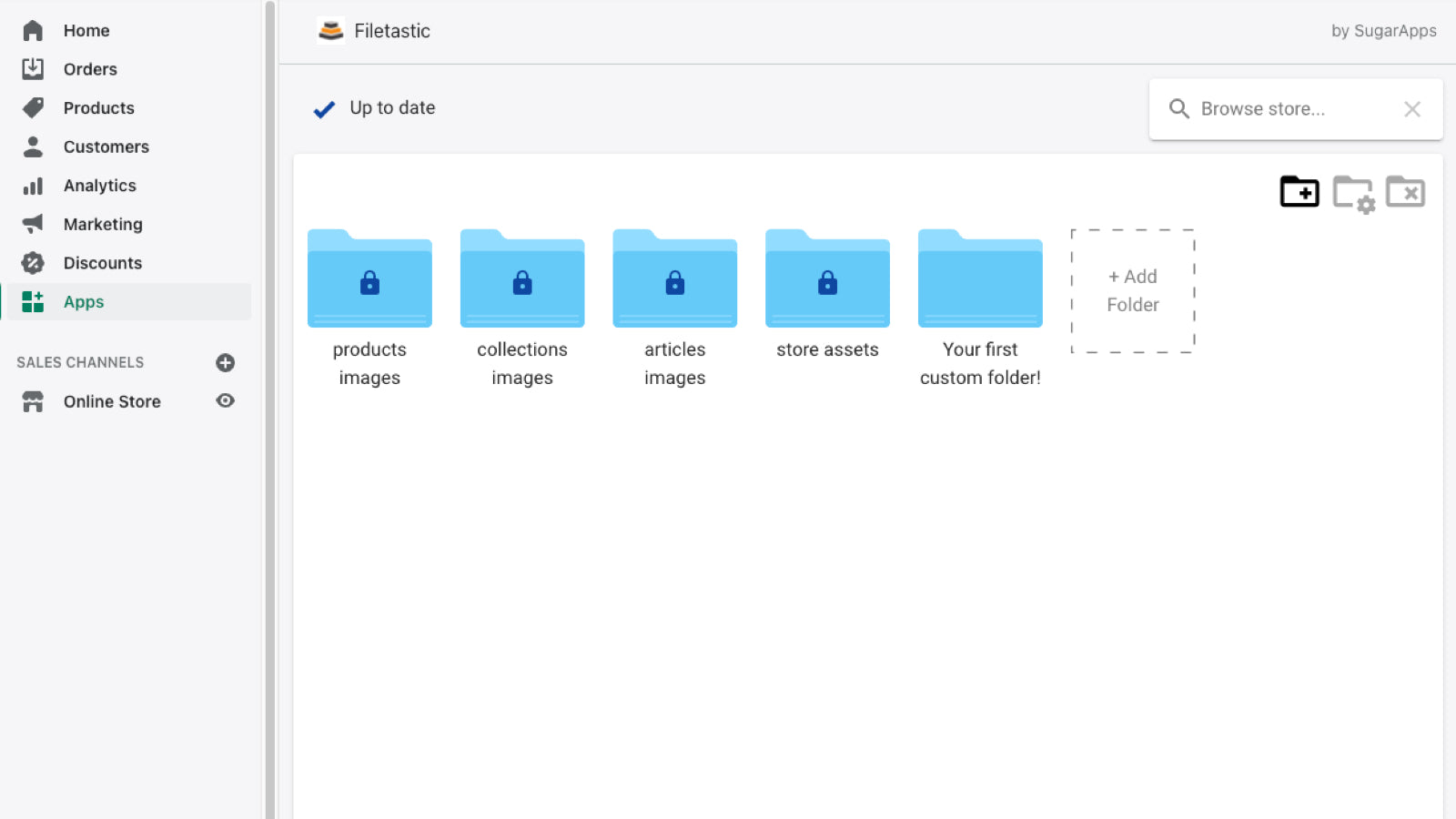

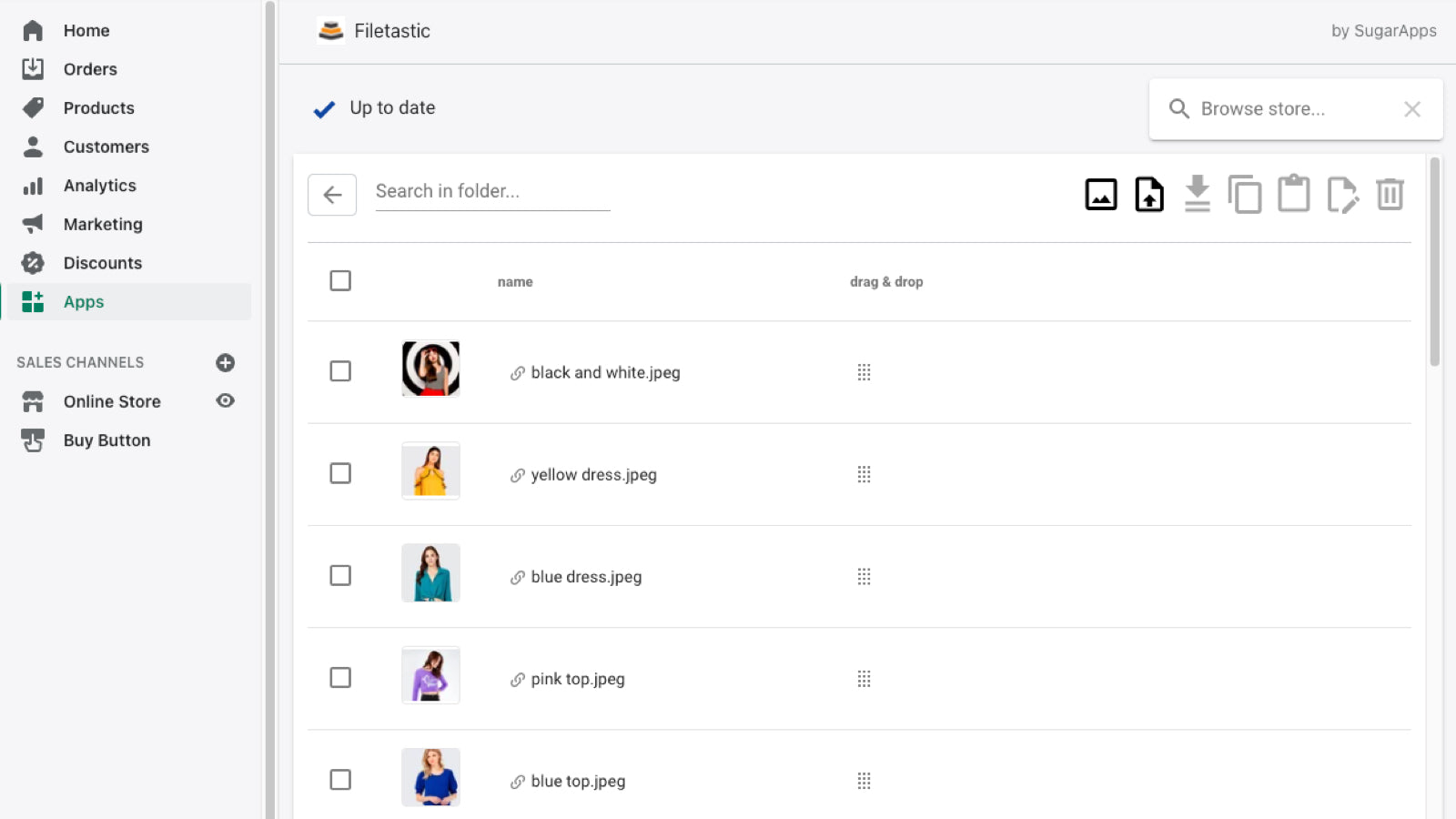
Browse, manage and optimize the SEO of your store's images and assets.
Filetastic ‑ Image Manager pricing plans
Not sure which plan to pick? Discuss Free or Basic plans with us, learn about custom pricing, or get a demo.
The app has 2 pricing plans: 1 free and 1 paid. The free plan offered by Filetastic ‑ Image Manager is Free. The paid plan offered by Filetastic ‑ Image Manager is Basic.
The details of the plans are outlined below.
| Pricing summary | Free plan available. Free trial available. |
| Total pricing plan(s) | 2 |
| Number of free plan(s) | 1 |
| Number of paid plan(s) | 1 |
| Cost of paid plan(s) | $3.99 |
| Free trial available | Yes, for 7 day(s) |
The table below highlights the crucial differences between Filetastic ‑ Image Manager and similar other Shopify apps based on parameters like ratings, reviews, features, pricing, etc.
| Apps | Add app | |||
| General information | ||||
| Ratings | 4.5 ★ (11 reviews) | 2.8 ★ (6 reviews) | N/A | |
| Developed by | SugarApps | Zegsu Software Solutions LLP | WDT | |
| Launch date | 22 December 2021 | 11 February 2022 | 13 May 2024 | |
| Pricing | Free, $3.99/month | $3.99/month | Free, $4.99/month | |
| Objective | Browse, manage and optimize the SEO of your store's images and assets. | Show your TikTok feed in a beautiful slider and grid format. | Real-time Social Media Feed to Engage Customers' Attention | |
| Categories | Images and media - Other, Content - Other | Images and media - Other, Content - Other | Images and media - Other, Content - Other | |
| Key features & highlights | ||||
| Purpose | Access all your store files from one location. | TikFeed: This feature lets you show short social media videos from TikTok in your shop. | Connect and Elevate: Showcase Social Walls, Supercharge Sales, and Enhance Store's Visual Appeal! | |
| Features list |
|
|
| |
| Highlights | — | — |
| |
| User reviews and ratings | ||||
| Recommended | 81.8% | 83.3% | 0.0% | |
| Pros |
|
| — | |
| Cons |
| — | — | |
| Pricing and plans | ||||
| Total pricing plans | 2 | 1 | 2 | |
| Free plan | Available | Not available | Available | |
| Free trial | Yes, for 7 day(s) | No | No | |
| Technical information | ||||
| Rating | 4.5 ★ | 2.8 ★ | N/A | |
| Total reviews | 11 | 6 | N/A | |
| Launch date | 22 December 2021 | 11 February 2022 | 13 May 2024 | |
Filetastic is a tool that allows you to manage images and files directly on your store, eliminating the need for cloud storage or local disk storage. It enables easy creation of folders, grouping of files, downloading and editing images, and uploading images to your products, collections, and articles.
This Shopify app provides a centralized solution for managing and organizing files, particularly product images, with features like bulk downloads, folder-based organization, and SEO field editing. It simplifies tasks that Shopify’s native functionality lacks, such as bulk image backups and structured file management. The app is noted for its clean interface, ease of use, and responsive customer support, making it a practical choice for multi-store operations. However, some limitations include occasional UI obstructions, such as pop-ups blocking key functions, and initial issues with file-type restrictions or unintended file additions during uploads. While updates have addressed certain functionality gaps, earlier versions faced reliability concerns, suggesting variability in performance across use cases. Overall, the app fills a niche for streamlined file management but may require troubleshooting for optimal use.
For any questions, concerns, or assistance with Filetastic ‑ Image Manager, the dedicated support team is readily available to help. To reach out to the support team, users can send an email to [email protected].
Details of the Filetastic ‑ Image Manager are available in various languages on the Shopify app store, including English.
| Support email | filemanagerapp1 |
| Contact number(s) | Not available |
| FAQ page | Not available |
| Privacy policy | Privacy details |
| Language support | English |
The list of top Shopify apps, features or software tools that Filetastic ‑ Image Manager seamlessly integrates with are given below.
No integration details available.
| Name | SugarApps |
| Website | View developer profile |
| Address | Przyszowa 466, Przyszowa, 34-604 |
How to install Filetastic ‑ Image Manager on your Shopify store
Your name, email and store domain go straight to the SugarApps team.
SugarApps contacts you directly to arrange setup for your store.
Perfect your store’s functionality without the pressure to move on until you’re ready.
Filetastic ‑ Image Manager has an overall rating of 4.4 stars from a total of 11 reviews on the Shopify app store. Of these, 9 (81.8%) are positive, 1 (9.1%) are neutral, and 1 (9.1%) are negative*.
*Ratings above four stars fall under positive review, three star reviews fall under neutral, and anything less than two stars falls under negative.
I'm only on the trial version and it's doing exactly what I wanted it to do. It's set up in a simple way yet it's advanced.
Easiest way to download all your Shopify Product images in Bulk. thnaks for making it simple on a feature that Shopify should have by default
Great customer support and very useful app if you have more stores. Definitely one of the must have apps.
I only gave it 3 stars because I couldn't test it properly. The right arrow at the bottom of the screen was covered by the "Rate this app" button. I'm hoping that if I give the app a rating, I'll be able to test it further.
Rankings, review momentum and install geography, refreshed weekly. Open the full charts for history, benchmarks and keyword detail.
Position and market share today
| CategoryContent - Other | #51 | 0.0% |
| CategoryImages and media - Other | #64 | 0.0% |
| KeywordImage editing | #65 | — |
| KeywordSubmission management | #71 | — |
Cumulative reviews · last 6 months
The key features offered by Filetastic ‑ Image Manager to Shopify store owners are:
Yes, Filetastic ‑ Image Manager seamlessly integrates with other Shopify apps or tools, such as View files from all locations, See where and if your store is using the files., Download and upload in large amounts.
Yes, Filetastic ‑ Image Manager offers a 7-day free trial on all its paid plans.
The app has 2 pricing plans: 1 free and 1 paid. The paid plan cost $3.99/month, and comes with a 7-day free trial period.
Filetastic ‑ Image Manager uses USD for billing, with recurring and usage-based charges invoiced usually every 30 days.
Yes, Filetastic ‑ Image Manager allows its subscribers to cancel or upgrade their subscription plan at any time.
Yes, Filetastic ‑ Image Manager offers a dedicated support team for any kind of app-related assistance. To reach out to the support team, users can send an email to [email protected].
Please reach out to their support team at [email protected] to confirm its compatibility with your specific Shopify theme.
Show your TikTok feed in a beautiful slider and grid format.

Most popular Shopify apps on the market

Product reviews with pictures and videos for credibility and search engine optimization.

Display your products to billions of TikTok users.

Simplify all tasks and focus on your business.

Increase your brand visibility and communicate with customers on Shop.
Used Filetastic ‑ Image Manager? Share your experience with other merchants.
I'm only on the trial version and it's doing exactly what I wanted it to do. It's set up in a simple way yet it's advanced.
Easiest way to download all your Shopify Product images in Bulk. thnaks for making it simple on a feature that Shopify should have by default
Great customer support and very useful app if you have more stores. Definitely one of the must have apps.
Thanks, I appreciate it :)
I only gave it 3 stars because I couldn't test it properly. The right arrow at the bottom of the screen was covered by the "Rate this app" button. I'm hoping that if I give the app a rating, I'll be able to test it further.
ShopDigest is an independent directory of Shopify work. Developers, agencies and experts publish the projects they’ve actually shipped — migrations, rebuilds, custom apps, headless storefronts — with the results attached.
For merchants, that means judging a partner on evidence instead of a sales page: browse real builds in your category and budget, then reach out directly. For builders, it means one profile that keeps working after the project ships.
No commissions, no pay-to-rank placements. The best work rises because people save and follow it.
More about ShopDigestA portfolio directory for the Shopify ecosystem — builders publish, merchants browse, nobody buys a better position.