Partner with us

Grow with ShopDigest. Programs for experts, developers and store owners.

Top 96 Backup Shopify Apps in October 2026

Check out all backup apps tailor-made for your Shopify store. Whether you are seeking free or paid solutions, Shopify offers a diverse range of 96 top-notch apps catering to businesses of all sizes. These apps are designed to boost your Shopify store's performance and make managing your business a breeze. Explore the collection and discover how these backup apps can take your Shopify store to the next level! We meticulously handpicked these top backup apps by evaluating various parameters, including ratings, reviews, price, popularity, launch date, and best matches, to ensure they offer the best value and experience to our users. Read full information here. Check out all backup apps tailor-made for your Shopify store. Whether you're seeking free plans or premium solutions, Shopify offers a diverse range of 96 top-notch apps catering to businesses of all sizes. Discover the perfect tools to elevate your' e-commerce experience today!

Matrixify: Data Export Import leads backup apps with 53.6% market share, ahead of Filey ‑ Files Backup & Export at 14.5%. A concentrated field — one app holds most of the tracked installs.

96 apps trackedUpdated 21 October 2026

Find the right app for your store

Sign in and we shortlist the backup apps that fit your setup.

Continue with Google

Top ranked · #1 of 96
BackupMaster Backups

BackupMaster Backups by BackupMaster.io

Automatic Backups. Simple Undo, Recover, Reverse, and Restore.

Pricing Plans: Free, $19/month, $39/month, $79/month
Free Trial: 7 days
Pros
  • The app consistently creates and restores backups quickly and accurately.
  • Responsive, knowledgeable, and proactive assistance from the support team.
  • Intuitive design and seamless integration with Shopify’s UI.
Cons
  • Some users noted the inability to restore entire collections or multiple products at once.

What merchants said

“Reliable backups and fast, helpful supportWe run a B2B HoReCa store with almost 2,000 products and a lot of apps that sync and bulk-edit data, so having daily backups of products, collections, metafields, themes and menus gives us real peace of mind.When BackupMaster added menu backups, I wasn’t sure if the new permission had been applied. I contacted support and within an hour Alex had checked everything, confirmed the permissions and triggered a fresh backup – all 6 menus were backed up straight away. Quick, clear and friendly.Easy to use, runs quietly in the background and doesn’t slow down the storefront. Recommended.It also backs up Shopify Files (all 1,100+ of our media files), which was important for us.”
Bevann d.o.o. · Slovenia · ★ 5.0 · 10/14/2026

Summary

Starting PriceFree
Free Trial7 days
Launch Date04 Aug 2017
Ratings4.8 ★ (125)
View on ShopifyView charts
About the App

BackupMaster Backups, a Backup Shopify app, has achieved 125 reviews and an average rating of 4.8 stars since its launch 9 years ago. Designed to assist Shopify merchants with - "Secure your shop with automatic backups. You can effortlessly recover, download, and copy your data." it is a valuable addition to the Backup app lineup.

Top Features:

Backup Shopify apps can help elevate your e-commerce game. BackupMaster Backups offers a host of key features, including:

  • Backup Automation:Auto backups: includes orders, customers, products, images, themes, metafields, etc.
  • Restoration Options:Recover single items or your whole shop.
  • Backup Downloads:Download backups as ZIP files whenever you want or set a schedule.
  • Backup Automation:Upload backups to Google Drive automatically.
  • Store Duplication:Make a copy of your store to transfer products and other items between stores for preparation purposes.
Pricing Details

BackupMaster Backups offers 1 free plan and 3 paid plans.

Considering installing this Backup Shopify app? Explore the pricing details and discover if they align with your budget and needs.

  1. Agency · $0/month

    Included features: Only for Shopify Partner dev stores, All features enabled for 3 months, Restore supported items, Store duplication included, Use before client store transfer

  2. Essentials · $19/month

    Included features: Automatic daily backups, Products, collections, themes, Blogs, pages, files, menus, Metafields, metaobjects, translations, Customers, orders, inventory, and more, Restore supported items, 365-day retention, Unlimited cloud storage

  3. Pro · $39/month

    Included features: Everything in Essentials, Download backup copies, Sync backups to Google Drive, Duplicate data for staging or expansion

  4. Plus · $79/month

    Included features: Everything in Pro, Multi-store pricing, Detailed audit logs, External portal access, Custom backup time, Priority support

Pros and Cons

Delve into ShopDigest's expert insights on BackupMaster Backups - a Backup Shopify app. Our analysis of Shopify app store reviews presents unique pros and cons, allowing you to make informed decisions for your business.

Pros
  • The app consistently creates and restores backups quickly and accurately.
  • Responsive, knowledgeable, and proactive assistance from the support team.
  • Intuitive design and seamless integration with Shopify’s UI.
  • Scheduled and automated backups provide peace of mind without manual intervention.
  • Backs up a wide range of store data, including themes and metafields.
  • Offers convenient cloud storage and local sync options for backups.
  • Competitive pricing with flexible plans to suit different needs.
  • Regular updates and check-ins from the support team.
  • Quick and hassle-free installation process.
  • Ability to restore individual items or specific sections of the store.
Cons
  • Some users noted the inability to restore entire collections or multiple products at once.
  • The starter plan lacks features like local backup downloads, which some users desire.
  • Users highlighted the absence of inventory backup as a missing feature.
Talk to the developer

Install in Your Store Now

Your request goes to the team that built BackupMaster Backups, not a support queue.

#2 of 96
Filey ‑ Files Backup & Export

Filey ‑ Files Backup & Export by INSO.codes

Click once to export store files, product images, and videos.

Pricing Plans: Free, $4.99/month
Pros
  • The app is consistently praised for its simplicity and one-click functionality.
  • Users highlight the quick download speeds and efficient file handling.
  • The free version is frequently noted for offering unrestricted, useful features.
Cons
  • A few users report missing files during bulk downloads.

What merchants said

“Excellent - Alex & the Filey Support Team were very helpful.”
EarBuddies · United Kingdom · ★ 5.0 · 9/17/2026

Summary

Starting PriceFree
Free TrialFree plan
Launch Date14 Jun 2022
DeveloperINSO.codes
Ratings4.8 ★ (235)
View on ShopifyView charts
About the App

Filey ‑ Files Backup & Export, a Backup Shopify app, has achieved 234 reviews and an average rating of 4.8 stars since its launch 4 years ago. Designed to assist Shopify merchants with - "Easily manage your store data by exporting files, images, and videos with just one click." it is a valuable addition to the Backup app lineup.

Top Features:

Backup Shopify apps can help elevate your e-commerce game. Filey ‑ Files Backup & Export offers a host of key features, including:

  • File Migration:Move your store files
  • Brand Exportation:Send out your brand materials and papers.
  • Product Media Export:Export images, videos, and 3D models of your products.
  • Store file backup:Create a copy of your store files.
Pricing Details

Filey ‑ Files Backup & Export offers 1 free plan and 1 paid plan.

Considering installing this Backup Shopify app? Explore the pricing details and discover if they align with your budget and needs.

  1. Basic · $0/month

    Included features: Export all Content → Files as ZIP, Store content dashboard

  2. Pro · $4.99/month

    Included features: Export & import store content, Files, product media, blogs & pages, Auto-match product media on import, Replace or keep existing content, Product media sorted into folders

Pros and Cons

Delve into ShopDigest's expert insights on Filey ‑ Files Backup & Export - a Backup Shopify app. Our analysis of Shopify app store reviews presents unique pros and cons, allowing you to make informed decisions for your business.

Pros
  • The app is consistently praised for its simplicity and one-click functionality.
  • Users highlight the quick download speeds and efficient file handling.
  • The free version is frequently noted for offering unrestricted, useful features.
  • The ability to download all files in one go is a major highlight.
  • Many users report the app works exactly as described without issues.
  • The app is celebrated for significantly reducing manual effort and saving hours.
  • The clean, intuitive design makes navigation straightforward.
  • Users appreciate the hassle-free setup process.
  • The feature to download files in a single zip is widely appreciated.
  • The app performs well across various devices and file volumes.
Cons
  • A few users report missing files during bulk downloads.
  • Some note the app only backs up PDFs and images, excluding other formats.
  • A small number of reviewers experienced unresponsive support after payment issues.
  • One user raised concerns about the app requesting store owner contact info.
Talk to the developer

Install in Your Store Now

Your request goes to the team that built Filey ‑ Files Backup & Export, not a support queue.

#3 of 96
TinyBackup ‑ Backups & restore

TinyBackup ‑ Backups & restore by TK Digital Ltd

Automated store backups and security. One-click to restore!

Pricing Plans: Free, $11/month, $17/month, $33/month
Free Trial: 7 days
Pros
  • The app is consistently praised for its simple setup and intuitive interface, requiring minimal effort to start backups.
  • Users highlight the app's ability to perform seamless, automated backups, providing peace of mind for store data security.
  • Multiple reviews commend the responsive and helpful support team, especially during critical recovery scenarios.
Cons
  • Some users mention the lack of backup options for orders and customer data, restricting its utility for full store recovery.

What merchants said

“The support team was very friendly, responsive, and quick to investigate the issue. They identified the likely cause of the problem in a short time and kept me informed. Thank you for your help!”
Ludorf Textilveredelung & Werbetechnik · Germany · ★ 5.0 · 10/20/2026

Summary

Starting PriceFree
Free Trial7 days
Launch Date11 Jan 2024
Ratings5.0 ★ (59)
View on ShopifyView charts
About the App

TinyBackup ‑ Backups & restore, a Backup Shopify app, has achieved 57 reviews and an average rating of 5 stars since its launch 2 years ago. Designed to assist Shopify merchants with - "Protect data from loss and unauthorized changes, ensuring easy restoration & security when needed." it is a valuable addition to the Backup app lineup.

Top Features:

Backup Shopify apps can help elevate your e-commerce game. TinyBackup ‑ Backups & restore offers a host of key features, including:

  • Backup crucial data like products, collections, pages, blog & articles
  • Automatic daily backups, plus on-demand backups whenever you need them.
  • Restore to a specific point in time or recover individual versions of a record.
  • View precise changes with a detailed, side-by-side change-history viewer.
  • Install, activate, and forget; restore only in emergencies.
Pricing Details

TinyBackup ‑ Backups & restore offers 1 free plan and 3 paid plans.

Considering installing this Backup Shopify app? Explore the pricing details and discover if they align with your budget and needs.

  1. Development stores · $0/month

    Included features: Up to 50 product backups, 1 month backups history

  2. Tiny · $11/month

    Included features: Up to 150 order & 1500 product backups, Unlimited backups for:, Customers, Pages, blogs & articles, Themes, Metafields, Settings (shipping profiles), Change history comparison

  3. Medium · $17/month

    Included features: Up to 300 order & 3000 product backups, Unlimited backups for:, Customers, Pages, blogs & articles, Themes, Metafields, Settings (shipping profiles), Change history comparison

  4. Large · $33/month

    Included features: Up to 600 order & 6000 product backups, Unlimited backups for:, Customers, Pages, blogs & articles, Themes, Metafields, Settings (shipping profiles), Change history comparison

Pros and Cons

Delve into ShopDigest's expert insights on TinyBackup ‑ Backups & restore - a Backup Shopify app. Our analysis of Shopify app store reviews presents unique pros and cons, allowing you to make informed decisions for your business.

Pros
  • The app is consistently praised for its simple setup and intuitive interface, requiring minimal effort to start backups.
  • Users highlight the app's ability to perform seamless, automated backups, providing peace of mind for store data security.
  • Multiple reviews commend the responsive and helpful support team, especially during critical recovery scenarios.
  • The app’s free tier is frequently appreciated, offering essential backup features without subscription costs.
  • Users note the app’s fast backup speeds, even for stores with large product inventories.
  • The ability to restore individual files and compare backups is valued for its precision and utility.
  • Several users express confidence in the app due to the developer’s track record for quality and reliability.
Cons
  • Some users mention the lack of backup options for orders and customer data, restricting its utility for full store recovery.
  • A few reviews criticize the absence of a bulk restore function, making large-scale recoveries tedious.
Talk to the developer

Install in Your Store Now

Your request goes to the team that built TinyBackup ‑ Backups & restore, not a support queue.

Keyword ranking

Top three ranked in Shopify App Store

BackupMaster Backups

Secure your shop with automatic backups. You can effortlessly recover, download, and copy your data.

4.8 ★ (125)$19/mo onwards
View app data →
Filey ‑ Files Backup & Export

Easily manage your store data by exporting files, images, and videos with just one click.

4.8 ★ (235)$4.99/mo onwards
View app data →
TinyBackup ‑ Backups & restore

Protect data from loss and unauthorized changes, ensuring easy restoration & security when needed.

5.0 ★ (59)$11/mo onwards
View app data →
#4 of 96
Rewind Backups

Rewind Backups by Rewind

The top trusted app for automatic, real-time backups and restores.

Pricing Plans: $19/month, $99/month
Free Trial: 7 days
Pros
  • Responsive, friendly, and highly effective in resolving issues promptly.
  • Quick and hassle-free onboarding process with minimal effort required.
  • Automatically secures store data, providing peace of mind against data loss.
Cons
  • Some users experienced unexpected charges or unclear pricing transitions.

What merchants said

“Your responsiveness, timeliness, and expert support throughout this process are incredibly appreciated. You went beyond simply answering my questions, and I’m very grateful that you took this back to your team and were able to provide the export.Thank you again for all your help!”
Endeara LLC · United States · ★ 5.0 · 9/2/2026

Summary

Starting Price$19/mo
Free Trial7 days
Launch Date05 Jan 2016
DeveloperRewind
Ratings4.3 ★ (628)
View on ShopifyView charts
About the App

Rewind Backups, a Backup Shopify app, has achieved 630 reviews and an average rating of 4.3 stars since its launch 10 years ago. Designed to assist Shopify merchants with - "Automatically backs up in real time. Allows easy restoration and recovery for products, themes, whole stores, and more." it is a valuable addition to the Backup app lineup.

Top Features:

Backup Shopify apps can help elevate your e-commerce game. Rewind Backups offers a host of key features, including:

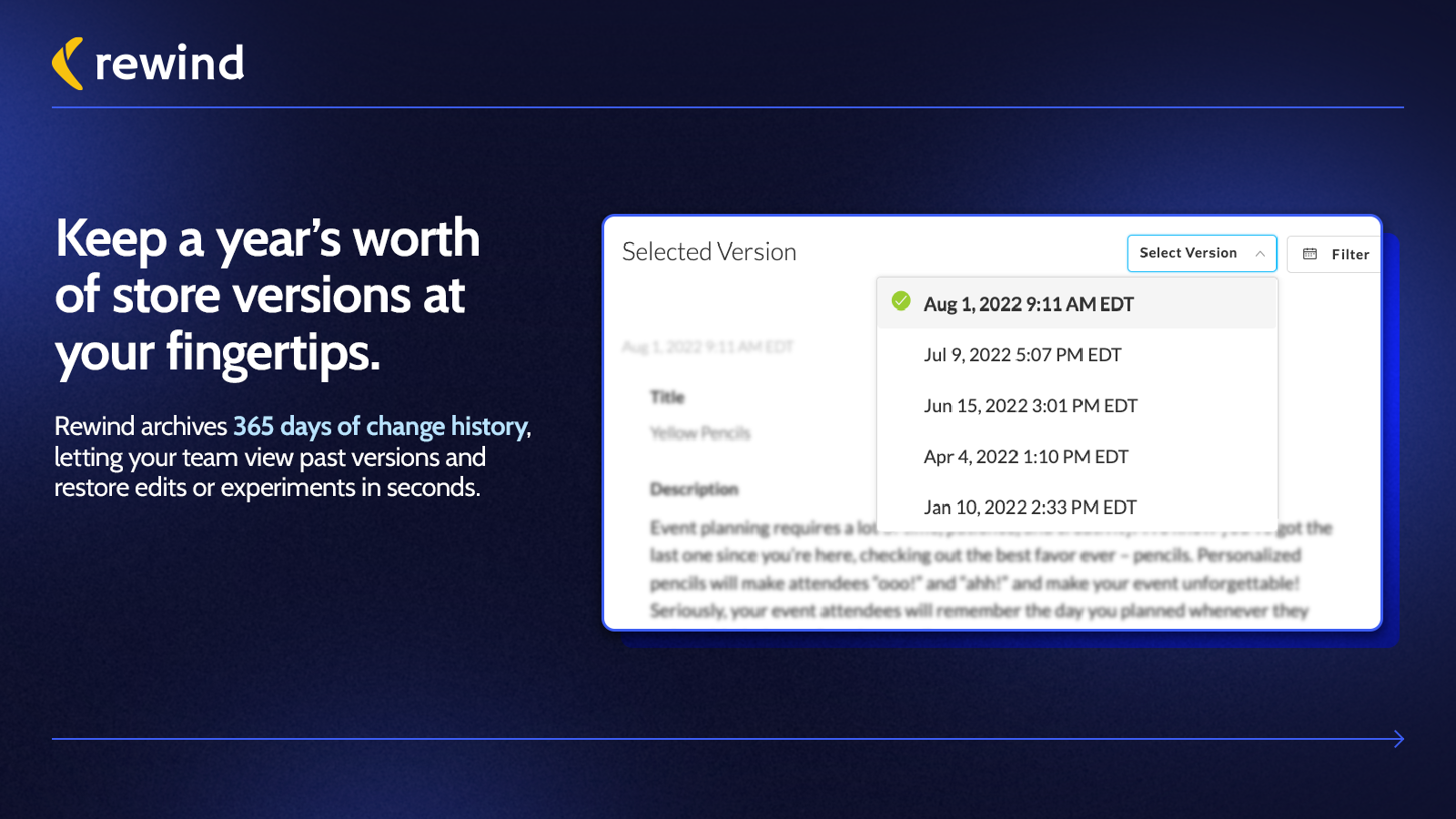
  • Backup Automation:Real-time automatic backups, available daily and when needed.
  • Bulk Restoration:Restore several items at once, such as a whole collection or brand.
  • Store Recovery:Undo single items, restore in bulk, or recover your whole store.
  • Protection Suite: Comprehensive Security Solution:Get complete safety and recovery features with Protection Suite.
  • Efficient Setup and Support:Simple setup with dependable customer service.
Pricing Details

Rewind Backups offers 0 free plans and 2 paid plans.

Considering installing this Backup Shopify app? Explore the pricing details and discover if they align with your budget and needs.

  1. Backup + Restore · $19/month

    Included features: Automated daily & real-time backups, Bulk & individual restores, Unlimited file storage, 365 day backup history, Metafield backups, Klaviyo & Mailchimp backups, Multi-user support, Available premium support

  2. Protection Suite · $99/month

    Included features: All Backup + Restore features, Automated QA testing, Track store and third-party app downtime, Bulk product change alerts, GA4 monitoring, Staging environment with preview, Available premium support

Pros and Cons

Delve into ShopDigest's expert insights on Rewind Backups - a Backup Shopify app. Our analysis of Shopify app store reviews presents unique pros and cons, allowing you to make informed decisions for your business.

Pros
  • Responsive, friendly, and highly effective in resolving issues promptly.
  • Quick and hassle-free onboarding process with minimal effort required.
  • Automatically secures store data, providing peace of mind against data loss.
  • Intuitive design and navigation make the app accessible for all users.
  • Efficient recovery of lost or corrupted data with minimal downtime.
  • Regular updates and summaries of backup activities enhance trust and visibility.
  • Competitive pricing plans that users find valuable for the service provided.
  • Team members often go above and beyond to assist with queries or technical issues.
  • Flexible plans cater to businesses of varying sizes and needs.
  • Users report increased confidence and reduced stress due to reliable backups.
Cons
  • Some users experienced unexpected charges or unclear pricing transitions.
  • A few users noted specific data (e.g., Oberlo) is not backed up as expected.
  • Lack of clear notifications about subscription updates or fee adjustments.
  • Occasional reports of app malfunctions or unresolved bugs affecting performance.
  • Dissatisfaction with the inability to receive refunds for billing disputes.
Talk to the developer

Install in Your Store Now

Your request goes to the team that built Rewind Backups, not a support queue.

#5 of 96
Duplify ‑ Duplicate & Backup

Duplify ‑ Duplicate & Backup by Presidio

Copy store information. Transfer and duplicate items, pages, and so on.

Pricing Plans: Free, $79/month
Pros
  • The app reliably duplicates stores, including products, themes, and metadata, saving significant manual effort.
  • Responsive and helpful support team, often resolving issues promptly and offering refunds when needed.
  • Intuitive design and straightforward process, even for non-technical users.
Cons
  • Some users find the pricing expensive, especially for duplicating stores with thousands of products.

What merchants said

“excellent service, these guys know how to help their customers and they are very reliable. i accidentaly made 2 payments and after telling them they refunded me the money instantly. So in 1 sentence: reliable and the app works as it needs to work.”
By Montaro · Netherlands · ★ 5.0 · 7/31/2026

Summary

Starting PriceFree
Free TrialFree plan
Launch Date15 Mar 2017
DeveloperPresidio
Ratings4.8 ★ (123)
View on ShopifyView charts
About the App

Duplify ‑ Duplicate & Backup, a Backup Shopify app, has achieved 123 reviews and an average rating of 4.8 stars since its launch 9 years ago. Designed to assist Shopify merchants with - "Copy all your store data in one click! It saves time, reduces mistakes, and helps run several stores." it is a valuable addition to the Backup app lineup.

Top Features:

Backup Shopify apps can help elevate your e-commerce game. Duplify ‑ Duplicate & Backup offers a host of key features, including:

  • Try-and-buy pricing:Test the product before purchasing and only pay for what you choose to export.
  • User-Friendly Setup:Simple to set up, no tech skills required!
  • Productivity Enhancement:Stay coordinated! Save time and ditch the tedious, repetitive tasks.
  • Bulk data export:Avoid mistakes, download a lot of store data at once.
  • Product Replication:Make backup shops. Copy items from your main shop to other shops.
Pricing Details

Duplify ‑ Duplicate & Backup offers 1 free plan and 1 paid plan.

Considering installing this Backup Shopify app? Explore the pricing details and discover if they align with your budget and needs.

  1. Free to install · $0/month

    Included features: You can run 5 products export for free

  2. Scale · $79/month

Pros and Cons

Delve into ShopDigest's expert insights on Duplify ‑ Duplicate & Backup - a Backup Shopify app. Our analysis of Shopify app store reviews presents unique pros and cons, allowing you to make informed decisions for your business.

Pros
  • The app reliably duplicates stores, including products, themes, and metadata, saving significant manual effort.
  • Responsive and helpful support team, often resolving issues promptly and offering refunds when needed.
  • Intuitive design and straightforward process, even for non-technical users.
  • Dramatically reduces the time required to clone stores, often completing tasks in hours instead of days.
  • Lower cost compared to hiring developers or using alternative apps for store duplication.
  • Consistently works as advertised for most users, with minimal technical issues.
  • Allows selective duplication of store elements like products, collections, and blogs.
  • Works well with standard Shopify themes and configurations.
  • Easy installation and minimal configuration required to start duplication.
  • Users report significant savings in both time and money compared to manual duplication.
Cons
  • Some users find the pricing expensive, especially for duplicating stores with thousands of products.
  • Struggles with non-standard setups like custom page builders (e.g., Gem Pages) or complex themes.
  • Duplication can be slow for stores with extensive product catalogs or metadata.
  • Occasional issues with missing data (e.g., collections, variants, or pricing) requiring manual fixes.
  • Instructions and video guides are unclear, leading to user confusion during setup.
Talk to the developer

Install in Your Store Now

Your request goes to the team that built Duplify ‑ Duplicate & Backup, not a support queue.

#6 of 96
Matrixify: Data Export Import

Matrixify: Data Export Import by ITissible

Easily transfer, update or move large data amounts.

Pros
  • Enables quick and seamless bulk updates for large product catalogs.
  • Highly responsive and helpful support team, often praised for quick resolutions.
  • Significantly reduces manual work, saving hours or even days on tasks.
Cons
  • Basic tier may be slow for extensive data, requiring a pricier plan.

What merchants said

“Update:Matrixify said they'll update the app (if they can) and they refunded me, so top points for customer service after my absolute nightmare.Original review:I have used Matrixify (as a Shopify Partner and developer) many times in the past with spectacular results. This was my first time using it for a full migration for a site that is loaded with metaobjects and metafields. I have built our site using these metafields in order to be able to easily access data throughout the site on different pages. It makes life very easy. I wanted to build a development store that was an exact duplicate of our existing store so that I could do some more complex development tasks (and simple things like changing metafields) without affecting our live site. I thought this would be an easy task because my experiences with Matrixify in the past have been so positive... I could not have been more wrong. It turns out that the interaction between Shopify and Matrixify doesn't allow the download and upload of the overall metafield and metaobject structures (the actual definitions, rules, etc.) so I had to do it entirely by hand. It wasn't at all clear that this was the case when I was upgrading from the free plan to the Big plan ($50/month). It just says "Metaobjects: 500" so, like other Shopify data, one would fully expect that it is as simple to accomplish as downloading one dataset and uploading it to your dev store. It is not.Beware if you are doing a store migration which requires metaobjects or metafields! We have a few hundred of each and it took me nearly two full days of manual clicking in order to replicate all of the definitions from one store to the other. Once you find yourself in this horrible position you will find that Matrixify actually has written about this (https://matrixify.app/tutorials/how-to-clone-duplicate-shopify-store/) however you will have already locked yourself in to a few days of hellish labour because it is not clearly communicated by Matrixify up front.I can only hope that this review leads to Matrixify either updating their processes for migration of metaobjects and metafields (if this is possible with Shopify) or, at the very least, communicating this far more clearly up front to customers rather than just making it look like metaobjects can be transferred just as easily as all other Shopify data! I really hope that a refund is in order for this utter nightmare because if I would have known what this required I would have never done it in the first place. Matrixify... you've really let me down this time.”
Nestwood · United Kingdom · ★ 5.0 · 10/20/2026

Summary

Starting PriceFree
Free TrialFree plan
Launch Date07 Jul 2017
DeveloperITissible
Ratings4.9 ★ (1,797)
View on ShopifyView charts
About the App

Matrixify: Data Export Import, a Backup Shopify app, has achieved 1775 reviews and an average rating of 4.9 stars since its launch 9 years ago. Designed to assist Shopify merchants with - "The Matrixify app lets you handle large amounts of store data by allowing you to import, export, update, and transfer it." it is a valuable addition to the Backup app lineup.

Top Features:

Backup Shopify apps can help elevate your e-commerce game. Matrixify: Data Export Import offers a host of key features, including:

  • Data Import/Export:Use Excel, Google Sheets or CSV files to import and export data.
  • E-commerce platform migration:Switch from platforms like Magento, WordPress/WooCommerce, BigCommerce, Lightspeed etc.
  • Data Recovery:Save and retrieve your information.
  • Automated data transfer:Set up automatic recurring import and export jobs.
  • Export/Import Management:Track and manage export and import jobs in real-time and view their history.
Pricing Details

Matrixify: Data Export Import offers 1 free plan and 3 paid plans.

Considering installing this Backup Shopify app? Explore the pricing details and discover if they align with your budget and needs.

  1. Demo · $0/month

    Included features: Per file:, 10 Products, 10 Collections, 10 Customers, 10 Companies, 10 Discounts, 10 Translations, 10 Orders & Draft Orders, 10 Payouts, 10 Pages, 10 Blog Posts, 10 Redirects, 2 Menus, 10 Activity, 10 Files, 10 Metaobjects, ∞ Metafields

  2. Basic · $20/month

    Included features: Per file:, 5K Products, 300 Collections, 2K Customers, 50 Companies, 300 Discounts, 10k Translations, 1K Orders & Draft Orders, 366 Payouts, 50 Pages, 50 Blog Posts, 10K Redirects, ∞ Menus, 10K Activity, 10K Files, 50 Metaobjects, ∞ Metafields

  3. Big · $50/month

    Included features: Per file:, 50K Products, 3K Collections, 20K Customers, 500 Companies, 3K Discounts, 100k Translations, 10K Orders & Draft Orders, 3660 Payouts, 500 Pages, 500 Blog Posts, 100K Redirects, ∞ Menus, 100K Activity, 100K Files, 500 Metaobjects,∞ Metafields

  4. Enterprise · $200/month

    Included features: Everything Unlimited, Batch import, Parallel threads in each job: 10+, Parallel manual jobs: 2

Pros and Cons

Delve into ShopDigest's expert insights on Matrixify: Data Export Import - a Backup Shopify app. Our analysis of Shopify app store reviews presents unique pros and cons, allowing you to make informed decisions for your business.

Pros
  • Enables quick and seamless bulk updates for large product catalogs.
  • Highly responsive and helpful support team, often praised for quick resolutions.
  • Significantly reduces manual work, saving hours or even days on tasks.
  • Clear tutorials and guides that assist users in navigating the app’s features.
  • Simplifies complex migrations from other platforms to Shopify.
  • Intuitive design that makes bulk operations straightforward.
  • Consistently delivers fast and error-free imports/exports.
  • Supports a wide range of data manipulations, including metafields and custom exports.
  • Regular improvements and new features added without price hikes.
  • Convenient communication channel for real-time support.
Cons
  • Basic tier may be slow for extensive data, requiring a pricier plan.
  • Initial setup and feature mastery can be overwhelming for new users.
Talk to the developer

Install in Your Store Now

Your request goes to the team that built Matrixify: Data Export Import, not a support queue.

#7 of 96
Syncora: Backup & Restore

Syncora: Backup & Restore by ShopiDevs

Pros
  • Quick and helpful responses from the support team, often highlighted as a standout feature.
  • Consistently praised for seamless data backup and restore capabilities.
  • Users appreciate the option to back up data directly to Google Drive.
Cons
  • Some users mentioned restrictions on the number of products backed up in the free version.

What merchants said

“a really good App and fast and easy to handle. I'm using the App since more than a month and its very positive. Thanks to developers.”
Bernd Reinecke - IT-Services · Germany · ★ 5.0 · 8/13/2026

Summary

Starting PriceFree
Free TrialFree plan
Launch Date21 Jan 2025
DeveloperShopiDevs
Ratings4.6 ★ (18)
View on ShopifyView charts
About the App

Syncora: Backup & Restore, a Backup Shopify app, has achieved 18 reviews and an average rating of 4.6 stars since its launch 1 years ago. Designed to assist Shopify merchants with - "Automatically back up your entire store and restore any item to a previous version in one click." it is a valuable addition to the Backup app lineup.

Top Features:

Backup Shopify apps can help elevate your e-commerce game. Syncora: Backup & Restore offers a host of key features, including:

  • Automatic real-time and scheduled backups protect your entire store 24/7
  • Restore any item to a previous version in one click, no re-import needed
  • Backs up products, orders, customers, themes, metafields, and metaobjects
  • Keep an extra copy of every backup in your own Google Drive
  • Sync products and content from one store to another in a few steps
Pricing Details

Syncora: Backup & Restore offers 1 free plan and 3 paid plans.

Considering installing this Backup Shopify app? Explore the pricing details and discover if they align with your budget and needs.

  1. Free · $0/month

    Included features: Up to 50 Products Backup, Unlimited Page Backup, Unlimited Blog Backup, One-click ZIP of files, pages, blogs, Backups & exports to S3, R2, B2, SSH, 1 month backup history

  2. Starter · $6.99/month

    Included features: Up to 700 Products & 300 orders / month, Real-time and scheduled backups, One-click restore with version compare, Customers, files, collections, themes, Metafields, metaobjects, segments, Automatic backup to Google Drive, 2 month backup history

  3. Growth · $19.99/month

    Included features: Everything in Starter, Up to 3000 Products & 600 orders / month, Extended 6-month backup history, Priority Live Chat Support, Priority technical support

  4. Pro · $49.99/month

    Included features: Everything in Growth, Up to 6000 Products & 1000 orders /month, 1 year backup history, Priority technical support, Priority Live Chat Support

Pros and Cons

Delve into ShopDigest's expert insights on Syncora: Backup & Restore - a Backup Shopify app. Our analysis of Shopify app store reviews presents unique pros and cons, allowing you to make informed decisions for your business.

Pros
  • Quick and helpful responses from the support team, often highlighted as a standout feature.
  • Consistently praised for seamless data backup and restore capabilities.
  • Users appreciate the option to back up data directly to Google Drive.
  • The app is noted for its simplicity and straightforward functionality.
Cons
  • Some users mentioned restrictions on the number of products backed up in the free version.
Talk to the developer

Install in Your Store Now

Your request goes to the team that built Syncora: Backup & Restore, not a support queue.

#8 of 96
Theme Updater & Backups | OOTS

Theme Updater & Backups | OOTS by Out of the Sandbox

Make sure your premium theme is updated.

Pricing Plans: Free, $4/month, $9/month, $29/month
Free Trial: 7 days
Pros
  • The app successfully updates themes while preserving most customizations, saving significant time and effort.
  • Many users highlight prompt, detailed, and helpful assistance from the support team, often resolving issues quickly.
  • The app simplifies the update process, reducing manual work and minimizing disruptions to store operations.
Cons
  • Some users report failures in transferring significant custom code, requiring manual rework.

What merchants said

“For me this app works as intended and makes upgrading to new theme versions much easier. Support has also been great when needed. 5 stars.”
Nordlys Print · Denmark · ★ 5.0 · 10/7/2026

Summary

Starting PriceFree
Free Trial7 days
Launch Date13 Sep 2016
Ratings4.2 ★ (293)
View on ShopifyView charts
About the App

Theme Updater & Backups | OOTS, a Backup Shopify app, has achieved 292 reviews and an average rating of 4.2 stars since its launch 10 years ago. Designed to assist Shopify merchants with - "Theme Updater Plus simplifies updates. It helps keep themes current, efficient, and properly backed up." it is a valuable addition to the Backup app lineup.

Top Features:

Backup Shopify apps can help elevate your e-commerce game. Theme Updater & Backups | OOTS offers a host of key features, including:

  • Content Preservation:Saving your personalized settings through updates.
  • Email Notifications:You'll get an email alert when there are new versions of themes.
  • Secure support and updates:Get fast access to customer support and latest updates by registering your theme.
  • Automated Backups:Backups for products, collections, themes, orders, and customers are automated.
  • Error Recovery:Reduce listing errors by swiftly and automatically fixing your store.
Pricing Details

Theme Updater & Backups | OOTS offers 1 free plan and 3 paid plans.

Considering installing this Backup Shopify app? Explore the pricing details and discover if they align with your budget and needs.

  1. Updater Free · $0/month

    Included features: Access updated theme files, Get notified when new versions release, Install free theme sections

  2. Theme Sections · $4/month

    Included features: Premium sections by top theme developers, Install sections in any Shopify theme, New sections released every month

  3. Updater Pro · $9/month

    Included features: One-click AI-powered theme updates, Keep code edits and app integrations, Email alerts for new theme updates

  4. Vault Backups · $29/month

    Included features: Automated backups of your online store, Instantly restore data, 1-year backup history, Unlimited storage

Pros and Cons

Delve into ShopDigest's expert insights on Theme Updater & Backups | OOTS - a Backup Shopify app. Our analysis of Shopify app store reviews presents unique pros and cons, allowing you to make informed decisions for your business.

Pros
  • The app successfully updates themes while preserving most customizations, saving significant time and effort.
  • Many users highlight prompt, detailed, and helpful assistance from the support team, often resolving issues quickly.
  • The app simplifies the update process, reducing manual work and minimizing disruptions to store operations.
  • Users appreciate the app's continuous enhancements and compatibility with newer theme versions.
  • The app retains most user modifications during updates, reducing post-update rework.
  • Repeat users report consistent satisfaction with the app's performance and support over multiple updates.
  • Businesses with complex themes find the app indispensable for maintaining up-to-date, customized storefronts.
  • The interface is intuitive, with straightforward steps for initiating and completing theme updates.
  • Support teams often preemptively address potential problems, ensuring smoother updates.
  • Shopify experts and partners endorse the app for its reliability and advanced functionality.
Cons
  • Some users report failures in transferring significant custom code, requiring manual rework.
  • Many criticize the shift from free to paid plans, viewing it as unjustified for infrequent updates.
  • Occasional bugs, such as update errors or app crashes, disrupt the process for some users.
  • A few note the app works sporadically, with updates failing on certain devices or browsers.
Talk to the developer

Install in Your Store Now

Your request goes to the team that built Theme Updater & Backups | OOTS, not a support queue.

#9 of 96
AppsByB: Backup, Restore, Sync

AppsByB: Backup, Restore, Sync by AppsByB

Backup products, images, pages, blogs and collections

Pricing Plans: Free, Free, $15/month, $30/month
Key Features
  • Share files between shops
  • Download a ZIP file of your content.
  • Simple to use

What merchants said

“The app is great. Installation without problems. Setting up child's play. If you create your own backups, you can use the free version. If you want to play it safe, you should take the paid version. Many thanks to the developer team.”
Arttribute · Germany · ★ 5.0 · 8/30/2026

Summary

Starting PriceFree
Free TrialFree plan
Launch Date05 Jul 2023
DeveloperAppsByB
Ratings5.0 ★ (10)
View on ShopifyView charts
About the App

AppsByB: Backup, Restore, Sync, a Backup Shopify app, has achieved 10 reviews and an average rating of 5 stars since its launch 3 years ago. Designed to assist Shopify merchants with - "Download all your store's files as a ZIP file or synchronise files between stores." it is a valuable addition to the Backup app lineup.

Top Features:

Backup Shopify apps can help elevate your e-commerce game. AppsByB: Backup, Restore, Sync offers a host of key features, including:

  • Store Synchronization:Share files between shops
  • Download ZIP:Download a ZIP file of your content.
  • User-Friendly:Simple to use
Pricing Details

AppsByB: Backup, Restore, Sync offers 2 free plans and 2 paid plans.

Considering installing this Backup Shopify app? Explore the pricing details and discover if they align with your budget and needs.

  1. Free · $0/month

    Included features: Weekly and monthly backups, 1 backup schedule, 30 days of backup history, Products, pages, blogs, files, menus, One-click restore of any data type, Download any backup as a ZIP file

  2. Developer / NPO · $0/month

    Included features: Free for development stores & sandboxes, Free for Shopify nonprofit plans, Daily, weekly and monthly backups, Product version history included, Full store-to-store sync included, 3 schedules, 90 days of history

  3. Backup · $15/month

    Included features: Everything in Free, plus:, Daily, weekly and monthly backups, 3 backup schedules, 90 days of backup history, Product version history and rollback, Restore deleted or edited products

  4. Backup & Sync · $30/month

    Included features: Everything in Backup, plus:, Full store-to-store sync, Copy products, content and media, Push a live store to a dev store, 5 backup schedules, 365 days of backup history

Pros and Cons

Delve into ShopDigest's expert insights on AppsByB: Backup, Restore, Sync - a Backup Shopify app. Our analysis of Shopify app store reviews presents unique pros and cons, allowing you to make informed decisions for your business.

Pros
  • The app excels in syncing and backing up store data, including blogs and product information, across multiple Shopify stores.
  • Bjorn and the support team are frequently praised for their responsiveness, knowledge, and willingness to provide custom solutions.
  • Users highlight the app's ability to handle large-scale data transfers and its flexibility in exporting or scheduling product data.
  • The app's free tier offers out-of-the-box functionality that competitors often charge for, making it a standout choice.
Talk to the developer

Install in Your Store Now

Your request goes to the team that built AppsByB: Backup, Restore, Sync, not a support queue.

#10 of 96
Talon Backups

Talon Backups by Talon Commerce

Automatically save copies of your shop. Keep backup versions. Correct errors.

Free Trial: 7 days
Pros
  • Seamless and automatic backups for store data, including products, themes, and blog posts.
  • Quick, responsive, and helpful assistance, often resolving issues promptly.
  • Simple installation and intuitive navigation, making it easy to use.
Cons
  • Some users noted the inability to back up customer orders, a critical feature for e-commerce.

What merchants said

“Edit. July 26. Saved my life again after Sidekick made changes to my product pages with unintended consequences. Reverting to a backup theme no use in that situation but Talon was there for me:-)I have always been nervous about the fact that Shopify does not do a backup of the store, or at least not one that can be accessed by the owner in the event of anything going wrong. Some of the apps that do this are quite costly for a small store, also with some of them you have no idea whether they have worked until you find you have to do a restore. What I like about this app is that you can see any part of your store, be it blog posts or products or whatever and restore at the click of a button. So, it's not just a handy app to have should disaster strike but also allows you to reinstall a previous version of sections if you have been editing them etc.Any app is only as good as its support and I'm happy to say the support here is excellent. Michael was delving into a problem for me as soon as I notified him of it and in the end discovered that it was a fault with Shopify and not the website.I highly recommend this app for anyone who wants peace of mind. ”
mythaicurry · United Kingdom · ★ 5.0 · 7/30/2026

Summary

Starting Price$9/mo
Free Trial7 days
Launch Date21 Jun 2017
Ratings4.5 ★ (43)
View on ShopifyView charts
About the App

Talon Backups, a Backup Shopify app, has achieved 42 reviews and an average rating of 4.5 stars since its launch 9 years ago. Designed to assist Shopify merchants with - "View your store's past changes. Feel secure knowing your data can be recovered." it is a valuable addition to the Backup app lineup.

Top Features:

Backup Shopify apps can help elevate your e-commerce game. Talon Backups offers a host of key features, including:

  • Record changes tracking:Difference views show you the specific changes and their timing for all records.
  • Data Restoration:Return everything to a certain date or recover individual records one by one.
  • Daily data snapshots:Be assured that a full backup is created every 24 hours.
Pricing Details

Talon Backups offers 0 free plans and 4 paid plans.

Considering installing this Backup Shopify app? Explore the pricing details and discover if they align with your budget and needs.

  1. Basic · $9/month

    Included features: Daily Automatic Backup, On-Demand Backups, 1 Year of History, 1,000 Product Backups, Blog, Page, Collection, & Theme Backups, Advanced Record Difference View

  2. Business · $19/month

    Included features: Daily Automatic Backup, On-Demand Backups, 1 Year of History, 5,000 Product Backups, Blog, Page, Collection, & Theme Backups, Optional 50k Order & Customer Backups, Advanced Record Difference View

  3. Business Plus · $35/month

    Included features: Daily Automatic Backup, On-Demand Backups, 1 Year of History, 20,000 Product Backups, Blog, Page, Collection, & Theme Backups, Optional 200k Order & Customer Backups, Advanced Record Difference View, Metafield Backups

  4. Enterprise · $69/month

    Included features: Daily Automatic Backup, On-Demand Backups, 1 Year of History, 40,000 Product Backups, Blog, Page, Collection, & Theme Backups, Optional 400k Order & Customer Backups, Advanced Record Difference View, Metafield Backups

Pros and Cons

Delve into ShopDigest's expert insights on Talon Backups - a Backup Shopify app. Our analysis of Shopify app store reviews presents unique pros and cons, allowing you to make informed decisions for your business.

Pros
  • Seamless and automatic backups for store data, including products, themes, and blog posts.
  • Quick, responsive, and helpful assistance, often resolving issues promptly.
  • Simple installation and intuitive navigation, making it easy to use.
  • Competitive and transparent pricing, often highlighted as cost-effective compared to alternatives.
  • Frequent mentions of reduced stress and confidence in data security due to reliable backups.
  • Ability to easily revert to previous versions of store components with minimal effort.
  • A functional free version is appreciated, especially for small or new stores.
  • Backs up a wide range of store elements, including themes, products, and blog posts.
  • No manual intervention required for daily backups, ensuring consistency.
  • Allows users to focus on other tasks while backups run in the background.
Cons
  • Some users noted the inability to back up customer orders, a critical feature for e-commerce.
  • The free tier lacks backup for certain store components, prompting upgrades.
  • Absence of non-English language options for non-native speakers.
  • Some users expressed uncertainty about the restore process due to lack of use.
Talk to the developer

Install in Your Store Now

Your request goes to the team that built Talon Backups, not a support queue.

Showing 1-10 out of 96

Best backup Apps in Shopify

backup apps are designed to address specific needs and challenges faced by Shopify store merchants. Whether you're looking to optimize your store's SEO, improve customer support, enhance product listings, or streamline your inventory management, there's an app for that.

Discover a wealth of cutting-edge tools and features offered by these remarkable backup Shopify apps, including BackupMaster Backups, Filey ‑ Files Backup & Export, TinyBackup ‑ Backups & restore, and many more. Our app collection provides a comprehensive overview of the top apps in the backup category, enabling you to select the ones that will take your e-commerce venture to new heights.

Empower your Shopify store with the best backup apps the platform has to offer and elevate your online business.

Explore Apps by Criteria:

  1. Most Popular backup Apps
  2. Highest Reviewed backup Apps
  3. Top Rated backup Apps
  4. Newly Launched backup Apps

Overview of the Above Top Backup Shopify Apps in October 2026

There are a number of backup apps in the Shopify app store designed to supercharge your e-commerce success. Whether you're a seasoned entrepreneur or just starting your online journey, the right apps can make all the difference. We have listed the top Shopify apps in the backup category, based on their popularity and average rating, to help you make informed decisions.

App NameCategoryDeveloperStarting PriceFree PlanReviews
BackupMaster BackupsBackupMaster BackupsBuilt for ShopifyBackupBackupMaster.io$0/month● Available4.8 ★ (125)
Filey ‑ Files Backup & ExportFiley ‑ Files Backup & ExportBuilt for ShopifyBackupINSO.codes$0/month● Available4.8 ★ (234)
TinyBackup ‑ Backups & restoreTinyBackup ‑ Backups & restoreBuilt for ShopifyBackupTK Digital Ltd$0/month● Available5.0 ★ (57)
Rewind BackupsRewind BackupsBackupRewind$19/month● Unavailable4.3 ★ (630)
Duplify ‑ Duplicate & BackupDuplify ‑ Duplicate & BackupBuilt for ShopifyBackupPresidio$0/month● Available4.8 ★ (123)
Matrixify: Data Export ImportMatrixify: Data Export ImportBuilt for ShopifyBackupITissible$0/month● Available4.9 ★ (1775)
Syncora: Backup & RestoreSyncora: Backup & RestoreBuilt for ShopifyBackupShopiDevs$0/month● Available4.6 ★ (18)
Theme Updater & Backups | OOTSTheme Updater & Backups | OOTSBackupOut of the Sandbox$0/month● Available4.2 ★ (292)
AppsByB: Backup, Restore, SyncAppsByB: Backup, Restore, SyncBuilt for ShopifyBackupAppsByB$0/month● Available5.0 ★ (10)
Talon BackupsTalon BackupsBuilt for ShopifyBackupTalon Commerce$9/month● Unavailable4.5 ★ (42)

Have a Closer Look at the Best Backup Apps

Now let us jump in and check out these Top 5 Backup Shopify apps.

BackupMaster Backups

1. BackupMaster Backups

4.8 ★ (125)
BackupMaster Backups screenshot 1
BackupMaster Backups screenshot 2
BackupMaster Backups screenshot 3
BackupMaster Backups screenshot 4
BackupMaster Backups screenshot 5
BackupMaster Backups screenshot 6
BackupMaster Backups screenshot 7

Reviews

Most Recent Review

5.0 ★Amazing

Reliable backups and fast, helpful supportWe run a B2B HoReCa store with almost 2,000 products and a lot of apps that sync and bulk-edit data, so having daily backups of products, collections, metafields, themes and menus gives us real peace of mind.When BackupMaster added menu backups, I wasn’t sure if the new permission had been applied. I contacted support and within an hour Alex had checked everything, confirmed the permissions and triggered a fresh backup – all 6 menus were backed up straight away. Quick, clear and friendly.Easy to use, runs quietly in the background and doesn’t slow down the storefront. Recommended.It also backs up Shopify Files (all 1,100+ of our media files), which was important for us.

Bevann d.o.o. · Slovenia · 14 Oct 2026

Recent Review

5.0 ★Amazing

Very helpful and prompt customer service and very easy to use app!

L'Alga · United Kingdom · 25 Jun 2026
Why is BackupMaster Backups a top Backup Shopify app?
With an impressive overall rating of 4.8 stars and 125 reviews, BackupMaster Backups stands out as one of the top Backup Shopify apps. The main objective of the app is - Secure your shop with automatic backups. You can effortlessly recover, download, and copy your data. Its purpose underscores its significance in enhancing your Shopify store experience.

ShopDigest selects the top Shopify apps in the Backup category based on various parameters, including the number of installations across Shopify stores, the app's ranking in the Shopify App Store, the number of merchants' reviews, and its overall customer rating, among other factors.
Why integrate BackupMaster Backups with your Shopify store?
By integrating a Backup app with your Shopify store, you unlock a range of benefits. BackupMaster Backups, a popular Backup Shopify app, brings the following functionalities and value to a Shopify store, including:
  • Backup Automation: Auto backups: includes orders, customers, products, images, themes, metafields, etc.
  • Restoration Options: Recover single items or your whole shop.
  • Backup Downloads: Download backups as ZIP files whenever you want or set a schedule.
  • Backup Automation: Upload backups to Google Drive automatically.
  • Store Duplication: Make a copy of your store to transfer products and other items between stores for preparation purposes.
Learn more about the BackupMaster Backups features in detail.

Shopify merchants highlight key advantages, such as Automatic backups: orders, customers, products, images, themes, metafields, etc., Restore individual items or your entire store., and more,
What are some of the top alternatives for BackupMaster Backups?
Looking for options? Dive into a selection of Backup apps that rival BackupMaster Backups, each offering unique features to enhance your Shopify store. Consider these top alternatives: which can match or even surpass the offerings of BackupMaster Backups, giving you flexibility and choice.
profile picture 1profile picture 2profile picture 3profile picture 4

Install Now

Our experts are here to help you.

Filey ‑ Files Backup & Export

2. Filey ‑ Files Backup & Export

4.8 ★ (235)
Filey ‑ Files Backup & Export screenshot 1
Filey ‑ Files Backup & Export screenshot 2
Filey ‑ Files Backup & Export screenshot 3
Filey ‑ Files Backup & Export screenshot 4
Filey ‑ Files Backup & Export screenshot 5
Filey ‑ Files Backup & Export screenshot 6

Reviews

Most Recent Review

5.0 ★Amazing

Excellent - Alex & the Filey Support Team were very helpful.

EarBuddies · United Kingdom · 17 Sep 2026

Recent Review

5.0 ★Amazing

You literally saved me hours of my life. wow. Thank you!

BuyYourFriendsArt · United States · 25 Jan 2026
Why is Filey ‑ Files Backup & Export a top Backup Shopify app?
With an impressive overall rating of 4.8 stars and 235 reviews, Filey ‑ Files Backup & Export stands out as one of the top Backup Shopify apps. The main objective of the app is - Easily manage your store data by exporting files, images, and videos with just one click. Its purpose underscores its significance in enhancing your Shopify store experience.

ShopDigest selects the top Shopify apps in the Backup category based on various parameters, including the number of installations across Shopify stores, the app's ranking in the Shopify App Store, the number of merchants' reviews, and its overall customer rating, among other factors.
Why integrate Filey ‑ Files Backup & Export with your Shopify store?
By integrating a Backup app with your Shopify store, you unlock a range of benefits. Filey ‑ Files Backup & Export, a popular Backup Shopify app, brings the following functionalities and value to a Shopify store, including:
  • File Migration: Move your store files
  • Brand Exportation: Send out your brand materials and papers.
  • Product Media Export: Export images, videos, and 3D models of your products.
  • Store file backup: Create a copy of your store files.
Learn more about the Filey ‑ Files Backup & Export features in detail.

Shopify merchants highlight key advantages, such as Copy/transfer your store files, Export your brand assets and documents, and more,
What are some of the top alternatives for Filey ‑ Files Backup & Export?
Looking for options? Dive into a selection of Backup apps that rival Filey ‑ Files Backup & Export, each offering unique features to enhance your Shopify store. Consider these top alternatives: which can match or even surpass the offerings of Filey ‑ Files Backup & Export, giving you flexibility and choice.
profile picture 1profile picture 2profile picture 3profile picture 4

Install Now

Our experts are here to help you.

TinyBackup ‑ Backups & restore

3. TinyBackup ‑ Backups & restore

5.0 ★ (59)
TinyBackup ‑ Backups & restore screenshot 1
TinyBackup ‑ Backups & restore screenshot 2
TinyBackup ‑ Backups & restore screenshot 3
TinyBackup ‑ Backups & restore screenshot 4
TinyBackup ‑ Backups & restore screenshot 5
TinyBackup ‑ Backups & restore screenshot 6

Reviews

Most Recent Review

5.0 ★Amazing

The support team was very friendly, responsive, and quick to investigate the issue. They identified the likely cause of the problem in a short time and kept me informed. Thank you for your help!

Ludorf Textilveredelung & Werbetechnik · Germany · 20 Oct 2026

Recent Review

5.0 ★Amazing

The app seems very comprehensive and is easy to set up, and sensibly priced. And Support have always been super helpful.

Saunas and More · United States · 15 Oct 2026
Why is TinyBackup ‑ Backups & restore a top Backup Shopify app?
With an impressive overall rating of 5 stars and 59 reviews, TinyBackup ‑ Backups & restore stands out as one of the top Backup Shopify apps. The main objective of the app is - Protect data from loss and unauthorized changes, ensuring easy restoration & security when needed. Its purpose underscores its significance in enhancing your Shopify store experience.

ShopDigest selects the top Shopify apps in the Backup category based on various parameters, including the number of installations across Shopify stores, the app's ranking in the Shopify App Store, the number of merchants' reviews, and its overall customer rating, among other factors.
Why integrate TinyBackup ‑ Backups & restore with your Shopify store?
By integrating a Backup app with your Shopify store, you unlock a range of benefits. TinyBackup ‑ Backups & restore, a popular Backup Shopify app, brings the following functionalities and value to a Shopify store, including:
  • Backup crucial data like products, collections, pages, blog & articles
  • Automatic daily backups, plus on-demand backups whenever you need them.
  • Restore to a specific point in time or recover individual versions of a record.
  • View precise changes with a detailed, side-by-side change-history viewer.
  • Install, activate, and forget; restore only in emergencies.
Learn more about the TinyBackup ‑ Backups & restore features in detail.

Shopify merchants highlight key advantages, such as Backup crucial data like products, collections, pages, blog & articles, Automatic daily backups, plus on-demand backups whenever you need them., and more,
What are some of the top alternatives for TinyBackup ‑ Backups & restore?
Looking for options? Dive into a selection of Backup apps that rival TinyBackup ‑ Backups & restore, each offering unique features to enhance your Shopify store. Consider these top alternatives: which can match or even surpass the offerings of TinyBackup ‑ Backups & restore, giving you flexibility and choice.
profile picture 1profile picture 2profile picture 3profile picture 4

Install Now

Our experts are here to help you.

Rewind Backups

4. Rewind Backups

4.3 ★ (628)
Rewind Backups screenshot 1
Rewind Backups screenshot 2
Rewind Backups screenshot 3
Rewind Backups screenshot 4
Rewind Backups screenshot 5
Rewind Backups screenshot 6

Reviews

Most Recent Review

5.0 ★Amazing

Your responsiveness, timeliness, and expert support throughout this process are incredibly appreciated. You went beyond simply answering my questions, and I’m very grateful that you took this back to your team and were able to provide the export.Thank you again for all your help!

Endeara LLC · United States · 02 Sep 2026

Recent Review

5.0 ★Amazing

Great customer service. Quick and accurate help.

Along Came Quilting · Canada · 18 Jun 2026
Why is Rewind Backups a top Backup Shopify app?
With an impressive overall rating of 4.3 stars and 628 reviews, Rewind Backups stands out as one of the top Backup Shopify apps. The main objective of the app is - Automatically backs up in real time. Allows easy restoration and recovery for products, themes, whole stores, and more. Its purpose underscores its significance in enhancing your Shopify store experience.

ShopDigest selects the top Shopify apps in the Backup category based on various parameters, including the number of installations across Shopify stores, the app's ranking in the Shopify App Store, the number of merchants' reviews, and its overall customer rating, among other factors.
Why integrate Rewind Backups with your Shopify store?
By integrating a Backup app with your Shopify store, you unlock a range of benefits. Rewind Backups, a popular Backup Shopify app, brings the following functionalities and value to a Shopify store, including:
  • Backup Automation: Real-time automatic backups, available daily and when needed.
  • Bulk Restoration: Restore several items at once, such as a whole collection or brand.
  • Store Recovery: Undo single items, restore in bulk, or recover your whole store.
  • Protection Suite: Comprehensive Security Solution: Get complete safety and recovery features with Protection Suite.
  • Efficient Setup and Support: Simple setup with dependable customer service.
Learn more about the Rewind Backups features in detail.

Shopify merchants highlight key advantages, such as Automatic real-time, daily, and on-demand backups., Restore multiple items at once, like an entire collection or brand., and more,
What are some of the top alternatives for Rewind Backups?
Looking for options? Dive into a selection of Backup apps that rival Rewind Backups, each offering unique features to enhance your Shopify store. Consider these top alternatives: which can match or even surpass the offerings of Rewind Backups, giving you flexibility and choice.
profile picture 1profile picture 2profile picture 3profile picture 4

Install Now

Our experts are here to help you.

Duplify ‑ Duplicate & Backup

5. Duplify ‑ Duplicate & Backup

4.8 ★ (123)
Duplify ‑ Duplicate & Backup screenshot 1
Duplify ‑ Duplicate & Backup screenshot 2
Duplify ‑ Duplicate & Backup screenshot 3
Duplify ‑ Duplicate & Backup screenshot 4

Reviews

Most Recent Review

5.0 ★Amazing

excellent service, these guys know how to help their customers and they are very reliable. i accidentaly made 2 payments and after telling them they refunded me the money instantly. So in 1 sentence: reliable and the app works as it needs to work.

By Montaro · Netherlands · 31 Jul 2026

Recent Review

5.0 ★Amazing

So nice to build out a store completely and use this app to build the next one even faster :)

AllianceBernstein · United States · 25 Jun 2026
Why is Duplify ‑ Duplicate & Backup a top Backup Shopify app?
With an impressive overall rating of 4.8 stars and 123 reviews, Duplify ‑ Duplicate & Backup stands out as one of the top Backup Shopify apps. The main objective of the app is - Copy all your store data in one click! It saves time, reduces mistakes, and helps run several stores. Its purpose underscores its significance in enhancing your Shopify store experience.

ShopDigest selects the top Shopify apps in the Backup category based on various parameters, including the number of installations across Shopify stores, the app's ranking in the Shopify App Store, the number of merchants' reviews, and its overall customer rating, among other factors.
Why integrate Duplify ‑ Duplicate & Backup with your Shopify store?
By integrating a Backup app with your Shopify store, you unlock a range of benefits. Duplify ‑ Duplicate & Backup, a popular Backup Shopify app, brings the following functionalities and value to a Shopify store, including:
  • Try-and-buy pricing: Test the product before purchasing and only pay for what you choose to export.
  • User-Friendly Setup: Simple to set up, no tech skills required!
  • Productivity Enhancement: Stay coordinated! Save time and ditch the tedious, repetitive tasks.
  • Bulk data export: Avoid mistakes, download a lot of store data at once.
  • Product Replication: Make backup shops. Copy items from your main shop to other shops.
Learn more about the Duplify ‑ Duplicate & Backup features in detail.

Shopify merchants highlight key advantages, such as Try before you buy and only pay for what you decide to export., Easy setup, no technical skills needed!, and more,
What are some of the top alternatives for Duplify ‑ Duplicate & Backup?
Looking for options? Dive into a selection of Backup apps that rival Duplify ‑ Duplicate & Backup, each offering unique features to enhance your Shopify store. Consider these top alternatives: which can match or even surpass the offerings of Duplify ‑ Duplicate & Backup, giving you flexibility and choice.
profile picture 1profile picture 2profile picture 3profile picture 4

Install Now

Our experts are here to help you.

How We Selected the Top Shopify Apps in backup

Our team employs a comprehensive evaluation process that takes into account various factors to ensure you are presented with only the best options. Here's how we do it:

  • By Reviews: We understand the value of peer recommendations, and that's why we've sorted these top Shopify apps in backup based on the highest praise received from users, ensuring you get tried-and-tested solutions. The top listed apps here have earned the trust of fellow Shopify merchants. Jump to Highest Reviewed backup Shopify Apps.
  • By Price: Budget consideration is important while choosing a Shopify app for your store. That's why we have also categorized these top Shopify apps in backup by price, enabling you to find the perfect solutions that align with your financial goals without compromising on quality. Jump to Top Paid backup Shopify Apps.
  • By Launch Date: To keep you updated about the latest innovations, we've organized these Shopify apps based on their launch date. You can check the list of recently launched top apps in backup that could bring innovative solutions to your Shopify store. Jump to Newly Launched backup Shopify Apps.
  • By Popularity: We feature the backup apps that are making waves among Shopify store owners, helping you stay ahead of the curve. These apps have captured the attention of ecommerce owners and are listed as the top in the popularity section of the Shopify app store. Jump to Most Popular backup Shopify Apps.
  • By Ratings: We prioritize apps that have consistently earned high ratings, reflecting their impact and user satisfaction. These backup apps with excellent ratings stand out from their competitors, making them a solid choice for your business needs. Jump to Top Rated backup Shopify Apps.
  • By Best Match: We harness the power of Shopify's own recommendations! Our selection considers apps that Shopify suggests as a strong fit for backup, ensuring you access the platform's expert insights. Jump to Best Match backup Shopify Apps.

With these criteria in mind, we strive to present you with a diverse and well-rounded selection of the top backup Shopify apps in 2026. Rest assured, our selection process is designed to assist you in finding the most suitable solutions for your Shopify store needs.

How to Choose the Best backup Shopify App For Your Store

Choosing the right backup Shopify App for your store depends on various factors specific to your business goals. To make an informed decision, follow these steps:

  • Identify Your Requirements: Begin by understanding the specific goals and challenges your store faces. List the key features and functionalities you need in a backup app to address these requirements effectively.
  • Read User Reviews: Explore user reviews and ratings for the backup apps you are considering. Real-hand experiences from other Shopify merchants can provide valuable insights into how each app performs.
  • Compare Features: Use our app comparison page, where you can add the backup apps of your choice and perform a side-by-side comparison. This page allows you to evaluate each app's features, pricing, support, and other essential factors to help you find the best fit for your store.
  • Consider Budget: While some apps offer free plans with basic functionalities, others may require a paid subscription for access to advanced features. You can check out our complete list of Top Paid backup Shopify apps, and choose an app that aligns with your budget and can grow with your store as it expands.
  • Support and Documentation: Check the documentation and customer support resources of the app. A well-supported backup app that offers comprehensive documentation can help you implement and use it more effectively.
  • Integration Compatibity: Ensure that the backup app you choose can seamlessly integrate with your existing apps and theme to avoid compatibility issues.
  • Trial Periods: Some backup apps offer a free trial period that enables you to test the app's capabilities before purchasing a subscription.

Each Shopify store is different, and the best backup app for your store will be one that aligns closely with your specific business requirements.

More Information on backup Shopify Apps

Now let us jump in and check out these Top 10 backup Shopify apps.

In this comprehensive guide, we've provided you with a complete collection of backup Shopify apps that can help streamline your ecommerce journey. These backup Shopify apps cover a wide spectrum of needs to take your store forward. From 96 outstanding apps, we've covered every facet of backup, ensuring you have access to a vast range of tools to enhance your Shopify store.

However, choosing the perfect backup app for your specific requirements is key. Consider your specific goals, read user reviews, and compare features to find the ideal match for your Shopify store. Our Shopify app comparison page simplifies this process by allowing you to create side-by-side comparisons for any backup apps of your choice. ShopDigest guides you through the selection process, making it easier to find and install the perfect backup app that aligns with your goals.

Shopify backup App Installation

There are thousands of backup Shopify apps with different installation instructions, integration complexities, and customization levels. Our team at ShopDigest is here to assist you every step of the way. Installing your chosen app is a breeze with our service, ensuring a seamless integration into your store's ecosystem.

What's included

  • Safely install/uninstall Shopify app of your choice
  • App integration with any theme as per specification
  • Configurations & setup
  • Assured support and guidance
  • Get discount offers (not guaranteed)

What's not included

  • Shopify app subscription cost
Keyword charts

Explore key insights for backup apps

Market share, rank movement, install geography and review pace — tracked across all 96 apps. Open the full charts for history and app-level detail.

Open backup charts

Market share leaders

Oct 2026
Matrixify: Data Export Import53.6%
Filey ‑ Files Backup & Export14.5%
BackupMaster Backups6.3%
TinyBackup ‑ Backups & restore5.9%
Rewind Backups3.2%

The top two apps hold 68.1% of tracked installs.

Rank movers, 30 days

Top 10 tracked
AppsByB: Backup, Restore, SyncAppsByB: Backup, Restore, Sync▼ 4#9
Syncora: Backup & RestoreSyncora: Backup & Restore▼ 3#7
Rewind BackupsRewind Backups▲ 2#4
Duplify ‑ Duplicate & BackupDuplify ‑ Duplicate & Backup▲ 2#5
Matrixify: Data Export ImportMatrixify: Data Export Import▲ 2#6

5 apps climbed and 2 dropped among the top 10 tracked.

Where installs come from

Keyword-wide
🇺🇸United States39.0%
🇬🇧United Kingdom14.2%
🇩🇪Germany5.1%
🇦🇺Australia4.9%
🇨🇦Canada4.8%

United States and United Kingdom merchants drive 53.3% of installs.

Reviews added, 30 days

Top tracked apps
Matrixify: Data Export Import+120
Filey ‑ Files Backup & Export+6
TinyBackup ‑ Backups & restore+2
Theme Updater & Backups | OOTS+2
BackupMaster Backups+1

133 new reviews across the top 10 tracked apps in the last 30 days.

Key Insights:
  • BackupMaster Backups commands 6.3% market share, -8.2pp ahead of Filey ‑ Files Backup & Export — a fragmented backup category.
  • In the last 30 days, 5 apps climbed and 2 dropped in ranking among the top 10 tracked backup apps.
  • Matrixify: Data Export Import added the most new reviews this month (+120) — strong adoption momentum.

Frequently Asked Questions for backup Shopify Apps

1. What are some of the top Shopify apps under the backup category?

Here are some of the top Shopify apps under the backup category:

  • BackupMaster Backups
  • Filey ‑ Files Backup & Export
  • TinyBackup ‑ Backups & restore
  • Rewind Backups
  • Duplify ‑ Duplicate & Backup
  • Matrixify: Data Export Import
  • Syncora: Backup & Restore
  • Theme Updater & Backups | OOTS
  • AppsByB: Backup, Restore, Sync
  • Talon Backups

Each of these apps offers unique features and functionalities tailored to boost your backup efforts and optimize your store's performance. Explore these top choices and find the perfect fit for your business needs.

2. How do I install a backup Shopify app?

Installing a backup Shopify app is simple. Navigate to the Shopify App Store, search for the specific app you want to install, and click on the "Install Now" button. Follow the on-screen instructions to integrate the app seamlessly into your Shopify store. If you need our expert guidance to help you install backup apps on your Shopify store, feel free to contact us now.

3. Are there free apps available in the backup category?

Yes, the backup category offers a variety of free apps that can be integrated into your Shopify store at no cost. These free apps come with a range of basic features and functionalities to assist you in managing various aspects of your ecommerce business.

4. Are there any trial options available for paid apps in the backup category?

Many paid apps in the backup category offer free trial periods, allowing you to explore their features and assess their compatibility for your business. Take advantage of these trial periods to determine if the app aligns with your needs before opting for a paid plan.

5. How can I determine which backup Shopify app is best for my store?

Determining the best backup Shopify app for your store requires careful consideration of your business requirements and goals. To make an informed decision, we recommend visiting our App Comparison Page. There, you can easily add the apps of your choice and conduct a side-by-side comparison of their features, functionalities, pricing, and user reviews.

Some popular backup Shopify apps are:

  • BackupMaster Backups
  • Filey ‑ Files Backup & Export
  • TinyBackup ‑ Backups & restore
  • Rewind Backups
  • Duplify ‑ Duplicate & Backup
  • Matrixify: Data Export Import
  • Syncora: Backup & Restore
  • Theme Updater & Backups | OOTS
  • AppsByB: Backup, Restore, Sync
  • Talon Backups
6. Can I use multiple backup Shopify apps simultaneously?

You can use multiple backup Shopify apps at the same time to create a powerful ecosystem for your store. Just ensure that the apps complement each other and do not conflict in their functionalities.

7. How can I find the latest and trending Shopify apps in the backup category?

To discover the latest and trending Shopify apps in the backup category, visit:

Newly launched backup Shopify apps
Most popular backup Shopify apps

These lists showcase recently added Shopify apps and those gaining popularity among users.

8. Are there any discounts or promotions available for backup Shopify apps?

At times, app developers may offer special promotions or discounts. Keep an eye on the app details and the Shopify app store for any ongoing deals or exclusive offers.

Alternatively, contact our team if you're looking for discounts on backup app pricing plans, we can help secure better deals on the backup app exclusively for you.

*Disclaimer: Please note that ShopDigest doesn't guarantee discounts on the apps as any changes to the pricing plans are ultimately up to the discretion of the developer.

About ShopDigest

The Shopify ecosystem, shown through the work

ShopDigest is an independent directory of Shopify work. Developers, agencies and experts publish the projects they’ve actually shipped — migrations, rebuilds, custom apps, headless storefronts — with the results attached.

For merchants, that means judging a partner on evidence instead of a sales page: browse real builds in your category and budget, then reach out directly. For builders, it means one profile that keeps working after the project ships.

No commissions, no pay-to-rank placements. The best work rises because people save and follow it.

More about ShopDigest
About ShopDigest

Show the work.
Win the work.

A portfolio directory for the Shopify ecosystem — builders publish, merchants browse, nobody buys a better position.

More about ShopDigest