Top 96 Photo resize Shopify Apps in October 2026

Check out all photo resize apps tailor-made for your Shopify store. Whether you are seeking free or paid solutions, Shopify offers a diverse range of 96 top-notch apps catering to businesses of all sizes. These apps are designed to boost your Shopify store's performance and make managing your business a breeze. Explore the collection and discover how these photo resize apps can take your Shopify store to the next level! We meticulously handpicked these top photo resize apps by evaluating various parameters, including ratings, reviews, price, popularity, launch date, and best matches, to ensure they offer the best value and experience to our users. Read full information here. Check out all photo resize apps tailor-made for your Shopify store. Whether you're seeking free plans or premium solutions, Shopify offers a diverse range of 96 top-notch apps catering to businesses of all sizes. Discover the perfect tools to elevate your' e-commerce experience today!

VF Image Resizer+ leads photo resize apps with 63.4% market share, ahead of Pixc: AI Photo Resize at 18.1%. A concentrated field — one app holds most of the tracked installs.

96 apps trackedUpdated 31 October 2026

Find the right app for your store

Sign in and we shortlist the photo resize apps that fit your setup.

Continue with Google
Top ranked · #1 of 96
Pixc: AI Photo Resize

Pixc: AI Photo Resize by Pixc

Automatically adjusts and updates all your product images.

Pricing Plans: Free, $5/month, $25/month, $90/month
Pros
  • The app quickly and effectively resizes images, saving significant time for users.
  • The intuitive interface allows users to resize images with minimal effort.
  • Ensures consistency in image dimensions, enhancing the professional look of websites.
Cons
  • Some users report uneven resizing, with images not matching desired dimensions.

What merchants said

“"Great app! Really easy to use. Makes managing photos a breeze. Highly recommend !”
La Patte Verte · France · ★ 5.0 · 10/1/2026

Summary

Starting PriceFree
Free TrialFree plan
Launch Date22 Feb 2017
DeveloperPixc
Ratings4.2 ★ (435)
Install NowView charts
About the App

Pixc: AI Photo Resize, a Photo resize Shopify app, has achieved 436 reviews and an average rating of 4.2 stars since its launch 9 years ago. Designed to assist Shopify merchants with - "Auto-adjust and swap your product images to make your website look more professional." it is a valuable addition to the Photo resize app lineup.

Top Features:

Photo resize Shopify apps can help elevate your e-commerce game. Pixc: AI Photo Resize offers a host of key features, including:

  • Time-saving image resizer:Save time with our multiple image resizer.
  • Product Photo Enhancement:Automatically review, enhance and swap out your product images.
  • Professional Photography: Standardize all your photos to give your store a more professional and cohesive appearance.
  • Aspect Ratio Options:Select from three settings of aspect ratio - square, portrait, and landscape.
  • Photo Restoration:Depending on your plan, you can restore your photos at any time.
Pricing Details

Pixc: AI Photo Resize offers 1 free plan and 3 paid plans.

Considering installing this Photo resize Shopify app? Explore the pricing details and discover if they align with your budget and needs.

  1. Pay-as-you-go · $0/month

    Included features: Start free with 50 images included, Resize Options: Crop or Add Frame, AI-Extend to fill frames naturally, Automatic image optimization, 7-day original image backup

  2. Basic · $5/month

    Included features: 100 images/month, $0.06 per extra, Resize Options: Crop or Add Frame, AI-Extend to fill frames naturally, Auto-resize new uploads in background, Automatic image optimization, 30-day original image backup

  3. Pro · $25/month

    Included features: 1000 images/month, $0.06 per extra image, Resize Options: Crop or Add Frame, 25 AI Extend images included, Auto-resize new uploads in background, Automatic image optimization, 30-day image backup

  4. Unlimited · $90/month

    Included features: Unlimited images, Resize Options: Crop or Add Frame, 75 AI Extend images included, Auto-resize new uploads in background, Automatic image optimization, 30-day image backup

Pros and Cons

Delve into ShopDigest's expert insights on Pixc: AI Photo Resize - a Photo resize Shopify app. Our analysis of Shopify app store reviews presents unique pros and cons, allowing you to make informed decisions for your business. Read our full Pixc: AI Photo Resize Photo resize App review.

Pros
  • The app quickly and effectively resizes images, saving significant time for users.
  • The intuitive interface allows users to resize images with minimal effort.
  • Ensures consistency in image dimensions, enhancing the professional look of websites.
  • Many users appreciate the option to use the app for free with basic features.
  • Positive experiences with responsive and helpful customer service.
  • Users value the ability to revert changes if needed.
  • Resized images contribute to a cleaner, more organized site appearance.
  • The app processes large batches of images in minutes.
  • Resizing optimizes images for better mobile display.
  • Users find the paid plans reasonably priced for the value provided.
Cons
  • Some users report uneven resizing, with images not matching desired dimensions.
  • A few users experienced blurry or distorted images post-resizing.
  • Occasional failures in reverting images to their original state.
  • Some users felt the app did not deliver promised results, leading to dissatisfaction.
Talk to the developer

Install in Your Store Now

Your request goes to the team that built Pixc: AI Photo Resize, not a support queue.

#2 of 96
LUX AI Product Images, SEO/GEO

LUX AI Product Images, SEO/GEO by Webiots Web Creators

Bulk AI Image Generator, AI Product Photos, Resizer & Alt Text

Key Features
  • Generate AI product photos from a single image for professional visuals.
  • Create realistic lifestyle product photos and ecommerce scenes with AI.
  • Remove backgrounds, resize, and compress product images effortlessly.
  • Generate SEO-friendly alt text and optimized filenames for product images.
  • Turn product images into engaging AI-generated product videos.

What merchants said

“Thanks Lux Support team and Mike for explaining me ai image generator feature , Awesome App highly recommended..”
Greatness Vibes · United States · ★ 5.0 · 9/29/2026

Summary

Starting PriceFree
Free TrialFree plan
Launch Date21 Sep 2026
Ratings5.0 ★ (2)
View on ShopifyView charts
About the App

LUX AI Product Images, SEO/GEO, a Photo resize Shopify app, has achieved 2 reviews and an average rating of 5 stars since its launch this year. Designed to assist Shopify merchants with - "AI product image generator. Create product photos & videos, optimize image SEO, and improve GEO." it is a valuable addition to the Photo resize app lineup.

Top Features:

Photo resize Shopify apps can help elevate your e-commerce game. LUX AI Product Images, SEO/GEO offers a host of key features, including:

  • Generate AI product photos from a single image for professional visuals.
  • Create realistic lifestyle product photos and ecommerce scenes with AI.
  • Remove backgrounds, resize, and compress product images effortlessly.
  • Generate SEO-friendly alt text and optimized filenames for product images.
  • Turn product images into engaging AI-generated product videos.
Pricing Details

LUX AI Product Images, SEO/GEO offers 1 free plan and 3 paid plans.

Considering installing this Photo resize Shopify app? Explore the pricing details and discover if they align with your budget and needs.

  1. Free · $0/month

    Included features: 200 Credits, AI Product Image Generation, Bulk Image Editing, SEO image filename optimization, AI SEO Alt Text Generation, Bulk Text & Image Watermarks, Image Compression & Resizing

  2. Starter · $9.99/month

    Included features: 1500 Credits /month, AI Product Image Generation, AI Product Video Generation, Save & Reuse Flows, Bulk Image Editing, Priority support 24/7, Multilingual image translations

  3. Growth · $19.99/month

    Included features: 4500 Credits /month, AI Product Image Generation, AI Product Video Generation, Bulk Image Editing, SEO image filename optimization, AI SEO Alt Text Generation, Bulk Text & Image Watermarks

  4. Pro · $49.99/month

    Included features: 13000 Credits /month, AI Product Image Generation, AI Product Video Generation, Bulk Text & Image Watermarks, AI SEO Alt Text Generation, SEO image filename optimization, Priority support 24/7

Talk to the developer

Install in Your Store Now

Your request goes to the team that built LUX AI Product Images, SEO/GEO, not a support queue.

#3 of 96
VF Image Resizer+

VF Image Resizer+ by ValueFly

Compress and resize images, add watermark, optimize alt text for SEO.

Pros
  • The app is consistently praised for its intuitive and straightforward interface.
  • Users highlight the app's efficiency in batch editing and resizing images.
  • The app performs reliably and quickly, even with large volumes of images.
Cons
  • Some users report the app doesn’t process non-product or non-blog images.

What merchants said

“This app is amazing! It has saved me literally dozens of hours of mind numbing image resizing... And every week it makes a setting up product so much easier.”
Get!Out · New Zealand · ★ 5.0 · 10/6/2026

Summary

Starting PriceFree
Free TrialFree plan
Launch Date23 Nov 2021
DeveloperValueFly
Ratings5.0 ★ (460)
Install NowView charts
About the App

VF Image Resizer+, a Photo resize Shopify app, has achieved 459 reviews and an average rating of 5 stars since its launch 5 years ago. Designed to assist Shopify merchants with - "Image optimization and resizing made easy. Effortlessly compress, add watermarks, SEO, and edit images in bulk." it is a valuable addition to the Photo resize app lineup.

Top Features:

Photo resize Shopify apps can help elevate your e-commerce game. VF Image Resizer+ offers a host of key features, including:

  • Image Resizing:Change your pictures to the same size for a more polished appearance.
  • Advanced Compression:Advanced compression improves image quality and reduces file size.
  • Image SEO Optimization:Use unlimited Image SEO to increase organic traffic effortlessly.
  • Image editing features:You can preview and undo actions like watermarking, resizing, and cropping.
  • Supported image types:Supports all image formats like jpg, png, gif, webp, and heic.
Pricing Details

VF Image Resizer+ offers 1 free plan and 3 paid plans.

Considering installing this Photo resize Shopify app? Explore the pricing details and discover if they align with your budget and needs.

  1. Free plan · $0/month

    Included features: 100 welcome credits, Bulk smart resize & crop, Bulk image compression, AI alt text & product meta tags, Background removal, borders & watermarks, JPG, PNG & WebP format conversion, File name editing, 7-day backup

  2. Basic plan · $12.99/month

    Included features: 2,000 credits / month, Bulk smart resize & crop, Bulk image compression, AI alt text & product meta tags, Unlimited template alt text & file names, Remove backgrounds & convert formats, Daily image optimization schedules, 30-day backup

  3. Professional plan · $26.99/month

    Included features: 6,000 credits / month, Bulk smart resize & crop, Bulk image compression, AI alt text & product meta tags, Unlimited template alt text & file names, Remove backgrounds & convert formats, Daily image optimization schedules, 30-day backup

  4. Advanced plan · $58.99/month

    Included features: 20,000 credits + unlimited compression, Bulk smart resize & crop, Unlimited image compression, AI alt text & product meta tags, Unlimited template alt text & file names, Remove backgrounds & convert formats, Daily image optimization schedules, 30-day backup

Pros and Cons

Delve into ShopDigest's expert insights on VF Image Resizer+ - a Photo resize Shopify app. Our analysis of Shopify app store reviews presents unique pros and cons, allowing you to make informed decisions for your business. Read our full VF Image Resizer+ Photo resize App review.

Pros
  • The app is consistently praised for its intuitive and straightforward interface.
  • Users highlight the app's efficiency in batch editing and resizing images.
  • The app performs reliably and quickly, even with large volumes of images.
  • Features like alt text updates and image renaming are valued for improving search rankings.
  • The free tier is appreciated for its generous monthly limits.
  • Users commend the AI technology for maintaining image quality during conversions.
  • Responsive and helpful support is frequently mentioned.
  • The app enhances website aesthetics by standardizing image sizes and formats.
  • Automated tasks for resizing and formatting images are highly valued.
  • The app is noted for being cost-effective compared to competitors.
Cons
  • Some users report the app doesn’t process non-product or non-blog images.
  • A few users experienced issues with file renaming leading to image loss.
  • Occasional reports of images being cropped or altered incorrectly.
  • Users desire more automation and storage for watermark settings.
Talk to the developer

Install in Your Store Now

Your request goes to the team that built VF Image Resizer+, not a support queue.

Keyword ranking

Top three ranked in Shopify App Store

Pixc: AI Photo Resize

Auto-adjust and swap your product images to make your website look more professional.

4.2 ★ (435)$5/mo onwards
View app data →
LUX AI Product Images, SEO/GEO

AI product image generator. Create product photos & videos, optimize image SEO, and improve GEO.

5.0 ★ (2)$9.99/mo onwards
View app data →
VF Image Resizer+
VF Image Resizer+

Image optimization and resizing made easy. Effortlessly compress, add watermarks, SEO, and edit images in bulk.

5.0 ★ (460)$12.99/mo onwards
View app data →
#4 of 96
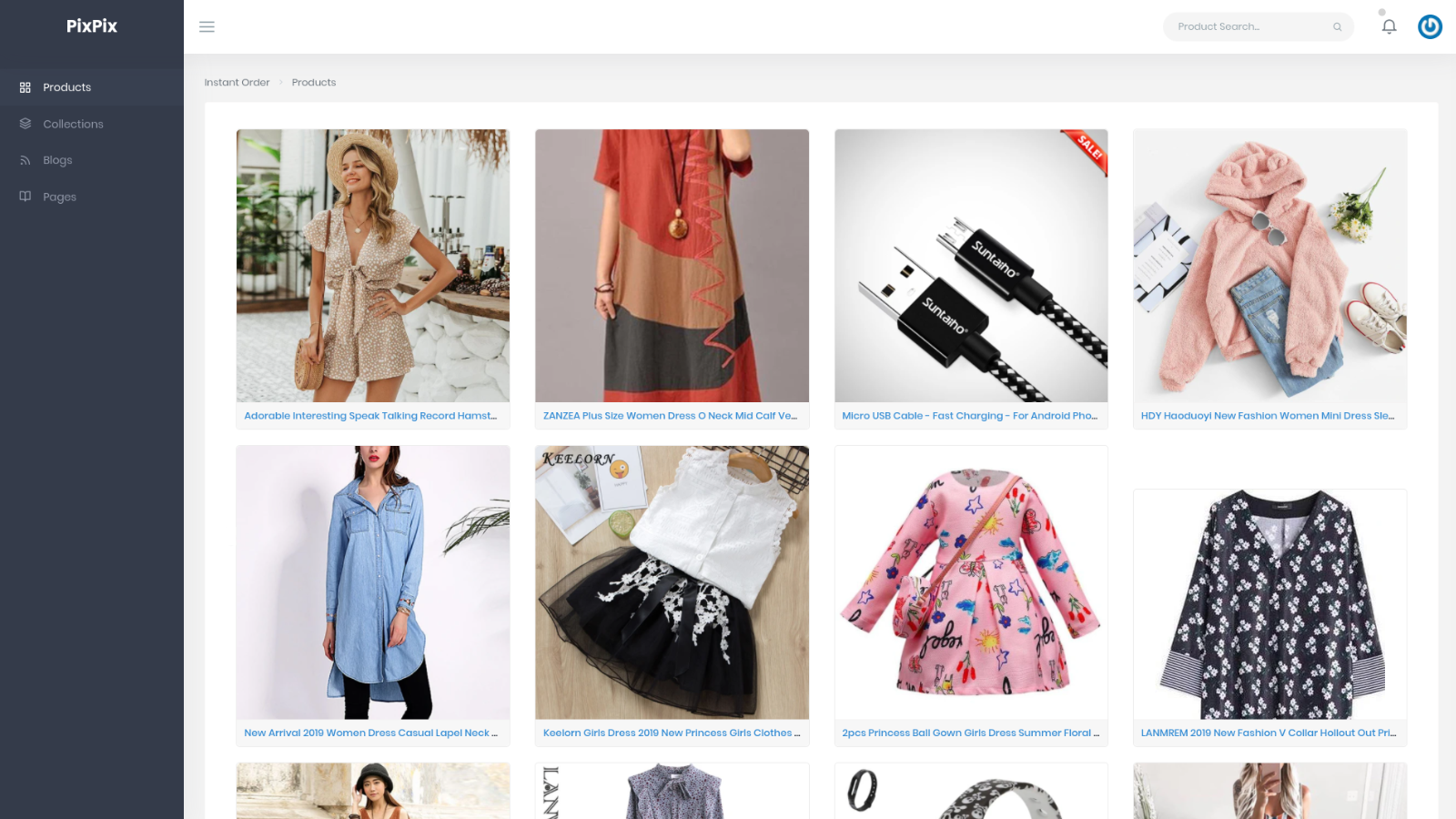
PixPix Image Editor

PixPix Image Editor by PixPix

Edit Photos, Optimize Image SEO, Remove Logo/Watermark & Resize Photos.

Pricing Plans: Free, $9.99/month
Free Trial: 7 days
Pros
  • The app is frequently praised for its simplicity and intuitive interface, making basic edits quick and straightforward.
  • Users highlight the app's ability to perform essential edits like cropping, resizing, and adjusting lighting efficiently.
  • Many reviews mention the app streamlines workflows by allowing edits directly within Shopify, eliminating the need for external software.
Cons
  • Some users report features like bulk resizing or logo removal are advertised but not functional in the app.

What merchants said

“This app is an indispensable time-saver. It's at the top of the list of my most-used apps. It is easy to learn and use. It blows the doors off any other image app I have ever used for optimizing Shopify product images. Further. The app's developer has even implemented a few of my suggestions, which makes this app even better. I can not say enough good things about it. I highly recommend it.David Clifford Satin-Boutique.com”
SatinBoutique · United States · ★ 5.0 · 9/20/2026

Summary

Starting PriceFree
Free Trial7 days
Launch Date29 Apr 2019
DeveloperPixPix
Ratings4.7 ★ (27)
Install NowView charts
About the App

PixPix Image Editor, a Photo resize Shopify app, has achieved 27 reviews and an average rating of 4.7 stars since its launch 7 years ago. Designed to assist Shopify merchants with - "With PixPix Image Editor, you can quickly change your product images by resizing, cropping, or adjusting them." it is a valuable addition to the Photo resize app lineup.

Top Features:

Photo resize Shopify apps can help elevate your e-commerce game. PixPix Image Editor offers a host of key features, including:

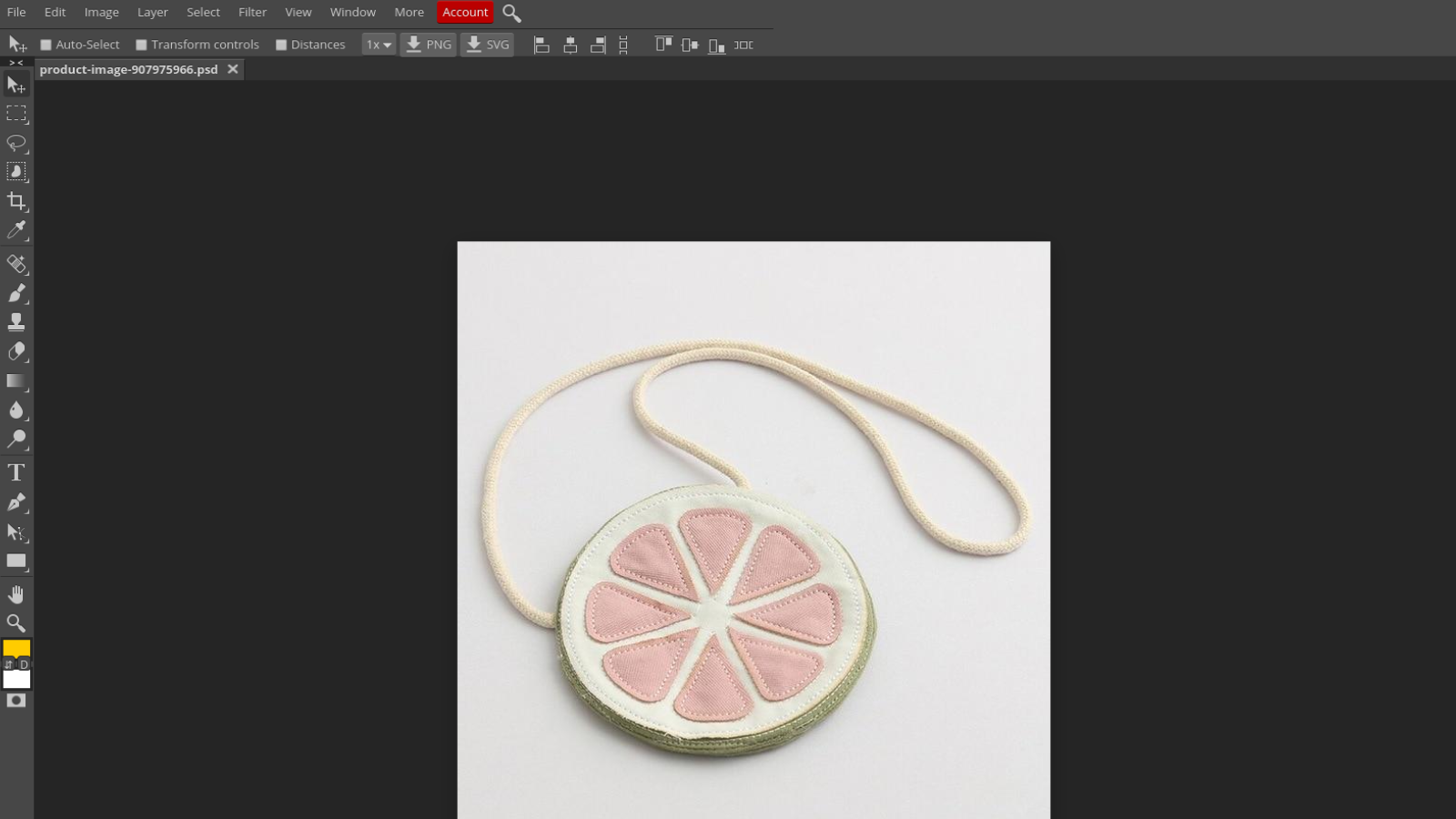
  • Product image editing:Edit and adjust product images with two image editing tools.
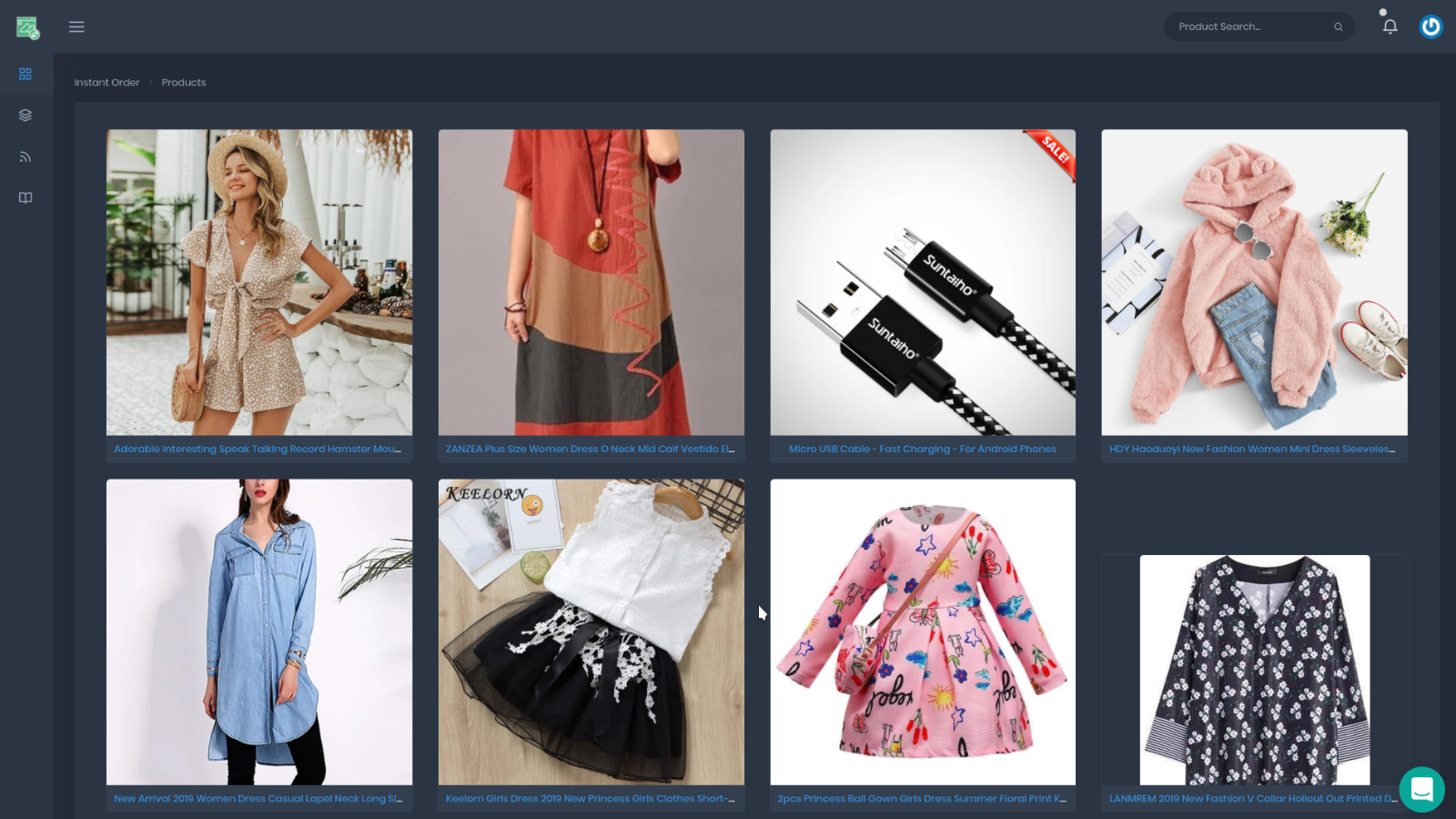
  • Easy Product Editing:Easy-to-use platform to locate and edit your desired product and images.
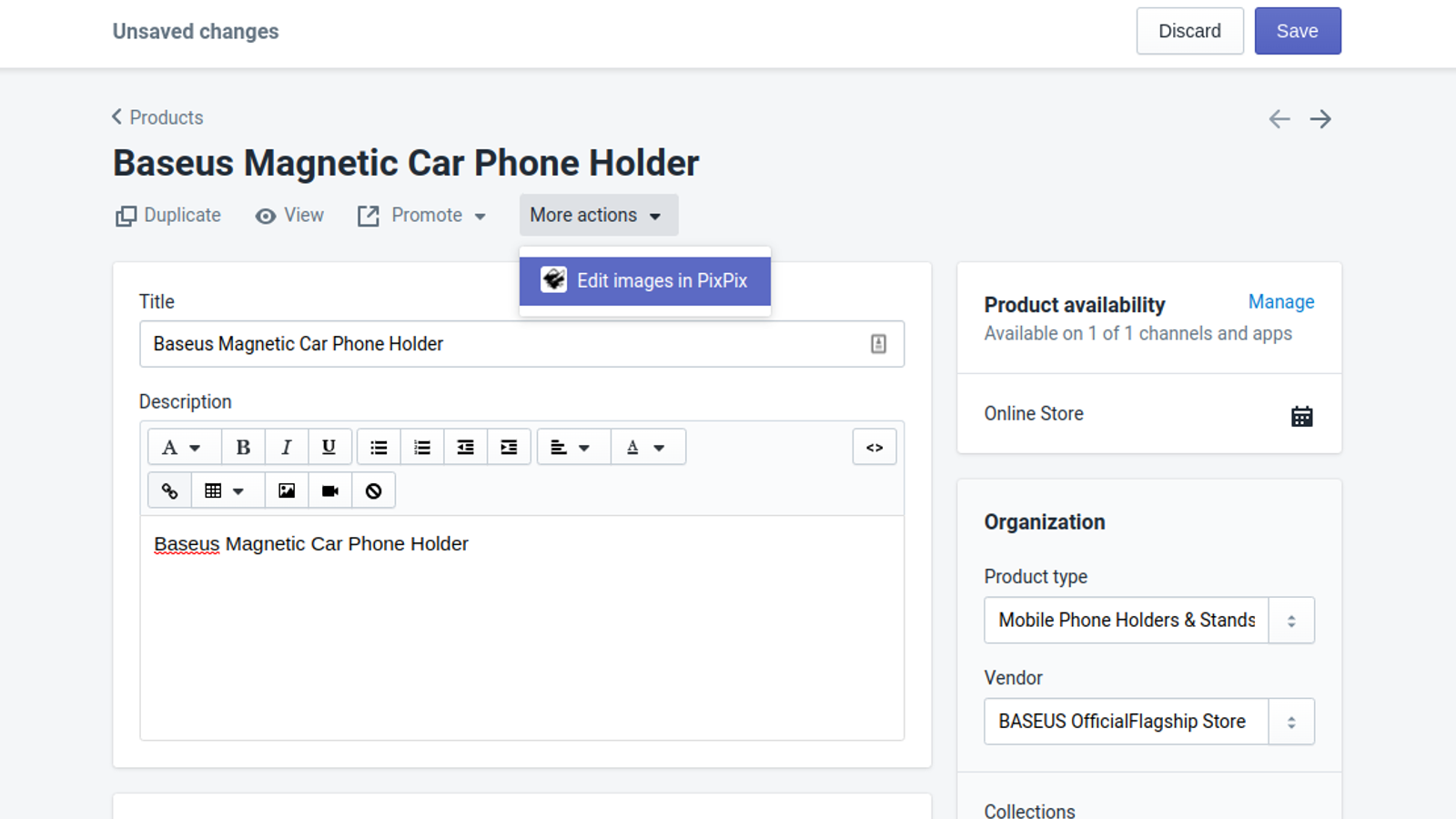
  • Product Accessibility:Directly access the product from the Shopify product view quickly.
Pricing Details

PixPix Image Editor offers 1 free plan and 1 paid plan.

Considering installing this Photo resize Shopify app? Explore the pricing details and discover if they align with your budget and needs.

  1. Free plan · $0/month

    Included features: Unlimited image editing, No usage credits or hidden fees, Chrome Extension integration

  2. Pro plan · $9.99/month

    Included features: Unlimited image editing, Fast image change saving, Bulk image uploading, deleting and compression, Collections, Blog and Pages editing

Pros and Cons

Delve into ShopDigest's expert insights on PixPix Image Editor - a Photo resize Shopify app. Our analysis of Shopify app store reviews presents unique pros and cons, allowing you to make informed decisions for your business. Read our full PixPix Image Editor Photo resize App review.
Pros
  • The app is frequently praised for its simplicity and intuitive interface, making basic edits quick and straightforward.
  • Users highlight the app's ability to perform essential edits like cropping, resizing, and adjusting lighting efficiently.
  • Many reviews mention the app streamlines workflows by allowing edits directly within Shopify, eliminating the need for external software.
  • Several users commend the responsive and helpful support team for resolving issues promptly.
  • The app offers flexible editing tools, such as adding stickers and adjusting backgrounds, tailored to user needs.
  • Seamless integration with Shopify is a recurring positive, especially for users transitioning from Shopify’s discontinued editor.
  • The free version is often deemed sufficient for basic editing needs, appealing to budget-conscious users.
  • The app is described as fast and reliable, with minimal lag or crashes during use.
  • Users appreciate periodic updates and added features, such as bulk deletion, based on feedback.
Cons
  • Some users report features like bulk resizing or logo removal are advertised but not functional in the app.
  • A few reviews note the lack of advanced editing options, such as color pickers for precise background matching.
  • The Chrome extension’s reliability is questioned, with reports of intermittent functionality.
  • A watermark tool and URL-based image uploads are frequently requested but currently unavailable.
Talk to the developer

Install in Your Store Now

Your request goes to the team that built PixPix Image Editor, not a support queue.

#5 of 96
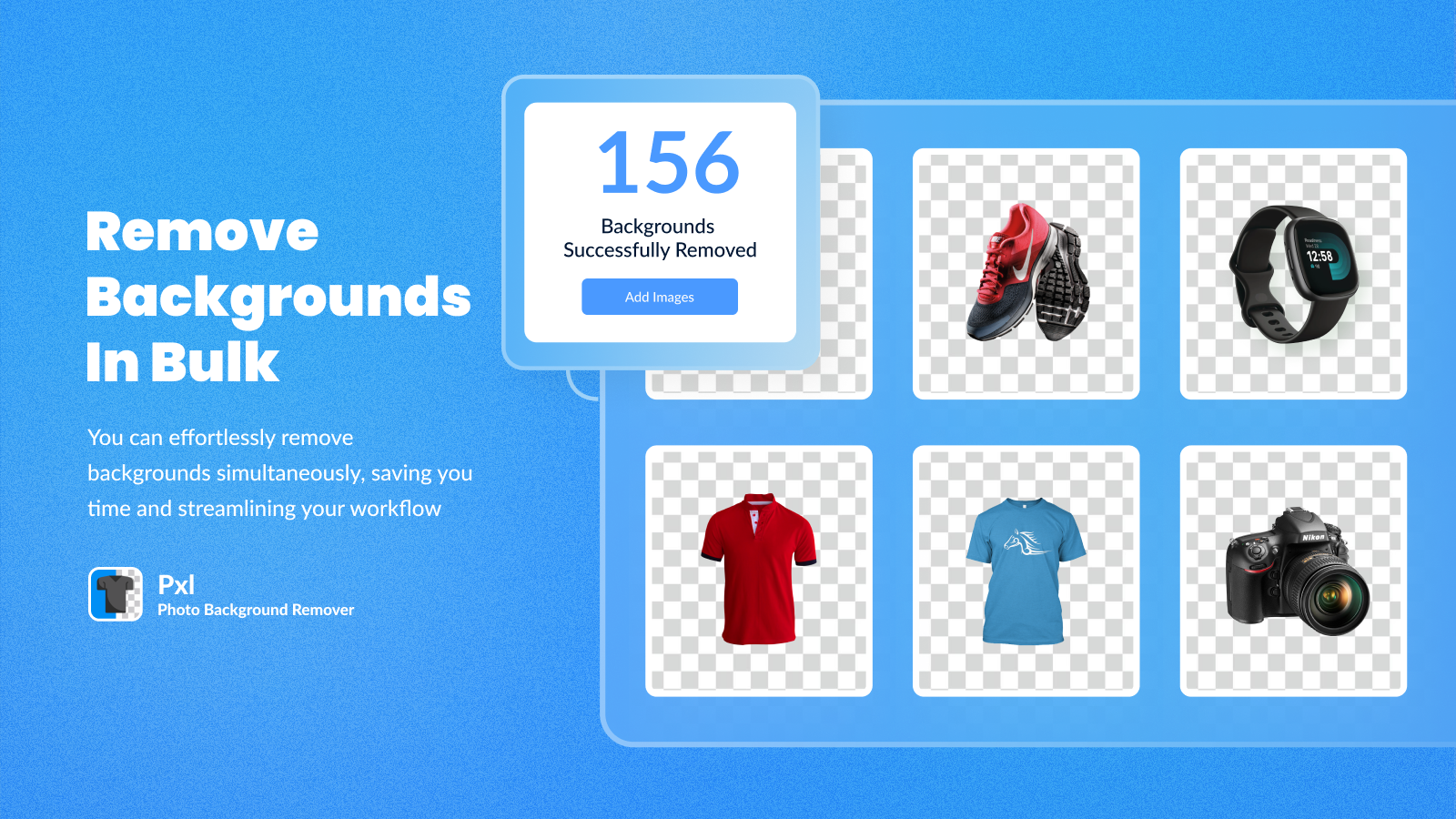
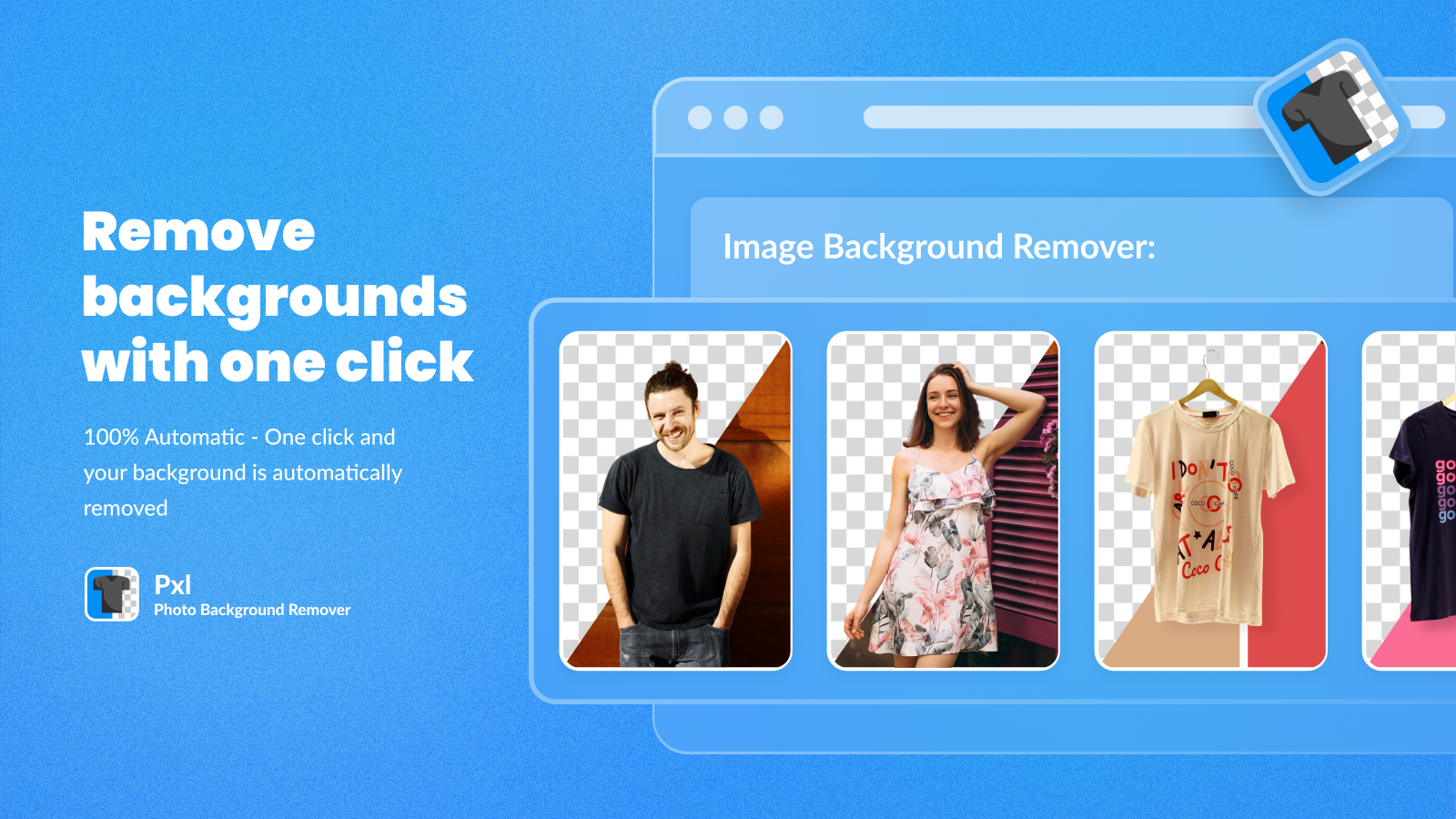
Pxl ‑ Photo Background Remover

Pxl ‑ Photo Background Remover by Axel Hardy

Delete the background to quickly make amazing product photos!

Pricing Plans: Free
Pros
  • Consistently delivers precise and clean background removal, even for complex images.
  • Quick, friendly, and helpful responses from the support team, often resolving issues promptly.
  • Intuitive and easy to navigate, making the process straightforward for users of all skill levels.
Cons
  • Users lose credits even for unsatisfactory results, with no preview option before spending.

What merchants said

“Great app! Easy to use and very clean UI. Axel is extremely responsive to questions and inquiries.”
944 Shop Inc · United States · ★ 5.0 · 6/26/2026

Summary

Starting PriceFree
Free TrialFree plan
Launch Date03 Apr 2020
DeveloperAxel Hardy
Ratings5.0 ★ (35)
Install NowView charts
About the App

Pxl ‑ Photo Background Remover, a Photo resize Shopify app, has achieved 35 reviews and an average rating of 5 stars since its launch 6 years ago. Designed to assist Shopify merchants with - "Delete backgrounds and make amazing product pictures instantly with AI!" it is a valuable addition to the Photo resize app lineup.

Top Features:

Photo resize Shopify apps can help elevate your e-commerce game. Pxl ‑ Photo Background Remover offers a host of key features, including:

  • Auto-Background Removal:Click once and your background is instantly deleted.
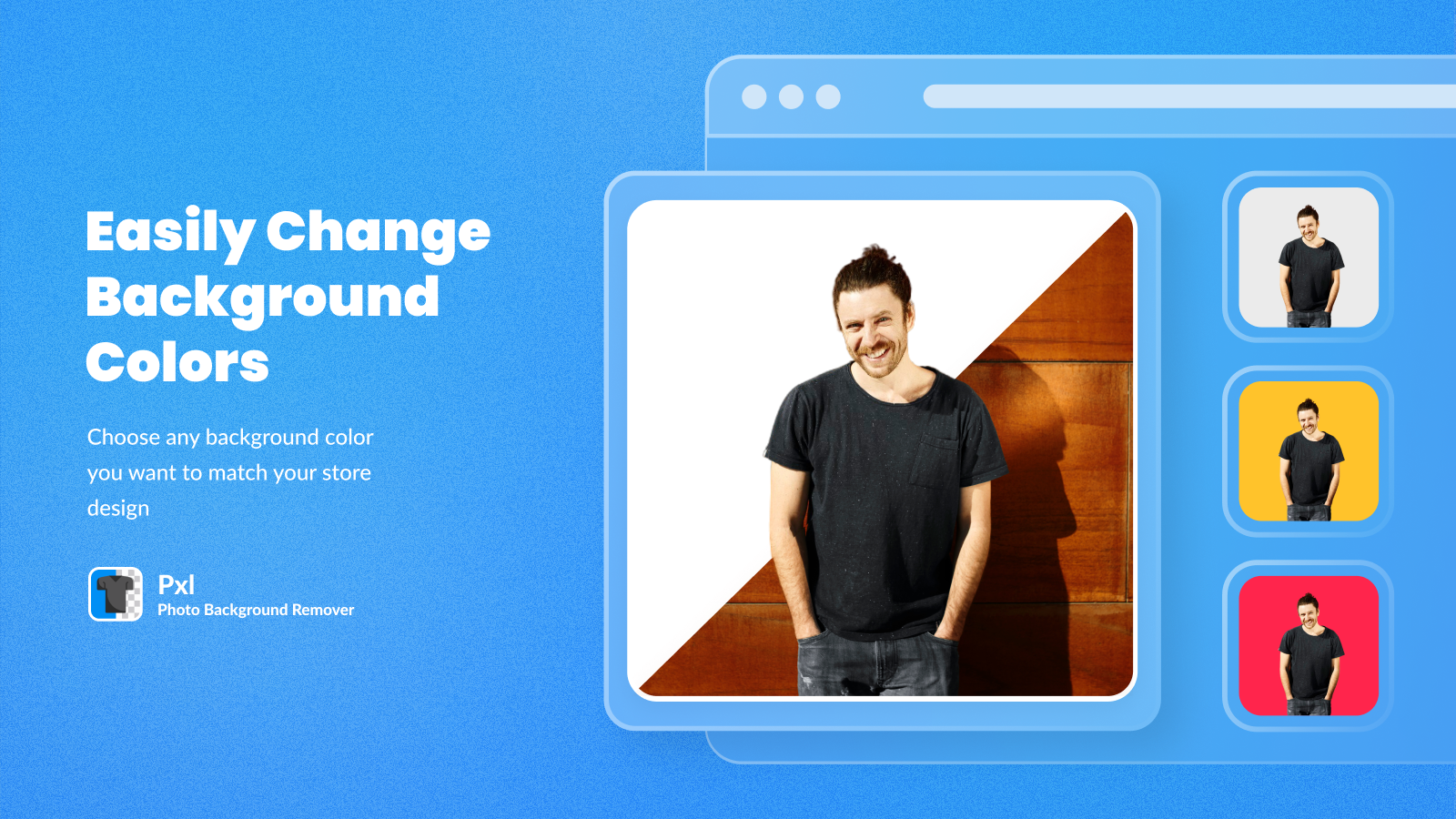
  • Color Customization:Personalize it - Pick any background color you like to align with your store's look!
  • Bulk Background Removal:Bulk Actions - You can delete up to 15 backgrounds simultaneously!
Pricing Details

Pxl ‑ Photo Background Remover offers 1 free plan and 0 paid plans.

Considering installing this Photo resize Shopify app? Explore the pricing details and discover if they align with your budget and needs.

  1. Free · $0/month

Pros and Cons

Delve into ShopDigest's expert insights on Pxl ‑ Photo Background Remover - a Photo resize Shopify app. Our analysis of Shopify app store reviews presents unique pros and cons, allowing you to make informed decisions for your business. Read our full Pxl ‑ Photo Background Remover Photo resize App review.

Pros
  • Consistently delivers precise and clean background removal, even for complex images.
  • Quick, friendly, and helpful responses from the support team, often resolving issues promptly.
  • Intuitive and easy to navigate, making the process straightforward for users of all skill levels.
  • Seamlessly works within Shopify, saving time and streamlining workflows for store owners.
  • Offers cost-effective solutions, especially with pay-as-you-go credit options.
  • Provides high-definition results when enabled in settings, enhancing image clarity.
  • Allows users to set preferred background colors or transparency for uniformity.
  • Processes images quickly, significantly reducing manual editing time.
  • The developer actively listens to feedback and implements improvements.
  • Helps maintain a professional and uniform look across product images, boosting store appeal.
Cons
  • Users lose credits even for unsatisfactory results, with no preview option before spending.
  • Some users reported reduced resolution (e.g., 300dpi to 72dpi) in HD mode.
  • Automatically strips alt text from images, which can disrupt SEO or theme functionality.
Talk to the developer

Install in Your Store Now

Your request goes to the team that built Pxl ‑ Photo Background Remover, not a support queue.

#6 of 96
Resize Pro: Bulk Image Resizer

Resize Pro: Bulk Image Resizer by Roi Expert

Bulk Image Resizer & Compressor - Optimize Images for your SEO

Pricing Plans: Free, $10/month, $25/month, $50/month
Key Features
  • Resize, crop, or pad thousands of product images at once to set dimensions.
  • Reduce image file sizes without losing quality for faster store load times.
  • Auto-rename filenames and alt-text in bulk to optimize your SEO.
  • Every original image is saved, so you can restore any image back with rolback.
  • Works with JPG, PNG, WebP, GIF, and HEIC files out of the box.

What merchants said

“Hyper pratique pour modifier mes images en bulk, utilise si on souhaite changer de thème.”
Déco Festive · France · ★ 5.0 · 9/21/2026

Summary

Starting PriceFree
Free TrialFree plan
Launch Date19 May 2026
DeveloperRoi Expert
Ratings5.0 ★ (9)
View on ShopifyView charts
About the App

Resize Pro: Bulk Image Resizer, a Photo resize Shopify app, has achieved 9 reviews and an average rating of 5 stars since its launch this year. Designed to assist Shopify merchants with - "Bulk Image Resizer and Compressor. Optimize images in bulk, Rename Altext and Filename for your SEO." it is a valuable addition to the Photo resize app lineup.

Top Features:

Photo resize Shopify apps can help elevate your e-commerce game. Resize Pro: Bulk Image Resizer offers a host of key features, including:

  • Resize, crop, or pad thousands of product images at once to set dimensions.
  • Reduce image file sizes without losing quality for faster store load times.
  • Auto-rename filenames and alt-text in bulk to optimize your SEO.
  • Every original image is saved, so you can restore any image back with rolback.
  • Works with JPG, PNG, WebP, GIF, and HEIC files out of the box.
Pricing Details

Resize Pro: Bulk Image Resizer offers 1 free plan and 3 paid plans.

Considering installing this Photo resize Shopify app? Explore the pricing details and discover if they align with your budget and needs.

  1. Free Plan · $0/month

    Included features: 100 one-time image credits, Bulk Resize Images, Bulk Rename Alt Text & Filename, Bulk Compress Image, Before / After Preview, Up to 30 days restore image

  2. Basic · $10/month

    Included features: 1,000 credits every month, Bulk Resize Images, Bulk Rename Alt Text & Filename, Bulk Compress Image, Before / After Preview, Up to 30 days restore image

  3. Medium · $25/month

    Included features: 10,000 credits every month, Bulk Resize Images, Bulk Rename Alt Text & Filename, Bulk Compress Image, Before / After Preview, Up to 30 days restore image

  4. Premium · $50/month

    Included features: 50,000 credits every month, Bulk Resize Images, Bulk Rename Alt Text & Filename, Bulk Compress Image, Before / After Preview, Up to 30 days restore image

Talk to the developer

Install in Your Store Now

Your request goes to the team that built Resize Pro: Bulk Image Resizer, not a support queue.

#7 of 96
Revize: Order Editing & Upsell

Revize: Order Editing & Upsell by Untechnickle

Buyers edit orders, cancel order, edit address, up/ aftersells

Pricing Plans: Free, $49/month, $149/month
Free Trial: 7 days
Pros
  • Quick, knowledgeable, and proactive assistance from the support team.
  • The app works flawlessly, integrating well with Shopify stores.
  • Easy and straightforward installation process with minimal effort required.
Cons
  • No significant recurring negative themes identified in the reviews.

What merchants said

“Gute Preis-Leistung, gute Anpassungsmöglichkeiten und auch ein super Support. Also alles, was man sich wünschen kann. ”
Nextcover · Germany · ★ 5.0 · 10/26/2026

Summary

Starting PriceFree
Free Trial7 days
Launch Date11 Nov 2024
DeveloperUntechnickle
Ratings5.0 ★ (134)
Install NowView charts
About the App

Revize: Order Editing & Upsell, a Photo resize Shopify app, has achieved 126 reviews and an average rating of 5 stars since its launch 2 years ago. Designed to assist Shopify merchants with - "Self-service order editing app trusted by world-class brands. More sales, higher AOV, fewer tickets." it is a valuable addition to the Photo resize app lineup.

Top Features:

Photo resize Shopify apps can help elevate your e-commerce game. Revize: Order Editing & Upsell offers a host of key features, including:

  • Edit shipping address, change variants & quantity, swap/ add products, discounts
  • Cancel orders w/ instant refunds or auto-refunds as store credits + selleasy
  • AI post-purchase upsells on order status page & thank you page + Email upsells
  • Subscription editing, B2B orders, tax invoices, smart edit windows & tag rules
  • 100+ integrations, 20+ languages, third-party checkout & Built for Shopify
Pricing Details

Revize: Order Editing & Upsell offers 1 free plan and 2 paid plans.

Considering installing this Photo resize Shopify app? Explore the pricing details and discover if they align with your budget and needs.

  1. FREE · $0/month

    Included features: 20 Order Edits per Month, Time-Based & Recurring Edit Deadlines, Change Quantity & Variant, Update Shipping Address, Email & Phone, Auto-Cancel Orders & Instant Refunds, Localization | EU Withdrawal Button, Integrates w/ Order Management Softwares, Priority Chat Support

  2. STARTER · $49/month

    Included features: Unlimited Order Editing, Address, Quantity & Variant Editing, Auto-Cancel Orders + Instant Refunds, Smart Edit Windows + Recurring Deadlines, 20+ Languages + Shopify Markets, 100+ Shipping & Order Integrations, Premium Analytics Dashboard, Priority Support from Experts

  3. PRO · $149/month

    Included features: Unlimited Order Editing & Upsells, Rules Engine for Complex Editing Logic, AI Upsell 2.0 (replace $500/mo apps), Reverse Unpaid Edits (protect revenue), Product Swaps, Add-Ons & Ship Upgrades, Invoices, Discounts & Tax Recalculation, Store Credit Refunds (retain revenue), VIP Partner for Setup, Strategy & Growth

Pros and Cons

Delve into ShopDigest's expert insights on Revize: Order Editing & Upsell - a Photo resize Shopify app. Our analysis of Shopify app store reviews presents unique pros and cons, allowing you to make informed decisions for your business. Read our full Revize: Order Editing & Upsell Photo resize App review.

Pros
  • Quick, knowledgeable, and proactive assistance from the support team.
  • The app works flawlessly, integrating well with Shopify stores.
  • Easy and straightforward installation process with minimal effort required.
  • Significantly reduces manual order edits and support tickets.
  • Empowers users to self-manage orders, improving satisfaction.
  • Features like upselling and store credits boost average order value.
  • Proactive in addressing custom needs and providing solutions.
Cons
  • No significant recurring negative themes identified in the reviews.
Talk to the developer

Install in Your Store Now

Your request goes to the team that built Revize: Order Editing & Upsell, not a support queue.

#8 of 96
ECM Bulk Image Resizer

ECM Bulk Image Resizer by SpurIT LLC

Optimize SEO for images. Resize Images. Edit Alt Tags.

Pricing Plans: Free
Pros
  • The app successfully compresses and resizes images, improving site speed and performance.
  • Users appreciate the ability to uniformly square images for a consistent display.
  • The app automates repetitive tasks like image compression and SEO tagging, saving significant manual effort.
Cons
  • Multiple users report unexpected charges or unclear subscription terms.

What merchants said

“We've been using this app for years. Consistent and reliable.”
erin gray · United States · ★ 5.0 · 6/13/2025

Summary

Starting PriceFree
Free TrialFree plan
Launch Date30 May 2017
DeveloperSpurIT LLC
Ratings4.4 ★ (35)
Install NowView charts
About the App

ECM Bulk Image Resizer, a Photo resize Shopify app, has achieved 34 reviews and an average rating of 4.4 stars since its launch 9 years ago. Designed to assist Shopify merchants with - "Boost your shop's speed and SEO by enhancing product photos and alternate text." it is a valuable addition to the Photo resize app lineup.

Top Features:

Photo resize Shopify apps can help elevate your e-commerce game. ECM Bulk Image Resizer offers a host of key features, including:

  • Resizing of Image :Maximize and minimize the size of product photos quickly without sacrificing their quality.
  • Photo Resizing:Change the size or shape of photos one by one or all at once. They will match any sales platform!
  • Using Templates:Create templates and automatically refresh alternate text for products and their variants.
  • Image Auto-Editing:Auto-edit new images for your store to enhance their professional look.
  • One-Click Restoraion of images:If needed, you can return optimized images back to their original format with just one click.
Pricing Details

ECM Bulk Image Resizer offers 0 free plans and 0 paid plans.

Considering installing this Photo resize Shopify app? Explore the pricing details and discover if they align with your budget and needs.

  1. · $0/month

Pros and Cons

Delve into ShopDigest's expert insights on ECM Bulk Image Resizer - a Photo resize Shopify app. Our analysis of Shopify app store reviews presents unique pros and cons, allowing you to make informed decisions for your business. Read our full ECM Bulk Image Resizer Photo resize App review.
Pros
  • The app successfully compresses and resizes images, improving site speed and performance.
  • Users appreciate the ability to uniformly square images for a consistent display.
  • The app automates repetitive tasks like image compression and SEO tagging, saving significant manual effort.
  • Many users value the free version, which offers core functionalities without cost.
  • Several reviews highlight responsive and helpful support from the developers.
  • The app improves SEO by optimizing alt tags and reducing image load times.
  • The app is described as easy to install and use, even for non-technical users.
  • Users praise the ability to process large volumes of images simultaneously.
  • Optimized images maintain good visual quality despite compression.
  • Some users find the paid features reasonably priced compared to alternatives.
Cons
  • Multiple users report unexpected charges or unclear subscription terms.
  • The app sometimes renames files undesirably, causing confusion or extra work.
  • Occasional bugs, crashes, or slow processing times are reported.
  • The app doesn’t automatically detect or optimize newly added images.
  • Some users faced difficulties restoring images to their original state after optimization.
Talk to the developer

Install in Your Store Now

Your request goes to the team that built ECM Bulk Image Resizer, not a support queue.

#9 of 96
Photo Prep Pro

Photo Prep Pro by Super Bot

Easy background removal tool for professional results.

Pricing Plans: Free, $20/month, $30/month, $60/month
Key Features
  • Upload several images at once and remove their backgrounds simultaneously.
  • Upload several clear-background images to Shopify products.
  • You can obtain clear images with personalized settings for size, format, and crop.

Summary

Starting PriceFree
Free TrialFree plan
Launch Date30 Dec 2022
DeveloperSuper Bot
Ratings- (0)
View on ShopifyView charts
About the App

Photo Prep Pro, a Photo resize Shopify app, has achieved 0 reviews and an average rating of 0 stars since its launch 4 years ago. Designed to assist Shopify merchants with - "This app will automatically delete the background and adjust the size of your image for your shop." it is a valuable addition to the Photo resize app lineup.

Top Features:

Photo resize Shopify apps can help elevate your e-commerce game. Photo Prep Pro offers a host of key features, including:

  • Multimedia editing:Upload several images at once and remove their backgrounds simultaneously.
  • Multiple transparent images:Upload several clear-background images to Shopify products.
  • Customizable Transparent Images:You can obtain clear images with personalized settings for size, format, and crop.
Pricing Details

Photo Prep Pro offers 1 free plan and 3 paid plans.

Considering installing this Photo resize Shopify app? Explore the pricing details and discover if they align with your budget and needs.

  1. Starter · $0/month

    Included features: 3 Image Credits (Initial Free Trial), Image margin and square formatting setting., Batch Upload to Product Feature, Rollover credits

  2. Business · $20/month

    Included features: 20 Image Credits ($1 per), Image margin and square formatting setting., Batch Upload to Product Feature, Rollover credits

  3. Pro · $30/month

    Included features: 40 Image Credits per month ($.75 per), Image margin and square formatting setting., Batch Upload to Product Feature, Rollover credits

  4. Premium · $60/month

    Included features: 100 Image Credits per month ($.60 per), Image margin and square formatting setting., Batch Upload to Product Feature, Rollover credits

Talk to the developer

Install in Your Store Now

Your request goes to the team that built Photo Prep Pro, not a support queue.

#10 of 96
BeMeApps: SEO Optimizer & AI

BeMeApps: SEO Optimizer & AI by BeME Apps

Improve SEO, adjust pictures, customize 404 page, utilize JSON+LD, integrate AMP, adjust meta tags.

Pricing Plans: Free, $19/month, $79/month
Pros
  • The app consistently delivers on its promise to improve SEO and boost conversions.
  • Both free and upgraded versions are considered reasonably priced, with the free version being sufficient for small stores.
  • Users report noticeable speed enhancements and efficient functionality.
Cons
  • Lack of reliable communication channels and unresponsive developer support for issues like payment confirmation.

What merchants said

“So far so good. Let’s see how the boostseo and conversions improve. Hoping for more sales .”
Vacbagz.com · United States · ★ 5.0 · 4/30/2023

Summary

Starting PriceFree
Free TrialFree plan
Launch Date12 Dec 2019
DeveloperBeME Apps
Ratings3.0 ★ (2)
View on ShopifyView charts
About the App

BeMeApps: SEO Optimizer & AI, a Photo resize Shopify app, has achieved 2 reviews and an average rating of 3 stars since its launch 7 years ago. Designed to assist Shopify merchants with - "BeME: Boost SEO is a tool for checking the speed of your store's website." it is a valuable addition to the Photo resize app lineup.

Top Features:

Photo resize Shopify apps can help elevate your e-commerce game. BeMeApps: SEO Optimizer & AI offers a host of key features, including:

  • SEO Performance Analysis:Monitor and assess the SEO performance of your store using statistics.
  • Web Optimization:Meta tags, social media meta tags, and a custom 404 page.
  • Performance Optimization:Improve store efficiency and site speed with Lighthouse.
  • Efficient Data Compression:High-quality compression with no loss of data
  • SEO Booster Customization:Simple customization and settings are available with SEO Booster app.
Pricing Details

BeMeApps: SEO Optimizer & AI offers 1 free plan and 2 paid plans.

Considering installing this Photo resize Shopify app? Explore the pricing details and discover if they align with your budget and needs.

  1. Basic plan · $0/month

    Included features: Audit your store, 100 credits/month, AMP feature, Autofill image alt text and compress, Auto optimizes

  2. Standard plan · $19/month

    Included features: Daily monitor, 10000 credits per month, AMP report, Autofill image alt text and compress, Custom 404 Page, High ratio compression, WebP support

  3. Professional · $79/month

    Included features: Daily site monitor., Unlimited credits per month., AMP report, Autofill image alt text and compress., High ratio compression., WebP support

Pros and Cons

Delve into ShopDigest's expert insights on BeMeApps: SEO Optimizer & AI - a Photo resize Shopify app. Our analysis of Shopify app store reviews presents unique pros and cons, allowing you to make informed decisions for your business.

Pros
  • The app consistently delivers on its promise to improve SEO and boost conversions.
  • Both free and upgraded versions are considered reasonably priced, with the free version being sufficient for small stores.
  • Users report noticeable speed enhancements and efficient functionality.
Cons
  • Lack of reliable communication channels and unresponsive developer support for issues like payment confirmation.
  • Instances of blank FAQ pages and unresolved subscription status discrepancies.
Talk to the developer

Install in Your Store Now

Your request goes to the team that built BeMeApps: SEO Optimizer & AI, not a support queue.

Showing 1-10 out of 96

Best photo resize Apps in Shopify

photo resize apps are designed to address specific needs and challenges faced by Shopify store merchants. Whether you're looking to optimize your store's SEO, improve customer support, enhance product listings, or streamline your inventory management, there's an app for that.

Discover a wealth of cutting-edge tools and features offered by these remarkable photo resize Shopify apps, including Pixc: AI Photo Resize, LUX AI Product Images, SEO/GEO, VF Image Resizer+, and many more. Our app collection provides a comprehensive overview of the top apps in the photo resize category, enabling you to select the ones that will take your e-commerce venture to new heights.

Empower your Shopify store with the best photo resize apps the platform has to offer and elevate your online business.

Explore Apps by Criteria:

  1. Most Popular photo resize Apps
  2. Highest Reviewed photo resize Apps
  3. Top Rated photo resize Apps
  4. Newly Launched photo resize Apps

Overview of the Above Top Photo resize Shopify Apps in October 2026

There are a number of photo resize apps in the Shopify app store designed to supercharge your e-commerce success. Whether you're a seasoned entrepreneur or just starting your online journey, the right apps can make all the difference. We have listed the top Shopify apps in the photo resize category, based on their popularity and average rating, to help you make informed decisions.

App NameCategoryDeveloperStarting PriceFree PlanReviews
Pixc: AI Photo ResizePixc: AI Photo ResizeBuilt for ShopifyPhoto resizePixc$0/month● Available4.2 ★ (436)
LUX AI Product Images, SEO/GEOLUX AI Product Images, SEO/GEOPhoto resizeWebiots Web Creators$0/month● Available5.0 ★ (2)
VF Image Resizer+VF Image Resizer+Built for ShopifyPhoto resizeValueFly$0/month● Available5.0 ★ (459)
PixPix Image EditorPixPix Image EditorPhoto resizePixPix$0/month● Available4.7 ★ (27)
Pxl ‑ Photo Background RemoverPxl ‑ Photo Background RemoverBuilt for ShopifyPhoto resizeAxel Hardy$0/month● Available5.0 ★ (35)
Resize Pro: Bulk Image ResizerResize Pro: Bulk Image ResizerBuilt for ShopifyPhoto resizeRoi Expert$0/month● Available5.0 ★ (9)
Revize: Order Editing & UpsellRevize: Order Editing & UpsellBuilt for ShopifyPhoto resizeUntechnickle$0/month● Available5.0 ★ (126)
ECM Bulk Image ResizerECM Bulk Image ResizerPhoto resizeSpurIT LLC$0/month● Unavailable4.4 ★ (34)
Photo Prep ProPhoto Prep ProPhoto resizeSuper Bot$0/month● Available- (0)
BeMeApps: SEO Optimizer & AIBeMeApps: SEO Optimizer & AIPhoto resizeBeME Apps$0/month● Available3.0 ★ (2)

Have a Closer Look at the Best Photo resize Apps

Now let us jump in and check out these Top 5 Photo resize Shopify apps.

Pixc: AI Photo Resize screenshot 1
Pixc: AI Photo Resize screenshot 2
Pixc: AI Photo Resize screenshot 3
Pixc: AI Photo Resize screenshot 4
Pixc: AI Photo Resize screenshot 5
Pixc: AI Photo Resize screenshot 6

Reviews

Most Recent Review

5.0 ★Amazing

"Great app! Really easy to use. Makes managing photos a breeze. Highly recommend !

La Patte Verte · France · 01 Oct 2026

Recent Review

5.0 ★Amazing

We had an excellent experience with Pixc.We used the service to optimize and standardize a large number of images across our Shopify store, and the results exceeded our expectations.A special thank you goes to Emyle, who supported us throughout the entire process with great professionalism, availability, and attention to detail. She did much more than simply provide support for the app: she worked closely with us to find the best solutions, review the results, and address specific needs related to image formats, dimensions, filenames, and overall organization.Communication was always quick, clear, and highly collaborative. We especially appreciated her willingness to carry out additional checks and make adjustments until the final result was exactly what we needed.Pixc proved to be not only an excellent solution for improving and professionalizing image management for an e-commerce store, but also a service backed by people who genuinely care about their customers.Highly recommended for anyone running a Shopify store who wants to optimize their images efficiently, professionally, and without spending countless hours on manual work.Thank you again to Emyle and the entire Pixc team for the outstanding support!

Kelemata · Italy · 14 Sep 2026
Why is Pixc: AI Photo Resize a top Photo resize Shopify app?
With an impressive overall rating of 4.2 stars and 435 reviews, Pixc: AI Photo Resize stands out as one of the top Photo resize Shopify apps. The main objective of the app is - Auto-adjust and swap your product images to make your website look more professional. Its purpose underscores its significance in enhancing your Shopify store experience.

ShopDigest selects the top Shopify apps in the Photo resize category based on various parameters, including the number of installations across Shopify stores, the app's ranking in the Shopify App Store, the number of merchants' reviews, and its overall customer rating, among other factors.
Why integrate Pixc: AI Photo Resize with your Shopify store?
By integrating a Photo resize app with your Shopify store, you unlock a range of benefits. Pixc: AI Photo Resize, a popular Photo resize Shopify app, brings the following functionalities and value to a Shopify store, including:
  • Time-saving image resizer: Save time with our multiple image resizer.
  • Product Photo Enhancement: Automatically review, enhance and swap out your product images.
  • Professional Photography: Standardize all your photos to give your store a more professional and cohesive appearance.
  • Aspect Ratio Options: Select from three settings of aspect ratio - square, portrait, and landscape.
  • Photo Restoration: Depending on your plan, you can restore your photos at any time.
Learn more about the Pixc: AI Photo Resize features in detail.

Shopify merchants highlight key advantages, such as Save precious time using our bulk image resizer., Automatically analyze, improve and replace your product photos., and more,
What are some of the top alternatives for Pixc: AI Photo Resize?
Looking for options? Dive into a selection of Photo resize apps that rival Pixc: AI Photo Resize, each offering unique features to enhance your Shopify store. Consider these top alternatives: which can match or even surpass the offerings of Pixc: AI Photo Resize, giving you flexibility and choice.
profile picture 1profile picture 2profile picture 3profile picture 4

Install Now

Our experts are here to help you.

LUX AI Product Images, SEO/GEO

2. LUX AI Product Images, SEO/GEO

5.0 ★ (2)
LUX AI Product Images, SEO/GEO screenshot 1
LUX AI Product Images, SEO/GEO screenshot 2
LUX AI Product Images, SEO/GEO screenshot 3

Reviews

Most Recent Review

5.0 ★Amazing

Thanks Lux Support team and Mike for explaining me ai image generator feature , Awesome App highly recommended..

Greatness Vibes · United States · 29 Sep 2026

Recent Review

5.0 ★Amazing

I was slightly nervous about trying a newer Shopify app, but Lux AI has been great! The AI image generator, alt text generator, image compressor, and image resize tools make Shopify image optimization much easier. I found many missing alt texts and fixed them all in one click.Special thanks to Mike from the support team for being so helpful and explaining everything clearly!

Pamper Yourself Now Ltd. · United Kingdom · 26 Sep 2026
Why is LUX AI Product Images, SEO/GEO a top Photo resize Shopify app?
With an impressive overall rating of 5 stars and 2 reviews, LUX AI Product Images, SEO/GEO stands out as one of the top Photo resize Shopify apps. The main objective of the app is - AI product image generator. Create product photos & videos, optimize image SEO, and improve GEO. Its purpose underscores its significance in enhancing your Shopify store experience.

ShopDigest selects the top Shopify apps in the Photo resize category based on various parameters, including the number of installations across Shopify stores, the app's ranking in the Shopify App Store, the number of merchants' reviews, and its overall customer rating, among other factors.
Why integrate LUX AI Product Images, SEO/GEO with your Shopify store?
By integrating a Photo resize app with your Shopify store, you unlock a range of benefits. LUX AI Product Images, SEO/GEO, a popular Photo resize Shopify app, brings the following functionalities and value to a Shopify store, including:
  • Generate AI product photos from a single image for professional visuals.
  • Create realistic lifestyle product photos and ecommerce scenes with AI.
  • Remove backgrounds, resize, and compress product images effortlessly.
  • Generate SEO-friendly alt text and optimized filenames for product images.
  • Turn product images into engaging AI-generated product videos.
Learn more about the LUX AI Product Images, SEO/GEO features in detail.

Shopify merchants highlight key advantages, such as Generate AI product photos from a single image for professional visuals., Create realistic lifestyle product photos and ecommerce scenes with AI., and more,
What are some of the top alternatives for LUX AI Product Images, SEO/GEO?
Looking for options? Dive into a selection of Photo resize apps that rival LUX AI Product Images, SEO/GEO, each offering unique features to enhance your Shopify store. Consider these top alternatives: which can match or even surpass the offerings of LUX AI Product Images, SEO/GEO, giving you flexibility and choice.
profile picture 1profile picture 2profile picture 3profile picture 4

Install Now

Our experts are here to help you.

VF Image Resizer+ screenshot 1
VF Image Resizer+ screenshot 2
VF Image Resizer+ screenshot 3
VF Image Resizer+ screenshot 4
VF Image Resizer+ screenshot 5
VF Image Resizer+ screenshot 6
VF Image Resizer+ screenshot 7

Reviews

Most Recent Review

5.0 ★Amazing

This app is amazing! It has saved me literally dozens of hours of mind numbing image resizing... And every week it makes a setting up product so much easier.

Get!Out · New Zealand · 06 Oct 2026

Recent Review

5.0 ★Amazing

Great experience! Really sped up my website. Thanks.
Reb's Bags & Gifts · United States · 01 Oct 2026
Why is VF Image Resizer+ a top Photo resize Shopify app?
With an impressive overall rating of 5 stars and 460 reviews, VF Image Resizer+ stands out as one of the top Photo resize Shopify apps. The main objective of the app is - Image optimization and resizing made easy. Effortlessly compress, add watermarks, SEO, and edit images in bulk. Its purpose underscores its significance in enhancing your Shopify store experience.

ShopDigest selects the top Shopify apps in the Photo resize category based on various parameters, including the number of installations across Shopify stores, the app's ranking in the Shopify App Store, the number of merchants' reviews, and its overall customer rating, among other factors.
Why integrate VF Image Resizer+ with your Shopify store?
By integrating a Photo resize app with your Shopify store, you unlock a range of benefits. VF Image Resizer+, a popular Photo resize Shopify app, brings the following functionalities and value to a Shopify store, including:
  • Image Resizing: Change your pictures to the same size for a more polished appearance.
  • Advanced Compression: Advanced compression improves image quality and reduces file size.
  • Image SEO Optimization: Use unlimited Image SEO to increase organic traffic effortlessly.
  • Image editing features: You can preview and undo actions like watermarking, resizing, and cropping.
  • Supported image types: Supports all image formats like jpg, png, gif, webp, and heic.
Learn more about the VF Image Resizer+ features in detail.

Shopify merchants highlight key advantages, such as Resize your images to a uniform size for a more professional look., Advanced compression result in better image quality while smaller file size., and more,
What are some of the top alternatives for VF Image Resizer+?
Looking for options? Dive into a selection of Photo resize apps that rival VF Image Resizer+, each offering unique features to enhance your Shopify store. Consider these top alternatives: which can match or even surpass the offerings of VF Image Resizer+, giving you flexibility and choice.
profile picture 1profile picture 2profile picture 3profile picture 4

Install Now

Our experts are here to help you.

PixPix Image Editor screenshot 1
PixPix Image Editor screenshot 2
PixPix Image Editor screenshot 3
PixPix Image Editor screenshot 4
PixPix Image Editor screenshot 5

Reviews

Most Recent Review

5.0 ★Amazing

This app is an indispensable time-saver. It's at the top of the list of my most-used apps. It is easy to learn and use. It blows the doors off any other image app I have ever used for optimizing Shopify product images. Further. The app's developer has even implemented a few of my suggestions, which makes this app even better. I can not say enough good things about it. I highly recommend it.David Clifford Satin-Boutique.com

SatinBoutique · United States · 20 Sep 2026

Recent Review

5.0 ★Amazing

Totally LOVE this app.I found it through the forum on Shopify, I'm very happy with... Thank you !!!! Update: I totally forgot of this review, but here we are - 6 years later and still loving it :)
South Florida Boho Boutique · United States · 02 Oct 2025
Why is PixPix Image Editor a top Photo resize Shopify app?
With an impressive overall rating of 4.7 stars and 27 reviews, PixPix Image Editor stands out as one of the top Photo resize Shopify apps. The main objective of the app is - With PixPix Image Editor, you can quickly change your product images by resizing, cropping, or adjusting them. Its purpose underscores its significance in enhancing your Shopify store experience.

ShopDigest selects the top Shopify apps in the Photo resize category based on various parameters, including the number of installations across Shopify stores, the app's ranking in the Shopify App Store, the number of merchants' reviews, and its overall customer rating, among other factors.
Why integrate PixPix Image Editor with your Shopify store?
By integrating a Photo resize app with your Shopify store, you unlock a range of benefits. PixPix Image Editor, a popular Photo resize Shopify app, brings the following functionalities and value to a Shopify store, including:
  • Product image editing: Edit and adjust product images with two image editing tools.
  • Easy Product Editing: Easy-to-use platform to locate and edit your desired product and images.
  • Product Accessibility: Directly access the product from the Shopify product view quickly.
Learn more about the PixPix Image Editor features in detail.

Shopify merchants highlight key advantages, such as Crop, resize and do more to any Product image with two images editors, Lightweight and simple interface to find the product and images you want to edit, and more,
What are some of the top alternatives for PixPix Image Editor?
Looking for options? Dive into a selection of Photo resize apps that rival PixPix Image Editor, each offering unique features to enhance your Shopify store. Consider these top alternatives: which can match or even surpass the offerings of PixPix Image Editor, giving you flexibility and choice.
profile picture 1profile picture 2profile picture 3profile picture 4

Install Now

Our experts are here to help you.

Pxl ‑ Photo Background Remover screenshot 1
Pxl ‑ Photo Background Remover screenshot 2
Pxl ‑ Photo Background Remover screenshot 3
Pxl ‑ Photo Background Remover screenshot 4

Reviews

Most Recent Review

5.0 ★Amazing

Great app! Easy to use and very clean UI. Axel is extremely responsive to questions and inquiries.

944 Shop Inc · United States · 26 Jun 2026

Recent Review

5.0 ★Amazing

Really getting a pleasure looking at the pictures re-formatting. The quality of the updated pictures is surprisingly amazing. Conversation with Axel - another and even more pleasant story. Extremely satisfied. Thanks, Axel, for your App and for your attitude. Very appreciated.

Hedonist Chicago · United States · 30 May 2026
Why is Pxl ‑ Photo Background Remover a top Photo resize Shopify app?
With an impressive overall rating of 5 stars and 35 reviews, Pxl ‑ Photo Background Remover stands out as one of the top Photo resize Shopify apps. The main objective of the app is - Delete backgrounds and make amazing product pictures instantly with AI! Its purpose underscores its significance in enhancing your Shopify store experience.

ShopDigest selects the top Shopify apps in the Photo resize category based on various parameters, including the number of installations across Shopify stores, the app's ranking in the Shopify App Store, the number of merchants' reviews, and its overall customer rating, among other factors.
Why integrate Pxl ‑ Photo Background Remover with your Shopify store?
By integrating a Photo resize app with your Shopify store, you unlock a range of benefits. Pxl ‑ Photo Background Remover, a popular Photo resize Shopify app, brings the following functionalities and value to a Shopify store, including:
  • Auto-Background Removal: Click once and your background is instantly deleted.
  • Color Customization: Personalize it - Pick any background color you like to align with your store's look!
  • Bulk Background Removal: Bulk Actions - You can delete up to 15 backgrounds simultaneously!
Learn more about the Pxl ‑ Photo Background Remover features in detail.

Shopify merchants highlight key advantages, such as 100% Automatic - One click and your background is automatically removed, Customizable - Choose any background color you want to match your store design!, and more,
What are some of the top alternatives for Pxl ‑ Photo Background Remover?
Looking for options? Dive into a selection of Photo resize apps that rival Pxl ‑ Photo Background Remover, each offering unique features to enhance your Shopify store. Consider these top alternatives: which can match or even surpass the offerings of Pxl ‑ Photo Background Remover, giving you flexibility and choice.
profile picture 1profile picture 2profile picture 3profile picture 4

Install Now

Our experts are here to help you.

How We Selected the Top Shopify Apps in photo resize

Our team employs a comprehensive evaluation process that takes into account various factors to ensure you are presented with only the best options. Here's how we do it:

  • By Reviews: We understand the value of peer recommendations, and that's why we've sorted these top Shopify apps in photo resize based on the highest praise received from users, ensuring you get tried-and-tested solutions. The top listed apps here have earned the trust of fellow Shopify merchants. Jump to Highest Reviewed photo resize Shopify Apps.
  • By Price: Budget consideration is important while choosing a Shopify app for your store. That's why we have also categorized these top Shopify apps in photo resize by price, enabling you to find the perfect solutions that align with your financial goals without compromising on quality. Jump to Top Paid photo resize Shopify Apps.
  • By Launch Date: To keep you updated about the latest innovations, we've organized these Shopify apps based on their launch date. You can check the list of recently launched top apps in photo resize that could bring innovative solutions to your Shopify store. Jump to Newly Launched photo resize Shopify Apps.
  • By Popularity: We feature the photo resize apps that are making waves among Shopify store owners, helping you stay ahead of the curve. These apps have captured the attention of ecommerce owners and are listed as the top in the popularity section of the Shopify app store. Jump to Most Popular photo resize Shopify Apps.
  • By Ratings: We prioritize apps that have consistently earned high ratings, reflecting their impact and user satisfaction. These photo resize apps with excellent ratings stand out from their competitors, making them a solid choice for your business needs. Jump to Top Rated photo resize Shopify Apps.
  • By Best Match: We harness the power of Shopify's own recommendations! Our selection considers apps that Shopify suggests as a strong fit for photo resize, ensuring you access the platform's expert insights. Jump to Best Match photo resize Shopify Apps.

With these criteria in mind, we strive to present you with a diverse and well-rounded selection of the top photo resize Shopify apps in 2026. Rest assured, our selection process is designed to assist you in finding the most suitable solutions for your Shopify store needs.

How to Choose the Best photo resize Shopify App For Your Store

Choosing the right photo resize Shopify App for your store depends on various factors specific to your business goals. To make an informed decision, follow these steps:

  • Identify Your Requirements: Begin by understanding the specific goals and challenges your store faces. List the key features and functionalities you need in a photo resize app to address these requirements effectively.
  • Read User Reviews: Explore user reviews and ratings for the photo resize apps you are considering. Real-hand experiences from other Shopify merchants can provide valuable insights into how each app performs.
  • Compare Features: Use our app comparison page, where you can add the photo resize apps of your choice and perform a side-by-side comparison. This page allows you to evaluate each app's features, pricing, support, and other essential factors to help you find the best fit for your store.
  • Consider Budget: While some apps offer free plans with basic functionalities, others may require a paid subscription for access to advanced features. You can check out our complete list of Top Paid photo resize Shopify apps, and choose an app that aligns with your budget and can grow with your store as it expands.
  • Support and Documentation: Check the documentation and customer support resources of the app. A well-supported photo resize app that offers comprehensive documentation can help you implement and use it more effectively.
  • Integration Compatibity: Ensure that the photo resize app you choose can seamlessly integrate with your existing apps and theme to avoid compatibility issues.
  • Trial Periods: Some photo resize apps offer a free trial period that enables you to test the app's capabilities before purchasing a subscription.

Each Shopify store is different, and the best photo resize app for your store will be one that aligns closely with your specific business requirements.

More Information on photo resize Shopify Apps

Now let us jump in and check out these Top 10 photo resize Shopify apps.

In this comprehensive guide, we've provided you with a complete collection of photo resize Shopify apps that can help streamline your ecommerce journey. These photo resize Shopify apps cover a wide spectrum of needs to take your store forward. From 96 outstanding apps, we've covered every facet of photo resize, ensuring you have access to a vast range of tools to enhance your Shopify store.

However, choosing the perfect photo resize app for your specific requirements is key. Consider your specific goals, read user reviews, and compare features to find the ideal match for your Shopify store. Our Shopify app comparison page simplifies this process by allowing you to create side-by-side comparisons for any photo resize apps of your choice. ShopDigest guides you through the selection process, making it easier to find and install the perfect photo resize app that aligns with your goals.

Shopify photo resize App Installation

There are thousands of photo resize Shopify apps with different installation instructions, integration complexities, and customization levels. Our team at ShopDigest is here to assist you every step of the way. Installing your chosen app is a breeze with our service, ensuring a seamless integration into your store's ecosystem.

What's included

  • Safely install/uninstall Shopify app of your choice
  • App integration with any theme as per specification
  • Configurations & setup
  • Assured support and guidance
  • Get discount offers (not guaranteed)

What's not included

  • Shopify app subscription cost
Keyword charts

Explore key insights for photo resize apps

Market share, rank movement, install geography and review pace — tracked across all 96 apps. Open the full charts for history and app-level detail.

Open photo resize charts

Market share leaders

Oct 2026
VF Image Resizer+63.4%
Pixc: AI Photo Resize18.1%
Revize: Order Editing & Upsell8.3%
LUX AI Product Images, SEO/GEO4.0%
Resize Pro: Bulk Image Resizer2.4%

The top two apps hold 81.5% of tracked installs.

Rank movers, 30 days

Top 10 tracked
Pxl ‑ Photo Background RemoverPxl ‑ Photo Background Remover▼ 3#5
Photo Prep ProPhoto Prep Pro▼ 3#9
Revize: Order Editing & UpsellRevize: Order Editing & Upsell▲ 2#7
BeMeApps: SEO Optimizer & AIBeMeApps: SEO Optimizer & AI▼ 2#10
Resize Pro: Bulk Image ResizerResize Pro: Bulk Image Resizer▼ 1#6

1 app climbed and 5 dropped among the top 10 tracked.

Where installs come from

Keyword-wide
🇺🇸United States30.1%
🇬🇧United Kingdom8.4%
🇫🇷France6.0%
🇦🇺Australia5.9%
🇩🇪Germany5.8%

United States and United Kingdom merchants drive 38.5% of installs.

Reviews added, 30 days

Top tracked apps
Revize: Order Editing & Upsell+9
VF Image Resizer++4
Pixc: AI Photo Resize+2
Resize Pro: Bulk Image Resizer+1
ECM Bulk Image Resizer+1

17 new reviews across the top 10 tracked apps in the last 30 days.

Key Insights:
  • Pixc: AI Photo Resize commands 18.1% market share, 14.1pp ahead of LUX AI Product Images, SEO/GEO — a fragmented photo resize category.
  • In the last 30 days, 1 app climbed and 5 dropped in ranking among the top 10 tracked photo resize apps.
  • Revize: Order Editing & Upsell added the most new reviews this month (+9) — strong adoption momentum.

Frequently Asked Questions for photo resize Shopify Apps

1. What are some of the top Shopify apps under the photo resize category?

Here are some of the top Shopify apps under the photo resize category:

Each of these apps offers unique features and functionalities tailored to boost your photo resize efforts and optimize your store's performance. Explore these top choices and find the perfect fit for your business needs.

2. How do I install a photo resize Shopify app?

Installing a photo resize Shopify app is simple. Navigate to the Shopify App Store, search for the specific app you want to install, and click on the "Install Now" button. Follow the on-screen instructions to integrate the app seamlessly into your Shopify store. If you need our expert guidance to help you install photo resize apps on your Shopify store, feel free to contact us now.

3. Are there free apps available in the photo resize category?

Yes, the photo resize category offers a variety of free apps that can be integrated into your Shopify store at no cost. These free apps come with a range of basic features and functionalities to assist you in managing various aspects of your ecommerce business.

4. Are there any trial options available for paid apps in the photo resize category?

Many paid apps in the photo resize category offer free trial periods, allowing you to explore their features and assess their compatibility for your business. Take advantage of these trial periods to determine if the app aligns with your needs before opting for a paid plan.

5. How can I determine which photo resize Shopify app is best for my store?

Determining the best photo resize Shopify app for your store requires careful consideration of your business requirements and goals. To make an informed decision, we recommend visiting our App Comparison Page. There, you can easily add the apps of your choice and conduct a side-by-side comparison of their features, functionalities, pricing, and user reviews.

Some popular photo resize Shopify apps are:

6. Can I use multiple photo resize Shopify apps simultaneously?

You can use multiple photo resize Shopify apps at the same time to create a powerful ecosystem for your store. Just ensure that the apps complement each other and do not conflict in their functionalities.

7. How can I find the latest and trending Shopify apps in the photo resize category?

To discover the latest and trending Shopify apps in the photo resize category, visit:

Newly launched photo resize Shopify apps
Most popular photo resize Shopify apps

These lists showcase recently added Shopify apps and those gaining popularity among users.

8. Are there any discounts or promotions available for photo resize Shopify apps?

At times, app developers may offer special promotions or discounts. Keep an eye on the app details and the Shopify app store for any ongoing deals or exclusive offers.

Alternatively, contact our team if you're looking for discounts on photo resize app pricing plans, we can help secure better deals on the photo resize app exclusively for you.

*Disclaimer: Please note that ShopDigest doesn't guarantee discounts on the apps as any changes to the pricing plans are ultimately up to the discretion of the developer.

LUX AI Product Images, SEO/GEO
by Webiots Web Creators

Bulk AI Image Generator, AI Product Photos, Resizer & Alt Text

Free plan · From $9.99/mo
★ 5.0 (2)
About ShopDigest

The Shopify ecosystem, shown through the work

ShopDigest is an independent directory of Shopify work. Developers, agencies and experts publish the projects they’ve actually shipped — migrations, rebuilds, custom apps, headless storefronts — with the results attached.

For merchants, that means judging a partner on evidence instead of a sales page: browse real builds in your category and budget, then reach out directly. For builders, it means one profile that keeps working after the project ships.

No commissions, no pay-to-rank placements. The best work rises because people save and follow it.

More about ShopDigest
About ShopDigest

Show the work.
Win the work.

A portfolio directory for the Shopify ecosystem — builders publish, merchants browse, nobody buys a better position.

More about ShopDigest