

Shoppable Sliders & hotspots
by GrassJ
Quickly make interactive image sliders with a few clicks.
From $7/mo · 5d trial
Grow with ShopDigest. Programs for experts, developers and store owners.
Increase sales by using adaptable and personalized on-site messages about Klarna as a payment option. Increase sales by offering flexible payment options.
Pros and cons of Klarna On‑Site Messaging
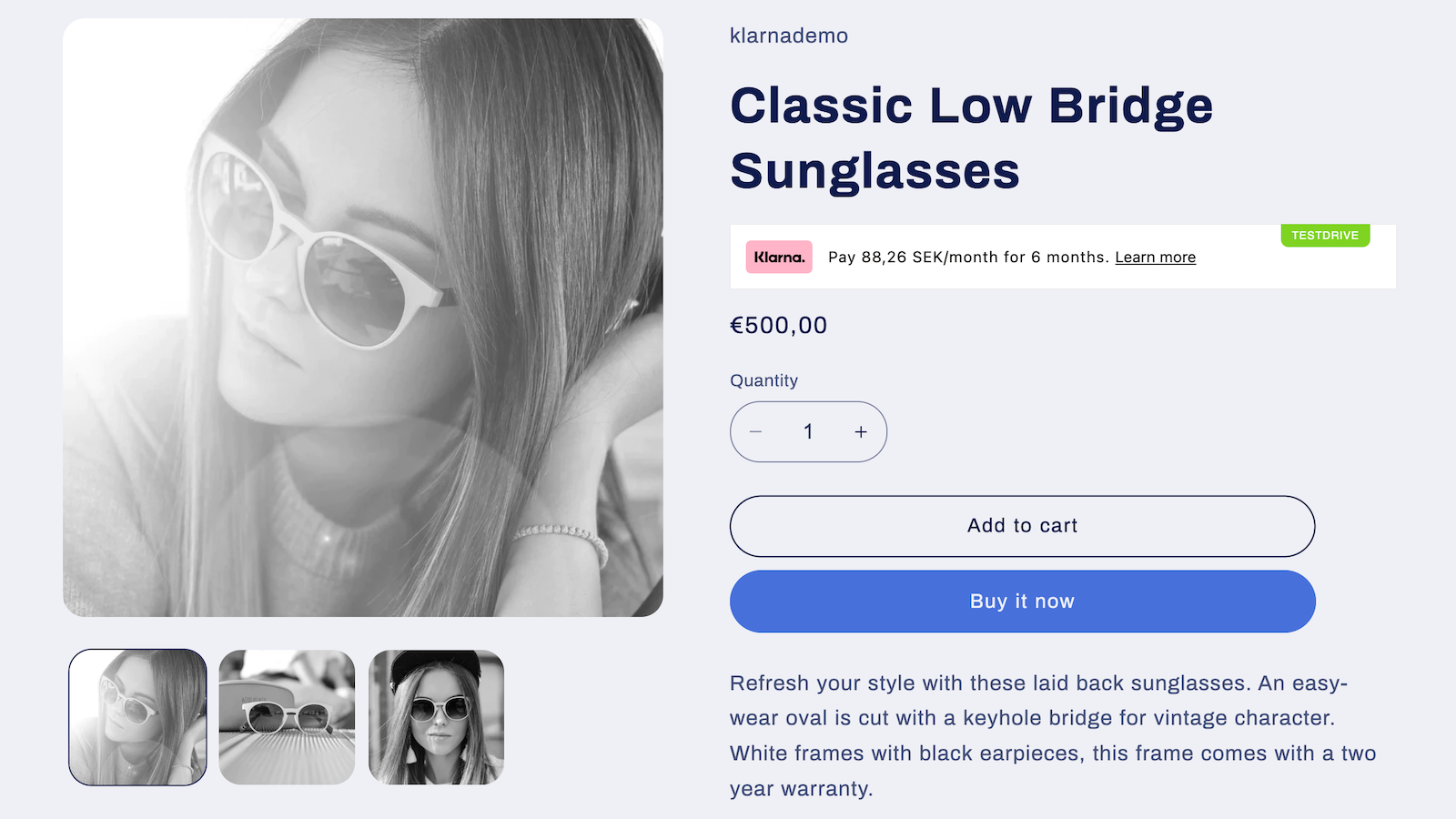
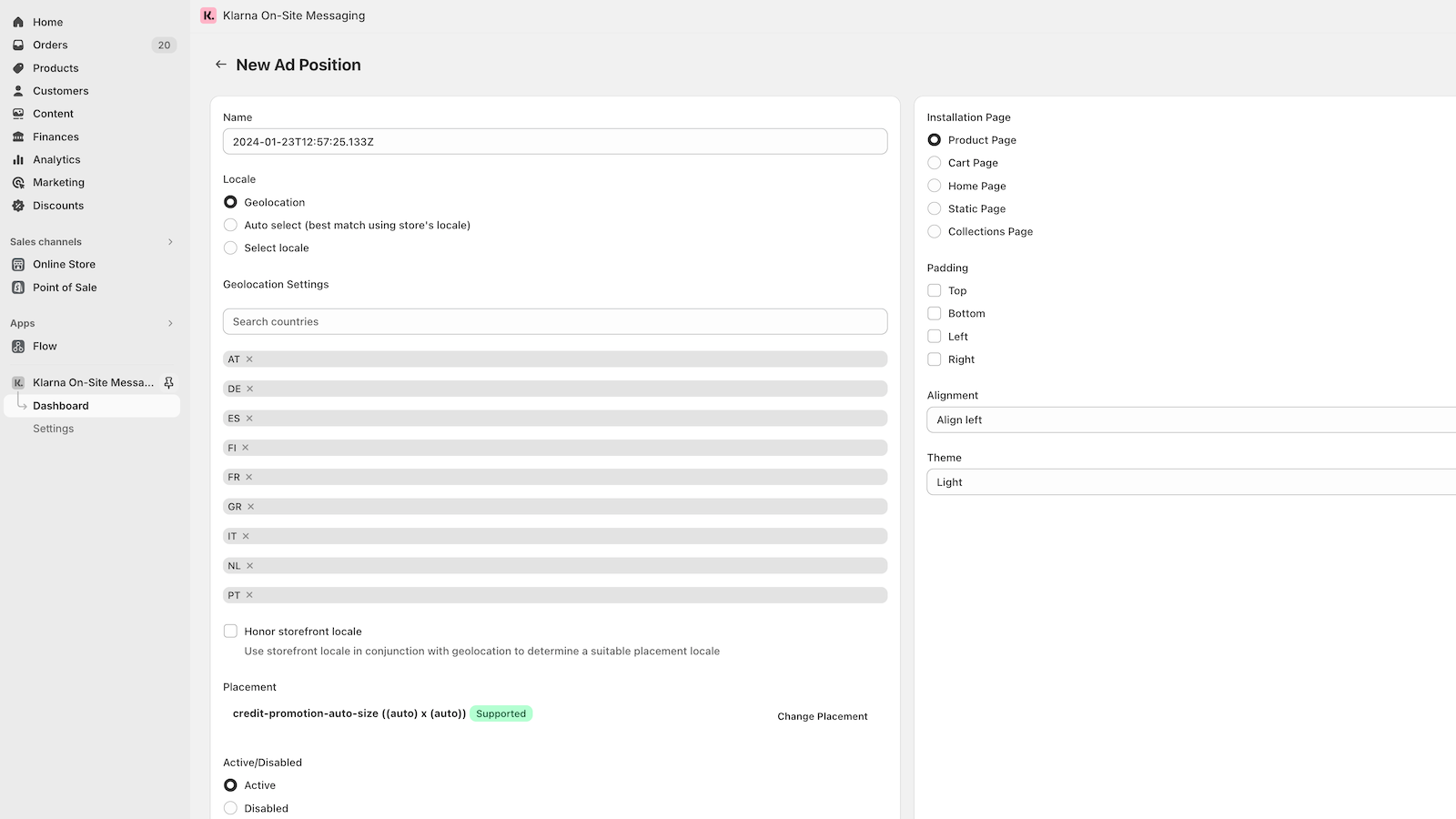
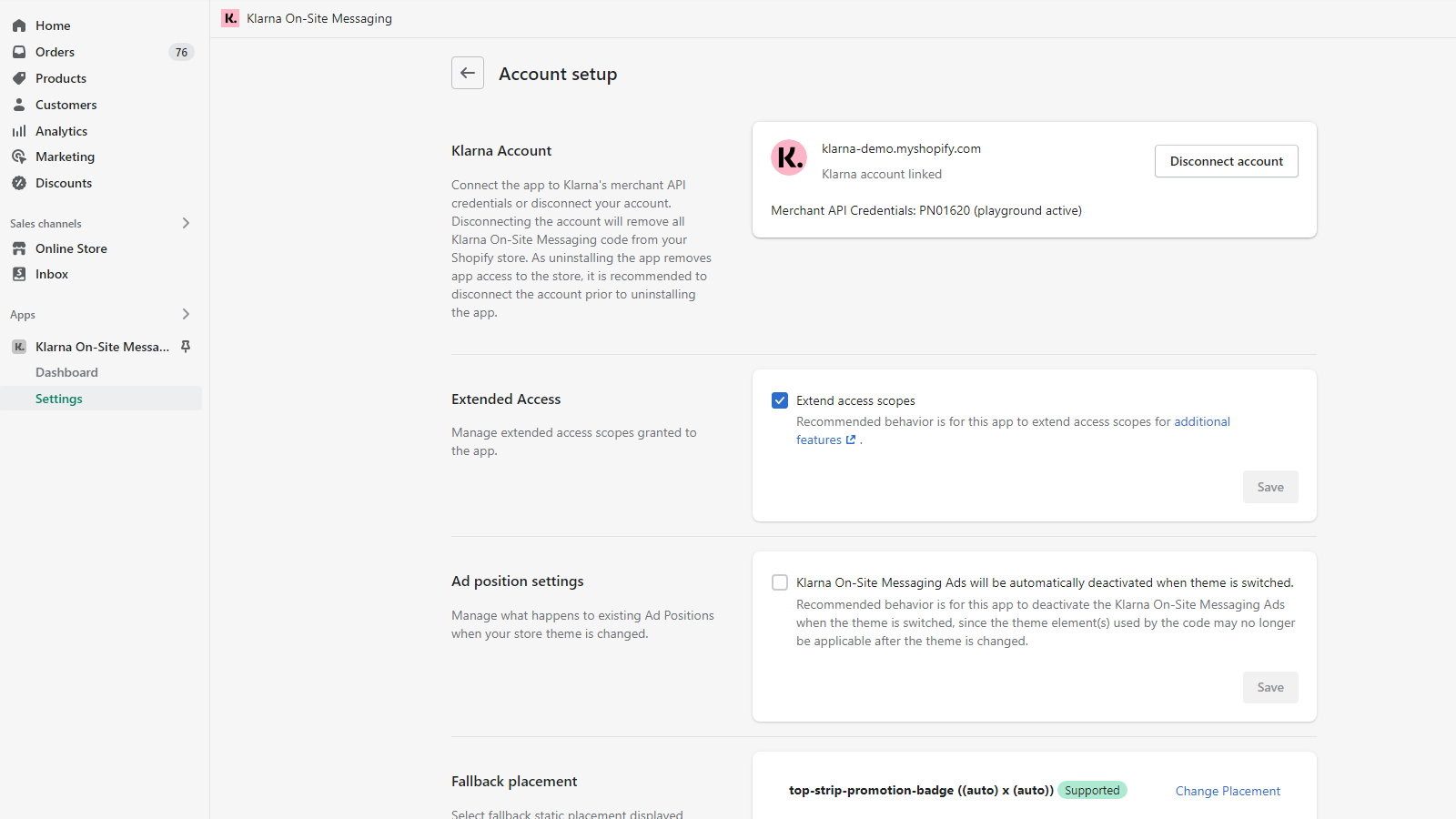
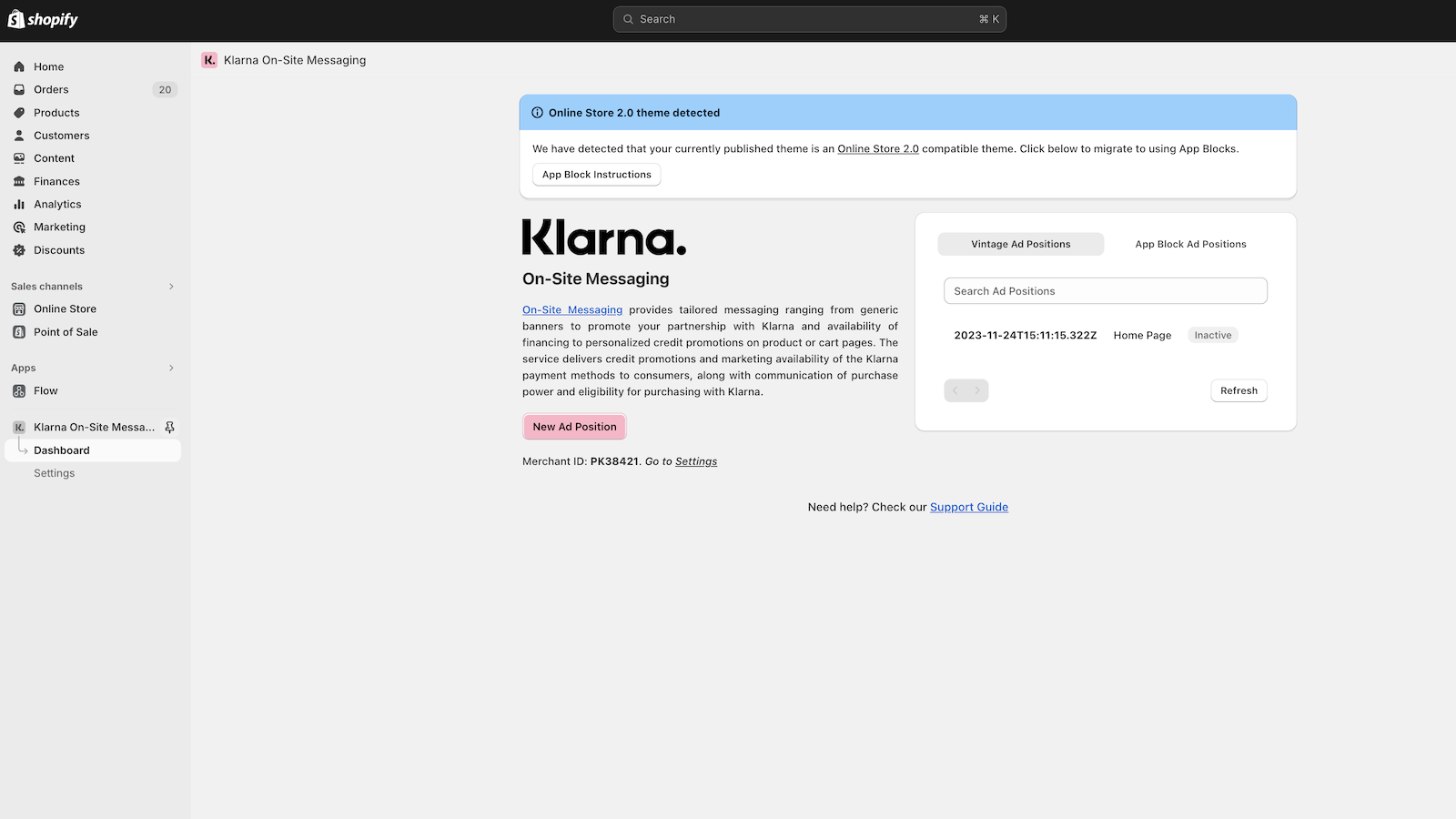
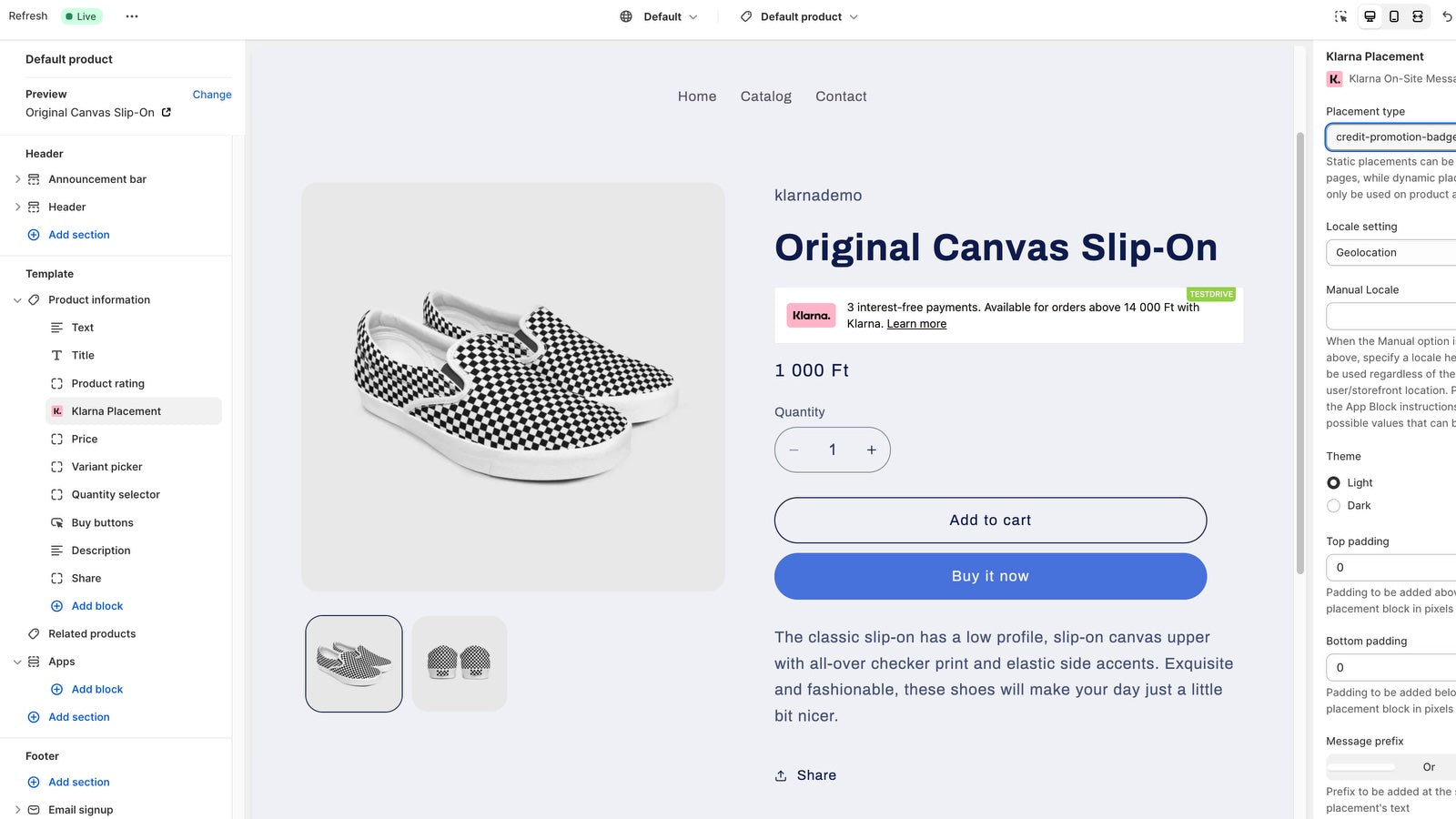
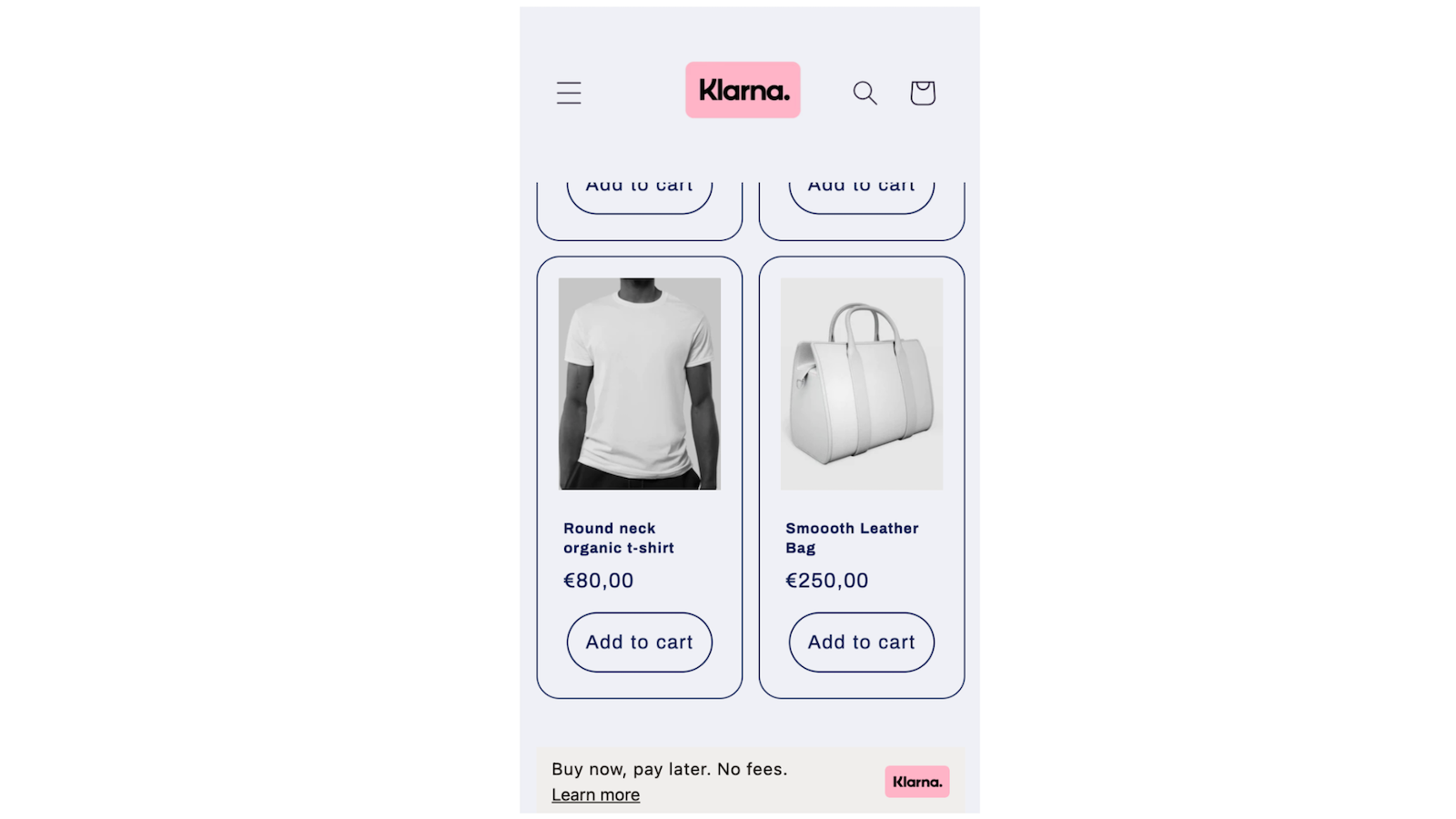
Increase sales by offering flexible payment options.
Klarna On‑Site Messaging pricing plans
Not sure which plan to pick? Discuss plans with us, learn about custom pricing, or get a demo.
The app has 1 pricing plan: 1 free and 0 paid. The free plan offered by Klarna On‑Site Messaging is .
The details of the plans are outlined below.
| Pricing summary | Free |
| Total pricing plan(s) | 1 |
| Number of free plan(s) | 1 |
| Number of paid plan(s) | 0 |
| Free trial available | No |
The table below highlights the crucial differences between Klarna On‑Site Messaging and similar other Shopify apps based on parameters like ratings, reviews, features, pricing, etc.
| Apps | Add app | |||
| General information | ||||
| Ratings | 2.4 ★ (114 reviews) | N/A | 1.4 ★ (6 reviews) | |
| Developed by | Klarna | GrassJ | Scalapay | |
| Launch date | 10 June 2019 | 19 April 2022 | 3 August 2023 | |
| Pricing | Free | $7/month | Free | |
| Objective | Increase sales by offering flexible payment options. | Quickly make interactive image sliders with a few clicks. | Promote Scalapay as payment method in product and cart page | |
| Categories | Banners, Advertising - Other | Banners, Advertising - Other | Banners, Advertising - Other | |
| Key features & highlights | ||||
| Purpose | Increase sales by using adaptable and personalized on-site messages about Klarna as a payment option. | The Shoppable Slider greatly enhances website interaction by using image maps, text slides, or side tints. | Boost your sales by using Scalapay On-site Messaging. | |
| Features list |
|
|
| |
| Highlights |
|
|
| |
| User reviews and ratings | ||||
| Recommended | 44.3% | 0.0% | 33.3% | |
| Pros |
| — | — | |
| Cons |
| — |
| |
| Pricing and plans | ||||
| Total pricing plans | 0 | 1 | 1 | |
| Free plan | Not available | Not available | Available | |
| Free trial | No | Yes, for 5 day(s) | No | |
| Technical information | ||||
| Rating | 2.4 ★ | N/A | 1.4 ★ | |
| Total reviews | 115 | N/A | 6 | |
| Launch date | 10 June 2019 | 19 April 2022 | 3 August 2023 | |
The app allows you to create personalized messages for your customers, promoting your partnership with Klarna and available payment options. By including buy now pay later options, it can potentially increase check-out conversions. A dedicated support team is also available once Klarna is set as the payment method.
The Shopify app for Klarna On-Site Messaging enables merchants to display Klarna payment options (e.g., installment plans) directly on product and cart pages, aiming to improve conversion by highlighting flexible payment methods. Key features include automated placement of payment messaging, customization options for widget appearance, and integration with Shopify Payments. Strengths include seamless functionality for compatible themes, effective customer support in resolving setup issues, and positive impact on checkout transparency when operational. However, the app faces significant limitations, including inconsistent compatibility with Shopify Online Store 2.0 themes, unclear setup instructions leading to duplicate account conflicts, and unreliable visibility due to ad-blockers or geolocation restrictions. A notable weakness is the handling of returns, which are sometimes misclassified as chargebacks, triggering fees and disputes without merchant recourse. Support responsiveness varies, with delays in troubleshooting and unresolved technical glitches (e.g., widgets disappearing after theme updates). While some merchants report smooth integration and helpful support, others encounter persistent installation failures, lack of clarity in documentation, and unaddressed bugs, particularly around manual code adjustments or multi-currency support. The app’s utility is contingent on theme compatibility and regional payment configurations, with inconsistent performance across stores.
For any questions, concerns, or assistance with Klarna On‑Site Messaging, the dedicated support team is readily available to help. To reach out to the support team, users can send an email to [email protected].
Details of the Klarna On‑Site Messaging are available in various languages on the Shopify app store, including English.
| Support email | merchant |
| Contact number(s) | Not available |
| FAQ page | Not available |
| Privacy policy | Privacy details |
| Language support | English |
The list of top Shopify apps, features or software tools that Klarna On‑Site Messaging seamlessly integrates with are given below.
| Name | Klarna |
| Profile | See all apps by Klarna |
| Website | View developer profile |
| Address | 800 N. High St., Suite 04-123, Columbus, OH, 43215 |
How to install Klarna On‑Site Messaging on your Shopify store
Your name, email and store domain go straight to the Klarna team.
Klarna contacts you directly to arrange setup for your store.
Perfect your store’s functionality without the pressure to move on until you’re ready.
Klarna On‑Site Messaging has an overall rating of 2.7 stars from a total of 115 reviews on the Shopify app store. Of these, 51 (44.3%) are positive, 3 (2.6%) are neutral, and 61 (53.0%) are negative*.
*Ratings above four stars fall under positive review, three star reviews fall under neutral, and anything less than two stars falls under negative.
Amazing. When we first installed - it didn't work, but after the help of Nicole on the support team, it was instantly installed and functioning correctly.Thank you.
UPDATE: after reaching out, Klarna support has solved the issues in a proficient manner, special thanks to Teodora and Nicole for the help!
It works only with last updated theme. easy to install
I was unable to get the app installed on my store at first. My brain was so fogged up. I took a break for a few days and went back to try and integrate Klarna to my website and it was really easy. I guess it just took me to slow down and read everything thoroughly. I went back to my site to check and make sure it was done successful and now I'm happy and can share the news with my customers. For anyone out there struggling like i was just take a mental break. Then go back to the klarna app on your shopify store click the dots on the top right then hit manage it will send you to the klarna app log in with your business info and then follow the steps from there. Make sure you have your merchant ID handy. The app will automatically try to integrate. Then it will switch to your shopify store but it wont go through. There will be a box that says manual entry thats where you put in your merchant ID and then your done, its activated. I think thats all the steps lol, sorry if I missed one. Just follow the last few steps after that. Hope this helps.
Super easy to se up in 2 minutes. Would recommend to anybody. No idea why there are 1 star reviews.
Rankings, review momentum and install geography, refreshed weekly. Open the full charts for history, benchmarks and keyword detail.
Position and market share today
| Keywordklarna payments | #1 | 6.6% ▲3.9 |
| Keywordbuy now pay later | #4 | 4.4% ▲1.5 |
| CategoryAdvertising - Other | #10 | 0.6% ▲0.0 |
| Keywordadvertising | #12 | 0.0% ▼0.0 |
Cumulative reviews · last 6 months
The key features offered by Klarna On‑Site Messaging to Shopify store owners are:
Yes, Klarna On‑Site Messaging seamlessly integrates with other Shopify apps or tools, such as Advertise payment options such as Klarna to boost sales., Modify your messages to fit your audience for better results., Choose to share order data and avoid selling more inventory than you have..
No, Klarna On‑Site Messaging does not offer any free trial.
The app offers 1 plan that is forever-free.
Klarna On‑Site Messaging is completely free to install and use. Additional charges may or may not apply.
Yes, Klarna On‑Site Messaging allows its subscribers to cancel or upgrade their subscription plan at any time.
Yes, Klarna On‑Site Messaging offers a dedicated support team for any kind of app-related assistance. To reach out to the support team, users can send an email to [email protected].
Please reach out to their support team at [email protected] to confirm its compatibility with your specific Shopify theme.
Quickly make interactive image sliders with a few clicks.

Boost your sales by using Scalapay On-site Messaging.

Countdown Timer Bar - Increase Sales with Urgency and Quick Sales
Most popular Shopify apps on the market

Product reviews with pictures and videos for credibility and search engine optimization.

Display your products to billions of TikTok users.

Simplify all tasks and focus on your business.

Increase your brand visibility and communicate with customers on Shop.
Writing reviews on ShopDigest is coming soon.
Amazing. When we first installed - it didn't work, but after the help of Nicole on the support team, it was instantly installed and functioning correctly.Thank you.
We would love to help you resolve the issues you are facing adding the placement on your product pages. Please reach out to us on [email protected] so that we can help you complete the installation!
UPDATE: after reaching out, Klarna support has solved the issues in a proficient manner, special thanks to Teodora and Nicole for the help!
We are so happy we could help! Thank you for leaving us this review.
It works only with last updated theme. easy to install
Thank you for taking the time to leave us this review! We appreciate you being part of the Klarna community.
I was unable to get the app installed on my store at first. My brain was so fogged up. I took a break for a few days and went back to try and integrate Klarna to my website and it was really easy. I guess it just took me to slow down and read everything thoroughly. I went back to my site to check and make sure it was done successful and now I'm happy and can share the news with my customers. For anyone out there struggling like i was just take a mental break. Then go back to the klarna app on your shopify store click the dots on the top right then hit manage it will send you to the klarna app log in with your business info and then follow the steps from there. Make sure you have your merchant ID handy. The app will automatically try to integrate. Then it will switch to your shopify store but it wont go through. There will be a box that says manual entry thats where you put in your merchant ID and then your done, its activated. I think thats all the steps lol, sorry if I missed one. Just follow the last few steps after that. Hope this helps.
Super easy to se up in 2 minutes. Would recommend to anybody. No idea why there are 1 star reviews.
Thank you for your review! We are happy to hear about your positive experience.
Bona aplicació. Instal·lació amb tutorial molt util par i amb suport del departament tècnic. Banner fàcil d'instal·lar i elegant disseny.
Hola juegoyjardin.com, gracias por la reseña de nuestra aplicación. Nos alegra saber que nuestro equipo de soporte a comerciantes y las guías fueron de ayuda. Por favor, no dudes en contactar nuevamente al equipo si tienes alguna pregunta."Hi juegoyjardin.com, thank you for the review of our app. We're glad to hear that our merchant support team and guides were helpful. Please feel free to contact the team again if you have any questions."
I was setting up the hard way through code and after a lot of tears, I then installed this app.... Thankyou!
Thank you for your review!
Funktioniert auch bei Deutschen Shops!! Alles ging schnell und Super, keine Probleme oder sonstiges. Positiv überrascht! Viele verschiede Layouts, für jeden Shop was da. Conversion Rate und generelles Vertrauen im Shop erheblich gestiegen. Würde ich jedem Shop-Inhaber auf jeden Fall empfehlen. Ein Muss!!
ShopDigest is an independent directory of Shopify work. Developers, agencies and experts publish the projects they’ve actually shipped — migrations, rebuilds, custom apps, headless storefronts — with the results attached.
For merchants, that means judging a partner on evidence instead of a sales page: browse real builds in your category and budget, then reach out directly. For builders, it means one profile that keeps working after the project ships.
No commissions, no pay-to-rank placements. The best work rises because people save and follow it.
More about ShopDigestA portfolio directory for the Shopify ecosystem — builders publish, merchants browse, nobody buys a better position.