

by Hessyo
Free plan · From $8/mo
Just add the product SKU to the image metadata using Pics.io, and the plugin will handle the rest. Import product pictures from Google Drive using SKU.
Pros and cons of Picsio: Bulk Image Upload
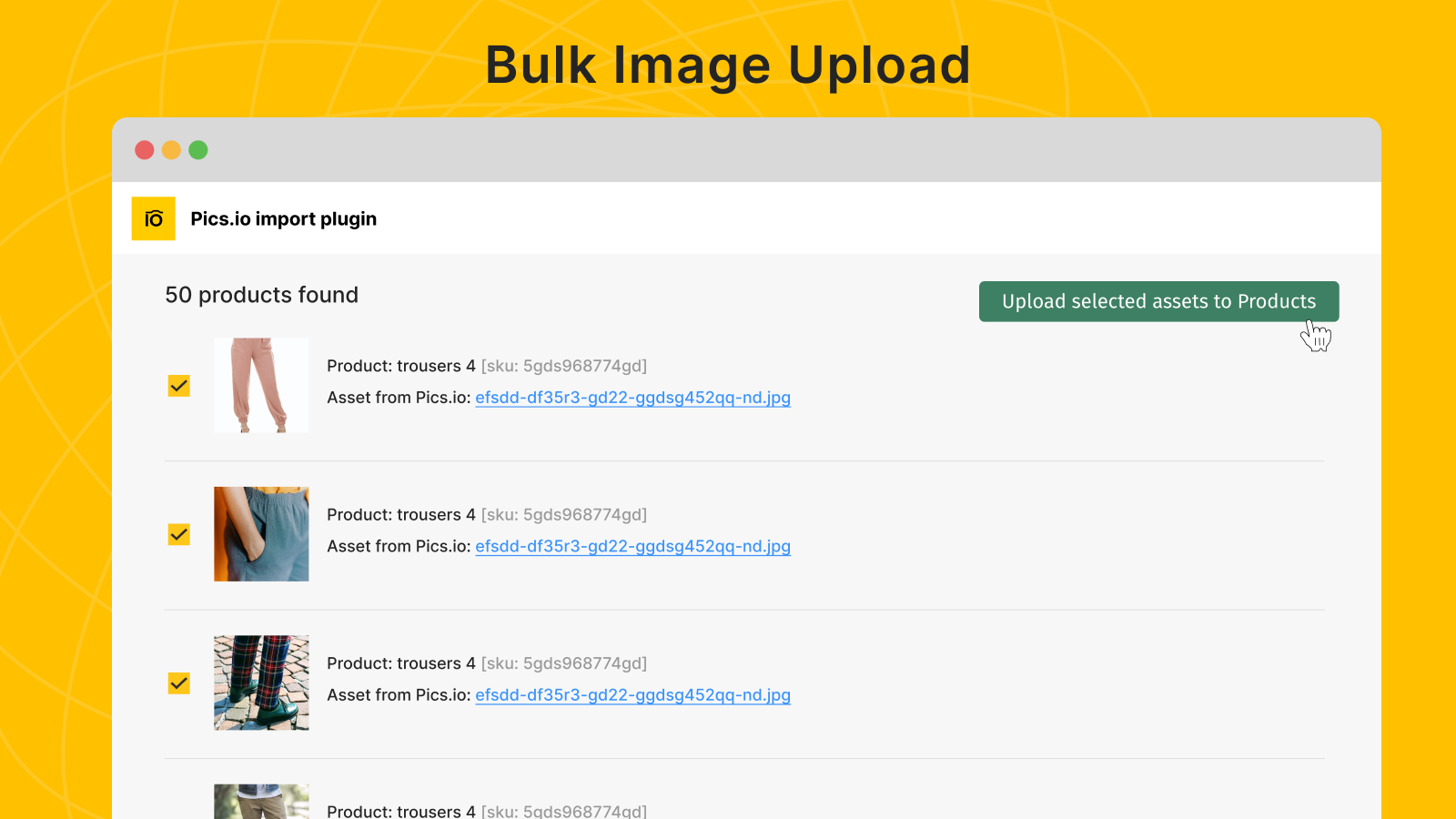
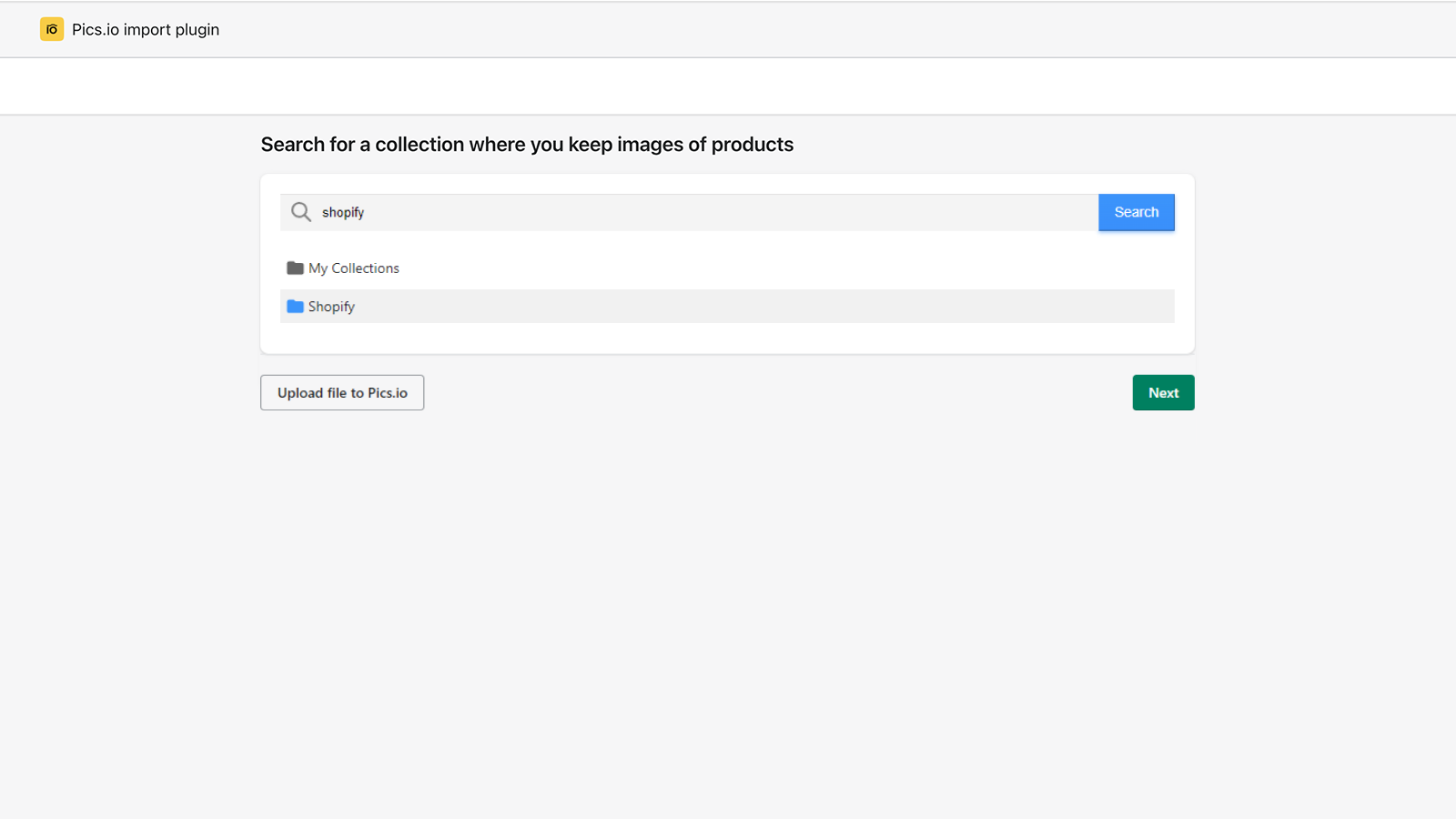

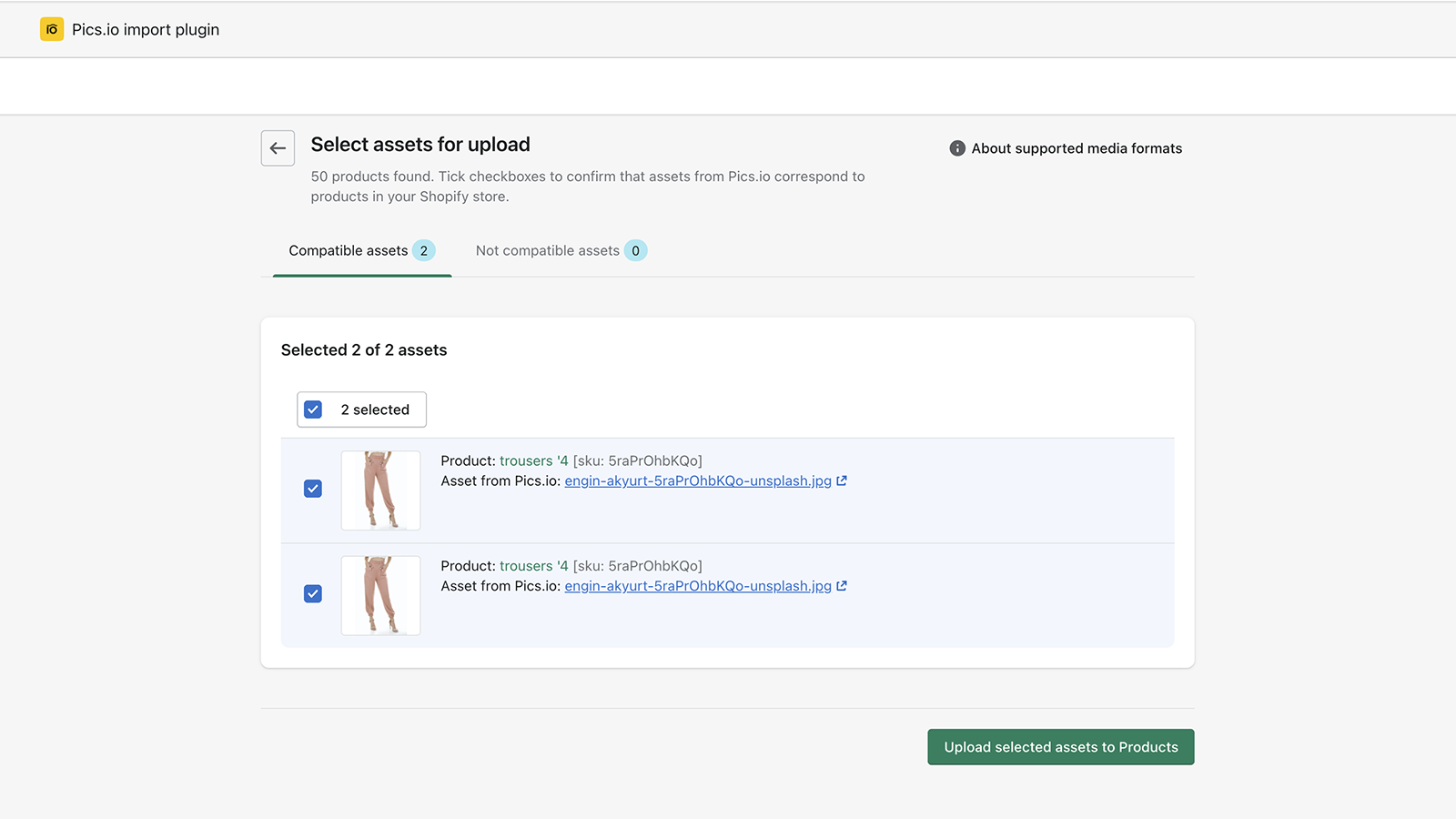


Import product pictures from Google Drive using SKU.
Picsio: Bulk Image Upload pricing plans
Not sure which plan to pick? Discuss plans with us, learn about custom pricing, or get a demo.
The app has 1 pricing plan: 1 free and 0 paid. The free plan offered by Picsio: Bulk Image Upload is .
The details of the plans are outlined below.
| Pricing summary | Free |
| Total pricing plan(s) | 1 |
| Number of free plan(s) | 1 |
| Number of paid plan(s) | 0 |
| Free trial available | No |
The table below highlights the crucial differences between Picsio: Bulk Image Upload and similar other Shopify apps based on parameters like ratings, reviews, features, pricing, etc.
| Apps | Add app | |||
| General information | ||||
| Ratings | 1.6 ★ (9 reviews) | 4.8 ★ (13 reviews) | 4.8 ★ (230 reviews) | |
| Developed by | TopTechPhoto inc. | Hessyo | KiteApps | |
| Launch date | 24 February 2022 | 8 January 2024 | 9 October 2023 | |
| Pricing | Free | Free, $8/month, $15/month | Free, $5.99/month, $12.99/month, $34.99/month | |
| Objective | Import product pictures from Google Drive using SKU. | Automate product pins creation for easy visual marketing. | — | |
| Categories | Images and media - Other | Advertising - Other, Images and media - Other | Image gallery, Images and media - Other | |
| Key features & highlights | ||||
| Purpose | Just add the product SKU to the image metadata using Pics.io, and the plugin will handle the rest. | The Pin Auto app automatically publishes product images from your store as Pins to get free traffic. | The easy and fast solution for creating captivating image gallery, lookbook, portfolio and carousel | |
| Features list |
|
|
| |
| Highlights | — | — | — | |
| User reviews and ratings | ||||
| Recommended | 33.3% | 84.6% | 97.0% | |
| Pros |
|
|
| |
| Cons |
| — |
| |
| Pricing and plans | ||||
| Total pricing plans | 0 | 3 | 4 | |
| Free plan | Not available | Available | Available | |
| Free trial | No | No | Yes, for 7 day(s) | |
| Technical information | ||||
| Rating | 1.6 ★ | 4.8 ★ | 4.8 ★ | |
| Total reviews | 9 | 13 | 235 | |
| Launch date | 24 February 2022 | 8 January 2024 | 9 October 2023 | |
The Pics.io plugin is a bulk image uploader for Shopify stores that functions by recognizing SKU in an image's metadata. You can also connect your Google Drive or Amazon S3 bucket where your product photos are stored to Picsio and easily transfer them to your Shopify store.
The app facilitates bulk image uploads to Shopify stores by matching filenames with product SKUs, including support for product variants, and integrates with a separate DAM system (pics.io) for asset management. Its strengths include an intuitive interface, efficient bulk processing, and responsive live support that assists with troubleshooting and workarounds. However, the app requires a paid subscription to pics.io (starting at $50/month), which is not clearly indicated upfront, leading to frustration among users expecting a free tool. Some users report technical issues, such as the app failing to open or mismatches in SKU-image pairing, while others highlight difficulties with unsubscribing or unexpected billing discrepancies. Despite these limitations, the app is praised for its robust tagging, editing, and integration features, making it a practical solution for stores with large product catalogs—provided the subscription cost is justified for their needs.
For any questions, concerns, or assistance with Picsio: Bulk Image Upload, the dedicated support team is readily available to help. To reach out to the support team, users can send an email to [email protected].
Details of the Picsio: Bulk Image Upload are available in various languages on the Shopify app store, including English.
| Support email | support |
| Contact number(s) | Not available |
| FAQ page | Not available |
| Privacy policy | Privacy details |
| Language support | English |
The list of top Shopify apps, features or software tools that Picsio: Bulk Image Upload seamlessly integrates with are given below.
| Name | TopTechPhoto inc. |
| Website | View developer profile |
| Address | 641 Lexington Avenue, 14th Floor, New York, NY, 10022 |
How to install Picsio: Bulk Image Upload on your Shopify store
Your name, email and store domain go straight to the TopTechPhoto inc. team.
TopTechPhoto inc. contacts you directly to arrange setup for your store.
Perfect your store’s functionality without the pressure to move on until you’re ready.
Picsio: Bulk Image Upload has an overall rating of 2.3 stars from a total of 9 reviews on the Shopify app store. Of these, 3 (33.3%) are positive, 0 (0.0%) are neutral, and 6 (66.7%) are negative*.
*Ratings above four stars fall under positive review, three star reviews fall under neutral, and anything less than two stars falls under negative.
I have been using this app to upload photos for my store. It works well if sku and filename are the same. Specially I would like to mention the work with product variants, this option helped a lot. The app itself is really free, but you must have a subscription to Pics.io, it's $50/month. Keep this in mind.
Amazing customer support, fast replies, in-depth tool with a lot of options. The guys behind the customer service do think in solutions and not problems. Definetly would recommend for use, no-brainer with a large products base.
Amazing app very useful and convenient to workThe technical support is one of the best, they answer within minutes and find a solution to every request. It is highly recommended
Rankings, review momentum and install geography, refreshed weekly. Open the full charts for history, benchmarks and keyword detail.
Position and market share today
| Keywordbulk upload images | #4 | 0.0% |
| Keywordimage upload | #17 | 0.0% |
| KeywordAuto-matching | #23 | — |
| KeywordDigital assets | #57 | — |
Cumulative reviews · last 6 months
The key features offered by Picsio: Bulk Image Upload to Shopify store owners are:
Yes, Picsio: Bulk Image Upload seamlessly integrates with other Shopify apps or tools, such as Upload multiple images from Google Drive or Amazon S3., Organizing and Labeling in the Library, Finding a match for SKU in file names or custom fields..
No, Picsio: Bulk Image Upload does not offer any free trial.
The app offers 1 plan that is forever-free.
Picsio: Bulk Image Upload is completely free to install and use. Additional charges may or may not apply.
Yes, Picsio: Bulk Image Upload allows its subscribers to cancel or upgrade their subscription plan at any time.
Yes, Picsio: Bulk Image Upload offers a dedicated support team for any kind of app-related assistance. To reach out to the support team, users can send an email to [email protected].
Please reach out to their support team at [email protected] to confirm its compatibility with your specific Shopify theme.


Most popular Shopify apps on the market

Product reviews with pictures and videos for credibility and search engine optimization.

Display your products to billions of TikTok users.

Simplify all tasks and focus on your business.

Increase your brand visibility and communicate with customers on Shop.
Used Picsio: Bulk Image Upload? Share your experience with other merchants.
I have been using this app to upload photos for my store. It works well if sku and filename are the same. Specially I would like to mention the work with product variants, this option helped a lot. The app itself is really free, but you must have a subscription to Pics.io, it's $50/month. Keep this in mind.
Amazing customer support, fast replies, in-depth tool with a lot of options. The guys behind the customer service do think in solutions and not problems. Definetly would recommend for use, no-brainer with a large products base.
Hello,Thanks for the awesome shout-out! We’re super glad you loved the support and found our tool handy.Even though it's been a while since you left this review, we just wanted to drop in and say a big thank you. Good news – our plugin has gotten even better! It now supports matching images with product variants, making your life a whole lot easier. If you've got more feedback or need a hand with anything, just let us know. We're here for you.Best regards,Pics.io Support Team
Amazing app very useful and convenient to workThe technical support is one of the best, they answer within minutes and find a solution to every request. It is highly recommended
Hey there!Thanks so much for your fantastic review and for highlighting our technical support – our team is over the moon to hear they could help you so swiftly and effectively!We've got some exciting news to share: our plugin has gotten even better! It now supports matching images with product variants, which we hope will make your workflow even smoother and more convenient. Keep enjoying the app, and if you have any more insights or need assistance, don't hesitate to reach out. We're here and ready to help!Cheers to making things easier!Best regards,Pics.io Support Team
ShopDigest is an independent directory of Shopify work. Developers, agencies and experts publish the projects they’ve actually shipped — migrations, rebuilds, custom apps, headless storefronts — with the results attached.
For merchants, that means judging a partner on evidence instead of a sales page: browse real builds in your category and budget, then reach out directly. For builders, it means one profile that keeps working after the project ships.
No commissions, no pay-to-rank placements. The best work rises because people save and follow it.
More about ShopDigestA portfolio directory for the Shopify ecosystem — builders publish, merchants browse, nobody buys a better position.