

FlipSlide Before After Image
by Massive Monkey Ltd.
Free plan · From $3/mo
Grow with ShopDigest. Programs for experts, developers and store owners.
Display the second product image when the mouse hovers over it, or it is touched, in all collections. Display the second image of the product in your collections when you move the mouse over it.
Pros and cons of Singleton | Second Image Hover
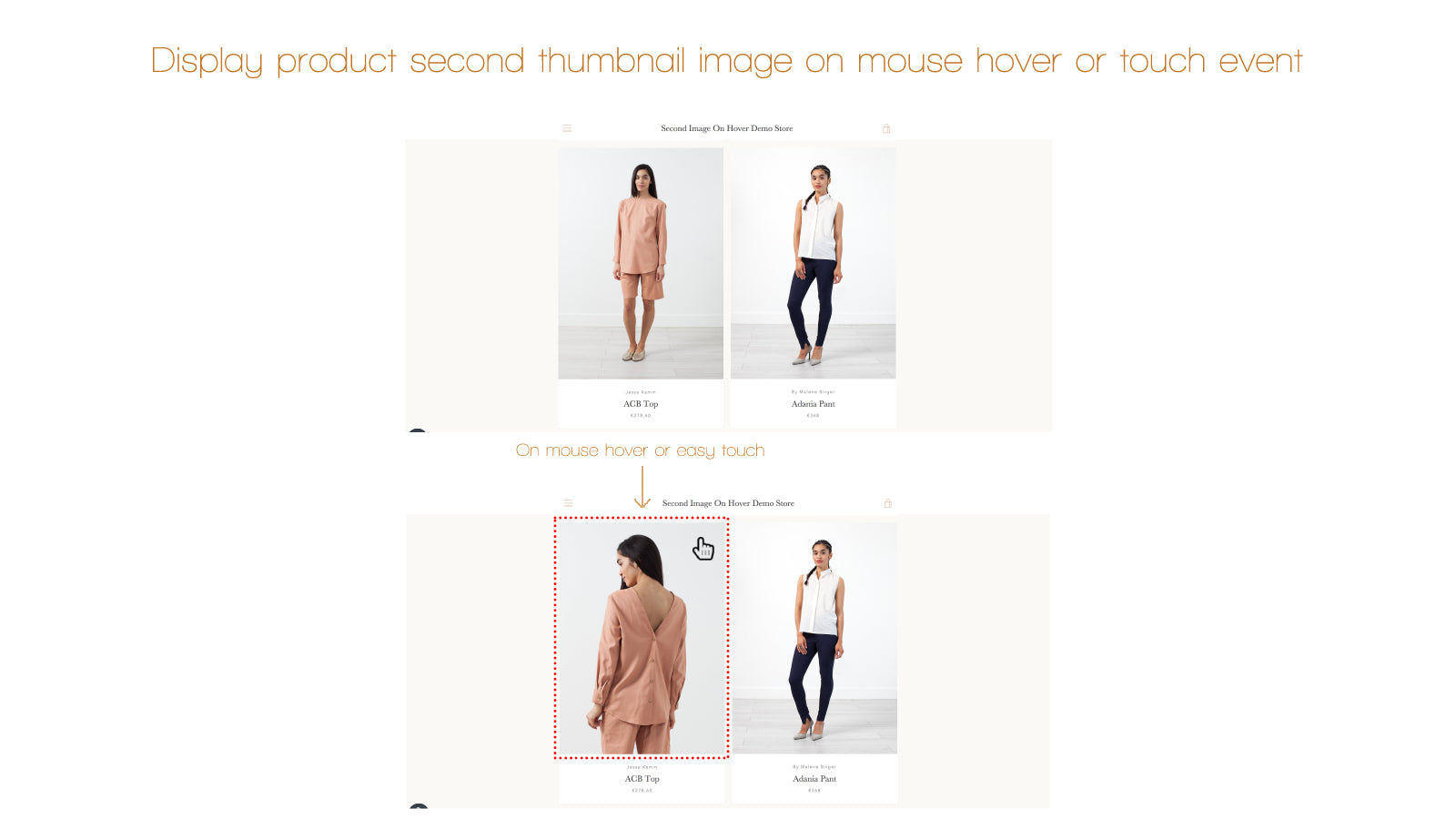
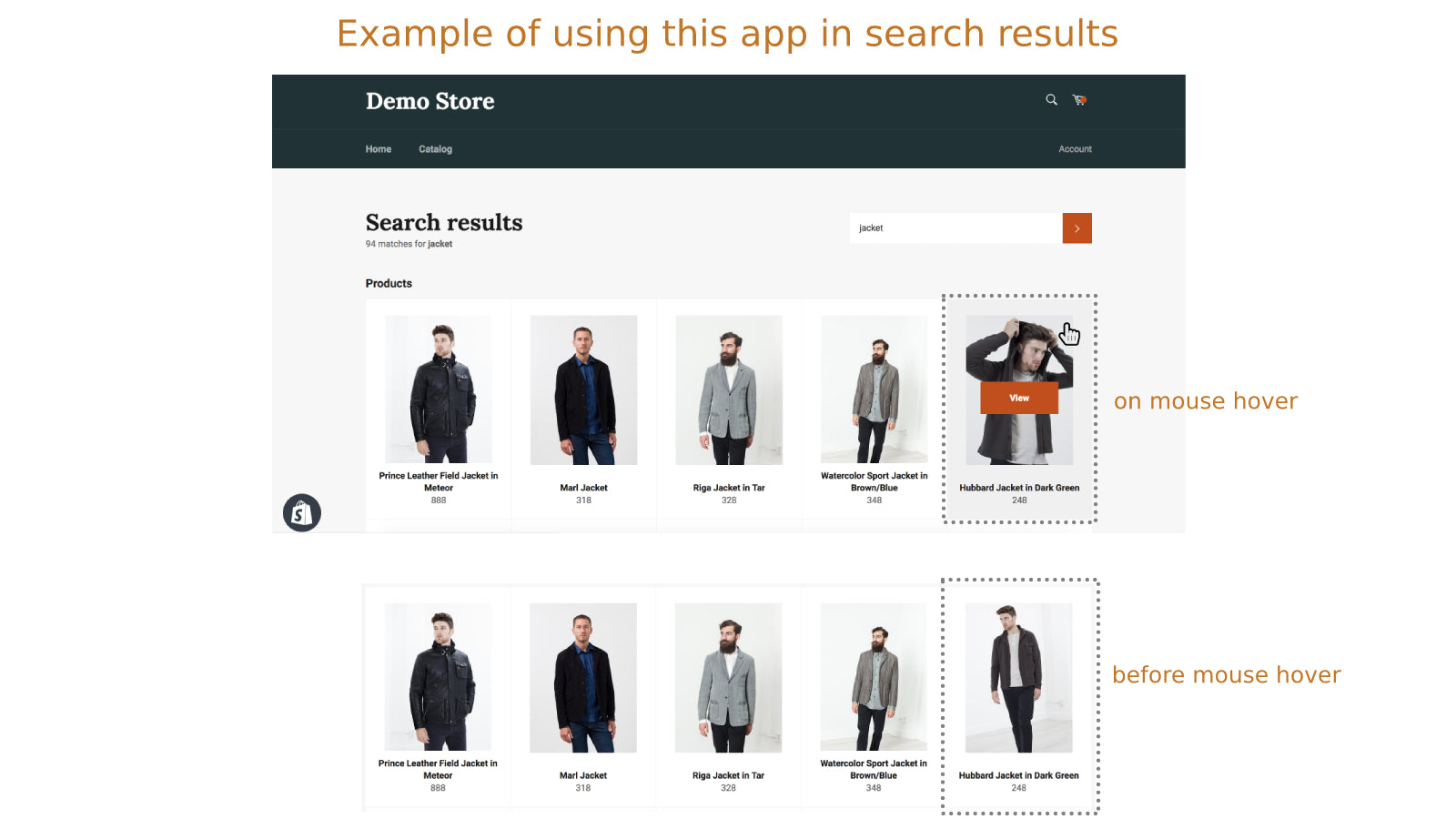
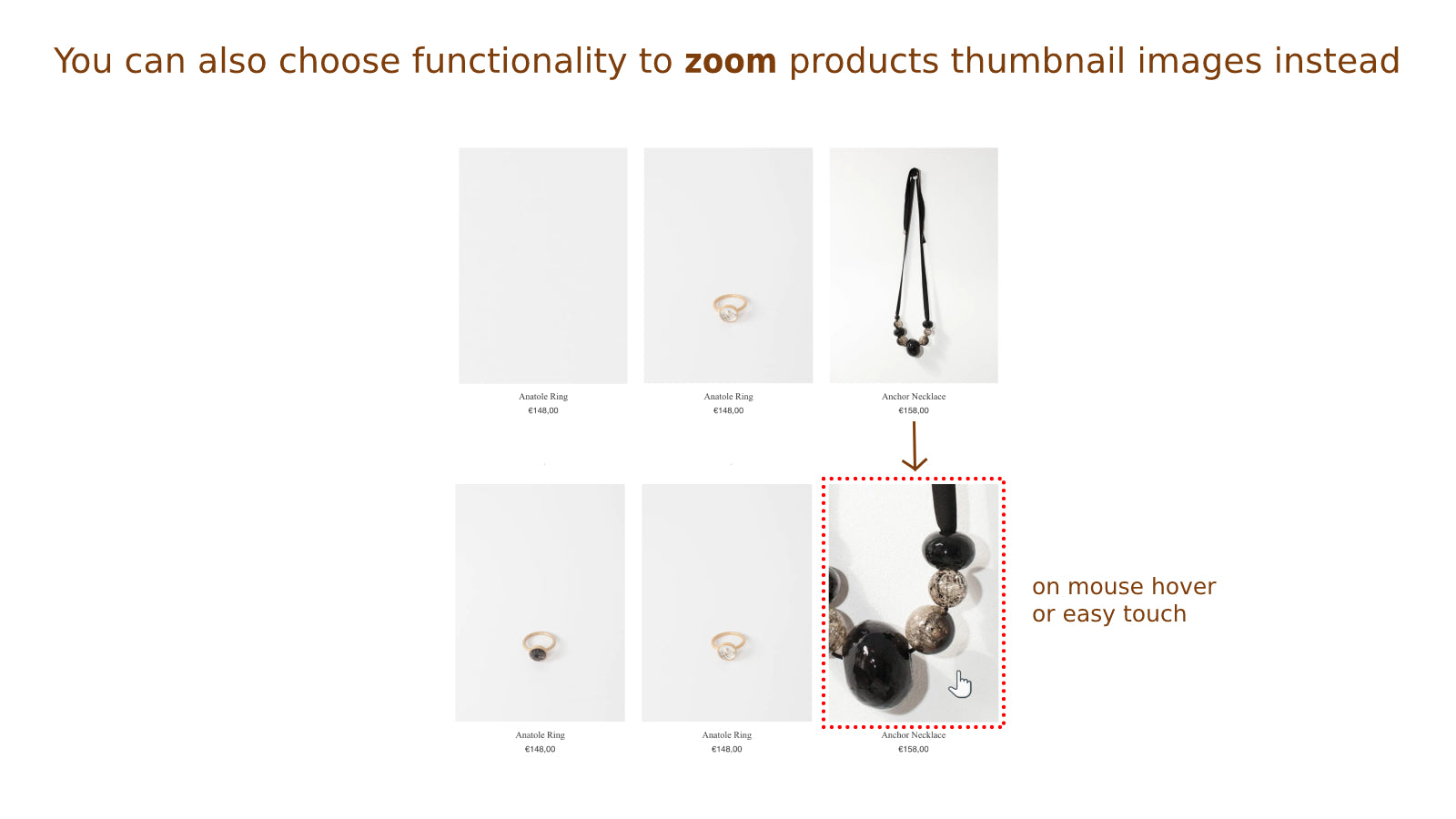
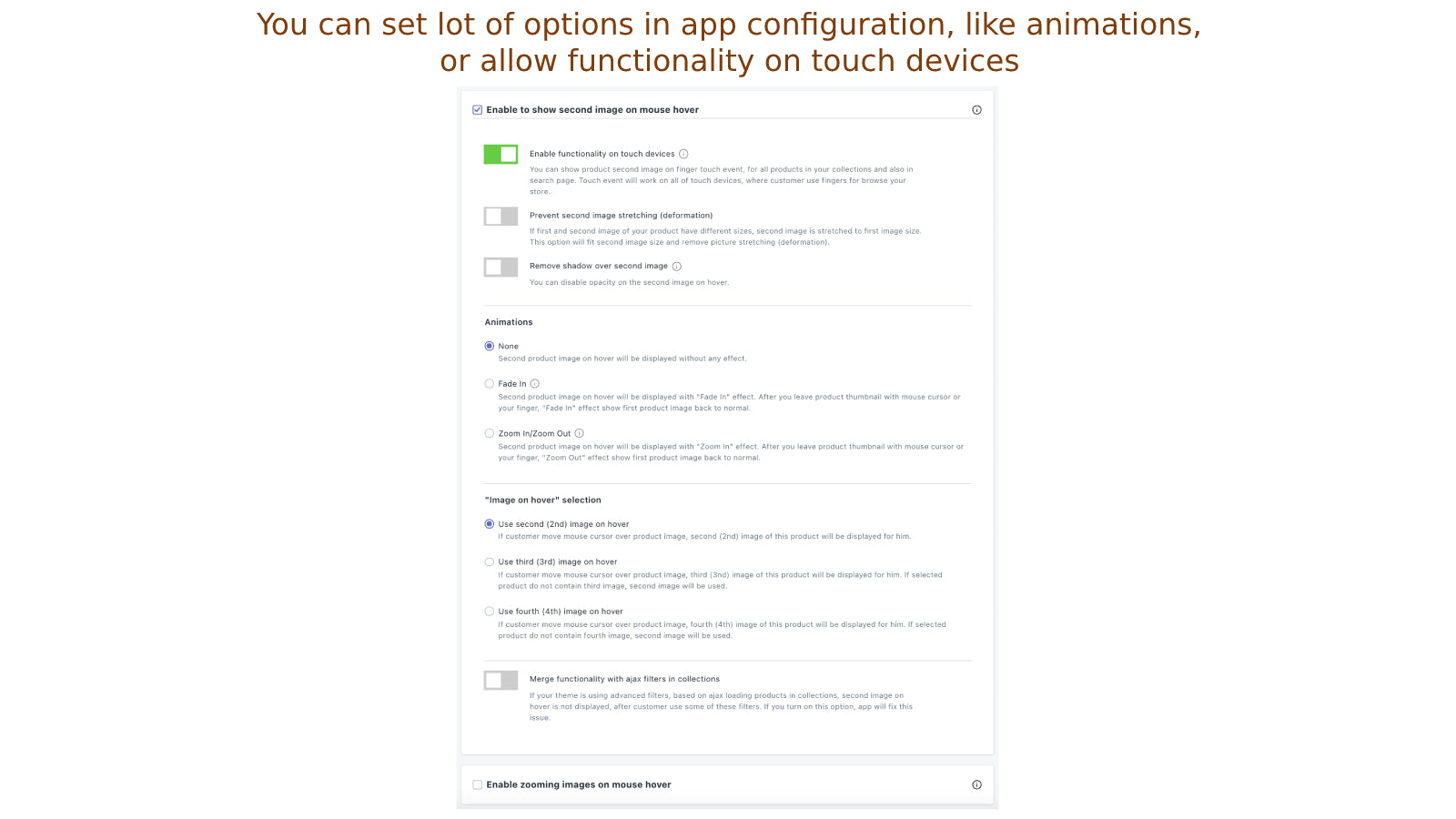
Display the second image of the product in your collections when you move the mouse over it.
Singleton | Second Image Hover pricing plans
Not sure which plan to pick? Discuss Basic plan plans with us, learn about custom pricing, or get a demo.
The app has 1 pricing plan: 0 free and 1 paid. The paid plan offered by Singleton | Second Image Hover is Basic plan.
The details of the plans are outlined below.
| Pricing summary | $3.99/month. Free trial available. |
| Total pricing plan(s) | 1 |
| Number of free plan(s) | 0 |
| Number of paid plan(s) | 1 |
| Cost of paid plan(s) | $3.99 |
| Free trial available | Yes, for 7 day(s) |
The table below highlights the crucial differences between Singleton | Second Image Hover and similar other Shopify apps based on parameters like ratings, reviews, features, pricing, etc.
| Apps | Add app | |||
| General information | ||||
| Ratings | 4.9 ★ (21 reviews) | N/A | N/A | |
| Developed by | Singleton software | Massive Monkey Ltd. | Kaktus | |
| Launch date | 26 October 2018 | 30 April 2026 | 10 June 2026 | |
| Pricing | $3.99/month | Free, $3/month, Free | Free | |
| Objective | Display the second image of the product in your collections when you move the mouse over it. | — | — | |
| Categories | Product display - Other, Images and media - Other | Images and media - Other, Product display - Other | Product display - Other, Images and media - Other | |
| Key features & highlights | ||||
| Purpose | Display the second product image when the mouse hovers over it, or it is touched, in all collections. | Before & after image compare slider for any page. No code needed. | Build customizable product PDFs to share, download, print, or display on your storefront. | |
| Features list |
| — | — | |
| Highlights | — |
|
| |
| User reviews and ratings | ||||
| Recommended | 90.5% | 0.0% | 0.0% | |
| Pros |
| — | — | |
| Cons |
| — | — | |
| Pricing and plans | ||||
| Total pricing plans | 1 | 3 | 0 | |
| Free plan | Not available | Available | Not available | |
| Free trial | Yes, for 7 day(s) | No | No | |
| Technical information | ||||
| Rating | 4.9 ★ | N/A | N/A | |
| Total reviews | 21 | N/A | N/A | |
| Launch date | 26 October 2018 | 30 April 2026 | 10 June 2026 | |
Offer customers a quick method to view more of your products, by having the second product image display when they hover over the thumbnail. This feature, manageable from your product administration, allows you to showcase different colours or variants of your product without needing to navigate to the product page.
This Shopify app enables hover-to-display secondary product images, enhancing visual merchandising without impacting store speed. It supports various themes, including custom and third-party ones, though initial compatibility may require adjustments by the support team. The app is praised for its ease of installation, plug-and-play functionality, and seamless integration with product and collection pages. A key strength is the responsive and personalized customer support, often resolving theme-specific issues promptly. However, inconsistent communication and delayed responses have been reported in some cases, particularly with email inquiries. The app is cost-effective compared to alternatives and includes features like mobile compatibility and transparency fixes. While most users report immediate functionality, occasional theme-related glitches may necessitate developer intervention. Overall, it is a reliable solution for displaying secondary images, with support being a notable advantage when issues arise.
For any questions, concerns, or assistance with Singleton | Second Image Hover, the dedicated support team is readily available to help. To reach out to the support team, users can send an email to [email protected].
Details of the Singleton | Second Image Hover are available in various languages on the Shopify app store, including English.
| Support email | info |
| Contact number(s) | Not available |
| FAQ page | Not available |
| Privacy policy | Privacy details |
| Language support | English |
The list of top Shopify apps, features or software tools that Singleton | Second Image Hover seamlessly integrates with are given below.
| Name | Singleton software |
| Profile | See all apps by Singleton software |
| Website | View developer profile |
| Address | Javornícka 12, Banská Bystrica, 97411 |
How to install Singleton | Second Image Hover on your Shopify store
Your name, email and store domain go straight to the Singleton software team.
Singleton software contacts you directly to arrange setup for your store.
Perfect your store’s functionality without the pressure to move on until you’re ready.
Singleton | Second Image Hover has an overall rating of 4.7 stars from a total of 21 reviews on the Shopify app store. Of these, 19 (90.5%) are positive, 1 (4.8%) are neutral, and 1 (4.8%) are negative*.
*Ratings above four stars fall under positive review, three star reviews fall under neutral, and anything less than two stars falls under negative.
Singleton is an insanely good App.Something so simple yet so effective. After installing Singleton we saw sales increase 15% in an A/B test. Adam is also great and always there to answer any questions about the app.
The app does exactly what I need! Great support from Adam. I would highly recommend.
Great app, great support, AB Tests showed 10% increase in sales due to less user friction (going back and forth in product pages). Couldn't recommend more.
Excellent and responsive customer service. An app with multiple, fully functional options.
We moved from Dawn to a new paid theme (Whisk) and after getting everything moved over, realized that the second image on hover was not available on our theme. After reaching out to shopify and the theme developer with no resolution, I found this app in the Shopify Forum as a solution. The app didn't initially work with my theme. I contacted support and Adam was very responsive and was FANTASTIC! He did several turns to make it work. Not only does it work on the products page but they made it work with our Collection widgets. Since all themes are different - especially those from 3rd parties, it is important to give the app support a chance to fix and customize it for your theme. I am glad I was patient because it looks great! Highly recommend this app!!
Rankings, review momentum and install geography, refreshed weekly. Open the full charts for history, benchmarks and keyword detail.
Position and market share today
| KeywordThumbnail | #19 | 0.0% ▼0.0 |
| CategoryImages and media - Other | #46 | 0.7% ▼0.0 |
| CategoryProduct display - Other | #68 | 0.2% ▲0.0 |
| KeywordZooming | #68 | — |
Cumulative reviews · last 6 months
The key features offered by Singleton | Second Image Hover to Shopify store owners are:
Yes, Singleton | Second Image Hover seamlessly integrates with other Shopify apps or tools, such as Show the second product picture when the mouse hovers over it, or when touched on mobiles or tablets., Choose animations for when you hover between the first and second image (like Fade In or Zoom In/Out)., You can choose to enlarge product images in collections by hovering over them or touching them..
Yes, Singleton | Second Image Hover offers a 7-day free trial on all its paid plans.
The app offers 1 paid plan, which cost $3.99/month, and comes with a 7-day free trial period.
Singleton | Second Image Hover uses USD for billing, with recurring and usage-based charges invoiced usually every 30 days.
Yes, Singleton | Second Image Hover allows its subscribers to cancel or upgrade their subscription plan at any time.
Yes, Singleton | Second Image Hover offers a dedicated support team for any kind of app-related assistance. To reach out to the support team, users can send an email to [email protected].
Please reach out to their support team at [email protected] to confirm its compatibility with your specific Shopify theme.


Most popular Shopify apps on the market

Product reviews with pictures and videos for credibility and search engine optimization.

Display your products to billions of TikTok users.

Simplify all tasks and focus on your business.

Increase your brand visibility and communicate with customers on Shop.
Writing reviews on ShopDigest is coming soon.
Singleton is an insanely good App.Something so simple yet so effective. After installing Singleton we saw sales increase 15% in an A/B test. Adam is also great and always there to answer any questions about the app.
The app does exactly what I need! Great support from Adam. I would highly recommend.
Great app, great support, AB Tests showed 10% increase in sales due to less user friction (going back and forth in product pages). Couldn't recommend more.
Excellent and responsive customer service. An app with multiple, fully functional options.
We moved from Dawn to a new paid theme (Whisk) and after getting everything moved over, realized that the second image on hover was not available on our theme. After reaching out to shopify and the theme developer with no resolution, I found this app in the Shopify Forum as a solution. The app didn't initially work with my theme. I contacted support and Adam was very responsive and was FANTASTIC! He did several turns to make it work. Not only does it work on the products page but they made it work with our Collection widgets. Since all themes are different - especially those from 3rd parties, it is important to give the app support a chance to fix and customize it for your theme. I am glad I was patient because it looks great! Highly recommend this app!!
Great app, the hover works perfectly and is simple to install. Good customer support as well.
Very good app! It does exactly what it says and more! Great online costumer service as well!
Excellent app to enable hover images on touch screen devices with out any impact on store speed.Support is also prompt and excellent. Highly recommended.
ShopDigest is an independent directory of Shopify work. Developers, agencies and experts publish the projects they’ve actually shipped — migrations, rebuilds, custom apps, headless storefronts — with the results attached.
For merchants, that means judging a partner on evidence instead of a sales page: browse real builds in your category and budget, then reach out directly. For builders, it means one profile that keeps working after the project ships.
No commissions, no pay-to-rank placements. The best work rises because people save and follow it.
More about ShopDigestA portfolio directory for the Shopify ecosystem — builders publish, merchants browse, nobody buys a better position.