

by SyncX
Set up automatic synchronization for current and new inventory products.
Free plan · From $7/mo · 3d trial
Save time by making reporting processes automatic. Download CSVs or get a continually updated Google Sheet. Organize orders, products, and more in Google Sheets and compile reports.
Pros and cons of SyncWith Google Sheets, Looker

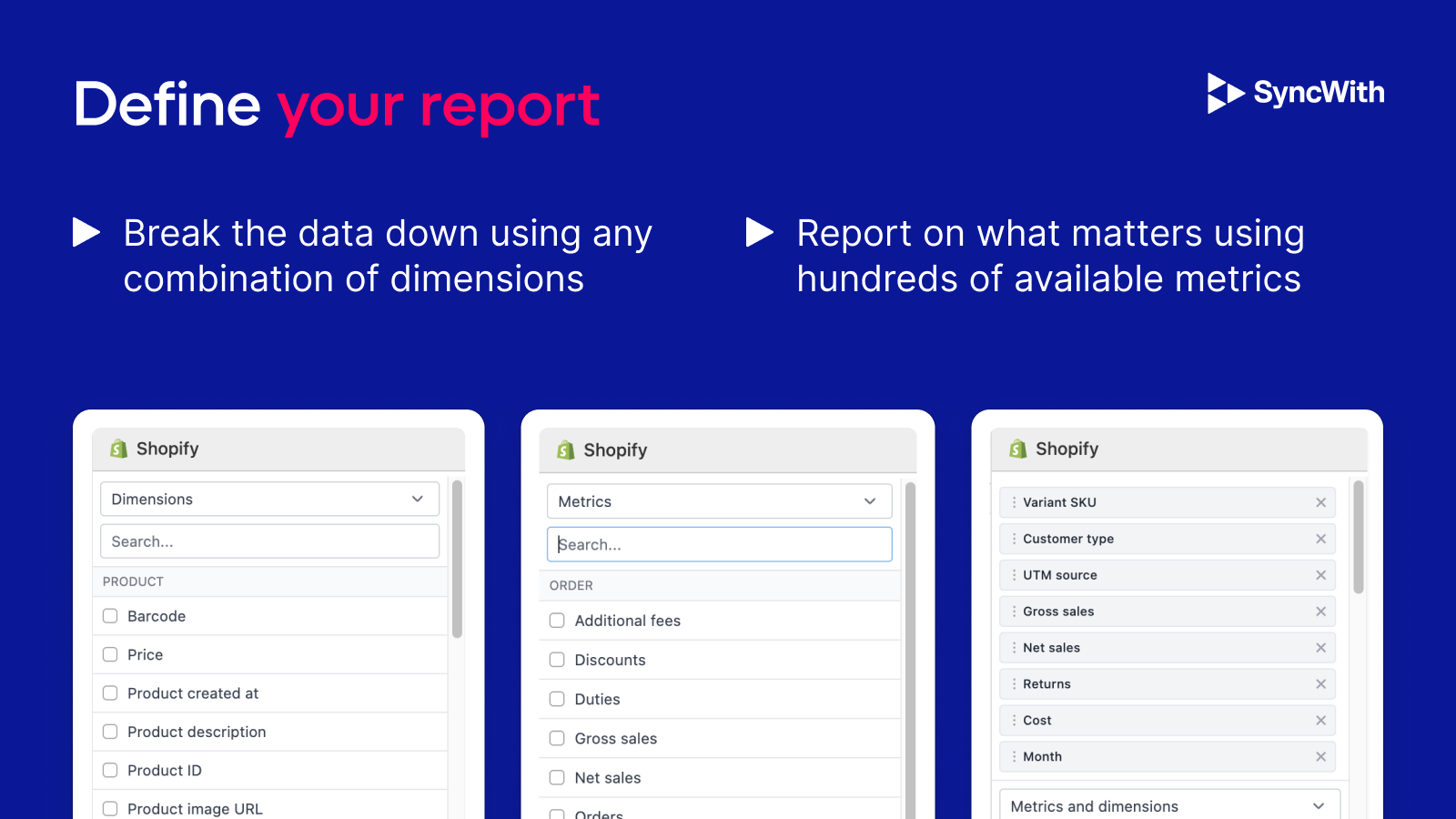
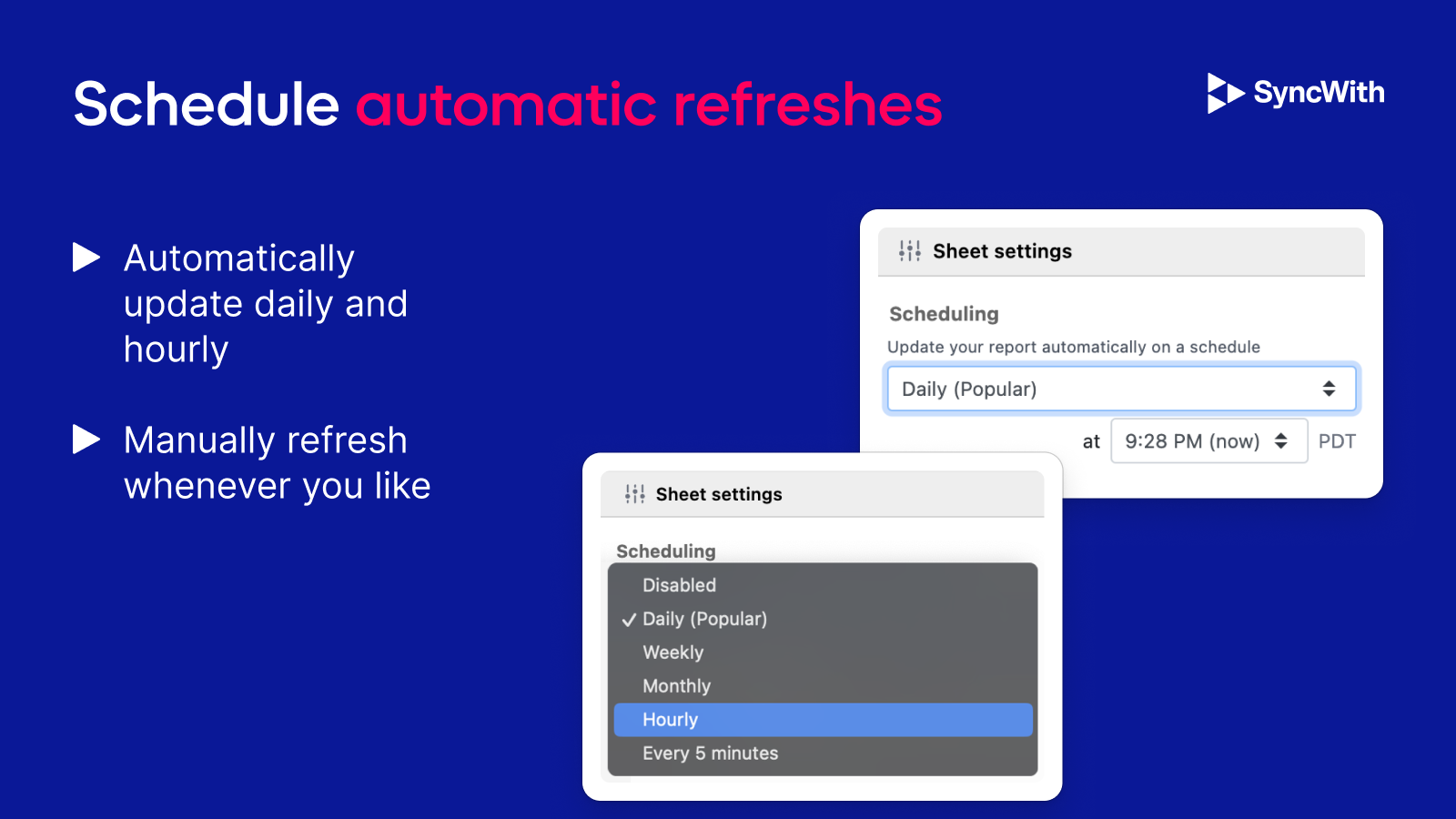
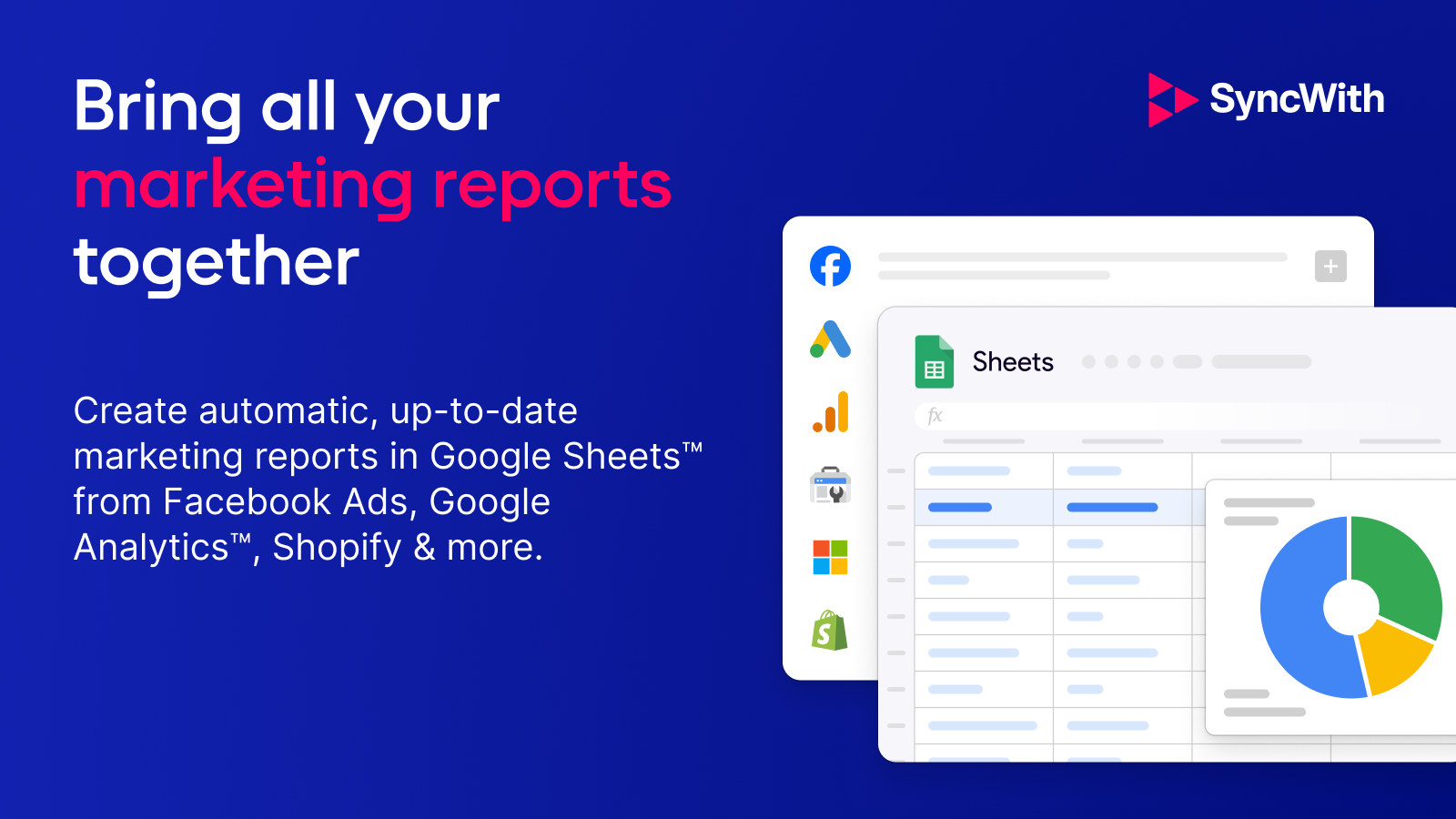
Organize orders, products, and more in Google Sheets and compile reports.
SyncWith Google Sheets, Looker pricing plans
Not sure which plan to pick? Discuss Free or Premium plans with us, learn about custom pricing, or get a demo.
The app has 2 pricing plans: 1 free and 1 paid. The free plan offered by SyncWith Google Sheets, Looker is Free. The paid plan offered by SyncWith Google Sheets, Looker is Premium.
The details of the plans are outlined below.
| Pricing summary | Free plan available. Free trial available. |
| Total pricing plan(s) | 2 |
| Number of free plan(s) | 1 |
| Number of paid plan(s) | 1 |
| Cost of paid plan(s) | $4.99 |
| Free trial available | Yes, for 7 day(s) |
For further information regarding SyncWith Google Sheets, Looker pricing plans, see the official website.
The table below highlights the crucial differences between SyncWith Google Sheets, Looker and similar other Shopify apps based on parameters like ratings, reviews, features, pricing, etc.
| Apps | Add app | |||
| General information | ||||
| Ratings | 4.5 ★ (10 reviews) | 4.7 ★ (926 reviews) | 4.9 ★ (414 reviews) | |
| Developed by | SyncWith | SyncX | InfoShore | |
| Launch date | 10 August 2021 | 15 May 2014 | 20 October 2017 | |
| Pricing | Free, $4.99/month | Free, $7/month, $10/month, $300/month | Free, $19.99/month, $29.99/month, $69.99/month | |
| Objective | Organize orders, products, and more in Google Sheets and compile reports. | Set up automatic synchronization for current and new inventory products. | Import from eBay seller account with live inventory update. | |
| Categories | Inventory sync, Store data importer | Store data importer, Inventory sync | Inventory sync, Store data importer | |
| Key features & highlights | ||||
| Purpose | Save time by making reporting processes automatic. Download CSVs or get a continually updated Google Sheet. | Automate the process of importing new products and updating inventory levels from several suppliers. | eBay Professional Importer helps to bring in eBay products and keeps inventory updated in real time. | |
| Features list |
|
|
| |
| Highlights | — |
|
| |
| User reviews and ratings | ||||
| Recommended | 100.0% | 92.9% | 94.1% | |
| Pros |
|
|
| |
| Cons |
|
|
| |
| Pricing and plans | ||||
| Total pricing plans | 2 | 4 | 4 | |
| Free plan | Available | Available | Available | |
| Free trial | Yes, for 7 day(s) | Yes, for 3 day(s) | No | |
| Technical information | ||||
| Rating | 4.5 ★ | 4.7 ★ | 4.9 ★ | |
| Total reviews | 9 | 947 | 424 | |
| Launch date | 10 August 2021 | 15 May 2014 | 20 October 2017 | |
SyncWith is a tool that manages your business workflow and reduces errors commonly made during manual updates in spreadsheets. It's beneficial for merchants as it enables the building of interactive dashboards, cleans product SKUs, exports discount code usage data, and tracks ROI on ad spend against Shopify order volume.
The app is a data integration tool designed to sync Shopify store data with external platforms like Google Sheets, enabling automated reporting and analysis. Its key features include seamless data export, customizable filtering, and support for additional data sources like Google Analytics and Facebook. The app is noted for its user-friendly interface, flexibility in handling custom API calls, and robust customer support. Strengths include reliable performance, ease of setup, and the ability to schedule automated refreshes. However, limitations include a recent shift from a free to a paid model with restricted refreshes for basic plans, which may disrupt workflows for some users. Occasional integration issues and unclear communication about pricing changes have been reported. Despite these drawbacks, the app is positioned as a competitive solution for advanced data aggregation and reporting needs.
For any questions, concerns, or assistance with SyncWith Google Sheets, Looker, the dedicated support team is readily available to help. To reach out to the support team, users can send an email to [email protected].
Details of the SyncWith Google Sheets, Looker are available in various languages on the Shopify app store, including English.
| Support email | hello |
| Contact number(s) | Not available |
| FAQ page | Not available |
| Privacy policy | Privacy details |
| Language support | English |
The list of top Shopify apps, features or software tools that SyncWith Google Sheets, Looker seamlessly integrates with are given below.
| Name | SyncWith |
| Profile | See all apps by SyncWith |
| Website | View developer profile |
| Address | Victoria, BC |
How to install SyncWith Google Sheets, Looker on your Shopify store
Your name, email and store domain go straight to the SyncWith team.
SyncWith contacts you directly to arrange setup for your store.
Perfect your store’s functionality without the pressure to move on until you’re ready.
SyncWith Google Sheets, Looker has an overall rating of 5.0 stars from a total of 9 reviews on the Shopify app store. Of these, 9 (100.0%) are positive, 0 (0.0%) are neutral, and 0 (0.0%) are negative*.
*Ratings above four stars fall under positive review, three star reviews fall under neutral, and anything less than two stars falls under negative.
I integrated this a while ago, it helps me create beautiful reports connected to my ads platforms and shopify to calculate daily profits, shoutout to Alex for helping me with any questions i had.
Great app for creating reports, connects all data for easy reports.
This works perfectly for what we were trying to do!
Highly recommended. It works as advertised and for the 2 minor hiccups I had, the support has been super fast to address my problems and very kind (yes, my mistakes.. their code is fine :))
J'ai commencé par mettre une étoile à cette application, car après l'installation très vite il m'a été demandé de passer à une version payante pour pouvoir continuer à rafraîchir un tableau. J'ai donc désinstallé l'application. Le support m'a contacté et a insisté Indiquant que l'application était vraiment gratuite et qu'il fallait refaire un essai avec leur aide.En conclusion après plusieurs tests, l'application fonctionne très bien et est réellement gratuite (pour les utilisateurs de Shopify). Ils doivent enregistrer l'adresse mail associée au compte Google utilisé pour la déclarer gratuite (pour ce que j'ai compris).Le support a été très réactif.
Rankings, review momentum and install geography, refreshed weekly. Open the full charts for history, benchmarks and keyword detail.
Position and market share today
| CategoryInventory | #8 | 0.0% |
| Keywordgoogle sheets | #8 | 0.0% |
| KeywordAnalytics and reporting | #27 | — |
| KeywordScheduled export | #30 | — |
Cumulative reviews · last 6 months
The key features offered by SyncWith Google Sheets, Looker to Shopify store owners are:
Yes, SyncWith Google Sheets, Looker seamlessly integrates with other Shopify apps or tools, such as Create spreadsheet dashboards to display daily, storewise, or product-based sales., Use export discount code data for marketing research., Keep track of stock and predict when to refill high-demand items..
Yes, SyncWith Google Sheets, Looker offers a 7-day free trial on all its paid plans.
The app has 2 pricing plans: 1 free and 1 paid. The paid plan cost $4.99/month, and comes with a 7-day free trial period.
SyncWith Google Sheets, Looker uses USD for billing, with recurring and usage-based charges invoiced usually every 30 days.
Yes, SyncWith Google Sheets, Looker allows its subscribers to cancel or upgrade their subscription plan at any time.
Yes, SyncWith Google Sheets, Looker offers a dedicated support team for any kind of app-related assistance. To reach out to the support team, users can send an email to [email protected].
Please reach out to their support team at [email protected] to confirm its compatibility with your specific Shopify theme.
Set up automatic synchronization for current and new inventory products.

Import from eBay seller account with live inventory update.

Most popular Shopify apps on the market

Product reviews with pictures and videos for credibility and search engine optimization.

Display your products to billions of TikTok users.

Simplify all tasks and focus on your business.

Increase your brand visibility and communicate with customers on Shop.
Used SyncWith Google Sheets, Looker? Share your experience with other merchants.
I integrated this a while ago, it helps me create beautiful reports connected to my ads platforms and shopify to calculate daily profits, shoutout to Alex for helping me with any questions i had.
Great app for creating reports, connects all data for easy reports.
This works perfectly for what we were trying to do!
Highly recommended. It works as advertised and for the 2 minor hiccups I had, the support has been super fast to address my problems and very kind (yes, my mistakes.. their code is fine :))
So glad to hear its working well for you, glad we could help!ThanksAlex & the SyncWith team
J'ai commencé par mettre une étoile à cette application, car après l'installation très vite il m'a été demandé de passer à une version payante pour pouvoir continuer à rafraîchir un tableau. J'ai donc désinstallé l'application. Le support m'a contacté et a insisté Indiquant que l'application était vraiment gratuite et qu'il fallait refaire un essai avec leur aide.En conclusion après plusieurs tests, l'application fonctionne très bien et est réellement gratuite (pour les utilisateurs de Shopify). Ils doivent enregistrer l'adresse mail associée au compte Google utilisé pour la déclarer gratuite (pour ce que j'ai compris).Le support a été très réactif.
This app is super easy to use, I pull all my order data into a spreadsheet by product, to do analysis on sales. I also recently discovered that it's easy to filter to only some data, so I have set up a spreadsheet to share real time sales data with my affiliates, without sharing too much info with them.
Great tool, makes it easy to report on my store in Google Sheets and schedule them hourly. You can even pull in data from Google Analytics and Facebook!
Very easy and user friendly. I recommend it to everyone. It's free and it helped me a lot. Thank you so much.
ShopDigest is an independent directory of Shopify work. Developers, agencies and experts publish the projects they’ve actually shipped — migrations, rebuilds, custom apps, headless storefronts — with the results attached.
For merchants, that means judging a partner on evidence instead of a sales page: browse real builds in your category and budget, then reach out directly. For builders, it means one profile that keeps working after the project ships.
No commissions, no pay-to-rank placements. The best work rises because people save and follow it.
More about ShopDigestA portfolio directory for the Shopify ecosystem — builders publish, merchants browse, nobody buys a better position.