
Products import Wizard Shopify App by Dalibor Stojcevski

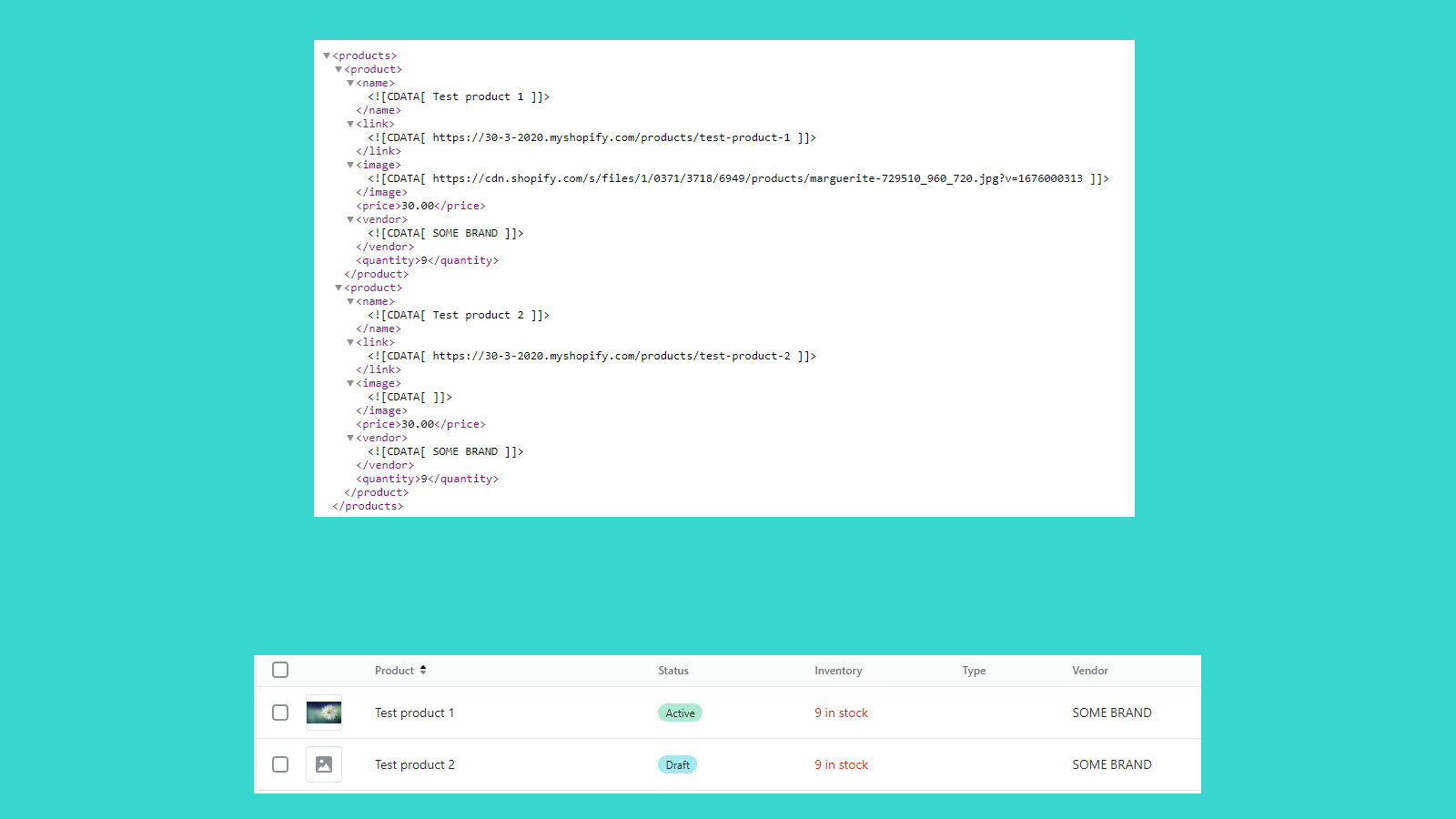
This app allows you to import products into your store from xml, cvs, json and Excel files. Will load products from a file and update if the product already exists.

3.7 9 reviewsFreePaid from $19/month

Install in your Shopify store We pass your name, email and store domain to the Dalibor Stojcevski team so they can help install and configure the app on your store.

.myshopify.com

Pros and cons

Pros and cons of Products import Wizard
Pros
  • Efficient Product Import: Handles large product catalogs smoothly and integrates well with platforms like Shopify.
  • Strong Support Team: Multiple users highlight responsive, helpful, and friendly customer support.
  • Feature-Rich and Flexible: Offers extensive functionality, including complex field mapping and metafield transfers.
  • Reliable Performance: The app is praised for its speed and stability during product imports.
Cons
  • Import Limitations: Users report restrictions on product quantities, with some hitting unexpected caps.
  • Setup Complexity: Several reviews mention difficulty in configuration due to limited documentation or tutorials.

Screenshots

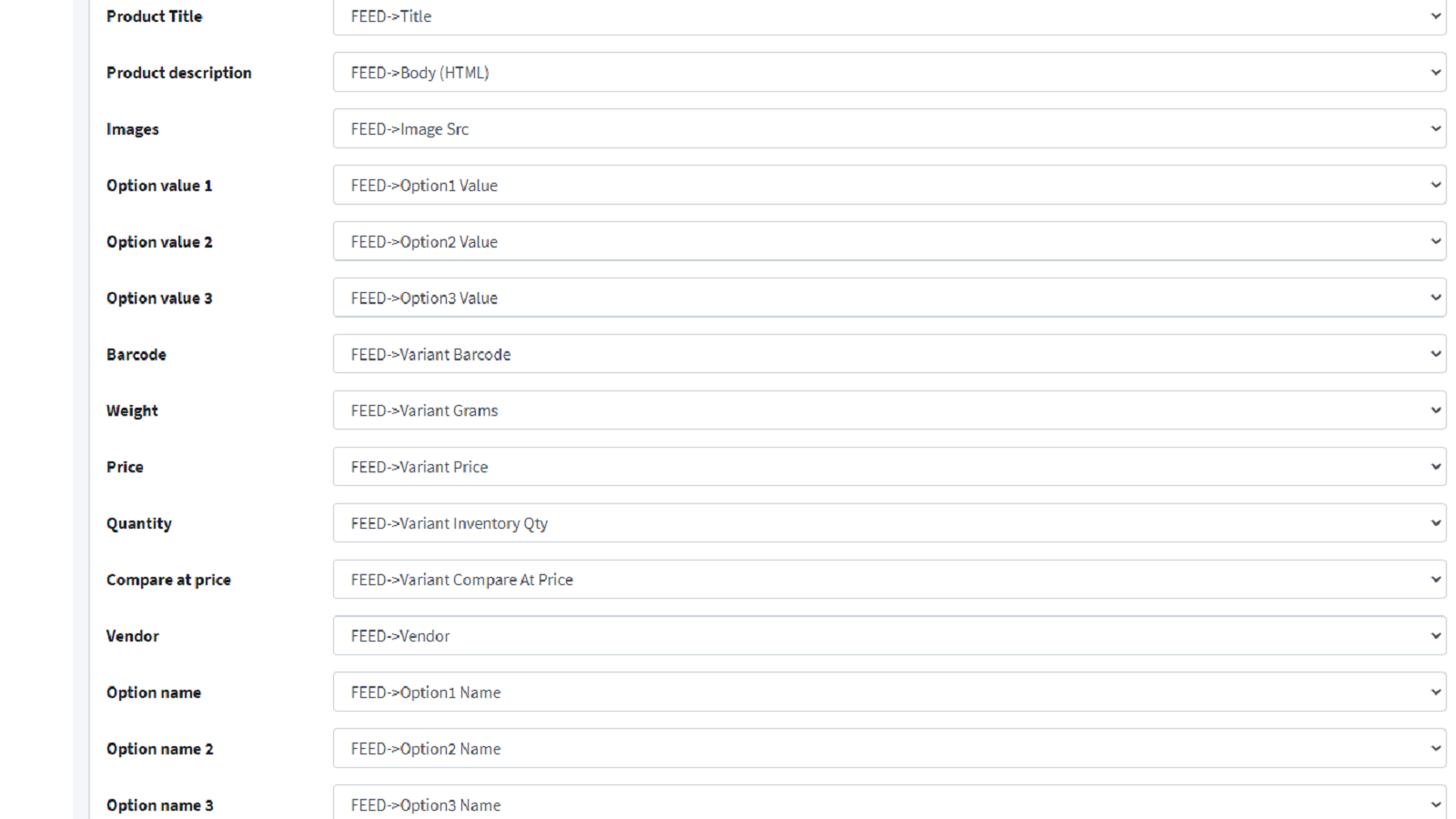
Products import Wizard Shopify app screenshot 1
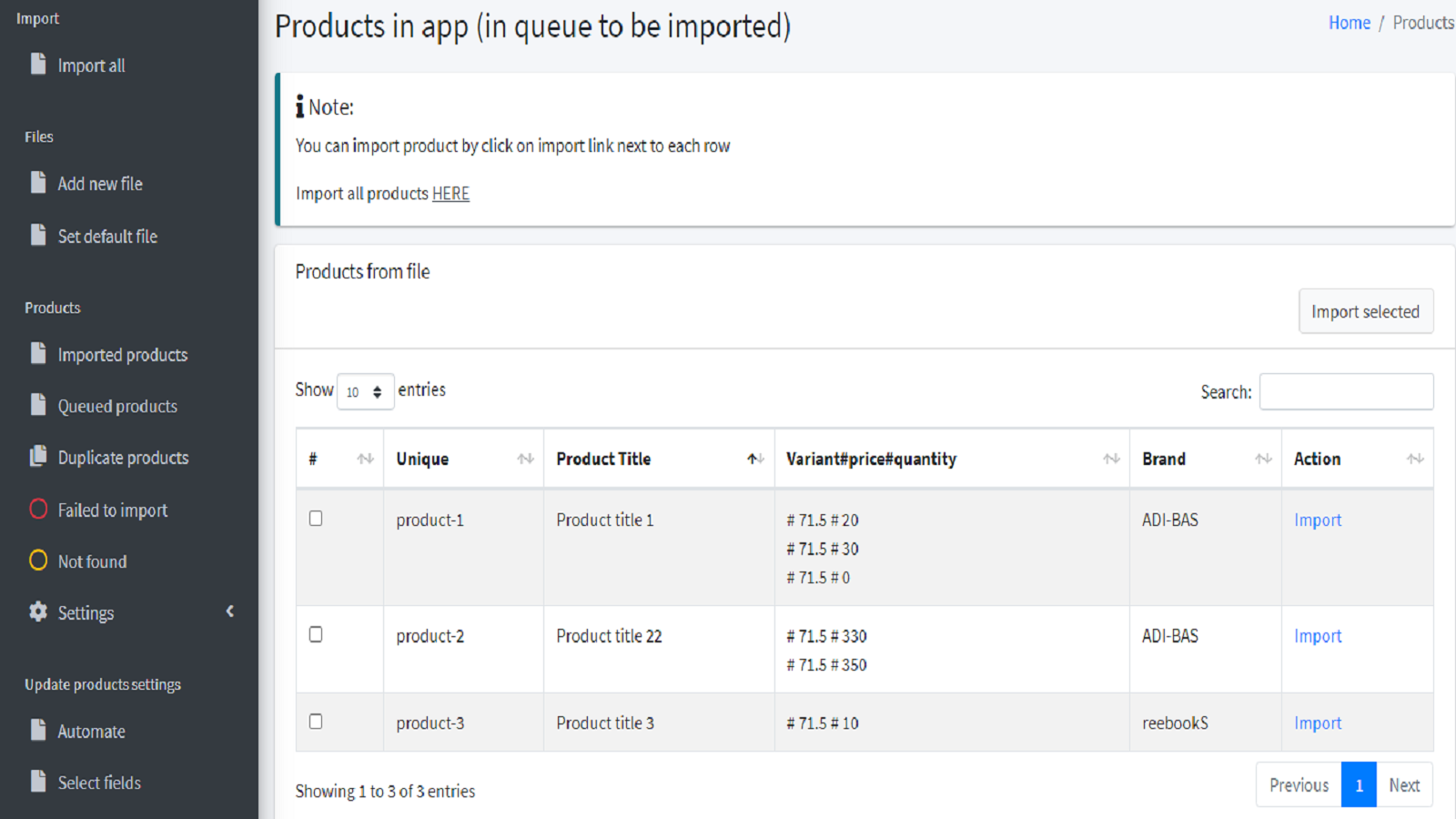
Products import Wizard Shopify app screenshot 2
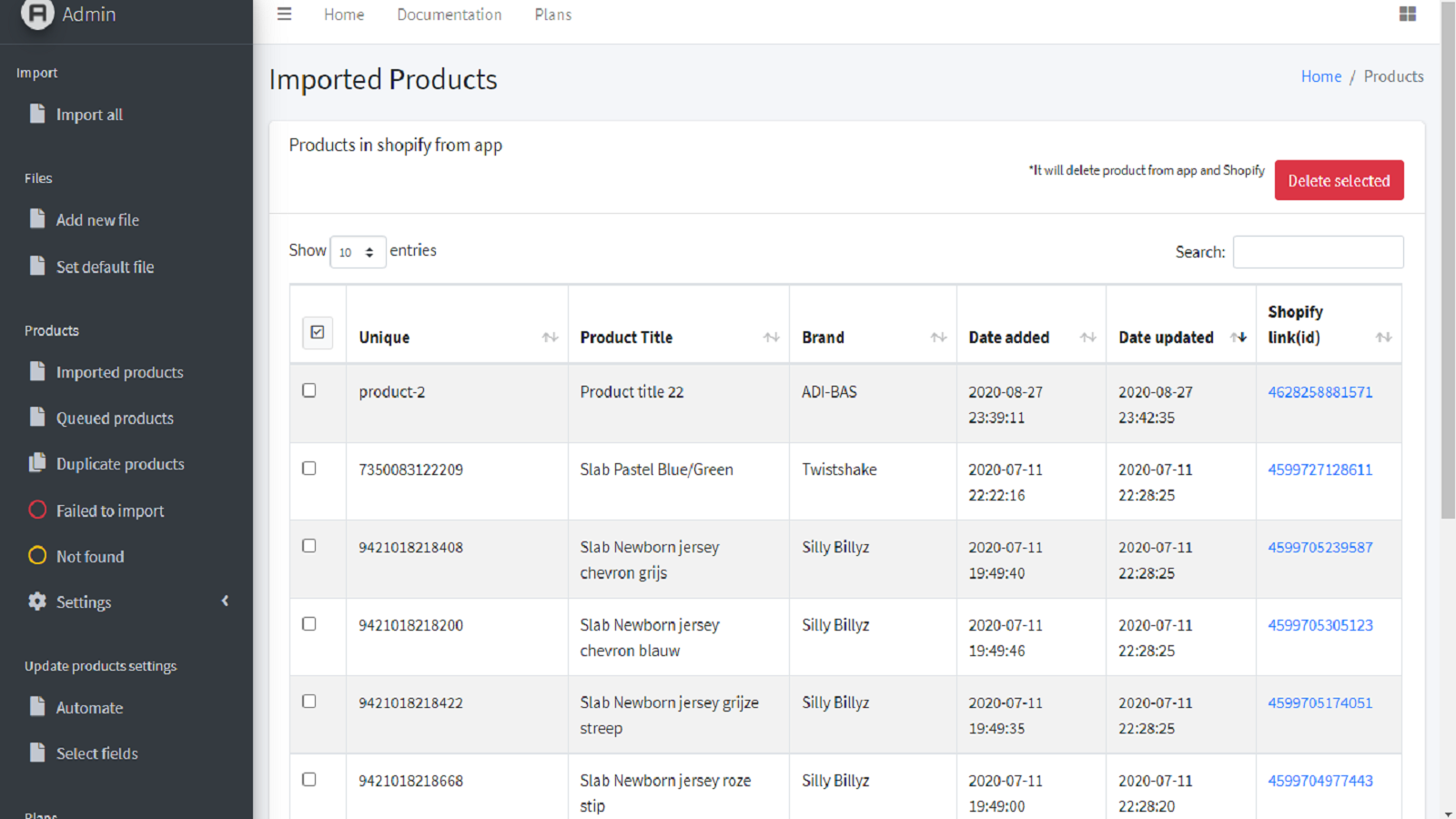
Products import Wizard Shopify app screenshot 3
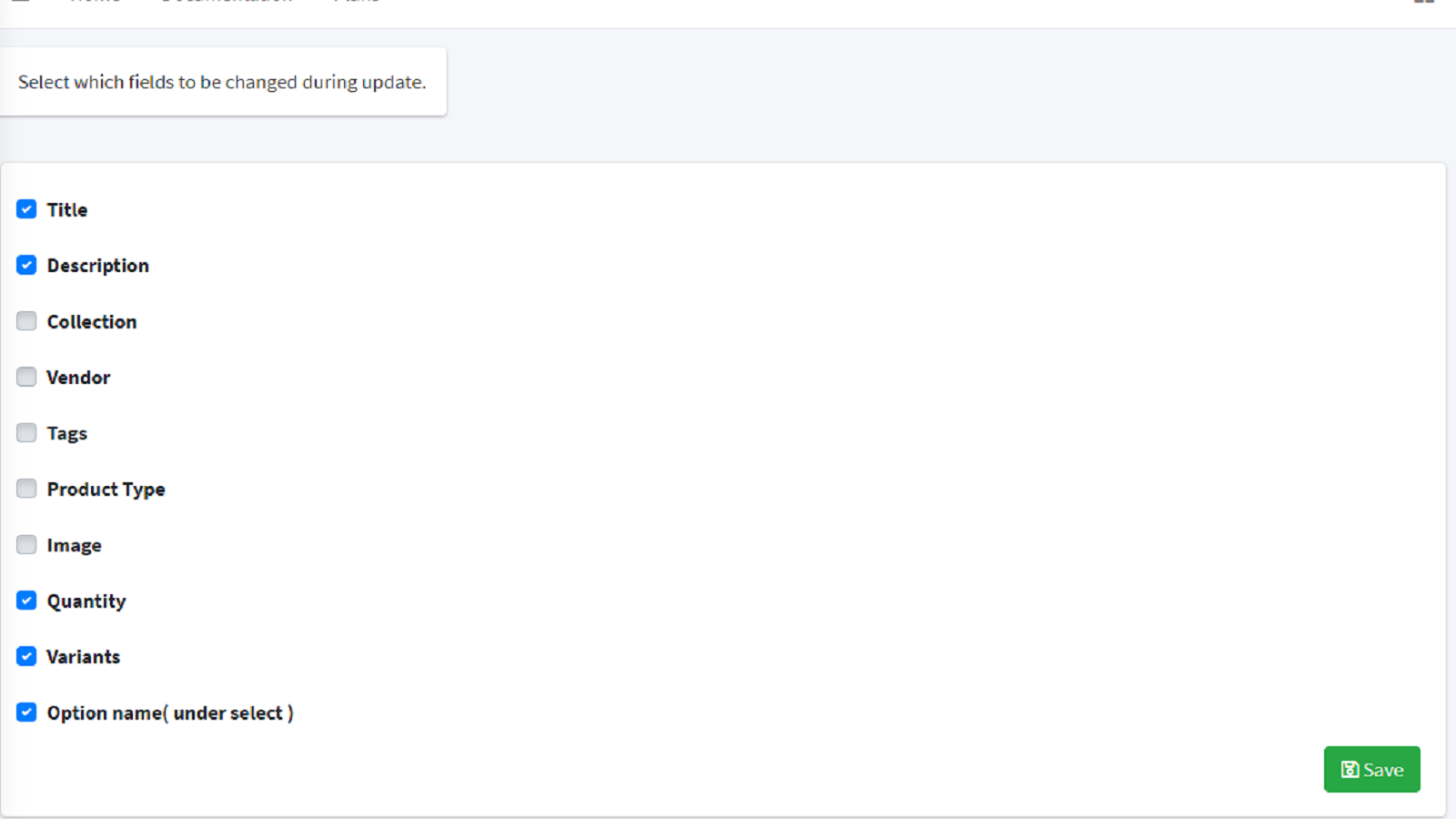
Products import Wizard Shopify app screenshot 4
Products import Wizard Shopify app screenshot 5

About the app

Will load products from a file and update if the product already exists.

  • Automated product updates: Automatic product updates and imports (not included in all plans)
  • Import/Update Preview: Select what to import/update and preview it before importing.
  • Product Filtering: Sort products based on brand, tags, amount, and so on.
  • File Modification: Change the original file's text, adjust the price, and establish rules for modifications.
  • Data Extraction: It can extract product information from certain websites.

Install in your Shopify store We pass your name, email and store domain to the Dalibor Stojcevski team so they can help install and configure the app on your store.

Keywords

product import Shopify appsExcel import Shopify appsCSV import Shopify appsJSON import Shopify appsXML import Shopify appsbulk product import Shopify appsautomated product update Shopify appsproduct data import Shopify appsimport from web Shopify appsproduct filter import Shopify appsprice update rules Shopify appspreview before import Shopify appsbrand filter import Shopify appsquantity filter import Shopify appstag filter import Shopify apps

Key features

  • Automatically update and import products from files or web links.
  • Preview and select specific data before importing or updating products.
  • Filter products by brand, tags, quantity, and other attributes.

Pricing

Products import Wizard pricing plans

Free
$0 /month
  • 10 file sources
  • Import 20 products
  • Import unlimited categories, variants
  • Constant app updates
Basic
$19 /month
  • 20 file sources
  • Import 10 000 products
  • Import unlimited categories, variants
  • Products will stay if you delete app
Professional
$49 /month
  • 30 file sources
  • Automatic import/update for all files
  • Import 40 000 products
  • Import unlimited categories, variant
Ultra
$99 /month
  • Unlimited file sources
  • Automatic import/update for all files
  • Import 100 000 products

Not sure which plan to pick? Discuss Free or Basic plans with us, learn about custom pricing, or get a demo.

Here’s an overview of Products import Wizard costs for each of the plan(s)

The app has 4 pricing plans: 1 free and 3 paid. The free plan offered by Products import Wizard is Free. The paid plans offered by Products import Wizard are Basic, Professional, Ultra.

The details of the plans are outlined below.

  • Free: this plan is free forever, incurring no subscription costs. It offers a wide range of features like 10 file sources, Import 20 products, Import unlimited categories, variants, Constant app updates.
  • Basic: the Basic plan costs $19 and has no free trial period. The plan offers a host of features, including 20 file sources, Import 10 000 products, Import unlimited categories, variants, Products will stay if you delete app.
  • Professional: the Professional plan costs $49 and has no free trial period. The plan offers a host of features, including 30 file sources, Automatic import/update for all files, Import 40 000 products, Import unlimited categories, variant.
  • Ultra: the Ultra plan costs $99 and has no free trial period. The plan offers a host of features, including Unlimited file sources, Automatic import/update for all files, Import 100 000 products.

Products import Wizard price summary

Pricing summaryFree plan available
Total pricing plan(s)4
Number of free plan(s)1
Number of paid plan(s)3
Cost of paid plan(s)$19, $49, $99
Free trial availableNo

Install in your Shopify store We pass your name, email and store domain to the Dalibor Stojcevski team so they can help install and configure the app on your store.

Comparison

Top Products import Wizard alternatives — detailed comparison

The table below highlights the crucial differences between Products import Wizard and similar other Shopify apps based on parameters like ratings, reviews, features, pricing, etc.

Apps
Products import WizardInstall
Add app
General information
Ratings3.7 ★ (9 reviews)4.1 ★ (2,122 reviews)4.9 ★ (1,775 reviews)
Developed byDalibor StojcevskiShopifyITissible
Launch date13 November 201919 September 20177 July 2017
PricingFree, $19/month, $49/month, $99/monthFreeFree, $20/month, $50/month, $200/month
ObjectiveWill load products from a file and update if the product already exists.A single app for top-selling platforms worldwide.Easily transfer, update or move large data amounts.
CategoriesStore data importerMarketplaces, Store data importerBulk editor, Store data importer
Key features & highlights
PurposeThis app allows you to import products into your store from xml, cvs, json and Excel files.Sell on the largest marketplaces. Handle and complete all orders within Shopify.The Matrixify app lets you handle large amounts of store data by allowing you to import, export, update, and transfer it.
Features list
  • Automatically update and import products from files or web links.
  • Preview and select specific data before importing or updating products.
  • Filter products by brand, tags, quantity, and other attributes.
  • Sync Shopify product listings with multiple marketplaces in real time.
  • Manage orders and inventory across all connected platforms from one dashboard.
  • Automatically convert prices to local currencies for global sales.
  • Import and export store data using Excel, Google Sheets, or CSV files.
  • Migrate data seamlessly from platforms like Magento, WooCommerce, and BigCommerce.
  • Schedule automatic recurring import and export jobs for efficiency.
Highlights—
  • Based in India
  • Based in France
User reviews and ratings
Recommended55.6%81.8%97.5%
Pros
  • Handles large product catalogs smoothly and integrates well with platforms like Shopify.
  • Multiple users highlight responsive, helpful, and friendly customer support.
  • Offers extensive functionality, including complex field mapping and metafield transfers.
  • The app is praised for its speed and stability during product imports.
  • Many users describe it as the best tool in its category, with intuitive setup for some.
  • Effortlessly syncs inventory, pricing, and listings across Amazon, eBay, and Shopify, reducing manual work.
  • 24/7 live chat assistance with prompt, knowledgeable, and solution-oriented responses.
  • Automates order processing and inventory updates, streamlining operations for high-volume sellers.
  • Intuitive onboarding process with helpful guidance for linking marketplaces to Shopify.
  • Stable and glitch-free operation for eBay integration, praised by long-term users.
  • Efficiently manage large catalogs with bulk editing tools for listings and inventory.
  • Support team actively troubleshoots and resolves technical problems in real-time.
  • Enhances marketplace visibility and sales performance through accurate syncing.
  • Enables quick and seamless bulk updates for large product catalogs.
  • Highly responsive and helpful support team, often praised for quick resolutions.
  • Significantly reduces manual work, saving hours or even days on tasks.
  • Clear tutorials and guides that assist users in navigating the app’s features.
  • Simplifies complex migrations from other platforms to Shopify.
  • Intuitive design that makes bulk operations straightforward.
  • Consistently delivers fast and error-free imports/exports.
  • Supports a wide range of data manipulations, including metafields and custom exports.
  • Regular improvements and new features added without price hikes.
  • Convenient communication channel for real-time support.
Cons
  • Users report restrictions on product quantities, with some hitting unexpected caps.
  • Several reviews mention difficulty in configuration due to limited documentation or tutorials.
  • Some users faced problems with bulk imports, requiring manual uploads instead.
  • Frequent sync issues and delays, often attributed to Amazon’s API limitations.
  • Buggy performance, category mismatches, and listing errors leading to policy violations.
  • Laggy interface, especially for large inventories, hindering productivity.
  • Critical inventory and order sync issues with Walmart, unresolved despite support claims.
  • Cost-prohibitive for smaller sellers, with limited affordable tier options.
  • Basic tier may be slow for extensive data, requiring a pricier plan.
  • Initial setup and feature mastery can be overwhelming for new users.
Pricing and plans
Total pricing plans414
Free planAvailableAvailableAvailable
Free trialNoNoNo
Technical information
Rating3.7 ★4.1 ★4.9 ★
Total reviews92,1491,908
Launch date13 November 201919 September 20177 July 2017

More details about Products import Wizard

Product description

This app facilitates stock synchronization across stores and provides an automated process for product updates and imports, including those via a provider link. A one month subscription allows a one-time import of products and collections without further updates.

AI summary

This Shopify app specializes in bulk product imports, particularly from XML or CSV feeds, and handles large catalogs efficiently, including complex requirements like variant mapping, price calculations, and metafield transfers. It supports high-volume imports, though Shopify’s inherent variant limits (e.g., 1,000 variants/day after 50,000) may slow the process. The app is noted for its flexibility, speed, and robust support, which is responsive and assists with troubleshooting or custom requests. However, some users encounter challenges with setup complexity, limited documentation, and occasional technical issues like domain access errors or unexpected import restrictions (e.g., caps on free-tier imports). While it excels for advanced users with large inventories, the learning curve and occasional inconsistencies in bulk upload functionality may pose difficulties for less technical users or those with simpler needs.

Support

For any questions, concerns, or assistance with Products import Wizard, the dedicated support team is readily available to help. To reach out to the support team, users can send an email to [email protected].

Language support

Details of the Products import Wizard are available in various languages on the Shopify app store, including English.

Products import Wizard support information in a nutshell
Support emaildal_sto@yahoo.com
Contact number(s)Not available
FAQ pageNot available
Privacy policyPrivacy details
Language supportEnglish
Integration

The list of top Shopify apps, features or software tools that Products import Wizard seamlessly integrates with are given below.

No integration details available.

Developer
NameDalibor Stojcevski
WebsiteView developer profile
Addresszhil vern, Skopje, 1000

Installation

How to install Products import Wizard on your Shopify store

1

Send your details

Your name, email and store domain go straight to the Dalibor Stojcevski team.

2

The developer gets in touch

Dalibor Stojcevski contacts you directly to arrange setup for your store.

3

Install at your own pace

Perfect your store’s functionality without the pressure to move on until you’re ready.

Customer reviews

3.7
★★★★☆
9 total reviews
55
40
32
20
12

Products import Wizard has an overall rating of 3.7 stars from a total of 9 reviews on the Shopify app store. Of these, 5 (55.6%) are positive, 2 (22.2%) are neutral, and 2 (22.2%) are negative*.

*Ratings above four stars fall under positive review, three star reviews fall under neutral, and anything less than two stars falls under negative.

★★★★★ALLPOWERBGfrom Bulgaria · 11 June 2024

I am happy with the app and support so far! Miroslav Bochev

★★★★★Samsuns Groupfrom Germany · 13 March 2022

It transfers categories and metafields very successfully. They are helpful even though it is difficult to communicate when there is a problem.

★★★★★Elegantéfrom Australia · 6 July 2021

This app does majority of what our store needs. It's fast and has a lot of features & flexibility. Most of all, support is the best, responds to inquiries swiftly and tackles issues asap. Very reliable.

★★★★★fietsaccessoires.nlfrom Netherlands · 11 October 2020

We like this app! Thank you for your kindly support We like this app! Thank you for your kindly support

★★★☆☆Tiendas Rosyfrom Honduras · 5 May 2022

I want to import more than 100,000 products, what can I do? I'm paying for the 99$ plan but is to small for me.

Install in your Shopify store We pass your name, email and store domain to the Dalibor Stojcevski team so they can help install and configure the app on your store.

Performance on the App Store

Rankings, review momentum and install geography, refreshed weekly. Open the full charts for history, benchmarks and keyword detail.

Category rank
#3
Moving your WooCommerce store
Total reviews
9
No change vs 30 days ago
Average rating
3.7 ★
0.00 vs 30 days ago
Top market
BG
29.6% of installs

Category & keyword rankings

Position and market share today

CollectionMoving your WooCommerce store#30.0%
Keywordproduct importers#32—
KeywordScheduled import#48—
KeywordLarge file support#50—

Reviews trend

Cumulative reviews · last 6 months

9 → 9 reviews · rating steady at 3.7★
Ranks #3 in 1 of 5 App Store groups tracked.Open full charts →

Products import Wizard FAQs

How do I install the Products import Wizard Shopify app?
To install Products import Wizard on your Shopify store, click on the Products import Wizard installation link. Login to the Shopify store on which you want to install the app and follow the onboarding process. If you need our expert guidance to help you install Products import Wizard on your Shopify store, then contact us now.
What are the key features of Products import Wizard?

The key features offered by Products import Wizard to Shopify store owners are:

  • Automated update and import new products
  • Select products and fields to import or update with preview
  • Filter products by brand, tags, quantity, and other fields
  • Replace text, modify prices, and apply custom import rules
  • Import products from provider pages and keep imported products after uninstall
Does Products import Wizard integrate with other Shopify apps or tools?

Yes, Products import Wizard seamlessly integrates with other Shopify apps or tools, such as Automatic product updates and imports (not included in all plans), Select what to import/update and preview it before importing., Sort products based on brand, tags, amount, and so on..

Is there a free trial available for Products import Wizard?

No, Products import Wizard does not offer any free trial.

What are the pricing plans for Products import Wizard?

The app has 4 pricing plans: 1 free and 3 paid. The paid plans cost $19/month, $49/month, $99/month and have no free trial period.

How does billing work for Products import Wizard?

Products import Wizard uses USD for billing, with recurring and usage-based charges invoiced usually every 30 days.

Can I cancel or upgrade my subscription plan at any time?

Yes, Products import Wizard allows its subscribers to cancel or upgrade their subscription plan at any time.

Does Products import Wizard offer customer support?

Yes, Products import Wizard offers a dedicated support team for any kind of app-related assistance. To reach out to the support team, users can send an email to [email protected].

Is Products import Wizard compatible with my Shopify theme?

Please reach out to their support team at [email protected] to confirm its compatibility with your specific Shopify theme.

Alternatives

Most popular

Most popular Shopify apps on the market

Install in your Shopify store We pass your name, email and store domain to the Dalibor Stojcevski team so they can help install and configure the app on your store.

.myshopify.com
3.7★★★★☆9 reviews · 55.6% positive

Used Products import Wizard? Share your experience with other merchants.

  • AL
    ALLPOWERBGBulgaria · 11 Jun 2024
    ★★★★★

    I am happy with the app and support so far! Miroslav Bochev

  • SG
    Samsuns GroupGermany · 13 Mar 2022
    ★★★★★

    It transfers categories and metafields very successfully. They are helpful even though it is difficult to communicate when there is a problem.

  • EL
    ElegantéAustralia · 6 Jul 2021
    ★★★★★

    This app does majority of what our store needs. It's fast and has a lot of features & flexibility. Most of all, support is the best, responds to inquiries swiftly and tackles issues asap. Very reliable.

  • FI
    fietsaccessoires.nlNetherlands · 11 Oct 2020
    ★★★★★

    We like this app! Thank you for your kindly support We like this app! Thank you for your kindly support

  • TR
    Tiendas RosyHonduras · 5 May 2022
    ★★★☆☆

    I want to import more than 100,000 products, what can I do? I'm paying for the 99$ plan but is to small for me.

    DS
    Dalibor StojcevskiDeveloper5 May 2022

    How much products you need to import?

  • CÈ
    Concetto èItaly · 24 May 2021
    ★★★☆☆

    The idea is cool but I believe there is a lot of space for imprvement. It's not easy to set up, it requires a lot of time and the documentation and tutorials are really few.I know it's a pretty hard field to deal with, but I believe an app should make hard tasks a bit easier. I will be happy to try it again when it will be more user friendly.

    DS
    Dalibor StojcevskiDeveloper17 May 2021

    Thanks for review. We are working to improve user interface.

About ShopDigest

The Shopify ecosystem, shown through the work

ShopDigest is an independent directory of Shopify work. Developers, agencies and experts publish the projects they’ve actually shipped — migrations, rebuilds, custom apps, headless storefronts — with the results attached.

For merchants, that means judging a partner on evidence instead of a sales page: browse real builds in your category and budget, then reach out directly. For builders, it means one profile that keeps working after the project ships.

No commissions, no pay-to-rank placements. The best work rises because people save and follow it.

More about ShopDigest
About ShopDigest

Show the work.
Win the work.

A portfolio directory for the Shopify ecosystem — builders publish, merchants browse, nobody buys a better position.

More about ShopDigest