

by ITissible
Easily transfer, update or move large data amounts.
Free plan · From $20/mo
Grow with ShopDigest. Programs for experts, developers and store owners.
Automatically remove products quickly! Remove multiple products at once, remove products according to collection.
Pros and cons of Kacha Delete Products In Bulk
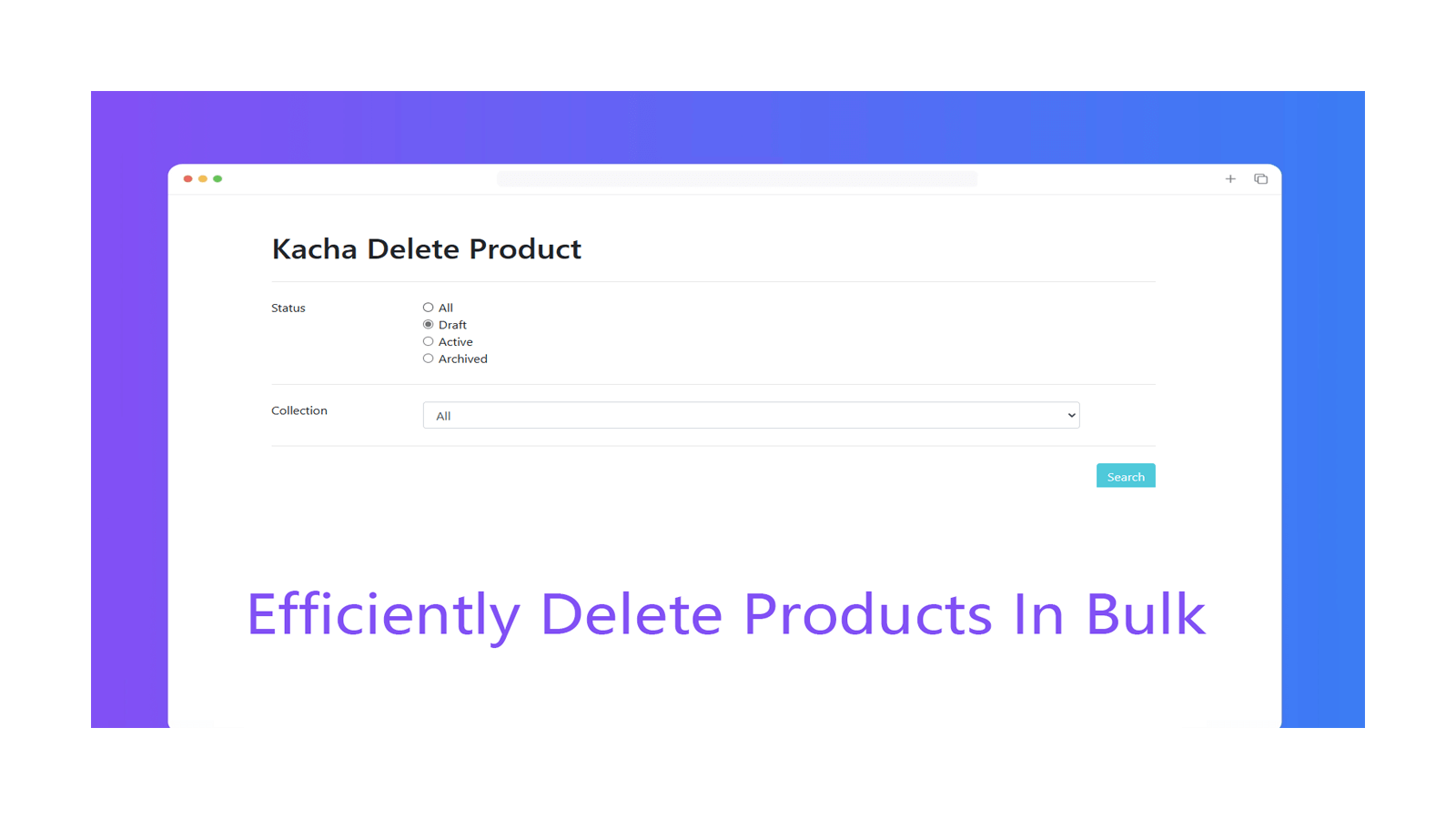
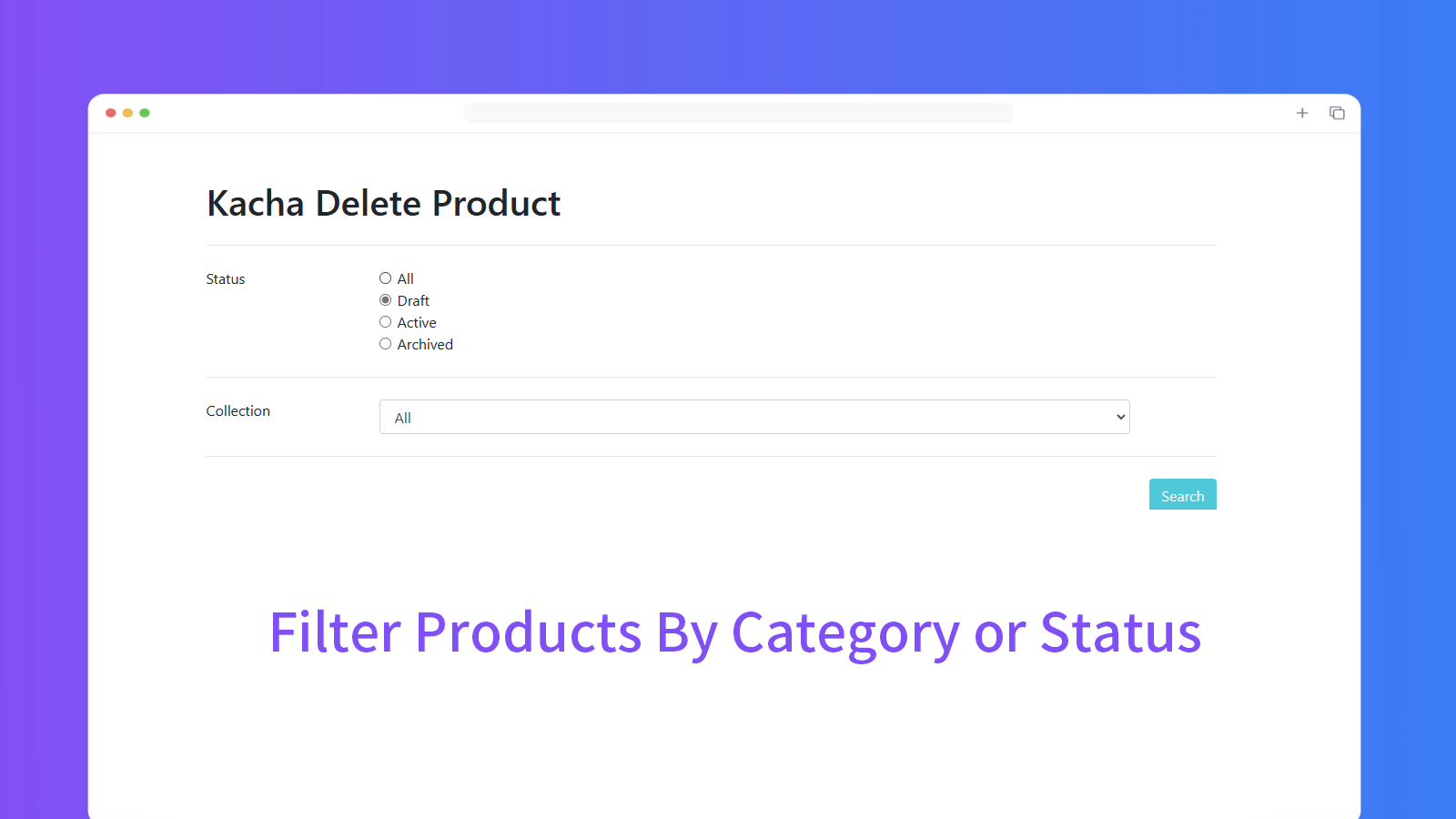
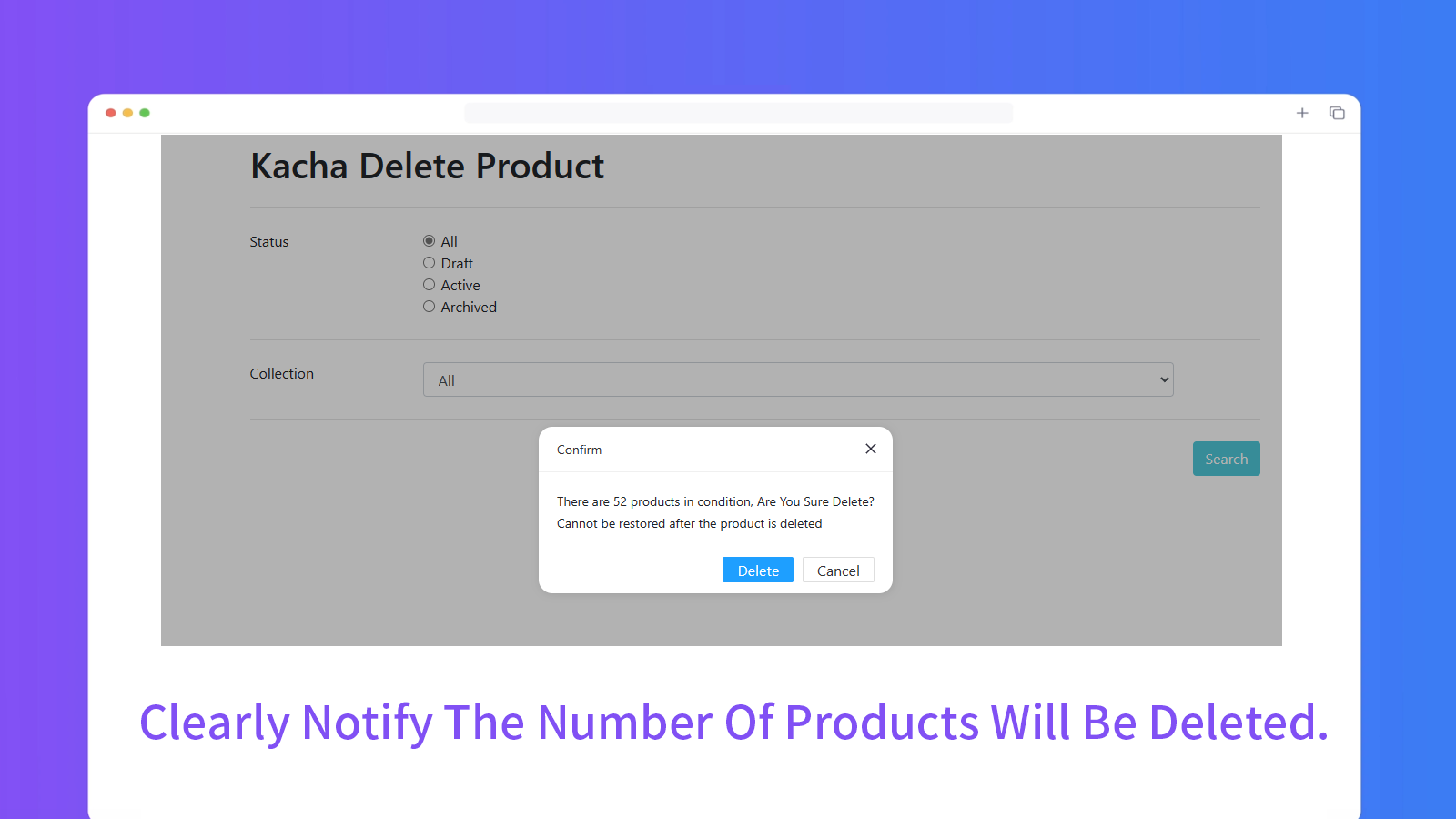
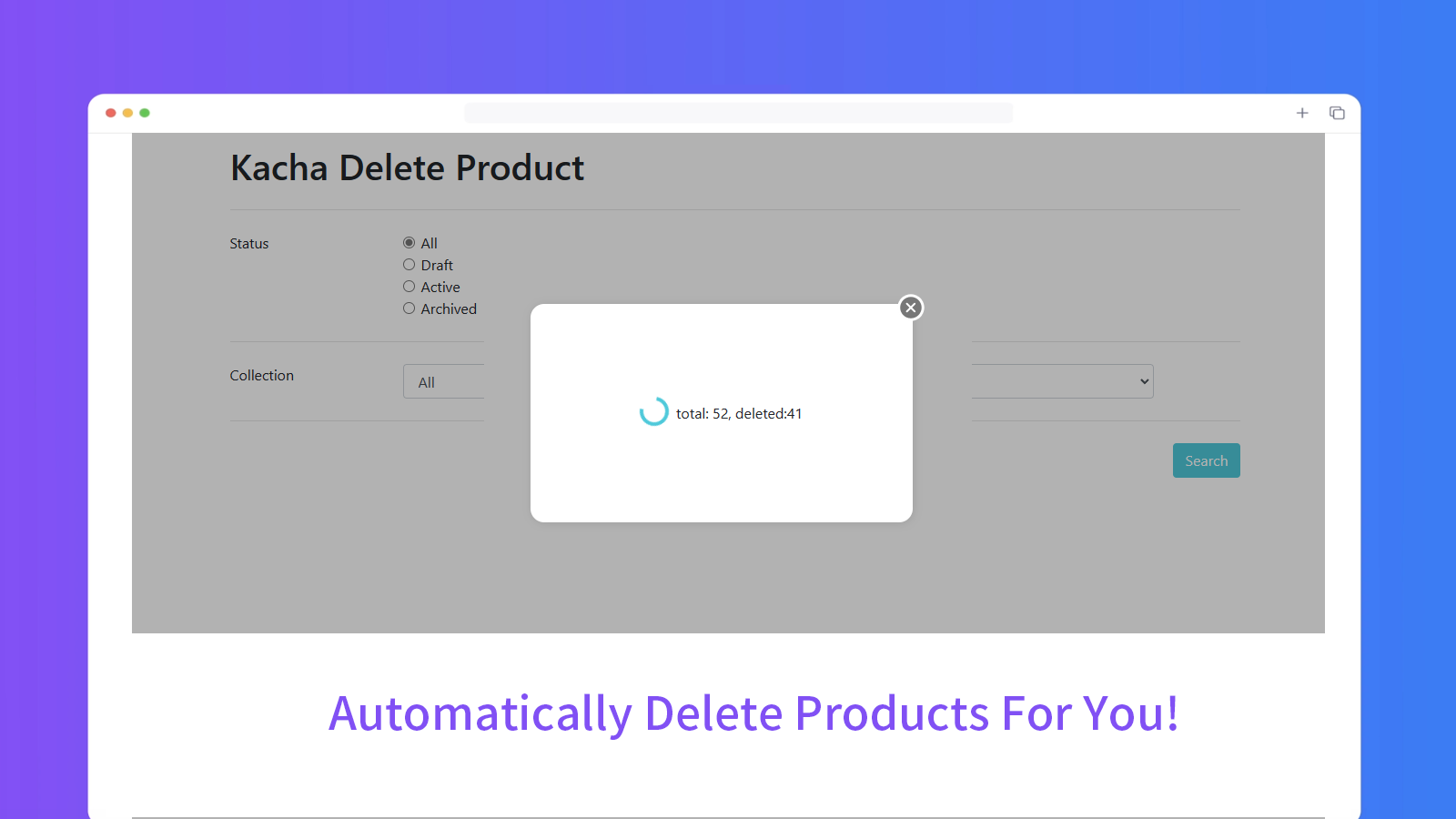
Remove multiple products at once, remove products according to collection.
Kacha Delete Products In Bulk pricing plans
Not sure which plan to pick? Discuss plans with us, learn about custom pricing, or get a demo.
The app has 1 pricing plan: 1 free and 0 paid. The free plan offered by Kacha Delete Products In Bulk is .
The details of the plans are outlined below.
| Pricing summary | Free |
| Total pricing plan(s) | 1 |
| Number of free plan(s) | 1 |
| Number of paid plan(s) | 0 |
| Free trial available | No |
The table below highlights the crucial differences between Kacha Delete Products In Bulk and similar other Shopify apps based on parameters like ratings, reviews, features, pricing, etc.
| Apps | Add app | |||
| General information | ||||
| Ratings | 4.9 ★ (124 reviews) | 4.9 ★ (1,775 reviews) | 3.9 ★ (36 reviews) | |
| Developed by | Bingo | ITissible | Photoroom SAS | |
| Launch date | 9 September 2021 | 7 July 2017 | 6 March 2023 | |
| Pricing | Free | Free, $20/month, $50/month, $200/month | Free | |
| Objective | Remove multiple products at once, remove products according to collection. | Easily transfer, update or move large data amounts. | Bulk edit product photos: optimized, consistent catalog images | |
| Categories | Bulk editor | Bulk editor, Store data importer | Image editor, Bulk editor | |
| Key features & highlights | ||||
| Purpose | Automatically remove products quickly! | The Matrixify app lets you handle large amounts of store data by allowing you to import, export, update, and transfer it. | Make amazing product material quickly. | |
| Features list |
|
|
| |
| Highlights | — |
|
| |
| User reviews and ratings | ||||
| Recommended | 97.6% | 97.3% | 61.1% | |
| Pros |
|
|
| |
| Cons |
|
|
| |
| Pricing and plans | ||||
| Total pricing plans | 0 | 4 | 0 | |
| Free plan | Not available | Available | Not available | |
| Free trial | No | No | No | |
| Technical information | ||||
| Rating | 4.9 ★ | 4.9 ★ | 3.9 ★ | |
| Total reviews | 126 | 1,864 | 36 | |
| Launch date | 9 September 2021 | 7 July 2017 | 6 March 2023 | |
This tool is user-friendly and automatically deletes products based on your set conditions, eliminating the need for manual selection. It's a safe and efficient way to manage your products.
The app specializes in bulk deletion of Shopify products, including both active and draft items, with no hidden limits on the number of deletions. It performs significantly faster than manual deletion or competing tools, handling thousands of products in minutes, even scaling to over 100,000 items in some cases. The interface is straightforward, requiring minimal setup, and includes a progress tracker for large deletions. A key strength is its free availability, offering high efficiency without cost. However, some users note limitations in multi-collection selection and occasional crashes during extremely large deletions. While primarily designed for one-time or infrequent bulk cleanup rather than daily use, it reliably fulfills its core function, saving substantial time compared to Shopify’s native tools. The app is particularly useful for store resets, inventory overhauls, or removing legacy data.
For any questions, concerns, or assistance with Kacha Delete Products In Bulk, the dedicated support team is readily available to help. To reach out to the support team, users can send an email to [email protected].
Details of the Kacha Delete Products In Bulk are available in various languages on the Shopify app store, including English.
| Support email | happyxlq |
| Contact number(s) | Not available |
| FAQ page | Not available |
| Privacy policy | Privacy details |
| Language support | English |
The list of top Shopify apps, features or software tools that Kacha Delete Products In Bulk seamlessly integrates with are given below.
| Name | Bingo |
| Profile | See all apps by Bingo |
| Website | View developer profile |
| Address | Kowloon, KL |
How to install Kacha Delete Products In Bulk on your Shopify store
Your name, email and store domain go straight to the Bingo team.
Bingo contacts you directly to arrange setup for your store.
Perfect your store’s functionality without the pressure to move on until you’re ready.
Kacha Delete Products In Bulk has an overall rating of 4.9 stars from a total of 126 reviews on the Shopify app store. Of these, 123 (97.6%) are positive, 2 (1.6%) are neutral, and 1 (0.8%) are negative*.
*Ratings above four stars fall under positive review, three star reviews fall under neutral, and anything less than two stars falls under negative.
Delete works well. I recommend creating a collection of products without sales to make sure it deletes only products without analytics and reviews. Depending on the size of your product list, you might have to start the process again multiple times, but this is a big plus, as this is a passive process instead of having to select 50 products by hand.
I am happy I found this app. Easy to use, very helpful to delete multiple products at a time. I have not glitch issues.
I deleted all the products in bulk, I highly recommend it.
Great app to handle a simple task, this app is definitely better than the competitor's plugins.
Me ha ido supero bien , te ahorra un tiempo muy valioso. ok
Rankings, review momentum and install geography, refreshed weekly. Open the full charts for history, benchmarks and keyword detail.
Position and market share today
| KeywordBulk deletion | #8 | 0.0% ▲0.0 |
| Keywordbulk product management | #11 | 0.0% ▲0.0 |
| Keyworddelete account | #12 | 1.0% ▲0.4 |
| CategoryBulk editor | #46 | 0.3% ▲0.0 |
Cumulative reviews · last 6 months
The key features offered by Kacha Delete Products In Bulk to Shopify store owners are:
Yes, Kacha Delete Products In Bulk seamlessly integrates with other Shopify apps or tools, such as Several conditions to remove products, Completely automatic product extraction, Basic features and easy-to-use interface.
No, Kacha Delete Products In Bulk does not offer any free trial.
The app offers 1 plan that is forever-free.
Kacha Delete Products In Bulk is completely free to install and use. Additional charges may or may not apply.
Yes, Kacha Delete Products In Bulk allows its subscribers to cancel or upgrade their subscription plan at any time.
Yes, Kacha Delete Products In Bulk offers a dedicated support team for any kind of app-related assistance. To reach out to the support team, users can send an email to [email protected].
Please reach out to their support team at [email protected] to confirm its compatibility with your specific Shopify theme.
Easily transfer, update or move large data amounts.

Make amazing product material quickly.

Most popular Shopify apps on the market

Product reviews with pictures and videos for credibility and search engine optimization.

Display your products to billions of TikTok users.

Simplify all tasks and focus on your business.

Increase your brand visibility and communicate with customers on Shop.
Writing reviews on ShopDigest is coming soon.
Delete works well. I recommend creating a collection of products without sales to make sure it deletes only products without analytics and reviews. Depending on the size of your product list, you might have to start the process again multiple times, but this is a big plus, as this is a passive process instead of having to select 50 products by hand.
I am happy I found this app. Easy to use, very helpful to delete multiple products at a time. I have not glitch issues.
I deleted all the products in bulk, I highly recommend it.
Great app to handle a simple task, this app is definitely better than the competitor's plugins.
Me ha ido supero bien , te ahorra un tiempo muy valioso. ok
Super fast and very easy. Thank you for helping me with a tedious job of deleting almost 3000 variants of product
Super helpful tool i delited southands of products with this app fast recommended
Fantastic App, So glad a Free app does what major apps charge for
ShopDigest is an independent directory of Shopify work. Developers, agencies and experts publish the projects they’ve actually shipped — migrations, rebuilds, custom apps, headless storefronts — with the results attached.
For merchants, that means judging a partner on evidence instead of a sales page: browse real builds in your category and budget, then reach out directly. For builders, it means one profile that keeps working after the project ships.
No commissions, no pay-to-rank placements. The best work rises because people save and follow it.
More about ShopDigestA portfolio directory for the Shopify ecosystem — builders publish, merchants browse, nobody buys a better position.