

by Booking Appointly
Schedule & Meetings | Assistance | Occasions | Dates
Free plan · From $5/mo · 14d trial
Grow with ShopDigest. Programs for experts, developers and store owners.
Easily add a stunning calendar to your website to keep your audience updated about future events. Add or import events to your shop with RSVP, images and more
Pros and cons of InlightLabs ‑ Events Calendar
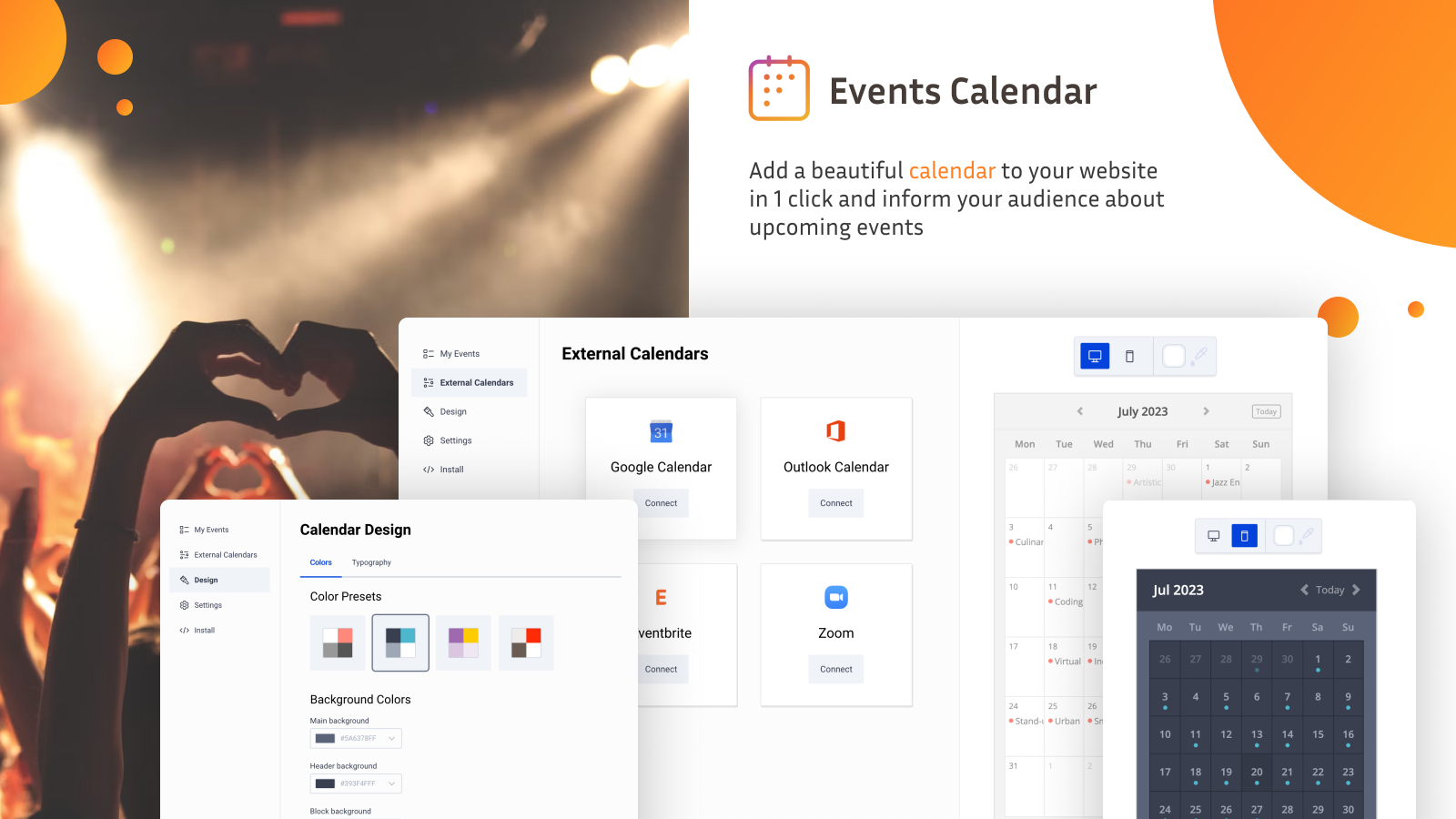


Add or import events to your shop with RSVP, images and more
InlightLabs ‑ Events Calendar pricing plans
Not sure which plan to pick? Discuss Free or Professional plans with us, learn about custom pricing, or get a demo.
The app has 4 pricing plans: 1 free and 3 paid. The free plan offered by InlightLabs ‑ Events Calendar is Free. The paid plans offered by InlightLabs ‑ Events Calendar are Professional, Business, Business+.
The details of the plans are outlined below.
| Pricing summary | Free plan available |
| Total pricing plan(s) | 4 |
| Number of free plan(s) | 1 |
| Number of paid plan(s) | 3 |
| Cost of paid plan(s) | $10, $25, $50 |
| Free trial available | No |
For further information regarding InlightLabs ‑ Events Calendar pricing plans, see the official website.
The table below highlights the crucial differences between InlightLabs ‑ Events Calendar and similar other Shopify apps based on parameters like ratings, reviews, features, pricing, etc.
| Apps | Add app | |||
| General information | ||||
| Ratings | 4.6 ★ (42 reviews) | 5.0 ★ (1,651 reviews) | 4.9 ★ (566 reviews) | |
| Developed by | inlight labs | Booking Appointly | 📆 Servicify | |
| Launch date | 7 August 2014 | 1 September 2021 | 7 July 2020 | |
| Pricing | Free, $10/month, $25/month, $50/month | Free, $5/month, $9/month | Free, $15/month, $29/month, $39/month | |
| Objective | Add or import events to your shop with RSVP, images and more | Schedule & Meetings | Assistance | Occasions | Dates | Schedule appointments, reservations, services, and events on your calendar. | |
| Categories | Event booking | Event booking, Digital products | Event booking, Retail | |
| Key features & highlights | ||||
| Purpose | Easily add a stunning calendar to your website to keep your audience updated about future events. | App for scheduling appointments, physical or virtual meetings, services, events, and more. | Schedule appointments, services, events on your calendar. Save time and increase your income easily. | |
| Features list |
|
|
| |
| Highlights | — | — | — | |
| User reviews and ratings | ||||
| Recommended | 75.0% | 99.8% | 98.8% | |
| Pros |
|
|
| |
| Cons |
|
|
| |
| Pricing and plans | ||||
| Total pricing plans | 4 | 3 | 4 | |
| Free plan | Available | Available | Available | |
| Free trial | No | Yes, for 14 day(s) | Yes, for 7 day(s) | |
| Technical information | ||||
| Rating | 4.6 ★ | 5.0 ★ | 4.9 ★ | |
| Total reviews | 44 | 1,668 | 573 | |
| Launch date | 7 August 2014 | 1 September 2021 | 7 July 2020 | |
The app allows you to add events with images, links and a 'save event' button. It also enables you to connect your Google, Outlook, Eventbrite and Zoom calendars, displaying all your events in one location.
The app is a Shopify-integrated events calendar designed for displaying and managing events, with features such as Google Maps integration, customizable colors, and options to display events as a list or traditional calendar. It supports linking to external ticketing or sales pages and allows customers to add events to their personal calendars. The free version permits up to five events, with a paid upgrade for unlimited entries. Strengths include ease of setup, intuitive interface, and responsive customer support. However, limitations include restricted customization, particularly in font styling and mobile responsiveness, with some reports of text truncation in event titles. Performance issues, such as slow loading times or occasional malfunctions, have been noted, along with inconsistencies in event retention and upgrade prompts. While the app suits basic event display needs, it lacks advanced features like native ticketing or seamless theme integration, and some users find the pricing model restrictive for small businesses.
For any questions, concerns, or assistance with InlightLabs ‑ Events Calendar, the dedicated support team is readily available to help. To reach out to the support team, users can send an email to [email protected]. Additionally, InlightLabs ‑ Events Calendar offers a comprehensive FAQ section to address common inquiries and provide self-help resources in their app FAQ section.
Details of the InlightLabs ‑ Events Calendar are available in various languages on the Shopify app store, including English.
| Support email | calendar.shop |
| Contact number(s) | Not available |
| FAQ page | FAQ details |
| Privacy policy | Privacy details |
| Language support | English |
The list of top Shopify apps, features or software tools that InlightLabs ‑ Events Calendar seamlessly integrates with are given below.
| Name | inlight labs |
| Profile | See all apps by inlight labs |
| Website | View developer profile |
| Address | Grizim, Tel-Aviv, 94104 |
How to install InlightLabs ‑ Events Calendar on your Shopify store
Your name, email and store domain go straight to the inlight labs team.
inlight labs contacts you directly to arrange setup for your store.
Perfect your store’s functionality without the pressure to move on until you’re ready.
InlightLabs ‑ Events Calendar has an overall rating of 4.1 stars from a total of 44 reviews on the Shopify app store. Of these, 33 (75.0%) are positive, 2 (4.5%) are neutral, and 9 (20.5%) are negative*.
*Ratings above four stars fall under positive review, three star reviews fall under neutral, and anything less than two stars falls under negative.
I absolutely love this app!!! It keeps me productive and my customers informed.
Really easy to use and set up. The features for creating recurring events are awesome.
Be Sew Creative has been using this app for over a year now. It is easy to use and allows our customers a quick way to see what is going on at our store.
I've been using the free tier for several months now and it's very easy to install and update. Customer service is super fast and friendly (thank you, Sasha!) and when my needs expand I know I'll be upgrading to paid with InlightLabs :)
We are currently using the free option as an independent artist. We find the app easy to use and it fits all our needs. As we grow, we will most likely upgrade and keep using as it's simple and straight forward to add events.
Rankings, review momentum and install geography, refreshed weekly. Open the full charts for history, benchmarks and keyword detail.
Position and market share today
| KeywordFeed customization | #3 | 1.7% ▲1.2 |
| Keywordevents calendar | #5 | 1.0% ▲0.4 |
| KeywordReview and approval | #8 | 0.2% ▲0.2 |
| KeywordSeasonal events | #16 | 0.3% ▲0.2 |
Cumulative reviews · last 6 months
The key features offered by InlightLabs ‑ Events Calendar to Shopify store owners are:
Yes, InlightLabs ‑ Events Calendar seamlessly integrates with other Shopify apps or tools, such as Connect with various Google, Outlook, Eventbrite calendars, or your Zoom account., Add events to your calendar by hand., Include pictures, URLs, a "save event" button, and more..
No, InlightLabs ‑ Events Calendar does not offer any free trial.
The app has 4 pricing plans: 1 free and 3 paid. The paid plans cost $10/month, $25/month, $50/month and have no free trial period.
InlightLabs ‑ Events Calendar uses USD for billing, with recurring and usage-based charges invoiced usually every 30 days.
Yes, InlightLabs ‑ Events Calendar allows its subscribers to cancel or upgrade their subscription plan at any time.
Yes, InlightLabs ‑ Events Calendar offers a dedicated support team for any kind of app-related assistance. To reach out to the support team, users can send an email to [email protected]. Additionally, InlightLabs ‑ Events Calendar offers a comprehensive FAQ section to address common inquiries and provide self-help resources.
Please reach out to their support team at [email protected] to confirm its compatibility with your specific Shopify theme.
Schedule & Meetings | Assistance | Occasions | Dates

Schedule appointments, reservations, services, and events on your calendar.

Reserve & Set Meetings | Offers | Virtual Meetings | Gatherings | Schedule
Most popular Shopify apps on the market

Product reviews with pictures and videos for credibility and search engine optimization.

Display your products to billions of TikTok users.

Simplify all tasks and focus on your business.

Increase your brand visibility and communicate with customers on Shop.
Writing reviews on ShopDigest is coming soon.
I absolutely love this app!!! It keeps me productive and my customers informed.
Really easy to use and set up. The features for creating recurring events are awesome.
Be Sew Creative has been using this app for over a year now. It is easy to use and allows our customers a quick way to see what is going on at our store.
I've been using the free tier for several months now and it's very easy to install and update. Customer service is super fast and friendly (thank you, Sasha!) and when my needs expand I know I'll be upgrading to paid with InlightLabs :)
We are currently using the free option as an independent artist. We find the app easy to use and it fits all our needs. As we grow, we will most likely upgrade and keep using as it's simple and straight forward to add events.
Absolutely love this app! I was using Events Calendar on WooCommerce but this surpasses it by far! Worth every penny!
This calendar is aesthetic and just what I was looking for! Easy to use and cute. Thank you
I installed the Event App just yesterday to inform my customers about pop-ups etc. This App is easy to use and to customize. I had a little problem when installing it to my Shopify shop and reached out for help. Joshua answered my question within half a day and everything is running smoothely now. I highly recommend this App!
ShopDigest is an independent directory of Shopify work. Developers, agencies and experts publish the projects they’ve actually shipped — migrations, rebuilds, custom apps, headless storefronts — with the results attached.
For merchants, that means judging a partner on evidence instead of a sales page: browse real builds in your category and budget, then reach out directly. For builders, it means one profile that keeps working after the project ships.
No commissions, no pay-to-rank placements. The best work rises because people save and follow it.
More about ShopDigestA portfolio directory for the Shopify ecosystem — builders publish, merchants browse, nobody buys a better position.