
Cool Full Page Zoom Shopify App by StoreBricks

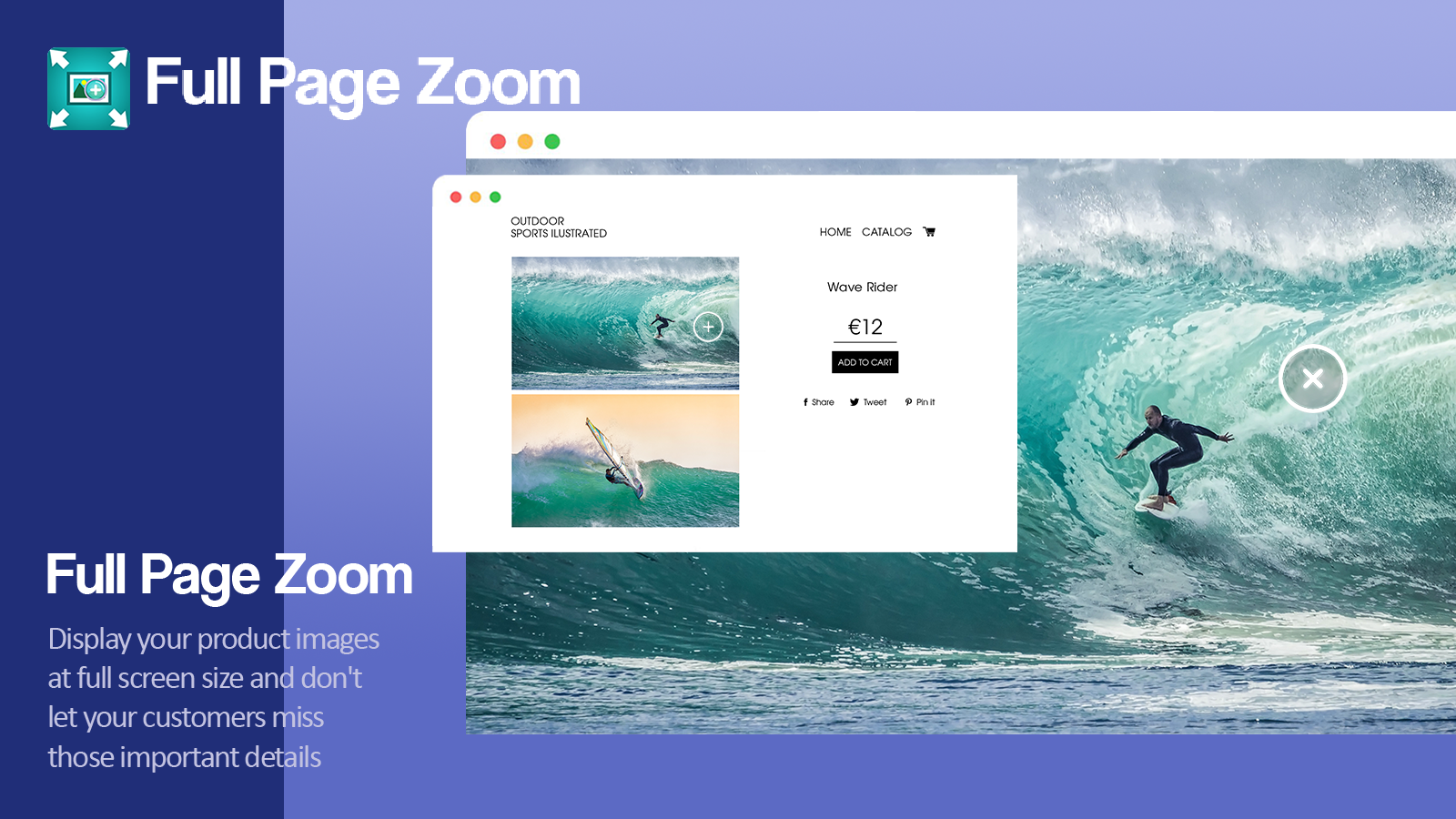
Display your products clearly by showing large, full screen images for your customers. Zoom in for better image quality

4.9 118 reviewsPaid from $2.99/month

Install in your Shopify store We pass your name, email and store domain to the StoreBricks team so they can help install and configure the app on your store.

.myshopify.com

Pros and cons

Pros and cons of Cool Full Page Zoom

Pros
  • Effective Zoom Functionality: The app provides high-quality zoom features that enhance product visibility and detail.
  • Easy Installation: Users frequently highlight the quick and straightforward setup process.
  • Excellent Customer Support: Many reviews praise the responsive and helpful support team.
  • Mobile-Friendly: The app performs well on mobile devices, improving user experience.
Cons
  • Limited Image Navigation: Some users note the lack of gallery features or arrow navigation between images.
  • Occasional Loading Issues: A few reviews mention slow loading times or minor glitches.

Screenshots

Cool Full Page Zoom Shopify app screenshot 1
Cool Full Page Zoom Shopify app screenshot 2
Cool Full Page Zoom Shopify app screenshot 3
Cool Full Page Zoom Shopify app screenshot 4
Cool Full Page Zoom Shopify app screenshot 5
Cool Full Page Zoom Shopify app screenshot 6

About the app

Zoom in for better image quality

  • Product Image Integration: Works with several product pictures, connects with product photo galleries.
  • Cross-platform compatibility: Made for use with a mouse and on mobile touch screens.
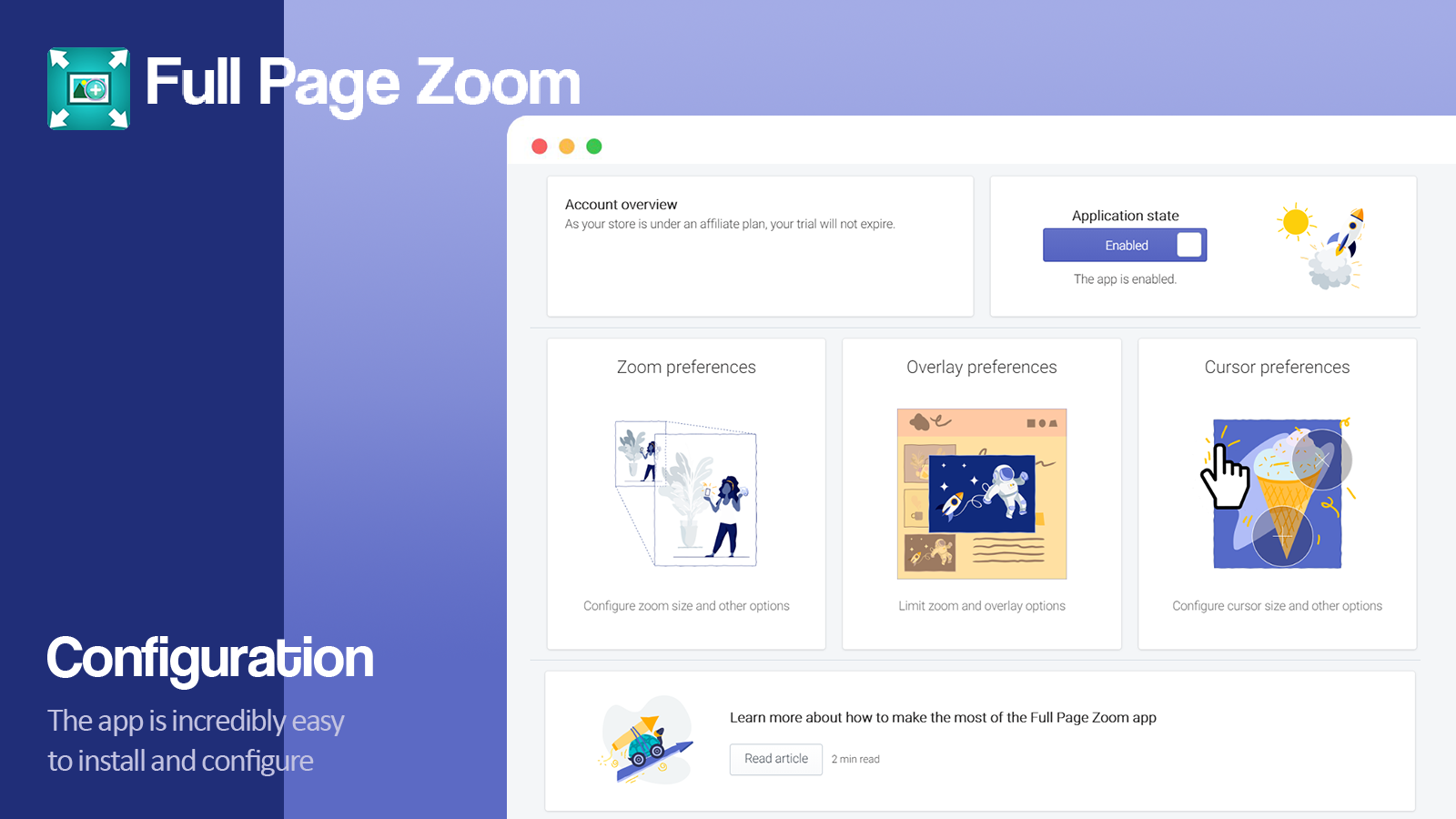
  • Zoom control: Ability to adjust the size of the zoomed image to save bandwidth.
  • Mobile-friendly design: Easily accessible on mobile.
  • Cursor Customization: Selection of various cursors to match your store's design.

Install in your Shopify store We pass your name, email and store domain to the StoreBricks team so they can help install and configure the app on your store.

Keywords

full page zoom Shopify appsproduct image zoom Shopify appsmobile-friendly zoom Shopify appsresponsive image zoom Shopify appshigh detail product images Shopify appstouch gesture zoom Shopify appscustom cursor zoom Shopify appsbandwidth optimized zoom Shopify appsmultiple image zoom Shopify appsgallery integration zoom Shopify apps

Key features

  • Displays high-resolution product images in full-screen for detailed viewing.
  • Integrates seamlessly with existing product galleries and sliders.
  • Supports both mouse hover and mobile touch gestures for zooming.

Pricing

Cool Full Page Zoom pricing plans

Flat monthly rate
$2.99 /month

Not sure which plan to pick? Discuss Flat monthly rate plans with us, learn about custom pricing, or get a demo.

Here’s an overview of Cool Full Page Zoom costs for each of the plan(s)

The app has 1 pricing plan: 0 free and 1 paid. The paid plan offered by Cool Full Page Zoom is Flat monthly rate.

The details of the plans are outlined below.

  • Flat monthly rate: the Flat monthly rate plan costs $2.99 and comes with a 30-day free trial period.

Cool Full Page Zoom price summary

Pricing summary$2.99/month. Free trial available.
Total pricing plan(s)1
Number of free plan(s)0
Number of paid plan(s)1
Cost of paid plan(s)$2.99
Free trial availableYes, for 30 day(s)

Install in your Shopify store We pass your name, email and store domain to the StoreBricks team so they can help install and configure the app on your store.

Comparison

Top Cool Full Page Zoom alternatives — detailed comparison

The table below highlights the crucial differences between Cool Full Page Zoom and similar other Shopify apps based on parameters like ratings, reviews, features, pricing, etc.

Apps
Add app
General information
Ratings4.9 ★ (63 reviews)5.0 ★ (953 reviews)5.0 ★ (2,545 reviews)
Developed byStoreBricksSherpas DesignTinySEO (former TinyIMG)
Launch date22 February 20166 August 201512 June 2019
Pricing$2.99/monthFree, $14.99/month, $24.99/month, $49.99/monthFree, $14/month, $23/month, $49/month
ObjectiveZoom in for better image qualityGet 30% off on SEO, Page Speed, Image Optimization, and JSON-LD this Christmas!Improve webpage speed, compress images, optimize SEO, use ALT text, apply JSON.
CategoriesImage editorSEO, Image editorSEO, Image editor
Key features & highlights
PurposeDisplay your products clearly by showing large, full screen images for your customers.Improve your SEO, increase your rankings, get more traffic, and raise your sales.A sitemap SEO tool that optimizes images, enhances page speed with redirects and lazy load to increase website speed.
Features list
  • Displays high-resolution product images in full-screen for detailed viewing.
  • Integrates seamlessly with existing product galleries and sliders.
  • Supports both mouse hover and mobile touch gestures for zooming.
  • Automatically generate SEO-friendly meta tags and alt text using AI.
  • Optimize images to improve page speed and search rankings.
  • Add JSON-LD structured data for better Google understanding.
  • AI-powered SEO enhancer improves rankings and generates sitemaps automatically.
  • Lazy loading and minified JS/CSS boost page speed significantly.
  • One-click image optimization includes compression, resizing, and ALT text generation.
Highlights—
  • Based in United States
  • Based in United Kingdom
User reviews and ratings
Recommended0.0%99.0%99.5%
Pros
  • The app provides high-quality zoom features that enhance product visibility and detail.
  • Users frequently highlight the quick and straightforward setup process.
  • Many reviews praise the responsive and helpful support team.
  • The app performs well on mobile devices, improving user experience.
  • The cost is often mentioned as reasonable and good value for the features provided.
  • Users appreciate the ability to tailor the zoom functionality to their needs.
  • The app runs smoothly without noticeable lag or delays.
  • Works well with various themes and other apps without conflicts.
  • Improves the visual presentation of products, aiding customer decisions.
  • Problems are addressed promptly by the support team.
  • Consistently praised for responsiveness, expertise, and proactive assistance.
  • Offers features like meta tag editing, JSON-LD structured data, and broken link detection.
  • Intuitive design and straightforward navigation, even for beginners.
  • Users report improved Google rankings and rich results shortly after installation.
  • Enables quick optimization of meta tags and alt texts across large product catalogs.
  • Frequently noted as reasonably priced compared to competitors.
  • Support team identifies and fixes problems without user prompting.
  • Streamlines repetitive SEO tasks like image optimization and meta tag updates.
  • Provides clear recommendations for optimizing SEO elements to 100%.
  • Regular updates and feature enhancements based on user feedback.
  • The app significantly reduces image sizes without quality loss, improving page load speeds.
  • Users report noticeable improvements in SEO, including fixing broken links and generating alt texts.
  • Fast, friendly, and knowledgeable support, often going above and beyond to resolve issues.
  • The app is easy to set up and use, even for non-technical users.
  • Many users highlight the app as cost-effective compared to alternatives.
  • Includes tools for image compression, SEO audits, and metadata management.
  • Optimizes large volumes of images quickly, often in minutes.
  • Works well with Shopify and other third-party apps without causing disruptions.
  • Offers personalized advice and audits to improve site performance.
  • Efficiently handles tasks like bulk alt text generation and image renaming.
Cons
  • Some users note the lack of gallery features or arrow navigation between images.
  • A few reviews mention slow loading times or minor glitches.
  • The zoom effectiveness relies heavily on the original image resolution.
  • Some users desire a clearer way to exit zoom mode on mobile devices.
  • Some users found the app slightly overwhelming at first due to advanced features.
  • Occasional issues with remnants from previous SEO apps causing duplication errors.
  • Some users note minimal improvements in site speed scores despite image optimization.
  • A few users encountered minor technical problems during installation.
  • Some users needed guidance to fully utilize all functionalities.
  • Occasional glitches reported, though quickly resolved by support.
Pricing and plans
Total pricing plans144
Free planNot availableAvailableAvailable
Free trialYes, for 30 day(s)Yes, for 7 day(s)Yes, for 7 day(s)
Technical information
Rating4.9 ★5.0 ★5.0 ★
Total reviews1189592,580
Launch date22 February 20166 August 201512 June 2019

More details about Cool Full Page Zoom

Product description

Shopify supports the upload of high-resolution images of your products, enabling a high-quality zoom effect. This feature allows customers to view product images in full screen size, highlighting important details.

AI summary

The app provides a full-page zoom feature for Shopify stores, enhancing product visibility by allowing customers to examine fine details in high-resolution images. It supports both desktop and mobile platforms, with seamless integration across various themes and no coding required for installation. Key strengths include its ease of setup, responsive customer support, and the ability to customize zoom behavior, such as limiting zoomed images to their original size. The app is particularly effective for stores selling detailed products like apparel, artwork, or collectibles. However, some limitations include occasional loading delays, a lack of gallery navigation (e.g., arrow keys to switch between images), and dependency on high-quality source images for optimal performance. While praised for its affordability, a few users find the monthly pricing model less preferable to a one-time fee. Overall, the app delivers a reliable, user-friendly zoom solution with strong support, though minor improvements in mobile functionality and image navigation could enhance its utility further.

Support

For any questions, concerns, or assistance with Cool Full Page Zoom, the dedicated support team is readily available to help. To reach out to the support team, users can send an email to [email protected]. Additionally, Cool Full Page Zoom offers a comprehensive FAQ section to address common inquiries and provide self-help resources in their app FAQ section.

Language support

Details of the Cool Full Page Zoom are available in various languages on the Shopify app store, including English.

Cool Full Page Zoom support information in a nutshell
Support emailfullpagezoom@product-image-zoom.com
Contact number(s)Not available
FAQ pageFAQ details
Privacy policyPrivacy details
Language supportEnglish
Integration

The list of top Shopify apps, features or software tools that Cool Full Page Zoom seamlessly integrates with are given below.

No integration details available.

Developer
NameStoreBricks
ProfileSee all apps by StoreBricks
WebsiteView developer profile
AddressLos Angeles, CA

Installation

How to install Cool Full Page Zoom on your Shopify store

1

Send your details

Your name, email and store domain go straight to the StoreBricks team.

2

The developer gets in touch

StoreBricks contacts you directly to arrange setup for your store.

3

Install at your own pace

Perfect your store’s functionality without the pressure to move on until you’re ready.

Install in your Shopify store We pass your name, email and store domain to the StoreBricks team so they can help install and configure the app on your store.

Performance on the App Store

Rankings, review momentum and install geography, refreshed weekly. Open the full charts for history, benchmarks and keyword detail.

Category rank
—
No tracked groups
Total reviews
0
No change vs 30 days ago
Average rating
0.0 ★
0.00 vs 30 days ago
Top market
—
Share of installs unavailable
No App Store groups tracked yet.Open full charts →

Cool Full Page Zoom FAQs

How do I install the Cool Full Page Zoom Shopify app?
To install Cool Full Page Zoom on your Shopify store, click on the Cool Full Page Zoom installation link. Login to the Shopify store on which you want to install the app and follow the onboarding process. If you need our expert guidance to help you install Cool Full Page Zoom on your Shopify store, then contact us now.
What are the key features of Cool Full Page Zoom?

The key features offered by Cool Full Page Zoom to Shopify store owners are:

  • Works with multiple product images, integrates with product image galleries.
  • Designed for both mouse and mobile touch gestures.
  • Ability to control the zoomed image size to optimize bandwidth.
  • Responsive and mobile-friendly.
  • Choice of different cursors to find one that fits with your store's design.
Does Cool Full Page Zoom integrate with other Shopify apps or tools?

Yes, Cool Full Page Zoom seamlessly integrates with other Shopify apps or tools, such as Works with several product pictures, connects with product photo galleries., Made for use with a mouse and on mobile touch screens., Ability to adjust the size of the zoomed image to save bandwidth..

Is there a free trial available for Cool Full Page Zoom?

Yes, Cool Full Page Zoom offers a 30-day free trial on all its paid plans.

What are the pricing plans for Cool Full Page Zoom?

The app offers 1 paid plan, which cost $2.99/month, and comes with a 30-day free trial period.

How does billing work for Cool Full Page Zoom?

Cool Full Page Zoom uses USD for billing, with recurring and usage-based charges invoiced usually every 30 days.

Can I cancel or upgrade my subscription plan at any time?

Yes, Cool Full Page Zoom allows its subscribers to cancel or upgrade their subscription plan at any time.

Does Cool Full Page Zoom offer customer support?

Yes, Cool Full Page Zoom offers a dedicated support team for any kind of app-related assistance. To reach out to the support team, users can send an email to [email protected]. Additionally, Cool Full Page Zoom offers a comprehensive FAQ section to address common inquiries and provide self-help resources.

Is Cool Full Page Zoom compatible with my Shopify theme?

Please reach out to their support team at [email protected] to confirm its compatibility with your specific Shopify theme.

Most popular

Most popular Shopify apps on the market

Install in your Shopify store We pass your name, email and store domain to the StoreBricks team so they can help install and configure the app on your store.

.myshopify.com
4.9★★★★★118 reviews · 97.5% positive

Writing reviews on ShopDigest is coming soon.

No reviews yet
Merchant reviews will appear here once the app has some.
About ShopDigest

The Shopify ecosystem, shown through the work

ShopDigest is an independent directory of Shopify work. Developers, agencies and experts publish the projects they’ve actually shipped — migrations, rebuilds, custom apps, headless storefronts — with the results attached.

For merchants, that means judging a partner on evidence instead of a sales page: browse real builds in your category and budget, then reach out directly. For builders, it means one profile that keeps working after the project ships.

No commissions, no pay-to-rank placements. The best work rises because people save and follow it.

More about ShopDigest
About ShopDigest

Show the work.
Win the work.

A portfolio directory for the Shopify ecosystem — builders publish, merchants browse, nobody buys a better position.

More about ShopDigest