

by Shopify
A single app for top-selling platforms worldwide.
Free
Grow with ShopDigest. Programs for experts, developers and store owners.
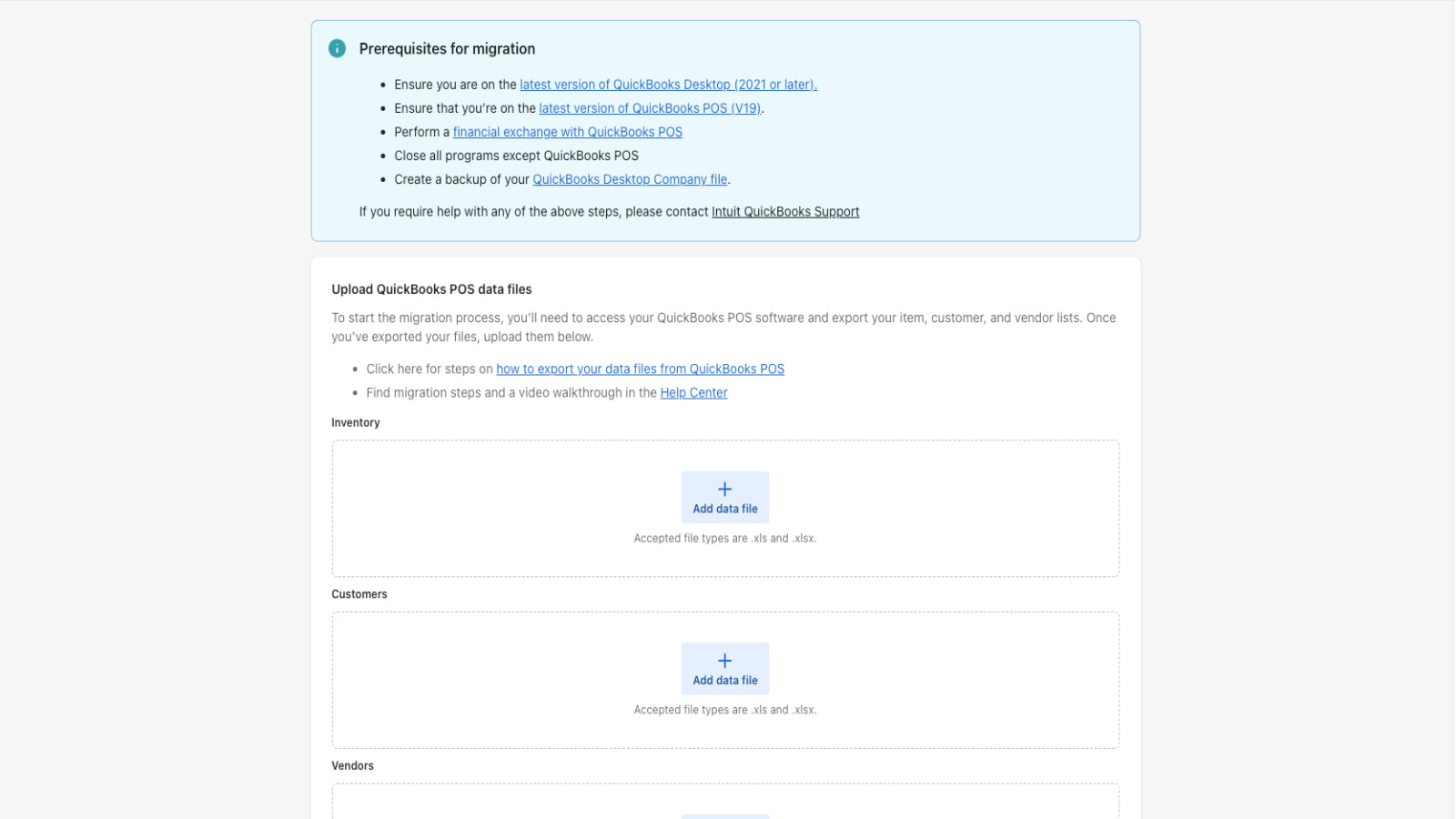
Seamlessly migrate QuickBooks Desktop POS, integrate with POS and sync data to QuickBooks accounting Simplify Accounting: Sync Sales, Inventory & More to Quickbook
Pros and cons of QuickBooks Desktop Connector


Simplify Accounting: Sync Sales, Inventory & More to Quickbook
QuickBooks Desktop Connector pricing plans
Not sure which plan to pick? Discuss Free - D2C Plan or B2B Plan plans with us, learn about custom pricing, or get a demo.
The app has 2 pricing plans: 1 free and 1 paid. The free plan offered by QuickBooks Desktop Connector is Free - D2C Plan. The paid plan offered by QuickBooks Desktop Connector is B2B Plan.
The details of the plans are outlined below.
| Pricing summary | Free plan available |
| Total pricing plan(s) | 2 |
| Number of free plan(s) | 1 |
| Number of paid plan(s) | 1 |
| Cost of paid plan(s) | $99 |
| Free trial available | No |
The table below highlights the crucial differences between QuickBooks Desktop Connector and similar other Shopify apps based on parameters like ratings, reviews, features, pricing, etc.
| Apps | Add app | |||
| General information | ||||
| Ratings | 1.7 ★ (20 reviews) | 4.1 ★ (2,122 reviews) | 4.9 ★ (1,775 reviews) | |
| Developed by | LINK | Shopify | ITissible | |
| Launch date | 12 January 2023 | 19 September 2017 | 7 July 2017 | |
| Pricing | Free, $99/month | Free | Free, $20/month, $50/month, $200/month | |
| Objective | Simplify Accounting: Sync Sales, Inventory & More to Quickbook | A single app for top-selling platforms worldwide. | Easily transfer, update or move large data amounts. | |
| Categories | Store data importer | Marketplaces, Store data importer | Bulk editor, Store data importer | |
| Key features & highlights | ||||
| Purpose | Seamlessly migrate QuickBooks Desktop POS, integrate with POS and sync data to QuickBooks accounting | Sell on the largest marketplaces. Handle and complete all orders within Shopify. | The Matrixify app lets you handle large amounts of store data by allowing you to import, export, update, and transfer it. | |
| Features list |
|
|
| |
| Highlights | — |
|
| |
| User reviews and ratings | ||||
| Recommended | 28.6% | 81.8% | 97.3% | |
| Pros |
|
|
| |
| Cons |
|
|
| |
| Pricing and plans | ||||
| Total pricing plans | 2 | 1 | 4 | |
| Free plan | Available | Available | Available | |
| Free trial | No | No | No | |
| Technical information | ||||
| Rating | 1.7 ★ | 4.1 ★ | 4.9 ★ | |
| Total reviews | 21 | 2,140 | 1,844 | |
| Launch date | 12 January 2023 | 19 September 2017 | 7 July 2017 | |
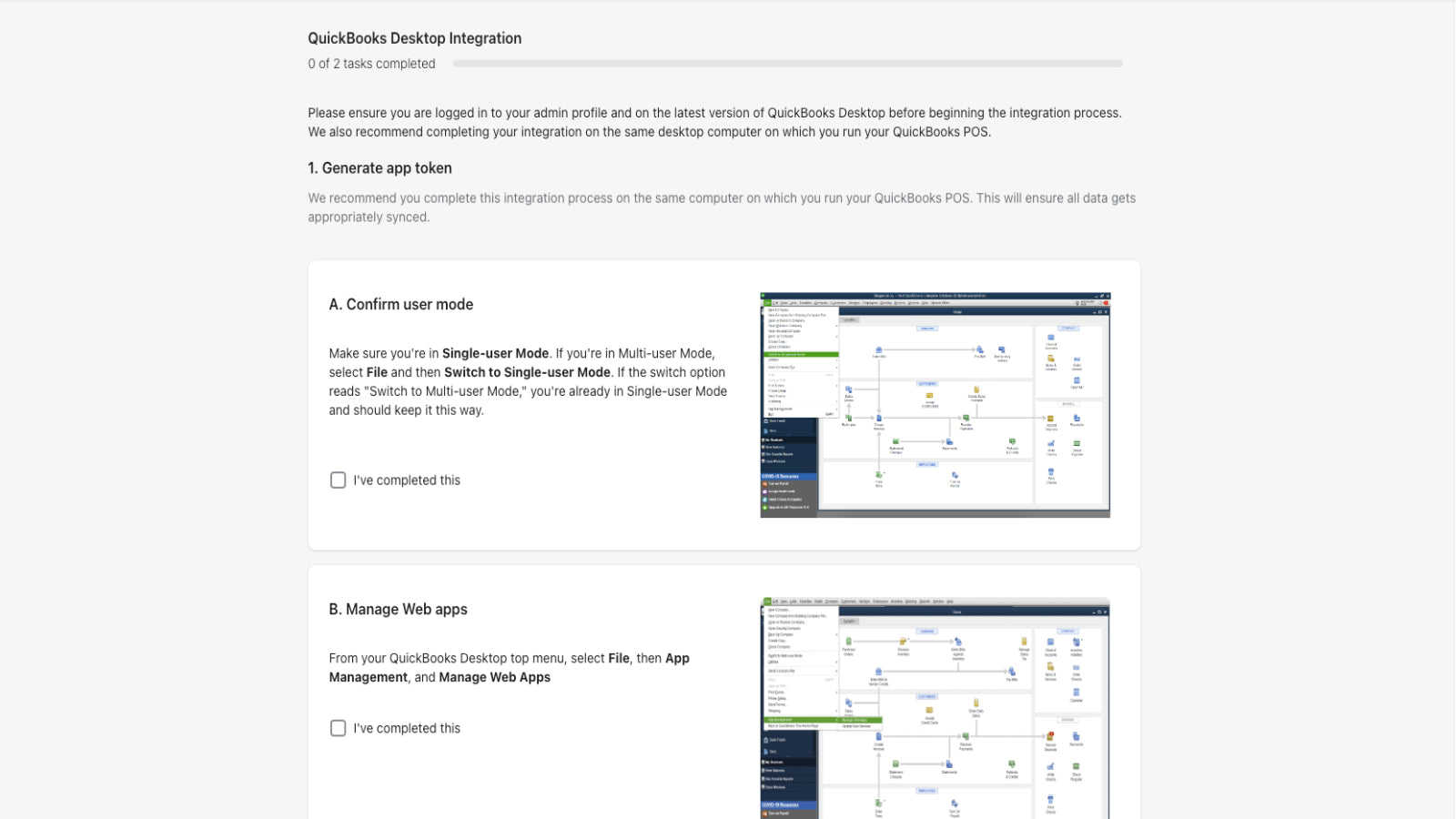
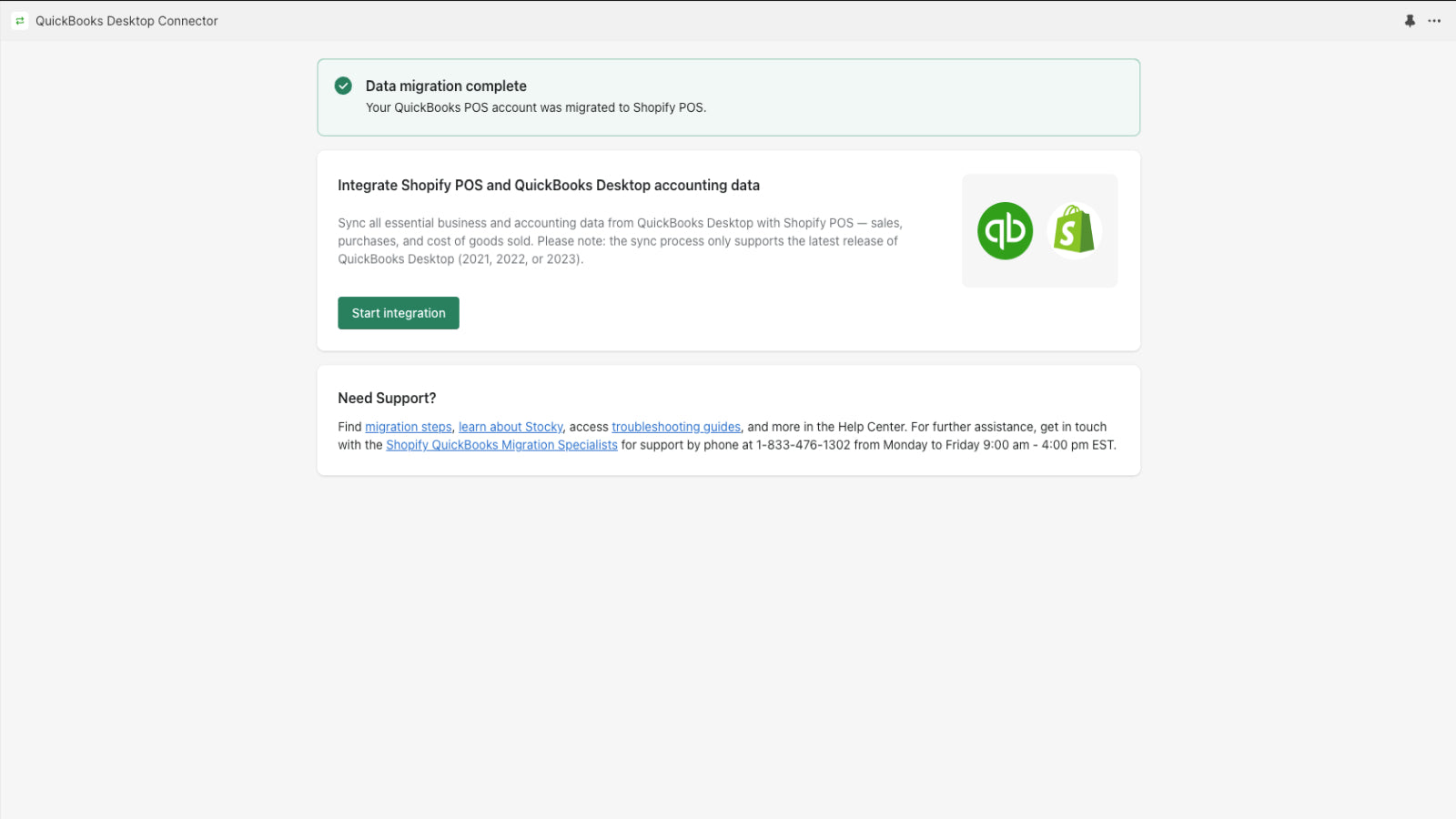
Seamlessly migrate from QuickBooks Desktop POS, integrate with Shopify POS & B2B(Shopify Plus), & sync data to QuickBooks Desktop accounting. The app syncs product, accounting, & sales data seamlessly, ensuring an easy switch. Our new B2B workflows includes features like customer & class sync, draft orders, PO numbers & bi-directional payment & payment terms sync. Sync Shopify companies, locations, & PO numbers to QuickBooks Desktop accounting accurately. Perfect solution for growing businesses!
The app facilitates data migration and synchronization between Shopify POS and QuickBooks, offering support for inventory, transactions, and financial records. Its strengths include a dedicated migration team that provides personalized assistance, ensuring smooth transitions for many users. The app is noted for being relatively easy to set up when functioning correctly. However, significant weaknesses include frequent syncing issues, unreliable performance with large datasets, and inconsistent support responsiveness. Technical limitations, such as delayed syncs and timezone discrepancies, further hinder usability. Some users report prolonged unresolved issues, including failed integrations and lack of developer follow-up, leading to operational disruptions. While the service team receives praise for helpfulness, the app’s functionality often falls short of expectations, particularly for complex or high-volume workflows.
For any questions, concerns, or assistance with QuickBooks Desktop Connector, the dedicated support team is readily available to help. To reach out to the support team, users can send an email to [email protected]. Additionally, QuickBooks Desktop Connector offers a comprehensive FAQ section to address common inquiries and provide self-help resources in their app FAQ section.
Details of the QuickBooks Desktop Connector are available in various languages on the Shopify app store, including English.
| Support email | link-techsupport |
| Contact number(s) | Not available |
| FAQ page | FAQ details |
| Privacy policy | Privacy details |
| Language support | English |
The list of top Shopify apps, features or software tools that QuickBooks Desktop Connector seamlessly integrates with are given below.
No integration details available.
| Name | LINK |
| Profile | See all apps by LINK |
| Website | View developer profile |
| Address | WeWork Futura - 1st floor, Magarpatta City, San Fransisco, CA, 94016 |
How to install QuickBooks Desktop Connector on your Shopify store
Your name, email and store domain go straight to the LINK team.
LINK contacts you directly to arrange setup for your store.
Perfect your store’s functionality without the pressure to move on until you’re ready.
QuickBooks Desktop Connector has an overall rating of 2.3 stars from a total of 21 reviews on the Shopify app store. Of these, 6 (28.6%) are positive, 0 (0.0%) are neutral, and 15 (71.4%) are negative*.
*Ratings above four stars fall under positive review, three star reviews fall under neutral, and anything less than two stars falls under negative.
Ruchika has been extremely helpful and diligent with migrating our data and helping me through the process every step of the way! Awesome service thank you!!
Ruchika has been a wonderful help and is very knowledgeable. I look forward to continue working with her for our next store migration...thank you!
The connector app successfully migrated all the data. The migration team helped us a lot.
Easy to work with, and not to difficult to setup. 5/5
All services were wonderful. I look forward to using the connector app through Shopify POS and financial software.
Rankings, review momentum and install geography, refreshed weekly. Open the full charts for history, benchmarks and keyword detail.
Position and market share today
| Keywordping desktop | #18 | 0.0% ▲0.0 |
| Keywordquick books | #18 | 0.0% ▲0.0 |
| Keywordconnector | #48 | — |
| KeywordSales data | #93 | — |
Cumulative reviews · last 6 months
The key features offered by QuickBooks Desktop Connector to Shopify store owners are:
QuickBooks Desktop Connector has not made any official mention of integrating with other Shopify apps or tools. To obtain further information, kindly reach out to their support team or consult your Shopify developer.
No, QuickBooks Desktop Connector does not offer any free trial.
The app has 2 pricing plans: 1 free and 1 paid. The paid plan cost $99/month and has no free trial period.
QuickBooks Desktop Connector uses USD for billing, with recurring and usage-based charges invoiced usually every 30 days.
Yes, QuickBooks Desktop Connector allows its subscribers to cancel or upgrade their subscription plan at any time.
Yes, QuickBooks Desktop Connector offers a dedicated support team for any kind of app-related assistance. To reach out to the support team, users can send an email to [email protected]. Additionally, QuickBooks Desktop Connector offers a comprehensive FAQ section to address common inquiries and provide self-help resources.
Please reach out to their support team at [email protected] to confirm its compatibility with your specific Shopify theme.
A single app for top-selling platforms worldwide.

Easily transfer, update or move large data amounts.
Most popular Shopify apps on the market

Product reviews with pictures and videos for credibility and search engine optimization.

Display your products to billions of TikTok users.

Simplify all tasks and focus on your business.

Increase your brand visibility and communicate with customers on Shop.
Writing reviews on ShopDigest is coming soon.
Ruchika has been extremely helpful and diligent with migrating our data and helping me through the process every step of the way! Awesome service thank you!!
Ruchika has been a wonderful help and is very knowledgeable. I look forward to continue working with her for our next store migration...thank you!
The connector app successfully migrated all the data. The migration team helped us a lot.
Easy to work with, and not to difficult to setup. 5/5
All services were wonderful. I look forward to using the connector app through Shopify POS and financial software.
ShopDigest is an independent directory of Shopify work. Developers, agencies and experts publish the projects they’ve actually shipped — migrations, rebuilds, custom apps, headless storefronts — with the results attached.
For merchants, that means judging a partner on evidence instead of a sales page: browse real builds in your category and budget, then reach out directly. For builders, it means one profile that keeps working after the project ships.
No commissions, no pay-to-rank placements. The best work rises because people save and follow it.
More about ShopDigestA portfolio directory for the Shopify ecosystem — builders publish, merchants browse, nobody buys a better position.
