
File Uploads by UploadKit Shopify App by UploadKit

Make custom products for your clients using UploadKit's easy-to-use file upload fields. Endless categories, all types of files, trim photos, link with G Drive.

4.7 85 reviewsFreePaid from $9.95/month

Install in your Shopify store We pass your name, email and store domain to the UploadKit team so they can help install and configure the app on your store.

.myshopify.com

Pros and cons

Pros and cons of File Uploads by UploadKit
Pros
  • Exceptional Customer Support: Rapid, knowledgeable, and personalized assistance with frequent mentions of specific team members.
  • Ease of Use: Intuitive interface and straightforward setup, often highlighted by users with limited technical experience.
  • Reliable Performance: Consistent functionality with minimal glitches or crashes across various use cases.
  • Customization Options: Flexible features allowing tailored upload processes to fit specific business needs.
Cons
  • Billing Issues: Rare but notable instances of continued charges after subscription cancellation.
  • Limited Transparency in Free Plan: Some users confused by differences between advertised "free plan" and actual free trial.

Screenshots

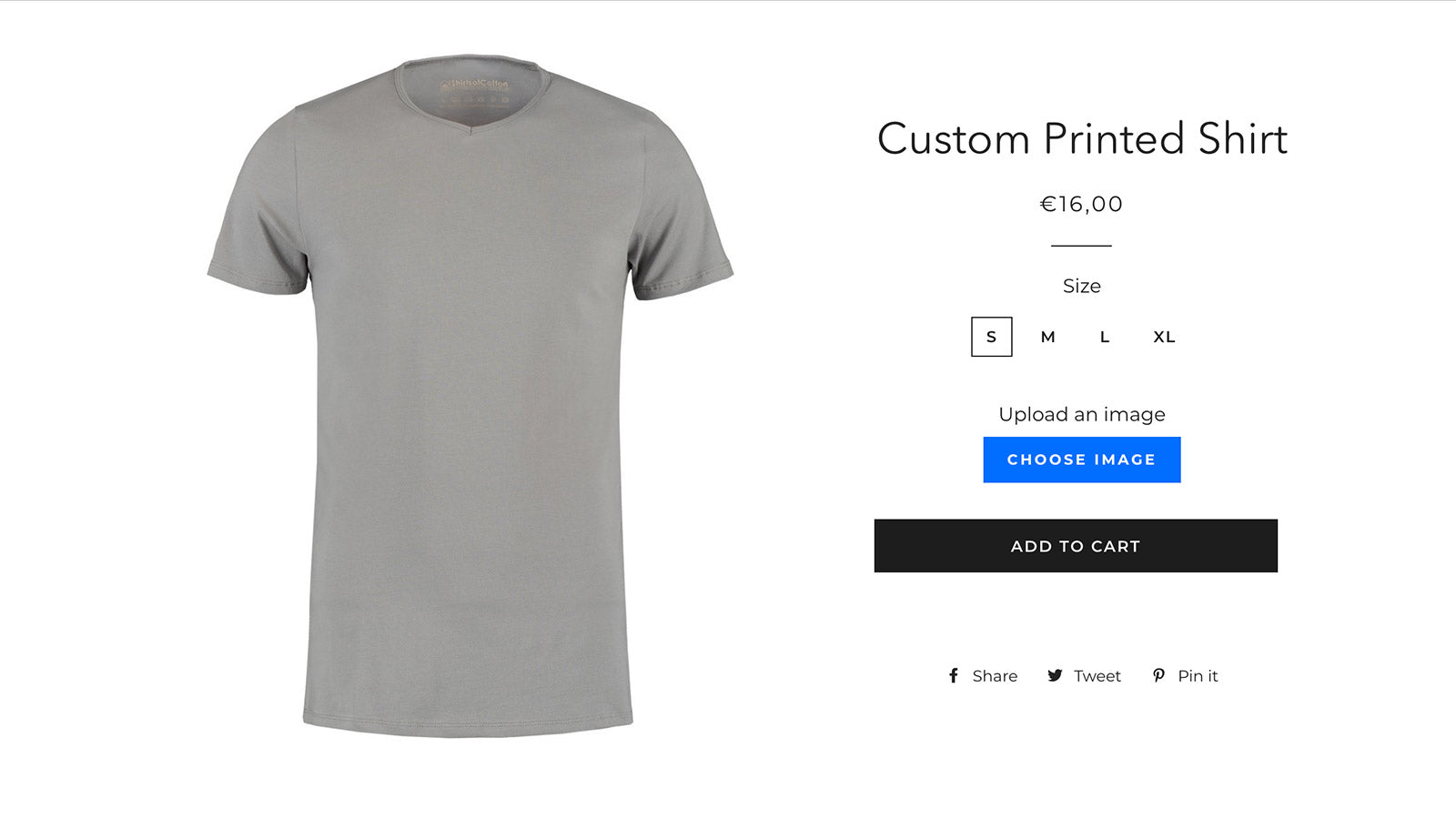
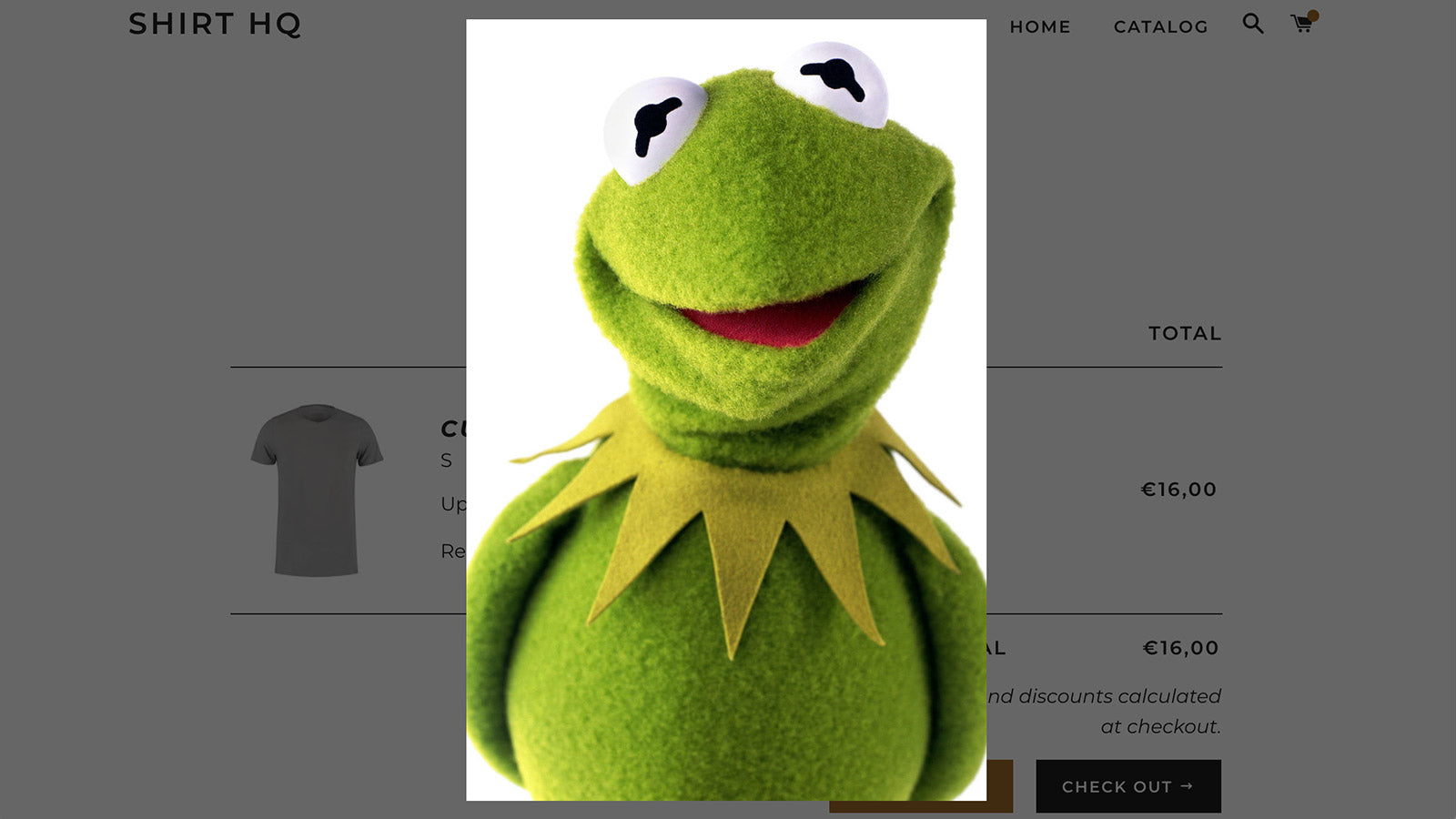
File Uploads by UploadKit Shopify app screenshot 1
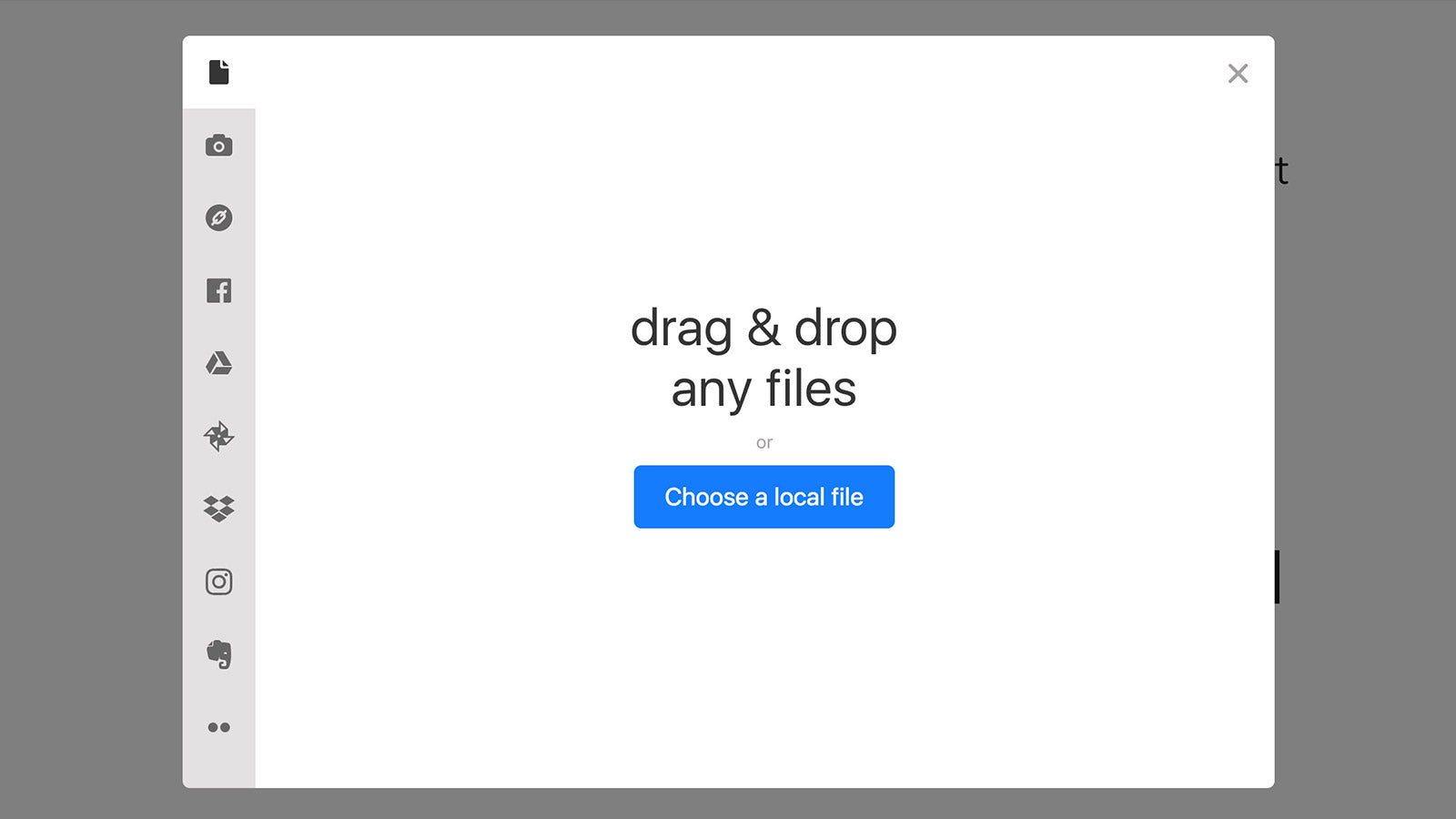
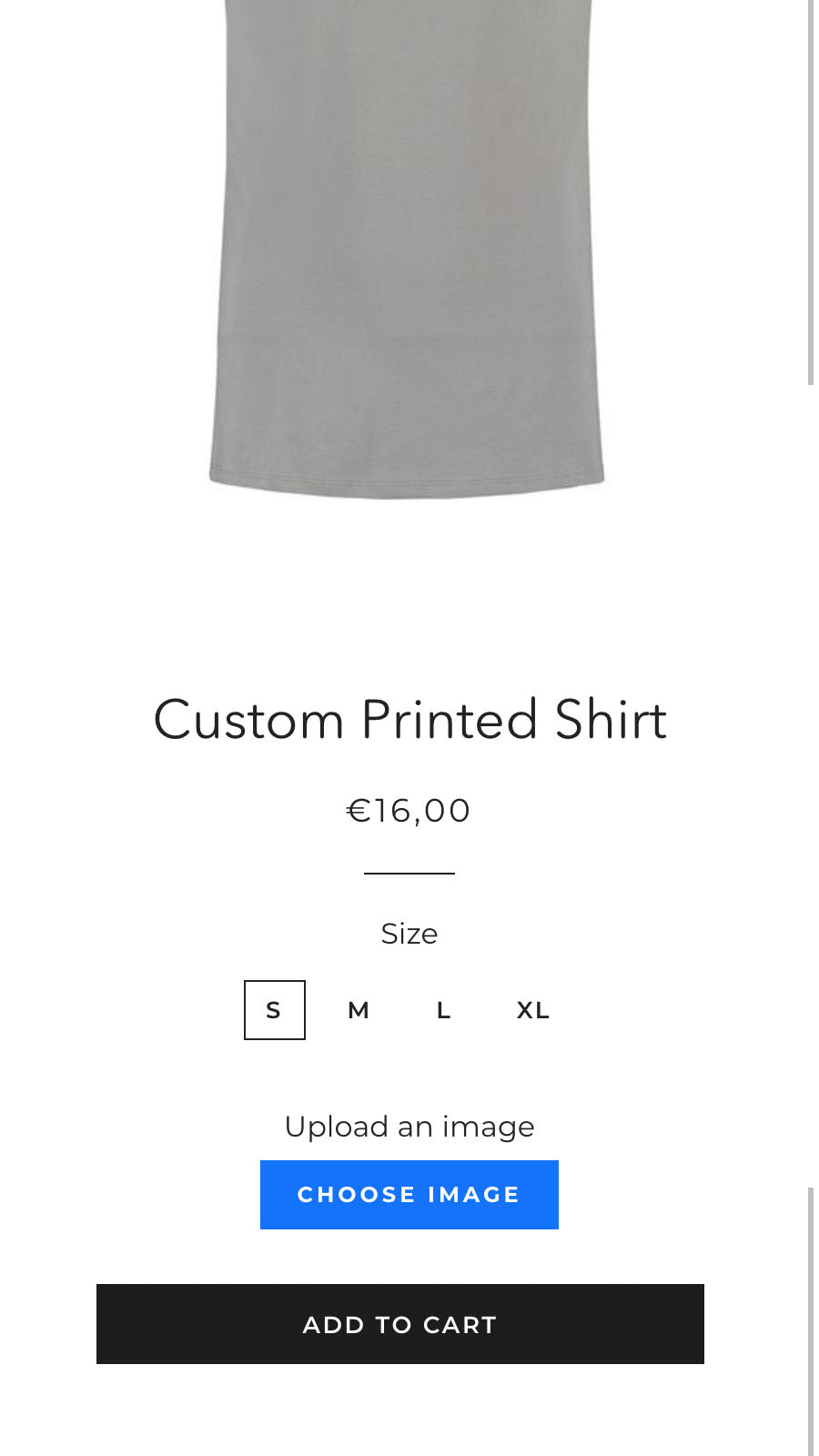
File Uploads by UploadKit Shopify app screenshot 2
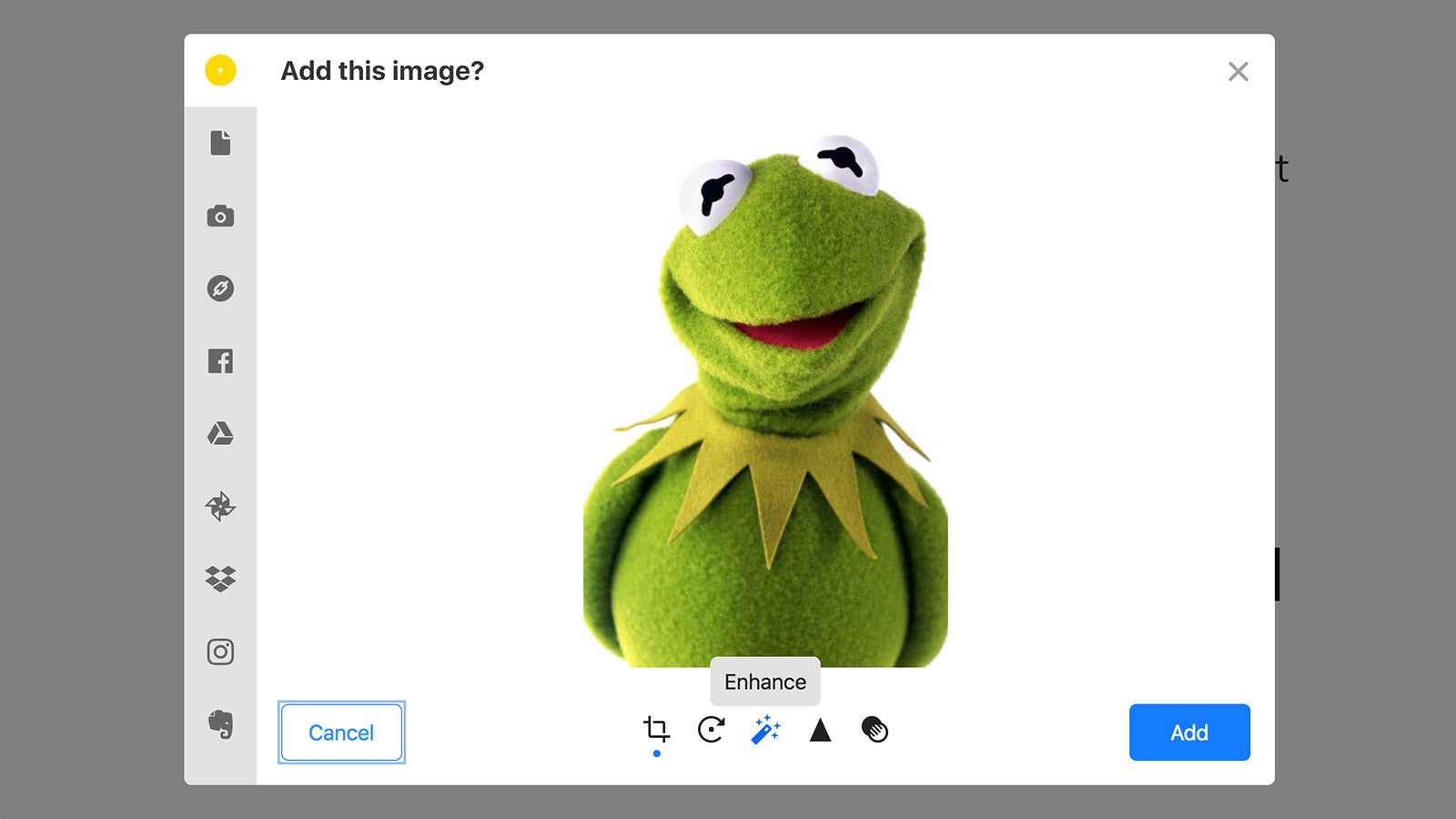
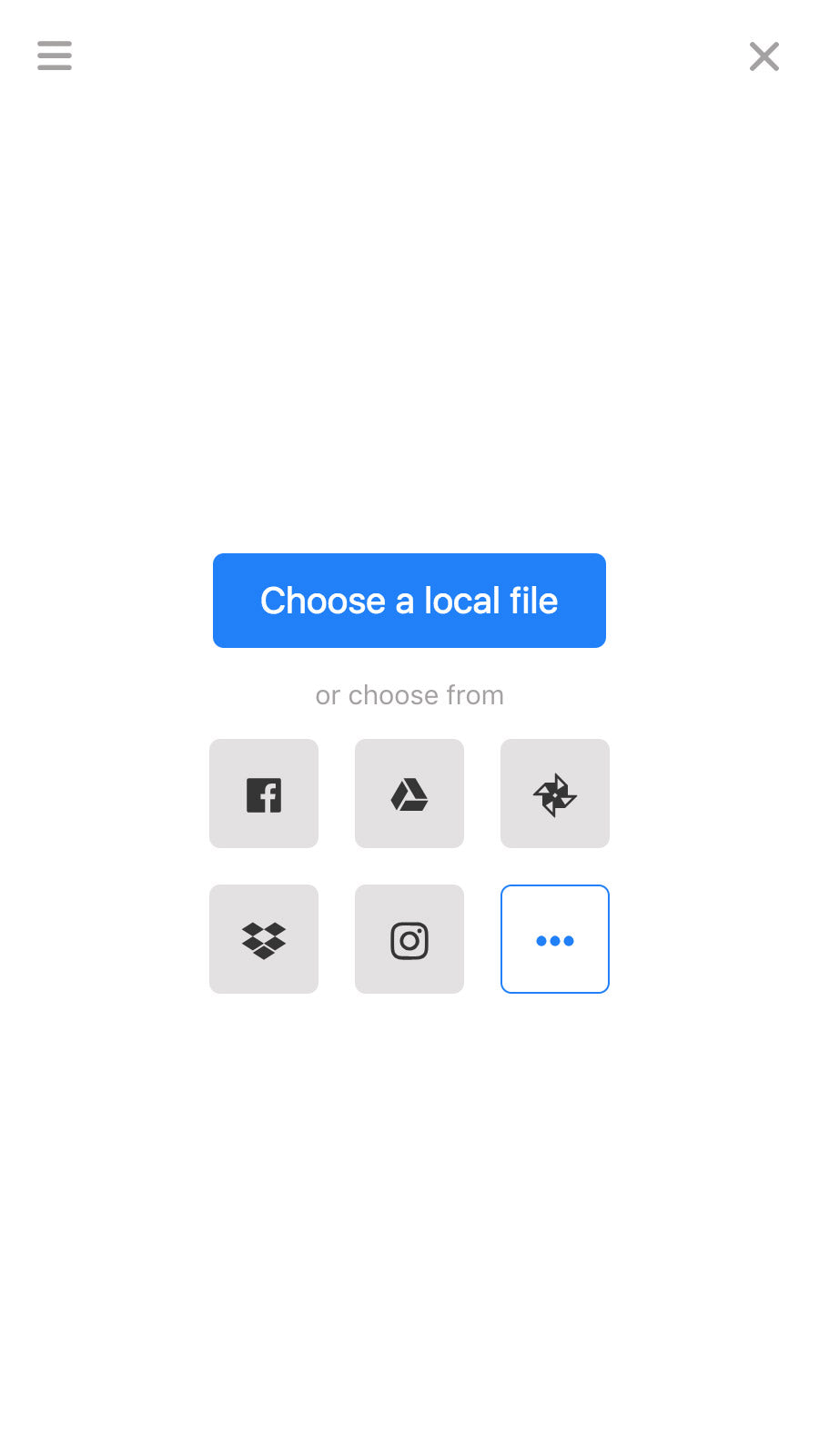
File Uploads by UploadKit Shopify app screenshot 3
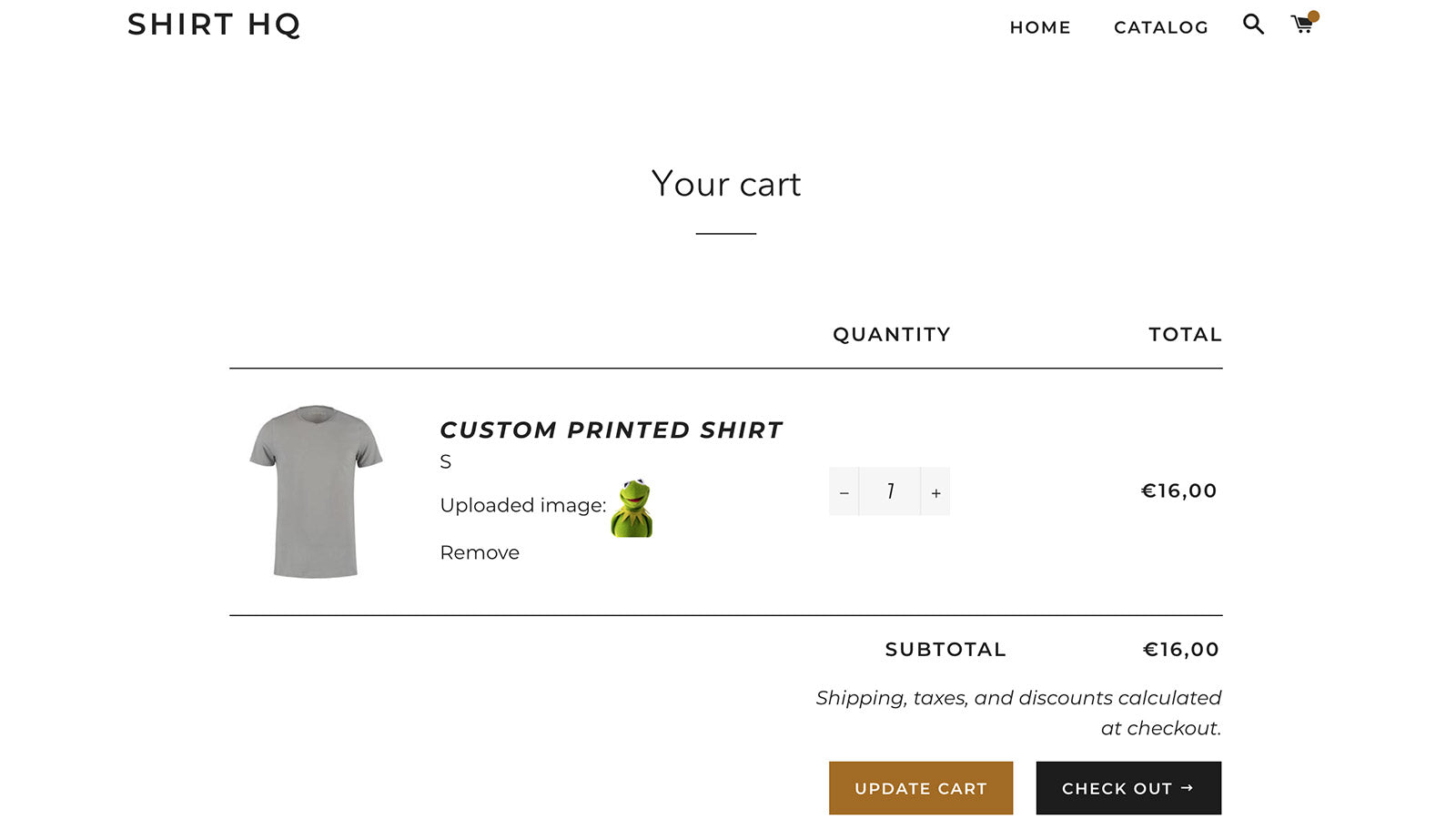
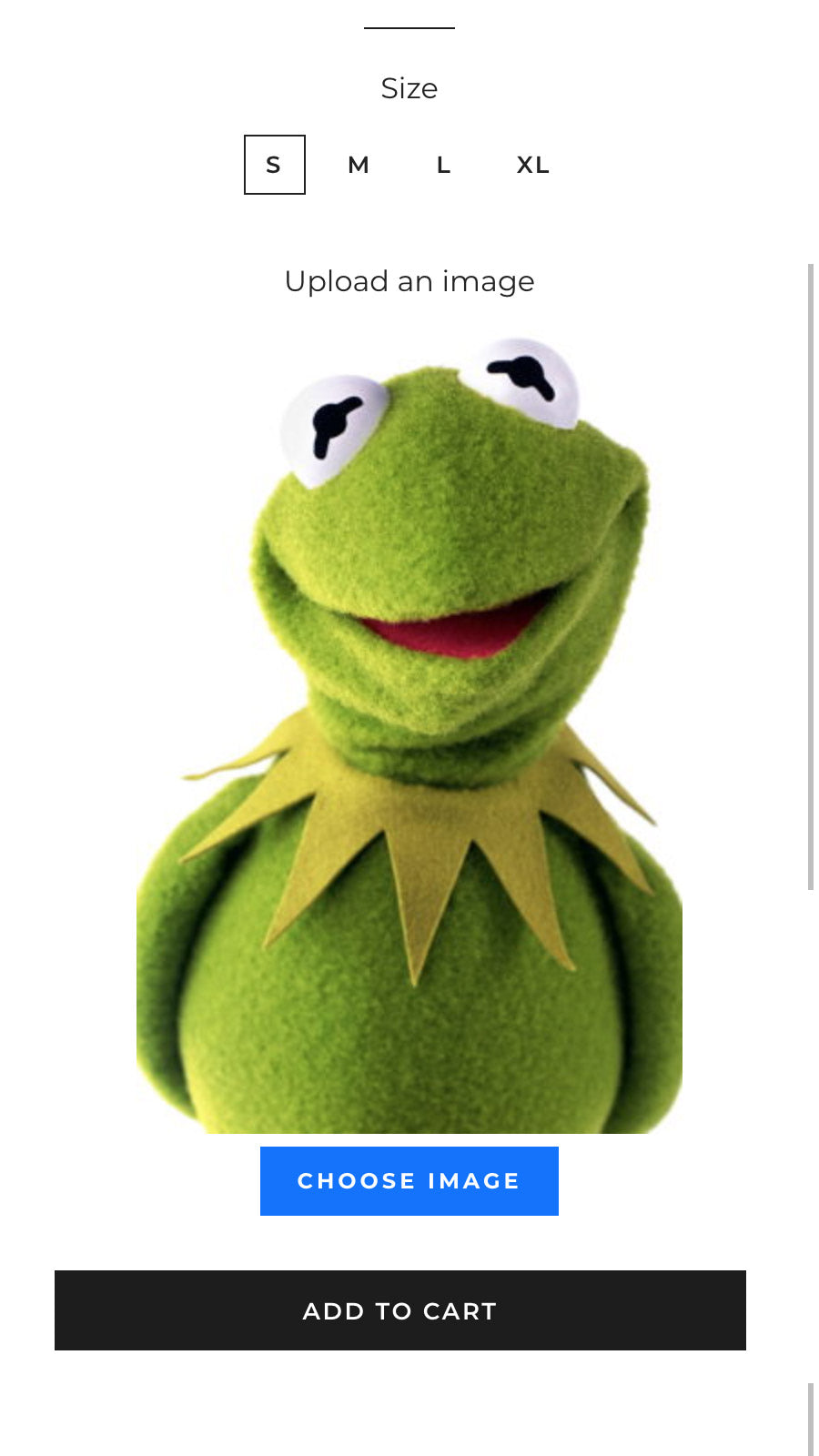
File Uploads by UploadKit Shopify app screenshot 4
File Uploads by UploadKit Shopify app screenshot 5
File Uploads by UploadKit Shopify app screenshot 6
File Uploads by UploadKit Shopify app screenshot 7
File Uploads by UploadKit Shopify app screenshot 8
File Uploads by UploadKit Shopify app screenshot 9
File Uploads by UploadKit Shopify app screenshot 10
File Uploads by UploadKit Shopify app screenshot 11
File Uploads by UploadKit Shopify app screenshot 12

About the app

Endless categories, all types of files, trim photos, link with G Drive.

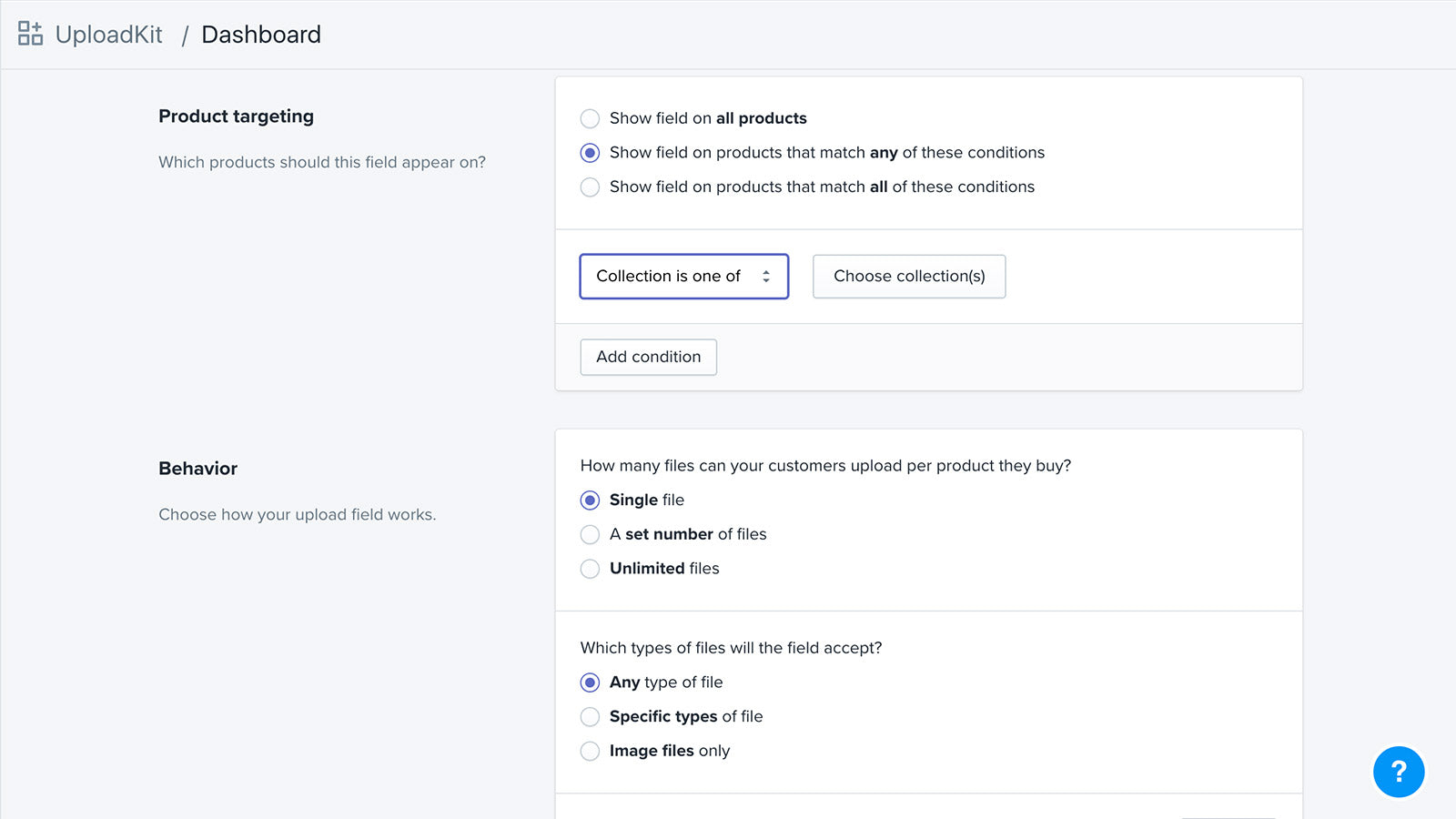
  • Multimedia file sources: Receive files from devices like phones and computers, as well as from social media platforms like Facebook and Instagram.
  • Image editing features: Allow customers to view, automatically improve, turn, refine, and trim pictures.
  • Automatic file syncing: Sync uploaded files to your Google Drive automatically for quicker order processing.
  • File attachments: Add file fields to groups, items, or specific variations.
  • Automatic Malware Scanner: Automatically searches all files for malware, and stops viruses and trojans.

Install in your Shopify store We pass your name, email and store domain to the UploadKit team so they can help install and configure the app on your store.

Keywords

personalized product file upload Shopify appsseamless file upload Shopify appscustomer file upload Shopify appsimage enhancement Shopify appsGoogle Drive sync Shopify appspost-checkout file upload Shopify appsmalware scan Shopify appsfile upload fields Shopify appsFacebook Instagram upload Shopify appsauto-enhance images Shopify apps

Key features

  • Accept files from multiple sources like phones, computers, and social media platforms.
  • Enable customers to preview, enhance, rotate, and crop images before uploading.
  • Automatically sync uploaded files to Google Drive for seamless order processing.

Pricing

File Uploads by UploadKit pricing plans

Trial
$0 /month
  • FREE for Shopify Partners dev stores
Growing
$9.95 /month
  • Unlimited fields
  • Automatic malware scanning
  • Up to 200MB file size
  • Retention period up to 3 months
Pro
$24.95 /month
  • Unlimited fields
  • Automatic malware scanning
  • No UploadKit branding
  • Up to 5GB file size
  • Retention period up to 12 months

Not sure which plan to pick? Discuss Trial or Growing plans with us, learn about custom pricing, or get a demo.

Here’s an overview of File Uploads by UploadKit costs for each of the plan(s)
The app has 3 pricing plans: 1 free and 2 paid. The free plan offered by File Uploads by UploadKit is Trial. The paid plans offered by File Uploads by UploadKit are Growing, Pro.

The details of the plans are outlined below.

  • Trial: this plan is free forever, incurring no subscription costs. It offers a wide range of features like FREE for Shopify Partners dev stores.
  • Growing: the Growing plan costs $9.95 and comes with a 7-day free trial period. The plan offers a host of features, including Unlimited fields, Automatic malware scanning, Up to 200MB file size, Retention period up to 3 months.
  • Pro: the Pro plan costs $24.95 and comes with a 7-day free trial period. The plan offers a host of features, including Unlimited fields, Automatic malware scanning, No UploadKit branding, Up to 5GB file size, Retention period up to 12 months, Sync to Google Drive.

File Uploads by UploadKit price summary

Pricing summaryFree plan available. Free trial available.
Total pricing plan(s)3
Number of free plan(s)1
Number of paid plan(s)2
Cost of paid plan(s)$9.95, $24.95
Free trial availableYes, for 7 day(s)

Install in your Shopify store We pass your name, email and store domain to the UploadKit team so they can help install and configure the app on your store.

Comparison

Top File Uploads by UploadKit alternatives — detailed comparison

The table below highlights the crucial differences between File Uploads by UploadKit and similar other Shopify apps based on parameters like ratings, reviews, features, pricing, etc.

Apps
Add app
General information
Ratings3.8 ★ (86 reviews)4.9 ★ (2,368 reviews)4.8 ★ (170 reviews)
Developed byUploadKitOPTISCloudlift
Launch date26 September 20182 December 202113 January 2020
PricingFree, $9.95/month, $24.95/monthFree, $9.99/month, $19.99/month, $49.99/monthFree, $9/month, $19/month, $29/month
ObjectiveEndless categories, all types of files, trim photos, link with G Drive.Endless product choices, custom features, samples, and more!Accept uploaded image files for custom orders.

CategoriesProduct variants, Custom file uploadProduct variants, Custom file uploadProduct variants, Custom file upload
Key features & highlights
PurposeMake custom products for your clients using UploadKit's easy-to-use file upload fields.Customize your products to enhance the customer's shopping experience and increase your average order value!Let customers upload files with their orders and empower them to edit images to make custom products.
Features list
  • Accept files from multiple sources like phones, computers, and social media platforms.
  • Enable customers to preview, enhance, rotate, and crop images before uploading.
  • Automatically sync uploaded files to Google Drive for seamless order processing.
  • Customize products with 18+ option types like swatches, dropdowns, and file uploads.
  • Increase revenue by applying extra fees to selected product options.
  • Use conditional logic to show or hide options based on previous selections.
  • Upload files up to 5GB in size with high-speed processing.
  • Crop images using predefined ratios and custom shapes.
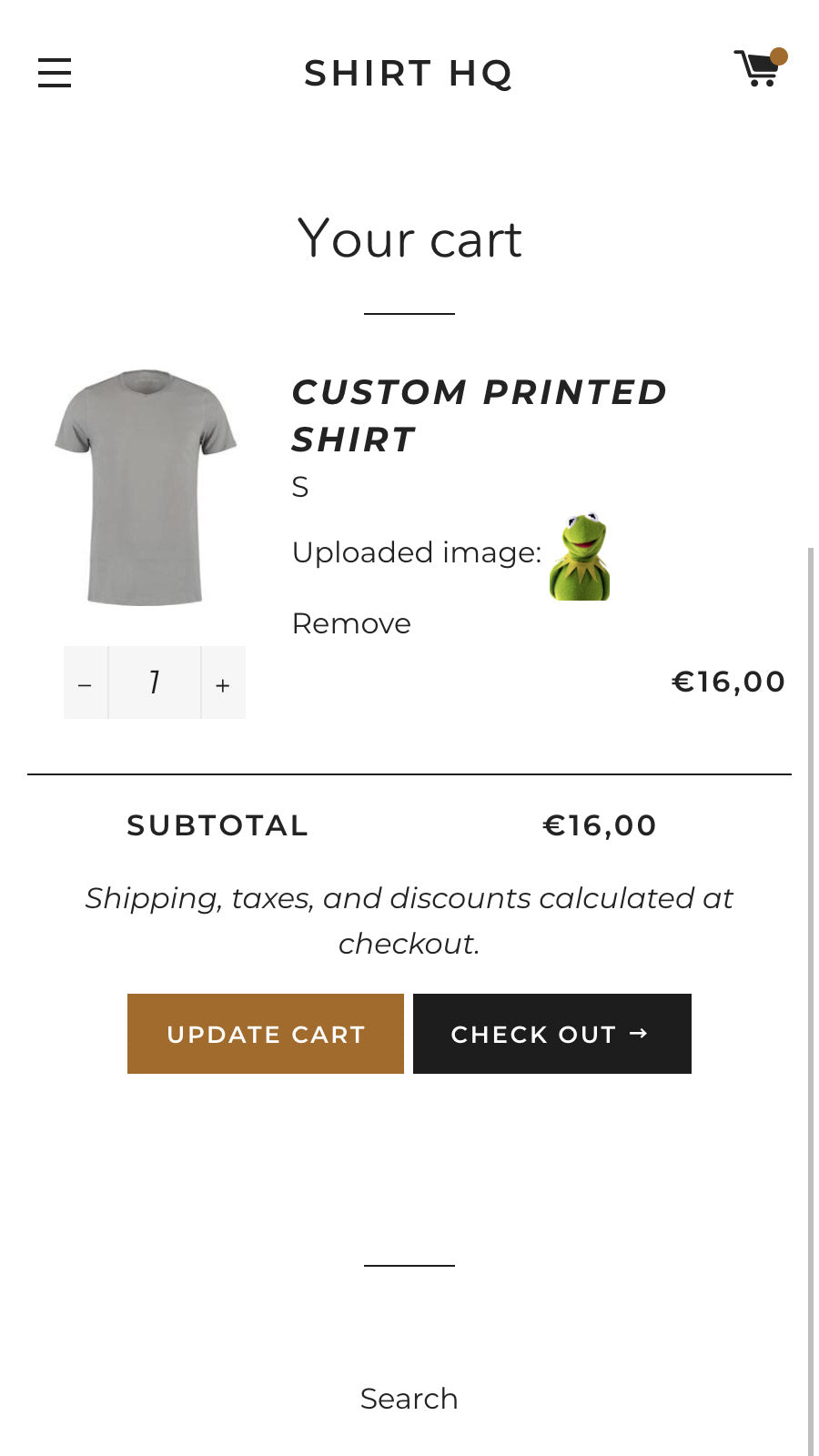
  • Preview uploaded images directly on the upload field and cart.
Highlights
  • Based in United States
  • Based in United States
  • Based in United States
User reviews and ratings
Recommended91.8%99.1%95.5%
Pros
  • Rapid, knowledgeable, and personalized assistance with frequent mentions of specific team members.
  • Intuitive interface and straightforward setup, often highlighted by users with limited technical experience.
  • Consistent functionality with minimal glitches or crashes across various use cases.
  • Flexible features allowing tailored upload processes to fit specific business needs.
  • Support queries are addressed promptly, often within hours or minutes.
  • Comprehensive tools like photo cropping, aspect ratio adjustments, and Google Drive integration.
  • Works well with Shopify themes and other apps without requiring extensive coding.
  • Competitive cost with high perceived value for the features offered.
  • Positive experiences reported by users over extended periods (years in some cases).
  • Clean UI and clear instructions enhance the overall experience.
  • The app is consistently praised for its intuitive and user-friendly interface.
  • Numerous reviews highlight the fast, friendly, and professional assistance from the support team.
  • Users appreciate the app’s free tier, which includes robust features like file uploads and variant customization.
  • Many users report swift and effective solutions to technical problems.
  • The app integrates well with various Shopify themes and existing store setups.
  • Users value the ability to tailor product variants and options to their specific needs.
  • The live chat support is noted for its prompt and thorough assistance.
  • The clean and intuitive design enhances the overall user experience.
  • The app is frequently described as transformative for managing product variants.
  • A significant number of users explicitly recommend the app to others.
  • The app functions smoothly and efficiently, meeting user needs without significant issues.
  • Support team is highly responsive, helpful, and often resolves issues quickly, even for free plan users.
  • The app is intuitive and easy to set up, with a clean design that integrates well with store themes.
  • Offers extensive customization for branding and functionality, including color adjustments and field types.
  • The free tier provides substantial value, making it accessible for small businesses or beginners.
  • Works well with Shopify and other apps, enhancing workflow without disrupting store performance.
  • Allows customers to upload multiple files, streamlining the process for custom orders.
  • Suitable for various industries, from personalized products to document-heavy services.
Cons
  • Rare but notable instances of continued charges after subscription cancellation.
  • Some users confused by differences between advertised "free plan" and actual free trial.
  • Struggles with advanced scenarios like multiple file uploads in a specific order.
  • A few users reported technical difficulties during setup, though these were eventually resolved.
  • Some users needed to contact support to remove watermarks, which was an extra step.
  • Some users find the app’s advanced features confusing initially, requiring time to master.
  • Occasional conflicts with certain Shopify themes, leading to functionality gaps.
  • Lack of PDF previews or advanced image editing features like color-accurate cropping.
  • Rare reports of missed file uploads, though often attributed to external factors like themes or connectivity.
  • A few users noted missing functionalities, such as bulk download options or collection-specific upload triggers.
Pricing and plans
Total pricing plans344
Free planAvailableAvailableAvailable
Free trialYes, for 7 day(s)Yes, for 14 day(s)Yes, for 7 day(s)
Technical information
Rating3.8 ★4.9 ★4.8 ★
Total reviews852,379176
Launch date26 September 20182 December 202113 January 2020

More details about File Uploads by UploadKit

Product description

Customers can easily upload files from various sources, which are displayed on the product page and cart, and are available for immediate download from your Shopify dashboard. The Google Drive integration allows for automatic download of these files to your team's computers. Our software has successfully processed over 100 million uploads.

AI summary

The app is a Shopify solution designed to facilitate file and image uploads for custom product orders, offering features such as photo cropping, aspect ratio adjustments, and Google Drive integration. Its strengths include a user-friendly interface, extensive customization options to align with store themes, and reliable performance with minimal setup. The app is particularly noted for its exceptional customer support, which provides rapid, personalized assistance, including backend adjustments and feature implementations upon request. However, some limitations include occasional technical glitches, such as upload field rearrangement issues and billing discrepancies after subscription cancellation. While the app generally delivers seamless functionality, a small subset of users reports challenges with complex multi-file upload scenarios. Overall, it is a robust tool for businesses requiring file upload capabilities, combining ease of use with responsive support.

Support

For any questions, concerns, or assistance with File Uploads by UploadKit, the dedicated support team is readily available to help. To reach out to the support team, users can send an email to [email protected].

Language support

Details of the File Uploads by UploadKit are available in various languages on the Shopify app store, including English.

File Uploads by UploadKit support information in a nutshell
Support emailhello@getuploadkit.com
Contact number(s)Not available
FAQ pageNot available
Privacy policyPrivacy details
Language supportEnglish
Integration

The list of top Shopify apps, features or software tools that File Uploads by UploadKit seamlessly integrates with are given below.

Customer accountsDropboxFacebookGoogle DriveGoogle PhotosInstagramOneDrive
Developer
NameUploadKit
ProfileSee all apps by UploadKit
WebsiteView developer profile
AddressOrdered Magic, Inc., 16192 Coastal Highway, Lewes, DE, 19958

Installation

How to install File Uploads by UploadKit on your Shopify store

1

Send your details

Your name, email and store domain go straight to the UploadKit team.

2

The developer gets in touch

UploadKit contacts you directly to arrange setup for your store.

3

Install at your own pace

Perfect your store’s functionality without the pressure to move on until you’re ready.

Customer reviews

4.7
★★★★★
85 total reviews
577
41
31
21
15

File Uploads by UploadKit has an overall rating of 4.7 stars from a total of 85 reviews on the Shopify app store. Of these, 78 (91.8%) are positive, 1 (1.2%) are neutral, and 6 (7.1%) are negative*.

*Ratings above four stars fall under positive review, three star reviews fall under neutral, and anything less than two stars falls under negative.

★★★★★TradeShowPlusfrom United States · 4 March 2026

Thank you Alice for helping a novice coder figure out how to change popup colors. Your company is always there to help with my little issues. Your respond answered my questions fast and allowed me to figure out coding that I could not have done without your help. Best upload app on Shopify!

★★★★★Forever Affectionfrom Bulgaria · 26 January 2026

Probably the best app for what it is, been using it for a few years now, never had problems, support is top notch.Can't recommend it enough!

★★★★★Lovely Legacyfrom Germany · 10 January 2026

These guys were really fast in responding and compentent. Nothing but good to say!

★★★★★SmellGo | HUfrom Hungary · 21 November 2025

I’ve had a great experience with UploadKit: they’re fast, helpful, and have resolved every request I’ve had in no time. Excellent customer support and a reliable app, highly recommended!

★★★★★Big Sky Magnetsfrom United States · 19 May 2025

They provide great features to add to my website! Uploading and cropping photos is a must for taking custom magnet orders. When I had a question about a feature, they replied quickly and made sure my website what prepared to work exactly as I needed it to. Highly recommend!

Install in your Shopify store We pass your name, email and store domain to the UploadKit team so they can help install and configure the app on your store.

Performance on the App Store

Rankings, review momentum and install geography, refreshed weekly. Open the full charts for history, benchmarks and keyword detail.

Category rank
#3
thank-you-order-status-file-uploads
Total reviews
85
No change vs 30 days ago
Average rating
4.7 ★
0.00 vs 30 days ago
Top market
US
28.7% of installs

Category & keyword rankings

Position and market share today

Collectionthank-you-order-status-file-uploads#31.7% ▼0.1
Keywordfile uploads#150.0% ▼0.0
KeywordFile security#29—
KeywordImage rotate#31—

Reviews trend

Cumulative reviews · last 6 months

82 → 85 reviews · rating steady at 4.7★
Ranks #3 in 1 of 10 App Store groups tracked.Open full charts →

File Uploads by UploadKit FAQs

How do I install the File Uploads by UploadKit Shopify app?
To install File Uploads by UploadKit on your Shopify store, click on the File Uploads by UploadKit installation link. Login to the Shopify store on which you want to install the app and follow the onboarding process. If you need our expert guidance to help you install File Uploads by UploadKit on your Shopify store, then contact us now.
What are the key features of File Uploads by UploadKit?

The key features offered by File Uploads by UploadKit to Shopify store owners are:

  • Accept files from phones, computers, Facebook, Instagram and more
  • Let customers preview, auto-enhance, rotate, sharpen and crop images
  • Automatically sync uploaded files to your Google Drive for faster order handling
  • Let customers upload their files right away, or after checkout
  • Automatically scans all files for malware and blocks viruses and trojans
Does File Uploads by UploadKit integrate with other Shopify apps or tools?

Yes, File Uploads by UploadKit seamlessly integrates with other Shopify apps or tools, such as Receive files from devices like phones and computers, as well as from social media platforms like Facebook and Instagram., Allow customers to view, automatically improve, turn, refine, and trim pictures., Sync uploaded files to your Google Drive automatically for quicker order processing..

Is there a free trial available for File Uploads by UploadKit?

Yes, File Uploads by UploadKit offers a 7-day free trial on all its paid plans.

What are the pricing plans for File Uploads by UploadKit?

The app has 3 pricing plans: 1 free and 2 paid. The paid plans cost $9.95/month, $24.95/month, and come with a 7-day free trial period.

How does billing work for File Uploads by UploadKit?

File Uploads by UploadKit uses USD for billing, with recurring and usage-based charges invoiced usually every 30 days.

Can I cancel or upgrade my subscription plan at any time?

Yes, File Uploads by UploadKit allows its subscribers to cancel or upgrade their subscription plan at any time.

Does File Uploads by UploadKit offer customer support?

Yes, File Uploads by UploadKit offers a dedicated support team for any kind of app-related assistance. To reach out to the support team, users can send an email to [email protected].

Is File Uploads by UploadKit compatible with my Shopify theme?

Please reach out to their support team at [email protected] to confirm its compatibility with your specific Shopify theme.

Most popular

Most popular Shopify apps on the market

Install in your Shopify store We pass your name, email and store domain to the UploadKit team so they can help install and configure the app on your store.

.myshopify.com
4.7★★★★★85 reviews · 91.8% positive

Writing reviews on ShopDigest is coming soon.

  • TR
    TradeShowPlusUnited States · 4 Mar 2026
    ★★★★★

    Thank you Alice for helping a novice coder figure out how to change popup colors. Your company is always there to help with my little issues. Your respond answered my questions fast and allowed me to figure out coding that I could not have done without your help. Best upload app on Shopify!

  • FA
    Forever AffectionBulgaria · 26 Jan 2026
    ★★★★★

    Probably the best app for what it is, been using it for a few years now, never had problems, support is top notch.Can't recommend it enough!

  • LL
    Lovely LegacyGermany · 10 Jan 2026
    ★★★★★

    These guys were really fast in responding and compentent. Nothing but good to say!

  • S|
    SmellGo | HUHungary · 21 Nov 2025
    ★★★★★

    I’ve had a great experience with UploadKit: they’re fast, helpful, and have resolved every request I’ve had in no time. Excellent customer support and a reliable app, highly recommended!

  • BS
    Big Sky MagnetsUnited States · 19 May 2025
    ★★★★★

    They provide great features to add to my website! Uploading and cropping photos is a must for taking custom magnet orders. When I had a question about a feature, they replied quickly and made sure my website what prepared to work exactly as I needed it to. Highly recommend!

  • PP
    Pixels Photo ArtRomania · 19 Mar 2025
    ★★★★★

    The application developer has gone above and beyond to provide help regarding the application. I am satisfied with the help they provided. Thank you once again!

  • TI
    Take It Easy Lab LtdUnited Kingdom · 11 Mar 2025
    ★★★★★

    Very useful app that works perfectly for us and great support from the devs!

  • TM
    Tangible MomentsUnited States · 28 Jan 2025
    ★★★★★

    This app works very well for my purpose. I have little to no experience with building a website and I was able to navigate the app with ease. Support is prompt and reliable. When I needed a solution that was not already available, Toby was able to create it for me. I highly recommend!

    UP
    UploadKitDeveloper1 Feb 2025

    Thanks so much - I really appreciate it. Let me know if I can help with anything else!

About ShopDigest

The Shopify ecosystem, shown through the work

ShopDigest is an independent directory of Shopify work. Developers, agencies and experts publish the projects they’ve actually shipped — migrations, rebuilds, custom apps, headless storefronts — with the results attached.

For merchants, that means judging a partner on evidence instead of a sales page: browse real builds in your category and budget, then reach out directly. For builders, it means one profile that keeps working after the project ships.

No commissions, no pay-to-rank placements. The best work rises because people save and follow it.

More about ShopDigest
About ShopDigest

Show the work.
Win the work.

A portfolio directory for the Shopify ecosystem — builders publish, merchants browse, nobody buys a better position.

More about ShopDigest