Top 5 Magic Menu ‑ Icon Menu Bar Shopify App Alternatives & Similar Apps
Are you currently using Magic Menu ‑ Icon Menu Bar for your Shopify store, but you're curious about other options available in the market? Look no further! We present you with 5 outstanding alternatives to Magic Menu ‑ Icon Menu Bar, carefully selected to meet a variety of e-commerce needs.
Find the right app for your store
Sign in and we shortlist the Magic Menu ‑ Icon Menu Bar alternatives that fit your setup.
Continue with Google
Buddha Mega Menu & Navigation by Buddha Apps (Zero Carbon)
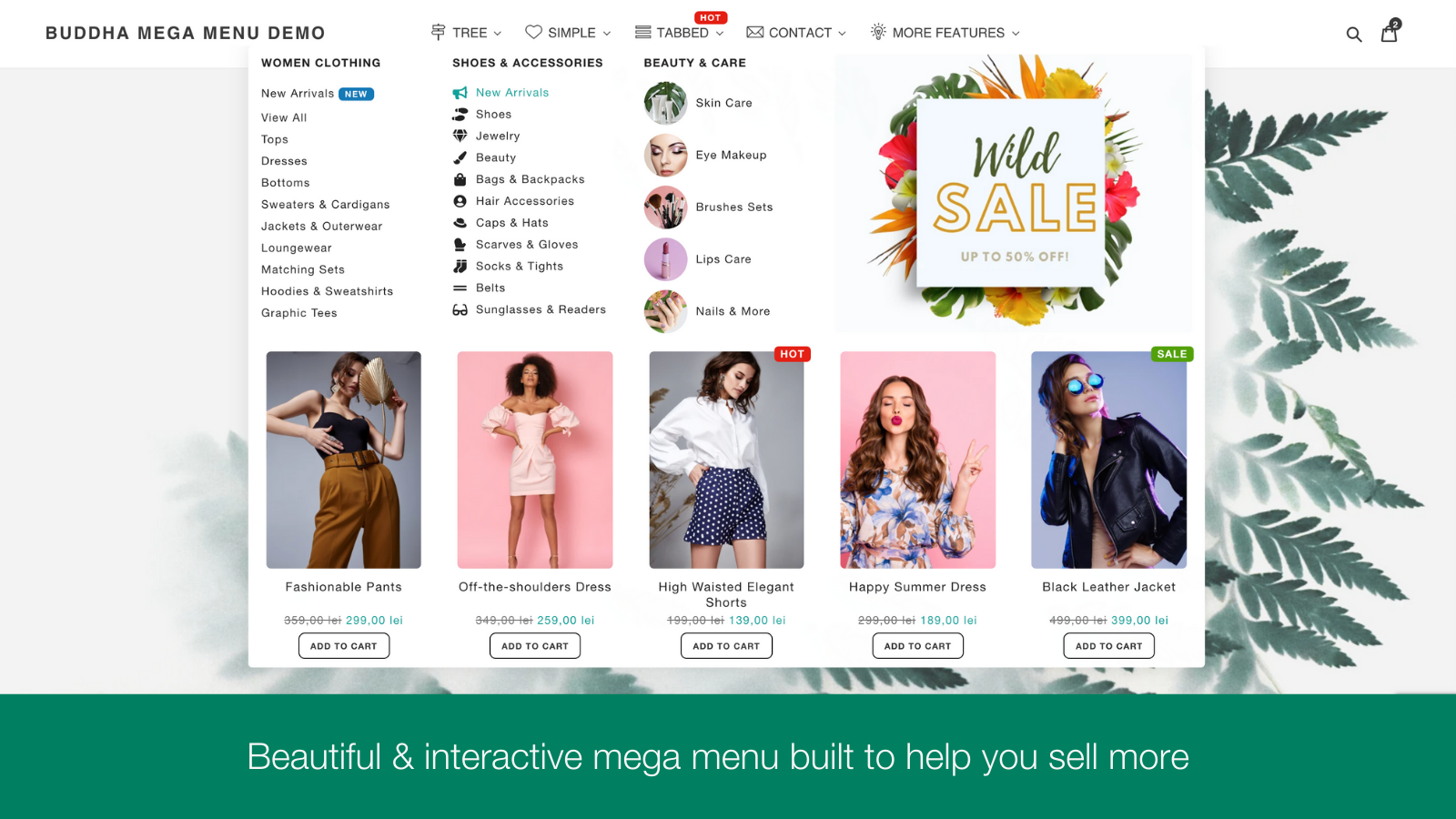
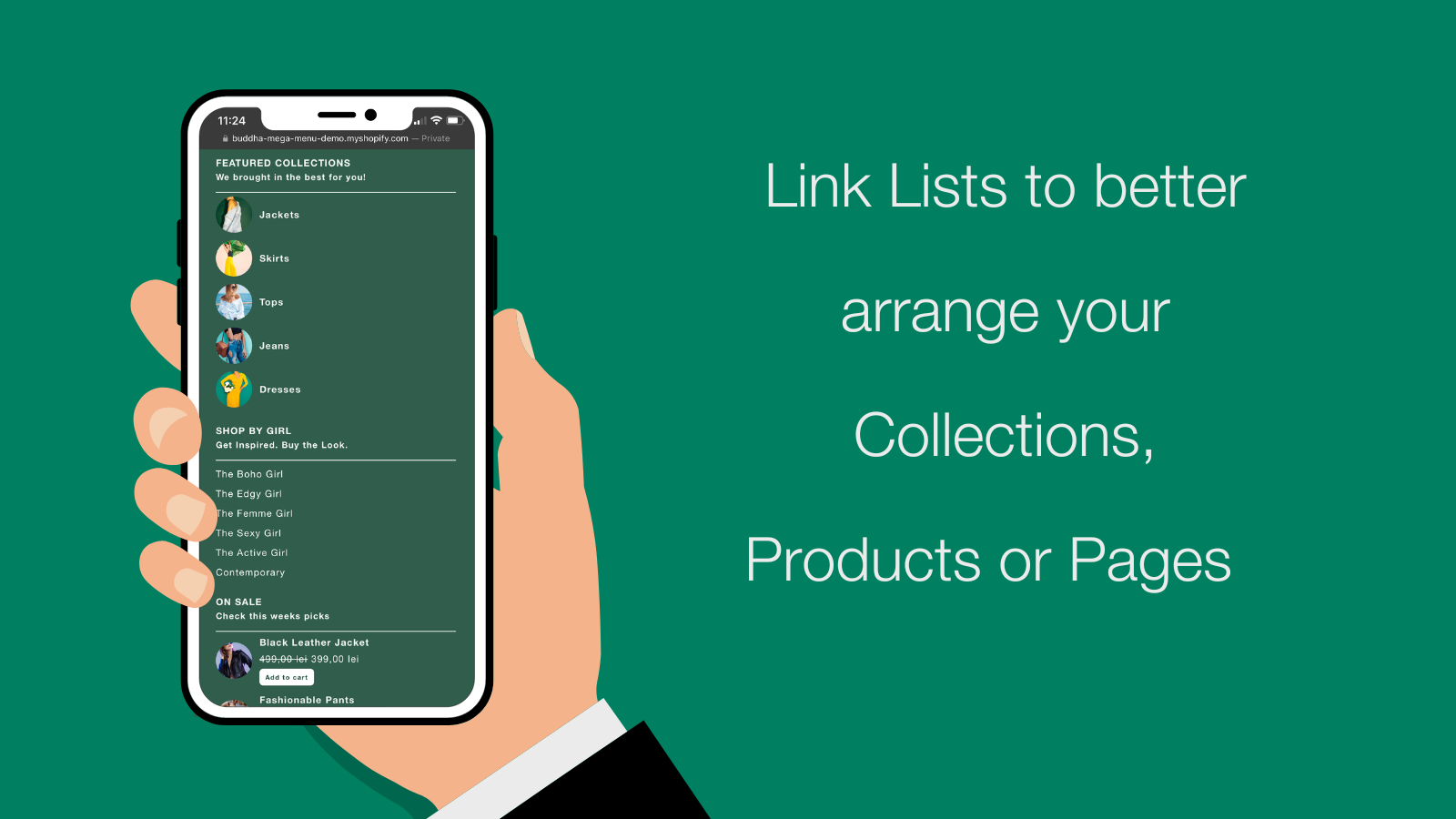
Mega Menu: stylish layout, simple to make a dropdown menu.
- The app is consistently described as intuitive and straightforward, with quick setup and minimal learning curve.
- Support teams are praised for their responsiveness, professionalism, and ability to resolve issues promptly.
- Users highlight the flexibility to personalize menus and settings to fit their specific needs.
- Some users express a desire for additional features (e.g., image support) in the free version.
Summary
About the App
Buddha Mega Menu & Navigation, a Magic Menu ‑ Icon Menu Bar alternatives Shopify app, has achieved 616 reviews and an average rating of 4.8 stars since its launch 10 years ago. Designed to assist Shopify merchants with - "Create a stunning dropdown menu quickly. Easily browse through Products, Collections, and Pages." it is a valuable addition to the Magic Menu ‑ Icon Menu Bar alternatives app lineup.
Top Features:
Magic Menu ‑ Icon Menu Bar alternatives Shopify apps can help elevate your e-commerce game. Buddha Mega Menu & Navigation offers a host of key features, including:
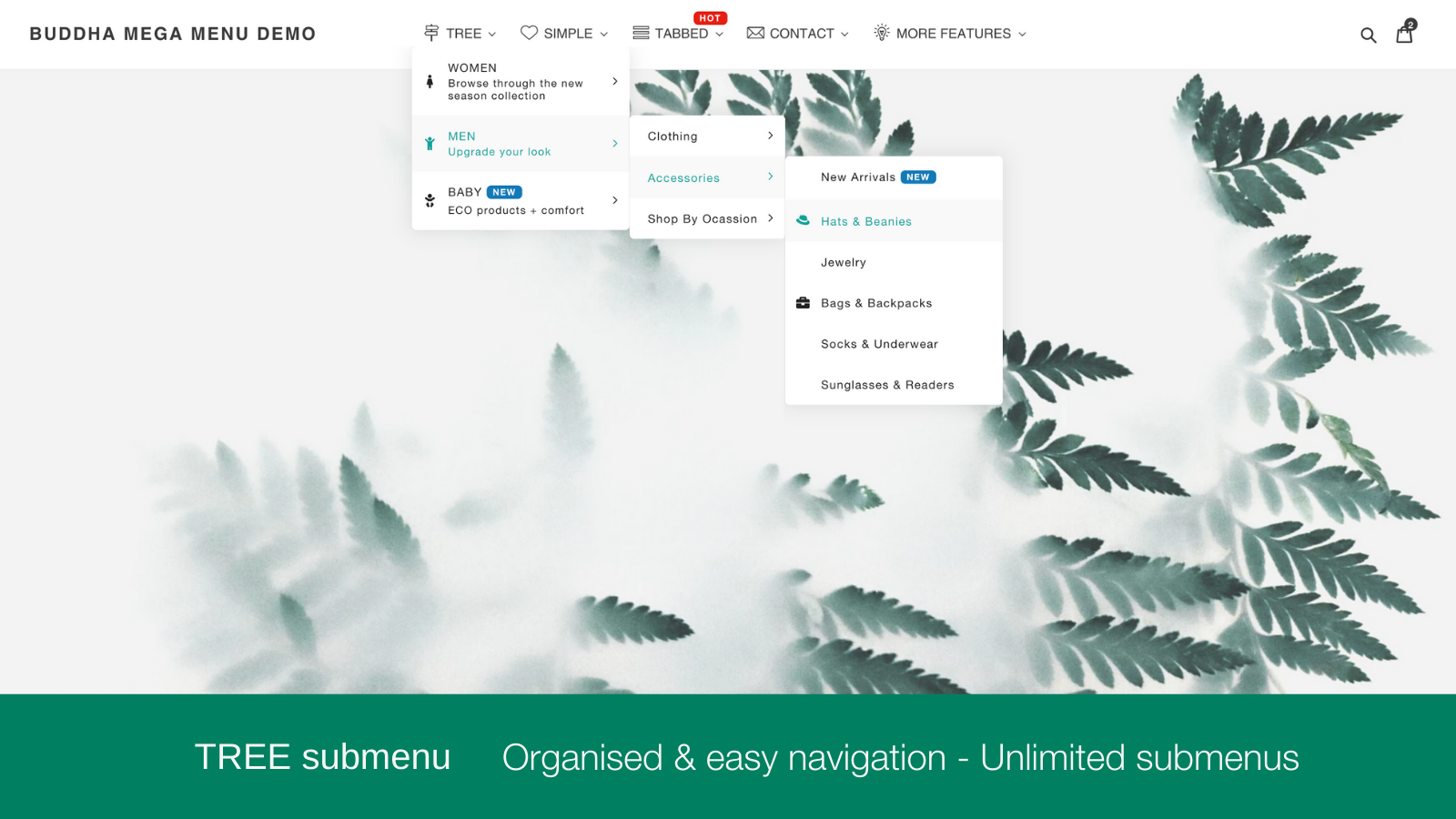
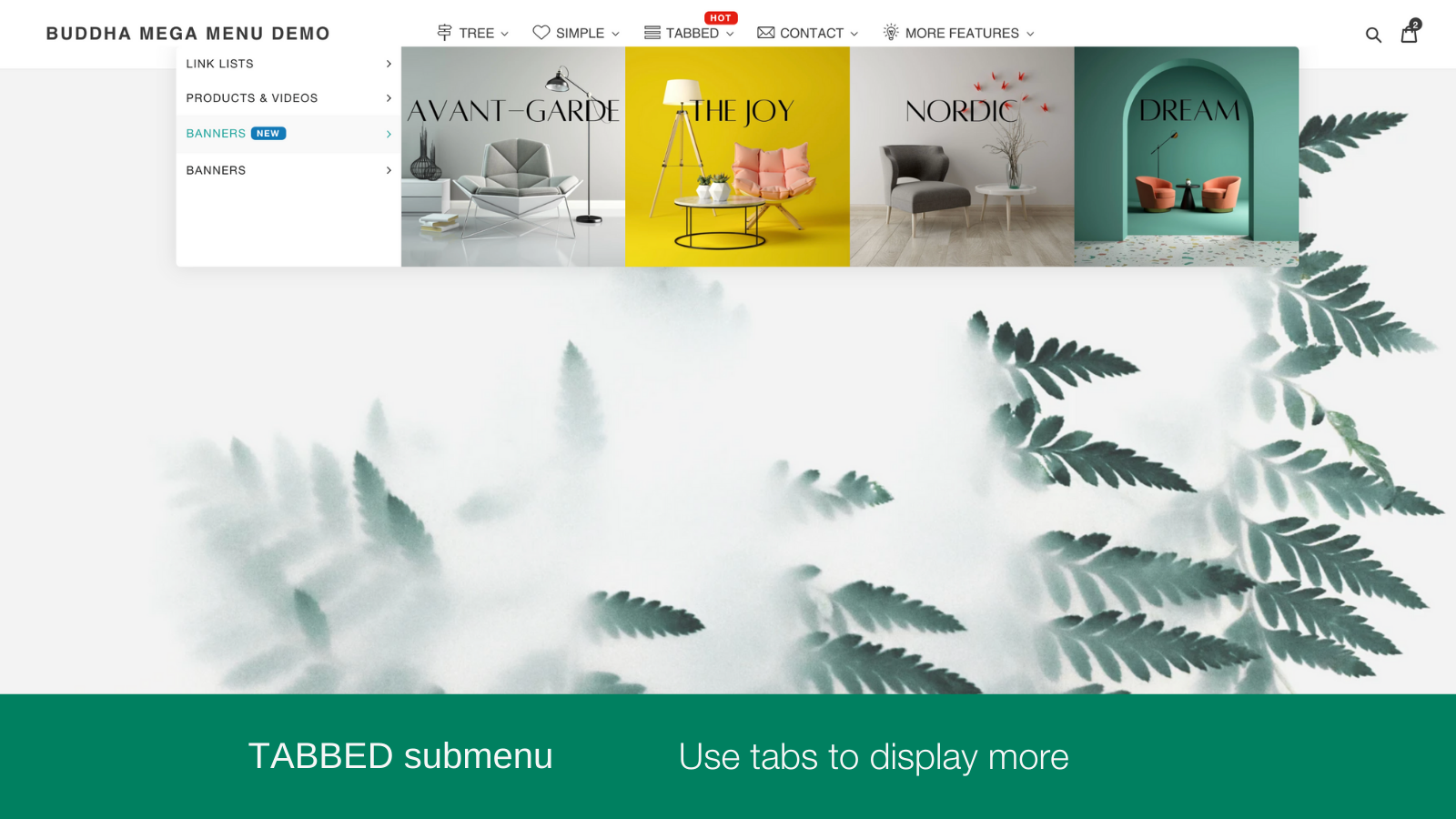
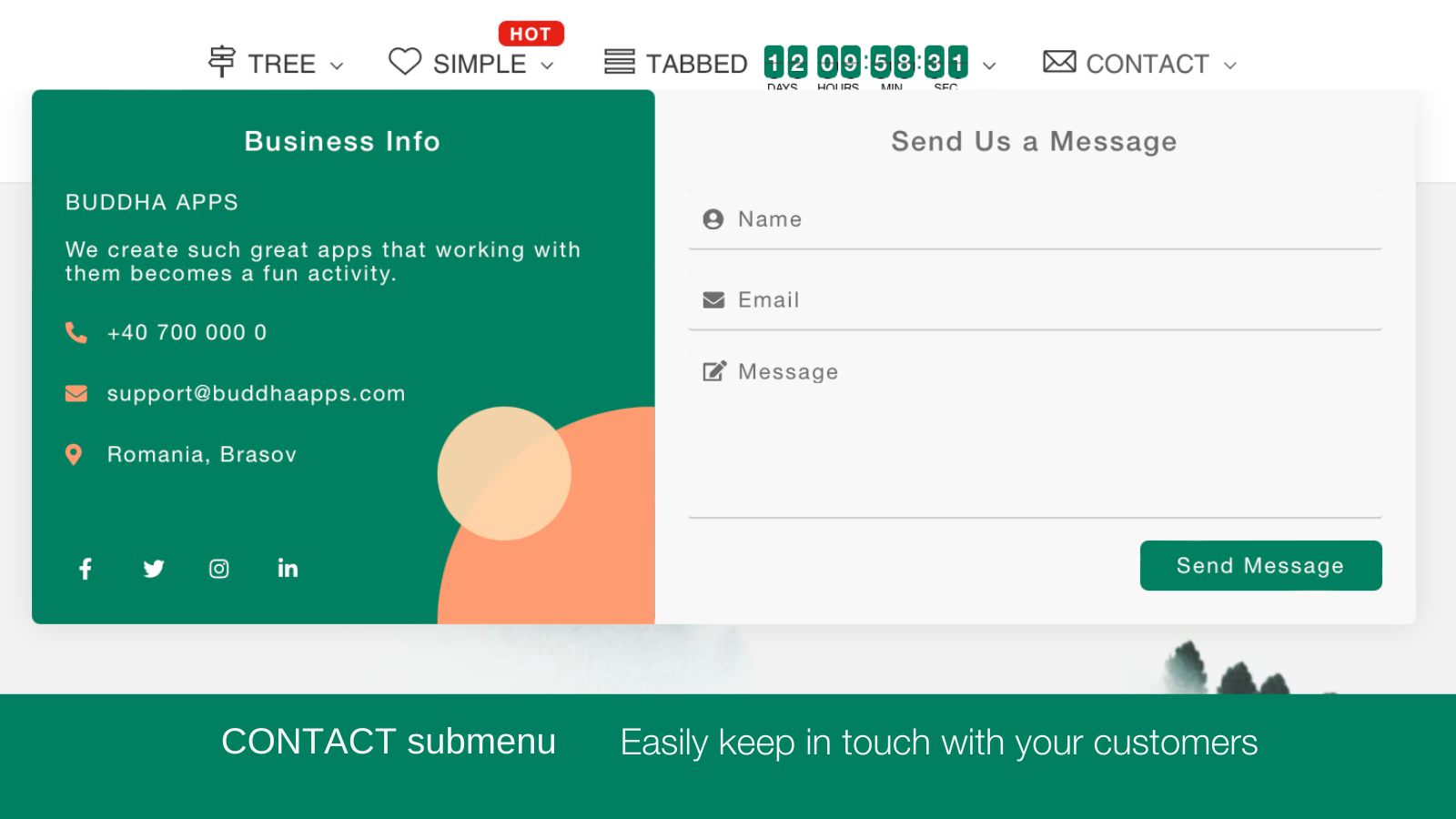
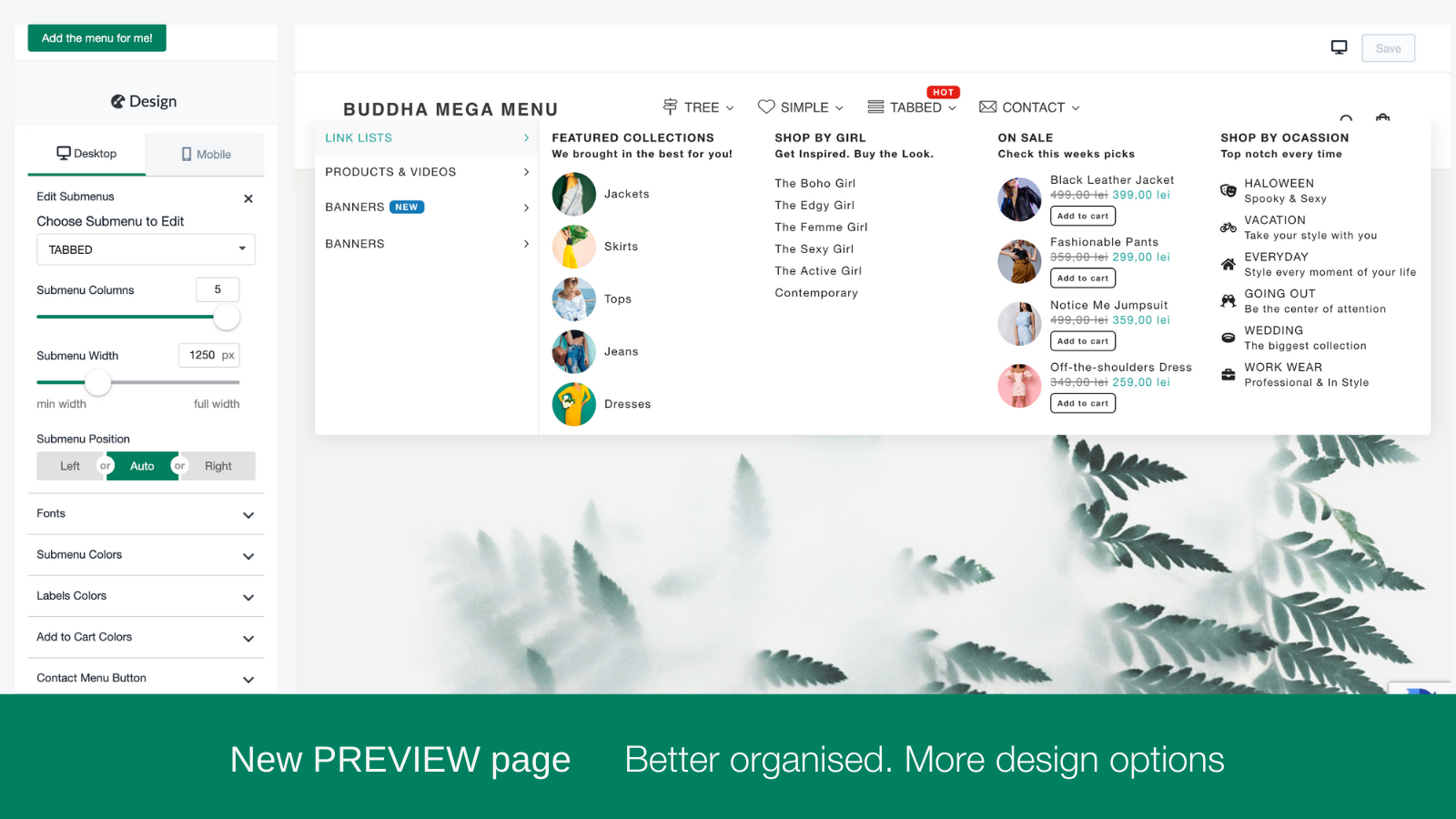
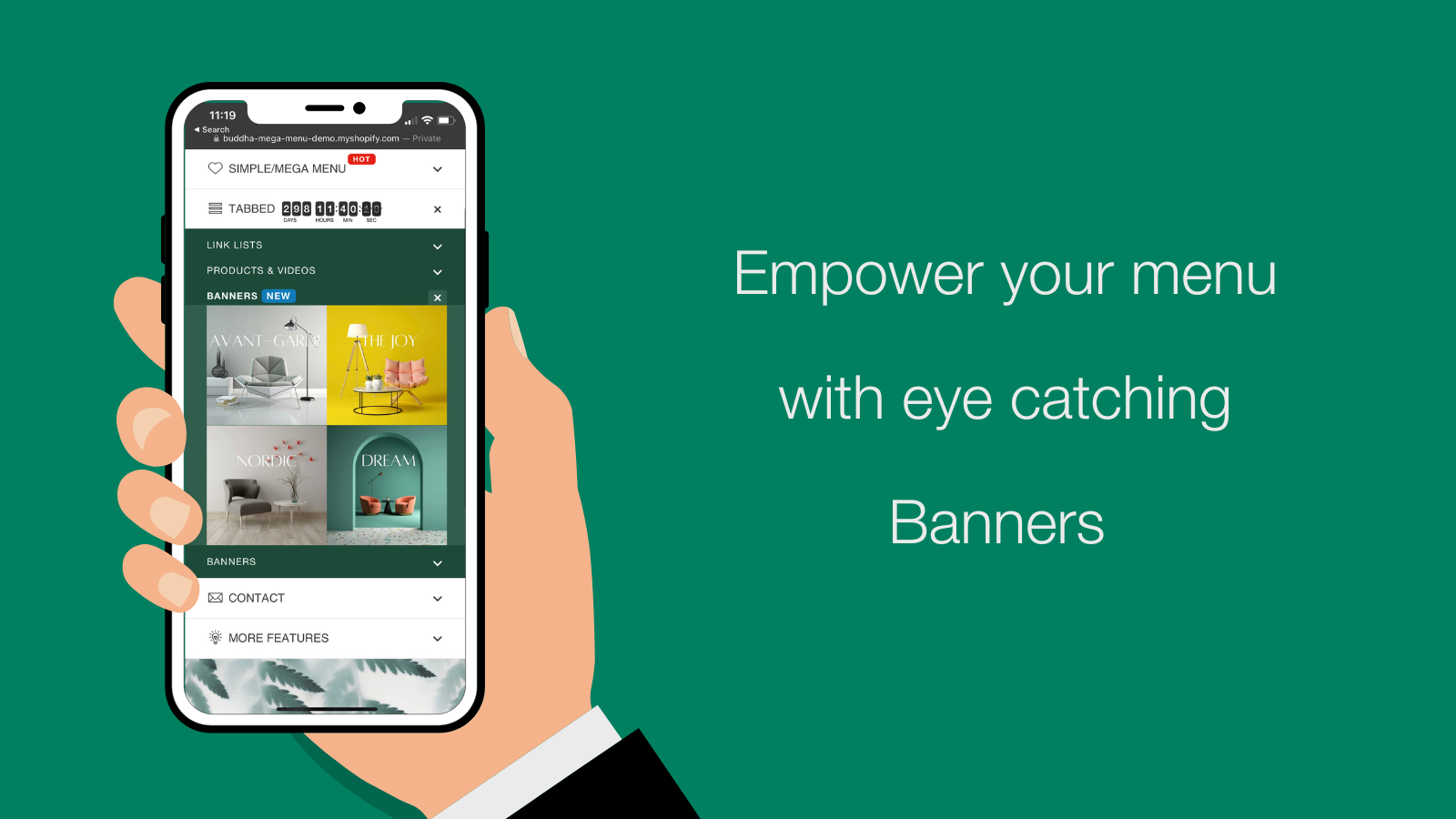
- Submenu Designs:4 types of submenu designs: Tree, Simple, Tabbed, and Contact.
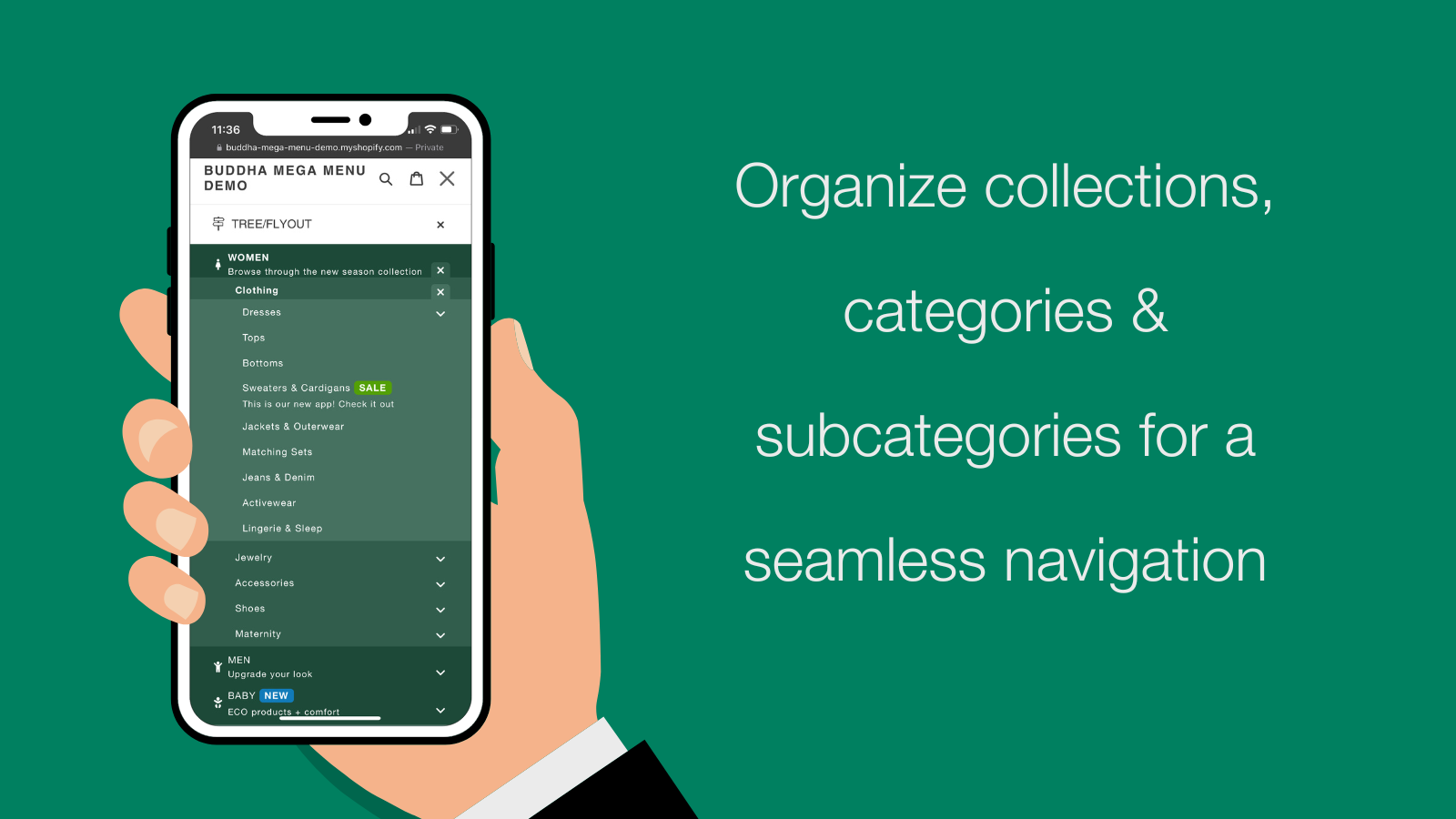
- Convenient Store Menus:Basic menu options or lists connected to any item, group, or page of your shop.
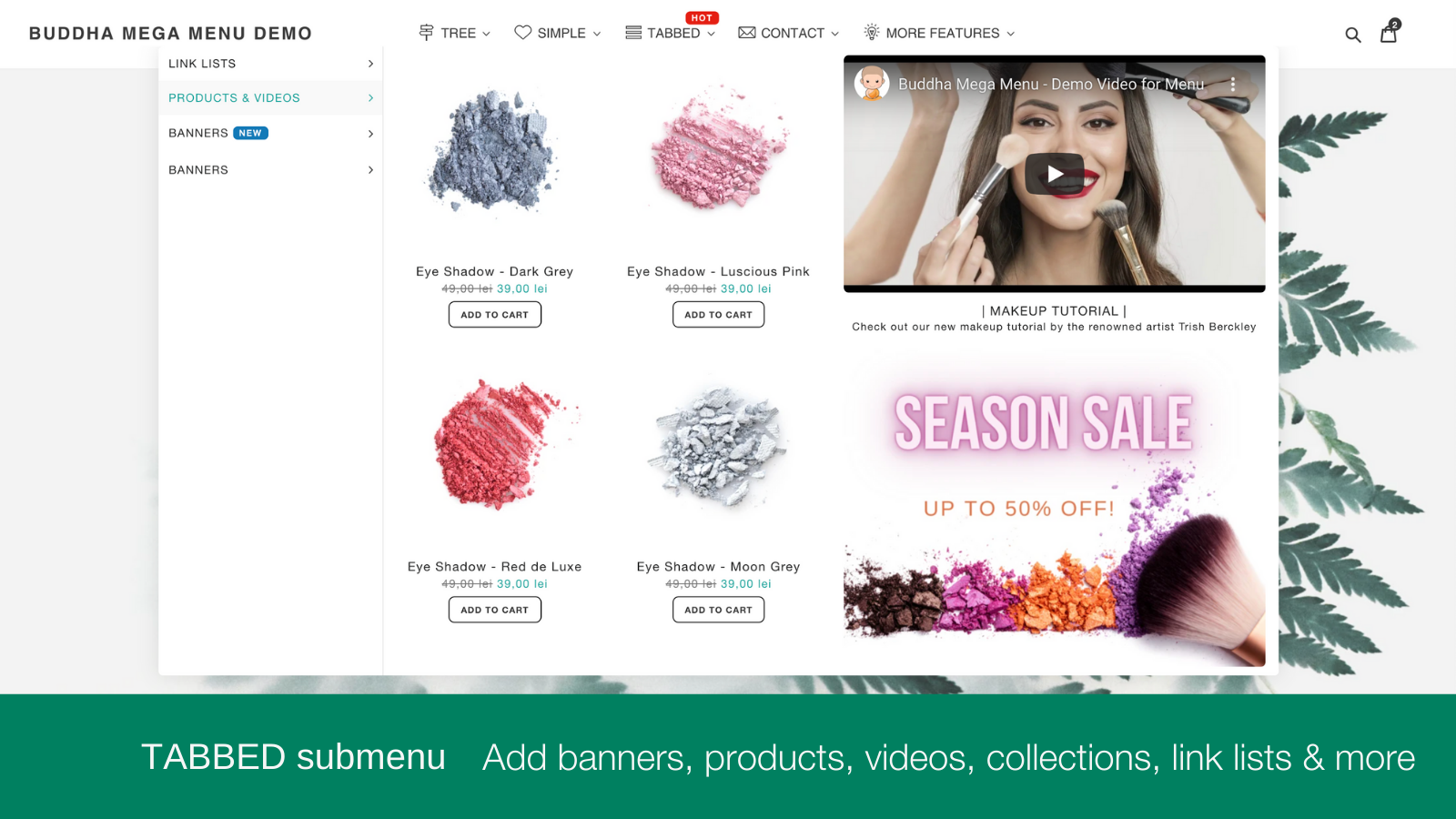
- Categorized Images:Collections, Products, Blogs, Pages, Custom Images, Banners
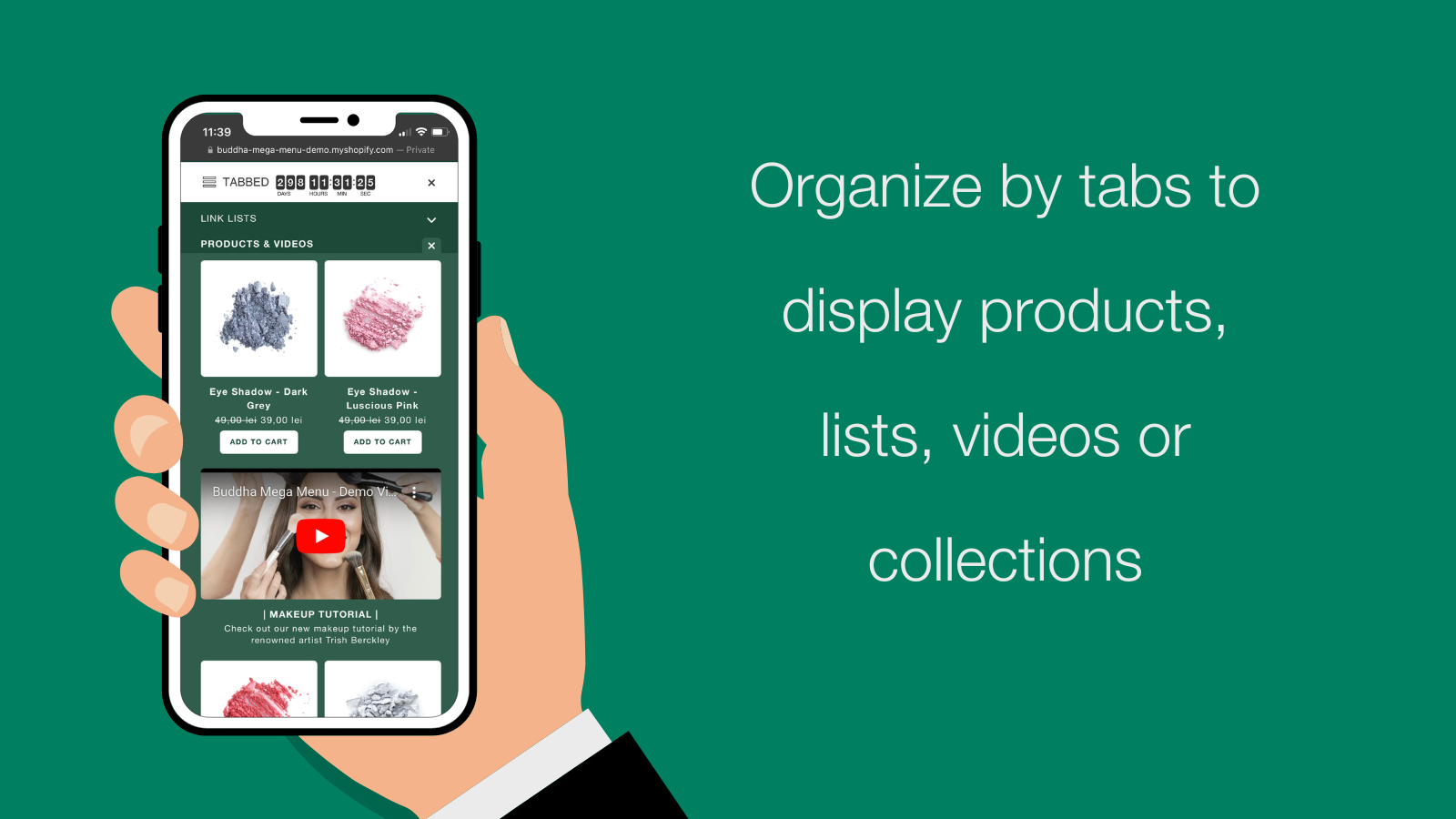
- Promotional Multimedia Toolkit:Timer, tags, badges, symbols, and videos to display your deals.
- One-click menu translation:Multi-language: Click once to translate your shop's menu into any language.
Pricing Details
Buddha Mega Menu & Navigation offers 1 free plan and 1 paid plan.
Considering installing this Magic Menu ‑ Icon Menu Bar alternatives Shopify app? Explore the pricing details and discover if they align with your budget and needs.
Free · $0/month
Included features: 2 Mega Menu types Tree (Flyout) · Simple, Unlimited Mega Menus, Unlimited menu items & Link Lists, 5 Featured Collections, 5 Featured Products, Icons Library, Customizable Mobile / Desktop Design, No watermark & FREE Tech Support
Mega Zen · $9.95/month
Included features: Everything in Free + Tabbed · Contact, Featured Images & Add-to-cart buttons, FREE for dev. stores, Embed videos directly in menus, Animated Icons Library + Labels / Badges, Sales Banners & Promotional blocks, Countdown timers for promotions, 1-Click Menu translation
Pros and Cons
Delve into ShopDigest's expert insights on Buddha Mega Menu & Navigation - a Magic Menu ‑ Icon Menu Bar alternatives Shopify app. Our analysis of Shopify app store reviews presents unique pros and cons, allowing you to make informed decisions for your business. Read our full Buddha Mega Menu & Navigation Magic Menu ‑ Icon Menu Bar alternatives App review.
- The app is consistently described as intuitive and straightforward, with quick setup and minimal learning curve.
- Support teams are praised for their responsiveness, professionalism, and ability to resolve issues promptly.
- Users highlight the flexibility to personalize menus and settings to fit their specific needs.
- The app functions smoothly and as advertised, with minimal technical issues.
- The free version offers robust functionality, making it accessible and useful for many users.
- The app enhances website aesthetics with clean, modern, and visually appealing menu layouts.
- Navigation and configuration are simple, even for non-technical users.
- The app provides a wide range of useful features beyond basic menu functionality.
- Improves customer experience by making website navigation more intuitive and organized.
- Some users express a desire for additional features (e.g., image support) in the free version.
- A few reports of minor bugs or compatibility issues, though quickly resolved.
- Users note potential issues when using the app simultaneously across multiple shops in the same browser.
- A few users request more granular control over design elements (e.g., padding, image sizing).

Mega Highlights Menu by Mega Profit Apps
- Display menu on mobile and desktop for a seamless browsing experience
- Allow visitors browse faster, discover new collections, increase conversion rate
- Full customization of images, titles, colors, fonts, margins, locations etc.
- Engage visitors with a much better than conventional text-based hamburger menu
- Seamlessly integrate circle, square story menu bars into your Shopify 2.0 theme
Summary
About the App
Mega Highlights Menu, a Magic Menu ‑ Icon Menu Bar alternatives Shopify app, has achieved 1 reviews and an average rating of 5 stars since its launch 2 years ago. Designed to assist Shopify merchants with - "Story Style Menu to feature products, collections and links in Instagram like icon based navigation" it is a valuable addition to the Magic Menu ‑ Icon Menu Bar alternatives app lineup.
Top Features:
Magic Menu ‑ Icon Menu Bar alternatives Shopify apps can help elevate your e-commerce game. Mega Highlights Menu offers a host of key features, including:
- Display menu on mobile and desktop for a seamless browsing experience
- Allow visitors browse faster, discover new collections, increase conversion rate
- Full customization of images, titles, colors, fonts, margins, locations etc.
- Engage visitors with a much better than conventional text-based hamburger menu
- Seamlessly integrate circle, square story menu bars into your Shopify 2.0 theme
Pricing Details
Mega Highlights Menu offers 1 free plan and 2 paid plans.
Considering installing this Magic Menu ‑ Icon Menu Bar alternatives Shopify app? Explore the pricing details and discover if they align with your budget and needs.
FREE PLAN · $0/month
Included features: Free for all partner development stores., Test the app on dev stores before launch
PRO ANNUAL · $2.49/month
Included features: SAVE 2 MONTHS!, Responsive Menu Display, Full Design Customization, Engaging Menu Designs, Seamless Integration, Faster Browsing Experience
PRO MONTHLY · $2.99/month
Included features: Responsive Menu Display, Full Design Customization, Engaging Menu Designs, Seamless Shopify Integration, Faster Browsing Experience
Pros and Cons
Delve into ShopDigest's expert insights on Mega Highlights Menu - a Magic Menu ‑ Icon Menu Bar alternatives Shopify app. Our analysis of Shopify app store reviews presents unique pros and cons, allowing you to make informed decisions for your business.
- Enhances navigation by prominently displaying important menu items.
- Quick and helpful assistance from the support team.
- Simple setup and intuitive customization for users of all technical levels.
- Improves menu aesthetics with eye-catching designs.
- Lightweight integration without impacting site speed.
- Offers options to align menu styles with brand identity.
- Contributes to improved sales and customer navigation efficiency.

Menus Uncomplicated by Zoom Buzz
Assist clients in locating items from your menu faster.
- Quick, responsive, and helpful assistance from the support team, particularly highlighted by interactions with Alex.
- Simple setup and intuitive interface, allowing users to implement and customize menus with minimal effort.
- Streamlines complex category and subcategory organization, improving navigation for stores with large inventories.
- Some users report the app does not function properly on mobile devices.
Summary
About the App
Menus Uncomplicated, a Magic Menu ‑ Icon Menu Bar alternatives Shopify app, has achieved 6 reviews and an average rating of 4.8 stars since its launch 10 years ago. Designed to assist Shopify merchants with - "Menus Uncomplicated displays a series of related categories when your customers move their mouse over or click on your menu." it is a valuable addition to the Magic Menu ‑ Icon Menu Bar alternatives app lineup.
Top Features:
Magic Menu ‑ Icon Menu Bar alternatives Shopify apps can help elevate your e-commerce game. Menus Uncomplicated offers a host of key features, including:
- Nested menu categories:Display categories and various sub-category levels in your menu.
- Effortless Integration:No need for HTML coding or changes to your existing theme.
- Optimize Shopify Navigation:Utilize the current Shopify 'Navigation' system without creating duplicate categories.
- Interface Customization:Click-and-select interface to adjust menu settings like colors and font
- App Compatibility:The app is compatible with many, but not all, themes.
Pricing Details
Menus Uncomplicated offers 1 free plan and 1 paid plan.
Considering installing this Magic Menu ‑ Icon Menu Bar alternatives Shopify app? Explore the pricing details and discover if they align with your budget and needs.
Free · $0/month
Included features: Up to 10 menu items
Pro · $6/month
Included features: Unlimited menu items
Pros and Cons
Delve into ShopDigest's expert insights on Menus Uncomplicated - a Magic Menu ‑ Icon Menu Bar alternatives Shopify app. Our analysis of Shopify app store reviews presents unique pros and cons, allowing you to make informed decisions for your business.
- Quick, responsive, and helpful assistance from the support team, particularly highlighted by interactions with Alex.
- Simple setup and intuitive interface, allowing users to implement and customize menus with minimal effort.
- Streamlines complex category and subcategory organization, improving navigation for stores with large inventories.
- Affordable pricing with significant functionality, often described as a "steal" for the features provided.
- Clear instructional videos and documentation aid in setup and troubleshooting.
- Some users report the app does not function properly on mobile devices.
- Performance issues noted on Internet Explorer, though it works well on other browsers.
Three alternatives to look at first
Create a stunning dropdown menu quickly. Easily browse through Products, Collections, and Pages.
Story Style Menu to feature products, collections and links in Instagram like icon based navigation
Menus Uncomplicated displays a series of related categories when your customers move their mouse over or click on your menu.

DigitalCoo AI Filters & Search by DigitalCoo
Increase sales by using product filters and quick search.
- Product filter on the collection page
- Immediate search recommendations
- Easy to use personalized features
Summary
About the App
DigitalCoo AI Filters & Search, a Magic Menu ‑ Icon Menu Bar alternatives Shopify app, has achieved 3 reviews and an average rating of 5 stars since its launch 6 years ago. Designed to assist Shopify merchants with - "Increase sales by using instant search and product filters." it is a valuable addition to the Magic Menu ‑ Icon Menu Bar alternatives app lineup.
Top Features:
Magic Menu ‑ Icon Menu Bar alternatives Shopify apps can help elevate your e-commerce game. DigitalCoo AI Filters & Search offers a host of key features, including:
- Product Sorting:Product filter on the collection page
- Search Assistance:Immediate search recommendations
- Customization Ease:Easy to use personalized features
Pricing Details
DigitalCoo AI Filters & Search offers 1 free plan and 3 paid plans.
Considering installing this Magic Menu ‑ Icon Menu Bar alternatives Shopify app? Explore the pricing details and discover if they align with your budget and needs.
Free · $0/month
Included features: Up to 25 Products, All basic options
Basic - Up to 500 · $9/month
Included features: Storefront product filters, Filter by collections, vendors & tags, Price & discount range filters, Storefront search bar, Synonym management, Pin, boost, bury & exclude products, Product sync status & history, Mobile-friendly filter drawer
Basic - Up to 1000 · $14/month
Included features: Storefront product filters, Filter by collections, vendors & tags, Price & discount range filters, Storefront search bar, Synonym management, Pin, boost, bury & exclude products, Product sync status & history, Mobile-friendly filter drawer
Plus - Up to 500 · $19/month
Included features: Storefront product filters, Filter by collections, vendors & tags, Price & discount range filters, Storefront search bar, Synonym management, Pin, boost, bury & exclude products, Product sync status & history, Mobile-friendly filter drawer
Pros and Cons
Delve into ShopDigest's expert insights on DigitalCoo AI Filters & Search - a Magic Menu ‑ Icon Menu Bar alternatives Shopify app. Our analysis of Shopify app store reviews presents unique pros and cons, allowing you to make informed decisions for your business.
- The support team is highly responsive, patient, and proactive in resolving issues and customizing the app.
- The app is intuitive and easy to navigate, even for non-technical users.
- Many users noted the app was ready to use shortly after installation with minimal effort.

Story Style ‑ Insta Highlights by Petna Ventures, Inc.
- Introduce the popular social media stories format to your store.
- Create a user-friendly navigation menu for your visitors so they can quickly locate products.
- Customize everything: pictures, names, labels, colors, text styles, borders, and more.
- Simply highlight promotions, groups of items, specific products and more.
- Boost your store's sales and customer engagement.
Summary
About the App
Story Style ‑ Insta Highlights, a Magic Menu ‑ Icon Menu Bar alternatives Shopify app, has achieved 0 reviews and an average rating of 0 stars since its launch 3 years ago. Designed to assist Shopify merchants with - "Make a Story Style Menu to incorporate Instagram story-like headers to your shop." it is a valuable addition to the Magic Menu ‑ Icon Menu Bar alternatives app lineup.
Top Features:
Magic Menu ‑ Icon Menu Bar alternatives Shopify apps can help elevate your e-commerce game. Story Style ‑ Insta Highlights offers a host of key features, including:
- Social Media Integration:Introduce the popular social media stories format to your store.
- Intuitive Navigation Menu:Create a user-friendly navigation menu for your visitors so they can quickly locate products.
- Design Customization:Customize everything: pictures, names, labels, colors, text styles, borders, and more.
- Marketing Strategies:Simply highlight promotions, groups of items, specific products and more.
- Enhance Customer Engagement:Boost your store's sales and customer engagement.
Pricing Details
Story Style ‑ Insta Highlights offers 1 free plan and 2 paid plans.
Considering installing this Magic Menu ‑ Icon Menu Bar alternatives Shopify app? Explore the pricing details and discover if they align with your budget and needs.
Free · $0/month
Included features: - 3 menu items limit, - Only default menu settings
Basic · $9.99/month
Included features: - Unlimited menu items, - Standard settings for items and menu
Advanced · $15/month
Included features: - Unlimited menu items, - Access to advanced settings
About Magic Menu ‑ Icon Menu Bar
Magic Menu ‑ Icon Menu Bar is a versatile Shopify app designed to help achieve the purpose: “Magic Menu is a menu creator using icons that attracts visitors and aids in increasing sales.”. This Shopify app is listed under Navigation and menus category. It has garnered over 33 reviews with an average rating of 4.7 stars from Shopify merchants.
Some of its key features include:
- Magic Menu Boost: Attract guests, lower your bounce rate and increase your sales with the magic menu.
- Improved design: Magic Menu is more appealing than the usual text-based menu bars.
- Enhanced Menu Builder: Easy-to-use menu creator, simple setup and compatible with Online Store 2.0.
Besides, Magic Menu ‑ Icon Menu Bar is known for its Rapid response times and highly praised assistance from the support team., Simple setup and intuitive interface, making it accessible for all users., Offers a wide range of valuable features, including customization and design options., Enhances website aesthetics with stylish menus and Instagram-like story features., Allows users to try the app before committing financially., Improves mobile user experience with dynamic menus., Users appreciate the cost-effectiveness of the app., Many noted improved navigation and engagement on their websites..
Why Consider Magic Menu ‑ Icon Menu Bar Alternatives for Shopify?
While Magic Menu ‑ Icon Menu Bar may have its unique features and benefits, it's essential to periodically reevaluate your options to ensure that you're using the best tools to optimize your online store. Here are some reasons why you should explore Magic Menu ‑ Icon Menu Bar alternatives:
- Diverse Needs: What worked initially with Magic Menu ‑ Icon Menu Bar may not fully address your current needs. By considering Magic Menu ‑ Icon Menu Bar alternatives, you can find apps that are better suited to your changing objectives.
- Budget Constraints: While considering alternatives to Magic Menu ‑ Icon Menu Bar can impact your budget significantly. Some alternatives offer similar functionality at the same or reduced pricing level, while others may provide increased pricing but with added features that justify the investment.
- Compatibility Issues: If you have encountered compatibility issues with Magic Menu ‑ Icon Menu Bar or have concerns about its integration with other essential tools and themes, exploring Magic Menu ‑ Icon Menu Bar alternatives can help you find apps that offer better compatibility and ease of use.
- Feature Enhancement: Alternatives to Magic Menu ‑ Icon Menu Bar may offer innovative features that can give your Shopify store a competitive edge. By exploring these alternatives, you can tap into new capabilities and stay ahead in the dynamic e-commerce landscape.
In the following sections, we'll introduce you to some of the top alternatives to Magic Menu ‑ Icon Menu Bar.
Overview of the Best Magic Menu ‑ Icon Menu Bar Shopify Alternatives
There are several alternatives in the Shopify app store that can seamlessly replace or complement Magic Menu ‑ Icon Menu Bar. Whether you are looking for a change or just exploring your options, you are bound to find the perfect fit for your Shopify store. We have listed the top Shopify Magic Menu ‑ Icon Menu Bar alternatives based on their popularity and average rating.
| App Name | Category | Developer | Starting Price | Free Plan | Reviews |
|---|---|---|---|---|---|
| Buddha Mega Menu & Navigation | Magic Menu ‑ Icon Menu Bar alternatives | Buddha Apps (Zero Carbon) | $0/month | ● Available | 4.8 ★ (616) |
| Mega Highlights Menu | Magic Menu ‑ Icon Menu Bar alternatives | Mega Profit Apps | $0/month | ● Available | 5.0 ★ (1) |
| Menus Uncomplicated | Magic Menu ‑ Icon Menu Bar alternatives | Zoom Buzz | $0/month | ● Available | 4.8 ★ (6) |
| DigitalCoo AI Filters & Search | Magic Menu ‑ Icon Menu Bar alternatives | DigitalCoo | $0/month | ● Available | 5.0 ★ (3) |
| Story Style ‑ Insta Highlights | Magic Menu ‑ Icon Menu Bar alternatives | Petna Ventures, Inc. | $0/month | ● Available | - (0) |
Have a Closer Look at the Best Alternatives to Magic Menu ‑ Icon Menu Bar
Now let us jump in and check out these top Magic Menu ‑ Icon Menu Bar alternatives.


Reviews
No reviews available for this app.
Why is Buddha Mega Menu & Navigation a top Magic Menu ‑ Icon Menu Bar alternatives Shopify app?
ShopDigest selects the top Shopify apps in the Magic Menu ‑ Icon Menu Bar alternatives category based on various parameters, including the number of installations across Shopify stores, the app's ranking in the Shopify App Store, the number of merchants' reviews, and its overall customer rating, among other factors.
Why integrate Buddha Mega Menu & Navigation with your Shopify store?
- Submenu Designs: 4 types of submenu designs: Tree, Simple, Tabbed, and Contact.
- Convenient Store Menus: Basic menu options or lists connected to any item, group, or page of your shop.
- Categorized Images: Collections, Products, Blogs, Pages, Custom Images, Banners
- Promotional Multimedia Toolkit: Timer, tags, badges, symbols, and videos to display your deals.
- One-click menu translation: Multi-language: Click once to translate your shop's menu into any language.
Shopify merchants highlight key advantages, such as 4 submenu designs: Tree, Simple, Tabbed, Contact, Simple menu items or lists linked to any product, collection, page of your store, and more,
What are some of the top alternatives for Buddha Mega Menu & Navigation?
2. Mega Highlights Menu
5.0 ★ (1)


Reviews
No reviews available for this app.
Why is Mega Highlights Menu a top Magic Menu ‑ Icon Menu Bar alternatives Shopify app?
ShopDigest selects the top Shopify apps in the Magic Menu ‑ Icon Menu Bar alternatives category based on various parameters, including the number of installations across Shopify stores, the app's ranking in the Shopify App Store, the number of merchants' reviews, and its overall customer rating, among other factors.
Why integrate Mega Highlights Menu with your Shopify store?
- Display menu on mobile and desktop for a seamless browsing experience
- Allow visitors browse faster, discover new collections, increase conversion rate
- Full customization of images, titles, colors, fonts, margins, locations etc.
- Engage visitors with a much better than conventional text-based hamburger menu
- Seamlessly integrate circle, square story menu bars into your Shopify 2.0 theme
Shopify merchants highlight key advantages, such as Display menu on mobile and desktop for a seamless browsing experience, Allow visitors browse faster, discover new collections, increase conversion rate, and more,
What are some of the top alternatives for Mega Highlights Menu?
3. Menus Uncomplicated
4.8 ★ (6)


Reviews
No reviews available for this app.
Why is Menus Uncomplicated a top Magic Menu ‑ Icon Menu Bar alternatives Shopify app?
ShopDigest selects the top Shopify apps in the Magic Menu ‑ Icon Menu Bar alternatives category based on various parameters, including the number of installations across Shopify stores, the app's ranking in the Shopify App Store, the number of merchants' reviews, and its overall customer rating, among other factors.
Why integrate Menus Uncomplicated with your Shopify store?
- Nested menu categories: Display categories and various sub-category levels in your menu.
- Effortless Integration: No need for HTML coding or changes to your existing theme.
- Optimize Shopify Navigation: Utilize the current Shopify 'Navigation' system without creating duplicate categories.
- Interface Customization: Click-and-select interface to adjust menu settings like colors and font
- App Compatibility: The app is compatible with many, but not all, themes.
Shopify merchants highlight key advantages, such as Show categories and multiple levels of sub-categories in your menu, Requires no HTML coding or modification of your current theme, and more,
What are some of the top alternatives for Menus Uncomplicated?
4. DigitalCoo AI Filters & Search
5.0 ★ (3)


Reviews
No reviews available for this app.
Why is DigitalCoo AI Filters & Search a top Magic Menu ‑ Icon Menu Bar alternatives Shopify app?
ShopDigest selects the top Shopify apps in the Magic Menu ‑ Icon Menu Bar alternatives category based on various parameters, including the number of installations across Shopify stores, the app's ranking in the Shopify App Store, the number of merchants' reviews, and its overall customer rating, among other factors.
Why integrate DigitalCoo AI Filters & Search with your Shopify store?
- Product Sorting: Product filter on the collection page
- Search Assistance: Immediate search recommendations
- Customization Ease: Easy to use personalized features
Shopify merchants highlight key advantages, such as Collection page product filter, Instant Search suggestions, and more,
What are some of the top alternatives for DigitalCoo AI Filters & Search?
5. Story Style ‑ Insta Highlights
- (1)


Reviews
No reviews available for this app.
Why is Story Style ‑ Insta Highlights a top Magic Menu ‑ Icon Menu Bar alternatives Shopify app?
ShopDigest selects the top Shopify apps in the Magic Menu ‑ Icon Menu Bar alternatives category based on various parameters, including the number of installations across Shopify stores, the app's ranking in the Shopify App Store, the number of merchants' reviews, and its overall customer rating, among other factors.
Why integrate Story Style ‑ Insta Highlights with your Shopify store?
- Social Media Integration: Introduce the popular social media stories format to your store.
- Intuitive Navigation Menu: Create a user-friendly navigation menu for your visitors so they can quickly locate products.
- Design Customization: Customize everything: pictures, names, labels, colors, text styles, borders, and more.
- Marketing Strategies: Simply highlight promotions, groups of items, specific products and more.
- Enhance Customer Engagement: Boost your store's sales and customer engagement.
Shopify merchants highlight key advantages, such as Bring the familiar social media stories format to your store., Build an intuitive navigation menu for your visitors to easily find products, and more,
What are some of the top alternatives for Story Style ‑ Insta Highlights?
How to Choose the Right Magic Menu ‑ Icon Menu Bar Alternative for Your Shopify Store
Choosing the right alternative to Magic Menu ‑ Icon Menu Bar for your Shopify store is a crucial decision that can significantly impact your e-commerce operations. To help you make an informed choice, consider the following factors.
- Identify Your Needs: Make a list of features, integrations, or improvements you seek in a Magic Menu ‑ Icon Menu Bar alternative. Understanding your needs will serve as a guide when evaluating alternatives.
- Compare Features: Compare the features of each alternative to Magic Menu ‑ Icon Menu Bar and see how they align with your needs. Pay attention to unique functionalities that may differentiate one alternative from another.
- Check Reviews and User Feedback: Look for reviews from Shopify store owners who have used the Magic Menu ‑ Icon Menu Bar alternatives you are considering. Pay attention to both positive and negative comments to get a well-rounded view.
- Pricing: Consider your budget and choose a Magic Menu ‑ Icon Menu Bar alternative that fits within your financial constraints. Some alternatives may be cost-effective, while others may be feature-rich but come at a higher price.
- Scalability: Consider the long-term scalability of Magic Menu ‑ Icon Menu Bar alternatives. Choose an alternative that can adapt to your growing store needs.
- Trial Period: If available, take advantage of any trial periods offered by Magic Menu ‑ Icon Menu Bar alternatives. Hands-on experience is invaluable in assessing usability, compatibility with your Shopify setup, and overall user-friendliness.
- Support and Updates: Research the responsiveness of the support team behind each Magic Menu ‑ Icon Menu Bar alternative. Ensure that the alternative you choose has a responsive support team and receives regular updates.
Remember that the best Magic Menu ‑ Icon Menu Bar Shopify alternative will address your current requirements and position your store for future success.
More Information on Magic Menu ‑ Icon Menu Bar Shopify Alternatives
As you embark on your journey to find the perfect Magic Menu ‑ Icon Menu Bar alternative, the right choice can elevate your Shopify store's performance, enhance your customer shopping experience, and position you for growth in the competitive e-commerce landscape.
We've introduced you to a curated list of top Magic Menu ‑ Icon Menu Bar alternatives, each with its own strengths and advantages. Whether you're seeking a cost-effective solution or a feature-rich paid alternative, you have plenty of options to choose from.
Choosing the right Magic Menu ‑ Icon Menu Bar alternative requires careful consideration of your specific requirements, budget, and long-term goals. You can gain deeper insights into your selected apps by visiting our app comparison page. If you need expert guidance, ShopDigest can help you navigate this process effectively, from identifying your needs to assessing compatibility and support.
Magic Menu ‑ Icon Menu Bar Shopify Alternative Installation
There are thousands of Magic Menu ‑ Icon Menu Bar alternatives with different installation instructions, integration complexities, and customization levels. Our team at ShopDigest is here to assist you every step of the way. Installing your chosen app is a breeze with our service, ensuring a seamless integration into your store's ecosystem.
What's included
- Safely install/uninstall Shopify alternative app of your choice
- App integration with any theme as per specification
- Configurations & setup
- Assured support and guidance
- Get discount offers (not guaranteed)
What's not included
- Shopify Magic Menu ‑ Icon Menu Bar alternative app subscription cost
Frequently Asked Questions for Magic Menu ‑ Icon Menu Bar Shopify Alternatives
1. Why should I consider alternatives to Magic Menu ‑ Icon Menu Bar?
Exploring alternatives to Magic Menu ‑ Icon Menu Bar allows you to adapt to your changing business needs, budget constraints, and new feature requirements. It ensures that you're using the best possible tools to optimize your Shopify store's performance.
2. What are the top paid alternatives to Magic Menu ‑ Icon Menu Bar?
Several paid alternatives to Magic Menu ‑ Icon Menu Bar offer a wide range of features and functionalities to enhance your Shopify store's performance. Here are some of the top paid alternatives worth considering:
- Buddha Mega Menu & Navigation
- Mega Highlights Menu
- Menus Uncomplicated
3. What are the top free alternatives to Magic Menu ‑ Icon Menu Bar?
Here are some of the top free Magic Menu ‑ Icon Menu Bar alternatives worth considering:
- Buddha Mega Menu & Navigation
- Mega Highlights Menu
- Menus Uncomplicated
While they may have limitations compared to paid options, they provide a solid foundation for small businesses and entrepreneurs to begin their e-commerce journey.
4. How do I choose the right Magic Menu ‑ Icon Menu Bar alternative for my Shopify store?
To choose the right Magic Menu ‑ Icon Menu Bar alternative, you need to start by identifying your specific needs, comparing features, reading user reviews, evaluating pricing, and taking advantage of trial periods. You can read our detailed guide above.
Additionally, you can also reach out to ShopDigest for personalized recommendations based on your specific needs and goals. Contact us now to request assistance.
5. Are these Magic Menu ‑ Icon Menu Bar alternatives compatible with my existing Shopify setup?
Compatibility can vary among alternatives. It's essential to research and, if possible, test the Magic Menu ‑ Icon Menu Bar alternative you're considering to ensure seamless integration with your existing apps, themes, and store configurations.
6. Can I switch back to Magic Menu ‑ Icon Menu Bar if I'm not satisfied with an alternative?
Yes, you can switch back to Magic Menu ‑ Icon Menu Bar or explore other alternatives if you're not satisfied. However, it's essential to consider data migration and any potential impacts on your store's functionality during the transition.
7. Where can I find more information about these Magic Menu ‑ Icon Menu Bar alternatives?
For comprehensive details about the Magic Menu ‑ Icon Menu Bar alternatives featured in this guide, we recommend visiting our app information page. There, you'll find in-depth descriptions, features, pricing information, and direct links to the respective alternatives.
The Shopify ecosystem, shown through the work
ShopDigest is an independent directory of Shopify work. Developers, agencies and experts publish the projects they’ve actually shipped — migrations, rebuilds, custom apps, headless storefronts — with the results attached.
For merchants, that means judging a partner on evidence instead of a sales page: browse real builds in your category and budget, then reach out directly. For builders, it means one profile that keeps working after the project ships.
No commissions, no pay-to-rank placements. The best work rises because people save and follow it.
More about ShopDigestShow the work.
Win the work.
A portfolio directory for the Shopify ecosystem — builders publish, merchants browse, nobody buys a better position.