


by Triple Whale
Triple Whale provides important metrics and attribution in a user-friendly dashboard.
Free plan · From $219/mo
Quickly link your store to Google Analytics 4 in less than two minutes without needing any coding. Link your shop to Google Analytics 4 quickly.
Pros and cons of SRA ‑ Google Analytics 4 (GA4)

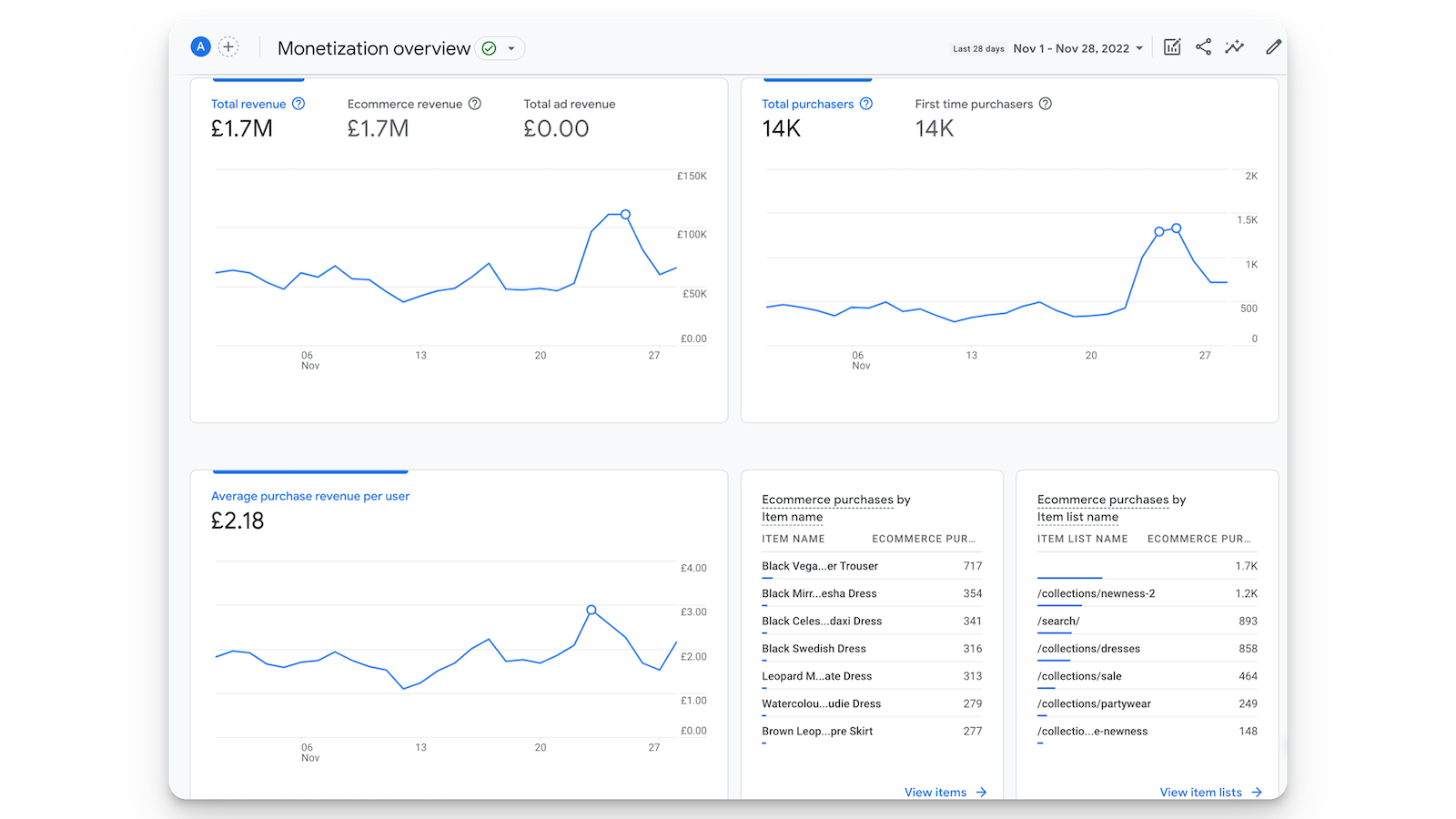
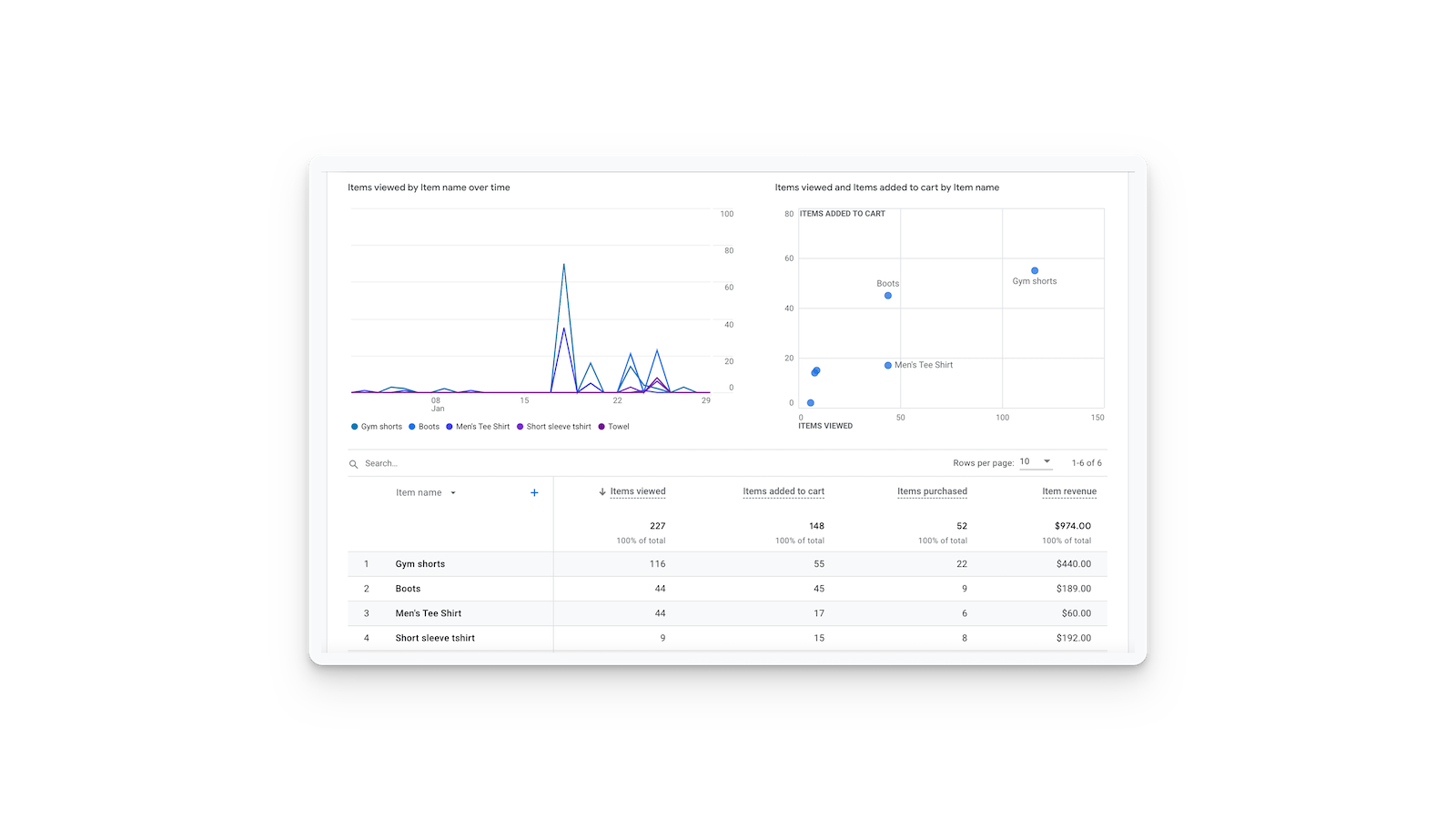
Link your shop to Google Analytics 4 quickly.
SRA ‑ Google Analytics 4 (GA4) pricing plans
Not sure which plan to pick? Discuss Basic or Grow plans with us, learn about custom pricing, or get a demo.
The app has 4 pricing plans: 0 free and 4 paid. The paid plans offered by SRA ‑ Google Analytics 4 (GA4) are Basic, Grow, Pro, Large.
The details of the plans are outlined below.
| Pricing summary | From $10/month. Free trial available. |
| Total pricing plan(s) | 4 |
| Number of free plan(s) | 0 |
| Number of paid plan(s) | 4 |
| Cost of paid plan(s) | $10, $50, $100, $200 |
| Free trial available | Yes, for 7 day(s) |
For further information regarding SRA ‑ Google Analytics 4 (GA4) pricing plans, see the official website.
The table below highlights the crucial differences between SRA ‑ Google Analytics 4 (GA4) and similar other Shopify apps based on parameters like ratings, reviews, features, pricing, etc.
| Apps | Add app | |||
| General information | ||||
| Ratings | 4.7 ★ (47 reviews) | 4.0 ★ (92 reviews) | 4.9 ★ (193 reviews) | |
| Developed by | SlideRule Analytics | Triple Whale | Ecom Parkour Limited | |
| Launch date | 9 August 2022 | 4 December 2020 | 18 October 2024 | |
| Pricing | $10/month, $50/month, $100/month, $200/month | Free, $219/month, $749/month | Free | |
| Objective | Link your shop to Google Analytics 4 quickly. | Find the exact data points to grow your brand | Facebook Pixel & Meta Pixel (CAPI) with Feed & Catalog | |
| Categories | Analytics | Analytics | Ads, Analytics | |
| Key features & highlights | ||||
| Purpose | Quickly link your store to Google Analytics 4 in less than two minutes without needing any coding. | Triple Whale provides important metrics and attribution in a user-friendly dashboard. | Capture conversions on Facebook platforms with our app using CAPI and essential metrics. | |
| Features list |
|
|
| |
| Highlights | — |
|
| |
| User reviews and ratings | ||||
| Recommended | 91.5% | 79.3% | 97.9% | |
| Pros |
|
|
| |
| Cons |
|
|
| |
| Pricing and plans | ||||
| Total pricing plans | 4 | 3 | 0 | |
| Free plan | Not available | Available | Not available | |
| Free trial | Yes, for 7 day(s) | No | No | |
| Technical information | ||||
| Rating | 4.7 ★ | 4.0 ★ | 4.9 ★ | |
| Total reviews | 47 | 92 | 192 | |
| Launch date | 9 August 2022 | 4 December 2020 | 18 October 2024 | |
The Shopify to Google Analytics 4 integration allows users to view their full conversion funnel in GA4. This server-side integration eliminates duplicate transactions or missing data issues, reducing GA4 migration time to minutes.
The app provides a seamless, server-side integration between Shopify stores and Google Analytics 4 (GA4), enabling accurate e-commerce tracking without requiring manual coding. Its key strengths include effortless setup, often completed in minutes, and reliable data synchronization, addressing common discrepancies between Shopify and GA4 reports. The app supports comprehensive analytics, including custom dimensions, upsells, and subscriptions, while also improving page speed by reducing reliance on third-party tags. Customer support is frequently highlighted as responsive and helpful, with timely resolutions for technical issues. However, some users report persistent issues with residual code remaining after uninstallation, which can interfere with store functionality, and occasional GDPR-related tracking limitations. Despite these drawbacks, the app is widely regarded as a superior alternative to Shopify’s native GA4 integration, offering stability, ease of use, and robust feature coverage at no cost.
For any questions, concerns, or assistance with SRA ‑ Google Analytics 4 (GA4), the dedicated support team is readily available to help. To reach out to the support team, users can send an email to [email protected]. Additionally, SRA ‑ Google Analytics 4 (GA4) offers a comprehensive FAQ section to address common inquiries and provide self-help resources in their app FAQ section.
Details of the SRA ‑ Google Analytics 4 (GA4) are available in various languages on the Shopify app store, including English.
| Support email | support |
| Contact number(s) | Not available |
| FAQ page | FAQ details |
| Privacy policy | Privacy details |
| Language support | English |
The list of top Shopify apps, features or software tools that SRA ‑ Google Analytics 4 (GA4) seamlessly integrates with are given below.
| Name | SlideRule Analytics |
| Profile | See all apps by SlideRule Analytics |
| Website | View developer profile |
| Address | 10102 South Goshawk Trail, Conroe, TX, 77385 |
How to install SRA ‑ Google Analytics 4 (GA4) on your Shopify store
Your name, email and store domain go straight to the SlideRule Analytics team.
SlideRule Analytics contacts you directly to arrange setup for your store.
Perfect your store’s functionality without the pressure to move on until you’re ready.
SRA ‑ Google Analytics 4 (GA4) has an overall rating of 4.6 stars from a total of 47 reviews on the Shopify app store. Of these, 43 (91.5%) are positive, 0 (0.0%) are neutral, and 4 (8.5%) are negative*.
*Ratings above four stars fall under positive review, three star reviews fall under neutral, and anything less than two stars falls under negative.
Great app, Kevin is extremely helpful and quick. Really amazing experience so far.
We finally have data we can trust! Server-side events means our GA4 purchase data is complete and clean, and running Facebook CAPI through the integration has improved our event match quality giving us more reliable signal for campaign optimization. Setup was fast and Kevin has always been proactive and thorough with answering our questions. That kind of hands-on support is rare, and it made a real difference. For any Shopify brand running paid media and trying to make sound decisions from analytics, this is the infrastructure investment that makes everything else work better. Highly recommend!
The setup was very easy and it does track our Shopify sales with 100% accuracy. The support from Kevin was fantastic also as we had a duplicate conversion recording issue with GTM / Client side tags firing but he managed to help us fix this quickly.We have now 100% of the sales tracked vs 85% tracked with GTM/ Client side tracking which means better ads optimization.
10/10 AMAZING APP!We've been struggling with our GA4 ecommerce data matching up with Shopify's reports. We tried everything from using Google's default integration to hiring a freelancer to create custom Google Tag Manager Triggers for us. To no avail, we were beyond stumped.Like any person would do, I went to Youtube and found Kevin's channel and saw he had his own Shopify App to fix this issue and after waiting 48 hours to determine what we found and everything matched up! We are beyond relieved and highly recommend this app to anyone struggling with their reporting mismatches as well. THANK YOU!
The support team is quite helpful! At first, I thought the data is not channeling correctly despite linking up everything and disconnecting GA4 in Shopify. Kevin helped us to look into our GA4 and confirmed that there's 24 hour delay. Now our GA4 revenue/transaction data is within only 10% difference with Shopify vs 15-20% before using the app.
Rankings, review momentum and install geography, refreshed weekly. Open the full charts for history, benchmarks and keyword detail.
Position and market share today
| Keywordgoogle analytics | #9 | 0.0% ▼0.0 |
Cumulative reviews · last 6 months
The key features offered by SRA ‑ Google Analytics 4 (GA4) to Shopify store owners are:
Yes, SRA ‑ Google Analytics 4 (GA4) seamlessly integrates with other Shopify apps or tools, such as Set up GA4 easily using our user-friendly wizard. You don't need to know any coding., Receive correct buying information on the server side. There won't be any missing or duplicated purchases., Monitor the entire ecommerce process with all suggested information..
Yes, SRA ‑ Google Analytics 4 (GA4) offers a 7-day free trial on all its paid plans.
The app offers 4 paid plans, which cost $10/month, $50/month, $100/month, $200/month, and come with a 7-day free trial period.
SRA ‑ Google Analytics 4 (GA4) uses USD for billing, with recurring and usage-based charges invoiced usually every 30 days.
Yes, SRA ‑ Google Analytics 4 (GA4) allows its subscribers to cancel or upgrade their subscription plan at any time.
Yes, SRA ‑ Google Analytics 4 (GA4) offers a dedicated support team for any kind of app-related assistance. To reach out to the support team, users can send an email to [email protected]. Additionally, SRA ‑ Google Analytics 4 (GA4) offers a comprehensive FAQ section to address common inquiries and provide self-help resources.
Please reach out to their support team at [email protected] to confirm its compatibility with your specific Shopify theme.
Triple Whale provides important metrics and attribution in a user-friendly dashboard.
Most popular Shopify apps on the market

Product reviews with pictures and videos for credibility and search engine optimization.

Display your products to billions of TikTok users.

Simplify all tasks and focus on your business.

Increase your brand visibility and communicate with customers on Shop.
Writing reviews on ShopDigest is coming soon.
Great app, Kevin is extremely helpful and quick. Really amazing experience so far.
We finally have data we can trust! Server-side events means our GA4 purchase data is complete and clean, and running Facebook CAPI through the integration has improved our event match quality giving us more reliable signal for campaign optimization. Setup was fast and Kevin has always been proactive and thorough with answering our questions. That kind of hands-on support is rare, and it made a real difference. For any Shopify brand running paid media and trying to make sound decisions from analytics, this is the infrastructure investment that makes everything else work better. Highly recommend!
The setup was very easy and it does track our Shopify sales with 100% accuracy. The support from Kevin was fantastic also as we had a duplicate conversion recording issue with GTM / Client side tags firing but he managed to help us fix this quickly.We have now 100% of the sales tracked vs 85% tracked with GTM/ Client side tracking which means better ads optimization.
10/10 AMAZING APP!We've been struggling with our GA4 ecommerce data matching up with Shopify's reports. We tried everything from using Google's default integration to hiring a freelancer to create custom Google Tag Manager Triggers for us. To no avail, we were beyond stumped.Like any person would do, I went to Youtube and found Kevin's channel and saw he had his own Shopify App to fix this issue and after waiting 48 hours to determine what we found and everything matched up! We are beyond relieved and highly recommend this app to anyone struggling with their reporting mismatches as well. THANK YOU!
Thank you!
The support team is quite helpful! At first, I thought the data is not channeling correctly despite linking up everything and disconnecting GA4 in Shopify. Kevin helped us to look into our GA4 and confirmed that there's 24 hour delay. Now our GA4 revenue/transaction data is within only 10% difference with Shopify vs 15-20% before using the app.
So far the process has been amazing! I wasn't seeing accurate data from the Shopify integration of GA4, but within 24 hours of removing it, and adding this app, data was being passed in correctly! I've added it to another store as well! Highly recommend!
Easy setup! Not entirely sure if it's working yet, but that's on Google for right now, I think. Either way, Shopify's native GA4 workflow doesn't work: so in the meantime, this is a great alternative (I hope).
Excellent app for integrating GA4 CORRECTLY with Shopify. As amazing it is, Google / Shopify official app does not do it the right way thus really glad for there to be a channel that is both easy and actually works properly.Google Technical support themselves admitted that their own integration is sketchy at best - but it is not a priority for Shopify or Google to fix it so well done for SlideRule to providing an actual solution her.
ShopDigest is an independent directory of Shopify work. Developers, agencies and experts publish the projects they’ve actually shipped — migrations, rebuilds, custom apps, headless storefronts — with the results attached.
For merchants, that means judging a partner on evidence instead of a sales page: browse real builds in your category and budget, then reach out directly. For builders, it means one profile that keeps working after the project ships.
No commissions, no pay-to-rank placements. The best work rises because people save and follow it.
More about ShopDigestA portfolio directory for the Shopify ecosystem — builders publish, merchants browse, nobody buys a better position.
